

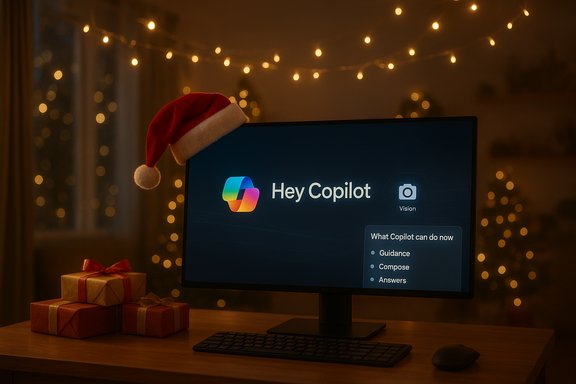
Microsoft’s new holiday ad that pitches Windows 11 as a “PC you can talk to” — a short, festive clip built around the wake phrase “Hey, Copilot” — has landed with more heat than cheer, and the backlash exposes a deeper fault line between marketing promise and product reality that could cost Microsoft real trust if left unaddressed. The commercial’s merry vignettes show Copilot seemingly performing sophisticated, connected tasks in a jiffy — from syncing Christmas lights to music to offering real‑time, screen‑aware instructions — but a close look at what Copilot can actually do today reveals important limits. Those limits matter because the ad’s imagery can inflate consumer expectations, feed anti‑AI sentiment among already skeptical users, and complicate purchasing decisions for households and enterprises weighing whether to buy a Copilot+ AI PC.
The path forward is straightforward in principle: continue shipping innovative Copilot features, but match the marketing to the product’s real capabilities today, make privacy and permissioning explicit and easy to manage, and provide buyers and IT teams with clear, verifiable information about what any given Copilot‑enabled PC will actually do on day one. If Microsoft can align demonstration with delivery — and keep the consent, audit, and governance pieces visible and usable — Copilot can be a genuinely transformative evolution for Windows. If not, the “PC you can talk to” may simply become the “PC you’re disappointed by.”
Source: TechRadar https://www.techradar.com/computing...visive-and-i-can-see-it-seriously-backfiring/
 Background
What Microsoft is advertising now
Over the past year Microsoft has escalated Copilot from a sidebar assistant into a system‑level, multimodal presence in Windows 11: an opt‑in wake‑word voice interface (“Hey, Copilot”), a permissioned visual mode known as Copilot Vision, and experimental agentic features that can act inside sandboxed workspaces when explicitly allowed. The company also introduced a hardware differentiation — Copilot+ PCs — which pair Windows 11 with dedicated Neural Processing Units (NPUs) rated at 40+ TOPS to accelerate on‑device AI tasks. Those product and hardware messages form the backbone of Microsoft’s “meet the computer you can talk to” marketing push. At the same time, Microsoft has rolled out Copilot Vision as a session‑based, permissioned tool that can “see” windows or shared portions of the desktop and answer questions about what’s visible. Microsoft’s own support pages emphasize that Vision is opt‑in, session‑scoped, and designed to assist by explaining UI and content rather than secretly operating the system on your behalf.Why this matters now
The timing of the ad campaign coincides with broader shifts: Microsoft is nudging consumers away from Windows 10 (mainstream support ended in October 2025) and is promoting Copilot as an integrated reason to upgrade hardware or move into a subscription ecosystem. That commercial tilt, combined with repeated high‑visibility Copilot promos, has generated genuine pushback from users who feel AI is being pushed too aggressively into their OS experience. Those tensions are visible in community reaction and forum threads dissecting the ad’s claims and asking whether the marketing misrepresents current capabilities.The ad: warm, clever — and misleading in small, consequential ways
What the commercial shows
The advert is a tidy, emotionally crafted piece: family scenes, quick problem solving by speaking to the PC, and one or two whimsical beats (a Santa cameo, an inflatable reindeer regulation check). The audio bed (a track heavy on the repeated “hey” lyric) underlines the wake‑word theme. It’s short, evocative, and clearly intended to illustrate a future in which voice and vision make computing feel more natural and immediate.What viewers hear and what they’re likely to expect
Viewers are shown asking Copilot to:- Sync holiday lights to the rhythm of a song and have them flash in time.
- Interpret on‑screen instructions and guide a user through a complex assembly.
- Check local placement regulations for inflatable yard decorations.
Why that expectation is dangerous
There’s a gap between illustrative marketing and operational capability. Today, Copilot Vision is a helpful explainer — it can look at a screen, OCR text, point out UI elements, and give step‑by‑step suggestions — but Microsoft’s documentation explicitly states that Vision “does not engage directly with your PC, the web, or your phone on your behalf” and “will not click, enter text, or scroll on your behalf.” It is a guide, not an operator. That means the light‑syncing vignette in the ad — which implies cross‑device integration and direct control of smart home gadgets — is not an accurate depiction of current built‑in Copilot behavior. Anyone who buys a Copilot+ PC expecting seamless PC‑to‑smart‑light orchestration as portrayed in the ad will likely be disappointed. Independent technology coverage of Copilot Vision’s rollout underscores this caveat: outlets that have tested the feature describe it as session‑based and helpful for guidance, but still limited and sometimes inconsistent in complex, real‑world tasks. Those early hands‑on reports repeatedly warn that the feature is useful, but not magical.Technical reality vs. marketing fiction
Copilot Vision: what it can and cannot do
- Copilot Vision can:
- Analyze a selected window or shared desktop region.
- Extract text with OCR and summarize content.
- Highlight UI elements and point out where to click.
- Support spoken multi‑turn conversations in a Vision session.
- Copilot Vision cannot:
- Act autonomously across apps or devices without explicit, permissioned agent connectors.
- Simulate clicks, text entry, or scrolling on your behalf in the current public implementation.
- Directly control third‑party smart home hardware through the OS in the broad, turnkey way the ad suggests.
Copilot+ PCs and the 40+ TOPS NPU claim
Microsoft’s Copilot+ marketing is real: the company lists 40+ TOPS NPUs as a defining attribute of Copilot+ devices and ties certain lower‑latency, on‑device experiences (like enhanced Live Captions, Studio Effects and image generation features) to that hardware tier. But those claims relate to performance envelopes and potential capabilities, not guaranteed support for every creative scenario shown in advertisements. The on‑device NPU gives Microsoft room to deliver faster inference and offline capabilities for particular workloads, but it does not magically enable instant cross‑ecosystem device orchestration without explicit ecosystem integrations.The marketing problem: misleading impression can erode trust
Why the ad risks backfiring
- Expectation inflation: Ads that imply agentic, cross‑device automation will work out of the box can prompt buyers to expect capabilities that aren’t shipped. That gap leads to frustration, returns, and social media mockery — the exact negativity Microsoft has been trying to avoid as it leans into AI.
- Credibility loss: Repeatedly presenting near‑future visions as present reality lowers the brand’s credibility when real users compare demo magic to day‑one product behavior.
- Fuel for the AI backlash: A vocal cohort of Windows users already feels that AI is being “shoved down their throats.” Overpromising makes those concerns feel validated and sharpens resistance rather than persuasion.
Real examples from the field
Community threads and early hands‑on reports have already flagged small but telling mismatches — a Copilot demo that fails to point to the exact accessibility control, or a Vision session that offers guidance where a click would have solved the problem. These moments are amplified by social media and become shorthand for “AI doesn’t work,” even when the underlying technology is making measurable progress. Marketing that glosses over these limits risks creating a narrative where the product is judged by theatrical demos rather than usable features.Privacy, governance, and safety: the other side of the coin
Permissioning and session scoping
Microsoft’s technical design choices try to limit harm: wake‑word spotting runs locally with a short in‑memory buffer, Vision is session‑based, and agentic Actions are off by default and request permissions for sensitive steps. These controls are important, but they are also imperfect shields against user confusion and consent fatigue. Many users will not parse the nuance — an assistant that “sees” your screen could be perceived as always on, even when it is not. Clear indicators, friction in permission flows, and easy ways to revoke capabilities are essential to prevent accidental data exposure.Data retention and transcripts
Microsoft’s support page states that images and audio used in a Vision session are not retained to train models and are deleted after sessions end, but that Copilot’s responses are logged for safety monitoring and transcripts are kept in your conversation history. Those retention choices are reasonable from a safety standpoint, yet they must be communicated plainly to consumers who assume that AI assistants always forget everything they see. Ambiguity here is a privacy risk and a potential source of regulatory scrutiny.Enterprise and compliance implications
For organizations, the two‑tier experience (Copilot vs. Copilot+) and hybrid routing (on‑device vs. cloud) complicate deployment and compliance. Admins will need clear Intune templates, robust audit logs for agent Actions, DLP integration, and the ability to opt out or lock down features at scale before rolling them out widely. Without those controls, businesses risk unintended data flows and operational incidents driven by optimistic agents.Practical guidance for consumers and IT buyers
If you’re shopping for a new PC because of Copilot
- Treat ads as concept pieces rather than feature checklists; verify the concrete features you care about on the device maker’s spec page.
- If you need low‑latency on‑device AI (real‑time translation, certain Studio Effects, image generation), look for a Copilot+ PC with a 40+ TOPS NPU; otherwise, cloud‑backed Copilot features will likely run on general Windows 11 hardware.
- Ask sellers whether a promoted Copilot feature is available today, in preview, or scheduled as a future update. Don’t assume promotional vignettes indicate immediate parity with the ad.
If you’re an IT admin planning rollout
- Pilot on a limited fleet and measure real user outcomes and telemetry before general enablement.
- Ensure DLP policies and auditing are in place for any scenario where agents or connectors can access corporate resources.
- Educate users about what Copilot Vision sessions share — and how to stop them — to prevent accidental exfiltration of sensitive data.
What Microsoft should do next (recommendations)
- Tone down concrete-looking demos that imply shipped integrations. Use conceptual language and on‑screen disclaimers that clarify which features are illustrative and which are available today.
- Add explicit “what Copilot can do now” overlays in marketing assets and retail demos so buyers can immediately see the difference between product reality and roadmap fiction.
- Improve consent UI and session telemetry controls so users can quickly audit what a Vision session accessed and delete transcripts with a single click.
- Provide a clear compatibility and feature matrix for each OEM Copilot+ implementation showing which Copilot experiences are enabled on each NPU/CPU/GPU combination.
- Invest in public, reproducible demos that third parties can validate; public confidence in AI grows when independent tests replicate vendor claims.
Strengths and real promise — don’t throw the baby out with the bathwater
This critique is not a call to halt progress. There are genuine, practical benefits here:- Accessibility: Voice and visual assistance can substantially lower the barrier to computing for users with mobility or vision limitations.
- Productivity gains: When Copilot’s multimodal guidance works, it can reduce friction on complex tasks like summarizing research or formatting documents.
- On‑device privacy and speed: Copilot+ NPUs offer meaningful advantages for low‑latency workloads and scenarios where cloud routing is undesirable.
Risks and open questions
- Expectation management: Misleading creative executions can erode trust faster than incremental engineering can rebuild it.
- Fragmentation: The Copilot vs. Copilot+ split risks confusing consumers and enterprise buyers who must choose devices based on nuanced performance characteristics.
- Privacy friction: Transcripts and logged model responses for safety could create legal and policy headaches for certain regulated industries.
- Regulatory attention: As Copilot gains screen awareness and actionable agents, regulators will ask for auditable logs, data flow clarity, and stronger consumer protections.
Conclusion
Microsoft’s holiday advert succeeds in making an emotional case for an AI‑driven, voice‑first future — and it’s easy to see why the company wants to make that case now. But the spot also amplifies a critical communication mismatch: consumers are being shown a near‑future vision as if it were current capability. That approach risks creating disappointment, feeding skepticism, and accelerating a backlash that could slow adoption at scale.The path forward is straightforward in principle: continue shipping innovative Copilot features, but match the marketing to the product’s real capabilities today, make privacy and permissioning explicit and easy to manage, and provide buyers and IT teams with clear, verifiable information about what any given Copilot‑enabled PC will actually do on day one. If Microsoft can align demonstration with delivery — and keep the consent, audit, and governance pieces visible and usable — Copilot can be a genuinely transformative evolution for Windows. If not, the “PC you can talk to” may simply become the “PC you’re disappointed by.”
Source: TechRadar https://www.techradar.com/computing...visive-and-i-can-see-it-seriously-backfiring/
