

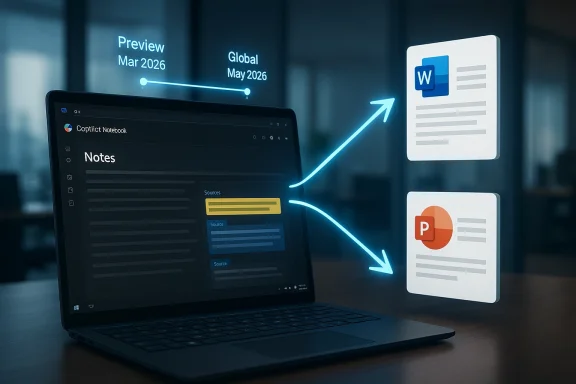
Microsoft is pushing Copilot Notebooks deeper into the document-creation pipeline, and the timing matters as much as the feature itself. Based on official Microsoft 365 Roadmap entries, Copilot Notebooks is set to generate structured Word documents and PowerPoint presentations from notebook content, with preview expected in March 2026 and broader global rollout targeted for May 2026. That would make notebooks less of an AI scratchpad and more of a launchpad for finished work, tightening the loop from research to draft to deliverable. It also signals that Microsoft is trying to make Copilot feel less like a chatbot bolted onto Office and more like the connective tissue across Word, PowerPoint, and the broader Microsoft 365 stack.
Microsoft’s Copilot strategy has steadily shifted from single-surface assistance to workflow orchestration. Early Copilot experiences focused on drafting text, summarizing files, and generating slides from prompts, but the company has spent the last year turning those one-off tasks into a broader content pipeline. The emergence of Copilot Notebooks fits that trajectory because notebooks let users gather source material, references, and working notes in one place before asking Copilot to reason over them.
The most important context is that Microsoft has already been teaching Copilot how to move content between formats. Microsoft Learn’s release notes show that Copilot can already generate PowerPoint presentations from PDF files, and Microsoft Loop users can generate a PowerPoint deck grounded on a Copilot page. That is not a small incremental step; it demonstrates that Microsoft is building reusable “content conversion” pathways across apps rather than isolated features inside each app. (learn.microsoft.com)
Copilot Notebooks themselves have also been evolving rapidly. Microsoft’s own blog posts in 2025 highlighted notebook grounding, mobile access, audio overviews, and one-click creation tools such as briefs and FAQ pages. In other words, notebooks are no longer just a place to store prompts and references; they are becoming an AI workspace with multiple output formats, which makes Word and PowerPoint exports feel like a logical next move rather than a surprise.
The roadmap timing is also notable because Microsoft has recently refreshed the Microsoft 365 Roadmap and widened the spotlight on agentic workflows across Word, Excel, PowerPoint, Outlook, and Copilot Chat. That suggests the company is not merely adding isolated features, but aligning Copilot around a more integrated, agent-like model of work. In practical terms, Microsoft wants the user to describe intent once and let the system assemble the right artifact with fewer manual transitions.
The distinction matters because notebooks are inherently messy by design. They contain source files, notes, and partial thinking, which means the real value is not storage but synthesis. If Microsoft gets this right, Copilot will do the first pass of organization, selecting the right references, assembling the narrative, and handing the user a document or deck that already looks much closer to a finished product.
The broader implication is that Microsoft is trying to reduce friction between thinking and writing. Instead of telling Copilot to generate a document from scratch, users can curate a notebook and then let Copilot convert that material into a ready-to-edit draft. That should feel especially useful for knowledge workers who already collect evidence in tabs, notes, emails, and documents before they start writing.
That is a meaningful improvement over older “generate presentation from prompt” flows because the notebook provides grounded context. In theory, that should improve slide relevance, cut down on hallucinated filler, and make the resulting deck feel more connected to actual source material. It is still likely to need human editing, but the first draft could be dramatically better than a blank slide canvas. (learn.microsoft.com)
This also strengthens the value proposition of the Microsoft 365 Copilot subscription. Customers are not just paying for a conversational assistant; they are paying for a system that helps transform sources into work products across the suite. For Microsoft, that increases stickiness because the more content users ground in notebooks, the more likely they are to remain inside Microsoft’s ecosystem to finish the job.
The enterprise angle also matters because Microsoft has been expanding Copilot’s grounding sources and app coverage over time. The company has already added richer file referencing in Word and broader presentation creation options in PowerPoint, so notebook export is part of a larger push to make the suite feel more coherent. In effect, Microsoft is betting that integration itself is a feature customers will pay for.
There is also a psychological benefit here. Many users do not struggle with generating ideas; they struggle with turning ideas into deliverables. If Copilot can close that gap, even imperfectly, it may feel more indispensable than a generic AI writing assistant that only produces text and leaves the rest of the workflow unchanged.
The competition, however, is not just about app ownership. It is about whether the AI produces something structurally useful on the first pass. If Copilot can create a better starting point than a user can achieve with templates and manual assembly, Microsoft will have created a compelling reason to stay inside Microsoft 365. If not, the feature becomes another flashy demo that saves only a few minutes. (learn.microsoft.com)
That said, the broader market trend is obvious: AI is moving from “answer questions” to “produce assets.” The next phase of competition will be about structured outputs, work handoffs, and how little cleanup is required after the AI finishes. Microsoft’s roadmap indicates it wants to win that next phase by owning the whole pathway from source to slide.
The practical workflow matters because real users need control. Nobody wants a 30-slide deck generated from a notebook if the story only needs eight slides, and nobody wants a Word document that reads like a stitched summary without headings or argument flow. The best version of this feature would strike a balance between automation and shape, giving users a coherent starting point while preserving enough flexibility for editing.
That matters even more in enterprise environments where review, governance, and compliance are part of normal work. A draft that can be opened, corrected, and redistributed in standard Office formats is much easier to fit into existing business processes than a standalone AI artifact. It is boring in the best possible way: the output lands where people already work. (learn.microsoft.com)
This also aligns with the company’s broader move toward agentic workflows in Microsoft 365. Microsoft’s roadmap now highlights capabilities that create documents, spreadsheets, and presentations through simple chat prompts, while the newer Copilot framing emphasizes multi-step work and more intelligent orchestration. Notebooks fit neatly into that vision because they give the AI a richer context layer than a bare prompt ever could. (microsoft.com)
That makes Copilot Notebooks closer to a project hub than a traditional note app. If Microsoft keeps expanding export paths, grounding options, and cross-app generation, notebooks may evolve into the preferred starting point for any AI-assisted deliverable. That would be a powerful position to own inside Microsoft 365. (learn.microsoft.com)
For PowerPoint, the feature is even more consequential because slide creation is often where users spend the most time on formatting and narrative sequencing. If Copilot can generate a structured deck from notebook content, it effectively reduces the pain of turning research into executive communication. That could be a major win for teams that routinely build presentation-heavy materials.
It also dovetails with Microsoft’s ongoing improvements to Word’s own Copilot experience, including better drafting, editing, and document insights. The notebook export feature does not replace those tools; it adds another entry point into them. That layered design is likely to make Word feel more central to Copilot’s value proposition.
If it succeeds, though, the upside is big. Presentation generation is one of the clearest use cases for enterprise AI because it sits at the intersection of analysis, communication, and stakeholder management. A strong notebook-to-deck workflow would reinforce PowerPoint’s role as a core output surface in the Copilot era. (learn.microsoft.com)
There is also a governance dimension. Enterprises will want to know how notebook content is selected, whether the right references are used, and how outputs fit within existing compliance policies. Microsoft’s editing and export model helps, but customers will still need to validate that the convenience does not create new review blind spots. Convenience is not the same thing as control. (microsoft.com)
What to watch most closely is whether Microsoft starts positioning notebooks as the canonical input for AI-generated deliverables across Microsoft 365. That would tie together the company’s recent roadmap direction, its work on richer grounding, and its broader move toward agentic productivity. In that world, Copilot is no longer just helping you write; it is helping you assemble, organize, and publish work in the formats businesses already rely on. (microsoft.com)
Source: Windows Report https://windowsreport.com/copilot-n...eate-word-documents-powerpoint-presentations/
 Background
Microsoft’s Copilot strategy has steadily shifted from single-surface assistance to workflow orchestration. Early Copilot experiences focused on drafting text, summarizing files, and generating slides from prompts, but the company has spent the last year turning those one-off tasks into a broader content pipeline. The emergence of Copilot Notebooks fits that trajectory because notebooks let users gather source material, references, and working notes in one place before asking Copilot to reason over them.The most important context is that Microsoft has already been teaching Copilot how to move content between formats. Microsoft Learn’s release notes show that Copilot can already generate PowerPoint presentations from PDF files, and Microsoft Loop users can generate a PowerPoint deck grounded on a Copilot page. That is not a small incremental step; it demonstrates that Microsoft is building reusable “content conversion” pathways across apps rather than isolated features inside each app. (learn.microsoft.com)
Copilot Notebooks themselves have also been evolving rapidly. Microsoft’s own blog posts in 2025 highlighted notebook grounding, mobile access, audio overviews, and one-click creation tools such as briefs and FAQ pages. In other words, notebooks are no longer just a place to store prompts and references; they are becoming an AI workspace with multiple output formats, which makes Word and PowerPoint exports feel like a logical next move rather than a surprise.
The roadmap timing is also notable because Microsoft has recently refreshed the Microsoft 365 Roadmap and widened the spotlight on agentic workflows across Word, Excel, PowerPoint, Outlook, and Copilot Chat. That suggests the company is not merely adding isolated features, but aligning Copilot around a more integrated, agent-like model of work. In practical terms, Microsoft wants the user to describe intent once and let the system assemble the right artifact with fewer manual transitions.
What Microsoft Is Actually Building
At a high level, the new capabilities appear to do two things. First, they let Copilot Notebooks produce a structured Word document from notebook content and references. Second, they let the same notebook content become an editable PowerPoint deck, preserving the user’s source material while translating it into presentation form. That shift is important because it moves Copilot from analysis toward publication.The distinction matters because notebooks are inherently messy by design. They contain source files, notes, and partial thinking, which means the real value is not storage but synthesis. If Microsoft gets this right, Copilot will do the first pass of organization, selecting the right references, assembling the narrative, and handing the user a document or deck that already looks much closer to a finished product.
The notebook-to-document pipeline
Word output from notebooks should appeal most to users who begin with research-heavy work. Think project proposals, meeting summaries, policy briefs, status reports, and internal memos. These are all formats where source material matters, but where the final product still needs structure, headings, transitions, and tone adjustments before it can circulate.The broader implication is that Microsoft is trying to reduce friction between thinking and writing. Instead of telling Copilot to generate a document from scratch, users can curate a notebook and then let Copilot convert that material into a ready-to-edit draft. That should feel especially useful for knowledge workers who already collect evidence in tabs, notes, emails, and documents before they start writing.
The notebook-to-deck pipeline
PowerPoint generation is even more strategically important because presentations are where many AI drafting tools fall apart. A good slide deck needs hierarchy, pacing, visual balance, and a clear narrative arc, not just bullet points turned into boxes. Microsoft’s plan to generate an editable, structured slide deck directly from notebook content suggests the company wants Copilot to handle the hardest early stage: turning loose findings into a presentation outline that is already fit for refinement.That is a meaningful improvement over older “generate presentation from prompt” flows because the notebook provides grounded context. In theory, that should improve slide relevance, cut down on hallucinated filler, and make the resulting deck feel more connected to actual source material. It is still likely to need human editing, but the first draft could be dramatically better than a blank slide canvas. (learn.microsoft.com)
Why This Matters for Microsoft 365
Microsoft 365 has always been about reducing application switching, but Copilot is turning that promise into a more explicit workflow layer. If notebooks can now become Word files or PowerPoint decks with one action, Microsoft is effectively building a content funnel inside Microsoft 365: gather, reason, draft, refine, and export. That is a bigger strategic story than the feature announcement itself. (microsoft.com)This also strengthens the value proposition of the Microsoft 365 Copilot subscription. Customers are not just paying for a conversational assistant; they are paying for a system that helps transform sources into work products across the suite. For Microsoft, that increases stickiness because the more content users ground in notebooks, the more likely they are to remain inside Microsoft’s ecosystem to finish the job.
Enterprise workflow implications
For enterprise users, the appeal is straightforward: less manual formatting, fewer copy-paste handoffs, and more consistent output. A team can collect references in a notebook, have Copilot draft a document, and then push the result into Word for final edits or into PowerPoint for stakeholder review. That kind of flow supports recurring business tasks like planning, quarterly updates, executive briefings, and internal knowledge-sharing.The enterprise angle also matters because Microsoft has been expanding Copilot’s grounding sources and app coverage over time. The company has already added richer file referencing in Word and broader presentation creation options in PowerPoint, so notebook export is part of a larger push to make the suite feel more coherent. In effect, Microsoft is betting that integration itself is a feature customers will pay for.
Consumer and small-business appeal
For consumers and small businesses, the value is different but still significant. People who do not have dedicated research or design resources can use notebooks to gather notes, then turn that work into a polished document or presentation without starting over in a different app. That should be especially attractive for students, freelancers, consultants, and solo operators juggling multiple roles.There is also a psychological benefit here. Many users do not struggle with generating ideas; they struggle with turning ideas into deliverables. If Copilot can close that gap, even imperfectly, it may feel more indispensable than a generic AI writing assistant that only produces text and leaves the rest of the workflow unchanged.
The Competitive Landscape
Microsoft is not doing this in a vacuum. Google, Notion, Grammarly, Canva, and a growing field of AI productivity tools are all trying to collapse the distance between raw notes and polished output. Microsoft’s advantage is that it owns the destination apps—Word and PowerPoint—and can therefore make the transition from notebook to final document feel native rather than exported. That is a real platform advantage. (microsoft.com)The competition, however, is not just about app ownership. It is about whether the AI produces something structurally useful on the first pass. If Copilot can create a better starting point than a user can achieve with templates and manual assembly, Microsoft will have created a compelling reason to stay inside Microsoft 365. If not, the feature becomes another flashy demo that saves only a few minutes. (learn.microsoft.com)
What rivals will have to match
Rivals will need to match more than raw generation. They will need grounding, editable outputs, and the confidence that source material is being transformed, not merely summarized. Microsoft’s notebook model hints at a more deliberate content lifecycle, which could be hard to replicate without a similarly deep productivity stack.That said, the broader market trend is obvious: AI is moving from “answer questions” to “produce assets.” The next phase of competition will be about structured outputs, work handoffs, and how little cleanup is required after the AI finishes. Microsoft’s roadmap indicates it wants to win that next phase by owning the whole pathway from source to slide.
How the Feature Could Work in Practice
Microsoft has not published a full technical spec in the sources available here, but the roadmap and release notes make the intent fairly clear. The notebook gathers content, Copilot reasons over that material, and the user can then choose a structured Word or PowerPoint output. That sequence implies the system is not just dumping text into a file; it is likely applying a document or slide schema before handing control back to the user.The practical workflow matters because real users need control. Nobody wants a 30-slide deck generated from a notebook if the story only needs eight slides, and nobody wants a Word document that reads like a stitched summary without headings or argument flow. The best version of this feature would strike a balance between automation and shape, giving users a coherent starting point while preserving enough flexibility for editing.
Expected user workflow
A likely workflow would look something like this:- Collect sources, notes, and references in a Copilot Notebook.
- Ask Copilot to structure the material for a document or presentation.
- Review the generated outline or draft.
- Open the result in Word or PowerPoint for refinement.
- Finalize formatting, tone, and visuals before sharing.
Why editable output is critical
The “editable” part is perhaps the most important design choice here. Users generally accept AI assistance when it accelerates first drafts, but they resist systems that lock them into machine-generated prose or rigid layouts. By opening the result in Word or PowerPoint, Microsoft is acknowledging that the human still owns the final product.That matters even more in enterprise environments where review, governance, and compliance are part of normal work. A draft that can be opened, corrected, and redistributed in standard Office formats is much easier to fit into existing business processes than a standalone AI artifact. It is boring in the best possible way: the output lands where people already work. (learn.microsoft.com)
The Role of Copilot Notebooks in Microsoft’s AI Strategy
Copilot Notebooks are becoming the place where Microsoft can demonstrate that AI is not just conversational but compositional. They are a bridge between informal research and formal output, which is exactly where many knowledge workers spend most of their time. The more Microsoft can anchor that transition inside a notebook, the more valuable the entire Copilot experience becomes.This also aligns with the company’s broader move toward agentic workflows in Microsoft 365. Microsoft’s roadmap now highlights capabilities that create documents, spreadsheets, and presentations through simple chat prompts, while the newer Copilot framing emphasizes multi-step work and more intelligent orchestration. Notebooks fit neatly into that vision because they give the AI a richer context layer than a bare prompt ever could. (microsoft.com)
From note-taking to work orchestration
The strategic shift is subtle but important. A notebook used to be a place to store thinking. Under Microsoft’s new model, it becomes a place to stage thinking for production. That changes how users interact with Copilot because the notebook itself becomes part of the workflow, not just a container around it.That makes Copilot Notebooks closer to a project hub than a traditional note app. If Microsoft keeps expanding export paths, grounding options, and cross-app generation, notebooks may evolve into the preferred starting point for any AI-assisted deliverable. That would be a powerful position to own inside Microsoft 365. (learn.microsoft.com)
What It Means for Word and PowerPoint
For Word, the feature is about faster drafting and stronger structure. A notebook can hold source material, and Copilot can transform it into a document with headings, sections, and a coherent flow. That should help with business documents that benefit from substance more than style, especially when the first draft is the biggest hurdle.For PowerPoint, the feature is even more consequential because slide creation is often where users spend the most time on formatting and narrative sequencing. If Copilot can generate a structured deck from notebook content, it effectively reduces the pain of turning research into executive communication. That could be a major win for teams that routinely build presentation-heavy materials.
Word’s practical edge
Word is the safer, more deterministic output. A document can tolerate some roughness because users expect to revise prose, reorganize headings, and add detail. In that sense, Copilot notebooks producing Word files is a low-risk, high-utility feature that should be relatively easy for customers to adopt.It also dovetails with Microsoft’s ongoing improvements to Word’s own Copilot experience, including better drafting, editing, and document insights. The notebook export feature does not replace those tools; it adds another entry point into them. That layered design is likely to make Word feel more central to Copilot’s value proposition.
PowerPoint’s higher bar
PowerPoint is a tougher test because presentation quality is judged visually and structurally. A deck needs pacing, narrative logic, and enough design intelligence to avoid feeling like a list of text boxes. Microsoft’s editable deck approach is promising, but the company will need to prove that the slide structures it generates actually reduce work instead of merely shifting work downstream.If it succeeds, though, the upside is big. Presentation generation is one of the clearest use cases for enterprise AI because it sits at the intersection of analysis, communication, and stakeholder management. A strong notebook-to-deck workflow would reinforce PowerPoint’s role as a core output surface in the Copilot era. (learn.microsoft.com)
Strengths and Opportunities
The main opportunity is obvious: Microsoft can eliminate a lot of repetitive, low-value formatting work and help users move from research to a finished artifact with much less friction. Just as important, this gives Copilot Notebooks a clearer purpose, which should improve adoption and make the feature easier to explain to both enterprise admins and everyday users. The more Microsoft can make notebooks feel like the starting point for finished work, the more defensible the feature becomes inside Microsoft 365.- Less manual formatting for documents and slide decks.
- Faster first drafts from curated source material.
- Better grounding than prompt-only generation.
- Stronger integration across Word, PowerPoint, and notebooks.
- Higher Copilot stickiness inside Microsoft 365.
- Useful for enterprise reporting and recurring business updates.
- Accessible for non-designers who need polished outputs quickly.
Why this could resonate
The feature should resonate because it targets a universal pain point: people rarely need more ideas, they need a cleaner path from idea to artifact. That is where Copilot can create the most obvious time savings, and it is where Microsoft can show a measurable difference between AI assistance and traditional templates. If the output quality is good enough, users may stop thinking about Copilot as a novelty and start treating it as part of normal work.Risks and Concerns
The biggest risk is that the output could be almost useful but still require too much cleanup to feel magical. If Word documents come out structurally sound but stylistically bland, or if PowerPoint decks need major reorganization after generation, users may see the feature as a time-shifter rather than a time-saver. That would still be useful, but not enough to justify the excitement Microsoft is building around Copilot.- Quality variance in generated structure and wording.
- Presentation bloat if slide counts are not well controlled.
- Overreliance on source curation, which could bias outputs.
- Enterprise governance concerns around what content is used.
- User trust issues if summaries or deck logic feel off.
- Training burden for admins and power users.
- Feature confusion if notebooks, pages, and chat overlap too much.
Accuracy and trust
A second concern is trust. When a system converts a notebook into a polished document or deck, users may assume the output is more authoritative than it really is. If the notebook contains weak assumptions or incomplete references, Copilot can faithfully package bad inputs into a convincingly formatted deliverable, which is arguably more dangerous than an obvious draft.There is also a governance dimension. Enterprises will want to know how notebook content is selected, whether the right references are used, and how outputs fit within existing compliance policies. Microsoft’s editing and export model helps, but customers will still need to validate that the convenience does not create new review blind spots. Convenience is not the same thing as control. (microsoft.com)
Looking Ahead
The next few months will tell us whether Microsoft is merely extending Copilot Notebooks or redefining what they are for. If the preview arrives on schedule and the output quality is strong, Word and PowerPoint generation could become one of the most practical notebook features Microsoft has shipped yet. If it lands with rough structure, weak decks, or unpredictable formatting, it will still be interesting—but far less transformative.What to watch most closely is whether Microsoft starts positioning notebooks as the canonical input for AI-generated deliverables across Microsoft 365. That would tie together the company’s recent roadmap direction, its work on richer grounding, and its broader move toward agentic productivity. In that world, Copilot is no longer just helping you write; it is helping you assemble, organize, and publish work in the formats businesses already rely on. (microsoft.com)
- Preview timing and whether Microsoft hits the March 2026 window.
- Output quality for both Word documents and PowerPoint decks.
- Whether slide count and structure controls improve.
- How enterprise admins react to notebook-based content creation.
- Whether related Copilot export features expand further.
Source: Windows Report https://windowsreport.com/copilot-n...eate-word-documents-powerpoint-presentations/
