Copilot as Platform: Microsoft Embeds AI Across Office Apps and Windows

  • Thread Author
Microsoft has quietly completed the long arc from “assistant” to platform: Copilot is no longer an optional chatbot add‑on that lives in a separate pane — it is being embedded as a first‑class, context‑aware productivity engine across Word, Excel, PowerPoint, Outlook, Teams, OneDrive/SharePoint and Windows, while also being extended outward through Connectors, Copilot Studio, Work IQ and an enterprise control plane for agents. That shift turns Copilot from a helpful drafting tool into the infrastructure for automated, multi‑step work — and it carries both immediate productivity upside and new governance, privacy and security responsibilities for IT teams and end users alike.

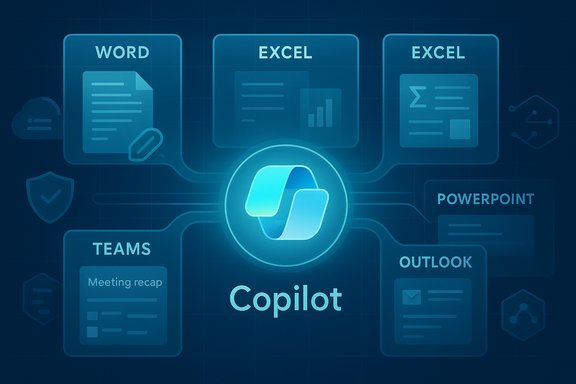
Copilot central hub linking Word, Excel, PowerPoint, Teams, and Outlook.Background / Overview​

Microsoft’s recent rollout and commercial packaging of Copilot mark a deliberate strategy: bake generative AI into the apps where knowledge work happens rather than treat it as a separate product. The company has layered several capabilities to make that possible:
  • In‑app Copilot experiences that appear inside Word, Excel, PowerPoint, Outlook and Teams to summarize, draft, analyze and export content directly into native Office formats.
  • Agent Mode, which decomposes natural‑language briefs into multi‑step workflows and writes changes directly into documents and sheets.
  • Copilot Studio, a low‑code environment to build and deploy domain‑specific agents that connect to internal systems and APIs.
  • Work IQ, an intelligence layer that aggregates signals (files, calendared events, email context and usage patterns) to ground Copilot responses in business context.
  • Agent 365 and identity controls, providing registry, lifecycle, access control and telemetry so agents can be managed like services rather than ad‑hoc bots.
  • Connectors, an opt‑in model that lets Copilot search and act across linked cloud accounts (for example, OneDrive/Outlook and external Google accounts) when users authorize access.
  • Commercial packaging for SMBs, with a Copilot Business SKU priced to broaden tenant‑aware Copilot adoption.
This is not speculative — the capabilities are shipping in stages, appearing in web and desktop apps, Windows Copilot and partner bundles. The effect is twofold: everyday users get more AI assistance in their familiar apps, while IT and security teams suddenly need to treat agentic AI as part of their operational estate.

What’s new — the integration map​

Copilot in the Office apps: Word, Excel, PowerPoint, Outlook and Teams​

Copilot now appears as a contextual assistant inside core Office apps. In practical terms that means:
  • In Word, Copilot drafts, rewrites, summarizes long documents, applies corporate styles and — in Agent Mode — can implement multi‑step changes into a document (insert sections, reconcile numbers with attachments, format to style guides).
  • In Excel, Copilot answers natural language queries, builds formulas, generates pivot tables, surfaces trends in plain English and can run Python snippets where enabled.
  • In PowerPoint, Copilot can convert longform content into slide outlines, generate speaker notes and apply layouts; Copilot Pages (an ideation canvas) can be exported into editable slides.
  • In Outlook, Copilot triages high‑volume mailboxes, summarizes long threads, and drafts context‑aware replies.
  • In Teams, Copilot produces meeting recaps, lists action items with owners and due dates, and can act as a channel facilitator or meeting participant when configured.
These in‑app experiences are designed to be content aware: Copilot reasons over the open document, the tenant’s Microsoft Graph context, and — where permitted — connected accounts.

Agent Mode and Copilot Studio — from suggestions to action​

Agent Mode changes the relationship between user and assistant. Instead of only returning text suggestions, the agent:
  • Generates a plan of discrete steps to meet the user’s brief.
  • Shows intermediate artifacts and asks clarifying questions when needed.
  • Executes changes directly in the target file (Word, Excel or PowerPoint), with audit trails and the ability to roll back.
Copilot Studio is the authoring environment where IT teams and citizen developers can build these agents. Key capabilities include:
  • Low‑code flow designers and prebuilt connectors to Graph, Dataverse, SharePoint and external APIs.
  • Identity management for agents (managed agent identities) so agents can be granted least‑privilege access.
  • Options for model selection and grounding logic for domain‑specific behavior.
Together, these tools let organizations create repeatable automation workflows — for onboarding packs, inventory reconciliation, customer‑support triage or quarterly reporting — without every flow being hand‑coded.

Work IQ, Agent 365 and governance primitives​

To make agentic behavior safe and auditable, Microsoft introduced Work IQ, an intelligence layer that aggregates signals about work (documents, emails, meetings and metadata) to ground Copilot responses in relevant context. Complementing Work IQ is Agent 365, the control plane that gives admins a registry, access controls, visualization, telemetry and remediation tools for agent fleets.
Key governance primitives include:
  • Managed agent identities that can be lifecycle‑managed via the organization’s identity system.
  • Least‑privilege access and conditional access policy enforcement for agents.
  • Logging, audit trails and dashboards to discover and quarantine misbehaving agents.
  • Sensitivity and compliance integration so agents respect Microsoft Purview labels and data protection policies.
These tools aim to let organizations treat agents like any other IT service: discoverable, governed and observable.

Connectors and cross‑service access​

Copilot now supports an opt‑in Connectors model that allows a user to link cloud accounts so a single natural‑language prompt can pull data across services. Examples include:
  • OneDrive and Outlook content being accessible to Copilot when permitted.
  • Optional connectors for Gmail, Google Drive and Google Calendar (user must explicitly opt in via OAuth).
  • Cross‑account searches and one‑click export of chat output to Word, Excel, PowerPoint or PDF.
The connectors model is explicitly opt‑in and granular: users and admins control which services an instance of Copilot can access.

Commercial rollouts and pricing notes​

Microsoft has broadened commercial packaging to reach smaller organizations. A Copilot Business SKU priced to widen adoption has been introduced for tenants under a seat cap, accompanied by promotional bundles that combine Copilot with Business Basic, Standard or Premium plans. At launch, the goal is to make tenant‑grounded Copilot accessible to more small and mid‑sized firms — a material change in how organizations can procure AI productivity tooling.

Verifying the major technical claims​

Several specific claims are repeated across vendor materials and the press; they merit verification before accepting them as operational reality.
  • Claim: Copilot is embedded into Word, Excel, PowerPoint, Outlook and Teams as an in‑app assistant.
  • Verified: the in‑app Copilot experiences are being shipped across the Microsoft 365 apps and appear in both web and desktop paths.
  • Claim: Agent Mode can execute multi‑step workflows and write directly into files with an auditable plan.
  • Verified: Agent Mode is available via preview programs and has been extended into Word and Excel in staged rollouts; agents expose intermediate steps for inspection.
  • Claim: Copilot Studio and Agent 365 provide low‑code agent creation and tenant governance.
  • Verified: the product descriptions show low‑code tooling, connectors and a governance plane designed for lifecycle and monitoring.
  • Claim: Copilot Connectors can link Gmail/Google Drive and make those accounts searchable when the user opts in.
  • Verified: Connectors operate via an opt‑in OAuth model; cross‑account linking for Google consumer services is available in preview in supported markets and builds.
  • Claim: A Microsoft 365 Copilot Business SKU is available at a specific SMB price point.
  • Verified: New SMB‑oriented Copilot packaging has been made available with list pricing designed for up to a 300‑seat cap and introductory promotions.
Caveat: some technical claims — for example, specific internal accuracy benchmarks for Agent Mode against human baselines or the exact distribution of model workloads (GPT‑5, GPT‑5.1, Anthropic variants) across every Copilot surface — are evolving. These are product‑and‑preview dependent and remain subject to Microsoft’s staged rollouts and experimentation. Treat benchmark claims and model availability statements as time‑sensitive and verify specific behavior in your tenant before operationalizing agent workflows.

Why this matters: benefits and immediate upsides​

Embedding Copilot across Microsoft’s productivity stack delivers several practical advantages:
  • Reduced context switching. When Copilot lives inside Word, Excel and Outlook, users can ask questions, draft and export artifacts without juggling tabs or tools.
  • Faster routine work. Drafting, summarization, formula generation and slide creation are dramatically sped up — especially for repetitive or template‑driven tasks.
  • Accessible automation. Copilot Studio lowers the barrier to creating repeatable agent workflows; citizen developers can automate processes without full engineering cycles.
  • Tenant grounding and auditability. When agents are tied to tenant context and identities, outputs are more traceable and can respect corporate data controls.
  • Lower barrier for SMBs. New Copilot Business packaging intends to put tenant‑aware AI within reach of smaller firms, accelerating adoption and standardization.
For day‑to‑day users — writers, analysts, ops teams and managers — Copilot’s deeper integration can be a genuine productivity multiplier when outputs are reviewed and validated.

The risks — technical, security and governance challenges​

The same features that make Copilot powerful also expand the attack surface and governance complexity. Key risks to plan for:
  • Hallucinations and factual errors. Generative models still make mistakes. Agent Mode that writes into files increases the harm from a mistaken instruction. Always require human verification for critical outputs.
  • Data leakage through connectors. Cross‑service searching is convenient, but poorly configured connectors or overly permissive scopes can surface sensitive data. Enforce strict opt‑in, audit connector consent, and restrict connectors at the tenant level for sensitive teams.
  • Agent identity and credential misuse. Giving agents Entra identities and connectors means they can hold permissions. Compromised agent IDs or misconfigured least‑privilege rules could be exploited to access corporate resources.
  • Regulatory and compliance exposure. Agents that process personal data must respect data residency, retention and compliance regimes. Integrate Copilot usage into data governance and Purview label workflows.
  • Operational dependence and vendor lock‑in. As workflows are translated into Copilot agents, organizations may become dependent on Microsoft’s platform and model choices — a risk for long‑term flexibility and cost control.
  • Unclear model provenance and auditability. Model selection across OpenAI, Anthropic or proprietary models introduces differences in outputs and behavior. Organizations must track which model was used for sensitive decisions and maintain reproducibility where needed.
  • Cost creep. Increased productivity can drive higher compute and licensing usage. New SKUs and per‑seat pricing mean organizations should model long‑term cost implications before broad rollouts.

Practical guidance for IT managers and Windows power users​

Treat Copilot and agents like a new class of enterprise service. The following checklist and phased rollout approach reduce risk while letting teams extract value.

Governance checklist (start here)​

  • Establish an agent policy that defines allowed use cases, approval workflows and acceptable risk levels.
  • Assign a central inventory owner and require every agent to be registered in the control plane.
  • Require least‑privilege access and short‑lived credentials for agent identities.
  • Integrate agent activity logging with SIEM and enable alerting for anomalous agent behavior.
  • Link Copilot outputs to Purview sensitivity labels and retention rules (where applicable).
  • Add a mandatory human validation step for high‑impact outputs (financial reports, contract language, regulatory submissions).
  • Restrict Connectors for high‑sensitivity groups and require admin review for cross‑cloud links.

Phased rollout plan (recommended)​

  • Pilot small, measure outcomes. Choose a single app (Outlook triage or Excel analysis) and a single line of business to measure accuracy gains and error rates.
  • Build a playbook. Document prompting patterns, validation steps and escalation processes for incorrect outputs.
  • Harden identity controls. Provision Entra Agent IDs only after an internal security review; apply conditional access and approval flows.
  • Operationalize audits. Feed agent logs into your SOC tools and build dashboards for agent activity and usage patterns.
  • Expand with guardrails. Use Copilot Studio templates for repeatable flows and require peer review for production agents.

Prompt and user training​

  • Teach staff to include Goals, Context and Expectations in prompts to reduce ambiguity.
  • Provide a “trusted templates” library for frequent tasks to limit creative but risky prompts.
  • Train users to treat Copilot output as a first draft and to verify numbers and citations before publishing.

How to get the most from Copilot without overreliance​

  • Use Copilot for ideation, first drafts and repetitive editing. Reserve final sign‑offs for humans.
  • Turn on explicit grounding and require Copilot to list the files or data sources used to answer a prompt.
  • Prefer agent workflows with visible plans and intermediate artifacts, not opaque one‑shot changes.
  • Maintain a change‑review culture: automated outputs included in official documents should be peer‑reviewed.
  • Rehearse incident playbooks where an agent is misused, including ability to quarantine the agent and revoke identity credentials.

The strategic view: where this positions Microsoft and customers​

Microsoft’s shift to integrate Copilot across apps and ship governance and low‑code tooling signals a platform bet: customers who invest in Copilot now may gain immediate productivity benefits and, over time, convert that advantage into process automation that is hard to replicate. For Microsoft, the commercial logic is clear — embedding AI into the fabric of Microsoft 365 and Windows increases stickiness, opens new routes to monetize AI capabilities and creates enterprise dependency on a governed AI stack.
For customers, the calculus is different: there are real gains to be had, but they come with operational costs and responsibilities. Successful adopters will be those who pair quick pilot projects with robust governance, continuous measurement and an organizational culture that treats AI outputs cautiously until the technology’s limitations are fully understood in their domain.

Final assessment: practical optimism with disciplined caution​

The expansion of Copilot into Word and the rest of the productivity suite is a genuine step change: it moves intelligent assistance from “nice to have” to an operational layer that touches daily work. The promise — faster drafting, smarter analysis and accessible automation — is substantial and will reshape knowledge work for many teams.
But the very features that deliver those benefits introduce complexities that cannot be ignored: hallucinations, data governance, agent identity management, model provenance and cost. Organizations that rush to enable agents everywhere without clear approval paths and operational controls will face compliance headaches and security incidents.
A pragmatic, phased approach will deliver the most value: pilot in low‑risk areas, harden identity and data controls, train users on prompting and validation, and scale with governance baked in. That approach preserves the upside of embedded Copilot while containing the downside risks that come with turning AI assistants into active authors of business artifacts.
Microsoft has placed powerful tools on the table. The next task belongs to IT and business leaders: decide how those tools should behave in your environment, who gets to build them, and how you will prove that they are making your organization safer, faster and smarter rather than simply louder and more automated.

Source: The Mirror https://www.mirror.co.uk/lifestyle/services-integrated-microsoft-copilot-including-36374637/
 

Microsoft’s Copilot — the AI assistant woven into Word, Excel, Teams, Edge and the standalone Copilot app — suffered a regionally concentrated outage on December 9, 2025 that left thousands of users in the United Kingdom and parts of Europe unable to get answers, perform Copilot-driven file actions, or rely on the automation many organisations had already entrusted to the service.

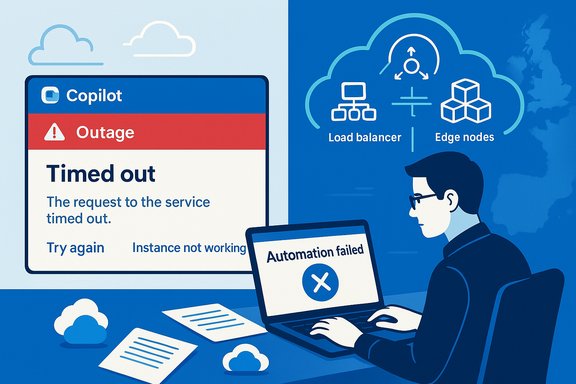
Tech worker confronts cloud outage and automation failure on a laptop.Background​

Microsoft introduced Copilot as a productivity layer across Microsoft 365, promising contextual assistance, automation of repetitive tasks, natural‑language data analysis in Excel, summarisation in Word and Teams, and a programmable bridge to OneDrive, SharePoint and Power Platform flows. That deep integration is the platform’s strength — and its operational vulnerability: when Copilot falters, so do many of the flows that organisations now treat as routine automation.
The December 9 incident was logged under Microsoft’s internal incident identifier CP1193544. Microsoft’s public status messages described a regional impact concentrated in the United Kingdom and nearby European regions and said telemetry showed an unexpected increase in request traffic that stressed autoscaling and required manual capacity adjustments and load‑balancer rule changes while engineers worked to stabilise service. Independent outage trackers and multiple news outlets recorded a sharp spike in user complaints at the same time.

What happened: a concise timeline​

Immediate signals and public acknowledgement​

  • Morning — UK users begin posting timeouts, truncated responses and identical fallback messages such as “Sorry, I wasn’t able to respond to that. Is there something else I can help with?” across Copilot surfaces.
  • Microsoft posts an incident entry (CP1193544) in Microsoft 365 status channels and the Admin Center, warning that UK/European tenants may experience degraded functionality and directing admins to tenant‑level updates.
  • Engineers identify a traffic surge and constrained autoscaling capacity plus a contributing load‑balancer problem; mitigation consists of manual scaling, targeted restarts and load‑balancer rule adjustments while monitoring telemetry.

Observable user impact​

  • Copilot panes return generic fallback text rather than answers.
  • File actions initiated via Copilot (summarise, edit, save) fail even when the underlying file storage (OneDrive/SharePoint) remains reachable through native Office apps.
  • Outage‑tracker volumes concentrate around the UK; enterprise users report broken automation and interrupted meeting summarisation and drafting workflows.

Why this matters: integration equals systemic exposure​

Copilot is no longer an optional sidecar; it is embedded in core workflows. That integration creates a new abstraction layer — an AI control plane — that orchestrates actions across storage, identity and collaboration services. When Copilot’s ability to act as an intermediary is lost, the observable outcome for many users looks identical to file or application failure: actions don’t complete, automation stalls, and users are left to switch to manual processes.
This risk is not theoretical. When Copilot’s file‑action pipeline stalls, files themselves commonly remain intact and accessible via OneDrive or the Office desktop applications — but Copilot’s automated edits, suggestions and workflows fail to execute, creating operational friction and governance headaches for teams that had assumed those agentic workflows were production‑grade.

The technical anatomy: autoscaling, load balancing and edge dependencies​

Autoscaling under stress​

Microsoft’s initial public message emphasised an unexpected surge in traffic that stressed autoscaling thresholds. Cloud‑scale AI services typically rely on automated capacity provisioning — containers or VM pools that scale out when demand spikes. When autoscaling lags (because of control‑plane throttles, quota limits, or cascading dependencies), requests are throttled, queues back up, and user‑facing clients time out. The December 9 message described engineers “manually scaling capacity” as an immediate mitigation, which is a classic indicator of autoscaling controls hitting operational limits or failing to respond quickly enough.

Load‑balancer misconfiguration and targeted restarts​

Several independent reports and Microsoft’s follow‑up updates noted that changes to load‑balancing rules were a contributing factor. When load balancers route unevenly or an upstream pool is marked unhealthy erroneously, traffic concentrates on fewer backends and triggers overload and timeouts. Microsoft’s remediation steps included adjusting load‑balancer rules and restarting affected orchestration units — consistent with addressing a misrouted traffic pattern and avoiding throttling-induced collapse.

Edge and CDN coupling: Cloudflare and past outages​

The broader context of edge‑fabric fragility matters. In November 2025, a Cloudflare bot‑management configuration error produced widespread 5xx errors and left many services unreachable until a rollback and restarts corrected the issue. That event underscored the fragility introduced by coupling large AI front ends and SaaS control planes to third‑party edge fabrics: when the edge misbehaves, healthy back ends can appear down. While Microsoft’s December 9 incident was logged as a regional autoscale and load‑balancer problem, previous outages across Azure Front Door and Cloudflare have shown how edge or CDN faults can cascade into higher‑level service alarms. The Cloudflare post‑mortem for the November incident lays out the mechanics of a malformed feature file that cascaded across Workers and Access and produced HTTP 5xxs before a deliberate rollback restored normal operation.

How Microsoft handled the incident — rapid triage and the gaps​

What Microsoft did right​

  • Assigned a trackable incident number (CP1193544) and published status updates in Microsoft 365 channels, enabling admins to correlate tenant alerts with the global message.
  • Communicated the proximate symptom (traffic surge / autoscaling) and remediation approach (manual scaling, load balancer adjustments), which provides useful operational insight for admins and SRE teams.
  • Performed targeted restarts and load‑balancer tuning rather than a global rollback, reducing the risk of service‑wide revert side effects.

Where the communication and tooling lagged​

  • Public dashboards and broad service‑health front pages can lag tenant‑level admin center entries, producing confusion for end users who rely on the public status page rather than admin notifications. Historically this visibility gap has complicated admin triage in major incidents.
  • Early messages sometimes lacked clear scope (who was affected, exact timeframe), leading to noisy social feeds and inconsistent user reports. This is a recurring problem in partial or regional incidents where symptoms vary by tenant and geography.

Impact — short and medium term​

For individual users​

  • Interrupted drafting, summarisation and meeting‑recap tasks. Users relying on Copilot as a time‑saver had to revert to manual document editing and note‑taking.

For teams and organisations​

  • Business processes that rely on Copilot for automated file edits, tagging and workflows experienced delays or failures even while file storage remained available. This can be particularly damaging for automation that is part of compliance or finance processes where audit trails and timely changes matter.

For IT and support​

  • Increased support load as users reported inconsistent symptoms (some devices and clients worked while others didn’t), forcing admins into triage mode: verifying tenant health, checking network and policy settings, and communicating workarounds.

Cross‑verified facts and what remains unproven​

  • Confirmed: Microsoft declared an incident under CP1193544 on December 9, 2025 and reported regional impact in the UK with telemetry showing a traffic surge; engineers performed manual scaling and load‑balancer adjustments as mitigations. This is supported by Microsoft community Q&A and multiple news feeds.
  • Confirmed (context): Cloudflare’s November 18, 2025 outage was caused by a malformed bot‑management feature file that propagated across the network and produced 5xx errors until a rollback; that outage affected many AI front ends and is documented in Cloudflare’s own post‑mortem. While the Cloudflare event is separate, it illustrates the fragility of coupling front ends to third‑party edge fabrics.
  • Unproven / cautionary: There is no public evidence that the December 9 Copilot incident was directly caused by Cloudflare’s November incident or by a third‑party edge provider. Temporal proximity and the recurring theme of edge/CDN fragility justify cautious scrutiny, but correlating distinct incidents requires Microsoft’s internal root‑cause analysis. Treat any direct causal claim as speculative until Microsoft releases a formal post‑incident report.

Operational lessons for admins and architects​

The Copilot outage sharpened several practical resilience lessons for organisations adopting AI‑driven productivity tooling.

Short checklist (immediate triage)​

  • Check the Microsoft 365 Admin Center for incident CP1193544 or other tenant entries.
  • Verify whether Copilot fails across multiple entry surfaces (desktop Office apps, Teams, copilot.microsoft.com). If only one surface fails, treat the problem as client/edge‑specific.
  • Test from a different network (e.g., mobile hotspot) to rule out local DNS/edge policy issues.
  • Capture exact error text, HTTP status codes and timestamps before escalating to Microsoft support.

Medium term mitigations (policy and architecture)​

  • Maintain manual process playbooks for critical workflows that leverage Copilot for automation (billing approvals, HR workflows, legal redlines). Require an explicit human review/hold step before automated actions that materially change records or financials are executed.
  • Limit agent writeback during pilots. Use read‑only or advisory Copilot modes for high‑risk content until the service passes established reliability gates. Negotiate consumption caps and monitoring SLAs with vendors when possible.
  • Implement multi‑path entry for critical automations. Where possible, allow fallbacks to native OneDrive/SharePoint flows that do not rely on Copilot intermediaries, or build alternate automation pipelines (Power Automate runbooks with independent triggers) for essential actions.
  • Monitor telemetry and instrument SLOs for external agent‑driven operations: track request latency, queue depth, error rates, and autoscale events so you can detect and respond to early signs of service stress.

Governance and procurement implications​

The outage puts procurement and legal teams in the spotlight. Copilot is a composite service: models, prompting, orchestration pipelines, storage and identity interactions cross multiple technical, legal and privacy boundaries. Organisations should:
  • Require transparent subprocessor and data‑handling terms for model providers and third‑party edges. Changes like defaulting on an external model provider (for example, enabling a third‑party model by default across a tenant) can change compliance posture overnight and should require notice and controls.
  • Negotiate operational guardrails: consumption/reporting limits, change‑notification obligations, and playbooks for failover scenarios. Ensure procurement language includes the ability to opt out or restrict writeback and automation behaviour until reliability is proven in production.
  • Align security and privacy reviews to agent actions. When Copilot or similar agents can create, edit or move records, the security team must own the classification rules, DLP controls and auditing requirements that protect sensitive data.

Practical guidance for everyday users​

  • If Copilot responds with the fallback message repeatedly, save your work locally, switch to the native Office client and perform the needed edits manually. Consider copying Copilot drafts into a local document before attempting additional Copilot commands.
  • When sharing interruptions with IT, include screenshots with error text, the timestamp, and the client surface used (web, desktop, Teams). These artifacts accelerate triage and escalation.
  • For recurring business‑critical tasks, require a brief human confirmations step before Copilot‑driven writebacks become authoritative. This small friction reduces the risk of automation‑driven errors during outages.

Bigger picture: concentration risk and the future of productivity AI​

Large AI assistants deliver outsized productivity gains — but they also centralise operational risk. The Copilot outage illustrates three structural realities:
  • Edge and control‑plane complexity matters. A single misconfigured control policy at the edge, a backlog in autoscaling, or a misrouted load‑balancer rule can cascade into large‑scale user impact. Past incidents at Azure Front Door and Cloudflare show this pattern repeatedly.
  • Agentic workflows introduce a new failure domain. Organisations must treat AI assistants like infrastructure: instrumented, monitored, and governed with human‑in‑the‑loop defaults for high‑impact actions.
  • Transparency and post‑incident forensics are essential. Partial outages create uncertainty; vendors must provide clear post‑incident analyses to help customers adapt architecture and contract terms. Until formal root‑cause reports arrive, teams should assume that both internal code changes and external edge dependencies are plausible contributors.

Conclusion​

The December 9 Copilot disruption is a reminder that embedding AI deeply into productivity stacks changes the operational calculus. Copilot’s integration with Microsoft 365 delivers tangible value — but it also converts localized service failures into workflow failures for entire organisations. Microsoft’s immediate triage steps (incident logging, manual scaling, load‑balancer adjustments) addressed the acute symptoms, and independent trackers confirmed the regional spike in reports; however, the episode reinforces the need for robust fallbacks, explicit governance of agent writeback, conservative pilots, and contractual protections around third‑party edge dependencies. Until vendors and customers co‑design resilience patterns for agentic automation — including clearer runbooks, consumption caps and multi‑path fallbacks — businesses will continue to enjoy the productivity upside of AI while managing a new class of operational risk.
Source: Daily Express Microsoft Copilot explained as users hit by outage
 

The AI assistant that many businesses treat as a productivity co‑pilot went dark for thousands of UK and European users on the morning of December 9, 2025, when Microsoft logged a regional incident that left Copilot panes in Word, Excel, Outlook and Teams returning fallback messages or timing out — an outage Microsoft tied to an “unexpected increase in traffic” and a separate load‑balancing problem as engineers raced to manually scale capacity under incident code CP1193544.

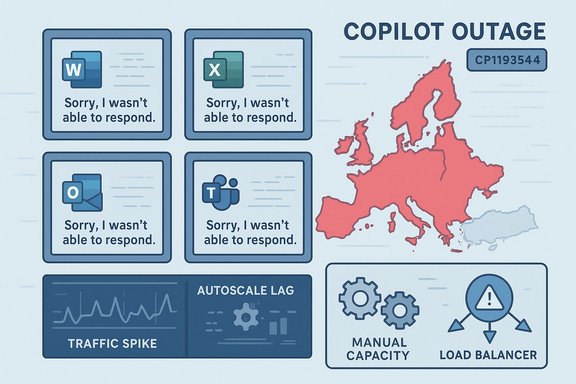
Copilot outage across Europe as Word, Excel, Outlook, and Teams fail to respond.Background​

Microsoft’s Copilot is now embedded across the Microsoft 365 stack as a synchronous, context‑aware assistant that drafts text, summarizes meetings, analyzes spreadsheets and runs automated “file actions” against OneDrive and SharePoint content. That deep integration has made Copilot an operationally important service for knowledge workers and automation pipelines alike, not just a convenience feature. In early December Microsoft launched a new SMB‑focused plan, Microsoft 365 Copilot Business, priced at USD 21 per user per month and aimed at organisations with up to 300 seats. The new SKU moved enterprise‑grade Copilot features within reach of small and medium businesses and became generally available through partner channels on December 1, creating a new, large potential user base for the Copilot platform.

What happened: concise timeline and symptoms​

The failure window opened on the morning of December 9 (UK time), when outage monitors and customer reports spiked and Microsoft published an incident advisory in the Microsoft 365 service health channels under the identifier CP1193544. Public telemetry and independent outage trackers showed the complaint volume concentrated in the United Kingdom with secondary reports from neighbouring European countries. Affected users saw consistent, user‑facing symptoms across Copilot surfaces:
  • Generic fallback or failure messages such as “Sorry, I wasn’t able to respond to that. Is there something else I can help with?”
  • Indefinite loading, truncated or slow chat completions
  • File‑action failures (summarize, edit, convert) even though files remained accessible in native clients
  • Widespread increases in helpdesk tickets and workflow interruptions
These failure modes point to a backend processing bottleneck rather than a data‑access outage. Microsoft’s public updates said diagnostic telemetry indicated an unexpected increase in traffic that stressed service autoscaling, and that engineers were performing manual capacity increases while also applying changes to load‑balancing rules to relieve impacted traffic paths. That dual track — capacity and routing — is consistent with the visible symptoms and the mitigation steps reported.

Technical anatomy: why autoscaling fails for interactive AI​

Autoscaling HTTP servers is a solved problem for stateless web apps: spin up more instances, update a load balancer, and the extra capacity absorbs demand. AI model serving, especially for interactive productivity assistants, complicates this picture in several critical ways:
  • Model inference nodes are typically GPU‑backed and take longer to provision and warm than CPU‑only web servers, creating a time‑to‑capacity gap that can let queues form and client requests time out.
  • Pre‑warming and capacity reservations are commonly required to guarantee low latency for synchronous, human‑facing operations; if an autoscaler attempts purely reactive provisioning, users can experience immediate failures.
  • Regionalised capacity pools and data‑residency routing mean that a localized surge can saturate a regional footprint even when global spare capacity exists, because failover may be constrained by compliance, routing policies or edge rules.
The practical result: autoscalers that work well for general cloud services must be rethought when the service is a real‑time AI assistant embedded into everyday productivity apps. In this incident, Microsoft’s telemetry signalled a traffic surge that outpaced automated scaling and a separate load‑balancing rule interaction that amplified the impact.

Was the outage caused by the Copilot Business launch?​

A single definitive root cause has not been published in a formal post‑incident review at the time of this reporting. Microsoft’s public messaging described demand surge and load‑balancing problems; multiple industry observers have pointed to the timing and scale of the new Copilot Business SKU — which became generally available earlier in December — as a plausible contributor to a regional “thundering herd” effect when many new SMB tenants first began exercising their Copilot entitlements. The timing and the promotional pricing make that hypothesis credible, but it remains plausible and unverified until Microsoft releases a detailed post‑incident analysis. Why that matters: an influx of tens of thousands of previously unserved accounts can change request patterns in subtle ways — bursts of agent creation, broad use of file actions, or automated scripts hitting the new SKU during onboarding — which can stress provisioning pipelines designed for enterprise usage profiles. Those behavioural shifts can interact poorly with edge routing, load balancers and reserved‑capacity policies, amplifying an incident from degraded latency to hard failures.

Microsoft’s response: what worked and what remains open​

What Microsoft did quickly and visibly:
  • Assigned a canonical incident code (CP1193544) and published status updates through the Microsoft 365 channels and the public status feed to inform administrators and tenants.
  • Executed manual scaling and targeted load‑balancer rule changes as immediate mitigations while monitoring telemetry, which is the right operational playbook for an autoscaling shortfall.
Open questions and gaps:
  • There was no immediate, detailed post‑incident report that explains why automated autoscaling failed to provision sufficient capacity, what precise configuration or control‑plane interactions triggered the load‑balancer behaviour, or whether any internal change accelerated the failure cascade. Those forensic details are crucial for customers designing risk‑mitigation.
  • Microsoft has not published tenant‑level exposure statistics or quantified the number of seats or requests affected; public outage trackers provide complaint volumes but are not authoritative measures of service impact. Customers with contractual SLAs and automation that depend on Copilot will want clearer metrics and remediation commitments.

The fragility of AI‑dependent workflows​

This outage illustrates a broader, structural risk: when AI assistants become a synchronous dependency for drafting, summarization and workflow automation, their availability is now a business‑critical property rather than a convenience metric.
  • Synchronous failure mode: Unlike client‑side features that can degrade per user, cloud AI outages remove functionality from the entire workforce at once, causing simultaneous productivity loss across teams.
  • Hidden business logic: Many organisations embed Copilot into end‑to‑end automations — e.g., meeting follow‑ups, invoice triage, or contract redlining — that assume immediate, deterministic AI responses. Those automations can stall or fail unpredictably when facing timeouts or truncated outputs.
  • Skill atrophy and operational risk: There is a pragmatic cost when users lean on generative AI for routine writing and analysis; in outage windows, regained manual processes are slower and error‑prone, raising operational risk for time‑sensitive tasks.

Recommendations for IT leaders and admins​

Organisations that depend on cloud AI must bake resilience into both technical architecture and organisational processes. Practical steps:
  • Monitor and prepare
  • Subscribe to Microsoft 365 service health notifications and watch tenant‑level incident advisories (e.g., CP1193544) for region‑specific alerts.
  • Design fallbacks
  • Define manual fallback templates: meeting note forms, email drafts, and spreadsheet macros that can be used when AI features are unavailable. Communicate these to users inside incident playbooks.
  • Harden automations
  • Add circuit breakers, retries with exponential backoff, and observability around AI calls so workflows fail gracefully rather than silently. Log failures to support post‑incident audits.
  • Consider mixed‑mode deployments
  • Where data residency and security requirements permit, evaluate multi‑region failover and conservative capacity reservations for mission‑critical tenants to mitigate localisation risks.
  • Negotiate clarity in contracts
  • Ask cloud vendors for post‑incident reports with timelines and mitigations for significant outages, and ensure SLAs reflect business expectations for uptime and incident transparency.

Trade‑offs: localisation, performance and regulatory constraints​

Microsoft’s choice to operate regionalised Copilot stacks delivers important latency, compliance and data‑sovereignty benefits. But regionalisation increases operational complexity: separate capacity pools, edge routing rules and failover constraints can make a localized surge disproportionately damaging if control‑plane coordination or cross‑region spillover is restricted. This case shows that the benefits of localisation must be balanced against robust regional capacity planning and clearly tested failover strategies.

Business and market implications​

Short outages create measurable market friction. For SMBs adopting Copilot Business under the new pricing, an early reliability hiccup can amplify adoption hesitancy, slow renewals and increase the support burden for partners and resellers. For enterprises, such incidents feed procurement and risk conversations about vendor concentration and the wisdom of automating critical workflows without hardened fallbacks. The incident is likely to accelerate two trends:
  • Heightened vendor due diligence around AI uptime guarantees and incident transparency.
  • Greater demand for architectural patterns that allow limited on‑prem or edge inference for the most critical, low‑latency workflows — at least as an emergency fallback.

What this means for the “AI‑backbone” narrative​

Technology vendors have spent months arguing that generative AI has matured into a reliable backbone for office productivity. Events like CP1193544 are not an argument against AI — they are a reality check about turning experimental capabilities into guaranteed, always‑on services.
Three sober takeaways:
  • The feature set and the SLA are different things: AI capability does not imply enterprise‑grade availability unless engineered, provisioned and contractually supported as such.
  • Operational maturity matters as much as model quality: capacity planning, pre‑warming strategies, and robust load‑balancing policies are essential to avoid human‑visible failures.
  • Accountability and transparency will increasingly shape adoption decisions: customers will ask vendors for clearer post‑incident analysis and for investments to reduce recurrence risk.

A practical checklist for Microsoft and comparable providers (what to do next)​

  • Build and publish detailed post‑incident reviews for major outages that include timelines, root cause analysis, and precise mitigations. Customers and partners need that level of information to make risk decisions.
  • Invest in pre‑warmed, reserved capacity for interactive regions and create predictable onboarding throttles or staged rollouts when opening new SKUs to broad SMB audiences.
  • Strengthen edge and load‑balancer observability so control‑plane anomalies are visible before user‑facing failures spike.
  • Offer clearer contractual remedies and SLA credits for regional AI downtime, and provide migration/adaptation guidance for customers who must maintain manual fallbacks for critical workflows.

Final analysis: strength, risk, and the road ahead​

The December 9 regional disruption offers a clear and useful lesson. The rapid embedding of Copilot into the day‑to‑day life of organisations has produced real productivity gains, but it has also concentrated risk: a service outage now has immediate and highly visible enterprise consequences. Microsoft’s operational team responded with standard and sensible mitigations — incident coding, manual scaling, and load‑balancer adjustments — and those measures appear to have stabilised the service. At the same time, the incident exposed two strategic vulnerabilities that will worry both technologists and business leaders: the fragility of reactive autoscaling for latency‑sensitive model inference, and the consequences of pushing a mass SMB rollout into a regional fabric without exhaustive staging and capacity reservation. Until vendors publish full post‑incident reviews and adopt stronger regional capacity guarantees, organisations should assume that AI assistants remain powerful but operationally delicate components of modern productivity stacks. The practical reality for IT teams is immediate: strengthen monitoring, plan fallbacks, and treat Copilot — and like services — as a critical, SLA‑governed capability rather than a transient convenience. For the industry, the event underscores an important truth: generative AI will only be trusted as the backbone of work when it is built, tested and contracted with the same rigour companies expect from every other business‑critical service.
Conclusion: the Copilot outage in the UK and Europe is a cautionary milestone in the mainstreaming of AI productivity tools. It is a reminder that operational engineering, capacity planning and transparent incident reporting must keep pace with product rollouts. The technology’s promise remains intact, but the path to making AI reliably central to business operations runs through hard engineering and clearer guarantees — and enterprise customers will rightly press vendors for both.
Source: MobileAppDaily https://www.mobileappdaily.com/news/microsoft-copilot-outage-uk-and-eu/
 

Microsoft’s Copilot suffered a significant regional outage on December 9, 2025, leaving users across the United Kingdom and parts of Europe unable to access the AI assistant or encountering degraded features as Microsoft raced to manually scale capacity and rebalance traffic to affected infrastructure.

In a data center, analysts monitor cloud infrastructure with latency and queue graphs over a Europe map.Background​

Microsoft Copilot is the AI assistant integrated into Microsoft 365 (Word, Excel, PowerPoint, Outlook, Teams and the Copilot apps) and has become a core productivity feature for millions of consumer and enterprise users. Its backend combines large language model inference, document connectors (OneDrive, SharePoint), and application integrations to deliver conversational assistance, content generation, and file-based actions. Copilot’s widespread adoption has raised operational expectations for low-latency, high-availability access — especially in business-critical settings. In the early hours of December 9, Microsoft acknowledged an incident under the identifier CP1193544 and told administrators the issue could impact “any user within the United Kingdom, or Europe” attempting to access Copilot. Microsoft’s initial public-facing telemetry assessment pointed to an unexpected increase in traffic as the proximate factor that strained automated scaling mechanisms. Engineers moved to manual capacity increases and traffic rebalancing while monitoring service telemetry.

What happened — concise factual summary​

  • Microsoft opened incident CP1193544 and posted status updates indicating users in the UK and parts of Europe might be unable to access Copilot or could experience degraded functionality.
  • Telemetry suggested an unexpected surge in traffic that outpaced or interfered with the service’s autoscaling behavior, producing timeouts, generic fallback replies, and truncated or failed responses across Copilot surfaces (web, in-app panes and mobile).
  • While manually increasing capacity, Microsoft also detected load‑balancing anomalies and adjusted load‑balancing rules and targeted restarts to divert traffic to healthier infrastructure pools. Those changes were part of the immediate remediation steps.
  • Outage trackers and social feeds recorded sharp spikes in user reports from UK geolocations during the incident window; many end users saw fallback messages like “Sorry, I wasn’t able to respond to that” or “Well, that wasn’t supposed to happen.”
These points are corroborated by Microsoft’s incident messaging and independent press and monitoring outlets. Where deeper forensic detail is missing from public statements (for example, whether a configuration change, a third‑party dependency, or a control‑plane race condition initiated the surge), those elements remain unverified and subject to Microsoft’s future post‑incident review.

Why autoscaling matters (technical overview)​

The autoscaling challenge for LLM-powered services​

Autoscaling for conversational AI is more complex than simple web-server scaling. Classic horizontal scaling for stateless HTTP services can respond to increased load by spinning up new containers or virtual machines in seconds. By contrast, LLM inference often relies on specialized GPUs or accelerator-backed instances that:
  • require longer provisioning and initialization times;
  • may need pre-warmed model instances to meet low-latency SLAs;
  • impose additional control-plane coordination when redistributing sessions and persistent worker pools.
When traffic surges faster than the autoscaler can provision and warm inference capacity, a queue builds up and latency spikes — resulting in timeouts and immediate client-facing failures. Microsoft’s incident messaging explicitly linked the December 9 disruption to autoscaling pressure after an unexpected traffic increase.

Load balancing and edge routing aspects​

Large-scale cloud services frequently use regional edge points of presence and load balancers to distribute traffic. When traffic concentrates unevenly — or when an edge PoP becomes unhealthy — load-balancing rules must shift traffic to alternate pools. In this incident Microsoft reported adjusting load-balancer rules and performing targeted restarts to reduce load on the most impacted components. Those measures are typical for mitigating regional hotspots while new capacity comes online.

User impact and observable symptoms​

What end users experienced​

Affected users across multiple platforms reported identical failure behaviors:
  • Copilot not loading or returning the generic fallback: “Sorry, I wasn’t able to respond to that.”
  • Intermittent availability where the assistant would flicker on and off, producing partial responses or timeouts.
  • File-action failures (e.g., inability to summarize, edit, or transact on OneDrive/SharePoint documents via Copilot) even when the underlying files remained accessible via native apps — indicating the backend processing layer was where the fault manifested.
These symptoms mapped consistently across the web Copilot, Microsoft 365 in-app panes, and the Copilot app, which strongly suggests the problem was centralized in the shared Copilot backend rather than client-side code.

Measurable reporting spikes​

Outage monitors and social reporting services showed a sudden spike in problem reports originating in the UK during the incident window. Independent outlets and community trackers mirrored Microsoft’s incident messaging and provided real‑time telemetry snapshots that matched the company’s public assessment. Exact counts on third-party trackers can vary by minute and by region, but the signal of a concentrated UK/European spike was clear.

How Microsoft responded (actions taken in the incident window)​

Microsoft’s first public actions were operational and focused on rapid recovery:
  • Published incident CP1193544 in Microsoft 365 status channels and advised tenant admins to monitor the admin center for tenant-level info.
  • Began manual capacity increases in the affected region to compensate for autoscaling gaps.
  • Adjusted load‑balancing rules and performed targeted infrastructure restarts to divert traffic away from stressed pools and restore healthier routing.
  • Continued to monitor service telemetry closely while tracking reduction in error rates and complaint volume.
These steps reflect a standard emergency playbook for availability incidents: relieve pressure on overloaded components, redirect traffic, and bring additional capacity online while monitoring the system for stabilization. Public reporting indicated that complaint volumes fell as those measures took effect, although a formal post‑incident report had not been published at the time of initial coverage.

What this means for enterprises and admins​

Operational exposure rises as Copilot adoption grows​

Copilot is no longer an optional add‑on for many teams; it is embedded into workflows for summaries, drafting, automation, data analysis and rapid content changes. That makes Copilot outages materially impactful:
  • Helpdesk tickets spike as users’ usual productivity paths are interrupted.
  • Synchronous meetings and time-sensitive tasks that rely on Copilot assistance become vulnerable to delays.
  • Business continuity plans that treat AI assistants as non-critical will see that assumption stress-tested in real time.

Practical recommendations for admins (short, actionable list)​

  • Monitor Microsoft 365 Service Health and set up tenant alerts around Copilot incident codes such as CP1193544.
  • Prepare fallback workflows: ensure teams know how to perform key tasks manually or with native app features (for example, using built-in Word/Excel features rather than Copilot-driven automations).
  • Rate-limit or stagger automated Copilot workloads where possible to reduce bursty traffic patterns that may exacerbate autoscaling pressure.
  • Maintain internal runbooks that list escalation contacts, service‑health links, and communications templates to keep users informed during outages.
  • Capture post‑incident telemetry for any Copilot-driven automations your org relies on so you can quantify operational impact for remediation and contractual discussions.
These steps will not remove cloud dependency, but they reduce the operational risk from sudden regional incidents and speed recovery readiness.

Strengths revealed by the response​

  • Microsoft’s rapid incident acknowledgment and use of the Microsoft 365 admin center and public status channels provided visibility to admins early in the incident lifecycle. That transparency — even at a high level — reduces confusion and helps tenants follow a consistent incident narrative.
  • The incident response demonstrated that Microsoft retains manual operational levers (manual scaling, load-balancer rule adjustments) that can be deployed quickly to relieve pressure while automated systems are catching up. Those levers are necessary fail-safes for complex LLM services.

Risks, weaknesses, and unanswered questions​

Autoscaling reliability for AI workloads​

This outage highlights an important architectural risk: autoscaling logic for AI inference can fail to react to sudden demand spikes, particularly when model-serving nodes are heavyweight resources. If autoscale triggers are tuned too conservatively, sudden bursts will cause queueing and timeouts; if tuned too aggressively, costs and resource churn can spike. Balancing the two remains a non-trivial operational problem for large cloud AI deployments. Microsoft’s own incident messaging pointed to autoscaling pressure as a proximate cause, underlining this systemic risk.

Regional blast radius vs global resilience​

The concentrated nature of the reports (UK / Europe) suggests a regional blast radius — which can be caused by localized routing issues, regional capacity constraints, or edge PoP inefficiencies. While regional footprints help contain global impact, they also mean heavily concentrated user bases (for example, many enterprise UK customers) feel the pain acutely. Public reporting indicates Microsoft used traffic rebalancing and targeted restarts to mitigate the hotspot, but deeper questions remain about why autoscaling failed in that specific footprint.

Lack of immediate post-incident root-cause detail​

At the time of initial reporting, Microsoft had not published a full post‑incident review documenting root cause, timelines of internal actions, or long-term mitigations. That lack of granular public detail is not unusual for large cloud incidents, but enterprises and regulators increasingly expect clearer, evidence-based PIRs after major outages — especially when business processes are affected. Until Microsoft publishes a PIR, any explanation beyond the company’s telemetry statements should be treated as provisional.

Historical context: Copilot reliability to date​

Copilot has experienced intermittent degradation events previously. In early November Microsoft and some tenant operators recorded incidents where specific Copilot features (like file actions) were impacted; some operational reports noted around 16% of requests experienced processing inefficiencies during one earlier incident, prompting rebalancing and targeted remediation. These prior occurrences show that while Copilot delivers value, its operational envelope is still maturing as traffic patterns scale. Administrators should treat Copilot as a powerful but evolving platform and plan for contingencies accordingly.

For engineers: technical mitigation patterns worth considering​

  • Pre-warming and reserved capacity: for predictable enterprise usage patterns, pre-warmed inference nodes or reserved capacity can reduce reliance on cold scale-up paths.
  • Graceful degradation: design clients and orchestrations to fail gracefully to cached or less expensive local operations when backend inference is unavailable.
  • Backpressure controls: adopt server- and client-side rate limiting and queuing to prevent runaway spikes from cascading into control‑plane instability.
  • Canary and regional diversification: test rolling updates and capacity expansions with canaries spread across regions to avoid localized hot spots.
  • Observability — capture end-to-end SLO telemetry so that incident responders can isolate whether the bottleneck lives at edge routing, load balancing, control plane or model inference.
These patterns are standard in cloud-scale distributed systems and are particularly relevant for LLM services with heavy resource and latency requirements.

Communications: what users and admins should expect next​

  • Short-term: Microsoft will continue incident updates in the Microsoft 365 admin center and public status channels until full stabilization and resolution. Administrators should track incident CP1193544 for tenant-level messages and any suggested mitigations.
  • Medium-term: a post‑incident review (PIR) is likely; organizations that experienced material operational impact should expect a PIR to detail root cause, remediation steps, mitigations, and timelines — though availability and granularity of that PIR are not guaranteed.
  • Long-term: customers should expect Microsoft and other cloud providers to keep iterating on autoscaling, pre-warming and regional capacity strategies as LLM workloads become more mission-critical. Enterprises must update continuity plans to include AI assistant outages as a recognized risk vector.

Cross-verification and caution on provisional claims​

The core, load-bearing claims in this report — that Microsoft declared incident CP1193544, that telemetry showed an unexpected traffic surge affecting autoscaling, and that Microsoft manually scaled capacity and adjusted load balancing — are supported by Microsoft’s public status updates and independent reporting across multiple outlets. However, internal root‑cause details beyond Microsoft’s telemetry message remain unverified in the public record. Any hypothesis about a specific control‑plane bug, third‑party dependency failure, or recent configuration change should be treated as provisional until Microsoft publishes a formal post‑incident report. This distinction matters for contractual, regulatory and technical follow-up.

Bottom line — operational takeaways for Windows and Microsoft 365 users​

  • Copilot outages can and will disrupt workflows; organizations should not assume the AI assistant is always available for mission‑critical synchronous tasks.
  • Administrators must monitor the Microsoft 365 Service Health dashboard and provision internal fallbacks for essential tasks dependent on Copilot.
  • From an engineering perspective, autoscaling and pre-warming strategies for inference workloads remain central to long-term reliability; providers and customers should collaborate on SLOs and capacity expectations.

Conclusion​

The December 9 regional outage underscores the maturity gap that still exists between traditional cloud autoscaling and the operational realities of large‑scale, inference‑heavy AI services. Microsoft’s swift acknowledgement and hands‑on mitigation (manual scaling, load balancer adjustments) helped stabilize the situation, but the incident still spotlighted fragility in autoscaling and the tangible operational consequences when a widely adopted assistant stumbles. For administrators and organizations, the lesson is clear: integrate Copilot into your resilience planning, monitor Microsoft’s service health channels closely, and maintain disciplined fallback procedures for critical workflows that cannot afford interruption.
Source: The Sun Microsoft Copilot DOWN as AI is crippled by outage affecting users across UK
 

Back
Top