

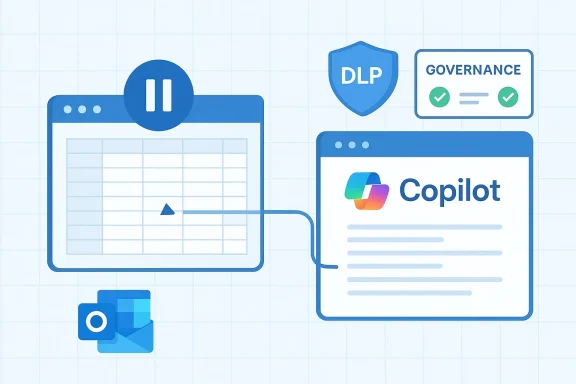
Microsoft’s Copilot rollout has entered a new, turbulent phase: Microsoft is pulling back specific Excel “app skills” after user feedback, preparing Copilot to launch automatically in Microsoft Edge from Outlook emails, and shipping a Data Loss Prevention (DLP) update intended to stop Copilot from reading or summarizing sensitive Office content. Taken together, these moves show a company rapidly iterating on AI integrations while trying to contain privacy and administrative risk — but the net effect for IT teams and users is a moving target that demands careful configuration and clear governance.
Microsoft has been accelerating the integration of its Copilot assistant across Windows and Microsoft 365 applications for more than a year. The strategy is straightforward: bake generative AI into everyday productivity workflows — Word, Excel, PowerPoint, Outlook, OneDrive and the Windows shell — and let Copilot act as both a conversational helper and a document-generation engine. Recent updates have extended Copilot from simple chat interactions to actions that can generate editable Office files, surface email and cloud content via opt‑in connectors, and operate directly from the Windows desktop.
That same breadth of integration increases complexity. When Copilot is allowed to index inboxes, generate files, and summarize content, the surface area for accidental exposure grows — especially in organizations that rely on Purview sensitivity labels and DLP rules to control processing of confidential information. Microsoft’s recent fixes and feature rollbacks are a direct response to user feedback and, in some cases, to logic errors discovered in internal telemetry that breached expected DLP behavior.
Why this matters: Excel is uniquely unforgiving when AI makes a mistake. Small formula errors, incorrect cell references, or mis-shapen tables can silently corrupt analyses. Users and administrators flagged instances where Copilot’s generated spreadsheets required non-trivial manual correction, or where the assistant’s prescriptive suggestions clashed with established internal models. The removal of these skills is a pragmatic pause that lets Microsoft refine the behavior and address reliability gaps in scenarios where mistakes carry business risk.
Key takeaways:
This cross-app handoff is part of Microsoft’s goal to make Copilot a continuous productivity surface that follows a user’s context rather than forcing manual copying or switching. Copilot’s Connectors — opt-in links to OneDrive, Outlook, Gmail, Google Drive and other consumer cloud services — are the plumbing that lets the assistant pull the right content into an Edge session for richer generation and export into Word, Excel, PowerPoint or PDF formats.
Operational implications:
Why it’s important: For regulated industries and security-conscious enterprises, DLP controls are not optional. The ability of an embedded AI to ignore or circumvent DLP rules undermines compliance programs and raises legal and contractual exposure. Microsoft’s corrective update is intended to restore the expected behavior: items marked by Purview sensitivity labels or DLP rules should remain off-limits to Copilot processing unless explicitly permitted.
What Microsoft said and did (summary of the timeline and action):
Strengths
User experience recommendations:
For IT leaders, the lesson is immediate: assume change will continue and move from reactive firefighting to proactive governance. Verify Microsoft’s DLP fixes in your environment, lock down connectors and automatic launch behaviors where necessary, and require human review for AI-generated spreadsheets. For users, the takeaway is simpler: Copilot is a powerful assistant, not an infallible one — treat its outputs as first drafts that need verification, and keep sensitive content protected until you can confirm the AI’s behavior aligns with your organization’s rules.
Source: Windows Report https://windowsreport.com/microsoft-is-removing-excel-copilot-app-skills-after-user-feedback/
Source: Windows Report https://windowsreport.com/copilot-will-launch-automatically-in-edge-from-outlook-emails/
Source: Windows Report https://windowsreport.com/new-dlp-update-stops-copilot-from-reading-sensitive-office-files/
 Background
Microsoft has been accelerating the integration of its Copilot assistant across Windows and Microsoft 365 applications for more than a year. The strategy is straightforward: bake generative AI into everyday productivity workflows — Word, Excel, PowerPoint, Outlook, OneDrive and the Windows shell — and let Copilot act as both a conversational helper and a document-generation engine. Recent updates have extended Copilot from simple chat interactions to actions that can generate editable Office files, surface email and cloud content via opt‑in connectors, and operate directly from the Windows desktop.That same breadth of integration increases complexity. When Copilot is allowed to index inboxes, generate files, and summarize content, the surface area for accidental exposure grows — especially in organizations that rely on Purview sensitivity labels and DLP rules to control processing of confidential information. Microsoft’s recent fixes and feature rollbacks are a direct response to user feedback and, in some cases, to logic errors discovered in internal telemetry that breached expected DLP behavior.
What changed: Excel Copilot app skills pulled after feedback
Microsoft recently announced it will remove or pause certain Excel Copilot app skills following sustained user feedback. The change is positioned as a correction driven by real-world usability and reliability concerns rather than a fundamental rethink of Copilot’s role inside Office. The skills in question reportedly related to how Copilot generated or interacted with Excel workbooks — for example, auto-generating spreadsheets from chat prompts, applying formulas, or producing templates that users found inaccurate or inconsistent.Why this matters: Excel is uniquely unforgiving when AI makes a mistake. Small formula errors, incorrect cell references, or mis-shapen tables can silently corrupt analyses. Users and administrators flagged instances where Copilot’s generated spreadsheets required non-trivial manual correction, or where the assistant’s prescriptive suggestions clashed with established internal models. The removal of these skills is a pragmatic pause that lets Microsoft refine the behavior and address reliability gaps in scenarios where mistakes carry business risk.
Key takeaways:
- The rollback is a user-driven safety and quality move rather than an abandonment of Excel-focused AI features.
- Expect a staged reintroduction after improvements to accuracy, better contextual grounding, and clearer UI safeguards.
- Administrators should treat the current period as transitional and reassess any automation that depended on the removed skills.
Copilot launching automatically in Edge from Outlook emails: what to expect
Microsoft is also expanding how Copilot surfaces when users interact with email. A new behavior will allow Copilot to launch automatically in Microsoft Edge when triggered from Outlook emails, creating a tighter experience between inbox content and Copilot-generated actions in the browser. In practice, this means Copilot can escalate from an in‑app summary or suggested reply inside Outlook to a full Edge-based Copilot session that opens web-grounded workflows and document creation tools.This cross-app handoff is part of Microsoft’s goal to make Copilot a continuous productivity surface that follows a user’s context rather than forcing manual copying or switching. Copilot’s Connectors — opt-in links to OneDrive, Outlook, Gmail, Google Drive and other consumer cloud services — are the plumbing that lets the assistant pull the right content into an Edge session for richer generation and export into Word, Excel, PowerPoint or PDF formats.
Operational implications:
- For individual users, the shift can speed workflows: an email thread can become a set of slides or a data spreadsheet with fewer clicks.
- For enterprises, automatic handoffs increase governance complexity: a Copilot session launched from sensitive mail might access or summarize data differently once it migrates to Edge.
- IT teams must verify whether the automatic launch is policy-controllable, opt‑out capable, or tied to specific client builds or licensing tiers.
The DLP update: stopping Copilot from reading sensitive Office files
Perhaps the most consequential change for organizations is Microsoft’s DLP update intended to prevent Copilot from reading or summarizing files that are governed by sensitivity labels and DLP policies. This response followed an internal logic error where Copilot Chat — specifically the “Work” chat experience — read and summarized Outlook messages that had been labeled as Confidential, bypassing label enforcement and DLP protections. Microsoft classified this as a code-level logic defect and has pushed a server-side fix plus additional DLP enforcement updates to stop similar incidents.Why it’s important: For regulated industries and security-conscious enterprises, DLP controls are not optional. The ability of an embedded AI to ignore or circumvent DLP rules undermines compliance programs and raises legal and contractual exposure. Microsoft’s corrective update is intended to restore the expected behavior: items marked by Purview sensitivity labels or DLP rules should remain off-limits to Copilot processing unless explicitly permitted.
What Microsoft said and did (summary of the timeline and action):
- Detection: Telemetry showed Copilot summarizing labeled “Confidential” emails coming from Sent Items and Drafts.
- Classification: Engineers logged the incident under an internal advisory and traced it to a server-side logic error in Copilot Chat’s Work routing.
- Fix and update: Microsoft issued a code fix and pushed a DLP update to stop Copilot from reading or summarizing content protected by sensitivity labels and DLP policy.
Critical analysis: strengths, limitations, and lingering risks
Microsoft’s approach shows strengths in speed of iteration and in listening to customer and telemetry feedback, but it also reveals the hard trade-offs of embedding large language models inside widely used productivity tools.Strengths
- Rapid iteration and remediation: Microsoft moved quickly to fix the DLP bypass once it was discovered, and it responded to user concerns about Excel skills by pausing problematic features. That indicates operational maturity and a willingness to prioritize safety over feature aggressiveness.
- Opt‑in architecture for connectors: The Connectors model keeps cross-cloud access behind explicit permissions, which helps reduce accidental exposure when properly configured.
- Centralized governance tools evolving: Microsoft continues to add admin controls (Group Policies and Purview hooks) that give IT teams leverage over broad Copilot behavior. Recent Insider builds have introduced targeted Group Policy options for uninstalling or controlling the consumer Copilot app on managed devices. These are useful first steps for enterprise control.
- Reliability of generated content in Excel: Spreadsheet accuracy is hard to verify automatically. Even small errors can have outsized business consequences, which is why Microsoft’s decision to remove certain Excel app skills is prudent but disruptive. Users who adopted automation will need to revalidate outputs and adjust expectations.
- Policy and enforcement gaps: The DLP incident shows a second-order risk: complexity in distributed services and server-side routing can create policy enforcement blindspots that are hard to anticipate. An on-prem label or cloud DLP rule doesn’t always equal immediate protection when cloud AI services process content.
- Ambiguous UI and consent models: Automatic Copilot launches from Outlook into Edge can surprise users or create race conditions where content is processed in a different trust domain. Without clear UI affordances, users may not know what has been shared or processed.
- Data exposure via misrouted processing in Copilot Chat (most critical).
- Silent errors in AI‑generated Excel outputs that become business-critical.
- Uncontrolled cross-app transitions (Outlook → Edge) that complicate governance and auditing.
What IT teams and administrators should do now
The current Copilot churn requires a structured response from IT and security teams. The following recommendations prioritize containment, verification, and sensible liberalization once controls prove trustworthy.- Verify update status and telemetry
- Confirm that Microsoft’s DLP update has been applied to your tenant and that any relevant client or service-side patches are in place.
- Run test cases where documents and emails labeled with your most restrictive Purview labels are requested via Copilot to confirm the assistant properly rejects or redacts them.
- Audit Copilot connectors and consent
- Review which users have linked personal or third‑party connectors (Google Drive, Gmail, etc.) and determine whether those connections align with policy.
- Enforce least privilege: limit connector opt‑ins for accounts that handle sensitive or regulated data.
- Harden Microsoft 365 and endpoint controls
- Use available Group Policy settings, MDM controls, and Applocker rules to control where the consumer Copilot app can run and whether it can be installed automatically on managed devices. Evaluate Microsoft’s one‑time removal policy carefully — it’s narrow by design — and plan for an operational model that doesn’t rely on a single kill switch.
- Apply conditional access, device compliance and network segmentation to separate high‑risk workloads.
- Re-evaluate automated Excel workflows
- Pause production use of AI‑generated spreadsheets until you can validate outputs against canonical models.
- Require human review and explicit sign-off for automated changes to financial, legal, or compliance‑sensitive workbooks.
- Communicate and train users
- Explain to end users the limits of Copilot, how to recognize when Copilot is accessing external data, and how to label sensitive content appropriately so DLP protections apply.
- Build a simple reporting pathway for suspected Copilot misbehavior and run tabletop exercises to validate incident response.
Legal, compliance, and audit considerations
Embedding generative AI into productivity workflows raises distinct compliance questions that go beyond typical software deployments.- Audit trails: Ensure that Copilot-related actions are logged and that those logs are retained according to compliance needs. Automatic Edge launches and cross-service connector activity should appear in audit records.
- Contracts and data residency: When Copilot accesses cloud accounts or uses third-party connectors, verify whether data leaves allowable geographic or contractual boundaries. Opt-in connectors may introduce third-party processing that needs contract review.
- Incident response and notification: The DLP incident shows the need for rapid detection and coordinated disclosure. Update incident response plans to include AI-service failures and confirm who will communicate with regulators and customers if exposure occurs.
Developer and product-level fixes Microsoft should (and likely will) prioritize
Based on the observed issues, a defensible product roadmap would include the following items — many of which align with public signals from Microsoft’s Copilot updates and admin controls.- Hardened DLP enforcement paths: Ensure DLP labels and Purview rules are enforced at the service orchestration layer that routes content to Copilot, not just at UI or storage layers. This would reduce the chance of server-side logic errors causing bypasses.
- Explainability and provenance: Surface why Copilot used a particular data source and which permissions were consumed when it pulled content. That helps both users and auditors understand AI behavior.
- Guardrails and verification for spreadsheet generation: Implement confidence scores, deterministic formula tracing, and change review workflows for AI-generated Excel outputs so users can more quickly verify the correctness of generated workbooks.
- Admin-level opt-outs and tenant locks: Expand enterprise controls so IT can enforce tenant-wide limits on auto-launch behaviors and connector opt-ins while preserving legitimate productivity gains for permitted users.
User experience and productivity: balancing promise and peril
It’s important to remember why Microsoft is pushing Copilot so aggressively: the productivity promise is real. When Copilot works properly, it removes tedious steps — summarizing long email threads, composing first drafts, generating templates, and even building starter spreadsheets. The danger is that these same shortcuts can standardize and amplify mistakes at scale.User experience recommendations:
- Keep the UI honest: always show clear, persistent indicators when Copilot is processing user content or launching in another app or browser.
- Provide quick undo and diff workflows for AI-generated files so users can inspect what changed and reverse when necessary.
- Provide a “safe mode” for regulated users: a tenant or user-level setting that severely restricts Copilot’s ability to access mailbox content or auto‑generate files.
What to watch next
Over the coming weeks and months watch for:- Reintroduction or redesign of Excel skills with explicit accuracy and review controls.
- Product documentation updates that clarify the conditions under which Copilot will auto-launch in Edge from Outlook.
- Expanded Purview and admin controls that close routing and enforcement gaps highlighted by the DLP incident.
- Further telemetry-driven fixes as Microsoft iterates on edge cases discovered in the wild.
Conclusion
Microsoft’s recent moves — pausing problematic Excel Copilot skills, enabling Copilot to launch from Outlook into Edge, and shipping a targeted DLP update — illustrate the contradictory demands of innovation and control. Copilot’s promise to transform productivity is substantial, but delivering that promise safely requires robust policy enforcement, transparent consent models, and careful UI design that surfaces provenance and limitations to users.For IT leaders, the lesson is immediate: assume change will continue and move from reactive firefighting to proactive governance. Verify Microsoft’s DLP fixes in your environment, lock down connectors and automatic launch behaviors where necessary, and require human review for AI-generated spreadsheets. For users, the takeaway is simpler: Copilot is a powerful assistant, not an infallible one — treat its outputs as first drafts that need verification, and keep sensitive content protected until you can confirm the AI’s behavior aligns with your organization’s rules.
Source: Windows Report https://windowsreport.com/microsoft-is-removing-excel-copilot-app-skills-after-user-feedback/
Source: Windows Report https://windowsreport.com/copilot-will-launch-automatically-in-edge-from-outlook-emails/
Source: Windows Report https://windowsreport.com/new-dlp-update-stops-copilot-from-reading-sensitive-office-files/
