

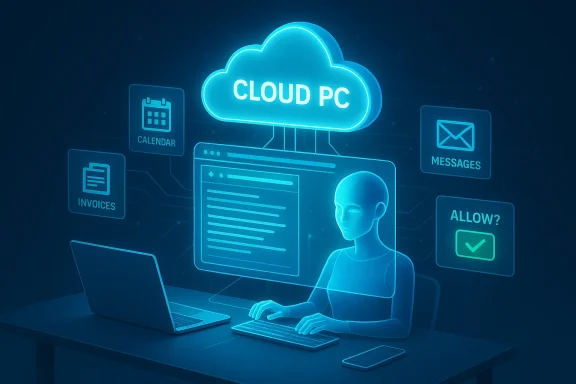
Microsoft has just flipped a switch in the AI assistant playbook: Copilot Tasks moves Microsoft’s Copilot from answering questions to doing work for you — spinning up its own cloud PC and browser to plan, execute, and report on multi‑step workflows you describe in plain English.
Microsoft’s Copilot program has been evolving steadily for several years, growing from an on‑page chat helper to a cross‑product productivity layer across Windows, Edge, and Microsoft 365. Recent updates introduced voice activation (“Hey, Copilot”), screen‑aware vision features, and experimental agent framewyactions on the desktop; Copilot Tasks is the clearest statement yet of Microsoft’s intent to make Copilot an agentic assistant that acts on behalf of users.
The new feature is being launched as a research preview and is initially available to a limited set of users on a waitlist. Microsoft describes this as the transition “from answers to actions”: instead of returning drafts and suggestions, Copilot Tasks will take responsibility for recurring, scheduled, and one‑off jobs and deliver a completion report when finished.
Developers and enterprise teams have also been given tooling — Copilot Studio and “computer use” features — enabling makers to build agents that can automate UI interactions, run code interpreters for data work, and orchestrate multi‑step flows. Copilot Tasks inherits and centralizes many of those capabilities for end users.
Journalists and product teams outside Microsoft who’ve seen Copilot Tasks describe a powerful but cautious debut: the feature can do complex, mundane workflows (booking, summarizing, monitoring) and returns a clear report of actions taken, but it’s currently gated behind a research preview and a waitlist. Industry coverage frames the launch as Microsoft placing a major bet on agentic AI while trying to keep user control front and center.
Within Window members have reacted on two tracks. Some celebrate the productivity potential and the reduction of repetitive work; others are skeptical about real adoption and vocal about privacy, governance, and the risk of unexpected automation errors. Forum threads we indexed already document active discussion about how Copilot has moved from suggestion to action and the need for explicit admin controls for enterprise deployments.
What Microsoft does not disclose in detail — and what remais stage — includes:
If Microsoft can deliver a secure, auditable, and controllable Copilot Tasks experience, the implications for productivity are significant:
Organizations and savvy users should treat Copilot Tasks as a tool to pilot with care: start small, insist on logs and human‑in‑the‑loop confirmations for consequential activities, and bake governance into every step of the deployment. If Microsoft delivers a secure, auditable platform with strong admin tooling, Copilot Tasks could finally make the long‑promised vision of useful, everyday AI automation into a practical reality — but only if the ecosystem gets the safety and governance right from day one.
Source: Mezha Microsoft's new AI agent performs everyday tasks instead of the user
 Background
Microsoft’s Copilot program has been evolving steadily for several years, growing from an on‑page chat helper to a cross‑product productivity layer across Windows, Edge, and Microsoft 365. Recent updates introduced voice activation (“Hey, Copilot”), screen‑aware vision features, and experimental agent framewyactions on the desktop; Copilot Tasks is the clearest statement yet of Microsoft’s intent to make Copilot an agentic assistant that acts on behalf of users.The new feature is being launched as a research preview and is initially available to a limited set of users on a waitlist. Microsoft describes this as the transition “from answers to actions”: instead of returning drafts and suggestions, Copilot Tasks will take responsibility for recurring, scheduled, and one‑off jobs and deliver a completion report when finished.
What Copilot Tasks actually does
The core idea — a cloud PC that works for you
At a technical level, Copilot Tasks runs each job in a dedicated cloud‑hosted compute and browser environment. That environment executes the plan the assistant generates — visiting web pages, filling forms, reading emails and attachments (with permission), interacting with services, and creating documents — then reports results back to the user. This architecture is explicitly designed so the workload doesn’t tax your local device and so Tasks can operate autonomously outside of your active session.Types of tasks and schedules
Microsoft lists a sweeping set of real‑world scenarios Copilot Tasks can handle:- Recurring monitoring and inbox triage — surface urgent emails nightly, draft replies, and unsubscribe from promotional lists.
- Search and booking workflows — watch apartment listings weekly and book viewings when relevant.
- Document generation — transform a syllabus into study plans, convert emails and attachments into polished slide decks, or tailor resumes to job listings.
- Service procurement — compare quotes for local services (plumbers, repairs) and book appointments.
- Logistics automation — monitor hotel rates and rebook if prices drop; schedule rides timed to flights and adjust for delays.
How Copilot Tasks fits into Microsoft’s Copilot ecosystem
Copilot Tasks is not an isolated toy — it’s a logical extension of a string of features Microsoft has been layering into Windows and Microsoft 365. Over the past year Microsoft rolled out Connectors (linking Outlook, OneDrive, Gmail, and Google Drive), document export from chat, Copilot Vision, and experimental desktop action systems that let Copilot interact with local apps in a permissioned workspace. Copilot Tasks takes those ideas and elevates them into a background automation service that can run without you watching.Developers and enterprise teams have also been given tooling — Copilot Studio and “computer use” features — enabling makers to build agents that can automate UI interactions, run code interpreters for data work, and orchestrate multi‑step flows. Copilot Tasks inherits and centralizes many of those capabilities for end users.
Why the architecture matters: cloud PC + browser
There are three practical reasons Microsoft chose a cloud PC and browser for Tasks:- Isolation and control. Running in a dedicated cloud environment reduces the risk of unexpected interference with the user’s local machine and provides a bounded space that Microsoft can monitor and secure.
- Cross‑service reach. A cloud browser can interact with web services and third‑party sites without requiring dedicated APIs for every integration, enabling Tasks to work across broad swaths of the internet.
- Performance and continuity. Background jobs can run 24/7 without relying on a user’s device being online, enabling true scheduling and continuous monitoring (e.g., price watching or apartment listing scans).
Journalists and product teams outside Microsoft who’ve seen Copilot Tasks describe a powerful but cautious debut: the feature can do complex, mundane workflows (booking, summarizing, monitoring) and returns a clear report of actions taken, but it’s currently gated behind a research preview and a waitlist. Industry coverage frames the launch as Microsoft placing a major bet on agentic AI while trying to keep user control front and center.
Within Window members have reacted on two tracks. Some celebrate the productivity potential and the reduction of repetitive work; others are skeptical about real adoption and vocal about privacy, governance, and the risk of unexpected automation errors. Forum threads we indexed already document active discussion about how Copilot has moved from suggestion to action and the need for explicit admin controls for enterprise deployments.
How Copilot Tasks compares with competing agentic tools
This is not an isolated move: other vendors have implemented agent‑style capabilities in recent months (OpenAI’s agents/Operator, Anthropic’s coworking agents, Google’s Gemini auto‑browsing). There are several axes of comparison:- Execution model: Microsoft’s cloud PC + browser model contrasts with agents that operate purely through API orchestration or local automation. The browser‑driven approach offers broad surface area for interaction but increases the need for web‑safety controls.
- Ecosystem integration: Microsoft can tile Tasks into Windows, Office, Outlook, OneDrive, and enterprise admin tooling — an advantage for organizations icrosoft 365.
- Governance and enterprise features: The depth and maturity of admin controls will likely be decisive for adoption in regulated industries; Microsoft’s offerings are positioning Tasks as an enterprise‑aware tool, but actual governance capabilities will reveal themselves as the preview expands.
Security, privacy, and governance: the thorny details
Copilot Tasks raises a complex bundle of security and privacy questions. Microsoft has built consent prompts for high‑impact actions and emphasizes user final control, but large‑scale deployment surfaces many risks:- Data access and lateral movement. Tasks may need to read emails, calendar entries, files, and connected cloud accounts to perform work. Those connectors must be permissioned essive exposure. Microsoft’s documentation stresses explicit opt‑in for cross‑service access, but enterprises should treat connectors as privileged integrations.
- Automated messaging and payments. Even with consent gates, a misconfigured task could send incorrect messages or initiate charges. Logging, two‑step confirmations for payments, and human‑in‑the‑loop safeguards are must‑have controls.
- Abuse and spoofing. A cloud browser acting on behalf of users can be targeted by malicious actors who trick users into granting permissions. Enterprises should require behavioral baselines, allowlist domains, and enforce strong MFA and conditional access policies around agent usage.
- Privacy and memory. Earlier Copilot updates introduced persistence and personalization features that some users found intrusive; community threads have already recommended disabling default memory and scrutinizing data retention settings. Copilot Tasks’ background nature makes those settings even more important for privacy-conscious users.
- Auditability. Organizations will demand transparent, tamper‑resistant logs showing exactly what actions an agent took, when it ran, and what data it acceduct messaging highlights reporting, but the depth and retention of audit logs will determine whether Copilot Tasks meets compliance needs.
Verification and technical claims: what’s confirmed — and what’s not
Microsoft’s public announcement confirms several concrete facts: Copilot Tasks runs in a cloud PC/browser, supports one‑time/scheduled/recurring jobs, requests consent for consequential actions, and will be research preview with a waitlist. These are documented in the Copilot team’s blog post and corroborated by firsthand reporting.What Microsoft does not disclose in detail — and what remais stage — includes:
- The precise LLM model(s) and version(s) that orchestrate Tasks and whether Tasks uses specialized models for planning vs. execution. Publiecify model internals. We flag such model‑level claims as unverifiable without an official technical whitepaper.
- The security posture and isolation guarantees of the cloud PC at a technical layer (hypervisor, container isolation, per‑task cryptographic separation). Microsoft describes isolation conceptually but has not published a deep technical architecture. Organizations performing threat modeling should treat these as unknowns until Microsoft publishes more detailed documentation.
- Exact enterprise management controls (retention windows, log export formats, SIEM integration specifics) — early previews frequently iterate, so admins should verify capabilities in test environments.
Practical guidance — how to approach Copilot Tasks (for users and IT)
If you’re an individual user, tester, or IT admin considering Copilot Tasks, here’s a pracn before you enable or roll the feature out:- Join the waitlist and pilot early. Try the research preview with a limited set of low‑risk tasks to understand behavior and logging. ([microsmicrosoft.com/en-us/microsoft-copilot/blog/2026/02/26/copilot-tasks-from-answers-to-actions/)
- Define explicit policies for connectors. Limit which accounts (personal vs. work) and which services the agent can access; require approvals for payment or messaging actions.
- Enforce human approvals for financial or public‑facing actions. Require multi‑factor prompts or manual confirmation steps before any task initiates payments or sends external communications.
- Monitor logs and reports. Ensure Copilot Tasks reports are routed to a security team and integrated into your SIEM or audit pipeline. Ask Microsoft for log formats and retention policies during pilot.
- Train users on consent and phishing risks. Users must understand what permissions they grant and how a malicious workflow could exploit those permissions.
If Microsoft can deliver a secure, auditable, and controllable Copilot Tasks experience, the implications for productivity are significant:
- Time reclaimed from repetitive work. Scheduling, monitoring, and triage tasks that occupy knowledge worker time could be automated reliably.
- Better continuity for off‑hours monitoring. Agents can watch markets, listings, or support queues without tying up human attention.
- Cross‑app workflows without custom integrations. A browser‑driven agent can interact with many services without bespoke connectors, lowering the friction to automating real‑world tasks.
Key risks — what can go wrong
The benefits come with nontrivial risks that organizations must weigh:- False or harmful actions. Agents can misunderstand intent and take incorrect actions (e.g., cancel a reservation or send a poorly worded reply), especially in edge cases. Human review and undo paths are essential.
- Privilege creep. Overprivileging connectors or granting blanket access to inboxes and accounts can create attack vectors. Least privilege and just‑in‑time approvals help mitigate this.
- Regulatory exposure. For regulated industries, an agent that moves data between systems or makes commitments could trigger compliance violations unless audit and retention are airtight. Demand technical evidence before deployment.
- Adoption and trust hurdles. Media reporting indicates Copilot adoption has been uneven; users may resist delegating tasks to an assistant without clear, reliable benefits and strong safety cues.
What to watch next
Over the coming weeks and months, these are the development and policy signals to track:- Preview expansion and enterprise controls. Will Microsoft open Tasks to broader audiences? What admin policies and logging options will be added?
- Technical whitepapers and security attestations. Look for deeper documentation on cloud PC isolation, encryption, and identity management. Absent those, risk‑averse organizations should wait for more evidence.
- Real‑world incident reports. Early pilots will reveal classes of failure and abuse; monitor community forums and incident disclosures carefully.
- Competitor moves and standardization. How OpenAI, Anthropic, and Google respond will shape interoperability, user expectations, and regulatory attention.
Final assessment
Copilot Tasks is a consequential next step in the evolution of consumer and enterprise AI: it takes Microsoft’s Copilot from a reactive assistant into a background worker that completes real tasks using its own cloud PC. That shift promises material productivity gains but also amplifies long‑standing concerns about consent, data access, auditability, and governance. Microsoft’s preview framing — explicit consent gates, reporting, and a staged roll‑out — addresses some of those issues up front, but the product’s ultimate value and safety will depend on the quality of isolation, the granularity of admin controls, and how transparently Microsoft documents auditability and failure modes.Organizations and savvy users should treat Copilot Tasks as a tool to pilot with care: start small, insist on logs and human‑in‑the‑loop confirmations for consequential activities, and bake governance into every step of the deployment. If Microsoft delivers a secure, auditable platform with strong admin tooling, Copilot Tasks could finally make the long‑promised vision of useful, everyday AI automation into a practical reality — but only if the ecosystem gets the safety and governance right from day one.
Source: Mezha Microsoft's new AI agent performs everyday tasks instead of the user
