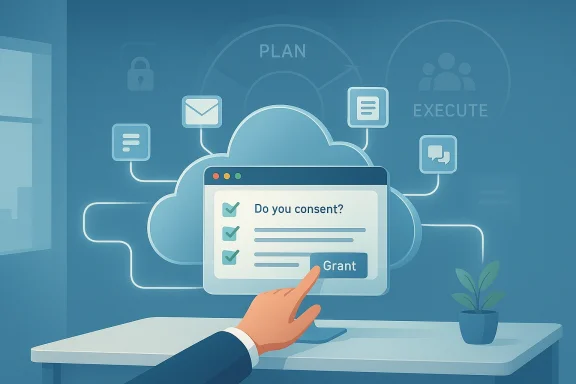
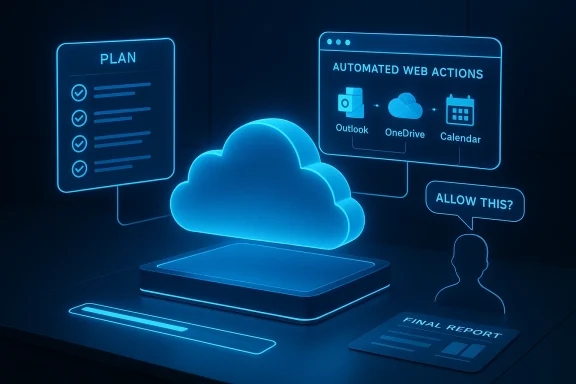
Microsoft has quietly shifted Copilot from being a conversational helper into an assistant that can act on your behalf: Copilot Tasks is a new agentic capability that accepts natural‑language goals, builds multi‑step plans, and executes them in the background using its own cloud‑based compute and a controlled browser environment — with user consent gates for anything that spends money, sends messages, or otherwise takes consequential actions.
Microsoft’s Copilot program has been evolving steadily from an answer‑engine into a platform for agentic workflows over the last two years. The company has layered connectors, document export, on‑device acceleration for richer models, and experimental agent controls into Copilot across Windows, Mns. This trajectory set the stage for Tasks: an explicit move to let Copilot do work for you rather than only tell you how to do it.
What Microsoft calls Copilot Tasks was revealed in late February 2026 as a limited research preview with a public waitlist. Early reporting and Microsoft’s own messages describe Tasks as able to handle scheduling, research, price monitoring, follow‑ups, draft creation, and other multi‑step routines by orchestrating across apps, web sites, and permitted connectors. Several independent outlets reported the preview and examples shortly after the announcement.
Flag: Some implementation details — exact isolation guarantees, encryption and storage behaviors, and how long execution artifacts are retained — were not fully disclosed in early reporting. Those remain important, verifiable technical points that enterprises and security teams should demand clarity on before broad adoption.
Note of caution: Pricing, enterprise licensing models, and exact availability windows remain unverifiable from public reporting at the time of writing; Microsoft has not published full commercialization details. Organizations should treat early announcements as a roadmap signal rather than a deployment schedule.
But success is not guaranteed. Adoption will hinge on trustworthy operation: clear permissioning, secure cloud execution, strong auditing, and predictable, debuggable behavior when things go wrong. Organizations that treat Tasks as an enhancement to human workflows — not a replacement of judgment — will realize the benefits fastest. Independent security and compliance reporting will also be decisive for enterprise rollouts.
That said, several critical questions remain open and must be answered before widespread enterprise trust is earned: precise governance capabilities, retention and residency of execution artifacts, the robustness of sandboxing, and the behavior of chained automations under edge conditions. Organizations should pilot selectively, demand auditability, and integrate Tasks into existing compliance tooling where possible.
Copilot Tasks will not eliminate the need for human oversight — but if Microsoft delivers on the safety and governance promises made in early previews, Tasks could materially shift how knowledge workers reclaim hours previously spent on repetitive, cross‑app chores. The AI is learning to do; the question now is whether enterprises and users will trust it to do the right things on their behalf.
Source: Neowin Microsoft introduces Copilot Tasks, a new way to get things done using AI
 Background
Microsoft’s Copilot program has been evolving steadily from an answer‑engine into a platform for agentic workflows over the last two years. The company has layered connectors, document export, on‑device acceleration for richer models, and experimental agent controls into Copilot across Windows, Mns. This trajectory set the stage for Tasks: an explicit move to let Copilot do work for you rather than only tell you how to do it.What Microsoft calls Copilot Tasks was revealed in late February 2026 as a limited research preview with a public waitlist. Early reporting and Microsoft’s own messages describe Tasks as able to handle scheduling, research, price monitoring, follow‑ups, draft creation, and other multi‑step routines by orchestrating across apps, web sites, and permitted connectors. Several independent outlets reported the preview and examples shortly after the announcement.
What Copilot Tasks is — a practical definition
At its core, Copilot Tasks is:- A goal‑to‑plan system: You describe the outcome you want in plain English and Copilot generates a multi‑step plan.
- An execution engine: Once you approve the plan, Copilot runs the steps using a contained browser and cloud compute environment.
- Permissioned orchestration: Actions that could affect finances, send messages, or change external systems require explicit consent before execution.
- Scheduling and recurrence: Tasks can be one‑time, scheduled, or recurring, enabling monitoring or repeated automation.
How Copilot Tasks works — architecture and user flow
1. Describe the goal
Users start with a freeform prompt (for example, “Arrange three client meetings in Boston next month, draft agendas, and book flexible hotel rooms”). Copilot translates that goal into a stepwise plan and shows the plan to the user for review and modification. This proposal step is where the user retains control.2. Plan approval and execution
After you approve the plan, Copilot spins up an isolated execution environment — effectively its own cloud PC and browser — where the agent runs. That environment is separate from your machine; it performs web interactions and app orchestration on behalf of the user so the heavy lifting doesn’t load your device. The agent reports progress and can surface clarifying questions during execution.3. Connectors and data access
Tasks can use explicit, opt‑in connectors to access calendars, email, OneDrive, and supported third‑party services. With connectors enabled, Copilot can draft Outlook messages, create Office documents, update task lists, compare pricing on travel sites, or monitor listings and rebook when thresholds are met — always subject to the consent gates Microsoft describes.4. Scheduling and recurrence
Users can pick one‑time runs, schedule future executions, or set recurring tasks with conditional triggers (for example: “Monitor hotel rates weekly and rebook if the price drops by 15%”). The system returns completion summaries and — if configured — follow‑up drafts or actions for the user to approve.Modes, agents, and the intelligence stack
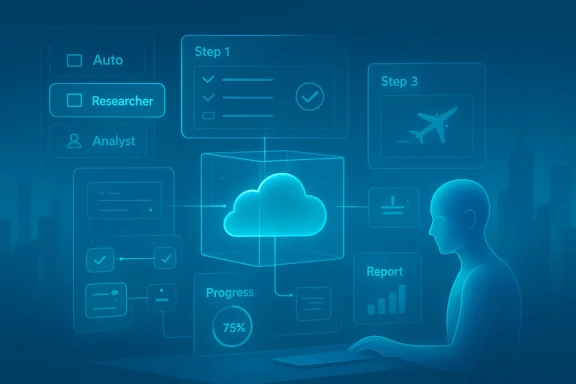
Early reporting uncovered a mode selector and agent types that shape how Tasks approaches a goal:- Auto mode: A generalist mode that blends browsing, form‑filling, scheduling, and basic research to run end‑to‑end flows.
- Researcher: A specialized agent intended for multi‑step web and document investigation, useful when the task requires deep information gathering.
- Analyst: A data‑centric agent optimized for numerical analysis, spreadsheet work, and tasks that may run code (e.g., Python) for advanced calculations.
Real‑world examples and early use cases
Copilot Tasks’ initial examples are deliberately practical, not flashy:- Turn a course syllabus into a complete study plan with practice tests, reading schedules, and calendar‑blocked focus time.
- Monitor property listings and arrange viewings automatically when new matches appear.
- Manage an inbox by surfacing urgent messages, drafting replies, and unsubscribing from persistently unused newsletters.
- Price monitoring and auto‑rebooking for travel: track hotel or flight prices and act when a target threshold is reached.
Strengths and immediate benefits
- Time savings on busywork: Tasks addresses a clear productivity gap — repetitive, cross‑service chores that are tedious to orchestrate manually.
- Unified orchestration: By combining research, scheduling, and document drafting into a single flow, Copilot reduces context switching.
- Controlled automation: Consent gates and progress reporting strike a balance between autonomy and user control, which is crucial for adoption.
- Cloud execution: Running tasks in Microsoft’s cloud keeps client devices responsive and enables stronger scaling and isolation of automation runs.
Risks, privacy considerations, and governance
No agent that acts on your behalf is risk‑free. The biggest concerns fall into three buckets:1. Data access and scope creep
Tasks requires access to calendars, messages, and sometimes third‑party accounts to be useful. That creates an attack surface: connectors and permissions must be narrowly scoped with strong auditing, logging, and revocation flows. Microsoft emphasizes opt‑in connectors and approval gates, but enterprise deployments will demand detailed governance controls (policy enforcement, role separation, and audit trails). Enterprises already use Purview, Sentinel, and conditional access to govern AI; those systems will need to integrate tightly with Tasks to be effective at scale.2. Accuracy and automation errors
Even with consent gates, partially automated actions create new error modes: a mistaken booking, an incorrect unsubscribe that removes an important account, or a miscalculated hotel rebooking could create real world cost. Copilot’s plan‑preview step mitigates some risk, but users must remain vigilant and companies should adopt staged rollouts and testing for mission‑critical workflows. Early reports note Microsoft’s emphasis on confirmation for “meaningful” actions; still, complexity grows when tasks chain many conditional steps.3. Security of cloud execution environment
Running ephemeral cloud PCs and automated browsers is powerful, but it requires robust isolation and threat modeling. Malicious sites, phishing traps, or compromised third‑party services could try to manipulate an unattended agent. Microsoft’s design reportedly uses a contained execution sandbox with logging and human‑decision gates, but independent security reviews and enterprise testing will be essential before widely trusting Tasks for high‑stakes automation. Until those audits are public, cautious adopters should keep sensitive automation manual or tightly supervised.Flag: Some implementation details — exact isolation guarantees, encryption and storage behaviors, and how long execution artifacts are retained — were not fully disclosed in early reporting. Those remain important, verifiable technical points that enterprises and security teams should demand clarity on before broad adoption.
Governance and enterprise controls — what IT must ask for
IT and security teams should insist on clear, auditable controls before deploying Copilot Tasks broadly:- Granular connector permissions — scope by application and action, not all‑or‑nothing access.
- Consent and approval workflows — require explicit signoffs for spending, data exports, and external communications.
- Audit logs and replay — full visibility into what the agent did, when, and in what context.
- Data residency and retention policies — how long are intermediate artifacts retained in Microsoft’s cloud PC environment?
- Role‑based policies — allow different risk profiles (e.g., execs vs interns) to have different automation privileges.
Competitive landscape — who else is doing agentic automation?
Copilot Tasks arrives into a crowded agent race. Notable comparators include:- OpenAI Operator: Operates browsers and external systems to complete tasks; Operator pioneered automated web control models at scale.
- Anthropic and other agent frameworks: Offer similar agentic automation, sometimes focused on safety primitives or different developer integrations.
- Shop/Commerce agent efforts: Several players are building in‑chat checkout and booking agents (including integrations Microsoft has explored with PayPal and marketplace partners), which overlaps with Tasks’ commerce and booking scenarios.
UX and human‑in‑the‑loop design
Copilot’s designers appear to have learned from early agent experiments: Tasks emphasizes a human‑review proposal step, visible progress updates, and the ability to pause or cancel. Those design decisions matter because theends on maintaining user trust when the agent acts on real world systems. The inclusion of mode choices (Auto / Researcher / Analyst) also signals Microsoft’s intent to let tasks take on varying levels of autonomy depending on the problem.Availability, preview, and roadmap
As of the announcement, Copilot Tasks entered a limited research preview with a public waitlist on February 26, 2026. Microsoft indicated the feature would expand to more testers over the following weeks before a broader launch, but precise GA dates, licensing, and pricing were not included in the initial disclosures. Early hands‑on reports suggest the product will surface inside Copilot surfaces across Windows, Edge, and Microsoft 365, and will likely be gated behind both experimental opt‑ins and subscription tiers for advanced agent capabilities.Note of caution: Pricing, enterprise licensing models, and exact availability windows remain unverifiable from public reporting at the time of writing; Microsoft has not published full commercialization details. Organizations should treat early announcements as a roadmap signal rather than a deployment schedule.
Practical advice for early adopters
If you or your organization want to evaluate Copilot Tasks now, follow a cautious, staged approach:- Join the preview/waitlist to get early access and influence design.
- Pilot low‑risk automations (e.g., monitoring pridocuments) before delegating workflows that touch finances or sensitive data.
- Define governance rules and map which connectors users can enable.
- Log and review outputs regularly — set up audit reviews for the first 30–90 days of any new task type.
- Train users on the plan‑preview step and how to spot noisy or out‑of‑scope runs.
Why Copilot Tasks matters — a longer view
Copilot Tasks marks a milestone in mainstreaming agentic AI for everyday productivity. If the feature scales securely and accurately, it promises to reduce time spent on orchestration and let people focus on higher‑value decisions. For Microsoft, Tasks is also a strategic lever: it tightens Copilot’s role as the central orchestration layer across Windows and Microsoft 365, increasing the stickiness of subscriptions and the value of connector ecosystems.But success is not guaranteed. Adoption will hinge on trustworthy operation: clear permissioning, secure cloud execution, strong auditing, and predictable, debuggable behavior when things go wrong. Organizations that treat Tasks as an enhancement to human workflows — not a replacement of judgment — will realize the benefits fastest. Independent security and compliance reporting will also be decisive for enterprise rollouts.
Final assessment
Copilot Tasks is a logical and powerful next step in Copilot’s evolution: it brings background automation, cloud isolation, and agent specialization together into a single product surface that targets real productivity problems. Early independent reporting and Microsoft’s own messaging align on the major claims: plan generation, cloud execution, connectors, scheduling, and consented actions — giving credible reason to treat Tasks as a real product rather than an academic experiment.That said, several critical questions remain open and must be answered before widespread enterprise trust is earned: precise governance capabilities, retention and residency of execution artifacts, the robustness of sandboxing, and the behavior of chained automations under edge conditions. Organizations should pilot selectively, demand auditability, and integrate Tasks into existing compliance tooling where possible.
Copilot Tasks will not eliminate the need for human oversight — but if Microsoft delivers on the safety and governance promises made in early previews, Tasks could materially shift how knowledge workers reclaim hours previously spent on repetitive, cross‑app chores. The AI is learning to do; the question now is whether enterprises and users will trust it to do the right things on their behalf.
Source: Neowin Microsoft introduces Copilot Tasks, a new way to get things done using AI