

Microsoft’s Copilot has taken the next step from conversation to completion: today’s announcement of Copilot Tasks marks a deliberate pivot from chat-first AI to agentic, action-oriented automation that runs scheduled, recurring, and one-off workflows on your behalf — browsing, coordinating across apps, producing documents, contacting services, and even booking appointments — all inside a permissioned runtime that Microsoft is opening as a limited research preview. (microsoft.com)
Microsoft introduced Copilot Tasks as part of its ongoing strategy to move Copilot from a question-and-answer assistant into a productivity layer that can do work rather than simply suggest it. The company frames the feature as a to‑do list that “does itself”: you describe the desired outcome in natural language, Copilot decomposes the job into steps, runs them using its own controlled compute and browser, and reports back — prompting you for approvals for meaningful actions (payments, outgoing messages, bookings). The announcement positions this as a research preview for a small group of testers, with a public waitlist and gradual ramp toward broader availability. (microsoft.com)
This launch follows a year of Microsoft expanding Copilot capabilities across Windows and Microsoft 365 — adding on‑device vision, voice, and early agentic “Actions” that can manipulate files and apps within contained workspaces — and corresponds with broader industry moves toward agentic workflows (GitHub, Google, and vendors building agent patterns). Those prior platform investments provide the plumbing Copilot Tasks now leverages.
But the product’s promise rests on safe execution. The most salient risks are operational (data exposure, credential misuse), adversarial (prompt injection via web interactions), and human factors (automation bias, unclear consent). Microsoft’s prior transparency notes and browser automation warnings recognize these risks, but delivering trustworthy, auditable controls at scale will be the true engineering and policy challenge. (microsoft.com)
If you plan to test Copilot Tasks during the research preview, start small, require human approvals for high-risk operations, and insist on auditability and scoping. The future of everyday automation is arriving, but making it safe and trustworthy will be the work of the months and years ahead. (microsoft.com)
Source: Microsoft Copilot Tasks: From Answers to Actions | Microsoft Copilot Blog
 Background
Microsoft introduced Copilot Tasks as part of its ongoing strategy to move Copilot from a question-and-answer assistant into a productivity layer that can do work rather than simply suggest it. The company frames the feature as a to‑do list that “does itself”: you describe the desired outcome in natural language, Copilot decomposes the job into steps, runs them using its own controlled compute and browser, and reports back — prompting you for approvals for meaningful actions (payments, outgoing messages, bookings). The announcement positions this as a research preview for a small group of testers, with a public waitlist and gradual ramp toward broader availability. (microsoft.com)This launch follows a year of Microsoft expanding Copilot capabilities across Windows and Microsoft 365 — adding on‑device vision, voice, and early agentic “Actions” that can manipulate files and apps within contained workspaces — and corresponds with broader industry moves toward agentic workflows (GitHub, Google, and vendors building agent patterns). Those prior platform investments provide the plumbing Copilot Tasks now leverages.
What Copilot Tasks promises: features and everyday use cases
Microsoft’s blog and companion materials articulate an intentionally broad set of real‑world scenarios where Tasks could save hours of repetitive work. The feature set breaks down roughly into four categories:- Recurring task automation — scheduled background checks and proactive summaries, such as surfacing urgent emails each evening with pre‑drafted replies, monitoring rental listings and booking viewings, or compiling Monday morning briefings on meetings and travel. (microsoft.com)
- Document generation and transformation — turning a syllabus into a study plan with practice tests and focus blocks, converting emails/attachments/photos into a slide deck with charts and talking points, and scanning job listings to tailor resumes and cover letters. (microsoft.com)
- Shopping, services and appointment orchestration — planning events, comparing local service quotes and booking plumbers, watching used‑car listings and scheduling test drives. (microsoft.com)
- Logistics and cost optimization — reserving airport rides timed to flights (and adjusting for delays), monitoring hotel rates and auto‑rebooking on price drops, and auditing subscriptions to flag underused items for cancellation. (microsoft.com)
How Copilot Tasks works (in practical terms)
Microsoft’s public post is high-level by design, but observable signals in the wider Copilot stack and supporting documentation let us sketch how Tasks is likely implemented and where engineering tradeoffs were made.Runtime and browser automation
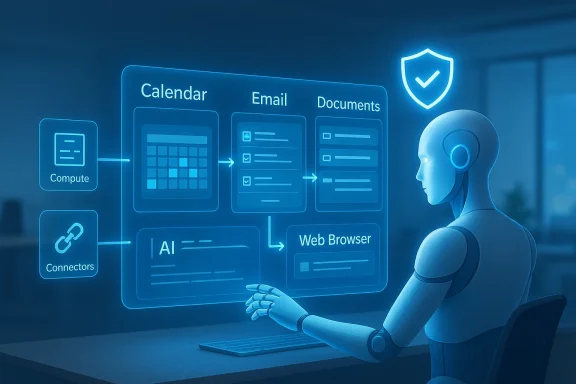
- Copilot Tasks reportedly runs in a dedicated, permissioned runtime with its own browser instance to interact with web services and pages on behalf of a user. That contrasts with thin, purely conversational models and aligns with Microsoft’s prior “Agent Workspace” and Copilot Actions experiments, which used contained sessions for multi‑step web and desktop interactions. (microsoft.com)
- The use of a dedicated browser process allows the agent to do things a human would: navigate pages, click UI elements, fill forms, download attachments, and retrieve confirmations — activities that are powerful but introduce novel security and integrity challenges (see the Safety & Privacy section).
Context, connectors, and permissions
- Tasks depends on context aggregation — pulling together calendar, mail, files, and possibly third‑party services — to plan and execute. Microsoft’s broader Copilot architecture already includes connectors for cloud storage, mail, and enterprise systems; Tasks builds on these to perform real‑world actions once permissioned. (microsoft.com)
- The company repeatedly emphasizes consent: the agent should ask for permission before meaningful actions. In practice, this means UI-level confirmation flows, spend limits, and audit logs will need to be part of the product to prevent accidental commitments. Enterprise controls and scoping will be especially important where corporate mailboxes or privileged accounts are involved. (microsoft.com)
No manual agent configuration
- Unlike developer-focused agent frameworks that require writing agent scripts or configuring MCPs, Microsoft positions Copilot Tasks as consumer-friendly: describe what you want, and Copilot builds the plan. That lowers barriers to use but shifts risk to robust plan synthesis, error handling, and safe fallback behavior. (microsoft.com)
The wider context: agentic AI is now mainstream
Copilot Tasks arrives in a larger industry moment: major platforms are moving from suggestion engines to agentic automation.- GitHub recently published its Agentic Workflows preview for repository automation, illustrating that agentic patterns are being baked into developer toolchains. Microsoft’s own product matrix — Copilot, Copilot Studio, Copilot Actions, and now Copilot Tasks — is part of the same trend toward agents that can take responsibility for repeated work.
- Startups and competing products are also experimenting with “digital twin” or inbox‑centric agents that can schedule, reply, and act inside email threads; TechCrunch covered an email-based assistant launch the same day as Microsoft’s announcement, highlighting parallel innovation. That competition will accelerate user expectations and raise the importance of trustworthy controls.
Safety, security, and privacy: the hard tradeoffs
Copilot Tasks’ value depends on depth of access — to email, calendars, purchases, and web sessions — and that access is the source of its greatest risks. Below, we map core hazards and Microsoft's stated mitigations.1) Data exposure and scope control
- Risk: The more data Copilot reads and writes, the larger the compliance surface becomes. Agents that index mail or access privileged files risk exposing sensitive content when combined with web interactions or third‑party APIs. Microsoft’s enterprise guidance already recommends administrators insist on scoping, logging, and the ability to block Tasks from privileged mailboxes.
- What Microsoft says: Copilot Tasks is opt‑in and requires permissioned connectors. The company also emphasizes consent for material actions. Those are necessary but not sufficient: operational bugs, misconfiguration, or overbroad user consent can still produce leaks. (microsoft.com)
2) Browser automation and prompt injection
- Risk: Autonomous browsing combined with execution (clicks, form submissions) creates exposure to prompt injection or malicious web content that can attempt to manipulate the agent’s decision-making or extract data from its context. Security documentation around Microsoft’s browser automation tooling has already warned that the Browser Automation Tool carries “substantial security risks,” and that users bear responsibility for many outcomes.
- Practical implication: Long‑running Tasks that visit public websites are attractive targets for adversaries who want to trick an agent into revealing data or performing actions. Robust content provenance, content‑sanitization layers, and strict policy enforcement are critical. Independent security research has demonstrated how assistant pipelines can be manipulated; long-running, background agents widen the attack surface.
3) Financial and transactional risk
- Risk: Agents that book services or initiate payments can make unintended financial commitments. Even with consent dialogs, automated negotiation or rapid interactions could create double bookings, unauthorized charges, or fraud opportunities if credentials are compromised.
- Mitigation strategies Microsoft should (and appears likely to) use: explicit, auditable approval flows; per‑task and overall spend limits; read‑only previews for financial actions; and role-based scoping for enterprise accounts. Enterprises will need to enforce their own controls to prevent agent-initiated spend on corporate cards. (microsoft.com)
4) Automation bias and overreliance
- Risk: Users may overtrust the agent because it “looks like” it succeeded, even when it made incorrect assumptions or mis-scheduled appointments. The human-in-the-loop model Microsoft promises is helpful only if confirmations are clear, easy to audit, and not buried in opaque logs.
- Recommended product behavior: conspicuous action summaries, interactive previews with clear distinction between agent‑generated content and human edits, and strong undo/rollback capabilities for multi‑step transactions. (microsoft.com)
Enterprise governance: what IT teams should demand
For organizations considering Copilot Tasks, the default posture should be cautious enabling with tight guardrails. Key operational controls IT should expect or require:- Scoped access controls — granular policies to prevent Tasks from accessing privileged mailboxes, HR, or finance systems unless explicitly approved.
- Audit logging and tamper-evident trails — every task plan, consent interaction, and external action must be logged for compliance and incident response.
- Per‑task spend caps and approval workflows — to avoid runaway financial exposure when agents book services or make purchases. (microsoft.com)
- DLP and content filtering — integrated Data Loss Prevention to block exfiltration or sharing of sensitive data during multi‑step web interactions.
- Testing and sandboxing — Run Tasks in test accounts and simulated environments before granting real access; require sign‑offs for production usage.
Use‑case deep dives: what Tasks can and can't do well (today)
Below are three practical examples that illustrate the experience tradeoffs and failure modes to expect.Example A — Personal inbox triage (low risk, high value)
- What Tasks does: Each evening it surfaces urgent emails, drafts suggested replies, and offers an “unsubscribe” sweep for promotional mail you never open. The human reviews and approves drafts before sending. (microsoft.com)
- Why it works: Mail triage is largely idempotent and reversible; drafts and unsubscribe actions are low‑value transactional items with straightforward confirmations. The benefit-to-risk ratio is favorable if the user remains in control.
- Failure mode to watch: Mistagging a message as promotional and unsubscribing incorrectly, or allowing an agent to reply automatically without clear approvals.
Example B — Monitoring rental listings and booking showings (medium risk)
- What Tasks does: Every Friday it scans listings that match your filters, contacts landlords or agents, and schedules showings. It can fill contact forms and book with your availability. (microsoft.com)
- Why it’s appealing: Saves hours of searching and manual outreach. Timebound actions (bookings) are helpful to users with limited availability.
- Failure mode to watch: Agents interacting with third‑party listing sites may hit CAPTCHAs, be rate-limited, or encounter anti‑bot defenses that break automation. Also, mistakes could double‑book or disclose contact info unexpectedly.
Example C — Price monitoring and auto rebook (higher risk)
- What Tasks does: Watches hotel rates and auto‑rebooks when a lower price appears. (microsoft.com)
- Why it’s risky: Automatically canceling and rebooking reservations carries penalties, differing cancellation policies, and potential reputational or financial harm.
- Product guardrails needed: Per‑task thresholds (e.g., minimum price delta), clear confirmation dialogs for cancellations, and explicit policy-based exceptions for loyalty program reservations.
Technical and product unknowns: what Microsoft must clarify
The announcement leaves several technical questions open that matter for security, compliance, and product trust:- Where are Tasks executed? Are the agent runtimes cloud‑hosted, tenant‑scoped, or on‑device (hybrid)? The announcement’s reference to “its own computer and browser” suggests a cloud‑hosted, sandboxed runtime, but enterprise customers will want clear contractual and data‑residency commitments. (microsoft.com)
- How are credentials handled? When the agent logs into third‑party sites to book a ride or contact a seller, are credentials stored, rotated, or ephemeral? Credential management is a critical attack vector that must be addressed with enterprise‑grade secrets handling.
- What transparency and provenance features exist? Will Copilot Tasks provide cryptographic or tamper‑evident provenance for actions it took, similar to content credentials for images? Enterprise auditing and legal defensibility depend on it.
- How will Microsoft reduce prompt injection risk? Long‑running visits to untrusted web content require layers of content validation, strict parsing, and behavior heuristics to avoid being manipulated by adversarial pages. Public security guidance suggests additional filtering and provenance checks are essential.
Competition and market implications
Copilot Tasks is both a product and a strategic statement.- For consumers: it competes with startups and incumbent apps that are embedding assistant features into email, calendars, and booking flows. Similar offerings from specialized players — such as meeting assistants and inbox automators — are converging on the same promise of “agentic convenience.”
- For enterprises: Microsoft’s integrated approach — Copilot plus M365 connectors, Windows agentic features, and Copilot Studio for builders — creates a compelling platform play that is likely to attract partners and ISVs. But enterprise adoption will hinge on governance features, logging, and compliance assurances.
- For the industry: the move to agentic AI accelerates an arms race in safety engineering: model defenses against prompt injection, secure browser automation, identity/credential safeguarding, and auditable action trails will become table stakes.
Practical guidance: what power users and IT pros should do now
- Individual users: Try to use Copilot Tasks for low-risk, high-value automations first — inbox triage, routine document generation, and curated monitoring that requires review before action. Keep payment and financial connectors disabled until you understand the consent flows.
- IT and security teams: If you manage a Microsoft tenant, insist on:
- Explicit admin controls over which accounts can grant connectors to Tasks.
- Per‑task audit logs and retention policies.
- DLP and conditional access policies applied to agent interactions.
- A staged pilot with simulation/sandboxing before broad rollout.
- Product managers and security engineers (in-house): Treat agentic features as you would any privileged service: threat modeling, red‑team tests for prompt injection and web adversarial content, and robust incident response playbooks for agent‑initiated misconfigurations.
Strengths, limits, and the road ahead
Copilot Tasks solves a real human problem: the friction of turning intentions into outcomes. Microsoft’s platform depth — integrated Office/Windows surfaces, existing connectors, and scale — gives it a structural advantage to ship a broadly useful product quickly. The research preview approach is appropriate: agentic features must be iterated with real user behavior.But the product’s promise rests on safe execution. The most salient risks are operational (data exposure, credential misuse), adversarial (prompt injection via web interactions), and human factors (automation bias, unclear consent). Microsoft’s prior transparency notes and browser automation warnings recognize these risks, but delivering trustworthy, auditable controls at scale will be the true engineering and policy challenge. (microsoft.com)
Conclusion
Copilot Tasks represents the next chapter in mainstream agentic AI: moving from chat-style advice to scheduled, background action that can close workflows for users. For consumers, the potential productivity uplift is enormous; for enterprises, the risks are material and require deliberate governance. Microsoft’s preview is the right early step — real-world testing will reveal where the product helps and where it needs stronger safety, transparency, and control primitives.If you plan to test Copilot Tasks during the research preview, start small, require human approvals for high-risk operations, and insist on auditability and scoping. The future of everyday automation is arriving, but making it safe and trustworthy will be the work of the months and years ahead. (microsoft.com)
Source: Microsoft Copilot Tasks: From Answers to Actions | Microsoft Copilot Blog
