

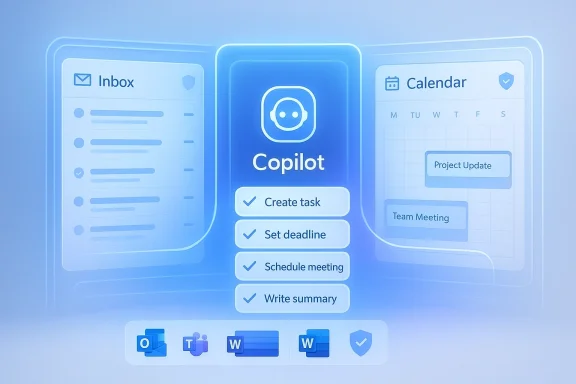
Microsoft’s latest Copilot move is less about a flashy inbox trick and more about a strategic shift in how Microsoft wants people to work. The company is pushing Copilot beyond drafting and summarizing toward bounded action—systems that can read context, propose next steps, and execute approved work across Microsoft 365. That matters because the inbox and calendar are where a huge share of real work still gets triaged, and because Microsoft is clearly betting that the future of productivity software is agentic, not merely conversational. Official Microsoft documentation now describes Copilot experiences that can take action in Outlook, read shared and delegate mailboxes, and operate with explicit consent and admin controls, which strongly suggests the company is trying to make autonomy feel useful without making it feel uncontrolled.
For years, email has been the place where work goes to hide. A message arrives as an answer, a request, a reminder, a handoff, or a half-finished idea, and then the real labor begins: sorting, prioritizing, forwarding, scheduling, and following up. Microsoft has spent the last several product cycles trying to reduce that friction, first with summarization and drafting features, and now with experiences that explicitly move from “help me understand this” to “help me do something with it.” That shift is not cosmetic; it changes Outlook from a communication app into a workflow surface.
The broader context is Microsoft’s 2026 push toward agentic AI. In March, the company described Copilot Cowork as a new way of getting work done, emphasizing that it can turn a request into a plan and execute against Microsoft 365 context rather than merely answer questions. That same direction appears in Microsoft’s prerelease Copilot Cowork documentation, which says the system can send emails, create documents, schedule meetings, and search across organizational data. In plain English, Microsoft is trying to make Copilot more like a delegated worker than a chat sidebar.
That matters because the inbox is the most natural proving ground for this kind of AI. Email is repetitive, highly contextual, and packed with hidden action items. It is also a place where productivity tools can show immediate value, because every saved minute is visible to the user. Microsoft’s own support pages reinforce this logic by showing Copilot in Outlook being used to create meeting agendas from email threads and to organize mail in ways that reduce manual triage. Those are modest-sounding use cases, but they are exactly the kind that build adoption.
The current wave of Copilot features also reflects a careful lesson Microsoft seems to have absorbed from the wider AI market: users want more automation, but not at the cost of control. That is why Microsoft’s recent guidance repeatedly emphasizes consent, review, cancellation, and admin governance. The company appears to be avoiding the “fully autonomous inbox” fantasy and instead building a controlled ladder of delegation. In enterprise software, boring but dependable often wins over spectacular but risky.
What is most important here is not that Copilot can “read mail.” That has already been true in limited forms. The meaningful change is that Microsoft is tying inbox context to action. A user can now imagine a path from email thread to task planning to approved execution without leaving the Microsoft stack. That is a very different proposition from the old assistant model, where AI mostly stopped at summary and draft generation.
The company is also being careful about permissions and scope. Microsoft’s delegate-mailbox support says Copilot can operate within the same item permissions a delegate already has, and if a user lacks permissions, the system returns an error instead of improvising. That may sound like a minor detail, but it is actually central to trust. A productivity feature becomes enterprise-ready only when it respects policy boundaries.
Key implications:
There is also a productivity psychology to this. People do not mainly suffer because they cannot write emails fast enough. They suffer because they must constantly decide what a message means, whether it matters, and what should happen next. Copilot’s value proposition is that it can compress that decision chain. Instead of forcing users to re-read long threads or copy action items into a separate app, the assistant can propose a structured path forward inside the place where the work started.
The distinction between assistance and autonomy matters here. A summary helps you think. A task system helps you finish. The latter is harder, riskier, and more valuable. It is also much more likely to stick in daily use if Microsoft can make it feel reliable rather than experimental. Reliable is the operative word, because email is unforgiving when a tool gets the wrong message or mishandles a priority.
Microsoft’s governance-first posture is critical here. Enterprise customers do not want an AI that feels clever in demos but impossible to control at scale. The presence of admin-management options, permission boundaries, and delegate mailbox controls suggests Microsoft understands that deployment is as much about compliance as it is about capability. In practice, that means IT teams can model the risk more clearly and adopt features in stages.
This also hints at a deeper organizational benefit. If Copilot can reliably surface action items from email and calendar data, it reduces dependence on informal memory and individual note-taking habits. That can improve handoffs, reduce meeting debt, and make project execution less dependent on whoever happens to be the most organized person in the room. That is the kind of mundane improvement businesses pay for.
Enterprise benefits at a glance:
Consumers are also likely to be more sensitive to how the feature feels. There is a thin line between helpful automation and creepy surveillance. A system that knows too much, suggests too much, or acts too eagerly can quickly create distrust. Microsoft seems to be trying to stay on the right side of that line by keeping consent and review built into the workflow, but consumer adoption will still depend on whether the experience feels natural.
There is also the question of actual need. Many consumers simply do not receive enough email for a delegated AI workflow to matter every day. That means Microsoft’s strongest audience remains the professional and semi-professional user base—people whose inbox is effectively their second operating system. For them, even a small reduction in inbox friction can be compelling.
Consumer takeaways:
The key idea is that Microsoft wants Copilot to sit between the user and the tools they already use. Outlook, Teams, Word, calendars, files, and workflows are becoming the substrate for AI-assisted execution. The user still stays in charge, but the assistant becomes much more than a content generator. That is a powerful strategic move because it deepens Microsoft’s hold on daily work habits.
Microsoft also appears to be betting on incremental trust-building. Instead of jumping straight to full inbox control, it is layering capabilities: summarize, organize, propose, coordinate, and then execute with approval. That path is less dramatic than a fully autonomous assistant, but it is much more plausible for enterprise adoption. Plausible is the better business model.
What this strategy signals:
That is why the company’s measured rollout matters. In consumer AI, the most impressive demo is not always the winning product. Sometimes the safer, more integrated system wins because it becomes the default inside a trusted workflow. Microsoft has long excelled at making technology feel inevitable once it is embedded into the enterprise stack. Copilot is a continuation of that playbook.
The danger for Microsoft is not competition from one giant rival. It is a slow erosion of user patience if Copilot feels like a series of almost useful features rather than a genuinely reliable assistant. If that happens, the market will reward whoever makes agentic workflows feel simpler, safer, and more transparent. In productivity software, inertia helps—but only until users decide the friction is no longer worth it.
Competitive realities:
This matters because email errors are visible. A misplaced calendar action, a missed follow-up, or an overconfident task inference can create immediate friction with coworkers or customers. The safer path is to let AI surface structure while humans retain final authority. That is exactly what Microsoft appears to be aiming for, and that restraint is a feature, not a limitation.
The deeper lesson is that trust in agentic AI will not come from model intelligence alone. It will come from controls, visibility, and predictable behavior. Users are far more willing to let software do work when they know exactly what it can see, what it can change, and how to stop it. Microsoft seems to be learning that lesson in public.
Guardrail priorities:
The real test will be whether users feel that Copilot saves time without demanding extra supervision. If the product reliably shortens the path from inbox clutter to completed work, Microsoft will have a strong reason to deepen the feature set. If not, the company risks creating another impressive AI layer that people admire but do not fully adopt. In productivity software, usefulness beats ambition every time.
Watch for these signals:
Source: thewincentral.com Copilot Email Tasks: Turn Inbox into Action - WinCentral
 Background
For years, email has been the place where work goes to hide. A message arrives as an answer, a request, a reminder, a handoff, or a half-finished idea, and then the real labor begins: sorting, prioritizing, forwarding, scheduling, and following up. Microsoft has spent the last several product cycles trying to reduce that friction, first with summarization and drafting features, and now with experiences that explicitly move from “help me understand this” to “help me do something with it.” That shift is not cosmetic; it changes Outlook from a communication app into a workflow surface.The broader context is Microsoft’s 2026 push toward agentic AI. In March, the company described Copilot Cowork as a new way of getting work done, emphasizing that it can turn a request into a plan and execute against Microsoft 365 context rather than merely answer questions. That same direction appears in Microsoft’s prerelease Copilot Cowork documentation, which says the system can send emails, create documents, schedule meetings, and search across organizational data. In plain English, Microsoft is trying to make Copilot more like a delegated worker than a chat sidebar.
That matters because the inbox is the most natural proving ground for this kind of AI. Email is repetitive, highly contextual, and packed with hidden action items. It is also a place where productivity tools can show immediate value, because every saved minute is visible to the user. Microsoft’s own support pages reinforce this logic by showing Copilot in Outlook being used to create meeting agendas from email threads and to organize mail in ways that reduce manual triage. Those are modest-sounding use cases, but they are exactly the kind that build adoption.
The current wave of Copilot features also reflects a careful lesson Microsoft seems to have absorbed from the wider AI market: users want more automation, but not at the cost of control. That is why Microsoft’s recent guidance repeatedly emphasizes consent, review, cancellation, and admin governance. The company appears to be avoiding the “fully autonomous inbox” fantasy and instead building a controlled ladder of delegation. In enterprise software, boring but dependable often wins over spectacular but risky.
What Microsoft Is Actually Shipping
The headline claim circulating around the new Copilot email workflow is simple: forward an email to Copilot, assign the task, and let AI handle the rest. The real product direction is broader and more nuanced than that shorthand suggests. Microsoft’s official materials show Copilot in Outlook working across email and calendar data, helping users create agendas, summarize threads, organize mail, and—through the newer Workflows and Copilot Cowork experiences—trigger or complete multi-step work inside Microsoft 365.What is most important here is not that Copilot can “read mail.” That has already been true in limited forms. The meaningful change is that Microsoft is tying inbox context to action. A user can now imagine a path from email thread to task planning to approved execution without leaving the Microsoft stack. That is a very different proposition from the old assistant model, where AI mostly stopped at summary and draft generation.
Why this is a strategic upgrade
Microsoft’s value has always come from owning the work surface. If Copilot can become the default layer that interprets, routes, and organizes email-driven tasks, then Outlook becomes harder to replace and more central to enterprise productivity. The feature is not merely a convenience; it is an attempt to make Microsoft 365 feel like the place where work is completed, not just where work is discussed. That is a major platform shift.The company is also being careful about permissions and scope. Microsoft’s delegate-mailbox support says Copilot can operate within the same item permissions a delegate already has, and if a user lacks permissions, the system returns an error instead of improvising. That may sound like a minor detail, but it is actually central to trust. A productivity feature becomes enterprise-ready only when it respects policy boundaries.
Key implications:
- Inbox triage can move from manual sorting to guided prioritization.
- Task extraction can turn email content into explicit follow-up work.
- Calendar coordination becomes a first-class AI use case, not a separate tool.
- Delegation can be governed by existing Outlook permission models.
- Workflow continuity improves when the same system understands mail, meetings, and tasks.
Why Email Is the Right Battlefield
Email is still where a shocking amount of professional decision-making begins. Even in a world of chat apps, project tools, and collaboration platforms, the inbox remains the lowest-common-denominator workspace for external communication and internal follow-up. That makes it the perfect place for Microsoft to prove that AI can do something more practical than generate prose. It can help users move from message to motion.There is also a productivity psychology to this. People do not mainly suffer because they cannot write emails fast enough. They suffer because they must constantly decide what a message means, whether it matters, and what should happen next. Copilot’s value proposition is that it can compress that decision chain. Instead of forcing users to re-read long threads or copy action items into a separate app, the assistant can propose a structured path forward inside the place where the work started.
From summarization to execution
This is the most important product transition in Microsoft’s Copilot story. Summaries are useful, but they are passive. Execution is valuable because it reduces follow-up friction. Microsoft’s Copilot Tasks and Copilot Cowork announcements make clear that the company wants to build a system that can not only draft or summarize, but also coordinate actions across apps and services, while still requiring user consent for meaningful steps. That is a clear sign of a maturing AI strategy.The distinction between assistance and autonomy matters here. A summary helps you think. A task system helps you finish. The latter is harder, riskier, and more valuable. It is also much more likely to stick in daily use if Microsoft can make it feel reliable rather than experimental. Reliable is the operative word, because email is unforgiving when a tool gets the wrong message or mishandles a priority.
- Summary features reduce reading time.
- Task features reduce coordination time.
- Governance features reduce operational risk.
- Calendar integration reduces context switching.
- Consent checkpoints reduce the fear of automation.
Enterprise Impact
For enterprises, the appeal is straightforward: less inbox chaos, fewer dropped follow-ups, and more consistent execution. Managers, sales teams, project leads, and support teams all live in Outlook in ways that make email-driven task automation especially compelling. If Copilot can transform a thread into a to-do list, and then help a user route that work to the right people, the ROI narrative becomes easy to understand.Microsoft’s governance-first posture is critical here. Enterprise customers do not want an AI that feels clever in demos but impossible to control at scale. The presence of admin-management options, permission boundaries, and delegate mailbox controls suggests Microsoft understands that deployment is as much about compliance as it is about capability. In practice, that means IT teams can model the risk more clearly and adopt features in stages.
Why admins will care
The decisive question for enterprise buyers is not whether Copilot can save time in isolated cases. It is whether it can improve workflow consistency across teams without introducing a new class of support problems. Microsoft’s documentation already points toward a model where Copilot can work in shared mailboxes and delegate contexts, but only within the permissions that already exist. That is the kind of boundary that makes IT leaders more comfortable.This also hints at a deeper organizational benefit. If Copilot can reliably surface action items from email and calendar data, it reduces dependence on informal memory and individual note-taking habits. That can improve handoffs, reduce meeting debt, and make project execution less dependent on whoever happens to be the most organized person in the room. That is the kind of mundane improvement businesses pay for.
Enterprise benefits at a glance:
- Better follow-through on time-sensitive requests.
- Cleaner meeting-to-task transitions.
- Less reliance on manual note transfer.
- More standardized workflow handling.
- Improved use of existing Outlook permissions and controls.
Consumer Impact
The consumer story is more uneven, but still meaningful. Many personal users do not live inside Outlook with the same intensity as enterprise workers, so the raw payoff will be smaller. Still, for people with high message volume, family logistics, volunteer work, side projects, or small-business responsibilities, a Copilot-assisted inbox can make daily life feel less fragmented.Consumers are also likely to be more sensitive to how the feature feels. There is a thin line between helpful automation and creepy surveillance. A system that knows too much, suggests too much, or acts too eagerly can quickly create distrust. Microsoft seems to be trying to stay on the right side of that line by keeping consent and review built into the workflow, but consumer adoption will still depend on whether the experience feels natural.
Convenience versus creepiness
This is where product design becomes crucial. If Copilot helps a user convert a messy thread into a sane plan, it will feel like a relief. If it starts surfacing overly aggressive suggestions or misreading nuance, it will feel like an interruption. Email is personal, and users tend to have strong boundaries around it. Trust will matter more than novelty.There is also the question of actual need. Many consumers simply do not receive enough email for a delegated AI workflow to matter every day. That means Microsoft’s strongest audience remains the professional and semi-professional user base—people whose inbox is effectively their second operating system. For them, even a small reduction in inbox friction can be compelling.
Consumer takeaways:
- High-volume inboxes benefit most.
- Low-volume users may not feel the difference.
- Trust and transparency will drive adoption.
- Overly aggressive automation will backfire.
- The best use cases are personal logistics and work-style coordination.
How This Fits Microsoft’s Broader Copilot Strategy
This announcement fits neatly into Microsoft’s larger plan to make Copilot a work layer, not just a chat layer. Microsoft’s recent Copilot Cowork launch and documentation show a company building toward “do the work for me” capabilities, but doing so in a staged, permissioned way. That is a significant difference from the more reckless versions of AI autonomy some competitors have flirted with.The key idea is that Microsoft wants Copilot to sit between the user and the tools they already use. Outlook, Teams, Word, calendars, files, and workflows are becoming the substrate for AI-assisted execution. The user still stays in charge, but the assistant becomes much more than a content generator. That is a powerful strategic move because it deepens Microsoft’s hold on daily work habits.
The move from chat to workflow
The shift from chat-first AI to workflow-first AI is one of the most important transitions in enterprise software right now. Chat is easy to demo, but workflow is what users pay for. Microsoft’s current direction suggests it understands that the real value of AI lies in reducing the distance between intention and completion. That is exactly why these new email capabilities matter.Microsoft also appears to be betting on incremental trust-building. Instead of jumping straight to full inbox control, it is layering capabilities: summarize, organize, propose, coordinate, and then execute with approval. That path is less dramatic than a fully autonomous assistant, but it is much more plausible for enterprise adoption. Plausible is the better business model.
What this strategy signals:
- Microsoft wants Copilot embedded in work, not adjacent to it.
- The company favors bounded autonomy over open-ended freedom.
- Admin controls are becoming a core product feature.
- Email and calendar are the gateway to broader agentic behavior.
- Distribution across Microsoft 365 remains Microsoft’s strongest advantage.
The Competitive Picture
Microsoft is not making this move in a vacuum. The entire AI market is shifting from pure chat interfaces to task-oriented agents, and rivals are racing to prove that their systems can do more than answer questions. Microsoft’s advantage is distribution, but distribution alone is not enough if the user experience feels constrained or the automation feels brittle.That is why the company’s measured rollout matters. In consumer AI, the most impressive demo is not always the winning product. Sometimes the safer, more integrated system wins because it becomes the default inside a trusted workflow. Microsoft has long excelled at making technology feel inevitable once it is embedded into the enterprise stack. Copilot is a continuation of that playbook.
Why rivals should pay attention
A standalone AI assistant can be exciting, but it often lacks the surrounding context that makes enterprise automation useful. Microsoft owns the context because it owns the apps. That means Outlook, Teams, calendars, and documents can all feed the same intelligence layer. Competitors may have faster features or more flexible models, but they do not always have the same path into everyday work.The danger for Microsoft is not competition from one giant rival. It is a slow erosion of user patience if Copilot feels like a series of almost useful features rather than a genuinely reliable assistant. If that happens, the market will reward whoever makes agentic workflows feel simpler, safer, and more transparent. In productivity software, inertia helps—but only until users decide the friction is no longer worth it.
Competitive realities:
- Microsoft has the strongest native distribution.
- Rivals may move faster on consumer-style experiences.
- Integration depth matters more than raw model novelty.
- Enterprise buyers care more about control than spectacle.
- The winner will likely be the system users trust daily, not the one that impresses once.
The Role of Guardrails
The most encouraging part of Microsoft’s current Copilot direction is its insistence on guardrails. Official guidance says Copilot asks for consent before meaningful actions, can be reviewed or canceled, and respects permission boundaries in delegated mail scenarios. That is not just legal cover; it is product design that acknowledges how dangerous bad automation can become in a work inbox.This matters because email errors are visible. A misplaced calendar action, a missed follow-up, or an overconfident task inference can create immediate friction with coworkers or customers. The safer path is to let AI surface structure while humans retain final authority. That is exactly what Microsoft appears to be aiming for, and that restraint is a feature, not a limitation.
Why permissioning matters
Permissioning is the difference between an assistant and a liability. Microsoft’s support documentation shows that Copilot can operate in shared and delegate mailboxes only where access already exists, which means the AI cannot magically exceed the user’s authority. That design makes the system easier to audit and easier to explain to compliance teams. It also lowers the odds of spectacular mistakes.The deeper lesson is that trust in agentic AI will not come from model intelligence alone. It will come from controls, visibility, and predictable behavior. Users are far more willing to let software do work when they know exactly what it can see, what it can change, and how to stop it. Microsoft seems to be learning that lesson in public.
Guardrail priorities:
- Explicit consent before meaningful actions.
- Clear permission boundaries in Outlook and shared mailboxes.
- Review, pause, and cancel options.
- Admin-managed deployment and blocking.
- Transparent behavior when access is not allowed.
Strengths and Opportunities
Microsoft’s biggest opportunity is to turn Copilot into the default way workers manage the flow of email, meetings, and follow-up tasks. If the company can make that happen, the product becomes much more valuable than a writing assistant; it becomes a daily operating layer for work. The combination of distribution, context, and governance gives Microsoft a real opening to define what enterprise agentic AI looks like in practice.- Native integration across Outlook, Teams, and Microsoft 365 gives Copilot immediate reach.
- Email and calendar context make task extraction more accurate and more useful.
- Permission-aware design helps with compliance and enterprise trust.
- Bounded autonomy lowers the fear of AI making uncontrolled decisions.
- Workflow automation can remove repetitive follow-up work.
- User familiarity with Outlook reduces adoption friction.
- Incremental rollout gives Microsoft room to improve reliability before broadening scope.
Risks and Concerns
The biggest risk is that Copilot becomes almost smart enough to be useful, but not quite dependable enough to trust with real workflow decisions. That is a dangerous place for a productivity product, because users can become frustrated by errors while still feeling pressured to rely on it. In email, one wrong assumption can ripple through relationships, schedules, and commitments very quickly.- Incorrect prioritization could send users down the wrong path.
- Privacy concerns may slow adoption, especially among consumers.
- Overautomation could make the product feel intrusive rather than helpful.
- Compliance risk rises if users misunderstand what Copilot can see or do.
- User fatigue may set in if the AI adds steps instead of removing them.
- False confidence in summaries or task extraction could create operational mistakes.
- Feature sprawl could make Copilot harder to understand, not easier.
Looking Ahead
The next phase is likely to be gradual, not dramatic. Microsoft will probably continue expanding Copilot’s email and calendar intelligence, improving task extraction, strengthening workflow coordination, and widening app integration while keeping human approval in the loop. That is the right pace for enterprise adoption, even if it frustrates people who want a more autonomous assistant tomorrow.The real test will be whether users feel that Copilot saves time without demanding extra supervision. If the product reliably shortens the path from inbox clutter to completed work, Microsoft will have a strong reason to deepen the feature set. If not, the company risks creating another impressive AI layer that people admire but do not fully adopt. In productivity software, usefulness beats ambition every time.
Watch for these signals:
- Broader rollout of task-oriented Copilot experiences in Outlook.
- More explicit consent and review controls in Microsoft 365.
- New workflow features that connect email, calendar, and Teams.
- Enterprise admin controls for limiting or shaping agent behavior.
- Evidence that users trust Copilot enough to delegate real follow-up work.
Source: thewincentral.com Copilot Email Tasks: Turn Inbox into Action - WinCentral
Last edited:
