

The mainstream itch to cancel subscriptions and reclaim control of a Windows desktop has a simple cure: replace paid apps with modern, actively maintained open‑source alternatives and—where it makes sense—self‑host the cloud services you care about. A recent MakeUseOf first‑person report documents exactly that approach: the author audited recurring bills, replaced Microsoft 365, Adobe Creative Cloud, and several utility subscriptions with free software, and reported meaningful monthly savings and greater local control. The story is practical, not ideological—this is about reducing recurring costs without changing the operating system or giving up essential workflows. view
The argument boils down to three simple premises: keep Windows if you like it, choose free and open‑source software (FOSS) for applications, and adopt self‑hosting only where it actually reduces costs or improves privacy. That plan minimizes retraining while maximizing financial and privacy benefits. The strategy—inventory, test in parallel, migrate incrementally—is repeated across community guides and verification threads that dissect the MakeUseOf experience.
What changed the capital bump in consumer Microsoft 365 pricing: Personal moved from roughly $69.99/year ($6.99/mo) to $99.99/year ($9.99/mo), and Family tier pricing rose as well. That shift makes the pay‑versus‑free tradeoff easier to quantify for budget‑minded households.
This feature unpacks the MakeUseOf swap in detail—what the replacements are, how well they work on Windows, the real trade‑offs, and a staged migration plan you can follow if you want to emulate the same savings without surprising regressions.
If you value predictable costs, privacy, and the ability to escape vendor lock‑in without abandoning Windows, the staged approach described above is a pragmatic, low‑risk path. Start with low‑risk swaps (file archivers, PDF viewers, image viewers), validate office compatibility on your most critical documents, then layer in creative tools and optional self‑hosting when you’re ready. Use automation for installs and backups, and keep a one‑month rollback plan for any mission‑critical piece.
Open‑source tools aren’t universally superior, but today they’re mature enough that—in many cases—they’re a superior value. For everyday Windows users seeking to cut software bills without sacrificing capability, the migration is not only possible—it’s advisable to at least try a staged swap and see how much of your subscription bill you can responsibly retire.
Conclusion
Replacing paid Windows software subscriptions with open‑source alternatives is a strategy that pays off for many users—financially, operationally and ethically—provided you proceed methodically. Verify critical files, plan backups, and accept a modest learning curve in exchange for lower costs and greater control. Modern FOSS projects like LibreOffice, ONLYOFFICE, GIMP/PhotoDemon/Krita, digiKam, Kdenlive, 7‑Zip and Okular are not stopgaps; they are capable, actively maintained tools that, together, let you run a highly productive Windows desktop without a pile of monthly charges.
Source: MakeUseOf I ditched my Windows software subscriptions by using these open-source apps
The argument boils down to three simple premises: keep Windows if you like it, choose free and open‑source software (FOSS) for applications, and adopt self‑hosting only where it actually reduces costs or improves privacy. That plan minimizes retraining while maximizing financial and privacy benefits. The strategy—inventory, test in parallel, migrate incrementally—is repeated across community guides and verification threads that dissect the MakeUseOf experience.
What changed the capital bump in consumer Microsoft 365 pricing: Personal moved from roughly $69.99/year ($6.99/mo) to $99.99/year ($9.99/mo), and Family tier pricing rose as well. That shift makes the pay‑versus‑free tradeoff easier to quantify for budget‑minded households.
This feature unpacks the MakeUseOf swap in detail—what the replacements are, how well they work on Windows, the real trade‑offs, and a staged migration plan you can follow if you want to emulate the same savings without surprising regressions.
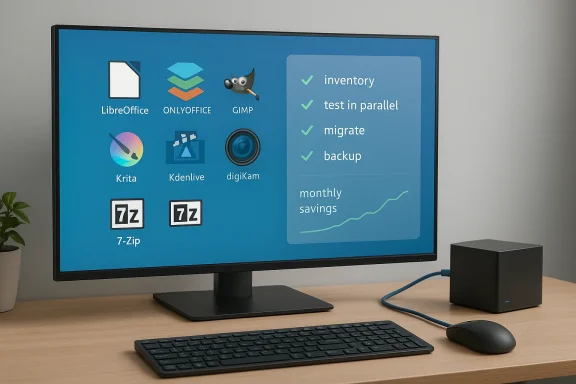 Replacing Microsoft 365: Practical office alternatives
LibreOffice and OnlyOffice — What they cover
For core productivity—word processing, spreadsheets, and presentations—LibreOffice and ONLYOFFICE are the two most realistic open‑source alternatives on Windows.- LibreOffice offers Writer, Calc, and Impress plus a database tool (Base) and equation editor (Math). It uses the OpenDocument Format (ODF) as its native format but can open and save Word (.docx), Excel (.xlsx) and PowerPoint (.pptx) files. For most everyday documents the fidelity is excellent; for extremely complex, macro‑driven business templates or advanced Excel models, you should test first. Community and project compatibility compatibility caveats explicit.
- ONLYOFFICE positions itself as closer to cloud collaboration: desktop editors with real‑time co‑editing, integrated PDF editing, comments, chat, and connectors for Nextcloud/ownCloud. It can be self‑hosted or used through supported cloud platforms, and its PDF Editor supports collaborative modes, chat and Fast/Strict co‑editing settings—features that edge it ahead for teams who need live collaboration without Microsoft 365. The product documentation and blog walk through collaborative PDF editing and desktop‑connected co‑editing modes.
When to keep Microsoft 365
Paid Office remains the sensible choice if you need:- deep, enterprise‑grade Excel features (Power Query automation at scale, complex VBA ecosystems),
- guaranteed fidelity for legal/publishing templates,
- vendor SLAs and centralized license management in business environments.
Creative work without the Adobe tax
The MakeUseOf author replaced Photoshop, Lightroom, and Premiere with a suite of open tools. The choices are pragmatic: each tool targets a specific workflow rather than trying to be a one‑size‑fits‑all Adobe clone.Raster editing: GIMP and PhotoDemon
- GIMP (GNU Image Manipulation Program) is the best‑known Photoshop alternative. Its plugin system, layered editing, and scriptability make it capable for serious photo work. For users transitioning from Photoshop, community patches and presets—most notably PhotoGIMP—change the interface and shortcuts to a Photoshop‑like layout, easing the learning curve without touching GIMP’s core. PhotoGIMP does not break plugin compatibility; it’s a user‑level configuration layer.
- PhotoDemon is a portable, lightweight editor that includes more than 200 editing tools and explicit compatibility with Photoshop PSD files, RAW formats, content‑aware fill, layers, masks, and batch processing. Its portability is a plus for quick edits or running from a USB stick. The project’s GitHub and docs highlight PSD and RAW support and the app’s emphasis on usability.
Painting and illustration: Krita
Krita is optimized for painters and illustrators and competes directly with dedicated painting tools. It provides professional brush engines, wrap‑around mode for textures, animation features, and a customizable interface focused on drawing workflows—areas where it can actually outshine Photoshop for pure painting tasks. Krita’s feature pages emphasize brushes, animation support, and a resource manager for importing community bundles.Photo library and RAW management: digiKam
If Lightroom’s catalog model felt restrictive, digiKam uses your existing folder hierarchy and builds an external database you control. It supports RAW import, metadata handling, face recognition, geotagging, batch operations, and flexible album/tag management—making it a credible Lightroom replacement for photographers who prefer local control and non‑proprietary storage. The digiKam feature set explicitly lists folder‑based albums, database backends (SQLite, MySQL, MariaDB), and batch tools.Video editing: Kdenlive
Kdenlive (KDE Non‑Linear Video Editor) is a multi‑platform, open‑source editor available for Windows, macOS and Linux. It supports a standard NLE workflow—multiple tracks, effects, transitions, and proxy editing—and runs on relatively modest hardware compared with Premiere Pro’s system demands. Kdenlive’s manual and installation notes show minimum system requirements and the availability of standalone executables on Windows. For many creators, it provides the essential editing feature set without subscription fees.Utilities and small subscriptions: the quiet savings
Major savings often come from replacing many smaller recurring subscriptions and single‑purpose apps. The MakeUseOf author made a point of pruning these tiny drains.- 7‑Zip replaces WinRAR and other paid compressors. It supports packing/unpacking 7z, ZIP, TAR and many more formats, offers AES‑256 encryption and shell integration, and is widely regarded as reliable and compact. The project’s own feature page lists supported formats and compression algorithms.
- Okular for many tasks. It’s a versatile, universal document viewer that supports PDF, EPub, DjVu, PostScript, comic formats, Markdown and more; it also provides annotation features. Okular is cross‑platform and widely used in the KDE ecosystem. ([apps.kde.org](Okular screen capture and automation, free projects such as ShareX** (noted in community guides) replicate or exceed paid utilities’ capabilities for many users. Community migration manifests recommend ShareX for advanced capture, auto‑upload pipelines, OCR integration and scripting.
Self‑hosting: real savings or a hidden cost?
Self‑hosting password managers, notes apps and other services is the area that promises the biggest monthly savings—but it also carries the most operational risk.Password managers: Vaultwarden vs official Bitwarden
Self‑hosting a password cloud can remove recurring fees for family plans or team access, but the choice of software matters.- The official Bitwarden server is available for on‑premise installs, but it is heavier to run. Vaultwarden (formerly bitwarden_rs) is an unofficial, Rust‑based reimplementation of the Bitwarden server API that is much lighter on resources, easier to deploy (single Docker container), and compatible with official Bitwarden clients. Vaultwarden offers many premium features for free when self‑hosted, but it is community‑driven and lacks Bitwarden Inc.’s formal audits and official support channels. Community guides and the Vaultwarden GitHub are explicit about the trade‑offs: simplicity and low resource use versus limited formal audits and the need to track upstream API changes.
Notion and AFFiNE
AFFiNE is an open‑source, collaborative workspace in the emerging class of Notion alternatives that supports real‑time collaboration and CRDT syncing. It can be self‑hosted, though users report room for improvement; community threads flag licensing nuances and storage limits on some distributions, so test carefully if you rely on it for large, mission‑critical archives. For many, AFFiNE offers an appealing combination of block editing and real‑time collaboration without a Notion subscription—but the “self‑host to save $X/month” math depends heavily on how much time you’ll devoteervice.The real savings story
The MakeUseOf author claims saving roughly $50/month by self‑hosting and ditching various subscriptions. That number is plausible in certain households—especially if you replace Microsoft 365, a password manager family plan, and a note‑taking service—but it is highly dependent on existing subscription mix and whether you count the time investment in self‑hosting as a cost. Treat one‑person savings claims as illustrative, not universal. Always calculate your own break‑even point including hosting (VM or cheap VPS), backup storage, and your time to update and secure services.Trade‑offs, risks, and hard limits
Open‑source replacements are powerful, but the migration is not frictionless. Community an same list of caveats:- Compatibility and fidelity: LibreOffice and ONLYOFFICE can open and save Microsoft formats, but complex formatting, embedded macros, and advanced Excel features (Power Query, complex pivot caches, proprietary VBA behavior) can break. Validate your most critical documents before retiring Microsoft urve & workflow differences**: Creative professionals who rely on nuanced Adobe features (camera raw pipelines, color management, industry plugins, collaborative Creative Cloud assets) may find FOSS replacements awkward or insufficient. The transition requires time and sometimes redesigning templates and pipelines.
- **Maintening a single paid, cloud‑managed app with several smaller FOSS tools increases the number of components you must update and monitor. That increases attack surface and operational overhead, particularly if you self‑host. Community guides recommend staged rollouts and robust backup strategies.
- *Licensing caveatsays mean “license‑free” for enterprise redistribution. Some ecosystem pieces (e.g., VirtualBox Extension Pack) use restrictive licenses for certain features, and unvetted third‑party builds can expose users to supply‑chain risks. Read license documentation before deploying at scale.
- **Third‑party compatibility and platform policy charm policy changes (Manifest V3) affect extension capabilities and may limit some ad‑blocking or automation features dser choice. These are external constraints that can change the user experience for FOSS alternatives.
A pragmatic migration checklist
This is the practical, step‑by‑step pattern that produced the MakeUseOf author’s success—and that community verifications consistently recommend.- Inventory everything. List apps, formats, cloud services, printers, and mobile sync needs. Identify critical documents, templates, and workflows.
- Backup first. Full system image and off‑site copies of mail stores and any important databases. Don’t skip this.
- Pick replacements and run them in parallel. Install LibreOffice/ONLYOFFICE, GIMP/PhotoDemon/Krita, Kdenlive, digiKam and the utility set (7‑Zip, Okular, ShareX). Keep Microsoft 365 and Adobe active until you validate.
- Validate critical files. Open top‑priority DOCX/XLSX/PPTX in LibreOffice and ODF and compare. Test RAW import/export and multi‑file video exports. Check prints and PDF forms if those are mission‑critical.
- If self‑hosting, start small. Use Vaultwarden (or the official Bitwarden self‑host) on a disposable VPS or home server. Automate backups and add monitoring. Budget time for updates.
- Stagger the switch. Migrate email and notes slowly, and keep a rollback plan for at least a month aft-
Strengths that matter
- Cost control: For most home users the subscription math is compelling—replace recurring fees with free tools and save between tens to hundreds of dollars per year depending on your bundle. Microsoft’s consumer price increases sharpen that case.
- Transparency and privacy: FOSS projects let you audit or at least inspect community discourse and changelogs; self‑hosting returns data control and reduces third‑party cloud exposure.
- Choice and customization: You can pick specialized tools—Krita for painting, digiKam for photo catalogs, Kdenlive for video—that are focused on doing one job well without vendor lock‑in. ([krita.org](Features watch and when paying still makes sense
- Professional feature parity: If your livelihood depends on Adobe’s ecosystem, enterprise Office features, or vendor support, subscriptions remain the most pragmatic route.
- Operational cost of self‑hosting: If you lack comfort maintaining server stacks, the time cost of running Vaultwarden/AFFiNE/Jellyfin may eclipse subscription fees—budget for both money and hours.
- Supply‑chain safety: Only download installers from official project pages or trusted package managers (winget, Ninite, Flathub) and avoid repackaged binaries that bundle PUPs.
Final assessment — Is ditching subscriptions worth it?
For a large portion of Windows users the answer is yes, often. The MakeUseOf author’s experience is a practical case study: by systematically replacing Office, Adobe apps, and several utilities with LibreOffice/ONLYOFFICE, GIMP/PhotoDemon/Krita, digiKam, Kdenlive, 7‑Zip, and Okular—and by self‑hosting selective services—the author eliminated recurring fees and regained local control, at the cost of an upfront testing and learning investment. Community verification threads echo that conclusion while tempering it with realistic cautions about compatibility, licensing and maintenance overhead.If you value predictable costs, privacy, and the ability to escape vendor lock‑in without abandoning Windows, the staged approach described above is a pragmatic, low‑risk path. Start with low‑risk swaps (file archivers, PDF viewers, image viewers), validate office compatibility on your most critical documents, then layer in creative tools and optional self‑hosting when you’re ready. Use automation for installs and backups, and keep a one‑month rollback plan for any mission‑critical piece.
Open‑source tools aren’t universally superior, but today they’re mature enough that—in many cases—they’re a superior value. For everyday Windows users seeking to cut software bills without sacrificing capability, the migration is not only possible—it’s advisable to at least try a staged swap and see how much of your subscription bill you can responsibly retire.
Conclusion
Replacing paid Windows software subscriptions with open‑source alternatives is a strategy that pays off for many users—financially, operationally and ethically—provided you proceed methodically. Verify critical files, plan backups, and accept a modest learning curve in exchange for lower costs and greater control. Modern FOSS projects like LibreOffice, ONLYOFFICE, GIMP/PhotoDemon/Krita, digiKam, Kdenlive, 7‑Zip and Okular are not stopgaps; they are capable, actively maintained tools that, together, let you run a highly productive Windows desktop without a pile of monthly charges.
Source: MakeUseOf I ditched my Windows software subscriptions by using these open-source apps
