

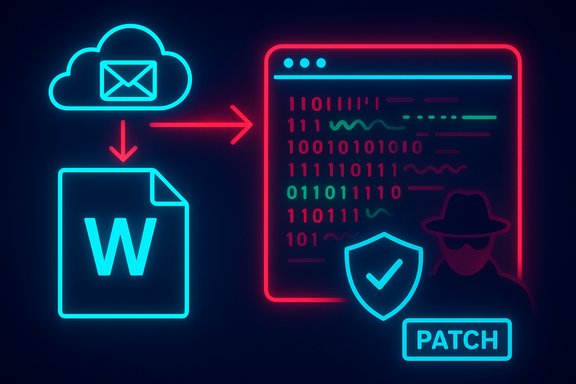
The headline for CVE-2025-62558 — described as a Microsoft Word Remote Code Execution vulnerability — is factually correct about the impact but can be misleading if you treat it as a literal description of the CVSS Attack Vector. Microsoft’s advisory and the CVE title signal that an off‑host actor can cause arbitrary code to run on a victim machine, while the CVSS vector AV:L (Local) documents where the vulnerable code actually executes: inside a local process on the endpoint. Both statements are accurate and complementary; reading them together is essential for correct triage and remediation.
Background
Microsoft’s Security Update Guide lists CVE-2025-62558 as an RCE-class issue affecting Word’s document parsing logic. The vendor advisory describes the end‑to‑end consequence — attacker‑controlled code running on a victim host — and maps the vulnerability to vendor patches that administrators must install. That advisory language is intentionally concise and urgent to prompt rapid action.At the same time, the Common Vulnerability Scoring System (CVSS) entry for this CVE assigns Attack Vector = Local (AV:L). CVSS AV reflects where the vulnerable code runs at the moment the exploit triggers; in many Office document parsing bugs the vulnerable logic executes inside the local application process when a user opens or previews a file. That execution locality yields AV:L even when the malicious file was delivered remotely (for example, via email or cloud share). This “remote delivery, local execution” pattern is common and intentional in CVSS scoring.
CVSS vs CVE titles: two different questions
The apparent contradiction between “Remote Code Execution” (the CVE title) and CVSS AV:L is a reflection of two distinct communications:- CVE/advisory title: What can an attacker achieve and from where can they try? — e.g., an external adversary can cause arbitrary code to run on your machine.
- CVSS Attack Vector: Where must exploitation occur when the vulnerable code is invoked? — the exploited code may be invoked inside a local process, obliging the AV:L scoring.
CVSS design intent
CVSS intentionally separates delivery from trigger mechanics to avoid double‑counting the network delivery stage. If the vulnerable code is not bound to a network service but runs only within a local application when it parses a file, scorers choose AV:L. This preserves consistency across many exploit models and gives defenders a mechanistic view of exploitation. The User Interaction (UI) metric often clarifies that exploitation requires the victim to open or preview a crafted document (UI:R), which is typical for Office RCEs.How the exploit chain typically looks
A canonical Office-document RCE follows a clear, repeatable sequence. Framing this as a short numbered sequence helps explain why the CVE title and CVSS vector both make sense:- Attacker crafts a malicious Word document that targets a parsing bug (memory corruption, pointer misuse, etc..
- Attacker delivers the file remotely (phishing email, cloud share link, or public download).
- Victim opens the file (or a preview handler renders it) in the local Word process.
- Word’s parser triggers the vulnerability and attacker‑controlled code executes under the context of the local process and user.
- Post‑exploit actions follow: credential theft, lateral movement, persistence, or ransomware staging.
Technical anatomy: why parsing bugs lead to RCE
Modern Office formats are complex and include legacy binary structures, embedded objects, and multiple native parsers. These native code paths have historically harbored memory‑safety issues that are exploitable when an attacker controls file data.- Common root causes:
- Use‑after‑free (CWE‑416): freed memory is later dereferenced, allowing attacker data to be reused.
- Heap/stack out‑of‑bounds writes: memory corruption that overwrites control structures or function pointers.
- Type confusion / improper validation: assumptions about data layout are violated.
- Exploitation primitives:
- Heap grooming to place attacker data in predictable memory locations.
- Vtable overwrites or return‑oriented programming to gain control flow.
- Data‑only exploits that require no macros or scripting.
Why vendors call it “Remote Code Execution”
Vendor advisories and CVE titles use the phrase Remote Code Execution primarily as an impact and threat‑origin signal. Saying remote alerts defenders that a non‑local attacker can deliver the payload and cause code execution on a victim machine. This shorthand conveys urgency and the worst‑case security posture (arbitrary code execution) so security teams prioritize fixes rapidly.The CVSS vector, by contrast, provides the mechanics of exploitation. For defenders, the headline says “this is high‑impact,” and the CVSS details tell you how an attacker must complete the chain — usually by social engineering or by leveraging file‑preview mechanisms. Both are operationally useful and must be consumed together.
The important exception: server‑side parsing and previews
There’s a critical exception where AV:L and the “remote” label truly converge into AV:N (Network): any network‑exposed server or gateway that parses documents on behalf of remote clients.Examples that can change the vector to AV:N:
- Email gateways or DLP systems that generate attachment previews or thumbnails.
- Document‑conversion services and CMS platforms that render uploaded files.
- Office Online Server or cloud preview engines that parse files server‑side.
Operational implications — triage, prioritization, and risk
Labeling CVE-2025-62558 as RCE with CVSS AV:L produces a nuanced triage profile:- High impact: arbitrary code execution (C:H/I:H/A:H) — imminent operational risk if exploited.
- Exploitation constraints: requires user interaction (UI:R) or a component that previews/parses documents locally or server‑side.
- Delivery ease: low friction — email, cloud shares, and file transfer services make distribution straightforward.
- Practical urgency: high — treat this class of Office RCE advisories as urgent even if the CVSS Attack Vector is Local.
Prioritization checklist (for IT and security teams)
- Inventory: map Office build numbers, Word/Office clients, and all server components that parse Office files.
- Patch: apply Microsoft’s security updates for all affected SKUs; verify KB→CVE→build mappings in your patch catalog.
- Protect preview surfaces: disable or sandbox server‑side previews and mail‑gateway rendering where feasible.
- User hardening: enable Protected View and Application Guard for Office.
- Network controls: enforce mail gateway sandboxing/detonation and block suspicious attachments.
- Endpoint controls: apply AppLocker/WDAC rules to limit Office from launching child processes; ensure least‑privilege user models.
- Detection & response: tune EDR to detect Office process anomalies and hunt for suspicious post‑exploit behavior.
Recommended mitigations and timelines
- Patch immediately: identify the precise KBs for your Office packaging model (Click‑to‑Run, MSI, LTSC, platform builds) and deploy via your enterprise patch management system. Patching is the definitive remediation.
- Harden email and file ingestion: route attachments through sandboxing/detonation engines, disable auto‑preview, and quarantine suspicious file types.
- Enforce Protected View and Application Guard: require files from the Internet to open in a restricted, read‑only sandbox until explicitly authorized.
- Restrict macros and code execution: disable macros by policy except for trusted, signed content. Note that macro controls do not stop data‑only parsing exploits, but they reduce follow‑on stages.
- Apply application control and least privilege: use AppLocker or WDAC to prevent Office from launching unexpected child processes and ensure users run without administrative rights.
- Monitor and hunt: configure EDR and SIEM rules for anomalous Office behavior (suspicious child processes, unusual network connections, credential access patterns). Conduct targeted hunts for any signs of post‑exploit activity.
Strengths, weaknesses, and risk analysis
Strengths of Microsoft’s advisory style- Concise impact messaging quickly signals urgency to defenders and operations. Using “Remote Code Execution” rapidly elevates priority queues.
- CVSS scoring provides the mechanistic context teams need to build tailored mitigations (AV, UI, PR, S fields).
- Headline ambiguity: non‑technical stakeholders or automation rules may misinterpret AV:L as low priority, causing delayed responses. This is a major operational hazard.
- Server‑side preview risk: centralized services that parse documents can convert an AV:L scenario into AV:N, drastically increasing exposure and blast radius. Many organizations overlook this during triage.
- Overreliance on macro controls: because many modern weaponized documents are data‑only exploits, macro restrictions alone are insufficient protection.
- Likelihood is driven by delivery ease and social engineering success; impact is driven by RCE severity and post‑exploit options. The combined profile makes Office document RCEs high operational risk even with AV:L. Failure to patch promptly or to harden preview surfaces increases the chance of successful exploitation.
Verification caveats and unverifiable claims
Public advisories sometimes omit low‑level exploit details. When vendor technical details are not published, avoid assuming specifics about exploitation primitives or PoC availability. If Microsoft or other trusted researchers publish a proof‑of‑concept, the exploitation likelihood can be recalculated accordingly; until then, treat RCE advisories conservatively and prioritize mitigations. Where low‑level mechanics are stated without vendor confirmation, flag those claims as unverified and rely on patch guidance as the authoritative remediation path.Practical communications: how to tell leadership
Explain the distinction in plain language: an attacker anywhere on the internet can send a malicious Word file that, if opened, can run code on a workstation. The term remote describes the attacker’s ability to deliver the payload; the CVSS term local describes that the code runs inside the local Word process when the user opens the file. Communicate a clear action plan: inventory, patch, block previews, and enable Protected View. Use timelines (24–72 hours depending on role and exposure) and map remediation to business criticality.Conclusion
CVE-2025-62558’s label of Remote Code Execution and its CVSS Attack Vector AV:L are not contradictory — they are two sides of the same operational story. The CVE title signals the attacker’s origin and the worst‑case impact (arbitrary code execution), while the CVSS AV:L denotes the technical locus of the exploit when it triggers (local parsing inside Word). Effective defensive action requires reading both signals together, prioritizing patching, hardening preview surfaces, and layering mitigations such as Protected View, mail gateway sandboxing, application control, and EDR monitoring. Treat document‑based RCE advisories as urgent: patch first, then apply the compensating and detective controls detailed above to reduce both likelihood and blast radius.Keywords and phrases for search and automation: CVE-2025-62558, Microsoft Word Remote Code Execution, CVSS AV:L, remote delivery local execution, Office document RCE, patch immediately, Protected View, mail gateway sandboxing, user interaction required.
Source: MSRC Security Update Guide - Microsoft Security Response Center
