

The Router Is the Wrong Place for a Secret Master Key
Routers occupy a privileged position that most consumer technology does not. A compromised laptop can expose one user; a compromised router can observe, redirect, and reshape the network path for every device behind it. That is why hidden authentication logic in router firmware lands differently from a bug in a desktop utility or a forgotten web app.
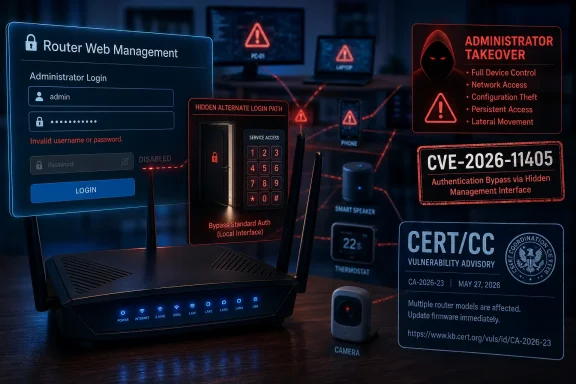
CERT/CC says the vulnerable Tenda firmware contains an undocumented authentication mechanism in the login() function of the /bin/httpd web server binary. The normal login process first follows a familiar path: the router checks the submitted password using an MD5-based verification routine. But if that check fails, the code does not simply reject the login attempt.
Instead, according to CERT/CC, the firmware retrieves an alternate password value from the device configuration using GetValue("sys.rzadmin.password"). It then compares that stored value directly against the user-supplied password. If the values match, the router grants administrator-level access and creates a valid session.
That detail matters because this is not a user-visible recovery password, a label printed on the device, or an admin account the owner can rotate from the settings page. CERT/CC says the username is not validated at all in this alternate path. Any username works if paired with the backdoor password.
That is the architectural sin here. Authentication is supposed to be the boundary between the person allowed to change the network and the person who is not. Tenda’s affected firmware appears to contain a second boundary that users were never told about and cannot meaningfully administer.
CERT’s Advisory Turns a Suspected Risk Into an Operational Problem
The CERT Coordination Center, based at Carnegie Mellon University’s Software Engineering Institute and sponsored by CISA, published Vulnerability Note VU#213560 on July 6. The note lists CVE-2026-11405 and names affected firmware builds for the Tenda FH1201, W15E, AC10, AC5, and AC6 lines. The Hacker News and BleepingComputer both reported the advisory the following day, emphasizing the same uncomfortable fact: the vulnerability allows an attacker to bypass the configured administrator credentials.
CERT/CC’s affected-version list is specific, and owners should compare firmware strings rather than rely only on the model name. The named builds include US_FH1201V1.0BR_V1.2.0.14(408)_EN_TD, US_W15EV1.0br_V15.11.0.5(1068_1567_841)_EN_TDE, US_AC10V1.0re_V15.03.06.46_multi_TDE01, US_AC5V1.0RTL_V15.03.06.48_multi_TDE01, and US_AC6V2.0RTL_V15.03.06.51_multi_T. Those strings are tedious, but they are the difference between a vague scare and a concrete inventory task.
The note also says CERT/CC notified Tenda on May 19 and had not received a vendor statement by publication. That means the advisory went public after roughly seven weeks without coordinated remediation. In vulnerability disclosure terms, that silence is not a minor footnote; it changes what defenders can reasonably expect.
If a vendor acknowledges a flaw and promises a firmware update, the responsible advice is usually to mitigate temporarily and prepare to patch. If a vendor cannot be reached, the calculus becomes harsher. You are not waiting on an announced fix; you are waiting on a company that, as of CERT/CC’s publication, had not engaged with the coordinator.
This Is Not Just “Change Your Password” Advice
The natural home-user response to router trouble is to change the admin password. That is still good hygiene, especially if the device was ever left on a default credential. But CVE-2026-11405 is precisely the kind of flaw that makes password rotation feel inadequate.
The vulnerability lives after normal authentication fails. In other words, the router can reject your real admin password check and then ask, silently, whether the submitted password matches the hidden sys.rzadmin.password value. If it does, the configured administrator password is irrelevant.
That is why this bug belongs in the more serious category of authentication bypass rather than garden-variety credential weakness. The owner does not control all of the keys to the device. A hidden alternate password path means the router’s visible security model is not the whole security model.
For WindowsForum readers, the Windows angle is indirect but important. Your Windows PCs, NAS boxes, Xbox consoles, printers, cameras, smart TVs, and work laptops all inherit trust assumptions from the router. DNS settings, port forwarding rules, firewall behavior, DHCP options, and guest-network isolation are all controlled from the administrative interface.
An attacker with router admin access can make subtle changes that look like ordinary network instability. They can alter DNS servers to push users toward phishing pages, open inbound access to internal devices, disable protections, change Wi-Fi settings, or prepare the device for persistence. The compromise may never look like a dramatic lockout; it may look like a home network that “just got weird.”
Exposure Is the Difference Between a Bad Bug and an Internet-Scale Problem
CERT/CC’s mitigation guidance starts with remote management for a reason. If the router’s web administration interface is reachable from the internet, the backdoor becomes a remote attack surface. If the interface is reachable only from the local network, an attacker typically needs a foothold on your Wi-Fi or inside your LAN before exploiting it.
That distinction does not make the bug acceptable. It does, however, define the urgency. A router exposing its management panel to the wider internet is in a far more dangerous position than one that only answers on the private side of the network.
Remote web management is often marketed as convenience. It lets an owner or small-business administrator change settings while away from the premises. On budget consumer routers, it is also one of the most hazardous features to leave enabled, because every exposed management interface becomes an invitation to scanners, botnets, and opportunistic attackers.
The first practical move is therefore simple: turn off remote web management. If the router has a WAN-side administration option, disable it. If the device offers cloud management or app-based remote access, examine whether that function exposes the same administrative surface or depends on vendor infrastructure you do not fully control.
Local exposure still matters. Guest networks, shared apartment Wi-Fi, small retail networks, and office networks with many unmanaged devices all create opportunities for an attacker to become “local enough.” A malicious phone, a compromised laptop, or an untrusted guest can turn a LAN-only flaw into a practical attack path.
The IP Address Mitigation Is a Speed Bump, Not a Fix
CERT/CC also recommends changing the router’s default LAN IP address to reduce opportunistic discovery by automated scanners. That advice is reasonable, but it should not be oversold. Moving a router from a common address such as 192.168.0.1 or 192.168.1.1 to another private address may defeat lazy scripts, not a determined attacker.
Security people often dismiss such measures as “security through obscurity,” but that phrase can be too glib. Obscurity is not a substitute for authentication, patching, or segmentation. It can still reduce noise from the least sophisticated automation.
The danger is treating it as remediation. If a device contains a hidden administrator login path, changing the LAN IP does not remove the backdoor, rotate the hidden value, or make the firmware trustworthy. It merely makes the management page slightly less obvious to some scans.
For a home user, that may be worth five minutes. For a business, it should be a temporary compensating control logged in an actual risk register. The right framing is: reduce exposure while you decide whether this box still belongs in the network.
Budget Routers Have Become Critical Infrastructure Without the Support Model
The Tenda story is bigger than Tenda. Consumer routers long ago became miniature internet gateways, firewalls, DNS forwarders, access points, parental-control systems, VPN endpoints, and IoT traffic cops. Many are still sold and supported like disposable plastic appliances.
That mismatch is the industry’s recurring failure. A router can be cheap, but the job it performs is not low-stakes. When vendors ship firmware with hidden authentication logic and then do not respond to a coordinator like CERT/CC, users are left to perform risk management without the most important ingredient: a patch.
Small offices are especially exposed to this gap. A five-person shop may not have a firewall appliance, managed switch, EDR stack, or dedicated IT provider. It may have a budget router bought from an online marketplace, configured once, and forgotten until the internet goes down.
That is exactly the environment where an unpatched administrative bypass can linger for years. The device may not show up in software inventory. It may not be covered by endpoint management. It may not even have a named owner beyond “the Wi-Fi box near the modem.”
The lesson for IT pros is not that every small site needs enterprise gear. The lesson is that edge devices need a lifecycle. If a router cannot receive timely firmware updates, cannot be centrally inventoried, and cannot be trusted after a serious disclosure, it should not be treated as a permanent fixture.
Vendor Silence Is Now Part of the Vulnerability
A hidden backdoor is bad. A hidden backdoor with no patch is worse. A hidden backdoor where the vendor has not responded to CERT/CC is the part that should shape purchasing decisions.
CERT/CC’s vendor table says Tenda was notified on May 19 and that no vendor statement had been received by the time the advisory was updated on July 6. That does not prove Tenda will never issue a fix. It does mean users cannot plan around one today.
Security is not only the absence of bugs. It is the presence of a response system when bugs inevitably appear. Vendors earn trust through disclosure handling, firmware availability, clear affected-product lists, and timely communication. Silence forces customers to guess.
For buyers, that should become part of the router checklist. Wi-Fi speed, antenna count, and price are easy to compare on a product page. Patch cadence and vulnerability response are harder to see, but they matter more after the box is plugged into the modem.
This is especially true for models sold across different regions through online marketplaces. A router may be available in the United States, India, Europe, and elsewhere through a mix of official channels, importers, and marketplace sellers. Firmware support can vary by region and hardware revision, making the exact build number more important than the marketing name.
Windows Households Should Treat the Router as Part of the PC Security Boundary
Windows users often think of security in terms of Defender, BitLocker, browser updates, and Patch Tuesday. Those remain essential. But the router sits upstream of all of them.
A compromised router can hand a Windows PC malicious DNS responses before the browser ever evaluates a certificate warning. It can expose services that were meant to stay private. It can weaken isolation between devices. It can quietly steer traffic in ways that make users blame Windows, the ISP, or the browser.
That does not mean every router compromise defeats modern Windows protections. HTTPS, certificate validation, SmartScreen, Defender, and application sandboxing still matter. But router control gives an attacker leverage over the environment in which those protections operate.
For remote workers, the stakes are higher. A home router may sit between a corporate laptop and a VPN connection. Even when the VPN protects traffic after connection, the router can still interfere with name resolution before the tunnel comes up, attack local network services, or serve as a foothold against unmanaged devices on the same LAN.
Administrators should therefore treat vulnerable consumer routers as part of the extended endpoint environment. If employees are issued home-office kits, the router model and firmware should be known. If staff are allowed to work from arbitrary home networks, security guidance should include router hygiene, not just laptop policy.
Replacement Is Not Panic; It Is Risk Retirement
There is a temptation to frame hardware replacement as overreaction. After all, the exploit may require knowledge of the hidden password. The management interface may not be exposed to the internet. There may be no known active exploitation. All of that can be true while replacement remains the rational move.
A router is not a sentimental device. It is a trust anchor. If the vendor does not provide a patch or even a statement for a serious hidden authentication mechanism, the owner has limited ways to restore confidence.
For technically confident users, third-party firmware might sound appealing. In practice, support depends on model, hardware revision, chipset, bootloader behavior, and the maturity of the alternate firmware build. Flashing unsupported firmware can brick the device or create a new maintenance burden. It may be appropriate for hobbyists, but it is not a universal recommendation for families or small offices that just need safe Wi-Fi.
The cleaner path is to replace affected hardware with a router from a vendor that publishes firmware updates, documents security advisories, and makes update installation obvious. That does not require buying the most expensive mesh system on the shelf. It does require treating update support as a buying criterion.
Users should also resist the false economy of keeping an old router because it “still works.” A router that passes packets but cannot be trusted is like a door lock that turns smoothly while accepting a secret master key. Functionality is not the same thing as security.
The Practical Playbook for Tenda Owners Starts at the Admin Page
Before unplugging anything, owners should identify what they actually have. Log in to the router’s local management page from a trusted device, record the model number, hardware revision if shown, and firmware version. Compare the firmware string against CERT/CC’s affected builds.
If remote administration is enabled, disable it immediately. If you do not know whether it is enabled, assume the setting deserves attention and look for labels such as remote management, WAN management, web access from WAN, cloud management, or internet access to admin. Router interfaces vary, but the underlying concept is the same: the administrative dashboard should not be reachable from the public internet.
Then review the rest of the configuration as if the router may become untrusted. Confirm DNS servers, port-forwarding rules, UPnP settings, guest network isolation, and administrator password. Changing the visible administrator password does not eliminate CVE-2026-11405, but it can still close other doors.
If this is a business network, document the mitigation and set a replacement deadline. “Wait for firmware someday” is not a plan. If Tenda later releases a credible fix, administrators can reassess; until then, the risk sits with the owner, not the vendor.
Home users should be equally pragmatic. If the affected router is old, inexpensive, and no longer receiving regular firmware updates, replacement is likely a better use of time than elaborate workarounds. The point is not to punish a brand; it is to remove a device that no longer deserves its privileged network position.
The Details That Should Decide Your Next Move
The immediate response should be calm, but not casual. CERT/CC’s advisory gives enough technical detail to distinguish this from rumor, and Tenda’s lack of a statement removes the comfort of a near-term coordinated fix.
- Owners of the Tenda FH1201, W15E, AC10, AC5, and AC6 should check the exact firmware build, not just the model name.
- Remote web management should be disabled immediately on any affected or possibly affected router.
- Changing the router’s default LAN IP address may reduce automated probing, but it does not remove the hidden authentication path.
- Changing the normal administrator password is still sensible, but it does not fix CVE-2026-11405 because the vulnerable path bypasses the configured credential.
- Small offices and remote workers should treat affected routers as edge-security risks, not merely consumer gadgets with a bad setting.
- If no fixed firmware appears promptly, replacing the device is the most dependable way to retire the risk.
The uncomfortable lesson of CVE-2026-11405 is that the cheapest box on the network can become the most consequential one. Tenda may yet respond with patched firmware, clearer affected-product guidance, or an explanation for how this hidden authentication path survived in shipping builds. Until that happens, users should act on what is known rather than wait on what is hoped: close the management interface, verify the firmware, and be ready to move critical networks off hardware whose vendor has not shown up when it mattered.