

NVD published CVE-2026-13788 on June 30, 2026, with Chrome listed as the CVE source. The record describes a Critical use-after-free vulnerability in Google Chrome on Android versions earlier than 150.0.7871.47. A remote attacker could exploit it through a crafted HTML page to execute arbitrary code, with user interaction required.
The practical response is straightforward: update Chrome on every Android device and verify that the installed version is 150.0.7871.47 or later. Do not assume that automatic updates have completed, and do not map this CVE to desktop Chrome or other Chromium-based products without vendor evidence.
“Fullscreen” may sound like a cosmetic browser feature: the transition that hides interface controls while videos, games, presentations, or web applications occupy the display. CVE-2026-13788 shows why a component with a narrow user-facing purpose can still participate in security-sensitive memory and object-lifecycle operations.
The record classifies the vulnerability as a use-after-free under CWE-416. This weakness occurs when software continues to access a memory object after releasing it. Depending on the surrounding conditions, the result can range from a crash or corrupted state to unintended memory access or code execution.
For this vulnerability, the published description identifies the maximum outcome as arbitrary code execution. It says that a remote attacker can reach the flaw through a crafted HTML page in a vulnerable Chrome installation on Android. Chromium assigned the issue a Critical security severity.
The associated Chromium issue requires permission to view. As a result, the public material does not establish the exact Fullscreen operation, event sequence, callback, memory layout, or HTML and JavaScript behavior needed to trigger the flaw. Assertions about those details would be speculation.
The record also does not say that ordinary Fullscreen use is dangerous. Playing a full-screen video, opening a presentation, or using a legitimate full-screen web application does not become malicious merely because the flaw resides in the Fullscreen component. Exploitation requires content constructed to exercise the vulnerability.
The supported conclusion is therefore narrow but serious: a crafted page can exploit a use-after-free in Chrome’s Fullscreen component on affected Android versions and potentially execute attacker-selected code.
These labels come from different assessment systems. Chromium’s designation is the vendor’s security-severity judgment. CVSS applies a standardized vector to characteristics such as network reachability, attack complexity, required privileges, user interaction, scope, and technical impact.
The CISA-ADP vector is:
In practical terms, that records the vulnerability as network-reachable, low in attack complexity, requiring no prior attacker privileges, requiring user interaction, and carrying potentially high effects on confidentiality, integrity, and availability. The scored scope is unchanged.
The user-interaction field matters. The record does not support calling CVE-2026-13788 a zero-click vulnerability. It says exploitation occurs through crafted HTML, while CVSS explicitly records user interaction as required.
The exact interaction is not publicly defined. It may involve opening or engaging with a page, or it may require a more specific Fullscreen-related action. Reporting should not claim a precise gesture or trigger until an authoritative source documents one.
Likewise, “low attack complexity” does not mean that any attacker can produce a reliable exploit instantly. It means the conditions represented by the CVSS analysis do not include a high-complexity prerequisite. Developing dependable code execution against a modern browser may still require substantial technical work.
The arbitrary-code-execution description should not be expanded into claims the record does not make. CVE-2026-13788 does not publicly document a Chrome sandbox escape, Android kernel compromise, persistent device takeover, credential theft, or a chain involving another vulnerability.
NVD did not provide its own CVSS assessment in the reviewed record. The 8.8 score displayed there was contributed by CISA-ADP. That distinction is important when vulnerability data is imported into scanners and dashboards: the database displaying a metric is not always the organization that calculated it.
No prior attacker privileges are required according to the CVSS vector, but some user interaction is required. Beyond those points, the public record provides little information about delivery or exploitation.
A crafted page could theoretically be delivered through many browsing paths, but no specific delivery method is confirmed for this CVE. The record does not identify a malicious domain, advertising campaign, compromised website, redirect network, phishing lure, exploit kit, or threat actor. It also does not establish whether a reliable public exploit exists.
CISA-ADP’s Stakeholder-Specific Vulnerability Categorization assessment records three useful fields:
“Automatable: no” indicates that the exploitation process was not assessed as reliably automatable under the SSVC criteria. That is consistent with CVSS recording required user interaction.
“Technical impact: total” reflects the seriousness of successful exploitation. It supports prompt remediation, but it does not identify specific post-exploitation actions beyond the arbitrary-code-execution outcome in the CVE description.
The balanced operational reading is therefore clear: this is a severe browser vulnerability with a known fixed-version boundary, but the reviewed record does not establish an active campaign or a zero-click, self-propagating attack.
That qualification is especially important for Windows-focused administrators. A reference to a desktop Stable Channel release appears in the CVE record, but a reference is not the same as an affected-product declaration. The CVE description and NIST configuration define this finding as Chrome on Android.
There is no public technical evidence in the reviewed record that supports extending CVE-2026-13788 to Chrome on Windows, macOS, Linux, or ChromeOS. The permission-restricted Chromium issue does not provide an accessible basis for broadening the platform scope.
The same caution applies to Microsoft Edge, Android WebView, and other Chromium-based browsers. Code sharing may prompt those vendors to investigate their products, but it does not allow administrators to declare them affected under this CVE without a corresponding advisory or affected-version statement.
The machine-readable Chrome record is awkward because it lists 150.0.7871.47 in an entry that also contains a “less than 150.0.7871.47” condition and an affected status. The complete version condition, however, is the controlling information: the prose says versions prior to 150.0.7871.47 are vulnerable, and NIST’s configuration excludes the boundary version.
Administrators should therefore treat 150.0.7871.47 as the minimum fixed level.
This is also a warning against simplistic vulnerability-feed matching. A scanner that sees only the product name “Chrome” may generate findings for every operating system. Correct evaluation requires the application, operating system, and version range to be considered together.
Use these exact taps:
If Chrome still reports a version earlier than 150.0.7871.47, the device remains within the published affected range.
No indicators of compromise, malicious domains, exploit signatures, crash signatures, or confirmed post-exploitation events are supplied. The Chromium issue remains permission-restricted, so defenders cannot use its contents to determine an exact runtime sequence or reliable detection pattern.
That does not establish why the details are limited, and reporting should not assign a motive. It simply means the available evidence is better suited to version-based remediation than exploit-specific threat hunting.
Administrators should also avoid presenting component-related workarounds as equivalent to a patch. The record does not say that disabling full-screen video, instructing users not to press a Fullscreen control, blocking media websites, or temporarily switching default browsers completely mitigates the vulnerability.
For devices that cannot be updated immediately, organizations can make their own risk-based decision to limit browser or corporate-resource access. Such restrictions should be described as local compensating controls, not as vendor-recommended fixes and not as substitutes for reaching the fixed version.
The most reliable control remains removal of the affected code through the Chrome update, followed by verification that the installed version is 150.0.7871.47 or later.
That sequence matters because different fields have different sources. Administrators should preserve those attributions when importing the CVE into internal systems rather than reducing every field to “NVD says.”
June 30, 2026 — NVD published CVE-2026-13788 and listed Chrome as the CVE source.
July 1, 2026 — CISA-ADP added the CVSS 3.1 vector with an 8.8 High score and an SSVC assessment recording exploitation as none, automatable as no, and technical impact as total.
July 1, 2026 — NIST added the configuration combining Chrome versions earlier than 150.0.7871.47 with Android and categorized the supplied references.
July 2, 2026 — CISA-ADP updated the SSVC timestamp while retaining the same exploitation, automation, and technical-impact options.
July 2, 2026 — NVD recorded the entry’s last-modified date.
The July 2 SSVC change should not be portrayed as evidence of a new attack or a revised severity judgment. The substantive options remained unchanged.
The platform enrichment is particularly useful for mixed-device organizations. It gives scanners and vulnerability-management teams a basis for separating affected Android installations from unsupported findings against desktop Chrome.
Administrators need to identify Android devices with Chrome installed, collect the effective installed version, compare it with 150.0.7871.47, and verify the result after deployment. Merely approving an update in a mobile-management console does not prove that every device downloaded and installed it.
Update assignment, availability, download, installation, and post-install version reporting are separate states. A device can appear in an update policy while remaining vulnerable because it is offline, unenrolled, low on storage, unable to reach managed Google Play, or no longer reporting accurately.
Stale devices deserve particular attention. A phone that has not checked in recently may appear inactive in a management dashboard while still being used by an employee, contractor, field worker, or traveler.
Bring-your-own-device programs create a different enforcement problem. The organization may not control the complete handset, but its conditional-access or mobile-application-management policies may be able to require a minimum Chrome version before allowing access to corporate identities, applications, or data.
Any enforcement decision should remain proportional to what the organization can verify. A policy that displays a warning but continues granting unrestricted access does not enforce the remediation floor.
The common false-positive path is straightforward. A vulnerability feed sees “Google Chrome,” a scanner finds Chrome on Windows endpoints, and the system creates findings without evaluating the Android condition. That wastes remediation effort and can erode confidence in the vulnerability-management platform.
NIST’s configuration joins the Chrome application range with Android. A product-name-only match is therefore insufficient.
The opposite mistake is to ignore the issue because the security team thinks of Chrome primarily as a Windows application. Android phones may access the same Microsoft 365 identities, email, files, collaboration platforms, administrative interfaces, and cloud applications as desktop systems. Mobile Chrome belongs in the organization’s browser-risk program even though it is updated through different tooling.
The correct unit of analysis is:
Microsoft Edge on Android should not be marked vulnerable solely because it uses Chromium, but it should not be declared unaffected solely because this record names Chrome. The appropriate status is not established by this CVE record until Microsoft or another authoritative source provides product-specific information.
The same principle applies to Android WebView and every other Chromium-derived browser. Precision is not complacency; it directs remediation toward systems the evidence actually identifies.
The operational question is binary:
If authoritative reporting later confirms exploitation, defenders may need to review devices that remained below the fixed version during the relevant period. The present record, however, does not provide indicators sufficient for a CVE-specific retrospective hunt.
The practical response is straightforward: update Chrome on every Android device and verify that the installed version is 150.0.7871.47 or later. Do not assume that automatic updates have completed, and do not map this CVE to desktop Chrome or other Chromium-based products without vendor evidence.
Who is affected—and who is not established as affected
Affected: Google Chrome on Android earlier than version 150.0.7871.47.
Outside the published affected range: Google Chrome on Android version 150.0.7871.47 or later.
Not established as affected by this record: Chrome on Windows, macOS, Linux, or ChromeOS; Android WebView; Microsoft Edge; and other Chromium-based browsers.
Shared Chromium code does not, by itself, establish that the same CVE affects every Chromium-derived product or operating system.
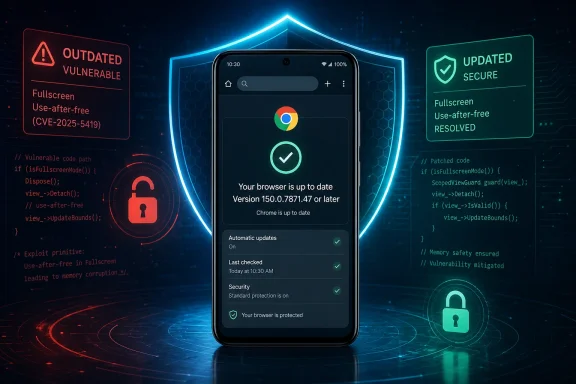 A Fullscreen Bug With Browser-Wide Consequences
“Fullscreen” may sound like a cosmetic browser feature: the transition that hides interface controls while videos, games, presentations, or web applications occupy the display. CVE-2026-13788 shows why a component with a narrow user-facing purpose can still participate in security-sensitive memory and object-lifecycle operations.The record classifies the vulnerability as a use-after-free under CWE-416. This weakness occurs when software continues to access a memory object after releasing it. Depending on the surrounding conditions, the result can range from a crash or corrupted state to unintended memory access or code execution.
For this vulnerability, the published description identifies the maximum outcome as arbitrary code execution. It says that a remote attacker can reach the flaw through a crafted HTML page in a vulnerable Chrome installation on Android. Chromium assigned the issue a Critical security severity.
The associated Chromium issue requires permission to view. As a result, the public material does not establish the exact Fullscreen operation, event sequence, callback, memory layout, or HTML and JavaScript behavior needed to trigger the flaw. Assertions about those details would be speculation.
The record also does not say that ordinary Fullscreen use is dangerous. Playing a full-screen video, opening a presentation, or using a legitimate full-screen web application does not become malicious merely because the flaw resides in the Fullscreen component. Exploitation requires content constructed to exercise the vulnerability.
The supported conclusion is therefore narrow but serious: a crafted page can exploit a use-after-free in Chrome’s Fullscreen component on affected Android versions and potentially execute attacker-selected code.
“Critical” and an 8.8 High Score Are Not a Contradiction
The record contains two severity labels that can appear inconsistent. Chromium classifies CVE-2026-13788 as Critical, while the CVSS 3.1 calculation supplied by CISA-ADP gives it an 8.8 base score and a High rating.These labels come from different assessment systems. Chromium’s designation is the vendor’s security-severity judgment. CVSS applies a standardized vector to characteristics such as network reachability, attack complexity, required privileges, user interaction, scope, and technical impact.
The CISA-ADP vector is:
CVSS:3.1/AV:N/AC:L/PR:N/UI:R/S:U/C:H/I:H/A:HIn practical terms, that records the vulnerability as network-reachable, low in attack complexity, requiring no prior attacker privileges, requiring user interaction, and carrying potentially high effects on confidentiality, integrity, and availability. The scored scope is unchanged.
The user-interaction field matters. The record does not support calling CVE-2026-13788 a zero-click vulnerability. It says exploitation occurs through crafted HTML, while CVSS explicitly records user interaction as required.
The exact interaction is not publicly defined. It may involve opening or engaging with a page, or it may require a more specific Fullscreen-related action. Reporting should not claim a precise gesture or trigger until an authoritative source documents one.
Likewise, “low attack complexity” does not mean that any attacker can produce a reliable exploit instantly. It means the conditions represented by the CVSS analysis do not include a high-complexity prerequisite. Developing dependable code execution against a modern browser may still require substantial technical work.
The arbitrary-code-execution description should not be expanded into claims the record does not make. CVE-2026-13788 does not publicly document a Chrome sandbox escape, Android kernel compromise, persistent device takeover, credential theft, or a chain involving another vulnerability.
NVD did not provide its own CVSS assessment in the reviewed record. The 8.8 score displayed there was contributed by CISA-ADP. That distinction is important when vulnerability data is imported into scanners and dashboards: the database displaying a metric is not always the organization that calculated it.
The Attack Starts With a Page, but the Record Stops There
The published attack path is concise. A remote attacker supplies a crafted HTML page, and a vulnerable Chrome installation on Android processes content that can reach the Fullscreen use-after-free. Successful exploitation can result in arbitrary code execution.No prior attacker privileges are required according to the CVSS vector, but some user interaction is required. Beyond those points, the public record provides little information about delivery or exploitation.
A crafted page could theoretically be delivered through many browsing paths, but no specific delivery method is confirmed for this CVE. The record does not identify a malicious domain, advertising campaign, compromised website, redirect network, phishing lure, exploit kit, or threat actor. It also does not establish whether a reliable public exploit exists.
CISA-ADP’s Stakeholder-Specific Vulnerability Categorization assessment records three useful fields:
- Exploitation: none
- Automatable: no
- Technical impact: total
“Automatable: no” indicates that the exploitation process was not assessed as reliably automatable under the SSVC criteria. That is consistent with CVSS recording required user interaction.
“Technical impact: total” reflects the seriousness of successful exploitation. It supports prompt remediation, but it does not identify specific post-exploitation actions beyond the arbitrary-code-execution outcome in the CVE description.
The balanced operational reading is therefore clear: this is a severe browser vulnerability with a known fixed-version boundary, but the reviewed record does not establish an active campaign or a zero-click, self-propagating attack.
Android Is the Boundary That Matters
The affected-platform condition is the article’s most important differentiator. The CVE description explicitly names Google Chrome on Android, and NIST’s affected configuration combines the Chrome application with the Android operating system. The affected range ends before version 150.0.7871.47.That qualification is especially important for Windows-focused administrators. A reference to a desktop Stable Channel release appears in the CVE record, but a reference is not the same as an affected-product declaration. The CVE description and NIST configuration define this finding as Chrome on Android.
There is no public technical evidence in the reviewed record that supports extending CVE-2026-13788 to Chrome on Windows, macOS, Linux, or ChromeOS. The permission-restricted Chromium issue does not provide an accessible basis for broadening the platform scope.
The same caution applies to Microsoft Edge, Android WebView, and other Chromium-based browsers. Code sharing may prompt those vendors to investigate their products, but it does not allow administrators to declare them affected under this CVE without a corresponding advisory or affected-version statement.
| Deployment state | Version condition | Published CVE status | Operational interpretation |
|---|---|---|---|
| Chrome on Android | Earlier than 150.0.7871.47 | Affected | Update promptly |
| Chrome on Android | 150.0.7871.47 or later | Outside the published affected range | Meets the disclosed remediation floor |
| Chrome on Windows, macOS, Linux, or ChromeOS | Not included in the Android configuration | Not established as affected | Do not map the Android finding to desktop fleets |
| Android WebView | No affected range supplied | Not established as affected | Await an authoritative product statement |
| Other Chromium-based Android browsers | No affected range supplied | Not established as affected | Follow the relevant browser vendor’s advisory |
Administrators should therefore treat 150.0.7871.47 as the minimum fixed level.
This is also a warning against simplistic vulnerability-feed matching. A scanner that sees only the product name “Chrome” may generate findings for every operating system. Correct evaluation requires the application, operating system, and version range to be considered together.
How Consumers Should Update and Verify Chrome
Android users should perform the update explicitly rather than relying only on background app updates.Use these exact taps:
- Open Google Play Store.
- Tap the profile icon.
- Tap Manage apps & device.
- Tap See details under “Updates available,” or open Updates available if that wording appears directly.
- Find Google Chrome.
- Tap Update.
- Open Chrome.
- Tap ⋮.
- Tap Settings.
- Tap About Chrome.
- Confirm that the displayed version is 150.0.7871.47 or later.
If Chrome still reports a version earlier than 150.0.7871.47, the device remains within the published affected range.
Limited Technical Detail Makes Version Verification the Best Control
The public record identifies the affected component, weakness category, platform, version boundary, attack medium, and maximum outcome. It does not provide enough technical detail to construct a CVE-specific behavioral detection with confidence.No indicators of compromise, malicious domains, exploit signatures, crash signatures, or confirmed post-exploitation events are supplied. The Chromium issue remains permission-restricted, so defenders cannot use its contents to determine an exact runtime sequence or reliable detection pattern.
That does not establish why the details are limited, and reporting should not assign a motive. It simply means the available evidence is better suited to version-based remediation than exploit-specific threat hunting.
Administrators should also avoid presenting component-related workarounds as equivalent to a patch. The record does not say that disabling full-screen video, instructing users not to press a Fullscreen control, blocking media websites, or temporarily switching default browsers completely mitigates the vulnerability.
For devices that cannot be updated immediately, organizations can make their own risk-based decision to limit browser or corporate-resource access. Such restrictions should be described as local compensating controls, not as vendor-recommended fixes and not as substitutes for reaching the fixed version.
The most reliable control remains removal of the affected code through the Chrome update, followed by verification that the installed version is 150.0.7871.47 or later.
The Record Was Enriched After Initial Publication
CVE records are assembled in stages. The Chrome-sourced record supplied the core vulnerability description and affected-version data. CISA-ADP later added CVSS and SSVC information, while NIST added an affected-platform configuration and categorized the references.That sequence matters because different fields have different sources. Administrators should preserve those attributions when importing the CVE into internal systems rather than reducing every field to “NVD says.”
Timeline
June 30, 2026 — The Chrome-sourced CVE record was received with the Fullscreen use-after-free description, CWE-416 classification, references, and affected-version information.June 30, 2026 — NVD published CVE-2026-13788 and listed Chrome as the CVE source.
July 1, 2026 — CISA-ADP added the CVSS 3.1 vector with an 8.8 High score and an SSVC assessment recording exploitation as none, automatable as no, and technical impact as total.
July 1, 2026 — NIST added the configuration combining Chrome versions earlier than 150.0.7871.47 with Android and categorized the supplied references.
July 2, 2026 — CISA-ADP updated the SSVC timestamp while retaining the same exploitation, automation, and technical-impact options.
July 2, 2026 — NVD recorded the entry’s last-modified date.
The July 2 SSVC change should not be portrayed as evidence of a new attack or a revised severity judgment. The substantive options remained unchanged.
The platform enrichment is particularly useful for mixed-device organizations. It gives scanners and vulnerability-management teams a basis for separating affected Android installations from unsupported findings against desktop Chrome.
Mobile Browser Patching Is an Inventory Problem
For an individual user, remediation means updating Chrome and checking About Chrome. For an organization, the same fix becomes an inventory and compliance task.Administrators need to identify Android devices with Chrome installed, collect the effective installed version, compare it with 150.0.7871.47, and verify the result after deployment. Merely approving an update in a mobile-management console does not prove that every device downloaded and installed it.
Update assignment, availability, download, installation, and post-install version reporting are separate states. A device can appear in an update policy while remaining vulnerable because it is offline, unenrolled, low on storage, unable to reach managed Google Play, or no longer reporting accurately.
Stale devices deserve particular attention. A phone that has not checked in recently may appear inactive in a management dashboard while still being used by an employee, contractor, field worker, or traveler.
Bring-your-own-device programs create a different enforcement problem. The organization may not control the complete handset, but its conditional-access or mobile-application-management policies may be able to require a minimum Chrome version before allowing access to corporate identities, applications, or data.
Any enforcement decision should remain proportional to what the organization can verify. A policy that displays a warning but continues granting unrestricted access does not enforce the remediation floor.
Action checklist for admins
- Inventory Google Chrome specifically on managed and enrolled Android devices.
- Identify every installation earlier than version 150.0.7871.47.
- Push or approve the Chrome update through the organization’s Android-management platform.
- Re-query devices after deployment and verify the installed version.
- Do not treat update assignment or approval as proof of installation.
- Separate offline, stale, unenrolled, non-reporting, and update-failed devices into actionable exception groups.
- Require Chrome version 150.0.7871.47 or later in applicable compliance and conditional-access policies.
- Apply locally approved access restrictions to devices that cannot reach the fixed version.
- Preserve the Android operating-system condition when importing the CVE into scanners and dashboards.
- Suppress unsupported desktop Chrome findings generated solely from a product-name match.
- Do not automatically extend the CVE to Edge, Android WebView, or other Chromium-based browsers.
- Continue monitoring Chrome, NVD, and CISA-provided data for changes in affected scope or exploitation status.
Windows-Centric Teams Must Resist a Familiar Data Trap
CVE-2026-13788 is relevant to Windows administrators because many now manage Microsoft identities, cloud access, browsers, desktops, and mobile devices as one security environment. It is not relevant because the current record identifies Chrome on Windows as vulnerable; it does not.The common false-positive path is straightforward. A vulnerability feed sees “Google Chrome,” a scanner finds Chrome on Windows endpoints, and the system creates findings without evaluating the Android condition. That wastes remediation effort and can erode confidence in the vulnerability-management platform.
NIST’s configuration joins the Chrome application range with Android. A product-name-only match is therefore insufficient.
The opposite mistake is to ignore the issue because the security team thinks of Chrome primarily as a Windows application. Android phones may access the same Microsoft 365 identities, email, files, collaboration platforms, administrative interfaces, and cloud applications as desktop systems. Mobile Chrome belongs in the organization’s browser-risk program even though it is updated through different tooling.
The correct unit of analysis is:
- Product
- Operating system
- Installed version
- Device population
- Vendor-confirmed affected range
Microsoft Edge on Android should not be marked vulnerable solely because it uses Chromium, but it should not be declared unaffected solely because this record names Chrome. The appropriate status is not established by this CVE record until Microsoft or another authoritative source provides product-specific information.
The same principle applies to Android WebView and every other Chromium-derived browser. Precision is not complacency; it directs remediation toward systems the evidence actually identifies.
The Fix Boundary Matters More Than the Label
The Critical vendor rating communicates urgency, and the 8.8 CVSS score helps organizations compare the flaw with other vulnerabilities. Neither determines whether a particular phone remains exposed. The installed Chrome version does.The operational question is binary:
- Is the device running Chrome on Android earlier than 150.0.7871.47?
- Or has it reached 150.0.7871.47 or later?
If authoritative reporting later confirms exploitation, defenders may need to review devices that remained below the fixed version during the relevant period. The present record, however, does not provide indicators sufficient for a CVE-specific retrospective hunt.
Concise Operational Brief
- CVE: CVE-2026-13788.
- Affected product: Google Chrome on Android.
- Affected versions: Versions earlier than 150.0.7871.47.
- Minimum fixed version: 150.0.7871.47.
- Weakness: Use-after-free in Chrome’s Fullscreen component, classified as CWE-416.
- Published outcome: A remote attacker can execute arbitrary code through a crafted HTML page.
- Interaction: Required according to the CISA-ADP CVSS vector.
- Vendor severity: Critical.
- CISA-ADP CVSS: 8.8 High.
- SSVC status: Exploitation none, automatable no, technical impact total.
- Desktop scope: Chrome on Windows, macOS, Linux, and ChromeOS is not established as affected by this record.
- Other products: Edge, Android WebView, and other Chromium-based browsers are not established as affected without vendor confirmation.
- Consumer action: Use Google Play Store > profile icon > Manage apps & device > See details or Updates available > Google Chrome > Update.
- Verification: Use Chrome > ⋮ > Settings > About Chrome and confirm version 150.0.7871.47 or later.
- Enterprise action: Deploy the update, collect post-install version data, enforce the minimum version where appropriate, and investigate every device that remains below the boundary.
References
- Primary source: NVD / Chromium
Published: 2026-07-11T15:40:49-07:00
NVD - CVE-2026-13788
 nvd.nist.gov
- Security advisory: MSRC
Published: 2026-07-11T15:40:49-07:00
Original feed URL
Security Update Guide - Microsoft Security Response Center
 msrc.microsoft.com
- Related coverage: issues.chromium.org
Chromium
issues.chromium.org
- Related coverage: radar.offseq.com
CVE-2026-13788: Use after free in Google Chrome - Live Threat Intelligence - Threat Radar | OffSeq.com
Detailed information about CVE-2026-13788: Use after free in Google Chrome affecting Google Chrome. Get real-time updates, technical details, and mitigation strradar.offseq.com
