

Google has fixed CVE-2026-13791, a High-severity input-validation flaw in Chrome’s Downloads component affecting versions before 150.0.7871.47, after researchers found that an attacker who persuaded a user to install a malicious extension could use a crafted Chrome Extension to execute arbitrary code. The vulnerability is serious, but it is not a conventional drive-by browser exploit: the malicious extension is the attacker’s entry ticket. That distinction lowers the likelihood of indiscriminate exploitation while making extension governance, browser-version visibility, and forced-update enforcement unusually important. Chrome 150.0.7871.47 is the security boundary administrators should use, even though the public vulnerability metadata contains a version-range inconsistency that deserves careful reading.
Google describes CVE-2026-13791 as insufficient validation of untrusted input in Chrome’s Downloads component. The weakness is classified as CWE-20, Improper Input Validation, meaning data originating outside a trusted boundary was not checked rigorously enough before the browser acted on it.
The public description is concise but reveals the essential attack chain. An attacker must first convince the target to install a malicious extension; that extension must then be crafted to reach the vulnerable Downloads behavior; and successful exploitation permits arbitrary code execution. This is not simply an extension abusing permissions legitimately granted to it, but an extension using malformed or hostile input to make trusted browser code do something it should never have allowed.
That makes the flaw more consequential than the generic wording “input validation” might initially suggest. Validation bugs range from minor interface failures to complete trust-boundary collapses, and the outcome matters more than the category. In this case, the stated outcome is arbitrary code execution, while the CISA-ADP assessment gives High impact ratings to confidentiality, integrity, and availability.
The location of the bug is also significant. Downloads is where browser content, local storage, user intent, operating-system behavior, and extension capabilities converge. It is not merely a visual list of recently retrieved files; it is part of the machinery that decides how browser-controlled data becomes a persistent object on the host.
An extension operating around that boundary can therefore be more dangerous than ordinary web content. Web pages are designed to be hostile and constrained accordingly, while extensions are installed components that may receive capabilities unavailable to a random site. If the browser fails to validate what an extension sends into a privileged Downloads path, the extension can potentially turn an intended capability into an unintended execution primitive.
The important lesson is that the extension is both a prerequisite and a delivery mechanism. CVE-2026-13791 does not eliminate the need to distribute malicious software or socially engineer a victim, but it may allow a malicious extension to cross a boundary that Chrome’s architecture was supposed to enforce after installation.
That attribution matters. The 8.1 score displayed in the NVD record is a contributed CISA-ADP assessment, not a completed NIST score. Security dashboards that flatten every displayed value into “the NVD score” lose useful information about who assessed the vulnerability and whether enrichment is complete.
The vector describes a network attack with high attack complexity, no privileges required, no user interaction in the scored exploit sequence, unchanged scope, and High effects across confidentiality, integrity, and availability. The High complexity aligns naturally with the need for a specially crafted extension and a vulnerable browser state.
The
For incident responders, the prose description should therefore remain the operational authority. A malicious extension has to reach the system somehow. The CVSS vector does not turn CVE-2026-13791 into a no-click web exploit, nor does the network designation mean that merely visiting a page is known to trigger arbitrary code execution.
The distinction is central to prioritization. A remotely reachable, reliably automatable vulnerability exposed to every browser session would create a different emergency from a flaw requiring a malicious extension to be installed first. CVE-2026-13791 can still have severe consequences, but the most plausible defensive controls extend beyond ordinary URL filtering or browser-process isolation.
CISA-ADP’s SSVC record reinforces that split between likelihood and consequence. It records exploitation as “none,” automatable as “no,” and technical impact as “total.” In plain terms, the available record did not identify exploitation, did not assess the attack as readily automatable, but regarded successful exploitation as capable of producing the highest category of technical impact.
That is a useful corrective to both alarmism and complacency. “No exploitation” does not mean “cannot be exploited,” while “total” impact does not mean every vulnerable Chrome installation is about to be compromised. The record instead describes a difficult but potentially devastating extension-assisted attack.
NIST’s later CPE enrichment is less tidy. It records Google Chrome versions up to, but excluding, 150.0.7871.46, a formulation that does not line up cleanly with the vendor’s “prior to 150.0.7871.47” description. Read literally, excluding 150.0.7871.46 would place the CPE cutoff one increment earlier than the vendor threshold.
This is the sort of discrepancy that can quietly undermine automated vulnerability management. A scanner ingesting only a machine-readable CPE range may produce a different result from a product team following Google’s prose advisory. Depending on how the scanner interprets the upper bound, Chrome 150.0.7871.46 could be classified differently by two tools even though they are ostensibly using the same NVD record.
Administrators should not attempt to resolve that ambiguity by guessing which lower version is “probably safe.” The defensible operational choice is to use the explicit vendor threshold and require Chrome 150.0.7871.47 or later. That avoids treating an apparent enrichment error as a security exception.
The inconsistency also illustrates why vulnerability records should not be mistaken for immutable product specifications. A CVE entry begins with vendor-supplied information and is then enriched by other organizations, often over several updates. Description text, CVSS contributions, CPE ranges, weakness classifications, references, and decision-support data can arrive separately and occasionally fail to align perfectly.
This does not make the record unreliable as a whole. It means administrators need to distinguish primary statements from later normalization work, particularly when a one-build difference determines whether an endpoint is reported as vulnerable.
June 30, 2026: The NVD published CVE-2026-13791, identifying Chrome as the source and Chrome versions before 150.0.7871.47 as affected.
July 1, 2026: CISA-ADP added the CVSS 3.1 vector and 8.1 High score, along with an SSVC assessment recording no exploitation, no automation, and total technical impact.
July 1, 2026: NIST performed its initial analysis at 3:24:46 PM, adding the NVD-CWE-noinfo classification, the Chrome and operating-system CPE configuration, and reference types for Google’s release notes and Chromium issue.
July 2, 2026: CISA-ADP modified the SSVC timestamp while retaining the same exploitation, automation, technical-impact, role, and version values.
July 2, 2026: The NVD record was last modified, according to its Quick Info summary.
Chrome’s initial submission supplied the core facts: an input-validation failure in Downloads, a malicious-extension prerequisite, arbitrary code execution, High Chromium severity, CWE-20, and the version boundary. That is the core vulnerability statement and remains the most direct explanation of what is affected.
CISA-ADP then added the numerical severity and decision-support data. Its CVSS assessment quantifies the potential damage, while the SSVC values add context that the base score alone cannot provide. The combination of an 8.1 score, no identified exploitation, non-automatable status, and total technical impact paints a more useful picture than any one of those fields in isolation.
NIST’s enrichment added platform and CPE information, as well as a second weakness entry. Chrome identifies CWE-20, while NIST adds
That caution is warranted because the Chromium issue is marked “Permissions Required.” The public can see that the issue exists and that Google cites it, but the technical discussion is not openly available through the reference. The absence of public internals limits independent analysis of the exact malformed inputs, vulnerable functions, exploit constraints, and process boundary involved.
Other vulnerability databases and security vendors have characterized the issue as remote code execution because arbitrary code execution is the declared consequence and the CVSS vector uses a network attack vector. That description is understandable, but it can become misleading when stripped of the malicious-extension requirement. The most accurate shorthand is an extension-assisted arbitrary-code-execution vulnerability in Chrome’s Downloads component.
This is an important journalistic distinction because “Chrome RCE” evokes a familiar mental model: a victim opens a hostile page and code runs. The primary record does not establish that scenario. It establishes that an attacker who has convinced the victim to install a malicious extension can use a crafted extension to exploit insufficient validation in Downloads.
The difference changes everything from detection engineering to user messaging. A warning that says “avoid suspicious websites” would be incomplete. A better response focuses on eliminating the vulnerable version and investigating how extensions are approved, installed, inventoried, and removed.
The vulnerable product is Google Chrome. Windows is listed as a platform on which the affected application can run, just as macOS and Linux are listed. Windows Update is therefore not the security boundary described by the advisory; Chrome’s own installed version is.
This matters in mixed-management environments. A Windows PC can be fully current on operating-system patches and still run a vulnerable Chrome build. Conversely, the presence of a Windows CPE in a scanner result does not mean administrators should search Microsoft’s update catalog for a corresponding Windows fix.
The remediation target is Chrome 150.0.7871.47 or later. Administrators need proof that the browser updated, not merely proof that the endpoint checked in with its operating-system patch service.
Chrome generally updates itself, but “generally” is not an enterprise control. Browsers may remain open for long periods, update services may be disabled or impaired, endpoints may be disconnected, and application-control arrangements may delay deployment. A downloaded update that has not taken effect in the active browser session should not be treated as equivalent to a verified running version.
That concern is particularly relevant to browser vulnerabilities because users can keep dozens of tabs alive for days. The browser may fetch an update in the background while the vulnerable process continues running until restart. Inventory systems that report an installed package version without confirming the live browser state can overstate remediation.
For unmanaged users, the practical check is equally straightforward: open Chrome’s About page, allow the update check to complete, confirm that the version is at least 150.0.7871.47, and restart the browser when prompted. The CVE’s extension prerequisite is not a reason to postpone that update.
That approach reduces the chance of fixing the dominant Windows population while overlooking smaller groups of macOS or Linux systems. Developer workstations, build systems with graphical tools, administrative jump hosts, and other specialized endpoints can fall outside normal desktop patch reporting even when they run the same browser.
The same principle applies to version exceptions. If an application team has frozen Chrome on an older build for compatibility reasons, the exception has now acquired a security cost. The application owner should be required to demonstrate why the endpoint cannot move to the fixed boundary and what controls compensate for both the vulnerable browser and the possibility of malicious extension installation.
Organizations should also inspect how their asset systems normalize Chrome versions. The discrepancy between the vendor’s threshold and NVD’s CPE enrichment means a dashboard may show an unexpected gap around 150.0.7871.46. That gap should trigger validation against actual endpoint data, not an assumption that the scanner has discovered a safe build omitted from Google’s description.
A reliable audit should answer three questions separately: what version is installed, what version is currently running, and what extensions are present. CVE-2026-13791 links all three. Version establishes vulnerability, process state establishes whether remediation has taken effect, and extension inventory establishes whether the stated prerequisite may already exist.
Extensions are executable components added to one of the most trusted and frequently used applications on an endpoint. They may be obtained for productivity, accessibility, password handling, development, shopping, document conversion, or countless other purposes, but their business justification does not remove their technical power.
CVE-2026-13791 shows why extension governance cannot stop at reviewing requested permissions. A crafted extension may exploit a defect in Chrome itself, meaning the danger is not limited to functionality that the browser knowingly grants. An extension that reaches vulnerable browser code can potentially escape the intended limits of its declared capabilities.
This creates a supply-chain-shaped problem even though the public record does not specify a distribution channel. The attacker’s central challenge is persuading the user or organization to trust and install the extension. Once that trust decision is made, the flaw may provide the code-execution path.
Administrators should therefore examine whether users can install any extension they choose, whether extensions are centrally inventoried, and whether unknown additions generate alerts. A block-by-default or allowlist-oriented model is substantially more useful here than a policy document telling employees to “use trusted extensions.”
The word trusted is itself slippery. An extension can be intentionally malicious, deceptively presented, or modified after an earlier approval. CVE-2026-13791 does not establish which scenario is most likely, but it demonstrates that browser security depends on continuously validating extension presence rather than making a one-time trust decision.
For organizations without mature extension management, the immediate patch should become the beginning of an inventory project. An administrator who cannot quickly list all extensions installed across managed Chrome profiles cannot confidently assess the prerequisite described in the CVE.
The attack complexity is High, CISA-ADP records no exploitation, and the SSVC assessment says the attack is not automatable. Those factors argue against treating every vulnerable system as evidence of an active incident. They do not support delaying the browser update, because the technical impact is assessed as total and all three primary impact categories are High.
The most rational posture is rapid routine remediation combined with targeted investigation. Update every affected Chrome installation promptly, then give additional scrutiny to systems with unapproved extensions, weak browser controls, privileged users, or unexplained extension changes.
Privileged workstations deserve special attention because the vulnerability’s declared consequence is arbitrary code execution. The public record does not detail the final execution context or provide enough technical material to describe a complete privilege chain, so administrators should avoid inventing one. Nevertheless, arbitrary code execution on a workstation used for administration is inherently more consequential than the same foothold on a tightly restricted disposable endpoint.
The scope metric is unchanged, which means the CVSS assessment does not claim that the vulnerable component crosses into a separately scored security authority. That is a formal scoring statement, not a promise of limited business damage. Code execution within the affected security scope can still expose browser data, disrupt work, alter files available to the process, or support further attacks, depending on the surrounding environment.
Security teams should also resist using the lack of an NVD-authored score as a reason to wait. NIST’s CVSS 3.x, 4.0, and 2.0 fields are still marked as not yet assessed, but CISA-ADP’s contribution and Chromium’s High rating provide enough information to justify remediation. The fixed version is known, the affected product is known, and the stated impact is severe.
Defenders should be cautious about secondary analyses that fill those gaps with confident technical narratives. It is reasonable to infer that crafted extension-controlled data reaches the Downloads component and is not sufficiently validated. It is not reasonable, based solely on the public record, to specify the exact parameters, filesystem behavior, memory corruption mechanism, sandbox transition, or operating-system primitive involved.
The weakness classification itself reflects that limited visibility. Chrome supplies CWE-20, a broad but meaningful diagnosis, while NIST adds an insufficient-information entry. Both can be true: the vendor knows the issue is an input-validation failure, but the public data does not support a narrower independent taxonomy.
The lack of public detail also serves a defensive purpose during rollout. Google’s issue restrictions can limit immediate access to exploit-enabling information while updated versions propagate. Administrators should not interpret the restricted issue as evidence that the flaw is theoretical; it simply constrains what outsiders can verify.
Likewise, CISA-ADP’s exploitation value of “none” should be read precisely. It records the status available to that assessment, not a universal guarantee that nobody has investigated or attempted the bug. The public material supplied here does not establish active exploitation, a public proof of concept, or broad campaign activity.
That makes sensational claims particularly unhelpful. There is no basis in the record for telling users that every malicious download can exploit Chrome, that ordinary websites can trigger the flaw unaided, or that Windows itself is compromised. The supported claim is narrower and still serious: a malicious crafted extension installed by a persuaded user can exploit insufficient input validation in Chrome’s Downloads component to execute arbitrary code on vulnerable versions.
That is the larger significance of CVE-2026-13791. Browser security is usually discussed in terms of renderer sandboxes, site isolation, memory safety, and rapid auto-updates. Extensions occupy a different layer: they are optional code that users deliberately invite into the browser, often because a small convenience outweighs an invisible security cost.
Enterprises have long understood the risks of unmanaged executables, macros, scripts, and kernel drivers. Extensions deserve comparable treatment because they combine persistent installation, access to browser workflows, and a position close to sensitive data and privileged browser services.
The answer is not necessarily to prohibit every extension. It is to replace unmanaged trust with accountable trust: named owners, business justification, controlled installation, ongoing inventory, and removal when an extension is no longer needed.
CVE-2026-13791 also provides a useful test of vulnerability-management maturity. A capable organization should be able to identify every Chrome installation below the fixed threshold, force or accelerate the upgrade, verify that the corrected version is running, and list the extensions present on those systems.
If any one of those steps requires manual outreach to thousands of users, the organization has learned something more important than the status of one CVE. It has discovered that the browser—now one of the primary application platforms in modern work—is not being managed as core infrastructure.
Users should not assume that an extension is safe merely because it performs a mundane task. The vulnerability depends on a malicious crafted extension, and the safest personal configuration is one with the smallest practical extension set.
An unfamiliar extension deserves investigation, especially if the user does not remember installing it. Removing suspicious software is sensible, but anyone dealing with a managed work computer should report it to IT first so relevant evidence can be retained and the organization can determine whether the same extension exists elsewhere.
There is no reason to uninstall Chrome permanently based on the disclosed facts. The vendor has established a fixed version boundary, and the available record does not indicate exploitation. The proportionate response is to update, restart, review extensions, and avoid installing browser add-ons from untrusted or unnecessary sources.
Nor should Windows users wait for a Microsoft patch. The operating-system CPE indicates that vulnerable Chrome installations run on Windows; it does not identify a defect in Windows. Chrome’s version is the decisive check.
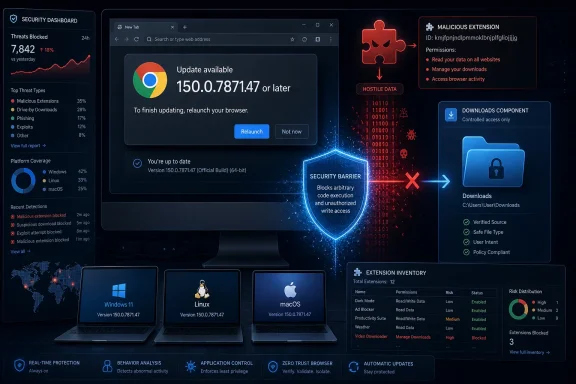 The Extension Is the Door, but Downloads Is the Fault Line
Google describes CVE-2026-13791 as insufficient validation of untrusted input in Chrome’s Downloads component. The weakness is classified as CWE-20, Improper Input Validation, meaning data originating outside a trusted boundary was not checked rigorously enough before the browser acted on it.The public description is concise but reveals the essential attack chain. An attacker must first convince the target to install a malicious extension; that extension must then be crafted to reach the vulnerable Downloads behavior; and successful exploitation permits arbitrary code execution. This is not simply an extension abusing permissions legitimately granted to it, but an extension using malformed or hostile input to make trusted browser code do something it should never have allowed.
That makes the flaw more consequential than the generic wording “input validation” might initially suggest. Validation bugs range from minor interface failures to complete trust-boundary collapses, and the outcome matters more than the category. In this case, the stated outcome is arbitrary code execution, while the CISA-ADP assessment gives High impact ratings to confidentiality, integrity, and availability.
The location of the bug is also significant. Downloads is where browser content, local storage, user intent, operating-system behavior, and extension capabilities converge. It is not merely a visual list of recently retrieved files; it is part of the machinery that decides how browser-controlled data becomes a persistent object on the host.
An extension operating around that boundary can therefore be more dangerous than ordinary web content. Web pages are designed to be hostile and constrained accordingly, while extensions are installed components that may receive capabilities unavailable to a random site. If the browser fails to validate what an extension sends into a privileged Downloads path, the extension can potentially turn an intended capability into an unintended execution primitive.
The important lesson is that the extension is both a prerequisite and a delivery mechanism. CVE-2026-13791 does not eliminate the need to distribute malicious software or socially engineer a victim, but it may allow a malicious extension to cross a boundary that Chrome’s architecture was supposed to enforce after installation.
A High-Severity Bug With an Unusual Attack Story
Chromium rates CVE-2026-13791 as High severity. CISA-ADP assigns it a CVSS 3.1 base score of 8.1 using the vectorCVSS:3.1/AV:N/AC:H/PR:N/UI:N/S:U/C:H/I:H/A:H, while the National Vulnerability Database has not yet published its own CVSS 3.x, CVSS 4.0, or CVSS 2.0 assessment.That attribution matters. The 8.1 score displayed in the NVD record is a contributed CISA-ADP assessment, not a completed NIST score. Security dashboards that flatten every displayed value into “the NVD score” lose useful information about who assessed the vulnerability and whether enrichment is complete.
The vector describes a network attack with high attack complexity, no privileges required, no user interaction in the scored exploit sequence, unchanged scope, and High effects across confidentiality, integrity, and availability. The High complexity aligns naturally with the need for a specially crafted extension and a vulnerable browser state.
The
UI:N component appears less intuitive because Google’s description explicitly says the attacker must convince a user to install a malicious extension. The safest interpretation is not that the attack requires no human decision whatsoever, but that the CVSS assessor treated extension installation as a condition established before the vulnerability-triggering sequence. CVSS vectors compress an attack into formal scoring categories; they do not always capture every social-engineering step described in the accompanying prose.For incident responders, the prose description should therefore remain the operational authority. A malicious extension has to reach the system somehow. The CVSS vector does not turn CVE-2026-13791 into a no-click web exploit, nor does the network designation mean that merely visiting a page is known to trigger arbitrary code execution.
The distinction is central to prioritization. A remotely reachable, reliably automatable vulnerability exposed to every browser session would create a different emergency from a flaw requiring a malicious extension to be installed first. CVE-2026-13791 can still have severe consequences, but the most plausible defensive controls extend beyond ordinary URL filtering or browser-process isolation.
CISA-ADP’s SSVC record reinforces that split between likelihood and consequence. It records exploitation as “none,” automatable as “no,” and technical impact as “total.” In plain terms, the available record did not identify exploitation, did not assess the attack as readily automatable, but regarded successful exploitation as capable of producing the highest category of technical impact.
That is a useful corrective to both alarmism and complacency. “No exploitation” does not mean “cannot be exploited,” while “total” impact does not mean every vulnerable Chrome installation is about to be compromised. The record instead describes a difficult but potentially devastating extension-assisted attack.
Version Records Turn a Simple Upgrade Into a Metadata Puzzle
Google’s primary description sets a clear boundary: Chrome versions prior to 150.0.7871.47 are affected. The CVE affected-version record likewise identifies 150.0.7871.47 as the comparison point and states that versions less than 150.0.7871.47 are affected.NIST’s later CPE enrichment is less tidy. It records Google Chrome versions up to, but excluding, 150.0.7871.46, a formulation that does not line up cleanly with the vendor’s “prior to 150.0.7871.47” description. Read literally, excluding 150.0.7871.46 would place the CPE cutoff one increment earlier than the vendor threshold.
| Record | Product or platform | Published boundary | Practical interpretation |
|---|---|---|---|
| Chrome description | Google Chrome | Prior to 150.0.7871.47 | Treat 150.0.7871.47 as the fixed security boundary |
| Chrome affected-version record | Google Chrome | Less than 150.0.7871.47 | Versions below 150.0.7871.47 are affected |
| NVD CPE enrichment | Google Chrome | Up to, excluding 150.0.7871.46 | Metadata appears inconsistent with the vendor threshold |
| NVD platform CPEs | Windows, Linux, macOS | Chrome range associated with all three | Desktop fleets on each listed platform require review |
Administrators should not attempt to resolve that ambiguity by guessing which lower version is “probably safe.” The defensible operational choice is to use the explicit vendor threshold and require Chrome 150.0.7871.47 or later. That avoids treating an apparent enrichment error as a security exception.
The inconsistency also illustrates why vulnerability records should not be mistaken for immutable product specifications. A CVE entry begins with vendor-supplied information and is then enriched by other organizations, often over several updates. Description text, CVSS contributions, CPE ranges, weakness classifications, references, and decision-support data can arrive separately and occasionally fail to align perfectly.
This does not make the record unreliable as a whole. It means administrators need to distinguish primary statements from later normalization work, particularly when a one-build difference determines whether an endpoint is reported as vulnerable.
Timeline
June 30, 2026: Chrome’s CVE record was received by the NVD at 7:16:53 PM, adding the vulnerability description, CWE-20 classification, release-notes reference, restricted Chromium issue reference, and affected-version data.June 30, 2026: The NVD published CVE-2026-13791, identifying Chrome as the source and Chrome versions before 150.0.7871.47 as affected.
July 1, 2026: CISA-ADP added the CVSS 3.1 vector and 8.1 High score, along with an SSVC assessment recording no exploitation, no automation, and total technical impact.
July 1, 2026: NIST performed its initial analysis at 3:24:46 PM, adding the NVD-CWE-noinfo classification, the Chrome and operating-system CPE configuration, and reference types for Google’s release notes and Chromium issue.
July 2, 2026: CISA-ADP modified the SSVC timestamp while retaining the same exploitation, automation, technical-impact, role, and version values.
July 2, 2026: The NVD record was last modified, according to its Quick Info summary.
The Public Record Matured in Layers, Not All at Once
The change history is more than administrative trivia. It shows how the vulnerability moved from a vendor-authored disclosure to a multi-agency security record, and it explains why organizations looking at the entry at different times may have seen different levels of detail.Chrome’s initial submission supplied the core facts: an input-validation failure in Downloads, a malicious-extension prerequisite, arbitrary code execution, High Chromium severity, CWE-20, and the version boundary. That is the core vulnerability statement and remains the most direct explanation of what is affected.
CISA-ADP then added the numerical severity and decision-support data. Its CVSS assessment quantifies the potential damage, while the SSVC values add context that the base score alone cannot provide. The combination of an 8.1 score, no identified exploitation, non-automatable status, and total technical impact paints a more useful picture than any one of those fields in isolation.
NIST’s enrichment added platform and CPE information, as well as a second weakness entry. Chrome identifies CWE-20, while NIST adds
NVD-CWE-noinfo, or Insufficient Information. These classifications are not necessarily contradictory: the vendor identifies the broad weakness category, while NIST indicates that the public information is not sufficient for a more confident or detailed weakness analysis.That caution is warranted because the Chromium issue is marked “Permissions Required.” The public can see that the issue exists and that Google cites it, but the technical discussion is not openly available through the reference. The absence of public internals limits independent analysis of the exact malformed inputs, vulnerable functions, exploit constraints, and process boundary involved.
Other vulnerability databases and security vendors have characterized the issue as remote code execution because arbitrary code execution is the declared consequence and the CVSS vector uses a network attack vector. That description is understandable, but it can become misleading when stripped of the malicious-extension requirement. The most accurate shorthand is an extension-assisted arbitrary-code-execution vulnerability in Chrome’s Downloads component.
This is an important journalistic distinction because “Chrome RCE” evokes a familiar mental model: a victim opens a hostile page and code runs. The primary record does not establish that scenario. It establishes that an attacker who has convinced the victim to install a malicious extension can use a crafted extension to exploit insufficient validation in Downloads.
The difference changes everything from detection engineering to user messaging. A warning that says “avoid suspicious websites” would be incomplete. A better response focuses on eliminating the vulnerable version and investigating how extensions are approved, installed, inventoried, and removed.
Windows Is Listed, but This Is Not a Windows Vulnerability
NIST’s affected-software configuration associates the vulnerable Chrome CPE with Microsoft Windows, the Linux kernel, and macOS. For WindowsForum readers, the presence of the Windows operating-system CPE makes the desktop relevance explicit, but it does not transfer ownership of the flaw from Google to Microsoft.The vulnerable product is Google Chrome. Windows is listed as a platform on which the affected application can run, just as macOS and Linux are listed. Windows Update is therefore not the security boundary described by the advisory; Chrome’s own installed version is.
This matters in mixed-management environments. A Windows PC can be fully current on operating-system patches and still run a vulnerable Chrome build. Conversely, the presence of a Windows CPE in a scanner result does not mean administrators should search Microsoft’s update catalog for a corresponding Windows fix.
The remediation target is Chrome 150.0.7871.47 or later. Administrators need proof that the browser updated, not merely proof that the endpoint checked in with its operating-system patch service.
Chrome generally updates itself, but “generally” is not an enterprise control. Browsers may remain open for long periods, update services may be disabled or impaired, endpoints may be disconnected, and application-control arrangements may delay deployment. A downloaded update that has not taken effect in the active browser session should not be treated as equivalent to a verified running version.
That concern is particularly relevant to browser vulnerabilities because users can keep dozens of tabs alive for days. The browser may fetch an update in the background while the vulnerable process continues running until restart. Inventory systems that report an installed package version without confirming the live browser state can overstate remediation.
For unmanaged users, the practical check is equally straightforward: open Chrome’s About page, allow the update check to complete, confirm that the version is at least 150.0.7871.47, and restart the browser when prompted. The CVE’s extension prerequisite is not a reason to postpone that update.
Cross-Platform Exposure Creates One Policy Problem in Three Operating Systems
The Windows, Linux, and macOS CPE entries make CVE-2026-13791 a desktop-fleet issue rather than a single-platform anomaly. The vulnerable code belongs to Chrome, so organizations using Chrome across multiple operating systems should treat the remediation campaign as one browser-security project instead of three unrelated operating-system exercises.That approach reduces the chance of fixing the dominant Windows population while overlooking smaller groups of macOS or Linux systems. Developer workstations, build systems with graphical tools, administrative jump hosts, and other specialized endpoints can fall outside normal desktop patch reporting even when they run the same browser.
The same principle applies to version exceptions. If an application team has frozen Chrome on an older build for compatibility reasons, the exception has now acquired a security cost. The application owner should be required to demonstrate why the endpoint cannot move to the fixed boundary and what controls compensate for both the vulnerable browser and the possibility of malicious extension installation.
Organizations should also inspect how their asset systems normalize Chrome versions. The discrepancy between the vendor’s threshold and NVD’s CPE enrichment means a dashboard may show an unexpected gap around 150.0.7871.46. That gap should trigger validation against actual endpoint data, not an assumption that the scanner has discovered a safe build omitted from Google’s description.
A reliable audit should answer three questions separately: what version is installed, what version is currently running, and what extensions are present. CVE-2026-13791 links all three. Version establishes vulnerability, process state establishes whether remediation has taken effect, and extension inventory establishes whether the stated prerequisite may already exist.
The Real Control Failure Begins Before Exploitation
The requirement that a user install a malicious extension gives defenders a meaningful interception point. It also exposes a recurring weakness in browser security programs: many organizations manage browser updates carefully but treat extensions as personal user preferences.Extensions are executable components added to one of the most trusted and frequently used applications on an endpoint. They may be obtained for productivity, accessibility, password handling, development, shopping, document conversion, or countless other purposes, but their business justification does not remove their technical power.
CVE-2026-13791 shows why extension governance cannot stop at reviewing requested permissions. A crafted extension may exploit a defect in Chrome itself, meaning the danger is not limited to functionality that the browser knowingly grants. An extension that reaches vulnerable browser code can potentially escape the intended limits of its declared capabilities.
This creates a supply-chain-shaped problem even though the public record does not specify a distribution channel. The attacker’s central challenge is persuading the user or organization to trust and install the extension. Once that trust decision is made, the flaw may provide the code-execution path.
Administrators should therefore examine whether users can install any extension they choose, whether extensions are centrally inventoried, and whether unknown additions generate alerts. A block-by-default or allowlist-oriented model is substantially more useful here than a policy document telling employees to “use trusted extensions.”
The word trusted is itself slippery. An extension can be intentionally malicious, deceptively presented, or modified after an earlier approval. CVE-2026-13791 does not establish which scenario is most likely, but it demonstrates that browser security depends on continuously validating extension presence rather than making a one-time trust decision.
For organizations without mature extension management, the immediate patch should become the beginning of an inventory project. An administrator who cannot quickly list all extensions installed across managed Chrome profiles cannot confidently assess the prerequisite described in the CVE.
The CVSS Score Should Drive Urgency, Not Panic
An 8.1 High score will cause many vulnerability-management systems to place CVE-2026-13791 near the top of remediation queues. That is appropriate, but the surrounding metrics should determine how the queue is handled.The attack complexity is High, CISA-ADP records no exploitation, and the SSVC assessment says the attack is not automatable. Those factors argue against treating every vulnerable system as evidence of an active incident. They do not support delaying the browser update, because the technical impact is assessed as total and all three primary impact categories are High.
The most rational posture is rapid routine remediation combined with targeted investigation. Update every affected Chrome installation promptly, then give additional scrutiny to systems with unapproved extensions, weak browser controls, privileged users, or unexplained extension changes.
Privileged workstations deserve special attention because the vulnerability’s declared consequence is arbitrary code execution. The public record does not detail the final execution context or provide enough technical material to describe a complete privilege chain, so administrators should avoid inventing one. Nevertheless, arbitrary code execution on a workstation used for administration is inherently more consequential than the same foothold on a tightly restricted disposable endpoint.
The scope metric is unchanged, which means the CVSS assessment does not claim that the vulnerable component crosses into a separately scored security authority. That is a formal scoring statement, not a promise of limited business damage. Code execution within the affected security scope can still expose browser data, disrupt work, alter files available to the process, or support further attacks, depending on the surrounding environment.
Security teams should also resist using the lack of an NVD-authored score as a reason to wait. NIST’s CVSS 3.x, 4.0, and 2.0 fields are still marked as not yet assessed, but CISA-ADP’s contribution and Chromium’s High rating provide enough information to justify remediation. The fixed version is known, the affected product is known, and the stated impact is severe.
Action checklist for admins
- Require Google Chrome 150.0.7871.47 or later across managed Windows, macOS, and Linux endpoints.
- Verify the running browser version after deployment, including a restart where necessary, rather than relying only on package-install status.
- Compare scanner findings with Google’s “prior to 150.0.7871.47” threshold and investigate tools that handle 150.0.7871.46 inconsistently.
- Inventory installed Chrome extensions and flag additions that are unknown, unapproved, or inconsistent with organizational policy.
- Restrict extension installation through centralized allowlisting or equivalent controls where operationally possible.
- Prioritize privileged workstations and systems with weak extension governance for accelerated validation and review.
- Preserve relevant browser and endpoint telemetry if a suspicious extension is found, rather than removing it before the incident-response team can examine the event.
The Restricted Chromium Issue Limits What Defenders Can Claim
Google’s release notes and the NVD record identify the vulnerable component and outcome, but the Chromium issue requires permission. That means the public disclosure does not provide enough detail to reconstruct the vulnerable code path or independently validate every assumption about exploitation.Defenders should be cautious about secondary analyses that fill those gaps with confident technical narratives. It is reasonable to infer that crafted extension-controlled data reaches the Downloads component and is not sufficiently validated. It is not reasonable, based solely on the public record, to specify the exact parameters, filesystem behavior, memory corruption mechanism, sandbox transition, or operating-system primitive involved.
The weakness classification itself reflects that limited visibility. Chrome supplies CWE-20, a broad but meaningful diagnosis, while NIST adds an insufficient-information entry. Both can be true: the vendor knows the issue is an input-validation failure, but the public data does not support a narrower independent taxonomy.
The lack of public detail also serves a defensive purpose during rollout. Google’s issue restrictions can limit immediate access to exploit-enabling information while updated versions propagate. Administrators should not interpret the restricted issue as evidence that the flaw is theoretical; it simply constrains what outsiders can verify.
Likewise, CISA-ADP’s exploitation value of “none” should be read precisely. It records the status available to that assessment, not a universal guarantee that nobody has investigated or attempted the bug. The public material supplied here does not establish active exploitation, a public proof of concept, or broad campaign activity.
That makes sensational claims particularly unhelpful. There is no basis in the record for telling users that every malicious download can exploit Chrome, that ordinary websites can trigger the flaw unaided, or that Windows itself is compromised. The supported claim is narrower and still serious: a malicious crafted extension installed by a persuaded user can exploit insufficient input validation in Chrome’s Downloads component to execute arbitrary code on vulnerable versions.
Patch Compliance Without Extension Governance Leaves the Next Door Open
Installing the fixed Chrome version closes the documented vulnerability, but it does not solve the organizational condition that makes the attack plausible. If users remain free to install unreviewed extensions, the next browser defect may arrive with the same prerequisite already satisfied.That is the larger significance of CVE-2026-13791. Browser security is usually discussed in terms of renderer sandboxes, site isolation, memory safety, and rapid auto-updates. Extensions occupy a different layer: they are optional code that users deliberately invite into the browser, often because a small convenience outweighs an invisible security cost.
Enterprises have long understood the risks of unmanaged executables, macros, scripts, and kernel drivers. Extensions deserve comparable treatment because they combine persistent installation, access to browser workflows, and a position close to sensitive data and privileged browser services.
The answer is not necessarily to prohibit every extension. It is to replace unmanaged trust with accountable trust: named owners, business justification, controlled installation, ongoing inventory, and removal when an extension is no longer needed.
CVE-2026-13791 also provides a useful test of vulnerability-management maturity. A capable organization should be able to identify every Chrome installation below the fixed threshold, force or accelerate the upgrade, verify that the corrected version is running, and list the extensions present on those systems.
If any one of those steps requires manual outreach to thousands of users, the organization has learned something more important than the status of one CVE. It has discovered that the browser—now one of the primary application platforms in modern work—is not being managed as core infrastructure.
What Windows Users Should Do Without Overcomplicating It
For an individual Windows user, the response does not require forensic expertise. Confirm that Chrome is running version 150.0.7871.47 or later, restart it if an update is pending, and inspect the installed-extension list for anything unfamiliar or no longer necessary.Users should not assume that an extension is safe merely because it performs a mundane task. The vulnerability depends on a malicious crafted extension, and the safest personal configuration is one with the smallest practical extension set.
An unfamiliar extension deserves investigation, especially if the user does not remember installing it. Removing suspicious software is sensible, but anyone dealing with a managed work computer should report it to IT first so relevant evidence can be retained and the organization can determine whether the same extension exists elsewhere.
There is no reason to uninstall Chrome permanently based on the disclosed facts. The vendor has established a fixed version boundary, and the available record does not indicate exploitation. The proportionate response is to update, restart, review extensions, and avoid installing browser add-ons from untrusted or unnecessary sources.
Nor should Windows users wait for a Microsoft patch. The operating-system CPE indicates that vulnerable Chrome installations run on Windows; it does not identify a defect in Windows. Chrome’s version is the decisive check.
The Signals That Matter After the Score
The useful reading of CVE-2026-13791 lies in the relationship between its prerequisites and its consequences. It is neither a mass drive-by emergency nor a minor extension-policy problem, and organizations that force it into either category will mismanage the risk.- Chrome versions before 150.0.7871.47 are the affected population described by Google.
- The vulnerability is a CWE-20 input-validation failure in the Downloads component.
- Exploitation requires an attacker to convince the user to install a malicious crafted extension.
- CISA-ADP scores it 8.1 High and assesses the potential technical impact as total.
- The available SSVC record identifies no exploitation and says the attack is not automatable.
- NVD’s CPE boundary appears inconsistent with Google’s explicit version threshold, so administrators should use 150.0.7871.47 as the minimum safe boundary.
References
- Primary source: NVD / Chromium
Published: 2026-07-11T15:39:29-07:00
NVD - CVE-2026-13791
 nvd.nist.gov
- Security advisory: MSRC
Published: 2026-07-11T15:39:29-07:00
Original feed URL
Security Update Guide - Microsoft Security Response Center
 msrc.microsoft.com
- Related coverage: vulnerability.circl.lu
Vulnerability-Lookup
Vulnerability-Lookup - Fast vulnerability lookup correlation from different sources.vulnerability.circl.lu - Related coverage: radar.offseq.com
CVE-2026-13791: Insufficient validation of untrusted input in Google Chrome - Live Threat Intelligence - Threat Radar | OffSeq.com
Detailed information about CVE-2026-13791: Insufficient validation of untrusted input in Google Chrome affecting Google Chrome. Get real-time updates, technicalradar.offseq.com