

Google Chrome for Windows before version 150.0.7871.47 is affected by CVE-2026-13844, a high-severity use-after-free flaw in the Chrome Updater that could let a local attacker escalate to operating-system privileges through a malicious file. The uncomfortable part is not simply that Chrome had another memory-safety bug; it is that this one sits in the machinery that is supposed to keep Chrome safe. Google disclosed the fix in its June 30, 2026 Stable Channel update, while NVD and CISA enrichment records followed on July 1 and July 2. For Windows administrators, the practical question is less whether Chrome needs patching — it does — and more whether inventories, CPE mappings, and third-party Chromium packaging are precise enough to prove it happened.
Chrome’s Updater is easy to ignore because it usually works by disappearing. It runs in the background, pulls down new browser builds, and quietly turns emergency fixes into a routine restart prompt. That invisibility is one of Chrome’s great security strengths, but CVE-2026-13844 is a reminder that the update system is not a neutral delivery pipe. On Windows, it is part of the browser’s effective security boundary.
The vulnerability is described as a use-after-free in the Updater on Windows. In plain English, that means Chrome’s updater code could continue using a chunk of memory after it had already been released, creating a path for an attacker to manipulate program behavior. The Chrome project classified the bug as High severity, and CISA’s ADP enrichment assigned it a CVSS 3.1 score of 7.8.
The attack conditions matter. This is not described as a drive-by web bug where a malicious page alone compromises a fully patched system from across the internet. The published description says a local attacker could perform OS-level privilege escalation via a malicious file, with user interaction required in CISA’s vector. That narrows the threat model, but it does not make the issue academic.
Privilege escalation bugs are the second act in many real intrusions. Initial access may come from phishing, stolen credentials, a rogue installer, a helpdesk mistake, or a low-privilege foothold on a shared workstation. A local escalation in a trusted updater can turn that foothold into something much more damaging.
For CVE-2026-13844 specifically, the published CVE language says Chrome on Windows prior to 150.0.7871.47 is affected. That is the safest operational line: if you manage Windows Chrome and you are below 150.0.7871.47, treat the machine as vulnerable. If you see 150.0.7871.47 or later, treat the specific CVE as fixed, subject to normal enterprise validation.
The wrinkle is in the NVD change history supplied with the CVE. NIST’s initial analysis reportedly added a CPE configuration for Google Chrome versions up to, but excluding, 150.0.7871.46, paired with Microsoft Windows. That appears to be at odds with the CVE description and the affected-version statement, both of which use 150.0.7871.47 as the fixed boundary.
That mismatch is not just pedantry. Vulnerability scanners often derive exposure from CPEs and version ranges. If the CPE range stops at “excluding 150.0.7871.46,” then a Windows host on 150.0.7871.46 may be treated differently from one on 150.0.7871.45, even though the CVE text says anything prior to 150.0.7871.47 is affected. In a patch window, one digit can decide whether a dashboard turns green.
There is also a broader ecosystem issue. Chrome is not just Chrome. Chromium-derived browsers, embedded Chromium runtimes, enterprise repackaging systems, and vendor-managed browser channels may inherit or sidestep the vulnerable code depending on how they package the updater. A CPE that only names Google Chrome may be technically correct for the assigned CVE, but it may not satisfy an administrator trying to answer the more practical question: where does this updater code exist in my fleet?
That does not mean every Chromium-based browser is automatically vulnerable to CVE-2026-13844. The flaw is specifically described in Google Chrome’s Updater on Windows, and not every Chromium derivative uses Google’s updater. Microsoft Edge, Brave, Vivaldi, and other Chromium-based browsers have their own update mechanisms and release cadences. Treating them all as affected without vendor confirmation would be sloppy.
But treating the CPE as the entire truth would be sloppy in the other direction. CPE data is useful for automation, not a substitute for vendor advisories, installed-version checks, and product-specific update architecture. The immediate remediation target is clear: Chrome for Windows should be updated to 150.0.7871.47 or later.
Modern compromises are chained. A browser renderer flaw may provide code execution inside a sandbox. A malicious document may run code with user privileges. A stolen session may get an attacker onto a host through legitimate remote access. In those scenarios, local privilege escalation is the bridge from “annoying compromise” to “system compromise.”
CISA’s enrichment for CVE-2026-13844 says exploitation was “none” at the time of its SSVC assessment, and the issue does not appear to have been listed as known exploited based on the available enrichment. That is reassuring, but it should not be confused with proof that exploitation will never happen. Privilege escalation bugs in common software are attractive because attackers can pair them with other techniques.
The malicious-file requirement also does not remove the risk. Enterprise environments are full of file-handling paths: downloads folders, shared drives, helpdesk upload portals, email attachments, developer workspaces, software deployment caches, and temporary directories. If a vulnerable updater processes or is induced to interact with attacker-controlled content in a privileged context, the line between “local” and “practical” can get blurry quickly.
What makes this case notable is the component. Browser security coverage often focuses on the renderer, JavaScript engine, GPU stack, WebRTC, media parsers, and extensions. The Updater is less glamorous, but it has privileges and persistence. It must talk to the operating system, write into protected locations, verify packages, schedule tasks or services, and survive hostile network and endpoint conditions.
That makes the updater a tempting target class even when the individual bug requires local access. Attackers do not need every exploit to be remote if the component they are targeting runs with the authority needed to finish the job. A flaw in the updater may be less flashy than a one-click browser escape, but in a chain it can be just as consequential.
There is a broader design lesson here. Auto-update is one of the few security controls that has measurably improved the safety of ordinary users at internet scale. But the privilege required to update software creates a concentrated target. The industry has spent years telling users to keep software updated; now vendors must keep proving that the updating machinery itself deserves that trust.
Those counts vary in public summaries, which is not unusual when outlets slice release notes, internal bugs, and externally visible CVEs differently. The precise total is less important than the pattern: Chrome’s security updates are now large enough that individual CVEs can be lost inside the bulk. For admins, that makes version compliance more important than vulnerability-by-vulnerability triage.
CVE-2026-13844 is one of the bugs that should not get lost. It is Windows-specific. It targets the updater. It has a high impact rating for confidentiality, integrity, and availability in CISA’s vector. And it has a fixed-version boundary that appears to conflict with part of the CPE enrichment trail.
That combination is exactly where security operations teams get hurt. The browser may auto-update, but enterprise controls can delay or pin versions. Scanners may ingest CPEs before they are corrected. Helpdesk staff may see “Chrome 150” and assume the system is safe without checking the full build number. Meanwhile, attackers do not care whether the confusion came from a vendor advisory, a CPE range, or a dashboard rule.
The minimum bar is to confirm that Windows endpoints running Google Chrome report 150.0.7871.47 or later. That should include devices outside the office network, VDI images, kiosk systems, lab machines, and servers where Chrome was installed for testing, dashboards, or legacy workflows. Chrome on servers is often unofficially present, which means it can fall outside normal browser patch policy.
Organizations using management tooling should check whether update policies are delaying Chrome 150. Chrome’s enterprise controls are useful, but any mechanism that slows updates also creates a temporary exposure window. That tradeoff may be acceptable for feature regressions, but high-severity security fixes deserve a faster path through rings.
There is also a forensic angle. Because this CVE involves local privilege escalation via a malicious file, administrators should treat suspicious local file activity and unexpected updater behavior as more relevant than usual. There is no public evidence in the supplied records that CVE-2026-13844 is being exploited in the wild, but high-value environments should not wait for public exploitation to begin watching the component.
That is not incompetence; it is the reality of managed computing. A hospital cannot treat browser updates the same way a gaming PC does. A factory workstation running an old web console may need validation. A financial firm may stagger rollouts to avoid breaking browser-integrated controls. The trouble is that attackers also operate inside that reality.
CVE-2026-13844 exposes the uncomfortable dependency between browser security and asset management. If an organization cannot tell which machines have Google Chrome on Windows and which exact build is installed, it cannot confidently answer whether it is exposed. The CVE may be about memory safety, but the remediation story is about inventory quality.
This is where the CPE inconsistency becomes more than clerical. Security teams increasingly rely on vulnerability management platforms to translate CVE data into action. If the translation layer gets the affected range wrong, teams may either waste time chasing false positives or, worse, miss machines that remain vulnerable.
If NVD later corrects or clarifies the CPE, scanners should follow. Until then, security teams can create local overrides. A detection rule that marks Google Chrome on Windows below 150.0.7871.47 as vulnerable is more aligned with the CVE description than a rule that clears 150.0.7871.46 solely because a CPE range says so.
There is a second nuance: the affected JSON in the submitted record appears to list version “150.0.7871.47” with lessThan “150.0.7871.47” and status “affected.” That is an awkward representation, but the intent is familiar: versions lower than the fixed build are affected. Automation sometimes struggles with vendor-specific version schemes, especially when release notes present paired builds for Windows and Mac.
The practical answer to “Are we missing a CPE here?” is yes, if the goal is clean operational coverage. At minimum, the CPE version boundary should be checked against the “prior to 150.0.7871.47” affected statement. More broadly, vulnerability tooling should not assume that a single Chrome CPE captures every practical exposure scenario involving updater code, packaging, and Windows-specific deployment.
But user interaction is the internet’s most abundant resource. Attackers are good at getting people to click, download, extract, preview, and run things. They are also good at placing files where trusted processes will later encounter them. The difference between “requires user interaction” and “not exploitable” is the difference between a locked door and a door with a convincing sign on it.
The privilege-escalation framing is especially important for shared machines and managed endpoints. A standard user account is supposed to limit blast radius. If a malicious file can help turn that account into OS-level authority through a vulnerable updater, then least privilege becomes a speed bump rather than a wall.
This is why browser patching cannot be separated from endpoint hardening. Application control, download restrictions, controlled folder access, EDR telemetry, and user training all matter. But none of them replaces installing the fixed Chrome build.
For CVE-2026-13844, the public facts are enough to justify urgency but not enough to reconstruct the exploit path. We know the component, the weakness class, the affected platform, the fixed version, and the broad attack impact. We do not know the exact file format, trigger condition, service boundary, or exploit primitives.
That uncertainty should shape the response. Defenders should not invent a narrow scenario and then decide they are safe because that imagined scenario does not apply. The proper approach is to patch broadly, validate the version boundary, monitor for anomalies, and revisit the issue if Google or Chromium later opens the underlying bug details.
The Chrome issue tracker reference exists, but access to sensitive bug details is commonly restricted. That means the public advisory ecosystem — Google’s release note, NVD, CISA enrichment, and reputable security reporting — is what most organizations have to work with. In this case, those sources point to the same broad conclusion: update Chrome on Windows, and do not let the CPE ambiguity create a blind spot.
The more difficult work is proving that the update landed everywhere. Chrome’s auto-update system is excellent for ordinary users, but enterprises need reporting discipline. Version checks should come from more than one source when possible: endpoint management inventory, vulnerability scanners, browser management consoles, and direct local queries.
Administrators should also remember that Chrome processes may remain running after an update is staged. A machine can have the fixed version installed but still require a browser restart before all users are actually running it. In shared-session or persistent-VDI environments, that detail matters.
The “malicious file” wording also argues for cleaning up stale download and temp locations on high-risk systems. That is not a CVE-specific fix, but it reduces the places where untrusted content can sit waiting for a privileged process, a user mistake, or a later exploit chain.
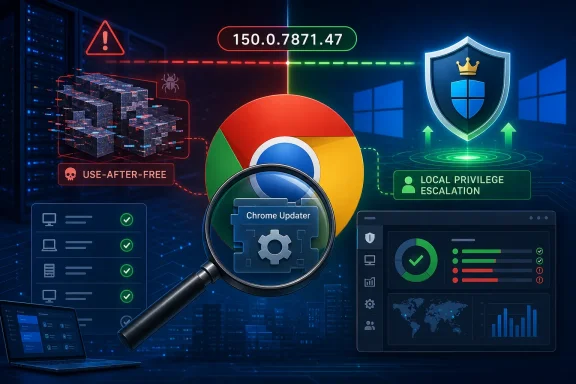 The Updater Is Part of the Browser’s Security Boundary Now
Chrome’s Updater is easy to ignore because it usually works by disappearing. It runs in the background, pulls down new browser builds, and quietly turns emergency fixes into a routine restart prompt. That invisibility is one of Chrome’s great security strengths, but CVE-2026-13844 is a reminder that the update system is not a neutral delivery pipe. On Windows, it is part of the browser’s effective security boundary.The vulnerability is described as a use-after-free in the Updater on Windows. In plain English, that means Chrome’s updater code could continue using a chunk of memory after it had already been released, creating a path for an attacker to manipulate program behavior. The Chrome project classified the bug as High severity, and CISA’s ADP enrichment assigned it a CVSS 3.1 score of 7.8.
The attack conditions matter. This is not described as a drive-by web bug where a malicious page alone compromises a fully patched system from across the internet. The published description says a local attacker could perform OS-level privilege escalation via a malicious file, with user interaction required in CISA’s vector. That narrows the threat model, but it does not make the issue academic.
Privilege escalation bugs are the second act in many real intrusions. Initial access may come from phishing, stolen credentials, a rogue installer, a helpdesk mistake, or a low-privilege foothold on a shared workstation. A local escalation in a trusted updater can turn that foothold into something much more damaging.
Google Fixed the Bug, but the Version Boundary Is Messy
Google’s Chrome Releases blog says the Stable Channel update for desktop shipped on June 30, 2026, moving Windows and Mac to 150.0.7871.46/.47 and Linux to 150.0.7871.46. Third-party reporting from Malwarebytes and Born’s IT and Windows Blog also noted the unusually large Chrome 150 update and the 150.0.7871.46/.47 Windows and Mac version split.For CVE-2026-13844 specifically, the published CVE language says Chrome on Windows prior to 150.0.7871.47 is affected. That is the safest operational line: if you manage Windows Chrome and you are below 150.0.7871.47, treat the machine as vulnerable. If you see 150.0.7871.47 or later, treat the specific CVE as fixed, subject to normal enterprise validation.
The wrinkle is in the NVD change history supplied with the CVE. NIST’s initial analysis reportedly added a CPE configuration for Google Chrome versions up to, but excluding, 150.0.7871.46, paired with Microsoft Windows. That appears to be at odds with the CVE description and the affected-version statement, both of which use 150.0.7871.47 as the fixed boundary.
That mismatch is not just pedantry. Vulnerability scanners often derive exposure from CPEs and version ranges. If the CPE range stops at “excluding 150.0.7871.46,” then a Windows host on 150.0.7871.46 may be treated differently from one on 150.0.7871.45, even though the CVE text says anything prior to 150.0.7871.47 is affected. In a patch window, one digit can decide whether a dashboard turns green.
The CPE Problem Is a Real Operational Risk
The user-submitted NVD record asks, in effect, whether a CPE is missing. The better answer is that the CPE story looks incomplete or at least internally inconsistent. The vulnerability is Windows-specific, so a configuration combining Google Chrome with Microsoft Windows makes sense. But the version boundary shown in the change history should align with the CVE’s own “prior to 150.0.7871.47” language.There is also a broader ecosystem issue. Chrome is not just Chrome. Chromium-derived browsers, embedded Chromium runtimes, enterprise repackaging systems, and vendor-managed browser channels may inherit or sidestep the vulnerable code depending on how they package the updater. A CPE that only names Google Chrome may be technically correct for the assigned CVE, but it may not satisfy an administrator trying to answer the more practical question: where does this updater code exist in my fleet?
That does not mean every Chromium-based browser is automatically vulnerable to CVE-2026-13844. The flaw is specifically described in Google Chrome’s Updater on Windows, and not every Chromium derivative uses Google’s updater. Microsoft Edge, Brave, Vivaldi, and other Chromium-based browsers have their own update mechanisms and release cadences. Treating them all as affected without vendor confirmation would be sloppy.
But treating the CPE as the entire truth would be sloppy in the other direction. CPE data is useful for automation, not a substitute for vendor advisories, installed-version checks, and product-specific update architecture. The immediate remediation target is clear: Chrome for Windows should be updated to 150.0.7871.47 or later.
A Local Bug Can Still Matter in a Remote World
Security advisories often train readers to sort bugs into a simple hierarchy. Remote code execution is scary. Sandbox escape is scary. Local privilege escalation sounds less urgent because the attacker is already “local.” That mental model is increasingly outdated.Modern compromises are chained. A browser renderer flaw may provide code execution inside a sandbox. A malicious document may run code with user privileges. A stolen session may get an attacker onto a host through legitimate remote access. In those scenarios, local privilege escalation is the bridge from “annoying compromise” to “system compromise.”
CISA’s enrichment for CVE-2026-13844 says exploitation was “none” at the time of its SSVC assessment, and the issue does not appear to have been listed as known exploited based on the available enrichment. That is reassuring, but it should not be confused with proof that exploitation will never happen. Privilege escalation bugs in common software are attractive because attackers can pair them with other techniques.
The malicious-file requirement also does not remove the risk. Enterprise environments are full of file-handling paths: downloads folders, shared drives, helpdesk upload portals, email attachments, developer workspaces, software deployment caches, and temporary directories. If a vulnerable updater processes or is induced to interact with attacker-controlled content in a privileged context, the line between “local” and “practical” can get blurry quickly.
Memory Safety Is Still Chrome’s Oldest New Problem
CVE-2026-13844 is classified under CWE-416, use-after-free. That category has haunted browsers for years because browsers are enormous, performance-sensitive programs written largely in memory-unsafe languages. Chrome has invested heavily in sandboxing, site isolation, fuzzing, MiraclePtr-style mitigations, and other hardening work, but use-after-free bugs continue to appear because the attack surface remains vast.What makes this case notable is the component. Browser security coverage often focuses on the renderer, JavaScript engine, GPU stack, WebRTC, media parsers, and extensions. The Updater is less glamorous, but it has privileges and persistence. It must talk to the operating system, write into protected locations, verify packages, schedule tasks or services, and survive hostile network and endpoint conditions.
That makes the updater a tempting target class even when the individual bug requires local access. Attackers do not need every exploit to be remote if the component they are targeting runs with the authority needed to finish the job. A flaw in the updater may be less flashy than a one-click browser escape, but in a chain it can be just as consequential.
There is a broader design lesson here. Auto-update is one of the few security controls that has measurably improved the safety of ordinary users at internet scale. But the privilege required to update software creates a concentrated target. The industry has spent years telling users to keep software updated; now vendors must keep proving that the updating machinery itself deserves that trust.
The Chrome 150 Patch Load Raises Its Own Questions
The June 30 Chrome 150 update was not a small one. Google’s release notes described a large batch of fixes and improvements, and several security outlets highlighted the unusually high number of security fixes in the release. Born’s IT and Windows Blog reported 433 vulnerabilities fixed, while Malwarebytes discussed the same release as another unusually large Chrome security update.Those counts vary in public summaries, which is not unusual when outlets slice release notes, internal bugs, and externally visible CVEs differently. The precise total is less important than the pattern: Chrome’s security updates are now large enough that individual CVEs can be lost inside the bulk. For admins, that makes version compliance more important than vulnerability-by-vulnerability triage.
CVE-2026-13844 is one of the bugs that should not get lost. It is Windows-specific. It targets the updater. It has a high impact rating for confidentiality, integrity, and availability in CISA’s vector. And it has a fixed-version boundary that appears to conflict with part of the CPE enrichment trail.
That combination is exactly where security operations teams get hurt. The browser may auto-update, but enterprise controls can delay or pin versions. Scanners may ingest CPEs before they are corrected. Helpdesk staff may see “Chrome 150” and assume the system is safe without checking the full build number. Meanwhile, attackers do not care whether the confusion came from a vendor advisory, a CPE range, or a dashboard rule.
Windows Administrators Should Verify the Build, Not the Brand
For unmanaged home users, the advice is straightforward: open Chrome, go to the About Chrome page, let the update finish, and restart the browser. For Windows administrators, that advice is necessary but insufficient. Fleet assurance requires evidence.The minimum bar is to confirm that Windows endpoints running Google Chrome report 150.0.7871.47 or later. That should include devices outside the office network, VDI images, kiosk systems, lab machines, and servers where Chrome was installed for testing, dashboards, or legacy workflows. Chrome on servers is often unofficially present, which means it can fall outside normal browser patch policy.
Organizations using management tooling should check whether update policies are delaying Chrome 150. Chrome’s enterprise controls are useful, but any mechanism that slows updates also creates a temporary exposure window. That tradeoff may be acceptable for feature regressions, but high-severity security fixes deserve a faster path through rings.
There is also a forensic angle. Because this CVE involves local privilege escalation via a malicious file, administrators should treat suspicious local file activity and unexpected updater behavior as more relevant than usual. There is no public evidence in the supplied records that CVE-2026-13844 is being exploited in the wild, but high-value environments should not wait for public exploitation to begin watching the component.
The Inventory Gap Is Where Browser Security Fails
Chrome’s rapid update model assumes that software knows where it is installed, can update itself, and can report its status accurately. Enterprises routinely break all three assumptions. They clone images, block services, redirect update traffic, deploy offline installers, package browsers through third-party tools, and run multiple channels side by side.That is not incompetence; it is the reality of managed computing. A hospital cannot treat browser updates the same way a gaming PC does. A factory workstation running an old web console may need validation. A financial firm may stagger rollouts to avoid breaking browser-integrated controls. The trouble is that attackers also operate inside that reality.
CVE-2026-13844 exposes the uncomfortable dependency between browser security and asset management. If an organization cannot tell which machines have Google Chrome on Windows and which exact build is installed, it cannot confidently answer whether it is exposed. The CVE may be about memory safety, but the remediation story is about inventory quality.
This is where the CPE inconsistency becomes more than clerical. Security teams increasingly rely on vulnerability management platforms to translate CVE data into action. If the translation layer gets the affected range wrong, teams may either waste time chasing false positives or, worse, miss machines that remain vulnerable.
The CPE Should Be Treated as Provisional Until It Matches the Advisory
The safest reading of the current record is that the human-readable CVE description wins over the questionable CPE boundary. The description says Windows Chrome prior to 150.0.7871.47 is affected. Google’s desktop release gave Windows and Mac the 150.0.7871.46/.47 split. The submitted NVD change history’s “excluding 150.0.7871.46” line should be treated as something to verify, not something to build policy around.If NVD later corrects or clarifies the CPE, scanners should follow. Until then, security teams can create local overrides. A detection rule that marks Google Chrome on Windows below 150.0.7871.47 as vulnerable is more aligned with the CVE description than a rule that clears 150.0.7871.46 solely because a CPE range says so.
There is a second nuance: the affected JSON in the submitted record appears to list version “150.0.7871.47” with lessThan “150.0.7871.47” and status “affected.” That is an awkward representation, but the intent is familiar: versions lower than the fixed build are affected. Automation sometimes struggles with vendor-specific version schemes, especially when release notes present paired builds for Windows and Mac.
The practical answer to “Are we missing a CPE here?” is yes, if the goal is clean operational coverage. At minimum, the CPE version boundary should be checked against the “prior to 150.0.7871.47” affected statement. More broadly, vulnerability tooling should not assume that a single Chrome CPE captures every practical exposure scenario involving updater code, packaging, and Windows-specific deployment.
The User Interaction Requirement Should Not Lull Anyone
CISA’s vector includes UI:R, meaning user interaction is required. That tends to lower panic, and rightly so. A bug that requires a user to open, place, approve, or otherwise interact with a malicious file is not the same as a wormable network service.But user interaction is the internet’s most abundant resource. Attackers are good at getting people to click, download, extract, preview, and run things. They are also good at placing files where trusted processes will later encounter them. The difference between “requires user interaction” and “not exploitable” is the difference between a locked door and a door with a convincing sign on it.
The privilege-escalation framing is especially important for shared machines and managed endpoints. A standard user account is supposed to limit blast radius. If a malicious file can help turn that account into OS-level authority through a vulnerable updater, then least privilege becomes a speed bump rather than a wall.
This is why browser patching cannot be separated from endpoint hardening. Application control, download restrictions, controlled folder access, EDR telemetry, and user training all matter. But none of them replaces installing the fixed Chrome build.
Google’s Disclosure Model Leaves Defenders Reading Between the Lines
Chrome security advisories often keep bug details restricted until most users are updated. That is sensible. Publishing exploit-ready technical details on day one would help attackers more than defenders. But the result is that administrators must make decisions with partial information.For CVE-2026-13844, the public facts are enough to justify urgency but not enough to reconstruct the exploit path. We know the component, the weakness class, the affected platform, the fixed version, and the broad attack impact. We do not know the exact file format, trigger condition, service boundary, or exploit primitives.
That uncertainty should shape the response. Defenders should not invent a narrow scenario and then decide they are safe because that imagined scenario does not apply. The proper approach is to patch broadly, validate the version boundary, monitor for anomalies, and revisit the issue if Google or Chromium later opens the underlying bug details.
The Chrome issue tracker reference exists, but access to sensitive bug details is commonly restricted. That means the public advisory ecosystem — Google’s release note, NVD, CISA enrichment, and reputable security reporting — is what most organizations have to work with. In this case, those sources point to the same broad conclusion: update Chrome on Windows, and do not let the CPE ambiguity create a blind spot.
The Patch Is Simple; Proving the Patch Is the Work
There is no heroic mitigation here. The fix is to run Chrome 150.0.7871.47 or later on Windows. If Chrome cannot be updated immediately, the organization should reduce exposure to untrusted files and prioritize affected systems for accelerated patching. But compensating controls should be temporary, not a substitute for the browser update.The more difficult work is proving that the update landed everywhere. Chrome’s auto-update system is excellent for ordinary users, but enterprises need reporting discipline. Version checks should come from more than one source when possible: endpoint management inventory, vulnerability scanners, browser management consoles, and direct local queries.
Administrators should also remember that Chrome processes may remain running after an update is staged. A machine can have the fixed version installed but still require a browser restart before all users are actually running it. In shared-session or persistent-VDI environments, that detail matters.
The “malicious file” wording also argues for cleaning up stale download and temp locations on high-risk systems. That is not a CVE-specific fix, but it reduces the places where untrusted content can sit waiting for a privileged process, a user mistake, or a later exploit chain.
The Build Number Is the Security Boundary This Week
The immediate lessons from CVE-2026-13844 are concrete, and they are worth separating from the noise of a very large Chrome 150 security release. This is not the time to merely confirm that “Chrome is installed” or that “Chrome 150” appears somewhere in inventory. The full Windows build number is the line between vulnerable and fixed.- Google Chrome on Windows should be treated as vulnerable to CVE-2026-13844 if it is older than 150.0.7871.47.
- The NVD change-history CPE boundary described as excluding 150.0.7871.46 should be reviewed carefully because it appears inconsistent with the CVE description.
- The flaw is local privilege escalation, not a pure remote browser compromise, but it can still be valuable in an attack chain.
- The vulnerable component is the Chrome Updater, which makes the issue more sensitive than an ordinary browser feature bug.
- Organizations should validate actual endpoint versions rather than relying solely on CPE-derived scanner status.
- Chromium-based browsers should not be assumed vulnerable unless they use the affected Google Chrome updater path or their vendors issue matching advisories.
References
- Primary source: NVD / Chromium
Published: 2026-07-03T07:00:37-07:00
NVD - CVE-2026-13844
 nvd.nist.gov
- Security advisory: MSRC
Published: 2026-07-03T07:00:37-07:00
Original feed URL
Security Update Guide - Microsoft Security Response Center
 msrc.microsoft.com