

Google Chrome on iOS before version 150.0.7871.47 is affected by CVE-2026-13916, a Medium-severity implementation flaw that can allow a remote attacker to perform UI spoofing through a crafted HTML page on an iPhone or iPad. The Chrome-originated CVE description, as presented by the National Vulnerability Database, identifies the affected product and version boundary. The available assessment does not establish active exploitation, code execution, sandbox escape, data theft, or compromise of iOS.
What iPhone and iPad users should do: Open the App Store, search for Google Chrome, open its listing, and tap Update if that option appears. After the update finishes, open Chrome, tap the three-dot menu, select Settings, and open Google Chrome or About Chrome, depending on the interface shown. Confirm that the complete installed version is 150.0.7871.47 or later. If the version cannot be displayed reliably, managed users should ask their administrator to verify it through mobile-application inventory rather than assuming that the App Store update completed remediation.
The Chrome-originated description carried by the National Vulnerability Database is concise: an inappropriate implementation in Chrome for iOS allowed a remote attacker to perform UI spoofing through a crafted HTML page, with versions before 150.0.7871.47 identified as affected.
That wording defines both the danger and its limits. The relevant content can be delivered remotely, attack complexity is assessed as low, and the attacker does not need an existing account or privileges on the device. User interaction is still required, and the documented outcome is interface deception rather than arbitrary code execution, direct information disclosure, service disruption, or operating-system compromise.
The record maps the vulnerability to CWE-451, User Interface Misrepresentation of Critical Information. That classification frames the issue as more than an ordinary cosmetic rendering defect. The security failure is that information used in a trust decision can be displayed in a misleading way.
The public record does not identify the specific Chrome interface element involved, the visual effect produced, the gestures required, or the reproduction sequence. The associated Chromium issue is permission-restricted. Claims that the flaw affects a particular prompt, navigation control, warning, sign-in screen, or password-management workflow would therefore go beyond the available evidence.
The supported conclusion is narrower: crafted web content could trigger UI spoofing in affected Chrome for iOS versions. The CVE does not establish that the vulnerability can independently steal credentials, install software, escape the browser, compromise iOS, or take control of an iPhone or iPad.
That boundary should reduce panic without delaying remediation. UI spoofing can strengthen social engineering by making false information appear more credible, but any downstream account or business impact would depend on the surrounding attack and the user’s response. It is not a direct capability documented by this CVE.
The vector records a network attack vector, low attack complexity, no required privileges, required user interaction, unchanged scope, no direct confidentiality impact, low integrity impact, and no availability impact. Those selections are consistent with a vulnerability that can misrepresent information shown to the user without being documented as reading protected data, disabling the browser, or executing attacker-controlled code.
CVSS measures defined technical properties, not the value of the account a user might access or the persuasiveness of an attacker’s surrounding message. A 4.3 browser vulnerability on a lightly used personal device may fit normal accelerated maintenance. The same condition on phones used by administrators, finance personnel, executives, support staff, or other users with sensitive access can have a more consequential business context.
One distinction is enough: the Medium score supports proportionate patching rather than an automatic incident declaration, but it does not make the installed-version requirement optional. Remove versions below the published threshold and investigate separately if there is evidence of suspicious browsing or authentication activity.
CISA-ADP’s Stakeholder-Specific Vulnerability Categorization data supplies additional context. The supplied SSVC assessment records:
For defenders, the combination supports measured remediation. An outdated Chrome version is evidence of exposure to the documented vulnerability, not proof that the device or user account has been compromised.
A webpage is supposed to control its content area. Chrome is supposed to retain control over its own application interface and security-relevant presentation. Users depend on that separation when deciding whether displayed information has the browser’s authority or merely resembles it.
CWE-451 captures the underlying problem by focusing on misrepresentation of critical information. In this case, however, the public material does not reveal which precise information or interface state could be misrepresented. Responsible reporting should stop there rather than constructing an illustrative exploit and allowing that illustration to be mistaken for a confirmed technical description.
The restricted Chromium issue also means that defenders do not have enough public detail to build a reliable CVE-specific visual signature or reproduction test. A screenshot of a suspicious page might support an investigation, but no particular visual symptom can currently be presented as a validated indicator of CVE-2026-13916.
Those unknowns do not block remediation. Asset owners know the affected product, platform, vulnerable version range, crafted-HTML delivery mechanism, required user interaction, weakness classification, available severity assessment, and current exploitation assessment. That is enough to update devices and verify installed versions without waiting for proof-of-concept code.
More importantly, the reference’s framing does not establish desktop applicability. The Chrome-originated CVE description identifies Chrome for iOS, and the National Vulnerability Database configuration pairs the affected Google Chrome version condition with Apple’s iPhone operating-system CPE.
That combined CPE applicability is the strongest machine-readable scope signal in the supplied record:
The reverse error is equally important. A report showing current Chrome installations across Windows PCs does not establish that Chrome on organizational iPhones or iPads has reached the required version.
This is the key WindowsForum value: CVE-2026-13916 is an iOS-only Chrome finding that can be misclassified as a desktop-Chrome issue because its vendor reference is a desktop-oriented release page. Administrators need to correct both sides of that classification error—avoid opening unsupported desktop findings, and do not overlook the actual mobile population.
The scope should not be projected onto Microsoft Edge or every Chromium-derived browser. Shared technology does not establish that another product contains the affected implementation, exposes the same behavior on the same platform, or uses Chrome’s version boundary. Other browser products require evidence from their own vendors.
Windows-focused IT teams may still own part of the response. An affected iPhone or iPad can be used to reach identities, applications, and data managed by a Microsoft-centered organization. That organizational relationship explains why Windows administrators should care; it does not change the CVE’s affected-product scope.
That creates a direct compliance test:
For individual users, the practical procedure is:
Where a reliable version display is unavailable, an organization should use its mobile-device or managed-application inventory to obtain the installed application version. Users should not be sent to a generic “application information” location that has not been established as the appropriate Chrome for iOS verification path.
The public record does not establish why any particular device might remain behind the threshold. Administrators should investigate affected and unverified devices individually rather than attributing update delays to charging state, connectivity, storage, account condition, staged rollout, or management policy without evidence.
There is no basis in the supplied record for removing Chrome, wiping devices, rotating every password, or initiating full incident response solely because an older version appears in inventory. Those actions would require separate evidence of suspicious content, authentication activity, or compromise.
Likewise, the record does not support treating Safari, Chrome on Android, desktop Chrome, Microsoft Edge, or another Chromium browser as affected by this exact CVE.
NVD publication and presentation — The National Vulnerability Database published the CVE record and presented the Chrome-originated description and references.
CISA-ADP enrichment — CISA-ADP contributed the 4.3 Medium CVSS 3.1 score and vector. It also supplied the CWE-451 mapping and SSVC values recording exploitation as none, automatable as no, and technical impact as partial.
NIST/NVD applicability analysis — The affected-product configuration paired the vulnerable Google Chrome application range with Apple’s iPhone operating-system CPE and classified the available references.
This sequence matters primarily for attribution. Chrome supplied the product and vulnerability description. CISA-ADP supplied the displayed CVSS and SSVC assessments. NIST’s analysis supplied machine-readable applicability information within the NVD presentation.
A value displayed on an NVD page is not necessarily authored by NVD or NIST. Internal tickets should therefore say that CISA-ADP assigned the 4.3 score, not that NVD independently scored CVE-2026-13916 at 4.3.
The lack of a separate NVD-authored CVSS score does not invalidate the CISA-ADP assessment. It simply limits how the number should be attributed.
An employee may use Chrome on iOS to reach webmail, cloud storage, collaboration services, identity portals, support systems, internal applications, or administrative tools. A flaw that weakens the integrity of what the browser shows the user can therefore intersect with important workflows even though the affected endpoint does not run Windows.
That is an organizational access issue, not proof of a particular exploitation outcome. The CVE does not establish that a specific account can be captured, that a particular authentication control can be bypassed, or that a user action will result in compromise.
The appropriate risk question is narrower: which organizational services can be reached from affected Chrome for iOS installations, and what independent controls limit the consequences if a user is deceived?
Phishing-resistant authentication, conditional access, managed-device requirements, restricted administrative workflows, transaction verification, and effective reporting channels may reduce the consequences of a deceptive page. Those controls do not replace updating Chrome, but they help prevent one browser presentation failure from becoming a larger account incident.
The tactical objective remains version compliance. The strategic lesson is that mobile-application inventory must connect with identity and access management rather than remaining isolated inside a device-management team.
Devices with missing, incomplete, stale, or conflicting information should remain unverified. They should not be counted as compliant merely because no vulnerable version is visible.
Administrators should also review vulnerability-scanner mappings. A weak correlation engine may associate the CVE with desktop Chrome because of the vendor reference. That creates two possible errors:
Teams should neither ignore an outdated browser because exploitation has not been identified nor declare a breach solely because a vulnerable version appears in inventory.
That limitation constrains claims about detection and exploitation. Security teams should not construct CVE-specific rules based on an assumed visual symptom, DOM pattern, page behavior, URL structure, or authentication sequence.
The available facts still support effective defense:
The absence of public exploit detail is not a reason to delay the update. The version boundary is measurable, and the remediation outcome can be verified without reproducing the vulnerability.
The response is therefore concise:
Future changes may add technical detail, revise exploitation status, or clarify the relationship between the CVE and its vendor reference. Until then, the defensible course is precise rather than dramatic: find every Chrome for iOS installation below 150.0.7871.47, update it, verify the complete installed version, and require additional product-specific evidence before assigning CVE-2026-13916 to any desktop or non-Chrome browser.
What iPhone and iPad users should do: Open the App Store, search for Google Chrome, open its listing, and tap Update if that option appears. After the update finishes, open Chrome, tap the three-dot menu, select Settings, and open Google Chrome or About Chrome, depending on the interface shown. Confirm that the complete installed version is 150.0.7871.47 or later. If the version cannot be displayed reliably, managed users should ask their administrator to verify it through mobile-application inventory rather than assuming that the App Store update completed remediation.
The vulnerability is not documented as a code-execution emergency. It is nevertheless a meaningful browser-security failure because it affects the visual boundary that helps users distinguish information controlled by the browser from content controlled by a website. Chrome 150.0.7871.47 is the practical security floor for this finding.Applicability correction
Affected: Chrome for iOS below 150.0.7871.47.
Not established as affected: Chrome on Windows, macOS, Linux, Android, Safari, Edge, or other Chromium browsers.
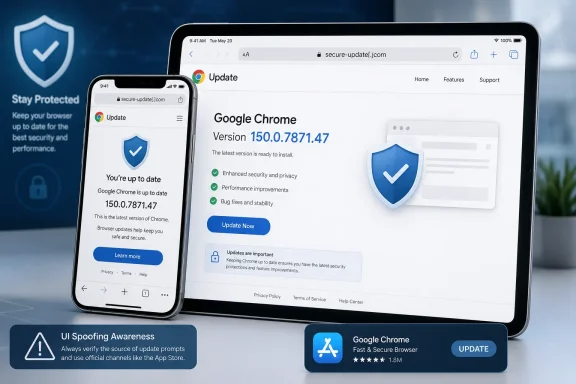 CVE-2026-13916 Attacks Trust Rather Than the Device
The Chrome-originated description carried by the National Vulnerability Database is concise: an inappropriate implementation in Chrome for iOS allowed a remote attacker to perform UI spoofing through a crafted HTML page, with versions before 150.0.7871.47 identified as affected.That wording defines both the danger and its limits. The relevant content can be delivered remotely, attack complexity is assessed as low, and the attacker does not need an existing account or privileges on the device. User interaction is still required, and the documented outcome is interface deception rather than arbitrary code execution, direct information disclosure, service disruption, or operating-system compromise.
The record maps the vulnerability to CWE-451, User Interface Misrepresentation of Critical Information. That classification frames the issue as more than an ordinary cosmetic rendering defect. The security failure is that information used in a trust decision can be displayed in a misleading way.
The public record does not identify the specific Chrome interface element involved, the visual effect produced, the gestures required, or the reproduction sequence. The associated Chromium issue is permission-restricted. Claims that the flaw affects a particular prompt, navigation control, warning, sign-in screen, or password-management workflow would therefore go beyond the available evidence.
The supported conclusion is narrower: crafted web content could trigger UI spoofing in affected Chrome for iOS versions. The CVE does not establish that the vulnerability can independently steal credentials, install software, escape the browser, compromise iOS, or take control of an iPhone or iPad.
That boundary should reduce panic without delaying remediation. UI spoofing can strengthen social engineering by making false information appear more credible, but any downstream account or business impact would depend on the surrounding attack and the user’s response. It is not a direct capability documented by this CVE.
A 4.3 Score Describes the Mechanics, Not the Full Business Context
CISA-ADP contributed a CVSS 3.1 base score of 4.3 Medium for CVE-2026-13916. The vector is CVSS:3.1/AV:N/AC:L/PR:N/UI:R/S:U/C:N/I:L/A:N. The 4.3 value should remain attributed to CISA-ADP; the supplied record does not contain a separate NVD- or NIST-authored CVSS assessment.The vector records a network attack vector, low attack complexity, no required privileges, required user interaction, unchanged scope, no direct confidentiality impact, low integrity impact, and no availability impact. Those selections are consistent with a vulnerability that can misrepresent information shown to the user without being documented as reading protected data, disabling the browser, or executing attacker-controlled code.
| Deployment state | Chrome for iOS version | CVE status | Practical meaning | Recommended response |
|---|---|---|---|---|
| Older installation | Earlier than 150.0.7871.47 | Affected | Crafted HTML can trigger the documented UI-spoofing condition | Update and verify the complete installed version |
| Published threshold | Exactly 150.0.7871.47 | Outside the affected range | Meets the version boundary in the Chrome-originated affected-version data | Record the verified version |
| Newer installation | Later than 150.0.7871.47 | Outside the affected range | Not included in the documented vulnerable range | Continue normal update enforcement |
| Unknown or incomplete result | Version unavailable or reported only as “Chrome 150” | Unverified | Compliance cannot be established | Keep the finding open until the complete version is obtained |
One distinction is enough: the Medium score supports proportionate patching rather than an automatic incident declaration, but it does not make the installed-version requirement optional. Remove versions below the published threshold and investigate separately if there is evidence of suspicious browsing or authentication activity.
CISA-ADP’s Stakeholder-Specific Vulnerability Categorization data supplies additional context. The supplied SSVC assessment records:
- Exploitation: none
- Automatable: no
- Technical impact: partial
For defenders, the combination supports measured remediation. An outdated Chrome version is evidence of exposure to the documented vulnerability, not proof that the device or user account has been compromised.
The Browser’s Security Boundary Includes What the User Sees
Security teams often focus on boundaries enforced entirely by code: process isolation, memory protections, origin rules, permissions, tokens, and operating-system sandboxes. UI spoofing concerns the human-facing boundary between trusted application information and untrusted webpage content.A webpage is supposed to control its content area. Chrome is supposed to retain control over its own application interface and security-relevant presentation. Users depend on that separation when deciding whether displayed information has the browser’s authority or merely resembles it.
CWE-451 captures the underlying problem by focusing on misrepresentation of critical information. In this case, however, the public material does not reveal which precise information or interface state could be misrepresented. Responsible reporting should stop there rather than constructing an illustrative exploit and allowing that illustration to be mistaken for a confirmed technical description.
The restricted Chromium issue also means that defenders do not have enough public detail to build a reliable CVE-specific visual signature or reproduction test. A screenshot of a suspicious page might support an investigation, but no particular visual symptom can currently be presented as a validated indicator of CVE-2026-13916.
Those unknowns do not block remediation. Asset owners know the affected product, platform, vulnerable version range, crafted-HTML delivery mechanism, required user interaction, weakness classification, available severity assessment, and current exploitation assessment. That is enough to update devices and verify installed versions without waiting for proof-of-concept code.
The Desktop-Oriented Vendor Reference Does Not Make This a Desktop Finding
The vendor reference associated with CVE-2026-13916 has desktop-release framing. The supplied facts do not establish that the linked page announced a particular Chrome desktop release on a particular date or that it included this CVE in a security-fix inventory. Those claims should not be inferred from the reference alone.More importantly, the reference’s framing does not establish desktop applicability. The Chrome-originated CVE description identifies Chrome for iOS, and the National Vulnerability Database configuration pairs the affected Google Chrome version condition with Apple’s iPhone operating-system CPE.
That combined CPE applicability is the strongest machine-readable scope signal in the supplied record:
- The application is Google Chrome.
- The vulnerable range ends before 150.0.7871.47.
- The operating-system condition is Apple iPhone OS.
- Both conditions must be evaluated together.
The reverse error is equally important. A report showing current Chrome installations across Windows PCs does not establish that Chrome on organizational iPhones or iPads has reached the required version.
This is the key WindowsForum value: CVE-2026-13916 is an iOS-only Chrome finding that can be misclassified as a desktop-Chrome issue because its vendor reference is a desktop-oriented release page. Administrators need to correct both sides of that classification error—avoid opening unsupported desktop findings, and do not overlook the actual mobile population.
The scope should not be projected onto Microsoft Edge or every Chromium-derived browser. Shared technology does not establish that another product contains the affected implementation, exposes the same behavior on the same platform, or uses Chrome’s version boundary. Other browser products require evidence from their own vendors.
Windows-focused IT teams may still own part of the response. An affected iPhone or iPad can be used to reach identities, applications, and data managed by a Microsoft-centered organization. That organizational relationship explains why Windows administrators should care; it does not change the CVE’s affected-product scope.
The Fixed-Version Boundary Is Clear
Chrome’s affected-version data identifies versions prior to 150.0.7871.47 as affected. Version 150.0.7871.47 itself is excluded from the vulnerable range, as are numerically later versions.That creates a direct compliance test:
- Below 150.0.7871.47: affected.
- Exactly 150.0.7871.47: meets the published threshold.
- Later than 150.0.7871.47: outside the documented affected range.
- Complete version unavailable: unverified.
For individual users, the practical procedure is:
- Open the App Store on the iPhone or iPad.
- Search for Google Chrome.
- Open the Chrome listing.
- Tap Update if the button is available.
- Wait for installation to complete before reopening Chrome.
- Open Chrome and tap the three-dot menu.
- Select Settings.
- Open Google Chrome or About Chrome, according to the label available in that version of the iOS interface.
- Read the complete installed version.
- Confirm that it is 150.0.7871.47 or later.
Where a reliable version display is unavailable, an organization should use its mobile-device or managed-application inventory to obtain the installed application version. Users should not be sent to a generic “application information” location that has not been established as the appropriate Chrome for iOS verification path.
The public record does not establish why any particular device might remain behind the threshold. Administrators should investigate affected and unverified devices individually rather than attributing update delays to charging state, connectivity, storage, account condition, staged rollout, or management policy without evidence.
There is no basis in the supplied record for removing Chrome, wiping devices, rotating every password, or initiating full incident response solely because an older version appears in inventory. Those actions would require separate evidence of suspicious content, authentication activity, or compromise.
Likewise, the record does not support treating Safari, Chrome on Android, desktop Chrome, Microsoft Edge, or another Chromium browser as affected by this exact CVE.
The Record Was Enriched in Stages
The supplied information supports a source-based sequence but does not provide a sufficiently verified basis for repeating previously asserted June 30, July 1, or July 6 calendar events. Those dates are therefore omitted rather than converted into unsupported publication, release, or analysis claims.Timeline
Chrome-originated CVE submission — The initial vulnerability information identified an inappropriate implementation in Chrome for iOS, UI spoofing through crafted HTML, and an affected range covering versions before 150.0.7871.47.NVD publication and presentation — The National Vulnerability Database published the CVE record and presented the Chrome-originated description and references.
CISA-ADP enrichment — CISA-ADP contributed the 4.3 Medium CVSS 3.1 score and vector. It also supplied the CWE-451 mapping and SSVC values recording exploitation as none, automatable as no, and technical impact as partial.
NIST/NVD applicability analysis — The affected-product configuration paired the vulnerable Google Chrome application range with Apple’s iPhone operating-system CPE and classified the available references.
This sequence matters primarily for attribution. Chrome supplied the product and vulnerability description. CISA-ADP supplied the displayed CVSS and SSVC assessments. NIST’s analysis supplied machine-readable applicability information within the NVD presentation.
A value displayed on an NVD page is not necessarily authored by NVD or NIST. Internal tickets should therefore say that CISA-ADP assigned the 4.3 score, not that NVD independently scored CVE-2026-13916 at 4.3.
The lack of a separate NVD-authored CVSS score does not invalidate the CISA-ADP assessment. It simply limits how the number should be attributed.
Enterprise Risk Depends on What the Mobile Browser Can Reach
The documented vulnerability does not take control of an iPhone. Its enterprise relevance comes from the role mobile browsers play in organizational access.An employee may use Chrome on iOS to reach webmail, cloud storage, collaboration services, identity portals, support systems, internal applications, or administrative tools. A flaw that weakens the integrity of what the browser shows the user can therefore intersect with important workflows even though the affected endpoint does not run Windows.
That is an organizational access issue, not proof of a particular exploitation outcome. The CVE does not establish that a specific account can be captured, that a particular authentication control can be bypassed, or that a user action will result in compromise.
The appropriate risk question is narrower: which organizational services can be reached from affected Chrome for iOS installations, and what independent controls limit the consequences if a user is deceived?
Phishing-resistant authentication, conditional access, managed-device requirements, restricted administrative workflows, transaction verification, and effective reporting channels may reduce the consequences of a deceptive page. Those controls do not replace updating Chrome, but they help prevent one browser presentation failure from becoming a larger account incident.
The tactical objective remains version compliance. The strategic lesson is that mobile-application inventory must connect with identity and access management rather than remaining isolated inside a device-management team.
Patch Compliance Needs Installed-Version Evidence
Organizations managing iPhones and iPads should be able to answer three questions:- Which devices have Google Chrome installed?
- What complete Chrome version does each device report?
- Which installations remain below 150.0.7871.47 or cannot be verified?
Devices with missing, incomplete, stale, or conflicting information should remain unverified. They should not be counted as compliant merely because no vulnerable version is visible.
Administrators should also review vulnerability-scanner mappings. A weak correlation engine may associate the CVE with desktop Chrome because of the vendor reference. That creates two possible errors:
- A false desktop finding consumes remediation effort on Windows, macOS, or Linux systems not established as affected.
- A missing mobile finding leaves the documented Chrome for iOS exposure unresolved.
Action checklist for admins
- Inventory managed iPhones and iPads with Google Chrome installed.
- Include permitted personally owned devices if organizational policy requires application-version compliance for business access.
- Collect the complete installed Chrome version, not only the major release number.
- Flag every Chrome for iOS installation earlier than 150.0.7871.47.
- Place devices with missing, truncated, stale, or conflicting version data in an unverified group.
- Deploy or require the Chrome App Store update through the organization’s established mobile-management process.
- Refresh application inventory after remediation is requested.
- Confirm that each in-scope device reports Chrome 150.0.7871.47 or later.
- Keep affected and unverified devices open until corrected, restricted, or documented as an approved exception.
- Preserve Chrome-on-iOS compliance separately from desktop Chrome reporting.
- Review scanner findings to ensure the CVE is not automatically assigned to Windows, macOS, Linux, Android, Edge, Safari, or generic Chromium products.
- Prioritize devices used by administrators, executives, finance personnel, help-desk staff, and others with access to sensitive services.
- Investigate separately if users report deceptive browser displays, suspicious links, unexpected authentication activity, or other evidence of an actual security event.
- Record the installed version and collection time used to close each finding.
Teams should neither ignore an outdated browser because exploitation has not been identified nor declare a breach solely because a vulnerable version appears in inventory.
Public Details Are Sufficient for Defense but Incomplete for Exploit Analysis
The associated Chromium issue is permission-restricted, so the public material does not provide a full technical walkthrough. It does not identify the exact interface component, triggering gestures, visual state, page structure, reliability, or reproduction sequence.That limitation constrains claims about detection and exploitation. Security teams should not construct CVE-specific rules based on an assumed visual symptom, DOM pattern, page behavior, URL structure, or authentication sequence.
The available facts still support effective defense:
- The affected product is Google Chrome on iOS.
- Versions before 150.0.7871.47 are affected.
- Crafted HTML is the documented delivery mechanism.
- User interaction is required under the CISA-ADP CVSS vector.
- The direct documented outcome is UI spoofing.
- The weakness is mapped to CWE-451.
- CISA-ADP contributed a 4.3 Medium CVSS 3.1 assessment.
- CISA-ADP’s supplied SSVC data records exploitation as none, automatable as no, and technical impact as partial.
- The NVD configuration pairs the affected Chrome range with Apple iPhone OS.
- The record does not establish arbitrary code execution, sandbox escape, data theft, iOS compromise, or active exploitation.
The absence of public exploit detail is not a reason to delay the update. The version boundary is measurable, and the remediation outcome can be verified without reproducing the vulnerability.
The Practical Priority Is Precise, Proportionate Remediation
CVE-2026-13916 belongs in normal accelerated browser and mobile-application maintenance rather than an automatic device-isolation or breach-response process. The available assessment requires user interaction, records no identified exploitation, and limits the modeled direct effect to low integrity impact.The response is therefore concise:
- Update Chrome through the App Store on affected iPhones and iPads.
- Verify the complete installed version.
- Require Chrome 150.0.7871.47 or later.
- Keep unknown versions open for follow-up.
- Do not convert the finding into an unsupported desktop-Chrome alert.
- Investigate as an incident only when separate evidence supports that escalation.
Future changes may add technical detail, revise exploitation status, or clarify the relationship between the CVE and its vendor reference. Until then, the defensible course is precise rather than dramatic: find every Chrome for iOS installation below 150.0.7871.47, update it, verify the complete installed version, and require additional product-specific evidence before assigning CVE-2026-13916 to any desktop or non-Chrome browser.
References
- Primary source: NVD / Chromium
Published: 2026-07-11T15:40:27-07:00
NVD - CVE-2026-13916
 nvd.nist.gov
- Security advisory: MSRC
Published: 2026-07-11T15:40:27-07:00
Original feed URL
Security Update Guide - Microsoft Security Response Center
 msrc.microsoft.com
- Related coverage: chromereleases.googleblog.com
Chrome Releases: Chrome Stable for iOS Update
Hi everyone! We've just released Chrome Stable 150 (150.0.7871.34) for iOS; it'll become available on App Store in the next few hours. This ...chromereleases.googleblog.com
- Related coverage: security.snyk.io
CVE-2026-13916 in chromium | CVE-2026-13916 | Snyk
CVE-2026-13916 in chromium | CVE-2026-13916security.snyk.io