

Google Chrome on Android versions earlier than 150.0.7871.47 contains CVE-2026-13969, a medium-severity information-disclosure flaw involving uninitialized use in the browser’s UI component. The published description requires an already-compromised renderer and says crafted HTML may expose potentially sensitive information from process memory. It does not describe a complete device-takeover chain.What changed / who is affected / what to do
- What changed: CVE-2026-13969 is an information-disclosure vulnerability in Google Chrome’s UI component. The published description requires an already-compromised renderer and crafted HTML.
- Who is affected: Google Chrome on Android earlier than 150.0.7871.47. Chrome on Windows is not listed as affected in the supplied record.
- What to do: Update Android Chrome to 150.0.7871.47 or later, confirm the installed version, and verify that vulnerability scanners match both the Chrome version and the Android platform before creating findings.
For Android users, the immediate response is straightforward:
- Open Google Play Store.
- Tap the profile icon.
- Select Manage apps & device.
- Tap See details.
- Select Google Chrome.
- Tap Update if an update is available.
- After installation, open Android Settings > Apps > Chrome and check App details, Version, or the equivalent field. Wording varies by device.
- Confirm that the installed version is 150.0.7871.47 or later.
For Windows administrators, the central issue is scope. The supplied NVD record associates the affected Chrome application entry with Android. Chrome on Windows is not listed as affected by this CVE. That distinction should remain intact as data passes through vulnerability scanners, asset inventories, ticketing systems, mobile-management platforms, and executive reports.
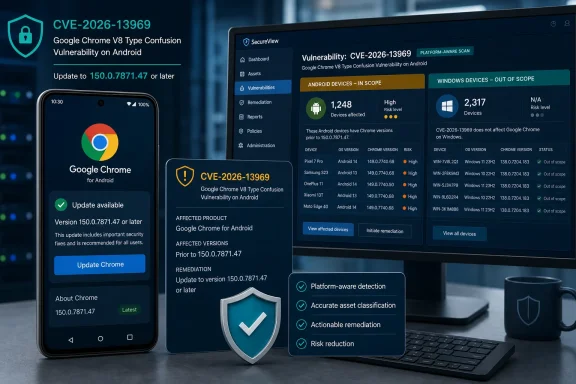 The Renderer Is Already Compromised Before This Bug Matters
The most important condition in the published description is that the attacker must have already compromised Chrome’s renderer process. CVE-2026-13969 is therefore not presented as the initial renderer-compromise mechanism.The record describes an uninitialized-use issue in Chrome’s UI component on Android. With a compromised renderer and crafted HTML, an attacker may obtain potentially sensitive information from process memory. The public record does not identify the separate vulnerability or technique that would provide the required renderer compromise.
This condition prevents two common misreadings. First, the phrase “remote attacker” should not be interpreted as meaning that this CVE independently compromises Chrome when a user merely opens a link. Second, the information-disclosure result should not be expanded into unsupported claims about arbitrary code execution, sandbox escape, persistence, or control of the Android device.
The source-faithful conclusion is narrower: the published description requires an already-compromised renderer and describes information disclosure; it does not describe a complete device-takeover chain.
The requirement for crafted HTML and user interaction remains relevant, but it should not be overexplained beyond what the public record establishes. No particular HTML element, JavaScript operation, browser event, form action, or user gesture is publicly identified as the trigger. The restricted Chromium issue also prevents independent review of the implementation details.
That limitation should shape reporting. Defenders can identify affected installations by product, platform, and version. They cannot derive a validated exploit signature, reliable malicious-page detector, or detailed technical reproduction from the supplied record.
Uninitialized Use Is the Named Weakness, but the Details Remain Restricted
CVE-2026-13969 is classified as CWE-457, Use of Uninitialized Variable. At a general level, this weakness category concerns software using a variable before it has been assigned an appropriate value for the operation being performed.The public description connects that weakness to Chrome’s UI component and says the result may be disclosure of potentially sensitive process memory. It does not disclose which variable, data structure, operation, or UI path is involved. It also does not describe the contents of the information that might be exposed.
Those boundaries matter. It would be unsupported to claim that CVE-2026-13969 specifically exposes passwords, authentication tokens, payment data, browsing history, private messages, cryptographic material, memory addresses, or any other particular category of information. The defensible wording is the wording supported by the record: potentially sensitive information from process memory.
The same restraint applies to implementation explanations. The supplied material does not establish how the relevant memory was allocated, whether it was previously used, whether any clearing operation was expected, or which layer of the browser was responsible for initialization. Those questions may eventually be answered by a public Chromium issue or a more detailed advisory, but they should not be filled with assumptions now.
For vulnerability management, the missing detail does not prevent remediation. The affected boundary is measurable: Google Chrome on Android earlier than 150.0.7871.47. Administrators can eliminate the stated exposure without reconstructing the underlying fault.
Chrome and CISA-ADP Both Place It in the Medium Range
Chrome labels CVE-2026-13969 Medium. Separately, CISA-ADP contributed a CVSS 3.1 base score of 5.3, also in the Medium range. The supplied NVD presentation does not include an NVD-generated CVSS 4.0, 3.x, or 2.0 assessment, so the 5.3 score should remain attributed to CISA-ADP rather than presented as an NVD score.The contributed vector is:
CVSS:3.1/AV:N/AC:H/PR:N/UI:R/S:U/C:H/I:N/A:NThe vector describes a network-reachable path with high attack complexity, no privileges required before the attack, required user interaction, unchanged scope, high confidentiality impact, and no rated integrity or availability impact.
Those values broadly align with the published description’s focus on information disclosure and its renderer-compromise prerequisite. They do not prove that exploitation is impossible, nor do they establish every step of a real attack.
The correct statement about the direct impact is: the supplied CVSS impact ratings list integrity and availability as None; the public record does not describe file modification or denial of service.
That wording is more accurate than converting the CVSS values into absolute claims about what an attacker could never accomplish as part of a larger chain. A CVSS assessment characterizes the vulnerability being scored. It does not establish every possible consequence of combining that vulnerability with separate flaws or existing access.
The supplied CISA-ADP Stakeholder-Specific Vulnerability Categorization contribution records exploitation as None, automatable as No, and technical impact as Partial. These are recorded assessment values, not guarantees about future activity. “Exploitation: None” should not be expanded into a claim that exploitation has never occurred, cannot occur, or will not be reported later.
The practical response remains proportionate: update affected Android installations, validate the resulting version, and avoid unsupported Windows findings.
Android Is the Product Boundary That Matters
The affected-version statement identifies Chrome on Android earlier than 150.0.7871.47. The NVD configuration associates the Chrome application entry with Android. Administrators and scanner owners should therefore verify that their matching logic preserves the platform condition instead of assigning the CVE from a generic Chrome product match.| Deployment state | Chrome version | Platform | CVE-2026-13969 status | Practical response |
|---|---|---|---|---|
| Vulnerable range | Earlier than 150.0.7871.47 | Android | Affected | Update Chrome and verify the installed version |
| Corrected threshold | 150.0.7871.47 or later | Android | Outside the stated affected range | Record version evidence and close or monitor the finding |
| Desktop Chrome | Any version not otherwise identified by the record | Windows | Not listed as affected | Do not assign this Android CVE solely from the Chrome name or version |
| Other Chromium-based browsers | Any version | Any platform | Not established by this record | Require product-specific vendor evidence |
Android AND Google Chrome version < 150.0.7871.47That is sample decision logic, not universal mobile-device-management or scanner syntax. Each organization must translate it into the query language supported by its own inventory, endpoint, scanner, or mobile-management platform.
The reverse condition is equally important. A result such as the following should not be accepted without additional evidence:
Windows AND Google Chrome version < 150.0.7871.47The supplied record does not list Windows Chrome as affected. If a scanner produces that match, the administrator should inspect its platform evidence, document the mismatch, and exclude or suppress the detection according to the organization’s normal exception process.
Documentation should state why the detection was excluded. A suitable note is:
This is stronger than silently closing the ticket. It preserves an audit trail, gives scanner owners evidence for correcting detection content, and prevents the same unsupported alert from repeatedly reappearing.CVE-2026-13969 is scoped in the supplied record to Google Chrome on Android earlier than 150.0.7871.47. The detected asset runs Chrome on Windows, which is not listed as affected. The finding was excluded because its platform does not match the published affected configuration.
The Desktop Release Reference Does Not Expand the Scope
NVD lists the supplied desktop-stable-channel URL as a vendor-advisory reference, while the CVE description and CPE configuration scope the affected product to Android.That apparent mismatch should not be resolved by assuming that Windows is also affected. A reference attached to a vulnerability record can provide context, but its presence does not override the affected-product description and configuration.
It would also be unsupported to infer why Google selected that particular reference without examining content that explicitly explains the relationship. Administrators should state only what the supplied record establishes: the reference is categorized as a vendor advisory, its address identifies a desktop stable-channel page, and the affected scope presented for CVE-2026-13969 is Chrome on Android before 150.0.7871.47.
Accordingly, organizations should not report that updating Windows Chrome remediated CVE-2026-13969. Keeping desktop Chrome current remains normal security hygiene, but it is a separate operational statement from the applicability of this Android-scoped CVE.
The same evidence rule applies to other Chromium-based browsers. Shared ancestry or similar version numbers do not prove that another browser contains the affected code path. Another product should be added to the remediation scope only when its vendor or another authoritative product-specific record identifies it as affected.
Remediation Must End With Version Verification
For an individual Android user, the update procedure is:- Open Google Play Store.
- Tap the profile icon.
- Choose Manage apps & device.
- Select See details.
- Find Google Chrome.
- Tap Update.
- After installation, open Android Settings > Apps > Chrome.
- Locate App details, Version, or the equivalent device-specific field.
- Verify version 150.0.7871.47 or later.
Managed-device teams should follow the same evidence standard. Approving a release, assigning it to a device group, or seeing an update command marked as sent does not prove that the corrected application is installed. Remediation is complete when reliable inventory—or a direct device check—shows Chrome 150.0.7871.47 or later.
If a device remains below the threshold, its status should stay open until the organization determines why. Possible administrative categories include:
- The device has not recently checked in.
- Application-version inventory is stale or missing.
- The device is outside the intended management group.
- An application policy is preventing installation.
- The device is offline.
- The user has not completed an available update.
- The device cannot currently install the corrected release.
- The inventory object no longer represents an active device.
A stale or missing version should be classified as unverified, not automatically compliant and not automatically vulnerable. Request a fresh inventory check, have the user verify the version on the device, or apply the organization’s access and exception policy until the status can be established.
Scanner Validation Is Part of the Fix
The remediation project should include both endpoint correction and detection-quality review. If the scanner cannot distinguish Android Chrome from Windows Chrome, the organization may close the real Android exposure while continuing to generate unsupported desktop findings.A practical validation workflow is:
- Query the mobile application inventory for Android devices with Google Chrome installed.
- Filter for installed Chrome versions earlier than 150.0.7871.47.
- Treat those matches as the primary affected population.
- Request a current inventory check for records with missing or stale application versions.
- Recheck devices after the update action.
- Preserve proof of the corrected installed version.
- Review any Windows Chrome findings for this CVE.
- Document why Windows matches are excluded under the supplied scope.
- Submit recurring platform-mismatched results to the scanner or content owner for correction.
- Reopen the assessment if authoritative information later expands the affected platforms or version range.
Platform = Android AND Product = Google Chrome AND Version < 150.0.7871.47Exact field names and version-comparison operators will vary. Some systems store mobile applications by package identity; others normalize the application name. Some perform numeric version comparisons correctly, while others compare version strings lexically. Administrators should test the resulting population against known devices rather than assuming that a syntactically valid query produces technically valid matches.
The evidence retained for each disposition should include, where available:
- Device or asset identity
- Operating-system platform
- Installed application name
- Installed Chrome version
- Observation time
- Source of the version data
- Remediation or exclusion decision
- Reason for any exception
- Evidence supporting closure
Sparse Public Detail Limits Detection Claims
The restricted Chromium issue means the supplied public material does not provide a malicious HTML sample, proof-of-concept code, network signature, log pattern, crash identifier, browser warning, or other CVE-specific indicator of compromise.Security teams should not invent one. A scanner finding based on an affected version demonstrates exposure to the stated vulnerability, not evidence that exploitation occurred. Conversely, finding the corrected version demonstrates that the current installation is outside the stated affected range; it does not prove whether an older installation was previously targeted.
Organizations investigating suspicious browser activity can still use normal incident-response methods, including review of account activity, endpoint telemetry, network evidence, and related security alerts. Those actions should be described as general investigative practice rather than as validated CVE-2026-13969 detection guidance.
The supplied record is sufficient for vulnerability management because remediation is version-based. It is not sufficient for claims about a specific attack campaign, exploit reliability, leaked data types, or observable forensic artifacts.
Timeline
The timeline should be read as a record-development sequence rather than as a reconstruction of unsupported field-level submission details:| Sequence | What the supplied record supports |
|---|---|
| New CVE record | The NVD change history records receipt of the CVE from Chrome. |
| CISA-ADP enrichment | The NVD change history records a CISA-ADP contribution that includes the CVSS 3.1 score and SSVC assessment fields. |
| NIST analysis | The NVD change history records NIST analysis associated with configuration and reference information. |
| Current scoring state | Chrome labels the issue Medium; CISA-ADP contributed a 5.3 Medium CVSS 3.1 score; an NVD-generated score is not shown in the supplied record. |
| Current affected boundary | Chrome on Android earlier than 150.0.7871.47 is affected. |
Action Checklist for Administrators
End-user and help-desk remediation
- Direct the user to Google Play Store > profile icon > Manage apps & device > See details > Google Chrome > Update.
- After installation, verify the version under Android Settings > Apps > Chrome > App details/version, recognizing that wording varies by device.
- Require Chrome 150.0.7871.47 or later.
- Do not close the request merely because an update was offered, approved, or initiated.
- Escalate devices that cannot install or verify the corrected release.
Mobile and vulnerability-management teams
- Inventory installed Google Chrome versions on Android devices.
- Query for logic equivalent to Android AND Chrome version < 150.0.7871.47.
- Refresh stale device and application inventory before assigning final status.
- Confirm the installed version after remediation.
- Track unresolved Android devices through the organization’s normal exception or access process.
- Keep unsupported products and platforms outside the finding unless product-specific evidence expands the scope.
- Do not substitute the Android OS version or security-patch date for the installed Chrome application version.
Windows security teams
- Review whether the scanner matched only the Chrome product name or also evaluated the Android platform.
- Challenge Windows Chrome findings generated solely from the CVE identifier, generic browser name, or version threshold.
- Document why Windows Chrome detections are excluded.
- Preserve the platform evidence supporting each exclusion.
- Ask the scanner-content owner to correct recurring platform-matching errors.
- Continue normal Windows Chrome update practices without claiming that a desktop update remediated this Android-scoped CVE.
Reporting language
A concise internal finding can state:That wording preserves the actionable facts without adding unsupported implementation details, attack effects, or platform scope.CVE-2026-13969 affects Google Chrome on Android earlier than version 150.0.7871.47. The published description requires an already-compromised renderer and says crafted HTML may disclose potentially sensitive information from process memory. It does not describe a complete device-takeover chain. Chrome labels the issue Medium, and CISA-ADP contributed a CVSS 3.1 base score of 5.3, also Medium. Update Android Chrome to 150.0.7871.47 or later and verify the installed application version. Chrome on Windows is not listed as affected in the supplied record.
Windows Teams Should Treat False-Positive Prevention as Part of Remediation
An Android-only Chrome vulnerability can still become a Windows administration problem when product names and version ranges are normalized without platform context. The resulting desktop findings may look plausible, particularly when a scanner emphasizes the Chrome name and a numeric threshold while hiding the operating-system condition.Administrators should not respond by suppressing everything associated with the CVE. They should inspect the scanner’s evidence and require the finding to demonstrate the affected combination: Android, Google Chrome, and a version earlier than 150.0.7871.47.
A valid Android match should be routed to the mobile-device, application-management, or endpoint-security owner. A Windows match should be excluded unless new authoritative information establishes that desktop Chrome is affected. The exclusion should be documented so that auditors, incident responders, and future administrators can understand the decision.
Good exception handling is not the quiet deletion of an inconvenient alert. It is a recorded determination that identifies the detected product, confirms the platform, compares the version with the affected boundary, and explains why the asset is or is not in scope.
That discipline protects both sides of the operation. It prevents Windows teams from spending time on unsupported desktop remediation, and it keeps the genuinely affected Android population from disappearing inside a much larger collection of false positives.
The forward-looking task is to monitor the authoritative record for a revised affected range, new exploitation information, an NVD-generated assessment, public Chromium technical detail, or a vendor clarification of platform scope. Until such information appears, the defensible response is narrow and measurable: update Chrome on Android to 150.0.7871.47 or later, prove the installed version, validate scanner platform matching, and document why Windows Chrome detections are excluded.
References
- Primary source: NVD / Chromium
Published: 2026-07-11T15:41:26-07:00
NVD - CVE-2026-13969
 nvd.nist.gov
- Security advisory: MSRC
Published: 2026-07-11T15:41:26-07:00
Original feed URL
Security Update Guide - Microsoft Security Response Center
 msrc.microsoft.com
- Related coverage: issues.chromium.org
Chromium
issues.chromium.org
- Related coverage: chromium.googlesource.com
- Related coverage: chromium.org
- Related coverage: blog.chromium.org
Chromium Blog: Partitioning Chrome's Code for Faster Launch Times on Android
Mobile devices are generally more resource constrained than laptops or desktops. Optimizing Chrome’s resource usage is critical to give mobi...blog.chromium.org