

What changed: CVE-2026-13981 is a Medium-severity UI-spoofing vulnerability in Google Chrome for iOS. A remote attacker can use crafted HTML to present misleading interface information to a user. The public description does not identify the particular interface surface involved.
Who is affected: iPhone users running Chrome versions earlier than 150.0.7871.47. The published configuration specifically combines the vulnerable Chrome version range with Apple iPhone OS; it should not be applied automatically to Chrome on Windows, macOS, Linux, or Android.
What to do now: On the iPhone, open App Store > tap the profile picture > Available Updates > Chrome > Update. After updating, open Chrome > … > Settings > Google Chrome—or the equivalent screen that displays the installed version—and verify that it shows 150.0.7871.47 or later. If that version screen is not available in the current interface, use the Chrome entry in iPhone storage, mobile-device management, or another trusted inventory source to confirm the installed build.
The vulnerability is not described as a route to code execution, data theft, or device takeover. Its direct technical effect is narrower: crafted HTML can enable UI spoofing. That can still strengthen phishing and fraud by making deceptive content more convincing. Chrome for iOS users should treat 150.0.7871.47 as the minimum safe version boundary, not as an optional feature update.
Google’s concise description says an “inappropriate implementation” in Chrome for iOS allowed a remote attacker to perform UI spoofing through a crafted HTML page. The National Vulnerability Database associates the flaw with CWE-451, User Interface Misrepresentation of Critical Information.
The available description does not present CVE-2026-13981 as a conventional memory-corruption exploit. There is no published claim in the supplied record that loading a page gives an attacker control of Chrome, escapes the browser sandbox, compromises the iPhone, or directly extracts stored information.
Instead, the vulnerability affects what a user may believe about an interface presented during browsing. That distinction is important because attackers frequently rely on people to complete actions that the malicious page cannot perform by itself: entering credentials, providing recovery codes, approving payments, calling a fraudulent support number, or following account-recovery instructions.
The published CVSS 3.1 assessment gives the vulnerability a 4.3 Medium score. Its vector describes a network-accessible attack with low complexity, no privileges required, and user interaction required. It records low integrity impact and no direct confidentiality or availability impact.
Those characteristics support a measured interpretation. This is not a published device-takeover primitive, but it can make social engineering more credible. The required user interaction reduces the direct technical severity without making the flaw irrelevant to phishing-resistant operations.
The score should guide prioritization rather than replace judgment. An organization may reasonably place this update below actively exploited critical vulnerabilities while still requiring timely installation, especially on phones used for administrative access, financial approval, account recovery, or other sensitive workflows.
The platform qualifier is essential. NIST’s configuration combines the Google Chrome application condition with Apple iPhone OS through an AND relationship. Both conditions must be satisfied for an installation to match the published affected configuration.
That means a scanner or asset tool should not flag every older Chrome installation merely because its version number falls below the boundary. The operating-system condition must also match. Ignoring that relationship can create false positives across desktop and Android fleets, waste remediation time, and distort vulnerability counts.
The inverse is also true: the record does not establish that every browser on iOS is affected. The verified product is Google Chrome for iOS. Administrators should not extend the finding to Safari, other iOS browsers, Chromium-based products, or embedded browser components without separate evidence.
The advisory trail is less direct than the version data. NIST references a Google Chrome Releases post and a permission-restricted Chromium issue. The release reference is associated with a desktop Stable Channel update rather than a dedicated iOS security bulletin, while the underlying Chromium issue is not publicly readable without permission.
The supplied record establishes only that this particular issue is restricted. It does not establish why access is restricted, and restriction alone should not be treated as evidence of active exploitation, exceptional severity, or the absence of outside research.
Defenders nevertheless have enough public information to take the required action. Crafted HTML can trigger UI spoofing in vulnerable Chrome for iOS versions, and installations at 150.0.7871.47 or later fall outside the published affected range.
The public description does not identify the exact visual element or browser state involved. Security teams should therefore avoid claims that the flaw specifically manipulates an origin indicator, prompt, navigation control, fullscreen transition, address display, or another particular part of the interface. Those details have not been established by the available description.
CVE-2026-13981 adds a browser implementation weakness to that general problem. According to the public description, crafted HTML can enable UI spoofing, making information shown during the browsing experience misleading. The record does not provide enough detail to reconstruct exactly how the deception appears, but the result can be understood without speculation: the user may be encouraged to trust something that should not be trusted.
A plausible attack sequence begins with a link delivered through email, messaging, advertising, a QR code, or a compromised website. The user opens the page in an affected version of Chrome for iOS. The crafted content then uses the vulnerability as part of a deceptive presentation, after which the attacker attempts to persuade the user to take an additional action.
That final action matters. The published assessment requires user interaction and does not credit the vulnerability itself with direct confidentiality or availability impact. A successful fraud outcome would therefore depend on the surrounding social-engineering workflow rather than automatic compromise merely from viewing a page.
The CISA-ADP SSVC information recorded in the vulnerability data lists exploitation as none, automatable as no, and technical impact as partial. Those fields argue against presenting CVE-2026-13981 as an active mass-compromise emergency based on the supplied record.
They do not make the update optional. Campaign infrastructure can distribute malicious links broadly even when each successful outcome depends on an individual user’s decision. The appropriate response is prompt patching and sensible phishing precautions, not panic or unsupported claims of device compromise.
Users who opened an unfamiliar page in an older Chrome version should not automatically assume their iPhone was taken over. They should instead consider whether they entered a password, disclosed a code, approved a transaction, downloaded something, called a displayed number, or took another sensitive action. Any such action may justify account-specific investigation even though the CVE itself is not described as a data-theft mechanism.
The vector fits the short public description. The attack is network-accessible because a crafted page can be delivered remotely. It has low attack complexity and requires no preexisting privileges, but it requires the user to visit or interact with the malicious content. Its recorded direct impact is limited to low integrity impact, with no direct confidentiality or availability impact.
CVSS evaluates the technical characteristics of a vulnerability under a standardized model. It does not calculate the monetary or operational value of a decision made by a deceived user.
For example, the same deceptive page could have very different consequences depending on whether it is shown during casual browsing, an administrator sign-in, an executive payment approval, or an account-recovery workflow. Those business consequences are contextual and should not be misrepresented as guaranteed effects of CVE-2026-13981.
Security teams should avoid both extremes. Calling the flaw a critical iPhone takeover would go beyond the public evidence. Dismissing it solely because the score is 4.3 would overlook the role trusted browser presentation can play in phishing and fraud.
The practical interpretation is a moderate technical vulnerability that may provide useful leverage to a social engineer. The update should not displace remediation of actively exploited critical flaws, but it should be completed promptly because the fix is available through a standard application update.
Those are general characteristics of mobile browsing, not evidence of a CVE-specific attack technique. They matter here only because a smaller interface can make it harder for a user to pause and assess which information is trustworthy.
The public record does not reveal the particular interface presentation affected by CVE-2026-13981. It would therefore be unwise to tell users that checking one icon, label, or screen element can reliably expose an attack.
Behavioral guidance is more durable:
A user who merely had an outdated installation needs the update. A user who also entered credentials or approved a suspicious action may need password resets, session revocation, transaction review, or other account-specific remediation. Those additional steps should be based on observed user activity and surrounding indicators, not on the CVE number alone.
A detection rule should require all of the following:
Version comparison also needs care. The record uses 150.0.7871.47 as the boundary and defines affected versions as less than that value. The boundary version itself is not part of the published vulnerable range.
Organizations should distinguish between offering an update and observing the fixed version. App updates may remain pending for ordinary reasons, such as device configuration, connectivity, user action, management policy, or a delayed check-in. Those are generic operational examples, not documented causes associated specifically with CVE-2026-13981.
That imbalance makes the flaw harder to explain than to remediate. Security professionals may want to know exactly what was misrepresented, how the crafted HTML triggered the condition, and whether a narrow compensating control exists. The supplied public material does not answer those questions.
Incomplete public detail should not be interpreted as proof of either extraordinary danger or trivial impact. The restricted issue establishes only that access requires permission. The available metrics and description support a narrower conclusion: this is a Medium-severity UI-spoofing vulnerability affecting Chrome for iOS before a clearly identified fixed boundary.
For most users, the required response takes only a few minutes: update Chrome and verify version 150.0.7871.47 or later. For administrators, the work is equally concrete: identify iPhones with Chrome installed, preserve the platform-specific matching logic, collect the installed version, and confirm that vulnerable builds have been replaced.
CVE-2026-13981 does not need to be exaggerated into a device-takeover crisis to justify action. Browser trust is valuable precisely because users rely on it when making sensitive decisions. A flaw that can make crafted content appear more trustworthy deserves prompt remediation—even when its direct technical impact is limited and its most serious practical risk emerges only when combined with phishing, fraud, or other social engineering.
Who is affected: iPhone users running Chrome versions earlier than 150.0.7871.47. The published configuration specifically combines the vulnerable Chrome version range with Apple iPhone OS; it should not be applied automatically to Chrome on Windows, macOS, Linux, or Android.
What to do now: On the iPhone, open App Store > tap the profile picture > Available Updates > Chrome > Update. After updating, open Chrome > … > Settings > Google Chrome—or the equivalent screen that displays the installed version—and verify that it shows 150.0.7871.47 or later. If that version screen is not available in the current interface, use the Chrome entry in iPhone storage, mobile-device management, or another trusted inventory source to confirm the installed build.
The vulnerability is not described as a route to code execution, data theft, or device takeover. Its direct technical effect is narrower: crafted HTML can enable UI spoofing. That can still strengthen phishing and fraud by making deceptive content more convincing. Chrome for iOS users should treat 150.0.7871.47 as the minimum safe version boundary, not as an optional feature update.
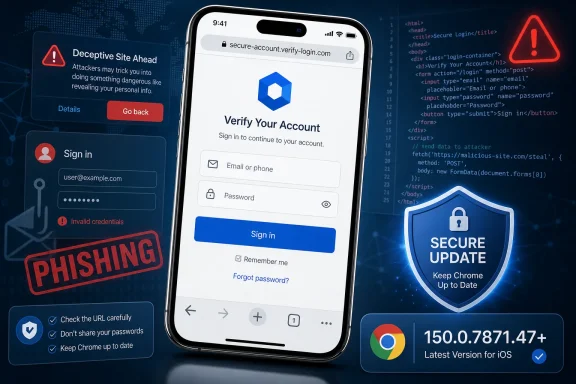 A Medium Rating Hides a Very Human Attack Surface
Google’s concise description says an “inappropriate implementation” in Chrome for iOS allowed a remote attacker to perform UI spoofing through a crafted HTML page. The National Vulnerability Database associates the flaw with CWE-451, User Interface Misrepresentation of Critical Information.The available description does not present CVE-2026-13981 as a conventional memory-corruption exploit. There is no published claim in the supplied record that loading a page gives an attacker control of Chrome, escapes the browser sandbox, compromises the iPhone, or directly extracts stored information.
Instead, the vulnerability affects what a user may believe about an interface presented during browsing. That distinction is important because attackers frequently rely on people to complete actions that the malicious page cannot perform by itself: entering credentials, providing recovery codes, approving payments, calling a fraudulent support number, or following account-recovery instructions.
The published CVSS 3.1 assessment gives the vulnerability a 4.3 Medium score. Its vector describes a network-accessible attack with low complexity, no privileges required, and user interaction required. It records low integrity impact and no direct confidentiality or availability impact.
Those characteristics support a measured interpretation. This is not a published device-takeover primitive, but it can make social engineering more credible. The required user interaction reduces the direct technical severity without making the flaw irrelevant to phishing-resistant operations.
The score should guide prioritization rather than replace judgment. An organization may reasonably place this update below actively exploited critical vulnerabilities while still requiring timely installation, especially on phones used for administrative access, financial approval, account recovery, or other sensitive workflows.
The Version Boundary Is Clear Even When the Advisory Trail Is Not
The affected-version record provides a straightforward dividing line: Chrome for iOS versions earlier than 150.0.7871.47 are vulnerable. Version 150.0.7871.47 is the fixed boundary identified by the published range.| Deployment state | Chrome version | Platform condition | CVE-2026-13981 status | Practical response |
|---|---|---|---|---|
| Older installation | Earlier than 150.0.7871.47 | Apple iPhone OS | Affected | Update promptly |
| Fixed boundary | 150.0.7871.47 | Apple iPhone OS | Outside the affected range | Verify installation |
| Newer installation | Later than 150.0.7871.47 | Apple iPhone OS | Outside the published affected range | Retain version evidence |
| Other Chrome platforms | Any version | Outside the recorded iOS configuration | Not listed as affected by this CVE | Do not infer exposure from the Chrome name alone |
That means a scanner or asset tool should not flag every older Chrome installation merely because its version number falls below the boundary. The operating-system condition must also match. Ignoring that relationship can create false positives across desktop and Android fleets, waste remediation time, and distort vulnerability counts.
The inverse is also true: the record does not establish that every browser on iOS is affected. The verified product is Google Chrome for iOS. Administrators should not extend the finding to Safari, other iOS browsers, Chromium-based products, or embedded browser components without separate evidence.
The advisory trail is less direct than the version data. NIST references a Google Chrome Releases post and a permission-restricted Chromium issue. The release reference is associated with a desktop Stable Channel update rather than a dedicated iOS security bulletin, while the underlying Chromium issue is not publicly readable without permission.
The supplied record establishes only that this particular issue is restricted. It does not establish why access is restricted, and restriction alone should not be treated as evidence of active exploitation, exceptional severity, or the absence of outside research.
Defenders nevertheless have enough public information to take the required action. Crafted HTML can trigger UI spoofing in vulnerable Chrome for iOS versions, and installations at 150.0.7871.47 or later fall outside the published affected range.
The public description does not identify the exact visual element or browser state involved. Security teams should therefore avoid claims that the flaw specifically manipulates an origin indicator, prompt, navigation control, fullscreen transition, address display, or another particular part of the interface. Those details have not been established by the available description.
UI Spoofing Can Strengthen an Otherwise Ordinary Phishing Attempt
Web pages can already imitate login forms, company branding, warnings, payment screens, and other familiar workflows without exploiting a browser vulnerability. Ordinary phishing depends heavily on that kind of visual imitation.CVE-2026-13981 adds a browser implementation weakness to that general problem. According to the public description, crafted HTML can enable UI spoofing, making information shown during the browsing experience misleading. The record does not provide enough detail to reconstruct exactly how the deception appears, but the result can be understood without speculation: the user may be encouraged to trust something that should not be trusted.
A plausible attack sequence begins with a link delivered through email, messaging, advertising, a QR code, or a compromised website. The user opens the page in an affected version of Chrome for iOS. The crafted content then uses the vulnerability as part of a deceptive presentation, after which the attacker attempts to persuade the user to take an additional action.
That final action matters. The published assessment requires user interaction and does not credit the vulnerability itself with direct confidentiality or availability impact. A successful fraud outcome would therefore depend on the surrounding social-engineering workflow rather than automatic compromise merely from viewing a page.
The CISA-ADP SSVC information recorded in the vulnerability data lists exploitation as none, automatable as no, and technical impact as partial. Those fields argue against presenting CVE-2026-13981 as an active mass-compromise emergency based on the supplied record.
They do not make the update optional. Campaign infrastructure can distribute malicious links broadly even when each successful outcome depends on an individual user’s decision. The appropriate response is prompt patching and sensible phishing precautions, not panic or unsupported claims of device compromise.
Users who opened an unfamiliar page in an older Chrome version should not automatically assume their iPhone was taken over. They should instead consider whether they entered a password, disclosed a code, approved a transaction, downloaded something, called a displayed number, or took another sensitive action. Any such action may justify account-specific investigation even though the CVE itself is not described as a data-theft mechanism.
The CVSS Score Describes the Flaw, Not Every Possible Fraud Outcome
The available 4.3 CVSS 3.1 base score comes from CISA-ADP and is displayed in the NVD record. The supplied material does not show a separate NVD-authored CVSS assessment.The vector fits the short public description. The attack is network-accessible because a crafted page can be delivered remotely. It has low attack complexity and requires no preexisting privileges, but it requires the user to visit or interact with the malicious content. Its recorded direct impact is limited to low integrity impact, with no direct confidentiality or availability impact.
CVSS evaluates the technical characteristics of a vulnerability under a standardized model. It does not calculate the monetary or operational value of a decision made by a deceived user.
For example, the same deceptive page could have very different consequences depending on whether it is shown during casual browsing, an administrator sign-in, an executive payment approval, or an account-recovery workflow. Those business consequences are contextual and should not be misrepresented as guaranteed effects of CVE-2026-13981.
Security teams should avoid both extremes. Calling the flaw a critical iPhone takeover would go beyond the public evidence. Dismissing it solely because the score is 4.3 would overlook the role trusted browser presentation can play in phishing and fraud.
The practical interpretation is a moderate technical vulnerability that may provide useful leverage to a social engineer. The update should not displace remediation of actively exploited critical flaws, but it should be completed promptly because the fix is available through a standard application update.
Mobile Screens Leave Less Room for Verification
On a phone, users generally have less persistent visual context than they do on a desktop. Controls may appear or disappear as the user navigates, applications switch quickly, and links often arrive through notifications, messages, QR codes, or in-app views.Those are general characteristics of mobile browsing, not evidence of a CVE-specific attack technique. They matter here only because a smaller interface can make it harder for a user to pause and assess which information is trustworthy.
The public record does not reveal the particular interface presentation affected by CVE-2026-13981. It would therefore be unwise to tell users that checking one icon, label, or screen element can reliably expose an attack.
Behavioral guidance is more durable:
- Start sensitive sign-ins from a known application, saved bookmark, or manually selected website rather than an unsolicited link.
- Treat unexpected account, payment, delivery, recovery, and security messages with caution.
- Verify urgent requests through a separate trusted channel.
- Do not provide passwords, authentication codes, payment information, or recovery details merely because a page appears polished.
- Update Chrome before resuming sensitive browsing if the installed version is earlier than 150.0.7871.47.
What the Public Record Does—and Does Not—Establish
The verified record supports several specific conclusions:- The affected product is Google Chrome for iOS.
- Versions earlier than 150.0.7871.47 are within the affected range.
- Crafted HTML can allow a remote attacker to perform UI spoofing.
- User interaction is required under the available CVSS assessment.
- The recorded direct technical impact is limited.
- The applicable NVD configuration combines Chrome with Apple iPhone OS.
- The SSVC data records exploitation as none, automatable as no, and technical impact as partial.
- The exact interface surface affected.
- Automatic compromise from merely loading an arbitrary page.
- Code execution, sandbox escape, device takeover, or direct data theft.
- A specific phishing campaign using the vulnerability.
- Exposure in every iOS browser or on every platform that runs Chrome.
- The reason the Chromium issue requires permission.
- Whether independent demonstrations or research exist outside the restricted issue.
- That every iPhone running an older browser version has already encountered malicious content.
A user who merely had an outdated installation needs the update. A user who also entered credentials or approved a suspicious action may need password resets, session revocation, transaction review, or other account-specific remediation. Those additional steps should be based on observed user activity and surrounding indicators, not on the CVE number alone.
Timeline
Because the supplied material does not provide sufficient support for the previously stated calendar dates, the timeline is presented as a sequence of recorded events rather than assigning unsupported dates to each action.- Chrome-originated CVE data entered the record: NVD logged a “New CVE Received from Chrome” event. That wording establishes the event recorded by NVD; it does not by itself prove the precise submission mechanism or identify a particular individual who performed it.
- The affected range was documented: The record identified Chrome for iOS versions earlier than 150.0.7871.47 as affected.
- Severity and weakness information was added: CISA-ADP supplied the CVSS 3.1 vector and 4.3 Medium score, associated the issue with CWE-451, and recorded SSVC values of exploitation none, automatable no, and partial technical impact.
- NIST configuration analysis was added: The affected-software logic paired the Chrome version range with Apple iPhone OS through an AND relationship.
- Supporting references were classified: The record linked the Google release material and the permission-restricted Chromium issue, although those references do not publicly expose all technical details of the flaw.
Concise Admin Guidance: Match the Right Assets and Prove the Update
For WindowsForum readers managing mixed Windows and mobile environments, the central asset-management lesson is straightforward: preserve the iOS-only AND condition, apply the less-than version comparison correctly, and verify the installed application version.A detection rule should require all of the following:
- The asset is an Apple iPhone or otherwise matches the applicable Apple iPhone OS condition.
- Google Chrome is installed.
- The installed Chrome version is earlier than 150.0.7871.47.
Version comparison also needs care. The record uses 150.0.7871.47 as the boundary and defines affected versions as less than that value. The boundary version itself is not part of the published vulnerable range.
Organizations should distinguish between offering an update and observing the fixed version. App updates may remain pending for ordinary reasons, such as device configuration, connectivity, user action, management policy, or a delayed check-in. Those are generic operational examples, not documented causes associated specifically with CVE-2026-13981.
Action checklist for admins
- Inventory iPhones that have Google Chrome installed.
- Collect the installed Chrome version from each reporting device.
- Mark versions earlier than 150.0.7871.47 as vulnerable.
- Prompt or require installation of 150.0.7871.47 or a later available version.
- Recheck each device and record the observed version after remediation.
- Preserve the Apple iPhone OS AND condition in scanner and vulnerability-management logic.
- Exclude unrelated Chrome platforms unless separate evidence shows they are affected.
- Avoid treating version 150.0.7871.47 itself as vulnerable.
- Warn users with outdated installations to avoid sensitive sign-ins through unsolicited links until Chrome is updated.
- Investigate suspicious mobile sign-ins or payment reports by reviewing the link source, user actions, subsequent account activity, and transaction history.
- Keep help-desk guidance focused on the affected product and version range, even if a supporting Google release reference has a desktop-oriented title.
The Advisory Gap Is a Documentation Problem, Not a Reason to Ignore the Fix
The official record offers an awkward combination of precision and opacity. The product, platform, severity, weakness category, attack method, and fixed-version boundary are explicit. The technical mechanics remain unavailable in the permission-restricted issue, and the cited Google release page is not framed as a dedicated Chrome for iOS bulletin.That imbalance makes the flaw harder to explain than to remediate. Security professionals may want to know exactly what was misrepresented, how the crafted HTML triggered the condition, and whether a narrow compensating control exists. The supplied public material does not answer those questions.
Incomplete public detail should not be interpreted as proof of either extraordinary danger or trivial impact. The restricted issue establishes only that access requires permission. The available metrics and description support a narrower conclusion: this is a Medium-severity UI-spoofing vulnerability affecting Chrome for iOS before a clearly identified fixed boundary.
For most users, the required response takes only a few minutes: update Chrome and verify version 150.0.7871.47 or later. For administrators, the work is equally concrete: identify iPhones with Chrome installed, preserve the platform-specific matching logic, collect the installed version, and confirm that vulnerable builds have been replaced.
CVE-2026-13981 does not need to be exaggerated into a device-takeover crisis to justify action. Browser trust is valuable precisely because users rely on it when making sensitive decisions. A flaw that can make crafted content appear more trustworthy deserves prompt remediation—even when its direct technical impact is limited and its most serious practical risk emerges only when combined with phishing, fraud, or other social engineering.
References
- Primary source: NVD / Chromium
Published: 2026-07-11T15:40:33-07:00
Loading…
nvd.nist.gov - Security advisory: MSRC
Published: 2026-07-11T15:40:33-07:00
Original feed URL
Loading…
msrc.microsoft.com - Related coverage: cvefeed.io
Loading…
cvefeed.io - Related coverage: security.snyk.io
Loading…
security.snyk.io - Related coverage: cvepremium.circl.lu
Loading…
cvepremium.circl.lu