

Google Chrome users on iPhone and iPad were exposed to CVE-2026-13983 before version 150.0.7871.47, a medium-severity flaw that let a remote attacker use a crafted HTML page and carefully induced gestures to spoof the browser’s Omnibox, making a malicious destination appear more trustworthy than it was.
The vulnerability did not break encryption, escape a sandbox, or silently seize a device. It attacked something more ordinary and, in phishing operations, potentially just as valuable: the user’s belief about which website is open.
That distinction explains both the modest 4.2 CVSS score and the reason administrators should not dismiss the issue. CVE-2026-13983 is a reminder that browsers are security products not only because they isolate code, but because users depend on their interface to tell the truth.
Google’s CVE description calls CVE-2026-13983 an “inappropriate implementation” in Chrome for iOS. In practical terms, a remote attacker could prepare an HTML page that, after persuading the user to perform specific interface gestures, caused the Omnibox—the browser’s URL bar—to display spoofed content.
The attacker did not need an existing account, administrative privileges, or physical possession of the device. The page could be delivered remotely, but exploitation required high-complexity conditions and deliberate user interaction, according to the CVSS 3.1 vector contributed by CISA’s Automated Data Processing enrichment project, or CISA-ADP.
That interaction requirement is important, but it is not the same as meaningful consent. A victim does not need to understand that a gesture is triggering an exploit; the gesture can reportedly be presented as an ordinary part of navigating, dismissing, scrolling, entering a display mode, or otherwise interacting with attacker-controlled content.
The public record does not disclose the exact gesture sequence. The Chromium issue is marked as requiring permission, which is appropriate while users are still running vulnerable builds but limits defenders’ ability to reproduce the behavior independently.
What the available description does establish is the security boundary that failed. The Omnibox is supposed to be browser-controlled territory: a trusted display surface that tells users where rendered content originated. CVE-2026-13983 allowed web content, under specific circumstances, to influence the user’s perception of that trusted surface.
The difference between those statements matters. This is not merely a malicious page drawing a fake address bar inside its own content area, a technique any competent phisher can attempt. The CVE description says the attacker could spoof the contents of the Omnibox, placing the failure within Chrome’s security user interface rather than entirely inside the webpage.
That makes the bug an integrity problem in the browser’s account of reality. Chrome could still be connected to the attacker’s page, but the user might see address-bar content suggesting something safer.
That profile is internally consistent. The vulnerability does not, by itself, describe password theft, arbitrary code execution, confidential-data disclosure, or a complete compromise of Chrome or iOS. The attacker must first persuade the victim to load crafted content and then perform the necessary gestures.
Yet CVSS scores are best understood as structured descriptions of technical characteristics, not complete predictions of business risk. A URL-spoofing primitive can become one component in a broader fraud chain, especially when combined with convincing branding, a plausible message, and a login or payment prompt.
The browser address bar occupies a special place in security education. Users are routinely told to check the domain before entering a password, approving a transaction, downloading a file, or granting access. That advice assumes the browser’s own interface is a more reliable witness than the webpage.
CVE-2026-13983 weakened that assumption. If a crafted page can cause the Omnibox to misrepresent the destination, then one of the few security checks available to an ordinary mobile user becomes unreliable at precisely the moment it is needed.
MITRE’s definition of CWE-451, the weakness category assigned by CISA-ADP, captures the broader problem: a user interface fails to represent critical information correctly, allowing information or its source to be hidden or spoofed. MITRE notes that such weaknesses often appear as components in phishing attacks because they can convince users that information originates from a trusted source.
This is why “medium” should determine remediation priority without defining the entire threat narrative. An unauthenticated remote-code-execution flaw normally deserves a more urgent response. But an organization exposed to targeted credential theft, financial fraud, executive impersonation, or help-desk social engineering has reasons to treat browser identity failures seriously.
The correct interpretation is neither panic nor indifference. This was a constrained vulnerability with no reported exploitation at the time of CISA’s assessment, but it undermined a security indicator upon which users are explicitly trained to rely.
The CVE’s version object lists 150.0.7871.47 while also defining affected versions as those less than that value. Read literally without the comparison field, that representation can be confusing. The narrative description, version boundary, and NIST CPE analysis all point to the same conclusion: builds below 150.0.7871.47 are vulnerable, while the threshold build is the remediation boundary.
NIST’s configuration analysis joins two conditions. The vulnerable Chrome version must be present, and it must be running on Apple’s iPhone operating-system platform. That AND relationship is the database’s way of constraining the vulnerability to Chrome on iOS rather than declaring every Chrome installation on every platform affected.
This is particularly relevant for vulnerability scanners and software-asset tools that ingest CPE data. A scanner that notices only the generic Google Chrome application identifier, without evaluating the operating-system condition, could incorrectly flag Windows, macOS, Linux, or other Chrome deployments.
The reverse failure is also possible. Some enterprise inventories classify mobile applications less precisely than desktop software, leaving Chrome for iOS outside the normal browser-remediation workflow even when desktop Chrome is closely monitored.
Administrators should therefore avoid treating the word Chrome as sufficient scope information. CVE-2026-13983 is specifically recorded as a Chrome-on-iOS issue, and remediation verification should be performed against the mobile application version, not an organization’s desktop Chrome baseline.
The release-notes reference introduces an additional complication. The linked Chrome Releases page is titled “Stable Channel Update for Desktop” and announces Chrome 150 for Windows, Mac, and Linux, even though CVE-2026-13983 is explicitly scoped to Chrome for iOS.
That does not invalidate the CVE, version threshold, or NIST configuration. It does mean the advisory trail is imperfect: the public release reference does not provide an obvious, product-specific explanation of the iOS correction.
Google had separately announced Chrome Stable 150.0.7871.34 for iOS on June 17, 2026. That build remained below the fixed-version threshold recorded for CVE-2026-13983, illustrating why confirming only the major release number—Chrome 150—would not have been sufficient.
For defenders, this is more than a documentation complaint. Patch management relies on machine-readable boundaries and human-readable advisories agreeing clearly enough that an administrator can identify the vulnerable population, locate the correcting release, and demonstrate compliance.
Here, the machine-readable story is stronger than the public advisory story. The CVE description says “prior to 150.0.7871.47,” the affected-version object uses that threshold, and NIST’s CPE configuration excludes 150.0.7871.47. The linked public release note, however, is oriented toward desktop builds.
That mismatch should encourage careful verification, not speculation. There is no basis in the supplied record for declaring desktop Chrome affected, and administrators should not widen the scope merely because the release-notes URL mentions Windows, Mac, and Linux.
Nor should they assume that every device reporting “Chrome 150” is protected. Enterprise consoles that truncate application versions to a major number can hide the difference between an earlier Chrome 150 build and 150.0.7871.47.
The full four-part version is the evidence that matters.
Social-engineering campaigns are designed to generate precisely that behavior. Their entire purpose is to convert urgency, authority, curiosity, fear, or routine into clicks and interface actions.
A message might claim that a document is waiting, a session has expired, a payment failed, an account requires verification, or a company portal has moved. The exploit would not need to carry the whole deception if the surrounding pretext had already persuaded the victim to follow instructions.
The public CVE record does not say that CVE-2026-13983 was used in any such campaign. CISA’s SSVC assessment recorded exploitation as “none,” automatable as “no,” and technical impact as “partial.”
Those labels sharply constrain the responsible conclusion. There was no reported exploitation in the assessment, the vulnerability was not considered readily automatable, and the technical impact was not total.
They do not mean exploitation was impossible or that vulnerable devices could safely remain unpatched. SSVC is decision-support information captured at a point in time, not a promise about future attacker behavior.
The “automatable: no” determination also fits the dependency on specific UI gestures. A mass scanner cannot necessarily identify a vulnerable device and complete the interaction without a person in the loop.
That lowers the vulnerability’s usefulness for indiscriminate automated compromise. It may matter less in a targeted phishing scenario where an attacker is already interacting indirectly with a carefully selected victim and can provide step-by-step instructions.
Administrators should preserve that distinction in internal reporting. Describing the bug as an actively exploited Chrome attack would overstate the evidence. Describing it as harmless because it required interaction would understate how modern phishing works.
A secure connection is useful only if the user can determine which endpoint it secures. A sandbox can prevent a hostile page from directly controlling the operating system while still leaving the user vulnerable to entering credentials into the hostile page voluntarily.
The Omnibox bridges that gap. It translates the browser’s internal navigation state into information a human can inspect.
When the translation is wrong, the user can make a security decision based on false premises. The vulnerability may never need to read the victim’s password from Chrome’s memory if the victim can be persuaded to type the password directly into attacker-controlled content.
This does not establish that credential theft occurred through CVE-2026-13983. It explains why CWE-451 weaknesses are relevant to phishing even when their direct confidentiality impact is scored as none.
CVSS evaluates the immediate technical consequences attributed to the vulnerability. It does not necessarily model every downstream consequence of a human acting on spoofed information.
The low integrity impact in the CISA-ADP vector is therefore understandable but incomplete as an organizational risk summary. The browser interface is one layer of integrity; the decisions made because of that interface can affect accounts, approvals, payments, and business processes beyond the browser.
This gap between direct technical effect and potential social consequence is a recurring challenge in vulnerability triage. Memory-corruption bugs produce dramatic language and familiar remediation playbooks. Interface-deception bugs sit uncomfortably between software security and user behavior, where ownership is often fragmented.
Endpoint teams may see a browser update. Security-awareness teams may see phishing. Identity teams may see account compromise. Mobile administrators may see an application-version compliance problem.
CVE-2026-13983 is all of those things in limited form. Effective remediation requires one team to own the simple technical outcome: every managed Chrome for iOS installation must reach the fixed threshold.
The browser may be mobile while the account, application, data, and support process remain corporate. A security-interface failure on iOS can therefore become the first step in an incident that later appears in Windows sign-in logs, email systems, cloud applications, help-desk queues, or endpoint investigations.
Mixed-device environments make browser inventory especially difficult. Desktop administrators often know exactly which Chrome build is deployed on Windows, while mobile application updates are delegated to users or assumed to happen automatically through the app store.
Automatic updating reduces exposure but does not prove remediation. Devices can remain behind because they have been offline, lack storage, are subject to update restrictions, use delayed deployment policies, or simply have not completed the app-store rollout.
The fixed-version threshold gives administrators a measurable condition. A policy that says “automatic updates are enabled” describes an update mechanism; an inventory record showing 150.0.7871.47 or later demonstrates the desired state.
Bring-your-own-device populations complicate the picture further. Organizations may not have authority to inspect every installed application, yet those devices may still access company resources.
Where application-level inventory is unavailable, defenders may need to rely more heavily on access policy, user communication, phishing-resistant authentication, and incident detection. None of those measures repairs Chrome, but they reduce dependence on a single visual signal when a user is deciding whether to trust a page.
The vulnerability also supports a broader lesson for security training. Telling users to “check the URL” remains useful, but it should not be presented as an infallible test.
Users should be encouraged to open sensitive services through known applications, managed bookmarks, password-manager entries, or independently typed addresses rather than following links from unsolicited messages. Requests for credentials or payment should be verified through a separate channel when the context is unusual.
That guidance should supplement patching, not replace it. A training program cannot reliably teach users to compensate for a browser interface that may be misrepresenting the URL.
That sequence explains why vulnerability feeds can briefly disagree. One system may ingest the vendor record before CISA’s metrics arrive, while another may not display platform constraints until NIST completes its enrichment.
The fact table records the NVD entry as published on June 30, 2026, and last modified on July 6, 2026. Organizations that imported the CVE only once, at publication, may therefore hold less complete information than those that process subsequent modifications.
This is especially consequential for platform scoping. The initial vendor record named Google Chrome and described iOS in prose, but NIST’s later CPE analysis formally combined the Chrome version condition with the Apple iPhone operating-system condition.
Vulnerability-management systems should consume modified records rather than treating CVE publication as a one-time event. Enrichment can add the score, weakness category, exploitability context, references, and affected-platform logic required for accurate prioritization.
Human review remains necessary. Automated tools may misread unusual version schemas, flatten an AND configuration into separate findings, or attach an upstream CVE to unrelated packages that share a product family name.
Third-party vulnerability pages largely repeat the upstream description and version threshold. Some also map the record into broader Chromium or package ecosystems, but those mappings should not override the CVE’s explicit Chrome-for-iOS scope without separate vendor evidence.
The safest workflow begins with the source description, checks the platform-constrained CPE, reads the comparison operator, and then verifies the actual application version on devices. A severity label alone cannot perform that work.
June 30, 2026, 10:16:54 PM: CISA-ADP modified the record by adding the CVSS 3.1 vector, CWE-451 classification, and SSVC data.
July 1, 2026, 01:52:49 UTC: The timestamp embedded in the SSVC assessment recorded exploitation as none, automatable as no, and technical impact as partial.
July 6, 2026, 2:29:06 PM: NIST’s initial analysis added the platform-specific CPE configuration and categorized the Chrome references.
Organizations should prioritize users who routinely handle sensitive approval flows on mobile devices. Executives, finance personnel, administrators, help-desk agents, developers with production access, and employees targeted by recurring impersonation campaigns have more to lose from a convincing browser-identity deception.
The remediation itself is uncomplicated: move Chrome for iOS to version 150.0.7871.47 or later. The harder part is proving that every relevant device has actually crossed the threshold.
Administrators should avoid relying on the major-version number, a generic “Chrome is current” status, or the version deployed to Windows endpoints. The vulnerability applies to the iOS application and requires inspection of its complete version string.
The score also limits the immediate effects to low integrity and availability impacts with no direct confidentiality loss. That is a useful technical characterization, but it should not be converted into the claim that credentials or sensitive workflows could never be placed at risk.
The distinction is causality. CVE-2026-13983 directly spoofs trusted browser information. A victim’s subsequent decision to enter a password would be a downstream social-engineering consequence, not necessarily a direct data-read capability of the vulnerability.
This is why organizations should resist two common triage errors. The first is escalating every browser CVE into an emergency because browsers hold valuable data. The second is ignoring lower-scored interface vulnerabilities because they do not offer immediate code execution.
A mature process asks how the primitive fits the organization’s actual threat model. For a kiosk with no credentials and tightly limited destinations, the practical impact may be modest. For mobile access to financial approvals or privileged cloud accounts, a convincing origin deception deserves faster attention.
The SSVC data supports a planned but timely response. “Exploitation: none” argues against incident language unsupported by evidence. “Automatable: no” suggests the attack does not scale as naturally as a wormable or scanner-driven flaw. “Technical impact: partial” confirms that this is not a complete platform takeover.
None of those values provides a reason to remain below the fixed version. Once a supported update exists and the remediation cost is low, leaving a known browser trust failure uncorrected offers little operational benefit.
The vulnerability did not break encryption, escape a sandbox, or silently seize a device. It attacked something more ordinary and, in phishing operations, potentially just as valuable: the user’s belief about which website is open.
That distinction explains both the modest 4.2 CVSS score and the reason administrators should not dismiss the issue. CVE-2026-13983 is a reminder that browsers are security products not only because they isolate code, but because users depend on their interface to tell the truth.
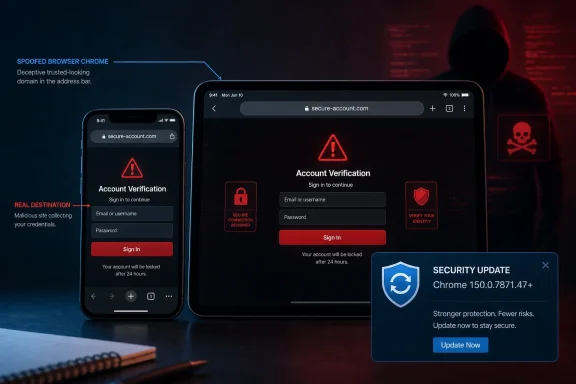 The Patch Fixes Chrome’s Story About the Page, Not the Page Itself
Google’s CVE description calls CVE-2026-13983 an “inappropriate implementation” in Chrome for iOS. In practical terms, a remote attacker could prepare an HTML page that, after persuading the user to perform specific interface gestures, caused the Omnibox—the browser’s URL bar—to display spoofed content.The attacker did not need an existing account, administrative privileges, or physical possession of the device. The page could be delivered remotely, but exploitation required high-complexity conditions and deliberate user interaction, according to the CVSS 3.1 vector contributed by CISA’s Automated Data Processing enrichment project, or CISA-ADP.
That interaction requirement is important, but it is not the same as meaningful consent. A victim does not need to understand that a gesture is triggering an exploit; the gesture can reportedly be presented as an ordinary part of navigating, dismissing, scrolling, entering a display mode, or otherwise interacting with attacker-controlled content.
The public record does not disclose the exact gesture sequence. The Chromium issue is marked as requiring permission, which is appropriate while users are still running vulnerable builds but limits defenders’ ability to reproduce the behavior independently.
What the available description does establish is the security boundary that failed. The Omnibox is supposed to be browser-controlled territory: a trusted display surface that tells users where rendered content originated. CVE-2026-13983 allowed web content, under specific circumstances, to influence the user’s perception of that trusted surface.
The difference between those statements matters. This is not merely a malicious page drawing a fake address bar inside its own content area, a technique any competent phisher can attempt. The CVE description says the attacker could spoof the contents of the Omnibox, placing the failure within Chrome’s security user interface rather than entirely inside the webpage.
That makes the bug an integrity problem in the browser’s account of reality. Chrome could still be connected to the attacker’s page, but the user might see address-bar content suggesting something safer.
A Medium Rating Conceals a High-Value Phishing Primitive
CISA-ADP assigned CVE-2026-13983 a CVSS 3.1 base score of 4.2, placing it in the medium-severity range. The vector is CVSS:3.1/AV:N/AC:H/PR:N/UI:R/S:U/C:N/I:L/A:L: network-reachable, high attack complexity, no privileges required, user interaction required, unchanged scope, no direct confidentiality impact, and low integrity and availability impacts.That profile is internally consistent. The vulnerability does not, by itself, describe password theft, arbitrary code execution, confidential-data disclosure, or a complete compromise of Chrome or iOS. The attacker must first persuade the victim to load crafted content and then perform the necessary gestures.
Yet CVSS scores are best understood as structured descriptions of technical characteristics, not complete predictions of business risk. A URL-spoofing primitive can become one component in a broader fraud chain, especially when combined with convincing branding, a plausible message, and a login or payment prompt.
The browser address bar occupies a special place in security education. Users are routinely told to check the domain before entering a password, approving a transaction, downloading a file, or granting access. That advice assumes the browser’s own interface is a more reliable witness than the webpage.
CVE-2026-13983 weakened that assumption. If a crafted page can cause the Omnibox to misrepresent the destination, then one of the few security checks available to an ordinary mobile user becomes unreliable at precisely the moment it is needed.
MITRE’s definition of CWE-451, the weakness category assigned by CISA-ADP, captures the broader problem: a user interface fails to represent critical information correctly, allowing information or its source to be hidden or spoofed. MITRE notes that such weaknesses often appear as components in phishing attacks because they can convince users that information originates from a trusted source.
This is why “medium” should determine remediation priority without defining the entire threat narrative. An unauthenticated remote-code-execution flaw normally deserves a more urgent response. But an organization exposed to targeted credential theft, financial fraud, executive impersonation, or help-desk social engineering has reasons to treat browser identity failures seriously.
The correct interpretation is neither panic nor indifference. This was a constrained vulnerability with no reported exploitation at the time of CISA’s assessment, but it undermined a security indicator upon which users are explicitly trained to rely.
Version 150.0.7871.47 Is the Security Boundary
The affected-version statement is straightforward despite awkward formatting in the underlying vulnerability record: Chrome for iOS versions before 150.0.7871.47 are affected. The operational target is therefore version 150.0.7871.47 or later.| Deployment state | Chrome for iOS version | Vulnerability status | Practical consequence |
|---|---|---|---|
| Unremediated | Earlier than 150.0.7871.47 | Affected | Crafted content may spoof the Omnibox after specific user gestures |
| Remediated | 150.0.7871.47 or later | Outside the affected range | Contains the correction for the behavior described by CVE-2026-13983 |
NIST’s configuration analysis joins two conditions. The vulnerable Chrome version must be present, and it must be running on Apple’s iPhone operating-system platform. That AND relationship is the database’s way of constraining the vulnerability to Chrome on iOS rather than declaring every Chrome installation on every platform affected.
This is particularly relevant for vulnerability scanners and software-asset tools that ingest CPE data. A scanner that notices only the generic Google Chrome application identifier, without evaluating the operating-system condition, could incorrectly flag Windows, macOS, Linux, or other Chrome deployments.
The reverse failure is also possible. Some enterprise inventories classify mobile applications less precisely than desktop software, leaving Chrome for iOS outside the normal browser-remediation workflow even when desktop Chrome is closely monitored.
Administrators should therefore avoid treating the word Chrome as sufficient scope information. CVE-2026-13983 is specifically recorded as a Chrome-on-iOS issue, and remediation verification should be performed against the mobile application version, not an organization’s desktop Chrome baseline.
The Advisory Trail Is Less Clean Than the Version Record
The NVD entry identifies Chrome as the CVE source and includes two references: a Chrome Releases post and a restricted Chromium issue. The Chromium reference is categorized as requiring permission, so the public cannot inspect the complete technical report, reproduction procedure, patch discussion, or original researcher’s analysis.The release-notes reference introduces an additional complication. The linked Chrome Releases page is titled “Stable Channel Update for Desktop” and announces Chrome 150 for Windows, Mac, and Linux, even though CVE-2026-13983 is explicitly scoped to Chrome for iOS.
That does not invalidate the CVE, version threshold, or NIST configuration. It does mean the advisory trail is imperfect: the public release reference does not provide an obvious, product-specific explanation of the iOS correction.
Google had separately announced Chrome Stable 150.0.7871.34 for iOS on June 17, 2026. That build remained below the fixed-version threshold recorded for CVE-2026-13983, illustrating why confirming only the major release number—Chrome 150—would not have been sufficient.
For defenders, this is more than a documentation complaint. Patch management relies on machine-readable boundaries and human-readable advisories agreeing clearly enough that an administrator can identify the vulnerable population, locate the correcting release, and demonstrate compliance.
Here, the machine-readable story is stronger than the public advisory story. The CVE description says “prior to 150.0.7871.47,” the affected-version object uses that threshold, and NIST’s CPE configuration excludes 150.0.7871.47. The linked public release note, however, is oriented toward desktop builds.
That mismatch should encourage careful verification, not speculation. There is no basis in the supplied record for declaring desktop Chrome affected, and administrators should not widen the scope merely because the release-notes URL mentions Windows, Mac, and Linux.
Nor should they assume that every device reporting “Chrome 150” is protected. Enterprise consoles that truncate application versions to a major number can hide the difference between an earlier Chrome 150 build and 150.0.7871.47.
The full four-part version is the evidence that matters.
The Exploit Needs a User, but That Is Exactly What Phishing Supplies
The CVSS vector’s user-interaction requirement can sound reassuring because it rules out a completely passive attack. Merely owning an iPhone with Chrome installed was not enough; the attacker had to convince the victim to open crafted content and engage in the required gestures.Social-engineering campaigns are designed to generate precisely that behavior. Their entire purpose is to convert urgency, authority, curiosity, fear, or routine into clicks and interface actions.
A message might claim that a document is waiting, a session has expired, a payment failed, an account requires verification, or a company portal has moved. The exploit would not need to carry the whole deception if the surrounding pretext had already persuaded the victim to follow instructions.
The public CVE record does not say that CVE-2026-13983 was used in any such campaign. CISA’s SSVC assessment recorded exploitation as “none,” automatable as “no,” and technical impact as “partial.”
Those labels sharply constrain the responsible conclusion. There was no reported exploitation in the assessment, the vulnerability was not considered readily automatable, and the technical impact was not total.
They do not mean exploitation was impossible or that vulnerable devices could safely remain unpatched. SSVC is decision-support information captured at a point in time, not a promise about future attacker behavior.
The “automatable: no” determination also fits the dependency on specific UI gestures. A mass scanner cannot necessarily identify a vulnerable device and complete the interaction without a person in the loop.
That lowers the vulnerability’s usefulness for indiscriminate automated compromise. It may matter less in a targeted phishing scenario where an attacker is already interacting indirectly with a carefully selected victim and can provide step-by-step instructions.
Administrators should preserve that distinction in internal reporting. Describing the bug as an actively exploited Chrome attack would overstate the evidence. Describing it as harmless because it required interaction would understate how modern phishing works.
URL-Bar Integrity Is a Security Control, Not a Cosmetic Feature
Security interfaces are often treated as decoration layered on top of the browser’s “real” protections: sandboxing, memory safety, process separation, certificate validation, and operating-system permissions. CVE-2026-13983 demonstrates why that hierarchy is incomplete.A secure connection is useful only if the user can determine which endpoint it secures. A sandbox can prevent a hostile page from directly controlling the operating system while still leaving the user vulnerable to entering credentials into the hostile page voluntarily.
The Omnibox bridges that gap. It translates the browser’s internal navigation state into information a human can inspect.
When the translation is wrong, the user can make a security decision based on false premises. The vulnerability may never need to read the victim’s password from Chrome’s memory if the victim can be persuaded to type the password directly into attacker-controlled content.
This does not establish that credential theft occurred through CVE-2026-13983. It explains why CWE-451 weaknesses are relevant to phishing even when their direct confidentiality impact is scored as none.
CVSS evaluates the immediate technical consequences attributed to the vulnerability. It does not necessarily model every downstream consequence of a human acting on spoofed information.
The low integrity impact in the CISA-ADP vector is therefore understandable but incomplete as an organizational risk summary. The browser interface is one layer of integrity; the decisions made because of that interface can affect accounts, approvals, payments, and business processes beyond the browser.
This gap between direct technical effect and potential social consequence is a recurring challenge in vulnerability triage. Memory-corruption bugs produce dramatic language and familiar remediation playbooks. Interface-deception bugs sit uncomfortably between software security and user behavior, where ownership is often fragmented.
Endpoint teams may see a browser update. Security-awareness teams may see phishing. Identity teams may see account compromise. Mobile administrators may see an application-version compliance problem.
CVE-2026-13983 is all of those things in limited form. Effective remediation requires one team to own the simple technical outcome: every managed Chrome for iOS installation must reach the fixed threshold.
Microsoft-Centric IT Still Owns the iPhone Browser Problem
This is not a Windows vulnerability, but it belongs in the risk register of Windows-oriented enterprises. Users do not stop accessing corporate identities, files, portals, and administrative workflows when they move from a Windows PC to an iPhone.The browser may be mobile while the account, application, data, and support process remain corporate. A security-interface failure on iOS can therefore become the first step in an incident that later appears in Windows sign-in logs, email systems, cloud applications, help-desk queues, or endpoint investigations.
Mixed-device environments make browser inventory especially difficult. Desktop administrators often know exactly which Chrome build is deployed on Windows, while mobile application updates are delegated to users or assumed to happen automatically through the app store.
Automatic updating reduces exposure but does not prove remediation. Devices can remain behind because they have been offline, lack storage, are subject to update restrictions, use delayed deployment policies, or simply have not completed the app-store rollout.
The fixed-version threshold gives administrators a measurable condition. A policy that says “automatic updates are enabled” describes an update mechanism; an inventory record showing 150.0.7871.47 or later demonstrates the desired state.
Bring-your-own-device populations complicate the picture further. Organizations may not have authority to inspect every installed application, yet those devices may still access company resources.
Where application-level inventory is unavailable, defenders may need to rely more heavily on access policy, user communication, phishing-resistant authentication, and incident detection. None of those measures repairs Chrome, but they reduce dependence on a single visual signal when a user is deciding whether to trust a page.
The vulnerability also supports a broader lesson for security training. Telling users to “check the URL” remains useful, but it should not be presented as an infallible test.
Users should be encouraged to open sensitive services through known applications, managed bookmarks, password-manager entries, or independently typed addresses rather than following links from unsolicited messages. Requests for credentials or payment should be verified through a separate channel when the context is unusual.
That guidance should supplement patching, not replace it. A training program cannot reliably teach users to compensate for a browser interface that may be misrepresenting the URL.
Vulnerability Databases Need Interpretation, Not Just Ingestion
The NVD record evolved in stages. Chrome first submitted the CVE description, references, and affected-version data. CISA-ADP then added the CVSS vector, CWE classification, and SSVC decision information. NIST later added the CPE configuration and reference classifications during its initial analysis.That sequence explains why vulnerability feeds can briefly disagree. One system may ingest the vendor record before CISA’s metrics arrive, while another may not display platform constraints until NIST completes its enrichment.
The fact table records the NVD entry as published on June 30, 2026, and last modified on July 6, 2026. Organizations that imported the CVE only once, at publication, may therefore hold less complete information than those that process subsequent modifications.
This is especially consequential for platform scoping. The initial vendor record named Google Chrome and described iOS in prose, but NIST’s later CPE analysis formally combined the Chrome version condition with the Apple iPhone operating-system condition.
Vulnerability-management systems should consume modified records rather than treating CVE publication as a one-time event. Enrichment can add the score, weakness category, exploitability context, references, and affected-platform logic required for accurate prioritization.
Human review remains necessary. Automated tools may misread unusual version schemas, flatten an AND configuration into separate findings, or attach an upstream CVE to unrelated packages that share a product family name.
Third-party vulnerability pages largely repeat the upstream description and version threshold. Some also map the record into broader Chromium or package ecosystems, but those mappings should not override the CVE’s explicit Chrome-for-iOS scope without separate vendor evidence.
The safest workflow begins with the source description, checks the platform-constrained CPE, reads the comparison operator, and then verifies the actual application version on devices. A severity label alone cannot perform that work.
Timeline
June 30, 2026, 7:17:11 PM: NVD recorded the new CVE submission from Chrome, including the description, references, and affected-version threshold.June 30, 2026, 10:16:54 PM: CISA-ADP modified the record by adding the CVSS 3.1 vector, CWE-451 classification, and SSVC data.
July 1, 2026, 01:52:49 UTC: The timestamp embedded in the SSVC assessment recorded exploitation as none, automatable as no, and technical impact as partial.
July 6, 2026, 2:29:06 PM: NIST’s initial analysis added the platform-specific CPE configuration and categorized the Chrome references.
The Right Response Is Fast, Measured, and Verifiable
CVE-2026-13983 does not justify an emergency response equivalent to an actively exploited remote-code-execution vulnerability. It does justify prompt browser updating and a focused check of mobile application inventory.Organizations should prioritize users who routinely handle sensitive approval flows on mobile devices. Executives, finance personnel, administrators, help-desk agents, developers with production access, and employees targeted by recurring impersonation campaigns have more to lose from a convincing browser-identity deception.
The remediation itself is uncomplicated: move Chrome for iOS to version 150.0.7871.47 or later. The harder part is proving that every relevant device has actually crossed the threshold.
Administrators should avoid relying on the major-version number, a generic “Chrome is current” status, or the version deployed to Windows endpoints. The vulnerability applies to the iOS application and requires inspection of its complete version string.
Action checklist for admins
- Inventory Chrome installations on managed iPhone and iPad devices.
- Identify every Chrome for iOS version earlier than 150.0.7871.47.
- Push or require the current application update through the organization’s mobile-management process.
- Verify the installed four-part version after deployment rather than checking only whether automatic updates are enabled.
- Confirm that vulnerability tools apply the Apple iPhone OS condition and do not flag unrelated desktop Chrome installations.
- Re-synchronize NVD data so the July 6, 2026 enrichment and platform configuration are present.
- Notify high-risk users that unexpected login or payment pages should be reopened through a trusted route rather than a message link.
- Monitor identity and help-desk signals for suspicious activity, while avoiding claims that this CVE was actively exploited.
What the Score Does—and Does Not—Tell Defenders
The 4.2 score gives administrators a rational starting point. High complexity and required user interaction reduce the probability of broad, effortless exploitation; no privileges are required, however, and the attack is network-deliverable.The score also limits the immediate effects to low integrity and availability impacts with no direct confidentiality loss. That is a useful technical characterization, but it should not be converted into the claim that credentials or sensitive workflows could never be placed at risk.
The distinction is causality. CVE-2026-13983 directly spoofs trusted browser information. A victim’s subsequent decision to enter a password would be a downstream social-engineering consequence, not necessarily a direct data-read capability of the vulnerability.
This is why organizations should resist two common triage errors. The first is escalating every browser CVE into an emergency because browsers hold valuable data. The second is ignoring lower-scored interface vulnerabilities because they do not offer immediate code execution.
A mature process asks how the primitive fits the organization’s actual threat model. For a kiosk with no credentials and tightly limited destinations, the practical impact may be modest. For mobile access to financial approvals or privileged cloud accounts, a convincing origin deception deserves faster attention.
The SSVC data supports a planned but timely response. “Exploitation: none” argues against incident language unsupported by evidence. “Automatable: no” suggests the attack does not scale as naturally as a wormable or scanner-driven flaw. “Technical impact: partial” confirms that this is not a complete platform takeover.
None of those values provides a reason to remain below the fixed version. Once a supported update exists and the remediation cost is low, leaving a known browser trust failure uncorrected offers little operational benefit.
The Evidence Defenders Should Carry Forward
The practical story is narrower than the word Chrome and more consequential than the word medium. It is a product-specific security-interface failure with a clear version boundary, limited public technical detail, no reported exploitation in CISA’s assessment, and an obvious role in potential phishing chains.- CVE-2026-13983 affects Google Chrome on iOS before 150.0.7871.47.
- The flaw can spoof Omnibox content after a victim performs specific UI gestures on a crafted HTML page.
- CISA-ADP scored it 4.2, medium severity, with high complexity and required user interaction.
- The SSVC assessment recorded no exploitation, no practical automation, and partial technical impact.
- The NVD configuration requires both the vulnerable Chrome range and Apple’s iPhone operating-system platform.
- Remediation should be proven with the full installed version, not assumed from automatic updates or the Chrome 150 major number.
References
- Primary source: NVD / Chromium
Published: 2026-07-11T15:40:34-07:00
Loading…
nvd.nist.gov - Security advisory: MSRC
Published: 2026-07-11T15:40:34-07:00
Original feed URL
Loading…
msrc.microsoft.com - Related coverage: security.snyk.io
Loading…
security.snyk.io - Related coverage: issues.chromium.org
Loading…
issues.chromium.org - Related coverage: radar.offseq.com
Loading…
radar.offseq.com - Related coverage: chromereleases.googleblog.com
Chrome Releases: Chrome Stable for iOS Update
Hi everyone! We've just released Chrome Stable 150 (150.0.7871.34) for iOS; it'll become available on App Store in the next few hours. This ...chromereleases.googleblog.com
- Related coverage: edelivery.windriver.com
Wind River Linux End-April 2016 Security Bulletin
Wind River Linux End-April 2016 Security Bulletinedelivery.windriver.com
- Related coverage: tomsguide.com
Loading…
www.tomsguide.com - Related coverage: itpro.com
Loading…
www.itpro.com