

Chrome on iOS versions before 150.0.7871.47 are affected by CVE-2026-14028. Chrome on Windows is not established as affected by the available record. Administrators should update affected iPhones, confirm that Chrome is at version 150.0.7871.47 or later, and validate the platform context of any scanner alert assigned to a Windows endpoint. The flaw requires a crafted HTML page and specific user gestures and can result in browser security-interface spoofing. Chromium rates it Low; CISA-ADP calculated a 4.2 Medium CVSS v3.1 score.
CVE-2026-14028 is an incorrect-security-UI vulnerability affecting Google Chrome on iOS before version 150.0.7871.47. According to the CVE description submitted by Chrome, a remote attacker can exploit the defect by convincing a user to perform specific UI gestures on a crafted HTML page.
That qualification matters. The public description does not present this as a zero-click attack or as direct device compromise. A victim must encounter attacker-controlled content and interact with it in the required way. CISA-ADP’s CVSS vector records a network attack vector, high attack complexity, no required privileges, and required user interaction.
The documented result is UI spoofing. The public record does not establish arbitrary code execution, sandbox escape, access to stored passwords, theft of cookies, extraction of device data, or compromise of iOS itself. An outdated installation should therefore be treated as vulnerable, not as proof that the device has been breached.
The description also does not provide enough detail to reconstruct the exact interface state, visual element, or gesture sequence involved. Reporting should remain limited to what is documented: crafted HTML and specific user gestures can allow security UI spoofing in affected Chrome for iOS versions.
The security significance is narrow but real. Browser interfaces help users distinguish application controls from webpage content. A defect that permits security-interface spoofing can weaken that distinction even when it does not provide direct control over the browser or device.
General security commentary: User interaction is a constraint, but it is not a replacement for patching. Security awareness can reduce exposure to deceptive content, yet users should not be expected to compensate indefinitely for a known application flaw when a fixed version is available.
CISA-ADP’s vector is
The vector should not be expanded into effects that the record does not document. In particular, the low availability component does not establish that the flaw can crash an iPhone, disable Chrome, or interrupt an enterprise service. Likewise, the no-confidentiality-impact value does not support claims that this CVE itself enables credential theft, cookie theft, file access, or data extraction.
Chromium’s Low rating and CISA-ADP’s 4.2 Medium score should be reported as separate documented assessments. The public record does not provide a basis for asserting unpublished Google decision criteria or explaining precisely how Google reached its vendor rating.
For administrators, the useful conclusion is straightforward: the vulnerability does not warrant language normally reserved for an actively exploited remote-code-execution emergency, but affected installations should still be updated to the documented fixed version.
The record supports a limited set of conclusions:
General security commentary: UI integrity is part of browser security because users rely on visible application controls when deciding whether to continue an interaction. That observation explains why the flaw deserves remediation without implying that every deceptive webpage or imitation prompt represents exploitation of this CVE.
This distinction is particularly important for WindowsForum readers. Vulnerability-management products sometimes present findings under a broad application name such as “Google Chrome,” while the underlying applicability rule may include additional platform conditions.
For CVE-2026-14028, the relevant NIST configuration combines the Google Chrome application range with the Apple iPhone operating-system context. The affected condition is therefore not simply “Chrome below 150.0.7871.47.” It is the affected Chrome version range in the iPhone platform context.
The documented version boundary is also clear: versions prior to 150.0.7871.47 are affected. Chrome for iOS at version 150.0.7871.47 or later is outside that range.
Administrators should use the explicit range boundary instead of reading a machine-readable version field as though it named a single vulnerable build. The practical test is whether an iPhone has Chrome installed and whether that installation is older than 150.0.7871.47.
A Windows finding may be a product-name match, a platform-context error, or an asset-correlation problem. Those possibilities should be verified in the product generating the alert rather than assumed to apply universally to all scanners.
The affected product is Google Chrome on iOS. The documented remediation threshold belongs to the Chrome application. Administrators should therefore update Chrome rather than waiting for an unspecified iOS security release.
An iOS update may be appropriate for separate security, compatibility, or support reasons, but the available CVE record does not provide an affected iOS version range or identify an iOS update as the remedy for CVE-2026-14028.
This distinction matters in mixed-platform inventories. An application CPE and an operating-system CPE can appear together because both are required to describe the vulnerable configuration. The presence of both should not be simplified into a claim that both products contain the vulnerability.
For managed devices, administrators should verify the result through available mobile inventory where possible. A deployment action, user notification, or assumed automatic update is not the same as confirmation that the fixed version is installed.
Organizations communicating directly with users can keep the message concise:
A Windows-focused endpoint inventory may provide detailed desktop browser information while offering little or no visibility into mobile applications. If employees use personal or corporate iPhones to access business resources, a desktop-only inventory cannot establish whether Chrome for iOS is present or whether it has reached the fixed version.
Teams should determine which source of record covers mobile applications. Depending on the environment, that may be a mobile-device inventory, an application-management console, a security platform receiving mobile data, or a user-assisted verification process.
Claims about what a particular management product can inventory, deploy, or enforce should be checked against that product’s documented capabilities and the organization’s actual configuration. The existence of mobile management does not by itself prove that Chrome versions are visible or that updates are enforced.
Where centralized visibility is unavailable, the exact App Store procedure gives end users a clear remediation path. IT should then define how completion will be confirmed—for example, through application inventory where available or a targeted support process for devices that cannot demonstrate the required version.
The browser name alone is not enough for reliable vulnerability management. Chrome on Windows and Chrome on iOS may share branding, but CVE applicability can depend on the platform-specific implementation. Asset records should preserve both the application and operating-system context.
This recommendation reflects business exposure, not an assertion that CVE-2026-14028 establishes credential theft, account compromise, or device takeover. Those outcomes are not documented effects of the vulnerability.
Other affected iPhones should receive the update through the organization’s normal, time-bounded application-patching process. An accelerated deadline may be appropriate for sensitive roles, while ordinary devices can be handled through routine update and verification procedures.
No device should be declared compromised solely because it is running a version before 150.0.7871.47. Incident-response escalation requires separate evidence, such as a relevant user report, a malicious-site detection, or other security telemetry. Even then, investigators should distinguish evidence of general malicious activity from proof that this specific CVE was exploited.
If the CVE appears on a Windows workstation, the preferred response is not to patch Windows Chrome specifically for this issue or to suppress the CVE everywhere. The preferred response is to inspect how the scanner associated an iOS-specific affected configuration with a Windows asset.
Documenting non-applicability creates a better audit trail than closing the alert with a generic “false positive” label. The disposition should state that the available record identifies Chrome on iOS before 150.0.7871.47, while the evaluated asset runs a non-iOS platform not established as affected.
The exception should be scoped to the validated asset class or platform. That preserves visibility if mobile inventory later identifies a genuinely affected iPhone.
This approach can also expose broader inventory weaknesses. If a vulnerability platform loses the operating-system condition for this CVE, administrators should review whether other application findings are similarly missing architecture, edition, component, or platform qualifiers. That is a data-quality review prompted by the alert, not a claim that all scanners behave in the same way.
The remedy is direct: update Chrome on affected iPhones and verify version 150.0.7871.47 or later. Chrome on Windows is not established as affected by the available record, so Windows scanner findings should be resolved through platform and CPE validation rather than assumed exposure.
The broader operational lesson is not to inflate a constrained UI flaw into an unsupported compromise scenario. It is to preserve enough asset context to answer three basic questions accurately: which product is affected, on which platform, and whether the fixed version is actually installed.
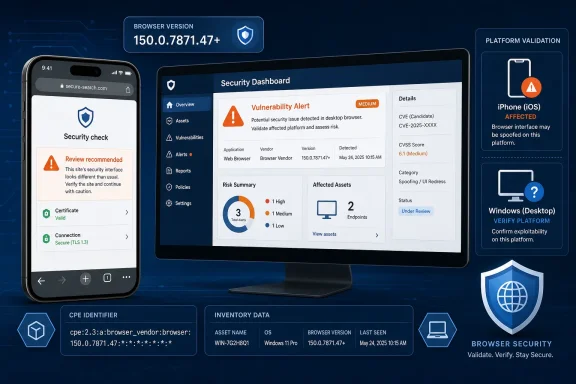 The Attack Targets Judgment, Not the Browser Sandbox
CVE-2026-14028 is an incorrect-security-UI vulnerability affecting Google Chrome on iOS before version 150.0.7871.47. According to the CVE description submitted by Chrome, a remote attacker can exploit the defect by convincing a user to perform specific UI gestures on a crafted HTML page.That qualification matters. The public description does not present this as a zero-click attack or as direct device compromise. A victim must encounter attacker-controlled content and interact with it in the required way. CISA-ADP’s CVSS vector records a network attack vector, high attack complexity, no required privileges, and required user interaction.
The documented result is UI spoofing. The public record does not establish arbitrary code execution, sandbox escape, access to stored passwords, theft of cookies, extraction of device data, or compromise of iOS itself. An outdated installation should therefore be treated as vulnerable, not as proof that the device has been breached.
The description also does not provide enough detail to reconstruct the exact interface state, visual element, or gesture sequence involved. Reporting should remain limited to what is documented: crafted HTML and specific user gestures can allow security UI spoofing in affected Chrome for iOS versions.
The security significance is narrow but real. Browser interfaces help users distinguish application controls from webpage content. A defect that permits security-interface spoofing can weaken that distinction even when it does not provide direct control over the browser or device.
General security commentary: User interaction is a constraint, but it is not a replacement for patching. Security awareness can reduce exposure to deceptive content, yet users should not be expected to compensate indefinitely for a known application flaw when a fixed version is available.
“Low” and “Medium” Are the Documented Ratings
The records currently provide two different severity results:| Assessment source | Framework | Result | Documented status |
|---|---|---|---|
| Chromium | Vendor severity | Low | Published |
| CISA-ADP | CVSS v3.1 | 4.2 Medium | Published |
| NVD | NVD CVSS assessment | Not provided | NVD had not supplied its own assessment |
CVSS:3.1/AV:N/AC:H/PR:N/UI:R/S:U/C:N/I:L/A:L. It records a network-reachable attack, high attack complexity, no privileges required, required user interaction, unchanged scope, no confidentiality impact, low integrity impact, and low availability impact.The vector should not be expanded into effects that the record does not document. In particular, the low availability component does not establish that the flaw can crash an iPhone, disable Chrome, or interrupt an enterprise service. Likewise, the no-confidentiality-impact value does not support claims that this CVE itself enables credential theft, cookie theft, file access, or data extraction.
Chromium’s Low rating and CISA-ADP’s 4.2 Medium score should be reported as separate documented assessments. The public record does not provide a basis for asserting unpublished Google decision criteria or explaining precisely how Google reached its vendor rating.
For administrators, the useful conclusion is straightforward: the vulnerability does not warrant language normally reserved for an actively exploited remote-code-execution emergency, but affected installations should still be updated to the documented fixed version.
CWE-451 Identifies a Security-Interface Problem
CISA-ADP maps CVE-2026-14028 to CWE-451, “User Interface (UI) Misrepresentation of Critical Information.” This classification identifies the central issue more precisely than a broad reference to phishing or social engineering: the affected application can present security-relevant interface information in a misleading way under the documented conditions.The record supports a limited set of conclusions:
- The vulnerable product is Google Chrome on iOS.
- Versions before 150.0.7871.47 are affected.
- Exploitation is remote through crafted HTML.
- The attacker must induce specific user gestures.
- The documented result is security UI spoofing.
- The record does not establish direct device compromise or data theft.
General security commentary: UI integrity is part of browser security because users rely on visible application controls when deciding whether to continue an interaction. That observation explains why the flaw deserves remediation without implying that every deceptive webpage or imitation prompt represents exploitation of this CVE.
The Affected Platform Is Chrome on iOS
The available product and configuration information identifies Chrome on iOS as the affected context. It does not establish that the same flaw affects Chrome on Windows, macOS, Linux, Android, ChromeOS, Microsoft Edge, or another Chromium-based browser.This distinction is particularly important for WindowsForum readers. Vulnerability-management products sometimes present findings under a broad application name such as “Google Chrome,” while the underlying applicability rule may include additional platform conditions.
For CVE-2026-14028, the relevant NIST configuration combines the Google Chrome application range with the Apple iPhone operating-system context. The affected condition is therefore not simply “Chrome below 150.0.7871.47.” It is the affected Chrome version range in the iPhone platform context.
The documented version boundary is also clear: versions prior to 150.0.7871.47 are affected. Chrome for iOS at version 150.0.7871.47 or later is outside that range.
Administrators should use the explicit range boundary instead of reading a machine-readable version field as though it named a single vulnerable build. The practical test is whether an iPhone has Chrome installed and whether that installation is older than 150.0.7871.47.
This workflow provides a concrete disposition without treating every Chrome installation as exposed. It also turns an unexpected Windows alert into a useful test of whether the scanner preserves platform-specific CPE logic.WindowsForum scanner-alert validation
If CVE-2026-14028 appears against a Windows asset:
- Open the finding and inspect its CPE, platform, and operating-system conditions.
- Determine whether the alert came from Windows software inventory, mobile inventory, or a combined asset feed.
- Check whether the organization has any managed or enrolled iPhones running Chrome before 150.0.7871.47.
- If the asset is genuinely an iPhone with an affected Chrome version, update and verify it.
- If the asset is Windows or another non-iOS platform, document non-applicability because the available record does not establish that platform as affected.
- Do not globally suppress the CVE. Preserve detection for current or future iOS inventory while excluding validated non-iOS assets.
A Windows finding may be a product-name match, a platform-context error, or an asset-correlation problem. Those possibilities should be verified in the product generating the alert rather than assumed to apply universally to all scanners.
The iPhone Context Does Not Make This an iOS Vulnerability
The inclusion of Apple’s iPhone operating-system CPE describes the platform on which the affected Chrome application runs. It does not establish a vulnerability in iOS itself, and it does not identify Apple as the vendor responsible for the Chrome flaw.The affected product is Google Chrome on iOS. The documented remediation threshold belongs to the Chrome application. Administrators should therefore update Chrome rather than waiting for an unspecified iOS security release.
An iOS update may be appropriate for separate security, compatibility, or support reasons, but the available CVE record does not provide an affected iOS version range or identify an iOS update as the remedy for CVE-2026-14028.
This distinction matters in mixed-platform inventories. An application CPE and an operating-system CPE can appear together because both are required to describe the vulnerable configuration. The presence of both should not be simplified into a claim that both products contain the vulnerability.
Exact End-User Remediation
Affected users should update Chrome directly on the iPhone:- Open the App Store on the iPhone.
- Search for Google Chrome.
- Open the Google Chrome App Store listing.
- Tap Update if the button is available.
- After the update completes, open Chrome.
- Check Chrome’s version information and verify that the installed version is 150.0.7871.47 or later.
For managed devices, administrators should verify the result through available mobile inventory where possible. A deployment action, user notification, or assumed automatic update is not the same as confirmation that the fixed version is installed.
Organizations communicating directly with users can keep the message concise:
The notice should avoid describing the flaw as a critical iPhone takeover or claiming that an affected device has been compromised. Neither conclusion is supported by the documented record.Chrome on iPhone versions before 150.0.7871.47 contain a security-interface spoofing flaw. Open the App Store, search for Google Chrome, tap Update, and then confirm that Chrome is version 150.0.7871.47 or later.
Mobile Inventory Determines Actual Exposure
For this CVE, the central operational question is whether the organization can identify Chrome versions installed on iPhones.A Windows-focused endpoint inventory may provide detailed desktop browser information while offering little or no visibility into mobile applications. If employees use personal or corporate iPhones to access business resources, a desktop-only inventory cannot establish whether Chrome for iOS is present or whether it has reached the fixed version.
Teams should determine which source of record covers mobile applications. Depending on the environment, that may be a mobile-device inventory, an application-management console, a security platform receiving mobile data, or a user-assisted verification process.
Claims about what a particular management product can inventory, deploy, or enforce should be checked against that product’s documented capabilities and the organization’s actual configuration. The existence of mobile management does not by itself prove that Chrome versions are visible or that updates are enforced.
Where centralized visibility is unavailable, the exact App Store procedure gives end users a clear remediation path. IT should then define how completion will be confirmed—for example, through application inventory where available or a targeted support process for devices that cannot demonstrate the required version.
The browser name alone is not enough for reliable vulnerability management. Chrome on Windows and Chrome on iOS may share branding, but CVE applicability can depend on the platform-specific implementation. Asset records should preserve both the application and operating-system context.
Recommendation for Prioritization
Recommendation: Prioritize managed iPhones used for sensitive workflows, including privileged administration, identity operations, payment approval, executive access, financial activity, and access to high-value business systems.This recommendation reflects business exposure, not an assertion that CVE-2026-14028 establishes credential theft, account compromise, or device takeover. Those outcomes are not documented effects of the vulnerability.
Other affected iPhones should receive the update through the organization’s normal, time-bounded application-patching process. An accelerated deadline may be appropriate for sensitive roles, while ordinary devices can be handled through routine update and verification procedures.
No device should be declared compromised solely because it is running a version before 150.0.7871.47. Incident-response escalation requires separate evidence, such as a relevant user report, a malicious-site detection, or other security telemetry. Even then, investigators should distinguish evidence of general malicious activity from proof that this specific CVE was exploited.
Action Checklist for Administrators
- Inventory Google Chrome installations on managed or business-connected iPhones.
- Identify Chrome for iOS versions earlier than 150.0.7871.47.
- Tell affected users to open the App Store, search for Google Chrome, and tap Update.
- Require verification that Chrome is at version 150.0.7871.47 or later.
- Prioritize managed iPhones used for sensitive business workflows.
- Validate the CPE and platform context of scanner alerts assigned to Windows assets.
- Document Chrome on Windows and other non-iOS platforms as non-applicable unless new vendor information establishes otherwise.
- Avoid globally suppressing CVE-2026-14028, because doing so could conceal a valid finding in iOS inventory.
- Do not treat an outdated Chrome installation as evidence of compromise.
- Avoid claims that the CVE establishes credential theft, data access, sandbox escape, arbitrary code execution, or iPhone takeover.
- Reassess the finding if Google, CISA-ADP, or NVD publishes materially different product scope, scoring, or remediation information.
Windows Fleets Should Treat False Positives as a Data-Quality Test
For Windows administrators, CVE-2026-14028 is primarily a platform-validation issue unless the organization also manages iPhones.If the CVE appears on a Windows workstation, the preferred response is not to patch Windows Chrome specifically for this issue or to suppress the CVE everywhere. The preferred response is to inspect how the scanner associated an iOS-specific affected configuration with a Windows asset.
Documenting non-applicability creates a better audit trail than closing the alert with a generic “false positive” label. The disposition should state that the available record identifies Chrome on iOS before 150.0.7871.47, while the evaluated asset runs a non-iOS platform not established as affected.
The exception should be scoped to the validated asset class or platform. That preserves visibility if mobile inventory later identifies a genuinely affected iPhone.
This approach can also expose broader inventory weaknesses. If a vulnerability platform loses the operating-system condition for this CVE, administrators should review whether other application findings are similarly missing architecture, edition, component, or platform qualifiers. That is a data-quality review prompted by the alert, not a claim that all scanners behave in the same way.
The Practical Answer Is Version and Platform Verification
CVE-2026-14028 is a Chrome on iOS security-interface spoofing flaw affecting versions before 150.0.7871.47. It requires crafted HTML and specific user gestures. Chromium rates it Low, CISA-ADP supplied a 4.2 Medium CVSS v3.1 vector, and NVD had not supplied its own assessment.The remedy is direct: update Chrome on affected iPhones and verify version 150.0.7871.47 or later. Chrome on Windows is not established as affected by the available record, so Windows scanner findings should be resolved through platform and CPE validation rather than assumed exposure.
The broader operational lesson is not to inflate a constrained UI flaw into an unsupported compromise scenario. It is to preserve enough asset context to answer three basic questions accurately: which product is affected, on which platform, and whether the fixed version is actually installed.
References
- Primary source: NVD / Chromium
Published: 2026-07-11T15:40:37-07:00
Loading…
nvd.nist.gov - Security advisory: MSRC
Published: 2026-07-11T15:40:37-07:00
Original feed URL
Loading…
msrc.microsoft.com - Related coverage: chromereleases.googleblog.com
Chrome Releases: Chrome Stable for iOS Update
Hi everyone! We've just released Chrome Stable 150 (150.0.7871.34) for iOS; it'll become available on App Store in the next few hours. This ...chromereleases.googleblog.com
- Related coverage: cvefeed.io
Loading…
cvefeed.io - Related coverage: radar.offseq.com
Loading…
radar.offseq.com - Related coverage: itpro.com
Everything you need to know about Google and Apple’s emergency zero-day patches | IT Pro
A serious zero-day bug was spotted in Chrome systems that impacts Apple users too, forcing both companies to issue emergency patcheswww.itpro.com