

CVE-2026-14062 is a low-severity Chromium security flaw disclosed on June 30, 2026, affecting Google Chrome on ChromeOS before version 150.0.7871.47, where a malicious Chrome extension could potentially read sensitive process memory after persuading a user to install it. The bug sits in Chromium’s Views UI framework, not in the web rendering engine that usually dominates browser panic cycles. That distinction matters: this is not a drive-by web exploit story, but it is a reminder that extensions remain one of Chrome’s most durable weak points. The practical answer is simple — update Chrome or ChromeOS, review extension policy, and do not let the “Low” label lull you into ignoring the control plane around browser add-ons.
The National Vulnerability Database entry for CVE-2026-14062 describes the issue as an “inappropriate implementation in Views” in Google Chrome on ChromeOS prior to 150.0.7871.47. NVD says the flaw could allow an attacker, after convincing a user to install a malicious extension, to obtain potentially sensitive information from process memory through a crafted Chrome extension. Google’s own Chrome Releases blog lists the bug in the Chrome 150 stable-channel update published June 30, 2026, where it appears among a very large batch of security fixes.
That last detail is important. Chrome 150 was not a tiny emergency release with one spectacular zero-day at the center of it; Google said the desktop stable update contained 433 security fixes. CVE-2026-14062 is one line in that long ledger, marked by Chromium as Low severity and reported internally by Google on April 14, 2026.
But low severity does not mean no operational relevance. The exploit path requires user interaction of a very specific kind: the user must install a malicious extension. That requirement dramatically lowers the likelihood of mass exploitation, yet it maps uncomfortably well onto the way many organizations actually lose browser trust — not through a single browser sandbox escape, but through an add-on that a user, department, or vendor workflow has already been conditioned to accept.
Chrome’s extension ecosystem is both a feature and a risk surface. It lets users customize workflows, integrate password managers, automate admin tasks, clip research, inspect pages, and tie SaaS tools into the browser. It also gives attackers a familiar social-engineering target: “install this helper,” “add this productivity plugin,” “enable this meeting extension,” “use this coupon tool,” or “deploy this internal companion extension.”
CVE-2026-14062 therefore belongs in the category of bugs that are easy to underestimate if you read CVSS as a substitute for threat modeling. The vulnerability is narrow. The lesson is broad.
NVD’s description points to Views, Chromium’s cross-platform UI framework used for browser interface components. Instead of a remote website directly exploiting a rendering path, the described attack depends on a malicious Chrome extension. The potential impact is exposure of sensitive process memory, not arbitrary code execution or browser takeover, at least based on the public description.
CISA’s ADP enrichment gives the vulnerability a CVSS 3.1 base score of 5.9, Medium, with high confidentiality impact and no stated integrity or availability impact. That creates an interesting split in the language around the bug: Chromium’s security severity is Low, while CISA’s derived scoring lands in Medium territory because information disclosure can be serious even when exploitation is constrained.
Neither label is necessarily wrong. Chromium’s severity classification reflects Google’s internal view of exploitability and product risk; CVSS tries to encode impact and attack conditions using a standardized vector. The gap between the two is a useful reminder that security severity is not a single truth. It is a model, and models emphasize different things.
For WindowsForum readers, the nuance is familiar. A vulnerability that requires a malicious extension may not deserve a red-alert banner across every help desk dashboard, but it does deserve a glance from anyone responsible for ChromeOS fleets, managed Chrome profiles, extension allowlists, or browser-hardening baselines.
Google’s Chrome Releases post, meanwhile, announced Chrome 150 stable for Windows, Mac, and Linux, with version 150.0.7871.46 on Linux and 150.0.7871.46/.47 on Windows and Mac. The same post lists CVE-2026-14062 as part of the security fix rollup. Public advisories sometimes blur product boundaries because Chromium bugs can live in shared code while exploitation conditions or affected configurations vary by platform.
That is where CPEs matter, and also where they become frustrating. The NVD page’s visible affected configuration uses an AND structure: Chrome versions below 150.0.7871.47 and ChromeOS. In plain English, the database is trying to represent a Chrome-on-ChromeOS condition rather than a generic Chrome-anywhere condition. If your vulnerability scanner flattens that into “Google Chrome before 150.0.7871.47” without respecting the operating-system condition, it may over-report exposure on Windows endpoints.
The opposite mistake is more dangerous. If an organization sees the Chrome Releases desktop post, assumes this is just another desktop Chrome update, and ignores managed ChromeOS devices because they are “appliances,” it misses the place where the NVD description says the vulnerability matters. ChromeOS has always sold a cleaner administrative model, but it is still a browser-centered endpoint with user identity, extension permissions, cached data, enterprise enrollment state, and access to internal apps.
The best reading is conservative but not panicked. Patch Chrome and ChromeOS through normal channels, verify that ChromeOS devices have moved beyond the affected build, and make sure the extension policy is not a decorative document nobody enforces.
In reality, extension installation is a policy problem first and a user problem second. If users can install arbitrary extensions, every employee becomes a local procurement department for code that runs inside the most important application on the machine. If admins allow extensions broadly but block only the obviously malicious ones, they are betting on reputation systems, store review, and post-hoc takedown to keep pace with adversaries.
Chrome extensions are not merely cosmetic. Depending on their permissions, they can read and modify web pages, observe browsing activity, interact with authentication flows, inject scripts, and bridge browser activity with external services. Even when a specific CVE’s technical impact is limited to memory disclosure, the delivery mechanism sits in a much richer trust environment.
That is why the exploit prerequisite should not be dismissed. A malicious extension requirement means mass exploitation is harder, automation is less straightforward, and a clean default configuration is safer. It does not mean the vulnerability is irrelevant, because social engineering has always been the attacker’s cheapest exploit kit.
CISA’s SSVC enrichment marks exploitation as “none,” automatable as “no,” and technical impact as “partial,” according to the NVD change history. Those are calming signals. They are also a snapshot of what was known at enrichment time, not a permanent guarantee that nobody will try to weaponize the pattern later in a more targeted way.
That makes UI framework bugs especially interesting. The browser interface is where permission prompts, extension controls, identity indicators, security warnings, profile boundaries, download prompts, and settings panels live. A flaw in a UI component may not look as glamorous as a renderer memory corruption bug, but the UI layer is where technical policy becomes human decision-making.
CVE-2026-14062 is described as potential process-memory exposure, not spoofed UI or permission bypass. Still, the fact that Views appears repeatedly in Chrome security releases should make administrators wary of treating “browser UI” as harmless surface area. The code that displays browser chrome is part of the trust experience, and extensions often interact with or depend on that experience.
This is especially relevant on ChromeOS, where the browser and the operating environment are tightly coupled in the user’s daily workflow. On Windows, Chrome is one app among many. On ChromeOS, Chrome is much closer to the front door of the endpoint.
The industry spent years teaching users to look for locks, prompts, icons, warnings, and permission dialogs. That means browser UI code carries a security burden beyond pixels. When something goes wrong there, the consequences can be subtle, and subtle bugs are often the ones that survive longest in complex fleets.
The immediate operational task is therefore not exotic. Confirm that ChromeOS devices and managed Chrome deployments have reached the fixed channel version appropriate for their platform. Where version reporting is centralized through Google Admin console, endpoint-management tooling, or inventory agents, this should be a quick compliance query rather than a workstation-by-workstation scavenger hunt.
The second task is to check whether extension controls are doing real work. If your organization allows users to install any extension from the Chrome Web Store unless it is explicitly blocked, you are operating in a higher-risk posture than an organization with curated allowlists. CVE-2026-14062 does not prove that every open extension policy is doomed, but it does illustrate how a browser bug can convert a bad extension decision into a deeper confidentiality problem.
The third task is to watch for scanner noise. Because NVD’s CPE modeling includes both Chrome and ChromeOS, vulnerability-management tools may disagree about whether Windows Chrome, macOS Chrome, Linux Chrome, or only ChromeOS should be flagged. When scanners disagree, the answer is not to suppress the finding blindly; it is to inspect the advisory text, understand the CPE logic, and document the local exposure decision.
That documentation matters. Six months from now, someone will ask why a Medium CVSS item with high confidentiality impact was marked low priority. The correct answer should not be “because Google said Low.” It should be “because exploitation required malicious extension installation, CISA noted no known exploitation and no automation, affected assets were patched, and extension installation was restricted by policy.”
CPEs were designed to make software identification machine-readable. In practice, they are also a source of operational friction because modern software rarely maps cleanly to one product string. Chrome is a browser, Chromium is a project, ChromeOS is an operating system, and shared components may exist across channels, platforms, and downstream products. Then a scanner has to decide what “affected” means on an actual device with a specific installed build.
This is why vulnerability teams should treat CPEs as evidence, not gospel. NVD enrichment is valuable, but it can lag vendor releases, change after initial publication, or encode platform scope in a way that some tools mishandle. The change history for CVE-2026-14062 shows exactly that kind of enrichment sequence: the CVE arrived from Chrome on June 30, CISA added CVSS and CWE data the same day, and NIST added its initial CPE analysis on July 2.
That chronology also explains why early scanner results can wobble. If your tool ingested the CVE before NIST added the platform-specific CPE configuration, its first interpretation may differ from a later one. If your reporting pipeline snapshots vulnerability state once a day, you may see inconsistent severity, applicability, or asset counts across the first week.
None of this means the vulnerability is more dangerous than advertised. It means the metadata around vulnerabilities is part of the security workload. In a modern enterprise, a CVE is not just a bug; it is a data object that flows through scanners, dashboards, service tickets, exception forms, compliance reports, and executive summaries.
Chromium is no longer just the engine behind Google Chrome. It is a common substrate for Microsoft Edge and a large part of the desktop app ecosystem. CVE-2026-14062 is not, based on the public advisory, an Edge vulnerability bulletin. But Chromium bug patterns matter to Windows administrators because the boundary between browser, app runtime, and operating-system workflow has become blurry.
The extension lesson is even more directly applicable. Microsoft Edge supports Chromium-style extensions and enterprise extension policies. Chrome on Windows is everywhere in business environments. If your policy posture would allow a malicious extension to land in ChromeOS, it may also allow questionable extensions on Windows browsers unless you have separated policies by platform and browser.
There is also a cultural reason to care. Security teams tend to triage by headline severity, and Windows teams tend to prioritize OS patches, Office fixes, VPN appliances, identity incidents, and exploited edge devices. Browser extension governance often falls between desktop engineering, security operations, and SaaS administration. CVE-2026-14062 is a useful excuse to drag that governance back into the room.
The hard truth is that most organizations have better patch muscle than extension muscle. They know how to push a browser update. They are less consistent about deciding who may install extensions, which permissions are acceptable, how stale add-ons are retired, and how a business unit justifies an exception.
A mature Chrome or ChromeOS deployment should start from denial, not trust. Users should not be able to install arbitrary extensions because they saw a convincing prompt in a workflow, email, ticket, or vendor document. Approved extensions should be tied to business need, reviewed for permissions, monitored for publisher changes, and removed when no longer needed.
This is not glamorous work. It requires inventory, ownership, exception handling, and occasional political fights with teams that rely on obscure browser helpers. But it is exactly the kind of work that turns a malicious-extension prerequisite from “phishable” into “blocked by default.”
Chrome’s enterprise controls give organizations the tools to do much of this, but tools do not create policy by themselves. An allowlist that includes every extension anyone has ever requested is just a blocklist wearing a nicer suit. A review process that never re-reviews extensions after installation is a one-time trust ceremony for code that can change over time.
CVE-2026-14062 should therefore be handled as both a patch item and a governance check. If the only result is that every device moves to the fixed version, the organization has done the minimum. If the result includes tighter extension controls and cleaner asset applicability logic, the advisory has paid a larger dividend.
That complexity changes how we should read individual CVEs. A low-severity information disclosure bug is not an isolated curiosity; it is one bead on a long string of memory, validation, policy, UI, and lifecycle issues. Most will never become famous. Some will be chained. Many will be fixed quietly before attackers can do anything useful with them.
Chrome’s rapid update model is designed for this reality. The browser is patched constantly because it has to be. The bargain is that users and admins accept frequent change in exchange for a smaller window of exposure. ChromeOS pushes that bargain further by tying the browser-centered endpoint to a managed update cadence.
But patch velocity can create alert fatigue. If every Chrome release contains dozens or hundreds of security fixes, security teams eventually stop reading the details. That is understandable, but it also means the organization’s default controls must be strong enough to survive inattentive humans.
CVE-2026-14062 is a perfect example. It probably does not warrant an emergency bridge call. It does warrant confidence that the automatic update machinery works, that ChromeOS devices are not stranded on old channels, that extension installs are controlled, and that vulnerability scanners understand the platform scope.
That said, information disclosure bugs are not harmless just because they lack code execution. Sensitive process memory is a vague phrase, but vague does not mean meaningless. Depending on process boundaries and what data is reachable, memory disclosure can expose tokens, fragments of user data, internal state, or other material useful in a larger attack.
The malicious-extension requirement should guide prioritization. A locked-down school Chromebook fleet with a tight allowlist and enforced updates faces a different risk than a loosely managed environment where users install extensions freely. A corporate ChromeOS deployment used for privileged SaaS access deserves closer scrutiny than a lab device with no sensitive accounts.
This is the basic discipline of vulnerability management: the CVE tells you the shape of the bug, not the shape of your risk. Your risk comes from the intersection of the bug, your assets, your controls, your users, and your adversaries.
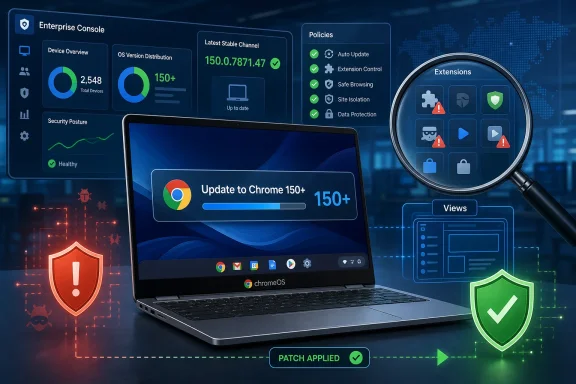 A Low-Severity Bug With an Enterprise-Shaped Shadow
The National Vulnerability Database entry for CVE-2026-14062 describes the issue as an “inappropriate implementation in Views” in Google Chrome on ChromeOS prior to 150.0.7871.47. NVD says the flaw could allow an attacker, after convincing a user to install a malicious extension, to obtain potentially sensitive information from process memory through a crafted Chrome extension. Google’s own Chrome Releases blog lists the bug in the Chrome 150 stable-channel update published June 30, 2026, where it appears among a very large batch of security fixes.That last detail is important. Chrome 150 was not a tiny emergency release with one spectacular zero-day at the center of it; Google said the desktop stable update contained 433 security fixes. CVE-2026-14062 is one line in that long ledger, marked by Chromium as Low severity and reported internally by Google on April 14, 2026.
But low severity does not mean no operational relevance. The exploit path requires user interaction of a very specific kind: the user must install a malicious extension. That requirement dramatically lowers the likelihood of mass exploitation, yet it maps uncomfortably well onto the way many organizations actually lose browser trust — not through a single browser sandbox escape, but through an add-on that a user, department, or vendor workflow has already been conditioned to accept.
Chrome’s extension ecosystem is both a feature and a risk surface. It lets users customize workflows, integrate password managers, automate admin tasks, clip research, inspect pages, and tie SaaS tools into the browser. It also gives attackers a familiar social-engineering target: “install this helper,” “add this productivity plugin,” “enable this meeting extension,” “use this coupon tool,” or “deploy this internal companion extension.”
CVE-2026-14062 therefore belongs in the category of bugs that are easy to underestimate if you read CVSS as a substitute for threat modeling. The vulnerability is narrow. The lesson is broad.
The Vulnerability Is Not the Usual Chrome Horror Story
When browser security makes mainstream news, the plot tends to be familiar. A memory corruption bug in V8, Blink, Skia, WebRTC, or GPU code gets chained with a sandbox escape; a hostile web page becomes the trigger; admins scramble because merely browsing the wrong site may be enough. CVE-2026-14062 is not that story.NVD’s description points to Views, Chromium’s cross-platform UI framework used for browser interface components. Instead of a remote website directly exploiting a rendering path, the described attack depends on a malicious Chrome extension. The potential impact is exposure of sensitive process memory, not arbitrary code execution or browser takeover, at least based on the public description.
CISA’s ADP enrichment gives the vulnerability a CVSS 3.1 base score of 5.9, Medium, with high confidentiality impact and no stated integrity or availability impact. That creates an interesting split in the language around the bug: Chromium’s security severity is Low, while CISA’s derived scoring lands in Medium territory because information disclosure can be serious even when exploitation is constrained.
Neither label is necessarily wrong. Chromium’s severity classification reflects Google’s internal view of exploitability and product risk; CVSS tries to encode impact and attack conditions using a standardized vector. The gap between the two is a useful reminder that security severity is not a single truth. It is a model, and models emphasize different things.
For WindowsForum readers, the nuance is familiar. A vulnerability that requires a malicious extension may not deserve a red-alert banner across every help desk dashboard, but it does deserve a glance from anyone responsible for ChromeOS fleets, managed Chrome profiles, extension allowlists, or browser-hardening baselines.
ChromeOS Is Named, but the Browser Supply Chain Is the Point
The NVD description specifically calls out Google Chrome on ChromeOS prior to 150.0.7871.47. The NVD change history also shows a CPE configuration that combines Google Chrome versions up to but excluding 150.0.7871.47 with ChromeOS. That is why the platform scope should be read carefully: this is not simply “every Chrome browser everywhere” in the broad consumer shorthand sense; the public vulnerability text names ChromeOS.Google’s Chrome Releases post, meanwhile, announced Chrome 150 stable for Windows, Mac, and Linux, with version 150.0.7871.46 on Linux and 150.0.7871.46/.47 on Windows and Mac. The same post lists CVE-2026-14062 as part of the security fix rollup. Public advisories sometimes blur product boundaries because Chromium bugs can live in shared code while exploitation conditions or affected configurations vary by platform.
That is where CPEs matter, and also where they become frustrating. The NVD page’s visible affected configuration uses an AND structure: Chrome versions below 150.0.7871.47 and ChromeOS. In plain English, the database is trying to represent a Chrome-on-ChromeOS condition rather than a generic Chrome-anywhere condition. If your vulnerability scanner flattens that into “Google Chrome before 150.0.7871.47” without respecting the operating-system condition, it may over-report exposure on Windows endpoints.
The opposite mistake is more dangerous. If an organization sees the Chrome Releases desktop post, assumes this is just another desktop Chrome update, and ignores managed ChromeOS devices because they are “appliances,” it misses the place where the NVD description says the vulnerability matters. ChromeOS has always sold a cleaner administrative model, but it is still a browser-centered endpoint with user identity, extension permissions, cached data, enterprise enrollment state, and access to internal apps.
The best reading is conservative but not panicked. Patch Chrome and ChromeOS through normal channels, verify that ChromeOS devices have moved beyond the affected build, and make sure the extension policy is not a decorative document nobody enforces.
The Extension Requirement Is a Mitigation, Not a Free Pass
The most comforting phrase in the CVE description is also the most dangerous one: “convinced a user to install a malicious extension.” That sounds like a phishing problem, and phishing problems are too often filed under “user training,” the drawer where unsolved security problems go to disappear.In reality, extension installation is a policy problem first and a user problem second. If users can install arbitrary extensions, every employee becomes a local procurement department for code that runs inside the most important application on the machine. If admins allow extensions broadly but block only the obviously malicious ones, they are betting on reputation systems, store review, and post-hoc takedown to keep pace with adversaries.
Chrome extensions are not merely cosmetic. Depending on their permissions, they can read and modify web pages, observe browsing activity, interact with authentication flows, inject scripts, and bridge browser activity with external services. Even when a specific CVE’s technical impact is limited to memory disclosure, the delivery mechanism sits in a much richer trust environment.
That is why the exploit prerequisite should not be dismissed. A malicious extension requirement means mass exploitation is harder, automation is less straightforward, and a clean default configuration is safer. It does not mean the vulnerability is irrelevant, because social engineering has always been the attacker’s cheapest exploit kit.
CISA’s SSVC enrichment marks exploitation as “none,” automatable as “no,” and technical impact as “partial,” according to the NVD change history. Those are calming signals. They are also a snapshot of what was known at enrichment time, not a permanent guarantee that nobody will try to weaponize the pattern later in a more targeted way.
Views Bugs Remind Us That Browser UI Is Security Boundary Adjacent
Views is not a household name, even among many Chrome users. It is part of Chromium’s user-interface infrastructure, the kind of plumbing that helps render and manage browser windows, controls, dialogs, menus, toolbars, and related UI surfaces. Those surfaces are not web pages, but they are where users make trust decisions.That makes UI framework bugs especially interesting. The browser interface is where permission prompts, extension controls, identity indicators, security warnings, profile boundaries, download prompts, and settings panels live. A flaw in a UI component may not look as glamorous as a renderer memory corruption bug, but the UI layer is where technical policy becomes human decision-making.
CVE-2026-14062 is described as potential process-memory exposure, not spoofed UI or permission bypass. Still, the fact that Views appears repeatedly in Chrome security releases should make administrators wary of treating “browser UI” as harmless surface area. The code that displays browser chrome is part of the trust experience, and extensions often interact with or depend on that experience.
This is especially relevant on ChromeOS, where the browser and the operating environment are tightly coupled in the user’s daily workflow. On Windows, Chrome is one app among many. On ChromeOS, Chrome is much closer to the front door of the endpoint.
The industry spent years teaching users to look for locks, prompts, icons, warnings, and permission dialogs. That means browser UI code carries a security burden beyond pixels. When something goes wrong there, the consequences can be subtle, and subtle bugs are often the ones that survive longest in complex fleets.
The Version Number Is the Remediation Line
For administrators, the fixed version is the most concrete fact in the advisory. NVD describes Chrome on ChromeOS prior to 150.0.7871.47 as affected. Google’s Chrome Releases post places the fix in the Chrome 150 stable-channel release stream published on June 30, 2026.The immediate operational task is therefore not exotic. Confirm that ChromeOS devices and managed Chrome deployments have reached the fixed channel version appropriate for their platform. Where version reporting is centralized through Google Admin console, endpoint-management tooling, or inventory agents, this should be a quick compliance query rather than a workstation-by-workstation scavenger hunt.
The second task is to check whether extension controls are doing real work. If your organization allows users to install any extension from the Chrome Web Store unless it is explicitly blocked, you are operating in a higher-risk posture than an organization with curated allowlists. CVE-2026-14062 does not prove that every open extension policy is doomed, but it does illustrate how a browser bug can convert a bad extension decision into a deeper confidentiality problem.
The third task is to watch for scanner noise. Because NVD’s CPE modeling includes both Chrome and ChromeOS, vulnerability-management tools may disagree about whether Windows Chrome, macOS Chrome, Linux Chrome, or only ChromeOS should be flagged. When scanners disagree, the answer is not to suppress the finding blindly; it is to inspect the advisory text, understand the CPE logic, and document the local exposure decision.
That documentation matters. Six months from now, someone will ask why a Medium CVSS item with high confidentiality impact was marked low priority. The correct answer should not be “because Google said Low.” It should be “because exploitation required malicious extension installation, CISA noted no known exploitation and no automation, affected assets were patched, and extension installation was restricted by policy.”
The CPE Modeling Is a Small Database Drama With Real Consequences
The user-facing NVD page even includes the familiar prompt: “Are we missing a CPE here? Please let us know.” That line is boilerplate, but in this case it lands near a meaningful ambiguity. The change history shows NIST adding a CPE configuration that combines Google Chrome before 150.0.7871.47 and ChromeOS. For a vulnerability-management team, that little AND/OR tree can decide whether hundreds of endpoints light up in dashboards.CPEs were designed to make software identification machine-readable. In practice, they are also a source of operational friction because modern software rarely maps cleanly to one product string. Chrome is a browser, Chromium is a project, ChromeOS is an operating system, and shared components may exist across channels, platforms, and downstream products. Then a scanner has to decide what “affected” means on an actual device with a specific installed build.
This is why vulnerability teams should treat CPEs as evidence, not gospel. NVD enrichment is valuable, but it can lag vendor releases, change after initial publication, or encode platform scope in a way that some tools mishandle. The change history for CVE-2026-14062 shows exactly that kind of enrichment sequence: the CVE arrived from Chrome on June 30, CISA added CVSS and CWE data the same day, and NIST added its initial CPE analysis on July 2.
That chronology also explains why early scanner results can wobble. If your tool ingested the CVE before NIST added the platform-specific CPE configuration, its first interpretation may differ from a later one. If your reporting pipeline snapshots vulnerability state once a day, you may see inconsistent severity, applicability, or asset counts across the first week.
None of this means the vulnerability is more dangerous than advertised. It means the metadata around vulnerabilities is part of the security workload. In a modern enterprise, a CVE is not just a bug; it is a data object that flows through scanners, dashboards, service tickets, exception forms, compliance reports, and executive summaries.
Why Windows Admins Should Still Care About a ChromeOS-Flavored CVE
At first glance, this looks like a ChromeOS issue and therefore not obviously a WindowsForum front-page item. That would be too narrow a reading. Windows shops increasingly manage Chrome, Edge, WebView2, Electron apps, browser extensions, SaaS identity flows, and cross-platform endpoint fleets as one messy browser estate.Chromium is no longer just the engine behind Google Chrome. It is a common substrate for Microsoft Edge and a large part of the desktop app ecosystem. CVE-2026-14062 is not, based on the public advisory, an Edge vulnerability bulletin. But Chromium bug patterns matter to Windows administrators because the boundary between browser, app runtime, and operating-system workflow has become blurry.
The extension lesson is even more directly applicable. Microsoft Edge supports Chromium-style extensions and enterprise extension policies. Chrome on Windows is everywhere in business environments. If your policy posture would allow a malicious extension to land in ChromeOS, it may also allow questionable extensions on Windows browsers unless you have separated policies by platform and browser.
There is also a cultural reason to care. Security teams tend to triage by headline severity, and Windows teams tend to prioritize OS patches, Office fixes, VPN appliances, identity incidents, and exploited edge devices. Browser extension governance often falls between desktop engineering, security operations, and SaaS administration. CVE-2026-14062 is a useful excuse to drag that governance back into the room.
The hard truth is that most organizations have better patch muscle than extension muscle. They know how to push a browser update. They are less consistent about deciding who may install extensions, which permissions are acceptable, how stale add-ons are retired, and how a business unit justifies an exception.
The Real Patch Is Policy, Not Just Chrome 150
Updating to Chrome 150.0.7871.47 or later addresses the known vulnerability. It does not address the broader exposure created by permissive extension installation. That is the distinction administrators should take from this advisory.A mature Chrome or ChromeOS deployment should start from denial, not trust. Users should not be able to install arbitrary extensions because they saw a convincing prompt in a workflow, email, ticket, or vendor document. Approved extensions should be tied to business need, reviewed for permissions, monitored for publisher changes, and removed when no longer needed.
This is not glamorous work. It requires inventory, ownership, exception handling, and occasional political fights with teams that rely on obscure browser helpers. But it is exactly the kind of work that turns a malicious-extension prerequisite from “phishable” into “blocked by default.”
Chrome’s enterprise controls give organizations the tools to do much of this, but tools do not create policy by themselves. An allowlist that includes every extension anyone has ever requested is just a blocklist wearing a nicer suit. A review process that never re-reviews extensions after installation is a one-time trust ceremony for code that can change over time.
CVE-2026-14062 should therefore be handled as both a patch item and a governance check. If the only result is that every device moves to the fixed version, the organization has done the minimum. If the result includes tighter extension controls and cleaner asset applicability logic, the advisory has paid a larger dividend.
The Signal Hiding in the Chrome 150 Security Avalanche
Google’s June 30 Chrome 150 stable-channel post is striking not because CVE-2026-14062 is dramatic, but because the release contains hundreds of security fixes. The sheer scale of the list tells its own story about browser complexity. Chrome is an operating environment, a rendering engine, a JavaScript runtime, a permissions broker, a sync client, a PDF viewer, a password manager, a GPU consumer, a UI shell, and an extension platform.That complexity changes how we should read individual CVEs. A low-severity information disclosure bug is not an isolated curiosity; it is one bead on a long string of memory, validation, policy, UI, and lifecycle issues. Most will never become famous. Some will be chained. Many will be fixed quietly before attackers can do anything useful with them.
Chrome’s rapid update model is designed for this reality. The browser is patched constantly because it has to be. The bargain is that users and admins accept frequent change in exchange for a smaller window of exposure. ChromeOS pushes that bargain further by tying the browser-centered endpoint to a managed update cadence.
But patch velocity can create alert fatigue. If every Chrome release contains dozens or hundreds of security fixes, security teams eventually stop reading the details. That is understandable, but it also means the organization’s default controls must be strong enough to survive inattentive humans.
CVE-2026-14062 is a perfect example. It probably does not warrant an emergency bridge call. It does warrant confidence that the automatic update machinery works, that ChromeOS devices are not stranded on old channels, that extension installs are controlled, and that vulnerability scanners understand the platform scope.
The Practical Reading for This CVE Is Narrow but Not Trivial
The advisory gives administrators enough to act without inventing drama. Patch to the fixed version, prioritize ChromeOS exposure, verify extension controls, and treat scanner applicability carefully. There is no public signal in the NVD entry of active exploitation, and CISA’s SSVC enrichment says exploitation was “none” at the time of assessment.That said, information disclosure bugs are not harmless just because they lack code execution. Sensitive process memory is a vague phrase, but vague does not mean meaningless. Depending on process boundaries and what data is reachable, memory disclosure can expose tokens, fragments of user data, internal state, or other material useful in a larger attack.
The malicious-extension requirement should guide prioritization. A locked-down school Chromebook fleet with a tight allowlist and enforced updates faces a different risk than a loosely managed environment where users install extensions freely. A corporate ChromeOS deployment used for privileged SaaS access deserves closer scrutiny than a lab device with no sensitive accounts.
This is the basic discipline of vulnerability management: the CVE tells you the shape of the bug, not the shape of your risk. Your risk comes from the intersection of the bug, your assets, your controls, your users, and your adversaries.
The ChromeOS Memory Leak That Points Back to Extension Hygiene
The concrete lessons from CVE-2026-14062 are simple enough to fit into a change window, but they should not be treated as mere paperwork. This is a small ChromeOS-facing advisory that points to a much larger browser-management truth: extensions are software supply chain, not user preference.- Organizations should verify that ChromeOS devices are running Chrome 150.0.7871.47 or later where applicable.
- Security teams should treat the malicious-extension prerequisite as a reason to validate extension controls, not as a reason to dismiss the vulnerability.
- Vulnerability managers should inspect scanner findings carefully because the NVD CPE configuration models a Chrome-on-ChromeOS condition.
- Admins should review whether extension installation is allowlisted, permission-reviewed, and periodically revalidated.
- The absence of known exploitation should support normal prioritization, not indefinite deferral.
- Windows and Edge administrators should use this advisory as a prompt to examine Chromium extension governance across the broader desktop fleet.
References
- Primary source: NVD / Chromium
Published: 2026-07-03T07:00:47-07:00
NVD - CVE-2026-14062
 nvd.nist.gov
- Security advisory: MSRC
Published: 2026-07-03T07:00:47-07:00
Original feed URL
Security Update Guide - Microsoft Security Response Center
 msrc.microsoft.com
