

Microsoft’s entry for CVE-2026-27913 is a reminder that not every serious Windows issue arrives with dramatic exploit code or a flashy proof of concept. Even when the public advisory is sparse, the very fact that Microsoft classifies the issue as a Windows BitLocker Security Feature Bypass Vulnerability tells defenders the problem sits in one of the most security-sensitive layers of the platform. The question is not just whether BitLocker is affected, but how much confidence Microsoft has in the vulnerability’s existence, and how much technical detail attackers could infer from the advisory itself. That distinction is important because confidence is often the difference between a theoretical concern and a patch-now event.
BitLocker has long been one of Windows’ core data-protection features, but it is only as strong as the trust chain beneath it. Microsoft’s own history of security updates shows that security feature bypass bugs in the boot and authentication path have repeatedly been used to weaken protections that users assume are foundational. In earlier cases, Microsoft explicitly noted that attackers could bypass protections such as Secure Boot or Kerberos-related checks and then move toward decrypting BitLocker-protected volumes or weakening the boot chain itself
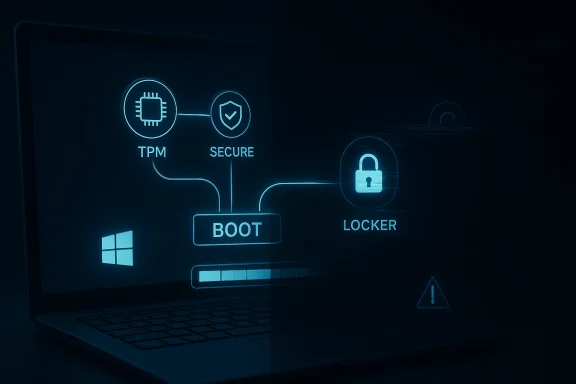
That historical pattern matters because BitLocker does not operate in isolation. It depends on TPM measurements, Secure Boot integrity checks, boot manager behavior, and policy choices such as whether pre-boot authentication is required. If any one of those pieces is weak, the practical security of the encrypted drive can collapse much faster than the marketing message suggests. Microsoft’s own BitLocker guidance has repeatedly emphasized TPM configuration, firmware integrity, and the importance of layered boot protections
The broader Windows security story over the last several years has reinforced a simple point: attackers increasingly target the earliest boot stages because that is where defenses are hardest to observe and easiest to subvert. Microsoft’s Secure Boot revocation work, DBX updates, and certificate-rotation guidance all exist because signed-but-vulnerable boot components can become effective attack trampolines even when the underlying cryptography remains intact
That makes a BitLocker security feature bypass especially important to triage carefully. A flaw in a later-stage user-mode app may be dangerous, but a flaw in the mechanism that guards pre-boot trust can affect the entire device posture. In practice, the impact can range from local data exposure to broader endpoint compromise, depending on whether the attacker has physical access, administrative access, or the ability to force a vulnerable boot path.
The key lesson from the Microsoft pattern is that trusted code is not automatically safe code. A signed component can still be exploitable, and if the platform continues to trust that component, attackers may not need to forge signatures or break encryption at all. They may only need to persuade the machine to load something that the platform once considered legitimate.
The same pattern has appeared in other recent Windows advisories where Microsoft’s public wording is intentionally concise, but the underlying CVE entry still demands action. In those cases, defenders are expected to treat the metadata as a serious signal rather than waiting for a long public technical paper that may never arrive.
The threat model is especially severe when a device uses BitLocker without a pre-boot PIN or USB key. Microsoft’s past advisories have explicitly identified those configurations as making exploitation more realistic in certain bypass scenarios because the device may boot with fewer interactive checks in the way
The practical point is that physical access is not a loophole in the threat model; it is often the threat model. Once the attacker can touch the device, the boot chain becomes the first target rather than the last line of defense.
Microsoft’s Secure Boot DBX updates have repeatedly aimed to blacklist vulnerable modules and boot managers so that the old trust relationship no longer applies
This is the real operational hazard. A machine that boots successfully can still be drifting into a weaker security posture every month if its trust chain is not current.
BitLocker is especially sensitive because its value depends on assumptions about the boot environment, not merely on the encryption algorithm itself. If those assumptions are weakened, the whole data-protection story changes.
That is why these advisories are often treated as strategically important even when the user-facing impact is hard to explain in one sentence.
The strongest enterprise posture is not just “BitLocker enabled.” It is BitLocker enabled with proper pre-boot protection, current firmware, and validated boot integrity.
This is one reason BitLocker issues can ripple beyond the security team. They can affect legal, audit, and desktop support workflows too.
A few practical enterprise priorities:
In other words, the average user may assume they are safe simply because the machine still boots normally. That assumption can be misleading.
That is exactly the kind of security decay that is hard to notice until an attacker looks for it.
A third concern is confidence misinterpretation. Some readers will assume that because Microsoft has not publicly published exploit mechanics, the issue must be low-risk. That is the wrong lesson. In security, sparse disclosure often means the opposite: the vendor has enough evidence to warn you, but not enough reason to hand attackers a detailed roadmap.
Microsoft’s recent boot-security efforts suggest the company is trying to make those maintenance tasks more visible. That is encouraging, but visibility alone does not close the gap. Administrators still have to inventory devices, confirm firmware support, and test whether existing recovery processes still work after changes land.
The next few months will likely tell us whether organizations treat CVE-2026-27913 as a one-off patch or as another reminder that boot integrity is a living maintenance problem. If the latter lesson sticks, the industry will be better prepared for the next Secure Boot or BitLocker bypass. If not, the same old pattern will repeat: a trusted component ages, a bypass appears, and the security model weakens long before anyone notices.
Source: MSRC Security Update Guide - Microsoft Security Response Center
 Background
BitLocker has long been one of Windows’ core data-protection features, but it is only as strong as the trust chain beneath it. Microsoft’s own history of security updates shows that security feature bypass bugs in the boot and authentication path have repeatedly been used to weaken protections that users assume are foundational. In earlier cases, Microsoft explicitly noted that attackers could bypass protections such as Secure Boot or Kerberos-related checks and then move toward decrypting BitLocker-protected volumes or weakening the boot chain itselfThat historical pattern matters because BitLocker does not operate in isolation. It depends on TPM measurements, Secure Boot integrity checks, boot manager behavior, and policy choices such as whether pre-boot authentication is required. If any one of those pieces is weak, the practical security of the encrypted drive can collapse much faster than the marketing message suggests. Microsoft’s own BitLocker guidance has repeatedly emphasized TPM configuration, firmware integrity, and the importance of layered boot protections
The broader Windows security story over the last several years has reinforced a simple point: attackers increasingly target the earliest boot stages because that is where defenses are hardest to observe and easiest to subvert. Microsoft’s Secure Boot revocation work, DBX updates, and certificate-rotation guidance all exist because signed-but-vulnerable boot components can become effective attack trampolines even when the underlying cryptography remains intact
That makes a BitLocker security feature bypass especially important to triage carefully. A flaw in a later-stage user-mode app may be dangerous, but a flaw in the mechanism that guards pre-boot trust can affect the entire device posture. In practice, the impact can range from local data exposure to broader endpoint compromise, depending on whether the attacker has physical access, administrative access, or the ability to force a vulnerable boot path.
The key lesson from the Microsoft pattern is that trusted code is not automatically safe code. A signed component can still be exploitable, and if the platform continues to trust that component, attackers may not need to forge signatures or break encryption at all. They may only need to persuade the machine to load something that the platform once considered legitimate.
What Microsoft’s Confidence Metric Means
Microsoft’s Security Update Guide uses a confidence-style signal to describe how certain the vendor is that a vulnerability exists and how credible the public technical details are. That is not a trivial label. It is a shorthand for the amount of trust defenders should place in the advisory and the amount of technical knowledge available to would-be attackers. The more confident Microsoft is, the more likely the entry reflects a real, actionable flaw rather than a tentative hypothesis.Confidence Is a Signal, Not Just Metadata
In practice, the confidence metric helps separate confirmed defects from merely suspected weaknesses. A highly confident advisory means Microsoft has enough evidence to believe the bug is real, even if it chooses not to publish every low-level implementation detail. That matters because sparse disclosures can still be operationally urgent when the vendor is already convinced the flaw exists.The same pattern has appeared in other recent Windows advisories where Microsoft’s public wording is intentionally concise, but the underlying CVE entry still demands action. In those cases, defenders are expected to treat the metadata as a serious signal rather than waiting for a long public technical paper that may never arrive.
Why Attackers Care Too
The confidence metric also hints at how much useful information is already available to attackers. If Microsoft says the issue is real and credible, that may be enough for security researchers and adversaries to focus reverse-engineering effort on a narrow attack surface. The advisory’s wording can therefore shape exploitation incentives, especially for bugs in foundational components like BitLocker and Secure Boot.- A high-confidence entry usually means a real remediation target exists.
- A sparse entry does not mean the issue is harmless.
- Attackers often need only enough public context to begin local testing.
- Defenders should assume the absence of detail is not the absence of risk.
Why This Matters for Triage
For patching teams, confidence is a prioritization tool. It influences whether a vulnerability is handled as a routine update or an emergency change window. In a BitLocker bypass case, the presence of a confidence signal is especially important because it tells administrators to focus on remediation discipline, not on waiting for public exploit confirmation.Why BitLocker Bypass Issues Are Different
BitLocker vulnerabilities sit in a category that is often misunderstood by non-specialists. These are not always classic remote code execution bugs that spread over the network. Instead, they can undermine the assumptions that make disk encryption trustworthy in the first place. That can turn a laptop theft, a malicious service visit, or a post-compromise local foothold into a much more serious data exposure event.Encryption Without Trust Is Just a Locked Box With a Weak Hinge
BitLocker protects data at rest, but it relies on the machine being able to prove that the boot sequence has not been tampered with. If an attacker can bypass a security feature in that chain, the disk may remain “encrypted” in a formal sense while becoming effectively accessible in a practical sense. This is why Microsoft has historically linked BitLocker impact to issues in Kerberos, Secure Boot, and boot manager behaviorThe threat model is especially severe when a device uses BitLocker without a pre-boot PIN or USB key. Microsoft’s past advisories have explicitly identified those configurations as making exploitation more realistic in certain bypass scenarios because the device may boot with fewer interactive checks in the way
Physical Access Still Matters
A lot of BitLocker-related attacks depend on physical access or some kind of privileged control over the machine. That does not make the issue minor. It simply means the attacker model is narrower than a network worm and more aligned with theft, insider abuse, hands-on keyboard access, or malicious maintenance scenarios. In the real world, those conditions are common enough to keep the risk meaningful.The practical point is that physical access is not a loophole in the threat model; it is often the threat model. Once the attacker can touch the device, the boot chain becomes the first target rather than the last line of defense.
Enterprise and Consumer Exposure Differ
For enterprises, the danger is partly about fleet management. A managed device that is fully patched and uses strong pre-boot authentication is a much harder target than an unmanaged laptop with default settings. For consumers, the risk is more uneven. Many home systems rely on automatic updates and OEM firmware support, which means older or neglected devices can drift into weaker states without the user noticing.- Managed systems can be inventoried and remediated.
- Unmanaged systems often fail silently.
- Devices with weak boot hygiene are more exposed.
- Recovery media and old boot tools can become weak links.
Historical Context: Secure Boot, DBX, and the Long Tail of Revocation
Microsoft’s handling of Secure Boot bypasses shows why these issues keep reappearing in different forms. The company has spent years revoking vulnerable boot components through DBX updates and security bulletins because signed boot code can still be a liability after the flaw is known. That is the core lesson of the BlackLotus era and similar boot-chain problems.The Trust Chain Can Age Out
One reason these bugs persist is that trust in a boot component is not static. A binary can be signed, deployed, and trusted for years, then later shown to be vulnerable. Until the firmware revocation ecosystem is updated, that old component may still load. This creates a lingering attack surface even after the original software bug has been fixed.Microsoft’s Secure Boot DBX updates have repeatedly aimed to blacklist vulnerable modules and boot managers so that the old trust relationship no longer applies
Revocation Is Harder Than Patching
Traditional patching is straightforward in concept: replace the vulnerable file with a fixed version. Revocation is messier. It has to account for firmware behavior, OEM implementation quality, and the possibility that a device can still boot using legacy components. That is why Microsoft sometimes warns that a device can continue booting while gradually losing the ability to receive future boot-stage security fixes.This is the real operational hazard. A machine that boots successfully can still be drifting into a weaker security posture every month if its trust chain is not current.
Why This Keeps Coming Back
Boot-chain vulnerabilities are recurring because the underlying structure is recurring. Windows must trust signed boot components, and attackers keep looking for components that are both trusted and flawed. Once one path is revoked, researchers and adversaries move to the next candidate. That creates an ongoing arms race between firmware trust, vendor revocation, and real-world deployment discipline.- Signed binaries can still be vulnerable.
- Revocation depends on ecosystem cooperation.
- Older systems remain the hardest to secure.
- Partial rollout creates long-lived exposure.
What Makes CVE-2026-27913 Important Now
Even without a detailed exploit narrative, a BitLocker security feature bypass warrants attention because it targets a protection mechanism that businesses and individuals rely on to secure data at rest. In a modern Windows environment, that can affect laptops, tablets, and even some desktop configurations where theft, re-imaging, or offline tampering is a realistic concern.A Security Feature Bypass Is Not “Just” a Bug
The phrase security feature bypass should not be read as a soft category. In Microsoft’s taxonomy, it means the attacker is trying to make a protection mechanism do less than it was supposed to do. That can be as damaging as a more dramatic code execution flaw when the feature in question is a gatekeeper for sensitive data.BitLocker is especially sensitive because its value depends on assumptions about the boot environment, not merely on the encryption algorithm itself. If those assumptions are weakened, the whole data-protection story changes.
The Boot Layer Is the Prize
Modern attackers do not always need to crash a system or pop a shell. Sometimes they need to change what happens before the operating system loads, because that is where many endpoint protections are least active. A BitLocker-related bypass can be a path to offline access, tampering with recovery workflows, or undermining device trust before Windows security controls have a chance to start.That is why these advisories are often treated as strategically important even when the user-facing impact is hard to explain in one sentence.
Sparse Public Detail Does Not Reduce the Need to Patch
Microsoft may choose to withhold technical specifics for understandable reasons. That does not lower the urgency. In fact, the combination of a high-confidence CVE and limited detail often means defenders should assume the issue is real and that the vendor believes enough evidence exists to publish it as a tracked vulnerability.- The advisory is a real remediation signal.
- The attack surface is likely sensitive.
- The limited public detail is intentional.
- Waiting for exploit proof is usually the wrong strategy.
Enterprise Impact
Enterprises will feel a BitLocker bypass advisory differently from consumers because they own more of the stack. That includes firmware baselines, BitLocker policy, pre-boot authentication choices, and the image-management process. The upside is control. The downside is complexity.Fleet Management Becomes the Real Defense
A corporate IT team can mandate strong BitLocker settings, verify TPM and Secure Boot configuration, and push firmware updates through managed tooling. That gives enterprises a chance to reduce risk proactively. But it also means a failure anywhere in the deployment chain can leave a large number of systems exposed at once.The strongest enterprise posture is not just “BitLocker enabled.” It is BitLocker enabled with proper pre-boot protection, current firmware, and validated boot integrity.
Compliance and Audit Pressure Increase
When a vulnerability touches disk encryption, compliance teams pay attention. That is because encryption is often treated as a control that satisfies both internal policy and external regulatory requirements. If a bypass weakens that control, organizations may need to revisit how they document risk acceptance, endpoint state, and recovery procedures.This is one reason BitLocker issues can ripple beyond the security team. They can affect legal, audit, and desktop support workflows too.
Partial Deployment Is the Silent Failure Mode
The hardest enterprise problem is often partial rollout. Some endpoints get the update. Some do not. Some receive firmware support while older models cannot. That creates a mixed fleet where every device has a slightly different trust posture. The result is operational confusion and a long tail of remediation work.A few practical enterprise priorities:
- Verify BitLocker policy consistency.
- Confirm pre-boot authentication settings.
- Inventory firmware and OEM support status.
- Test recovery media after boot-chain updates.
- Track endpoints that cannot receive automated remediation.
Consumer Impact
For home users, the situation is simpler on paper but often worse in practice. Most consumers do not manage firmware manually, do not monitor Secure Boot state, and do not think about recovery media until disaster strikes. That makes them less likely to know whether a bypass advisory affects them.Automatic Updates Help, But They Are Not a Guarantee
Microsoft generally relies on Windows Update and OEM channels to deliver many of these protections. That is good news for supported systems. It means a well-maintained PC may be protected with little or no user intervention. But consumer devices are not all equally well maintained, and older systems can fall out of the automatic path.In other words, the average user may assume they are safe simply because the machine still boots normally. That assumption can be misleading.
Older Machines Are the Risk Concentration
The most exposed consumer devices are often not the newest ones, but the older ones that have missed firmware updates, use unusual boot configurations, or were built before current Secure Boot and BitLocker expectations hardened. Those systems may continue to function fine while slowly losing early-boot resilience.That is exactly the kind of security decay that is hard to notice until an attacker looks for it.
Recovery Media Can Surprise People
Consumers rarely test recovery sticks, system-image backups, or emergency repair media. Yet those tools are part of the trust chain too. When boot security changes, older recovery workflows may stop behaving as expected. That can turn a security improvement into a support headache if the user only discovers the problem during a failed boot or disk recovery.- Supported systems are more likely to update automatically.
- Unusual configurations are more likely to break silently.
- Recovery media may need validation.
- Older hardware deserves extra scrutiny.
What This Means for Attackers
BitLocker bypasses are valuable because they target the point where users feel safest. Encryption is supposed to make theft and offline tampering less useful. If the trust chain can be weakened, attackers gain a path around one of the most recognizable protections in Windows.Attackers Want Trust, Not Just Access
The goal in many boot-chain attacks is not to invent new cryptography. It is to reuse trust that already exists. A vulnerable signed component can become the attacker’s trampoline. That is why Secure Boot revocation, DBX updates, and firmware hygiene matter so much: they remove the attacker’s ability to leverage legacy trust.Downgrade Attacks Remain Attractive
A classic technique is to force the machine to load an older, vulnerable but still trusted component. If the revocation list has not caught up, the attacker may be able to exploit a known flaw in a binary that was once perfectly acceptable to the boot chain. This is efficient, low-noise, and often easier than trying to break the primary cryptographic protections.The Barrier Is Lower Than It Looks
Not every attacker needs a nation-state toolkit. A malicious insider, a physical intruder, or a technician with the wrong intent can often exploit a local or physical attack path if the device is poorly configured. That makes the issue relevant to both enterprise risk and personal device security.Strengths and Opportunities
Microsoft’s handling of this class of issue also highlights where the platform has improved. The company has better status reporting, stronger revocation infrastructure, and more mature guidance around boot integrity than it did a decade ago. That makes it more likely that organizations can respond quickly, provided they pay attention.- Clearer security taxonomy helps defenders understand the risk category faster.
- Confidence signals reduce ambiguity in triage.
- Windows Update delivery paths can simplify consumer remediation.
- Firmware revocation tools improve long-term boot-chain hygiene.
- Enterprise policy controls allow stronger BitLocker enforcement.
- Status indicators can make hidden boot problems visible.
- Layered protections give organizations multiple chances to catch misconfiguration.
Risks and Concerns
The biggest concern with a BitLocker bypass is not just the single CVE, but the broader pattern it represents. If boot trust can be eroded in one place, then organizations may discover that other assumptions they made about endpoint security are also fragile. That creates both technical and managerial risk.- Silent exposure can persist if devices still boot normally.
- Mixed fleets make uniform remediation difficult.
- Old recovery media can become unreliable after boot-chain changes.
- Physical-access attacks remain practical against weakly protected devices.
- Partial revocation leaves legacy attack paths open.
- User confusion can slow adoption of necessary fixes.
- Audit blind spots can hide the real security posture.
A third concern is confidence misinterpretation. Some readers will assume that because Microsoft has not publicly published exploit mechanics, the issue must be low-risk. That is the wrong lesson. In security, sparse disclosure often means the opposite: the vendor has enough evidence to warn you, but not enough reason to hand attackers a detailed roadmap.
Looking Ahead
The most important thing to watch next is whether Microsoft expands its public guidance around device state, update reach, or recommended BitLocker configurations. When a vulnerability touches the boot chain, the technical fix is only part of the story. The rest is deployment, validation, and trust-chain maintenance over time.Microsoft’s recent boot-security efforts suggest the company is trying to make those maintenance tasks more visible. That is encouraging, but visibility alone does not close the gap. Administrators still have to inventory devices, confirm firmware support, and test whether existing recovery processes still work after changes land.
The next few months will likely tell us whether organizations treat CVE-2026-27913 as a one-off patch or as another reminder that boot integrity is a living maintenance problem. If the latter lesson sticks, the industry will be better prepared for the next Secure Boot or BitLocker bypass. If not, the same old pattern will repeat: a trusted component ages, a bypass appears, and the security model weakens long before anyone notices.
- Verify BitLocker policy and pre-boot authentication settings.
- Review firmware update coverage across the fleet.
- Test recovery media after boot-chain changes.
- Watch for Microsoft follow-up guidance and status indicators.
- Audit systems that are old enough to miss automatic remediation.
- Treat physical-access risk as part of endpoint security planning.
Source: MSRC Security Update Guide - Microsoft Security Response Center
