

Chromium’s CVE-2026-3061 is an out‑of‑bounds read in the browser’s Media component, and Microsoft has listed the CVE in its Security Update Guide not because Microsoft introduced the bug but because Microsoft Edge (Chromium‑based) consumes upstream Chromium code — the entry tells Edge customers whether the Edge build they run contains the upstream fix.
Browsers like Google Chrome and Microsoft Edge are built on a shared open‑source project: Chromium. When a security flaw is discovered in Chromium, Google (the Chromium project owner) assigns a CVE and ships a Chrome update that contains the upstream remediation. Other vendors that “ingest” Chromium — Microsoft Edge among them — then pick up that fixed code in a later Edge release. Microsoft’s Security Update Guide (SUG) lists those Chromium‑assigned CVEs so Edge administrators know whether their installed Edge build includes the ingestion and is therefore no longer vulnerable. This is a deliberate disclosure practice intended to bridge the upstream/downstream gap for enterprise customers.
In practical terms: the SUG entry for CVE‑2026‑3061 is a status notice for Edge customers. It documents the vulnerability details reported upstream, and indicates whether Microsoft’s Edge builds have incorporated the Chromium fix. If Microsoft marks “no longer vulnerable” for the latest Edge, that means the current Edge Stable channel contains the upstream patch — you still need to confirm your local Edge build is at or newer than the fixed build to be safe.
Security coverage indicates the issue was disclosed by a researcher (reported publicly as Luke Francis), and Google restricted some technical details until most users could update — a standard practice to reduce pre‑patch exploit risk. News outlets that covered the Chrome update listed CVE‑2026‑3061 alongside other memory‑safety bugs fixed in the same release, underlining how memory issues in media and graphics code remain high‑risk due to their exposure to untrusted content.
Key technical takeaway:
The implications for administrators are straightforward: treat upstream Chromium CVE entries in the SUG as actionable signals for Edge remediation. If the SUG says the “latest Microsoft Edge is no longer vulnerable,” verify your installed Edge version matches or exceeds the fixed build; if it does not, update Edge. If Microsoft has not yet ingested the upstream patch, treat the CVE as still relevant for Edge and prioritize mitigation.
A community‑tested workflow:
Practical action items (short checklist):
CVE tracking and version comparison are tedious but essential parts of modern endpoint security. Knowing how to find the exact version (edge://version / chrome://version), how Microsoft documents upstream CVEs in the Security Update Guide, and how to compare build numbers gives administrators and users the confidence to decide when and how to remediate — and that precision is exactly why you’ll find CVE‑2026‑3061 in the Microsoft Security Update Guide even though the bug originates in Chromium.
Source: MSRC Security Update Guide - Microsoft Security Response Center
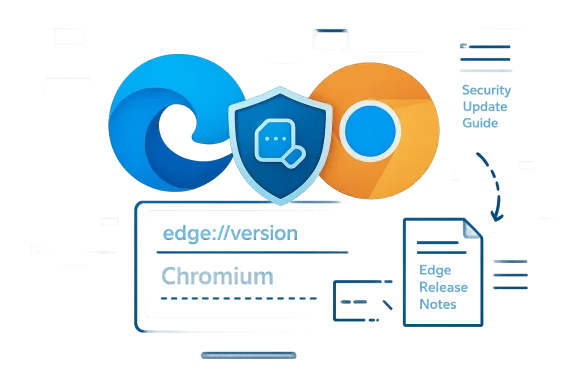 Background / Overview
Browsers like Google Chrome and Microsoft Edge are built on a shared open‑source project: Chromium. When a security flaw is discovered in Chromium, Google (the Chromium project owner) assigns a CVE and ships a Chrome update that contains the upstream remediation. Other vendors that “ingest” Chromium — Microsoft Edge among them — then pick up that fixed code in a later Edge release. Microsoft’s Security Update Guide (SUG) lists those Chromium‑assigned CVEs so Edge administrators know whether their installed Edge build includes the ingestion and is therefore no longer vulnerable. This is a deliberate disclosure practice intended to bridge the upstream/downstream gap for enterprise customers.In practical terms: the SUG entry for CVE‑2026‑3061 is a status notice for Edge customers. It documents the vulnerability details reported upstream, and indicates whether Microsoft’s Edge builds have incorporated the Chromium fix. If Microsoft marks “no longer vulnerable” for the latest Edge, that means the current Edge Stable channel contains the upstream patch — you still need to confirm your local Edge build is at or newer than the fixed build to be safe.
What is CVE‑2026‑3061?
CVE‑2026‑3061 was reported as an out‑of‑bounds read in Chromium’s Media pipeline. An out‑of‑bounds read occurs when code reads memory it should not access; in browsers, that can disclose memory contents or destabilize processes and sometimes be part of a larger exploit chain enabling remote code execution or sandbox escape when combined with other flaws. Multiple independent reporting outlets confirm this CVE and characterize it as a memory‑safety issue affecting the Media component.Security coverage indicates the issue was disclosed by a researcher (reported publicly as Luke Francis), and Google restricted some technical details until most users could update — a standard practice to reduce pre‑patch exploit risk. News outlets that covered the Chrome update listed CVE‑2026‑3061 alongside other memory‑safety bugs fixed in the same release, underlining how memory issues in media and graphics code remain high‑risk due to their exposure to untrusted content.
Key technical takeaway:
- Affected component: Chromium Media pipeline (processing audio/video and related container parsing).
- Class: Out‑of‑bounds read (memory disclosure / crash risk).
- Why it matters: Media processing accepts untrusted input from websites, ads, and user content; memory bugs in these paths are attractive targets for remote exploitation.
Why Microsoft lists Chromium CVEs in the Security Update Guide
Microsoft’s Security Update Guide is used by enterprises to determine whether Microsoft products are affected and what action to take. Because Edge uses Chromium code, a vulnerability assigned by the Chromium project can affect Microsoft Edge until Microsoft ingests and ships the Chromium fix. Microsoft documents these upstream CVEs in the SUG so customers see two things at a glance:- The CVE identifier and a short technical summary (origin).
- Whether Microsoft Edge builds have ingested the upstream patch and which Edge build contains the fix (so customers can compare against their installed build).
The implications for administrators are straightforward: treat upstream Chromium CVE entries in the SUG as actionable signals for Edge remediation. If the SUG says the “latest Microsoft Edge is no longer vulnerable,” verify your installed Edge version matches or exceeds the fixed build; if it does not, update Edge. If Microsoft has not yet ingested the upstream patch, treat the CVE as still relevant for Edge and prioritize mitigation.
How to see the browser version (step‑by‑step)
Knowing the exact version string is the single most important action you can take to verify whether an individual machine is affected. Below are precise, copy‑friendly ways to check both Google Chrome and Microsoft Edge versions on desktop and at scale.Microsoft Edge (desktop Windows / macOS / Linux)
- Open Microsoft Edge, click the three dots (Settings and more) at the top right, then choose Help and feedback → About Microsoft Edge. That page displays your Edge version and will trigger an update check.
- For a precise baseline that reports the underlying Chromium revision as well, type in the address bar: edge://version and press Enter. The page lists:
- Microsoft Edge product version
- Underlying Chromium version number (this is the value you compare to the upstream Chromium fixed build)
- User agent and other technical metadata.
Google Chrome (desktop)
- Open Chrome, go to the three‑dot menu → Help → About Google Chrome. That will show the Chrome version and trigger an update check.
- Or type chrome://version in the address bar for the full technical string. Use that string when comparing to Chrome’s release notes.
Mobile (Android / iOS)
- Edge mobile: Menu → Settings → About Microsoft Edge (or About this app). The mobile About screen shows the app build. Note that mobile vendor versioning and the upstream Chromium revision mapping are not always 1:1.
- Chrome mobile: Settings → About Chrome or check the app store listing for the exact version.
Command line and registry (useful for enterprise inventory)
For Windows administrators doing scripted checks or inventorying a fleet, you can extract Edge version values from the system:- PowerShell (reads the update beacon key):
(Get-ItemProperty -Path HKCU:\Software\Microsoft\Edge\BLBeacon -Name version).version - Or query the file metadata of msedge.exe:
(Get-Item "C:\Program Files (x86)\Microsoft\Edge\Application\msedge.exe").VersionInfo.FileVersion
How to interpret the version check and the Security Update Guide entry
- Get your Edge/Chrome full version string (edge://version or chrome://version).
- Open the SUG entry for the CVE in question (or Google’s Chrome Releases post describing which Chrome build fixed the CVE). The SUG entry will typically state whether Microsoft Edge builds have ingested the fix and will list the Edge builds that are remediated.
- Compare:
- If your Edge’s underlying Chromium build number is equal to or newer than the Chromium/Chrome build that fixed the CVE, your Edge build contains the upstream fix (barring any unusual re‑introductions).
- If your build is older, you are still vulnerable to that upstream issue on Edge until you update to an Edge build that ingests the patch.
Example: mapping an upstream Chromium fix to Edge
When Google publishes a Chrome stable update that fixes a CVE, the Chrome release post lists the Chrome version numbers that carry the fix. Microsoft then performs its ingestion work and publishes Edge release notes indicating what Chromium baseline each Edge release is built upon. Administrators need to compare the Chrome fixed build to the Chromium baseline listed by Edge to confirm ingestion. Microsoft’s release notes and Security Update Guide entries are the downstream authority for Edge customers.A community‑tested workflow:
- Step A: Find the Chrome release that lists CVE‑2026‑3061 as fixed (Google’s release post or authoritative coverage).
- Step B: Look up the Microsoft Edge release notes to see which Edge build includes that Chromium baseline.
- Step C: Confirm your Edge’s edge://version Chromium number is >= the Chromium baseline noted in Step B. If yes — remediation confirmed; if not — update Edge and re‑check.
Risk analysis — what CVE‑2026‑3061 means for users and organizations
- Immediate technical risk: memory disclosure and crash. An out‑of‑bounds read can reveal sensitive memory and can sometimes be leveraged in exploitation chains to achieve remote code execution when combined with additional flaws. Media pipelines are high‑exposure because they process untrusted content from web pages and ads.
- Exploitability: At the time of initial coverage, Google and downstream vendors withheld detailed exploit information until patches rolled out widely; there were no public, reliable reports indicating large‑scale active exploitation of CVE‑2026‑3061 at disclosure. However, memory bugs in media and graphics code are frequently targeted in real‑world attacks, so timely patching is recommended.
- Attack scenarios to consider:
- Malicious web page hosting crafted media content that triggers the bug.
- Malvertising delivering a weaponized media payload through ad networks.
- Drive‑by downloads or social engineering where a user’s browser auto‑processes a media resource.
- Enterprise impact: For organizations with many endpoints, the primary risk is exposure of user data or possible elevation if the bug were chained with other vulnerabilities. Patching in a timely, measured way using your standard patch management pipeline is the recommended mitigation. Use inventory tools to find out which endpoints run outdated Edge builds and prioritize updates.
Mitigation and remediation guidance
- Update Microsoft Edge to the latest Stable version via the About page or enterprise update channels. The About dialog triggers the update and restart needed to apply the fix. If your organization controls updates, accelerate the tested deployment of the patched Edge build to all affected endpoints.
- If you cannot update immediately:
- Enable Enhanced Security Mode or other hardening features available in Edge to reduce attack surface for untrusted sites.
- Use network controls (web filtering, sandboxing, reputational ad filters) to block access to risky content sources.
- Reduce attack surface for high‑value users by restricting plugin/extension usage and disabling automatic media playback in policy where possible.
- For large fleets:
- Query installed Edge versions (use edge://version on representative machines or programmatic registry/EXE version extraction).
- Map those versions to Microsoft’s SUG or Edge release notes to determine whether each build contains the ingestion.
- Schedule and test the Edge update in your staging environment and roll out rapidly if tests pass.
- Verify post‑update by re‑checking edge://version and confirming the remediation status in SUG.
Timeline and disclosure notes
Public reporting around the Chrome release that included CVE‑2026‑3061 shows:- The CVE was publicly reported and associated with a February 2026 Chrome update window, and some coverage names the researcher who reported it (Luke Francis) with a report date of February 9, 2026. Google restricted deep technical detail until the majority of users had patched, which is normal for memory‑safety fixes to limit exploitation opportunities.
Common questions administrators ask (and concise answers)
- Q: “Does a Chromium CVE on the SUG mean Microsoft introduced the bug?”
A: No. It means the CVE was assigned by Chrome/Chromium and Microsoft is documenting the downstream ingestion status for Edge. The SUG entry shows whether Microsoft’s Edge build contains the Chromium fix. - Q: “How do I prove my Edge is patched?”
A: Retrieve the full version string from edge://version, copy the Chromium build number, then confirm it is equal to or newer than the Chromium/Chrome build that fixed the CVE — or check that Microsoft’s SUG lists your Edge build as remediated. - Q: “If Chrome is patched, am I automatically safe on Edge?”
A: Not automatically. Edge must ingest the Chromium patch and ship an Edge build that contains it. The SUG entry or Edge release notes indicate that ingestion status. Verify your local Edge build to be sure.
Final assessment and recommendations
CVE‑2026‑3061 is a memory‑safety bug in Chromium’s Media component — a class of vulnerability that historically attracts high interest from attackers because of its potential to leak memory or be used in exploit chains. Microsoft’s inclusion of the CVE in the Security Update Guide is informational and operational: it helps Edge customers map the upstream Chromium fix to the downstream Edge build that contains the ingestion.Practical action items (short checklist):
- Open Microsoft Edge and go to edge://version; copy the full version and Chromium baseline.
- Check Microsoft’s Security Update Guide entry for CVE‑2026‑3061 and Edge release notes to confirm whether your build is listed as remediated.
- If your Edge build is older than the remediated build, update Edge immediately and restart the browser.
- For enterprise fleets, use your inventory tools to find and remediate endpoints that report older Edge builds (script the registry/EXE checks if needed).
CVE tracking and version comparison are tedious but essential parts of modern endpoint security. Knowing how to find the exact version (edge://version / chrome://version), how Microsoft documents upstream CVEs in the Security Update Guide, and how to compare build numbers gives administrators and users the confidence to decide when and how to remediate — and that precision is exactly why you’ll find CVE‑2026‑3061 in the Microsoft Security Update Guide even though the bug originates in Chromium.
Source: MSRC Security Update Guide - Microsoft Security Response Center
