

The Chromium project fixed a high‑severity memory-corruption bug in its WebGPU shader compiler (Tint) — tracked as CVE‑2026‑3062 — and Microsoft has recorded that upstream fix in its Security Update Guide so Edge users can confirm when their browser is no longer vulnerable. In short: this is a Chromium bug that affects browsers built on Chromium (including Microsoft Edge), and the easiest way to protect yourself is to confirm your browser version and install the update if you’re on an older build.
Chromium is the open‑source browser engine that powers Google Chrome and many other browsers, including Microsoft Edge (the Chromium‑based edition). When the Chromium project and Google publish fixes for security issues, downstream vendors such as Microsoft ingest those changes into their own builds on their own cadence. Microsoft’s Security Update Guide (SUG) therefore lists Chromium‑assigned CVEs to document when an Edge build has absorbed the upstream fix and is considered remediated for Edge customers. , Google moved a stable update that lists three security fixes; one of them is CVE‑2026‑3062, described as an out‑of‑bounds read and write in Tint, the shader translation engine used by WebGPU. The Chrome release announcement lists the fixed Chrome/Chromium builds (desktop Stable channel updated to 145.0.7632.116/117 for Windows/macOS and matching Linux builds) and identifies the issue by CVE and upstream bug tracker entry. (chromereleases.googleblog.com)
The National Vulnerability Database (NVD) record for CVE‑2026‑3062 further summarizes the issue and confirms the Chrome build that contains the fix: Chrome on macOS prior to 145.0.7632.116 was identified as affected, and that Chrome 145.x contains the remediation.
Put simply:
Example:
Source: MSRC Security Update Guide - Microsoft Security Response Center
 Background / Overview
Chromium is the open‑source browser engine that powers Google Chrome and many other browsers, including Microsoft Edge (the Chromium‑based edition). When the Chromium project and Google publish fixes for security issues, downstream vendors such as Microsoft ingest those changes into their own builds on their own cadence. Microsoft’s Security Update Guide (SUG) therefore lists Chromium‑assigned CVEs to document when an Edge build has absorbed the upstream fix and is considered remediated for Edge customers. , Google moved a stable update that lists three security fixes; one of them is CVE‑2026‑3062, described as an out‑of‑bounds read and write in Tint, the shader translation engine used by WebGPU. The Chrome release announcement lists the fixed Chrome/Chromium builds (desktop Stable channel updated to 145.0.7632.116/117 for Windows/macOS and matching Linux builds) and identifies the issue by CVE and upstream bug tracker entry. (chromereleases.googleblog.com)The National Vulnerability Database (NVD) record for CVE‑2026‑3062 further summarizes the issue and confirms the Chrome build that contains the fix: Chrome on macOS prior to 145.0.7632.116 was identified as affected, and that Chrome 145.x contains the remediation.
What is Tint and why does this matter?
Tint, WebGPU and the attack surface
- Tint is a component that translates shading language inputs into code suitable for a WebGPU implementation. It is a critical piece of the WebGPU toolchain inside Chromium.
- WebGPU is the modern web standard for GPU‑accelerated graphics and compute on the web; it replaces or supplements WebGL for newer workloads and is increasingly used for games, visualization, and even browser‑side ML workloads.
- Because Tint handles shader code, it processes complex structured inputs and translates them into lower‑level GPU instructions. Mistakes in bounds checking or buffer handling in such code can lead to out‑of‑bounds reads or writes — classic memory‑corruption problems that can crash processes or be escalated into remote code execution when combined with other vulnerabilities.
CVE‑2026‑3062: the technical outline
- The bug is reported as an out‑of‑bounds read and write in Tint. That language indicates both read and write access beyond allocated memory boundaries were possible under some crafted input.
- Out‑of‑bounds reads can leak memory contents (confidential data), while out‑of‑bounds writes can corrupt memory structures and — in the worst case — be exploited for arbitrary code execution inside the renderer process or as a part of a sandbox‑escape chain.
- Google classified the issue as High and included it in the stable security update; however, the Chrome announcement notes that details may be restricted until the majority of users are patched to reduce the risk of exploit development from public details. (chromereleases.googleblog.com)
Why is this Chrome CVE listed in Microsoft’s Security Update Guide?
This is a common point of confusion: Microsoft’s SUG is norote or introduced* the bug. Instead, SUG lists the Chromium CVE because Microsoft Edge (Chromium‑based) consumes Chromium’s open‑source components, so Microsoft needs to tell Edge customers whether the upstream Chromium fix has been ingested into a downstream Edge build and therefore whether Edge is still vulnerable. The SUG entry functions as Microsoft’s downstream confirmation that Edge builds at or above a listed version are no longer vulnerable.Put simply:
- Google/Chromium report and fix a vulnerability and publish which Chromium build contains the fix.
- Microsoft takes that fix, merges (ingests) it into Edge’s source tree, builds Edge, and releases an Edge update.
- Microsoft’s Security Update Guide entry records the CVE and indicates the Edge build(s) that incorporate the Chromium remediation; once your Edge installation is at that build level or newer, Microsoft declares the issue addressed for Edge.
How to check whether your browser is protected (step‑by‑step)
If you want to confirm whether you are protected from CVE‑2026‑3062 (or any Chromium CVE), follow these steps to check versions and compare them to the fixed builds.1) Find the upstream fixed Chromium/Chrome build
- The Chrome Releases announcement lists the Chrome builds that contain the fix. For CVE‑2026‑3062, Chrome’s Stable channel was updated to 145.0.7632.116/117 on February 23, 2026; that is the upstream fixed Chromium baseline. (chromereleases.googleblog.com)
2) Check your local Google Chrome version (desktop)
- Open Chrome.
- Menu → Help → About Google Chrome. This page shows the full Chrome version string and automatically triggers an update check. Alternatively, type
chrome://versioninto the address bar to see the full version and more build details. - If the version is 145.0.7632.116 or newer (desktop), Chrome has the upstream fix. If it is older, update Chrome immediately. Many Chrome installs update automatically, but manual verification is prudent.
- macOS Terminal:
/Applications/Google\ Chrome.app/Contents/MacOS/Google\ Chrome --version - Linux:
google-chrome --version(behavior varies by distribution).
3) Check your Microsoft Edge version (desktop)
- Open Microsoft Edge.
- Menu (three dots) → Help and feedback → About Microsoft Edge, or type
edge://settings/helpin the address bar. This will show the Edge version and check for updates. - To see the underlying Chromium baseline that Edge is using, type
edge://version— the page includes a “Chromium” line that reports the Chromium build number embedded in that Edge release. That Chromium number is what you compare to the upstream fixed Chromium build (for example, 145.0.7632.116). If the Chromium baseline shown inedge://versionis equal to or newer than the Chromium build that fixed the CVE, Edge has ingested the fix and is no longer vulnerable per Microsoft’s SUG statement.
- Windows PowerShell/CMD:
msedge --versionprints the Edge version but usually not the embedded Chromium baseline; preferedge://versionfor the Chromium number.
4) Mobile and Linux packaging
- Chrome for Android and iOS have separate build numbers (the Chrome Releases post lists Android updates too). Mobile users should check the Play/App Store or open the mobile Chrome About page.
- Linux distributions may package Chromium/Chrome under distro control; use your package manager (apt, dnf, pacman) to verify the installed package version and whether a patched package is available.
5) What to do if your browser is older than the fixed build
- Update the browser immediately using its About page (this triggers a manual check).
- Restart the browser after the update to finalize the patch.
- For enterprises, schedule the Edge/Chrome update via your management tooling (WSUS/Intune/SCCM/third‑party) using the Edge release notes / SUG guidance to identify the target build. Microsoft documents each Edge stable release and whether it “incorporates the latest Security Updates of the Chromium project.”
Interpreting version numbers and a common gotcha
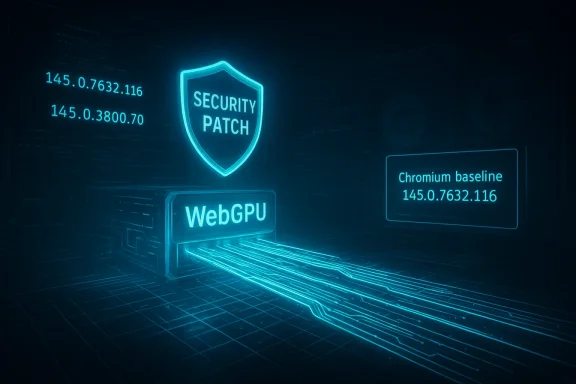
A frequent source of confusion is that Chrome’s own version string (e.g., 145.0.7632.116) is not the same as Microsoft Edge’s version string (e.g., 145.0.3800.70). What matters for downstream ingestion is the Chromium baseline inside Edge — which you can see inedge://version. For example, many vendors’ release notes in this update window showed Edge stable builds in the 145.x family that embed Chromium baselines in the 145.0.7632.xxx range. However, an Edge build may ship with a Chromium baseline that is numerically lower than the exact upstream build that fixed the CVE; you must verify the Chromium baseline value. If your Edge Chromium baseline is less than the Chromium build listed for the Chromium fix, you remain vulnerable until Microsoft releases an Edge build containing the fixed baseline. (chromereleases.googleblog.com)Example:
- Chrome fixed build: Chromium 145.0.7632.116 (Chrome Stable).
- Edge stable build reported in public notes around the same time: Edge 145.0.3800.70 with an embedded Chromium baseline reported in some vendor reports as 145.0.7632.110 — that would be older than the upstream fixed Chromium 145.0.7632.116, meaning that particular Edge build had not yet ingested the Chromium 116 fix. Confirm individual builds using
edge://versionand the Microsoft SUG entry that lists which Edge build marks the ingestion/mitigation.
Immediate mitigation and recommended actions
If you administer endpoints or simply want to protect a single workstation, here’s what to do now.- Primary action: Update. Use the browser’s About page to force a check and installation. Most users will receive the update automatically; if you don’t see it, download the latest stable installer from your vendor and install it. Always restart the browser after an update.
- If you cannot update immediately: Consider temporary mitigations. Because CVE‑2026‑3062 is inside the WebGPU/Tint path, disabling WebGPU or blocking GPU shader compilation reduces the attack surface at the cost of breaking or slowing WebGPU‑dependent sites and apps.
- Chrome/Edge options (temporary):
- Use a command‑line flag or enterprise policy to disable WebGPU in constrained environments: examples used in testing and CI include
--disable-webgpuor using enterprise policies that control WebGPU usage. The Chrome developer documentation notes WebGPU flags and troubleshooting tips; experimental flags such aschrome://flags/#enable-unsafe-webgpuand--disable-webgpuare used to enable/disable experimental paths. Note: flags and command‑line switches are primarily intended for testing and may change across Chrome/Edge releases. - Important: Disabling WebGPU will impact any site that relies on WebGPU for graphics or compute. Only use these mitigations as stopgaps if you truly cannot update quickly.
- Enterprises: Use your normal patching pipeline (WSUS/Intune/SCCM/third‑party patch management) to deploy the Edge update. Confirm ingestion by checking the Microsoft Security Update Guide entry for the CVE and verifying that installed Edge builds meet or exceed the “addressed” build. Microsoft documentation and release notes list which Edge stable builds "incorporate the latest Security Updates of the Chromium project."
- Monitoring: Watch threat intelligence feeds and vendor advisories. Google and major vendors sometimes restrict exploit details until much of the user base is patched; by the time details are public there may already be patches, so monitor NVD/OSV and vendor channels.
Risk analysis: how bad is CVE‑2026‑3062?
- The vulnerability is labeled High by Chromium/Google and described as an out‑of‑bounds read and write. Out‑of‑bounds writes are especially dangerous because they enable memory corruption that — in the right chain — can be escalated to arbitrary code execthe Chrome release notes and multiple media reports stated, there was no public evidence of active exploitation of CVE‑2026‑3062 at the time of disclosure. Google intentionally keeps exploit details restricted until patches are widely installed to slow attacker catch‑up. (chromereleases.googleblog.com)
- From a practical perspective:
- For individual users, the straightforward mitigations are to update and restart the browser.
- For organizations, the impact is higher because browser exploitation is a common initial foothold vector; therefore, patching on a managed cadence (with appropriate testing) should be prioritized and accelerated where feasible.
- For defenders, correlate browser telemetry (crashes, renderer process restarts) and endpoint alerts around the patch window to detect attempted exploit chains that target known weaknesses.
How Microsoft’s Security Update Guide entry helps you — and what it does not
- The SUG entry serves as Microsoft’s downstream status signal: it tells Edge administrators and users that Microsoft has recognized the upstream Chromium CVE and either marked Edge builds that include the fix as addressed or is still tracking the issue.
- It does not absolve you of responsibility: you must still confirm your installed Edge build and update if necessary. The SUG entry helps decide whether an installed Edge build is known to contain the Chromium fix.
- Always verify locally: check
edge://version(Chromium baseline) oredge://settings/help(About page) and compare to the Chromium build (e.g., 145.0.7632.116) and to the Edge build Microsoft lists as remediated. If you manage many endpoints, automate this check with your inventory tools and update orchestration.
Practical checklist (quick actions)
- Open Chrome → Menu → Help → About Google Chrome. If the version is older than 145.0.7632.116, update and restart.
- Open Edge → Menu → Help and feedback → About Microsoft Edge, then open
edge://versionto see the embedded Chromium baseline. If the Chromium baseline is older than 145.0.7632.116, update Edge or follow your enterprise patch process. - If you cannot update right away and you need a stopgap, consider disabling WebGPU with
--disable-webgpuor relevant enterprise policy, understanding the feature impact. Refer to Chrome’s WebGPU guidance for exact flags and platform caveats. - For enterprises: schedule urgent patching, test updates in a small pilot group, then push broadly. Use SUG and Edge release notes to verify ingestion status.
Conclusion
CVE‑2026‑3062 is a serious memory‑corruption bug inside Tint, the WebGPU shader compiler component of Chromium. Google fixed it in Chrome Stable (Chromium 145.0.7632.116+), and Microsoft has recorded the Chromium CVE in the Security Update Guide to communicate whether and when a downstream Edge build has ingested the upstream fix. To be safe: check your Chrome/Edge version now, update to the latest stable build, and restart the browser. If you manage devices, validate the Chromium baseline inside Edge usingedge://version and use your standard patch orchestration tools to roll the update out quickly. For environments where immediate updates are infeasible, disabling WebGPU is a short‑term mitigation but is not a substitute for the upstream patch. Keep an eye on vendor advisories and threat feeds for any change in the exploitation picture. (chromereleases.googleblog.com)Source: MSRC Security Update Guide - Microsoft Security Response Center
