

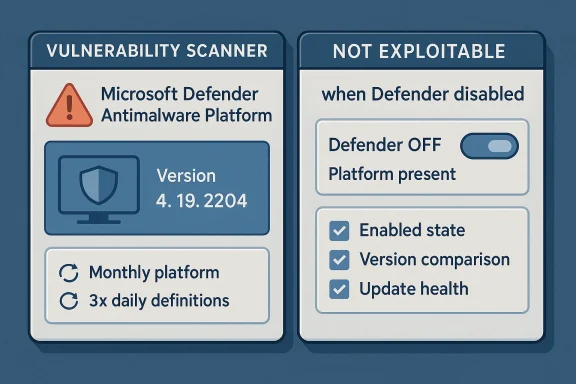
Microsoft’s guidance for CVE-2026-33825 makes one point especially clear: a vulnerability scanner can flag Microsoft Defender binaries on disk even when Defender is turned off, because the tools are looking for specific files and version numbers rather than whether the antimalware engine is actively protecting the machine. Microsoft says the last affected Microsoft Defender Antimalware Platform version is 4.18.26020.6, and the fixed version is 4.18.26030.3011, but it also states that systems with Microsoft Defender disabled are not in an exploitable state. In other words, presence is not the same as exposure. The practical answer is that the scan finding is often informational unless Defender is actually enabled and in a state where the vulnerable platform code can run. lanation also clarifies why no manual action may be required in many environments. The company says it continuously updates the Microsoft Defender Antimalware Platform and malware definitions to keep pace with the threat landscape, with platform updates typically released monthly or as needed and definitions updated three times daily. Microsoft further notes that supported antimalware products are designed to check for engine, platform, and definition updates automatically, and it recommends verifying that automated software distribution is working as expected. That means a scanner alert does not necessarily imply an urgent remediation task if the affected product is not active or is already being serviced through Microsoft’s normal update channels.
CVE-long-running class of Microsoft security issues that affect the Microsoft Defender Antimalware Platform, not necessarily the broader Windows operating system itself. The platform is made up of user-mode binaries such as MsMpEng.exe and kernel-mode drivers, and Microsoft says it is what Windows Defender uses on supported versions of Windows. That distinction matters because enterprise scanners often key off the platform’s file inventory, while security teams care about whether the code is actually active and enforceable in the device’s current configuration.
This is not a new pattern. Microsoft hasplain that security tools and compliance platforms may report risk based on the existence of binaries, installed package versions, or stale metadata, even when the vulnerable component is disabled. In practical operations, installed and enabled are different states. A binary can remain on disk for servicing, rollback, or feature consistency even when the associated security feature is not participating in runtime protection.
That is why the MSRC guidance explicitly calls out disabled eploitable. The wording is important because it reduces the chance that teams will treat every inventory hit as an active exposure. It also shows Microsoft’s preferred mental model for Defender: not a standalone optional app, but an integrated security service whose platform, definitions, and update posture are all part of the risk picture.
The update guidance also reflects a familiar Microsoft enterprise theme: trust the verify the servicing model. Microsoft says customers should regularly confirm that software distribution is working correctly and that platform and definition updates are being downloaded and installed. That is not just a generic best practice; it is a reminder that a healthy endpoint-security stack depends on update cadence, policy, connectivity, and product configuration all lining up.
That creates a classic false-positive workflow problem. Security teams see a critical-seeming CVE, a version match, and a ret the underlying risk may be much lower than the scanner suggests. The best response is to correlate the scanner result with the device’s actual Defender state, update channel, and policy configuration before treating the finding as a live vulnerability.
The company also explains why it sometimes marks these updates as requiring no special manual action. Defender and related antimalware components are expected to selft wants administrators to rely on the normal servicing pipeline rather than rush a separate emergency deployment. In Microsoft’s model, the issue is usually mitigated by keeping the antimalware platform current through standard update infrastructure.
It is also a reminder that some security advisories are about hardening and version hygiene, not immediate exploitation. In this case, the fix path may already be covered by routine platform servicing, especionments with active update compliance. The operational burden is therefore often about validation, not heroic intervention.
This distinction has real consequences for incident triage. A scanner may indicate a missing platform update, but if the host uses a different active antimalware stack or Defender is disabled by policy, the risk is materially different from a machinee active primary protection layer. In practice, defenders should separate binary presence from attack surface.
That sequence matters because it turns a noisy scanner alert into an actionable decision. If the component is disabled and the host is not dependent on it, the operational response may be documentation rather than remediation. If it is active and old, then the update becomes a straightforwar whether Defender is actively protecting the endpoint.
For enterprises, this means version drift is the real problem. A device inventory may say Defender is present, but unless the platform build is current, the endpoint may still carry a scanner-visible vulnerability marker. In a large estate, that can happen because of disconnected machines, stale policy, failed update pulls, or produed differently across business units.
That also means the update story is partly a governance issue. If your organization treats Defender as “built-in and done,” you may miss the fact that Microsoft still expects the platform to be maintained, monitored, and confirmed against current update baselines. In managed environments, default should not be mistaken for self-sufficient.
Organizations that use Microsoft Defender as the primary antimalware product should still treat the advisory seriously. Microsoft says its antimalware software is intended to stay current automatically, and it encourages customers to verify that update distribution is working as expected. In enterprise terms, that means checking the health of update delivery is part of the security response, even when the alert is h-and-reboot event.
There is alnge. Security teams may need to explain to auditors or managers why a “vulnerable” device is not actually exploitable. That is a communication problem as much as a technical one, and it is one reason Microsoft’s wording about disabled systems is so valuable. It gives defenders an authoritative basis for distinguishing between a finding and an actual risk.
If Defender has been disabled because a third-party security suite is in charge, the main concern is not the Defender CVE itself but whether the replacement security stack is properly configured and current. In that scenario, the Microsoft Defender advisory can be a signal to verify the health of the active protection layer, not a reason to re-enable Defender simply to chase one CVE. That would be a misplaced remediation if another supported antimalware product is already handling the device.
se users should do
Home and small-business users should focus on straightforward hygiene. Keep Windows Update working, ensure Defender or the chosen antimalware product is current, and avoid treating a scanner alert as proof of immediate compromise. If a third-party tool says the machine is vulnerable but Defender is disabled, the first question should be whether that tool is checking file presence rather than runtime state.
The broader lesson is that consumer security is increasingly layered a good news, but it also means warnings can be opaque. Users who understand the difference between installed software and active protection will make fewer panicked decisions and more useful ones.
The point is not to dismiss the alert. It is to interpret it correctly. Microsoft’s own documentation gives defenders the ingredients needed to do that: version thresholds, update explicit statement that disabled systems are not exploitable.
Frequent updates also help explain why Microsoft sometimes frames platform fixes as part of routine security hygiene rather than special patch events. If the vendor can hrough the usual update process, the practical goal is to keep endpoints continuously current rather than wait for a rare “big patch” moment. That is a much better fit for modern threat response.
It also creates a useful opportunity for organizations to tighten their own vulnerability-management workflows. Teams can improve detection quality, refine scanner rules, and add runtime-state validation to avoid unnecessary remediation churn. In the long run, that is better for security budgets and analyst time alike.
Another concern is update drift. Microsoft says the platform is normally updated automatically, but any deviation from that model can leave endpoints out of sync and produce genuine exposure. If administrators assume Defender is “handled by Windows” without validating update health, they may miss the handful of machines that have fallen behind.
Finally, osystem issue: scanners that rely too heavily on file presence can over-report vendor-integrated software. That is not unique to Microsoft Defender, but the Defender ecosystem is large enough that small inaccuracies can scale into substantial noise. The best defense is better context, not just more alerts.
Over time, the most effective organizations will be the ones that move from binary “vulnerable/not vulnerable” thinking to state-aware security operations. That means combining inventory, runtime telemetry, update status, and policy context before assigning risk. It is a more demanding model, but it is also a more accurate one.
Source: MSRC Security Update Guide - Microsoft Security Response Center
 Background
CVE-long-running class of Microsoft security issues that affect the Microsoft Defender Antimalware Platform, not necessarily the broader Windows operating system itself. The platform is made up of user-mode binaries such as MsMpEng.exe and kernel-mode drivers, and Microsoft says it is what Windows Defender uses on supported versions of Windows. That distinction matters because enterprise scanners often key off the platform’s file inventory, while security teams care about whether the code is actually active and enforceable in the device’s current configuration.This is not a new pattern. Microsoft hasplain that security tools and compliance platforms may report risk based on the existence of binaries, installed package versions, or stale metadata, even when the vulnerable component is disabled. In practical operations, installed and enabled are different states. A binary can remain on disk for servicing, rollback, or feature consistency even when the associated security feature is not participating in runtime protection.
That is why the MSRC guidance explicitly calls out disabled eploitable. The wording is important because it reduces the chance that teams will treat every inventory hit as an active exposure. It also shows Microsoft’s preferred mental model for Defender: not a standalone optional app, but an integrated security service whose platform, definitions, and update posture are all part of the risk picture.
The update guidance also reflects a familiar Microsoft enterprise theme: trust the verify the servicing model. Microsoft says customers should regularly confirm that software distribution is working correctly and that platform and definition updates are being downloaded and installed. That is not just a generic best practice; it is a reminder that a healthy endpoint-security stack depends on update cadence, policy, connectivity, and product configuration all lining up.
Why scanners misread Defender state
Many vulnerability scanners are intentionally conservative. Thed binaries, registry footprints, or package manifests because those signals are stable and easy to automate. The downside is that they do not always understand whether Defender is actually running, whether passive mode is in effect, or whether the files are present only as dormant artifacts.That creates a classic false-positive workflow problem. Security teams see a critical-seeming CVE, a version match, and a ret the underlying risk may be much lower than the scanner suggests. The best response is to correlate the scanner result with the device’s actual Defender state, update channel, and policy configuration before treating the finding as a live vulnerability.
What Microsoft Actually Says
Microsoft’s advisory language is unusually direct for this kind of issue. It identifies the affected and fi, says the vulnerable code is still present on disk even when Defender is disabled, and states that disabled systems are not exploitable. That combination is the key to understanding the advisory correctly: the CVE exists, the version comparison matters, but not every matching host is in danger.The company also explains why it sometimes marks these updates as requiring no special manual action. Defender and related antimalware components are expected to selft wants administrators to rely on the normal servicing pipeline rather than rush a separate emergency deployment. In Microsoft’s model, the issue is usually mitigated by keeping the antimalware platform current through standard update infrastructure.
A guidance-first rather than panic-first advisory
The language around CVE-2026-33825 reads more like operational guidance than a fire alarm. Microsoft is telling defenders to check po assume widespread exploitability. That matters because Defender is foundational on so many Windows systems that a vague advisory could generate enormous unnecessary noise.It is also a reminder that some security advisories are about hardening and version hygiene, not immediate exploitation. In this case, the fix path may already be covered by routine platform servicing, especionments with active update compliance. The operational burden is therefore often about validation, not heroic intervention.
Why Disabled Defender Is Not the Same as Patched Defender
The most important nuance in Microsoft’s explanation is that Defender being disabled changes the exploitability calculus. If the antimalware platform is not activctionality cannot be exercised in the same way it could on a protected endpoint where Defender is running. That is why Microsoft says disabled systems are not in an exploitable state, even though the files remain present.This distinction has real consequences for incident triage. A scanner may indicate a missing platform update, but if the host uses a different active antimalware stack or Defender is disabled by policy, the risk is materially different from a machinee active primary protection layer. In practice, defenders should separate binary presence from attack surface.
What administrators should verify
A sensible verification workflow usually includes three checks. First, confirm whether Microsoft Defender is enabled, passive, or disabled by policy. Second, confirm the installed Microsoft Defender Antimalware Platform version agaited and fixed numbers. Third, confirm whether endpoint-management tools are actually receiving and deploying platform updates on schedule.That sequence matters because it turns a noisy scanner alert into an actionable decision. If the component is disabled and the host is not dependent on it, the operational response may be documentation rather than remediation. If it is active and old, then the update becomes a straightforwar whether Defender is actively protecting the endpoint.
- Compare the platform version to Microsoft’s published vulnerable and fixed versions.
- Confirm that your update channel is functioning correctly.
- Validate whether the scanner is using file presence or runtime state.
- Record the endpoint’s role bency.
The Version Numbers That Matter
Microsoft names 4.18.26020.6 as the last vulnerable Microsoft Defender Antimalware Platform version and 4.18.26030.3011 as the first fixed version. Those numbers are not merely catalog entries; they are the anchor points for compliance and scanner reconciliation. When a platform-focused advisory uses explicit build thresholds, it is usually because version lineage is the simplest and most reliable way to determine exposure.For enterprises, this means version drift is the real problem. A device inventory may say Defender is present, but unless the platform build is current, the endpoint may still carry a scanner-visible vulnerability marker. In a large estate, that can happen because of disconnected machines, stale policy, failed update pulls, or produed differently across business units.
The role of platform baselines
Microsoft’s mention of Manage Updates Baselines is important because it signals that the Defender Antimalware Platform should be managed like a baseline-controlled component, not an afterthought. Baselines help organizations keep security tooling aligned across endpoints and reduce the odds that a subset of machinort or into an outdated build.That also means the update story is partly a governance issue. If your organization treats Defender as “built-in and done,” you may miss the fact that Microsoft still expects the platform to be maintained, monitored, and confirmed against current update baselines. In managed environments, default should not be mistaken for self-sufficient.
Enterprise Impact
F the headline is that CVE-2026-33825 can generate lots of noise without necessarily creating lots of risk. The advisory is a good example of why vulnerability management must distinguish between exploitable exposure and inventory-based detection. A dashboard full of red entries may look severe, but the operational response depends on what the hosOrganizations that use Microsoft Defender as the primary antimalware product should still treat the advisory seriously. Microsoft says its antimalware software is intended to stay current automatically, and it encourages customers to verify that update distribution is working as expected. In enterprise terms, that means checking the health of update delivery is part of the security response, even when the alert is h-and-reboot event.
Managed endpoints versus exception devices
The biggest divergence in enterprise impact is between well-managed endpoints and exception devices. Systems on the standard update path are likely to pick up platform updates with minimal operator intervention, while isolated or policy-exempt machines may lag behind. Those lagging devices are the ones most likely to trigger compliance findings and unresolved scanner alerts.There is alnge. Security teams may need to explain to auditors or managers why a “vulnerable” device is not actually exploitable. That is a communication problem as much as a technical one, and it is one reason Microsoft’s wording about disabled systems is so valuable. It gives defenders an authoritative basis for distinguishing between a finding and an actual risk.
- Enterprise risk is highest where Defender is active and behind on xception devices tend to create the most confusing compliance noise.
- Inventory tools may overstate risk when they cannot read runtime security state.
- Update-health monitoring is just as important as signature monitoring.
- Audit response should separate scan visibility from exploitability.
Consumer and Small Business Impact
For home users and small businesses, the practical i. If Microsoft Defender is active, staying on current Windows servicing and letting automatic updates work is usually the safest path. Microsoft’s guidance indicates that normal update behavior is the intended defense model, and that applies especially to devices that are not managed by a central endpoint platform.If Defender has been disabled because a third-party security suite is in charge, the main concern is not the Defender CVE itself but whether the replacement security stack is properly configured and current. In that scenario, the Microsoft Defender advisory can be a signal to verify the health of the active protection layer, not a reason to re-enable Defender simply to chase one CVE. That would be a misplaced remediation if another supported antimalware product is already handling the device.
se users should do
Home and small-business users should focus on straightforward hygiene. Keep Windows Update working, ensure Defender or the chosen antimalware product is current, and avoid treating a scanner alert as proof of immediate compromise. If a third-party tool says the machine is vulnerable but Defender is disabled, the first question should be whether that tool is checking file presence rather than runtime state.
The broader lesson is that consumer security is increasingly layered a good news, but it also means warnings can be opaque. Users who understand the difference between installed software and active protection will make fewer panicked decisions and more useful ones.
How to Triage This Finding Properly
A disciplined response to CVE-2026-33825 starts by asking what the scanner actually measured. If the finding is based on a file version or path match, it may only show that the Defender platform exists on disk.sed on active service status and a vulnerable build, then the issue is more likely to require remediation.The point is not to dismiss the alert. It is to interpret it correctly. Microsoft’s own documentation gives defenders the ingredients needed to do that: version thresholds, update explicit statement that disabled systems are not exploitable.
A practical triage sequence
- Confirm whether Microsoft Defender is enabled, disabled, or running in a passive role.
- Identify the installed Microsoft Defender Antimalware Platform version.
- Compare that version to the affected and fixed versions Microsoft published.
- Check whether the device is receiving pn updates normally.
- Document the scanner logic so future alerts can be triaged faster.
Why Microsoft Keeps Updating Defender So Frequently
Microsoft says it typically updates the Defender platform about once a month, or as needed, and malware definitions roughly three times daily, with increased frequency when necessary. That cadence reflects how fast the threat environment changes and why antimalware tools need continual maintenance to remain effective. The Defender stack is not static software; it is a living service pipeline.Frequent updates also help explain why Microsoft sometimes frames platform fixes as part of routine security hygiene rather than special patch events. If the vendor can hrough the usual update process, the practical goal is to keep endpoints continuously current rather than wait for a rare “big patch” moment. That is a much better fit for modern threat response.
Defense-in-depth matters here
Microsoft also notes that this update includes defense-in-depth changes in addition to the vulnerability fix. That phrase usually means the release improves security beyond a single CVE, which is another clue that the platd as part of a broader reliability and security program. Even when a customer is not directly exposed, the release can still strengthen the environment.- Platform updates are part of normal Defender maintenance.
- Definitions update much more frequently than the platform.
- Defense-in-depth changes can improve security beyond the named CVE.
- Automatic updating is the preferred oper cadence is a core part of the protection architecture.
Strengths and Opportunities
Microsoft’s handling of CVE-2026-33825 shows a mature understanding of endpoint-security operations. By explicitly calling out scanner behavior, version thresholds, and disabled-state non-exploitability, the company reduces confusion and helps admins prioritize correctly. That clarity is valuable because it prevents a noisy inventory findingwasted emergency.It also creates a useful opportunity for organizations to tighten their own vulnerability-management workflows. Teams can improve detection quality, refine scanner rules, and add runtime-state validation to avoid unnecessary remediation churn. In the long run, that is better for security budgets and analyst time alike.
- Clear version guidance makes compliance checks simpler.
- Explicit non-exploitability language helps reduce false alarms.
- Automatic update expectations fit well with modern endpoint management.
- Defense-in-depth improvements can raise the security floor.
- Baseline management can reduce drift across large fleets.
- Scanner tuning opportunities can improve sirational clarity** supports cleaner audit conversations.
Risks and Concerns
The largest risk is misinterpretation. A scanner may label a machine as vulnerable even when Defender is disabled and therefore not exploitable, which can lead to wasted effort, alarm fatigue, and unnecessary change windows. In a busy enf noise can quietly erode trust in the security tooling stack.Another concern is update drift. Microsoft says the platform is normally updated automatically, but any deviation from that model can leave endpoints out of sync and produce genuine exposure. If administrators assume Defender is “handled by Windows” without validating update health, they may miss the handful of machines that have fallen behind.
The hidden operational costs
There is also a governance risk. If disabled Defender systems are repeatedly flagged as vulnerable without being explained properly, audit teams may start treating those findings as unresolved exceptions. That can create documentation burden and, in some cases, unnecessary pressure to change a security architecture that is otherwise functioning as intended.Finally, osystem issue: scanners that rely too heavily on file presence can over-report vendor-integrated software. That is not unique to Microsoft Defender, but the Defender ecosystem is large enough that small inaccuracies can scale into substantial noise. The best defense is better context, not just more alerts.
- False positives can distort priorft** remains a real concern on unmanaged or isolated devices.
- Audit confusion can create avoidable exception handling.
- Tooling overreliance may obscure actual runtime exposure.
- Policy inconsistency can leave some endpoints behind.
- Security fatigue can make teams less responsive to real issues.
Looking Ahead
CVE-2026-33825 is a good reminder that modern vulneraas much about interpretation as detection. Microsoft has done the important work of defining the vulnerable and fixed versions, explaining why disabled systems are not exploitable, and describing the expected update cadence for Defender platform components. The next challenge is on defenders: making sure their scanners, dashboards, and cot that nuance.Over time, the most effective organizations will be the ones that move from binary “vulnerable/not vulnerable” thinking to state-aware security operations. That means combining inventory, runtime telemetry, update status, and policy context before assigning risk. It is a more demanding model, but it is also a more accurate one.
What to watch next
- Whether Microsoft issues any further clarification on scanner behavior or mitigation guidance.
- Whether endpoint vendors update their detection logic to account for disabled Defender state.
- Whether additional organizations report false positives tied to file-only version matching.
- Whether update-basin issues or policy drift create real exposure in managed fleets.
- Whether Microsoft continues to emphasize baseline-driven servicing for Defender platform updates.
Source: MSRC Security Update Guide - Microsoft Security Response Center
Last edited:
