

Microsoft lists CVE-2026-41086 as a Windows Admin Center in Azure Portal elevation-of-privilege vulnerability, with the public entry emphasizing confidence in the vulnerability’s existence rather than exposing detailed exploit mechanics as of May 12, 2026. That distinction matters more than it first appears. In Microsoft’s security taxonomy, this is not a rumor, a forum theory, or a reverse-engineered hunch; it is a vendor-tracked flaw in an administrative surface that already sits close to the keys of the kingdom. The uncomfortable part for defenders is that the advisory tells them enough to prioritize, but not enough to fully model the blast radius.
The most important fact about CVE-2026-41086 is not that it has a dramatic exploit narrative. It is that Microsoft is willing to name the affected product family, classify the bug as elevation of privilege, and attach it to Windows Admin Center inside Azure Portal while leaving the public technical explanation thin.
That is a familiar pattern in Microsoft security disclosures, especially for cloud-adjacent management services. The company often withholds implementation details when a vulnerability involves an administrative workflow, identity boundary, or managed service path that could be turned into a playbook by attackers. For administrators, that restraint is frustrating but rational: the more an advisory says about the vulnerable call path, the more it may teach the wrong audience.
The user-facing language around confidence is also revealing. Microsoft’s metric describes how certain the vendor and broader ecosystem are that a vulnerability exists and how credible the known technical details are. In plainer English, this is the line between “someone thinks there may be a bug,” “research points toward a likely bug,” and “the vendor has effectively confirmed the bug.”
CVE-2026-41086 appears to sit on the serious side of that spectrum. The entry is not merely describing theoretical harm. It is a named vulnerability in a named Microsoft administrative product, and the known impact class is privilege escalation.
For WindowsForum readers, the lesson is not to wait for exploit code before caring. Elevation-of-privilege vulnerabilities are often most dangerous after an attacker already has a foothold, and that is precisely when defenders are least likely to have the luxury of time.
The Azure Portal version changes the risk equation. Once Windows Admin Center appears inside Azure, the tool is no longer merely a local administrative convenience. It becomes part of a hybrid management plane where Azure identity, role assignments, browser sessions, tokens, extensions, server agents, and cloud-side orchestration all meet.
That is why “Windows Admin Center in Azure Portal” should make defenders sit up straighter than a generic client-side utility flaw. A vulnerability in an admin console can be bad. A vulnerability in an admin console embedded in a cloud control plane can become a bridge between local server compromise and broader operational control.
This does not mean CVE-2026-41086 gives attackers tenant-wide compromise. Microsoft’s public wording does not justify that leap, and defenders should be wary of security commentary that inflates every Azure-related bug into a doomsday scenario. But the product placement matters. Administrative surfaces are where small authorization mistakes become meaningful operational power.
The same pattern has played out across years of enterprise security: tools built to make administration easier inevitably concentrate authority. That concentration is defensible when access checks, auditing, token handling, and session boundaries are impeccable. It becomes dangerous when any of those layers trust the wrong actor at the wrong time.
That instinct is dangerous. In real intrusions, attackers rarely proceed in one leap. They phish, steal a token, compromise a workstation, abuse a service account, land on a server, and then start climbing. EoP vulnerabilities are the ladders that turn a limited compromise into a strategic one.
In an administrative tool, the ladder may be shorter than defenders would like. If a low-privileged or narrowly authorized user can manipulate a management path that should require greater authority, the bug can collapse carefully designed role boundaries. If the vulnerable component touches local server administration, the result could be a privilege increase on the managed machine. If it touches portal-mediated control, the result could affect management actions available through Azure.
Microsoft’s public advisory language, at least from the material available, does not provide the exploit chain. That absence should shape the response. It should prevent wild claims, but it should not create complacency. The safe assumption is that a privilege boundary relevant to Windows Admin Center in Azure Portal did not hold.
This is where cloud administration complicates old habits. In a traditional Windows Server environment, privilege escalation often meant moving from user to administrator on a box. In hybrid management, “privilege” can also mean gaining access to an action, token, resource operation, or delegated administrative function that the user was not meant to have.
The cloud control plane has made privilege more abstract. That abstraction is useful for automation and scale, but it can make vulnerabilities harder to reason about from a one-line advisory.
A vulnerability can be real even when the root cause is not public. It can be serious even when there is no public proof-of-concept. It can deserve rapid remediation even when defenders cannot reproduce it in a lab. In fact, many of the vulnerabilities administrators most need to patch are the ones where the vendor knows more than it is willing to say publicly.
That is the defender’s dilemma with CVE-2026-41086. The public record appears to give enough to categorize the risk but not enough to validate every worst-case scenario. Microsoft’s confidence language says: treat the vulnerability as credible, but understand that the technical map is incomplete.
This is not vendor evasiveness in the ordinary public-relations sense. It is part of coordinated vulnerability disclosure. A full root-cause breakdown before remediation is widely deployed can become a recipe. In a product used to administer Windows systems through Azure, the temptation for attackers would be obvious.
The correct operational posture is measured urgency. Do not yank infrastructure apart based on speculation. Do not wait for a blog post from a researcher before patching or checking exposure. The advisory’s sparseness is not a reason to downgrade it; it is a reason to focus on the few facts that are confirmed.
Identity is the other half. Windows Admin Center in Azure Portal is used by people and automation that already possess meaningful access. If a vulnerability allows privilege escalation, the difference between a nuisance and a serious incident may come down to the privileges users already have, the breadth of role assignments, and the strength of conditional access.
This is why least privilege is not an abstract compliance phrase here. If too many operators have broad Azure roles, broad server rights, or standing access to management extensions, a flaw in the administrative workflow has more room to bite. If access is time-bound, scoped, monitored, and backed by phishing-resistant authentication, the same flaw has fewer useful stepping stones.
Microsoft’s modern administrative stack is deeply identity-driven. That is a strength when organizations invest in role design and monitoring. It is a weakness when Azure roles become a junk drawer for inherited permissions, emergency exceptions, and “temporary” owner assignments that never expire.
The uncomfortable truth is that many environments have cleaner patch compliance than access governance. They can prove a server got updated last night, but they cannot quickly explain why a given user can open a management blade, invoke an extension, or administer a machine from the portal. CVE-2026-41086 is exactly the kind of advisory that exposes that asymmetry.
Defenders should therefore treat remediation as a two-track effort. Make sure the affected Windows Admin Center in Azure Portal components are updated or mitigated according to Microsoft guidance. Then review who can reach and use the management surface in the first place.
That is powerful. It is also a gift to attackers when organizations flatten permissions for convenience. A helpdesk operator who needs to restart one service on one server should not inherit broad management rights because it was easier to assign a larger role. A platform engineer who needs to view diagnostic data should not automatically get the ability to perform sensitive administrative actions.
Privilege escalation vulnerabilities exploit the cracks between intended and actual authority. Flat models make those cracks wider. If everyone already has too much access, an EoP bug has less work to do.
This is particularly relevant to Windows Admin Center because the tool’s value proposition is breadth. It can touch many parts of a Windows system that administrators care about: processes, services, certificates, firewall rules, storage, event logs, updates, roles, and more. The richer the console, the more important it is that authorization checks be precise.
The Azure Portal adds another layer: resource-level access, extension installation, machine connection flows, and identity-mediated operations. A mistake in that layered model may not look like the classic “user becomes local admin” bug. It may look like a user gaining access to a management operation that should have been blocked.
That is why the security conversation should not stop at whether the CVSS score is high, medium, or critical. The practical severity depends heavily on the architecture of the customer environment.
Windows Admin Center in Azure Portal lives in a blurrier space. There may be portal-side fixes, extension updates, agent versions, managed resource changes, and documentation updates that do not map cleanly onto traditional Windows Update dashboards. Administrators must therefore understand where the vulnerable code actually lives and how Microsoft says the fix is delivered.
That is not a minor administrative detail. If a security team assumes a vulnerability was fixed by monthly OS cumulative updates when the affected component is an Azure extension, it may close the ticket while the exposure remains. Conversely, if the portal-side service has been remediated by Microsoft, teams should not waste time hunting for a nonexistent MSI update.
The practical response starts with inventory. Which subscriptions use Windows Admin Center in Azure Portal? Which servers are connected to it? Which extensions are installed? Which users or groups can invoke it? Which privileged roles can manage the relevant resources?
Those questions sound basic until an incident makes them urgent. Many organizations can list their domain controllers faster than they can list their portal-based administrative extensions. Hybrid tooling has grown faster than many asset inventories.
CVE-2026-41086 should push Windows shops to close that visibility gap. The affected product name is specific enough to start a search, even if the root cause is not public.
Administrative interfaces attract attention because they sit near high-value actions. Even when a vulnerability requires prior access, attackers who specialize in post-compromise movement can make use of it. A low-privilege foothold in an enterprise is not rare; what matters is whether that foothold can be turned into durable control.
Public exploitation status is still important. If Microsoft marks a vulnerability as exploited in the wild, defenders should escalate response immediately. If it is not known to be exploited, that buys some breathing room. But breathing room is not the same as permission to ignore.
The advisory’s confidence discussion also hints at an asymmetry. Defenders may not know the root cause, but attackers can reverse-engineer updates, compare behavior, watch extension changes, and test authorization boundaries. The less public detail Microsoft provides, the more serious researchers and adversaries may become curious about what changed.
That does not guarantee imminent exploitation. It does mean that time helps both sides. Defenders use time to patch, reduce privileges, and improve monitoring. Attackers use time to diff, probe, and operationalize.
A mature security program does not require certainty about attacker behavior before acting. It uses confirmed vendor advisories as triggers for proportionate control work.
For Windows Admin Center in Azure Portal, defenders should care about management actions. Who opened the experience? Which resources were accessed? Were new extensions installed or updated? Were unexpected administrative operations performed? Did a user with modest expected duties suddenly interact with servers or resource groups outside their normal scope?
The exact telemetry depends on the environment and Microsoft’s logging surfaces, but the principle is stable. If the vulnerable product is an administrative console, monitoring should be centered on administrative behavior. Login logs are the doorway; action logs are the room.
This is especially important in hybrid environments where a single user action in the portal can have consequences on a Windows Server machine. Security teams need to correlate Azure activity, Entra ID sign-ins, resource operations, server-side event logs, and endpoint detection alerts. Otherwise, an attacker’s path may be split across systems that no single team watches end to end.
The most valuable detections are often mundane. A user accessing Windows Admin Center for the first time. A management action outside business hours. A role assignment shortly before administrative activity. A connection from an unfamiliar device or location followed by server management. None proves exploitation alone, but together they tell a story.
CVE-2026-41086 is a reminder that control plane observability is now part of Windows security. The days when Windows administration could be monitored only from the server are over.
But every hybrid convenience creates a hybrid trust problem. When a browser-based portal can reach into server management, the security model must account for web application assumptions, cloud identity assumptions, local Windows assumptions, extension lifecycle assumptions, and network access assumptions. A weakness in any one layer can affect the perceived safety of the whole workflow.
That complexity is not unique to Microsoft. Every vendor building hybrid management tools faces it. But Microsoft’s footprint makes its mistakes unusually consequential. Windows Admin Center is not an obscure utility; it is aimed squarely at the administrators who manage critical infrastructure.
The company’s job is to keep tightening those boundaries. Customers’ job is not to pretend the boundaries are magic. Vendor-managed services reduce some operational burdens, but they do not eliminate the need for role hygiene, logging, segmentation, and skepticism about who gets administrative reach.
CVE-2026-41086 lands in that broader story. It is not just one more CVE in a long monthly list. It is a stress test for how organizations think about administrative trust in the Azure era.
From there, the wider lesson follows. Administrative surfaces deserve a different patching and monitoring posture from ordinary productivity components. They sit closer to sensitive operations, and they are often used by accounts that already have meaningful privileges.
Organizations should resist two bad instincts. The first is panic, which turns sparse advisories into imagined catastrophe. The second is bureaucratic delay, which treats sparse advisories as insufficiently actionable. The right response is boring and effective: identify exposure, apply Microsoft’s remediation, reduce unnecessary access, and watch the management plane.
That work is not glamorous. It is also exactly how most real security wins happen. Attackers thrive on ambiguity, stale permissions, and unowned systems. CVE-2026-41086 offers enough specificity to start removing all three.
Source: MSRC Security Update Guide - Microsoft Security Response Center
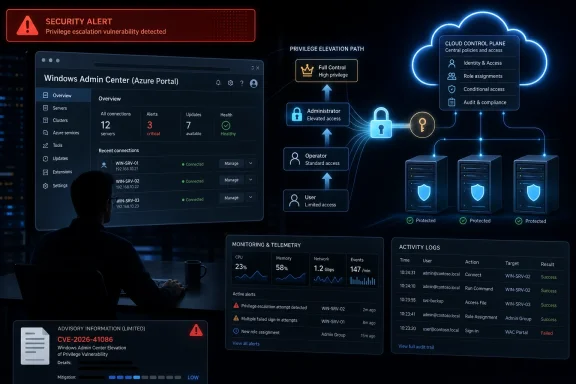 Microsoft’s Sparse Advisory Is the Signal, Not the Footnote
The most important fact about CVE-2026-41086 is not that it has a dramatic exploit narrative. It is that Microsoft is willing to name the affected product family, classify the bug as elevation of privilege, and attach it to Windows Admin Center inside Azure Portal while leaving the public technical explanation thin.That is a familiar pattern in Microsoft security disclosures, especially for cloud-adjacent management services. The company often withholds implementation details when a vulnerability involves an administrative workflow, identity boundary, or managed service path that could be turned into a playbook by attackers. For administrators, that restraint is frustrating but rational: the more an advisory says about the vulnerable call path, the more it may teach the wrong audience.
The user-facing language around confidence is also revealing. Microsoft’s metric describes how certain the vendor and broader ecosystem are that a vulnerability exists and how credible the known technical details are. In plainer English, this is the line between “someone thinks there may be a bug,” “research points toward a likely bug,” and “the vendor has effectively confirmed the bug.”
CVE-2026-41086 appears to sit on the serious side of that spectrum. The entry is not merely describing theoretical harm. It is a named vulnerability in a named Microsoft administrative product, and the known impact class is privilege escalation.
For WindowsForum readers, the lesson is not to wait for exploit code before caring. Elevation-of-privilege vulnerabilities are often most dangerous after an attacker already has a foothold, and that is precisely when defenders are least likely to have the luxury of time.
Windows Admin Center Is No Longer Just a Pretty Server Console
Windows Admin Center began life as a browser-based way to manage Windows Server, clusters, Hyper-V, storage, certificates, events, services, and the miscellany of daily administration without living entirely inside MMC snap-ins and RDP sessions. That origin story still shapes how many admins think about it: useful, modern, occasionally quirky, but fundamentally a management front end.The Azure Portal version changes the risk equation. Once Windows Admin Center appears inside Azure, the tool is no longer merely a local administrative convenience. It becomes part of a hybrid management plane where Azure identity, role assignments, browser sessions, tokens, extensions, server agents, and cloud-side orchestration all meet.
That is why “Windows Admin Center in Azure Portal” should make defenders sit up straighter than a generic client-side utility flaw. A vulnerability in an admin console can be bad. A vulnerability in an admin console embedded in a cloud control plane can become a bridge between local server compromise and broader operational control.
This does not mean CVE-2026-41086 gives attackers tenant-wide compromise. Microsoft’s public wording does not justify that leap, and defenders should be wary of security commentary that inflates every Azure-related bug into a doomsday scenario. But the product placement matters. Administrative surfaces are where small authorization mistakes become meaningful operational power.
The same pattern has played out across years of enterprise security: tools built to make administration easier inevitably concentrate authority. That concentration is defensible when access checks, auditing, token handling, and session boundaries are impeccable. It becomes dangerous when any of those layers trust the wrong actor at the wrong time.
“Elevation of Privilege” Is a Quiet Phrase for a Loud Failure Mode
Elevation of privilege is often less cinematic than remote code execution, which is why it can be underweighted in patch triage. RCE gets the headlines because it suggests an attacker can arrive from outside and immediately run code. EoP sounds conditional, and conditional risk is easy to postpone.That instinct is dangerous. In real intrusions, attackers rarely proceed in one leap. They phish, steal a token, compromise a workstation, abuse a service account, land on a server, and then start climbing. EoP vulnerabilities are the ladders that turn a limited compromise into a strategic one.
In an administrative tool, the ladder may be shorter than defenders would like. If a low-privileged or narrowly authorized user can manipulate a management path that should require greater authority, the bug can collapse carefully designed role boundaries. If the vulnerable component touches local server administration, the result could be a privilege increase on the managed machine. If it touches portal-mediated control, the result could affect management actions available through Azure.
Microsoft’s public advisory language, at least from the material available, does not provide the exploit chain. That absence should shape the response. It should prevent wild claims, but it should not create complacency. The safe assumption is that a privilege boundary relevant to Windows Admin Center in Azure Portal did not hold.
This is where cloud administration complicates old habits. In a traditional Windows Server environment, privilege escalation often meant moving from user to administrator on a box. In hybrid management, “privilege” can also mean gaining access to an action, token, resource operation, or delegated administrative function that the user was not meant to have.
The cloud control plane has made privilege more abstract. That abstraction is useful for automation and scale, but it can make vulnerabilities harder to reason about from a one-line advisory.
The Confidence Metric Is a Warning Against Both Panic and Delay
The supplied MSRC metric text is unusually important because it explains how Microsoft wants readers to interpret the maturity of the information. It separates confidence in the vulnerability’s existence from the completeness of public technical details. That is a useful distinction, and it should be part of every patch meeting.A vulnerability can be real even when the root cause is not public. It can be serious even when there is no public proof-of-concept. It can deserve rapid remediation even when defenders cannot reproduce it in a lab. In fact, many of the vulnerabilities administrators most need to patch are the ones where the vendor knows more than it is willing to say publicly.
That is the defender’s dilemma with CVE-2026-41086. The public record appears to give enough to categorize the risk but not enough to validate every worst-case scenario. Microsoft’s confidence language says: treat the vulnerability as credible, but understand that the technical map is incomplete.
This is not vendor evasiveness in the ordinary public-relations sense. It is part of coordinated vulnerability disclosure. A full root-cause breakdown before remediation is widely deployed can become a recipe. In a product used to administer Windows systems through Azure, the temptation for attackers would be obvious.
The correct operational posture is measured urgency. Do not yank infrastructure apart based on speculation. Do not wait for a blog post from a researcher before patching or checking exposure. The advisory’s sparseness is not a reason to downgrade it; it is a reason to focus on the few facts that are confirmed.
The Azure Portal Context Makes Identity Hygiene Part of the Patch
For many organizations, the first instinct will be to ask whether the vulnerable component is updated automatically. That is a fair question, especially for cloud-integrated extensions and portal experiences. But for an administrative surface, patching is only one part of the control story.Identity is the other half. Windows Admin Center in Azure Portal is used by people and automation that already possess meaningful access. If a vulnerability allows privilege escalation, the difference between a nuisance and a serious incident may come down to the privileges users already have, the breadth of role assignments, and the strength of conditional access.
This is why least privilege is not an abstract compliance phrase here. If too many operators have broad Azure roles, broad server rights, or standing access to management extensions, a flaw in the administrative workflow has more room to bite. If access is time-bound, scoped, monitored, and backed by phishing-resistant authentication, the same flaw has fewer useful stepping stones.
Microsoft’s modern administrative stack is deeply identity-driven. That is a strength when organizations invest in role design and monitoring. It is a weakness when Azure roles become a junk drawer for inherited permissions, emergency exceptions, and “temporary” owner assignments that never expire.
The uncomfortable truth is that many environments have cleaner patch compliance than access governance. They can prove a server got updated last night, but they cannot quickly explain why a given user can open a management blade, invoke an extension, or administer a machine from the portal. CVE-2026-41086 is exactly the kind of advisory that exposes that asymmetry.
Defenders should therefore treat remediation as a two-track effort. Make sure the affected Windows Admin Center in Azure Portal components are updated or mitigated according to Microsoft guidance. Then review who can reach and use the management surface in the first place.
Cloud Management Bugs Punish Flat Administrative Models
The old Windows administration model often assumed a fairly hard distinction between local server administration and cloud governance. That distinction has been eroding for years. Azure Arc, portal extensions, hybrid management agents, and browser-based tooling have made it possible to manage scattered infrastructure through a centralized experience.That is powerful. It is also a gift to attackers when organizations flatten permissions for convenience. A helpdesk operator who needs to restart one service on one server should not inherit broad management rights because it was easier to assign a larger role. A platform engineer who needs to view diagnostic data should not automatically get the ability to perform sensitive administrative actions.
Privilege escalation vulnerabilities exploit the cracks between intended and actual authority. Flat models make those cracks wider. If everyone already has too much access, an EoP bug has less work to do.
This is particularly relevant to Windows Admin Center because the tool’s value proposition is breadth. It can touch many parts of a Windows system that administrators care about: processes, services, certificates, firewall rules, storage, event logs, updates, roles, and more. The richer the console, the more important it is that authorization checks be precise.
The Azure Portal adds another layer: resource-level access, extension installation, machine connection flows, and identity-mediated operations. A mistake in that layered model may not look like the classic “user becomes local admin” bug. It may look like a user gaining access to a management operation that should have been blocked.
That is why the security conversation should not stop at whether the CVSS score is high, medium, or critical. The practical severity depends heavily on the architecture of the customer environment.
Patch Tuesday Culture Still Struggles With Cloud-Attached Components
Microsoft has trained the industry to think in monthly cycles. Patch Tuesday is a useful ritual: predictable, operationally familiar, and embedded in enterprise change windows. But cloud-attached components do not always fit neatly into the old mental model of downloading a package, approving it in WSUS, and watching clients report compliance.Windows Admin Center in Azure Portal lives in a blurrier space. There may be portal-side fixes, extension updates, agent versions, managed resource changes, and documentation updates that do not map cleanly onto traditional Windows Update dashboards. Administrators must therefore understand where the vulnerable code actually lives and how Microsoft says the fix is delivered.
That is not a minor administrative detail. If a security team assumes a vulnerability was fixed by monthly OS cumulative updates when the affected component is an Azure extension, it may close the ticket while the exposure remains. Conversely, if the portal-side service has been remediated by Microsoft, teams should not waste time hunting for a nonexistent MSI update.
The practical response starts with inventory. Which subscriptions use Windows Admin Center in Azure Portal? Which servers are connected to it? Which extensions are installed? Which users or groups can invoke it? Which privileged roles can manage the relevant resources?
Those questions sound basic until an incident makes them urgent. Many organizations can list their domain controllers faster than they can list their portal-based administrative extensions. Hybrid tooling has grown faster than many asset inventories.
CVE-2026-41086 should push Windows shops to close that visibility gap. The affected product name is specific enough to start a search, even if the root cause is not public.
The Absence of Exploit Detail Does Not Mean the Absence of Attacker Interest
Attackers do not need a public proof-of-concept to care about a vulnerability. They need a target-rich product, a plausible path to privilege, and enough advisory metadata to guide research. Windows Admin Center in Azure Portal checks at least two of those boxes by design.Administrative interfaces attract attention because they sit near high-value actions. Even when a vulnerability requires prior access, attackers who specialize in post-compromise movement can make use of it. A low-privilege foothold in an enterprise is not rare; what matters is whether that foothold can be turned into durable control.
Public exploitation status is still important. If Microsoft marks a vulnerability as exploited in the wild, defenders should escalate response immediately. If it is not known to be exploited, that buys some breathing room. But breathing room is not the same as permission to ignore.
The advisory’s confidence discussion also hints at an asymmetry. Defenders may not know the root cause, but attackers can reverse-engineer updates, compare behavior, watch extension changes, and test authorization boundaries. The less public detail Microsoft provides, the more serious researchers and adversaries may become curious about what changed.
That does not guarantee imminent exploitation. It does mean that time helps both sides. Defenders use time to patch, reduce privileges, and improve monitoring. Attackers use time to diff, probe, and operationalize.
A mature security program does not require certainty about attacker behavior before acting. It uses confirmed vendor advisories as triggers for proportionate control work.
Monitoring Has to Follow the Admin Action, Not Just the Login
One common mistake in responding to privilege-related advisories is to focus only on authentication events. Successful logins matter, failed logins matter, and conditional access signals matter. But an elevation-of-privilege flaw is about what the actor can do after authentication.For Windows Admin Center in Azure Portal, defenders should care about management actions. Who opened the experience? Which resources were accessed? Were new extensions installed or updated? Were unexpected administrative operations performed? Did a user with modest expected duties suddenly interact with servers or resource groups outside their normal scope?
The exact telemetry depends on the environment and Microsoft’s logging surfaces, but the principle is stable. If the vulnerable product is an administrative console, monitoring should be centered on administrative behavior. Login logs are the doorway; action logs are the room.
This is especially important in hybrid environments where a single user action in the portal can have consequences on a Windows Server machine. Security teams need to correlate Azure activity, Entra ID sign-ins, resource operations, server-side event logs, and endpoint detection alerts. Otherwise, an attacker’s path may be split across systems that no single team watches end to end.
The most valuable detections are often mundane. A user accessing Windows Admin Center for the first time. A management action outside business hours. A role assignment shortly before administrative activity. A connection from an unfamiliar device or location followed by server management. None proves exploitation alone, but together they tell a story.
CVE-2026-41086 is a reminder that control plane observability is now part of Windows security. The days when Windows administration could be monitored only from the server are over.
Microsoft’s Hybrid Bet Raises the Security Bar for Everyone
Microsoft wants Windows Server administration to feel modern, cloud-connected, and centrally manageable. That strategy is understandable. Enterprises no longer run cleanly divided estates where everything is either on-premises or in Azure. They run mixed fleets, and administrators need tools that cross those boundaries.But every hybrid convenience creates a hybrid trust problem. When a browser-based portal can reach into server management, the security model must account for web application assumptions, cloud identity assumptions, local Windows assumptions, extension lifecycle assumptions, and network access assumptions. A weakness in any one layer can affect the perceived safety of the whole workflow.
That complexity is not unique to Microsoft. Every vendor building hybrid management tools faces it. But Microsoft’s footprint makes its mistakes unusually consequential. Windows Admin Center is not an obscure utility; it is aimed squarely at the administrators who manage critical infrastructure.
The company’s job is to keep tightening those boundaries. Customers’ job is not to pretend the boundaries are magic. Vendor-managed services reduce some operational burdens, but they do not eliminate the need for role hygiene, logging, segmentation, and skepticism about who gets administrative reach.
CVE-2026-41086 lands in that broader story. It is not just one more CVE in a long monthly list. It is a stress test for how organizations think about administrative trust in the Azure era.
The Practical Reading of CVE-2026-41086 Is Narrow, but the Lesson Is Wide
The most defensible reading of the advisory is deliberately narrow. Microsoft has identified an elevation-of-privilege vulnerability in Windows Admin Center in Azure Portal. The public technical details are limited. The confidence framing indicates that the vulnerability’s existence is credible enough for security teams to act, even if the root cause is not available for public inspection.From there, the wider lesson follows. Administrative surfaces deserve a different patching and monitoring posture from ordinary productivity components. They sit closer to sensitive operations, and they are often used by accounts that already have meaningful privileges.
Organizations should resist two bad instincts. The first is panic, which turns sparse advisories into imagined catastrophe. The second is bureaucratic delay, which treats sparse advisories as insufficiently actionable. The right response is boring and effective: identify exposure, apply Microsoft’s remediation, reduce unnecessary access, and watch the management plane.
That work is not glamorous. It is also exactly how most real security wins happen. Attackers thrive on ambiguity, stale permissions, and unowned systems. CVE-2026-41086 offers enough specificity to start removing all three.
This Is the Admin-Center Checklist That Actually Matters
For all the uncertainty in the public write-up, the operational response should be concrete. Security teams do not need a full exploit chain to make useful changes around a privileged management surface.- Organizations should confirm whether Windows Admin Center in Azure Portal is enabled or used across their Azure subscriptions and connected Windows Server estate.
- Administrators should verify that the affected component, extension, or service path is remediated according to Microsoft’s current guidance rather than assuming normal Windows OS patching covers it.
- Security teams should review Azure and Entra ID roles that can access or manage Windows Admin Center experiences and remove standing privileges that are broader than necessary.
- Defenders should audit recent Windows Admin Center activity for unusual users, unusual resources, first-time access, and administrative actions outside normal maintenance patterns.
- Enterprises should treat this vulnerability as a prompt to improve hybrid management inventory, because unknown portal extensions and unmanaged admin paths are recurring sources of risk.
- Incident responders should correlate portal activity with server-side Windows logs and endpoint telemetry, since a cloud-mediated management action may leave evidence in more than one place.
Source: MSRC Security Update Guide - Microsoft Security Response Center
