

Microsoft patched CVE-2026-55139, an information-disclosure vulnerability affecting supported Microsoft Office editions on Windows and macOS, in its July 14, 2026 security release. The flaw can let a local attacker read data outside the memory area Office intended to access, potentially exposing sensitive information from the application’s process.
Detailed in the Microsoft Security Response Center’s Security Update Guide, CVE-2026-55139 carries an Important severity rating and a CVSS 3.1 base score of 5.5. Microsoft says the vulnerability was neither publicly disclosed nor exploited when the advisory was published, and assesses future exploitation as unlikely.
That makes CVE-2026-55139 a patching issue rather than an active incident. Administrators should still deploy the July Office updates because the bug affects multiple perpetual and subscription releases, including Microsoft 365 Apps for enterprise, Office 2016, Office 2019, Office LTSC 2021, and Office LTSC 2024.
CVE-2026-55139 is classified as CWE-125, an out-of-bounds read. This type of memory-safety error occurs when software reads beyond the boundary of a buffer or other allocated memory region.
Microsoft’s description says the condition allows an unauthorized attacker to disclose information locally. The vulnerability is not presented as a route to change data, gain administrative rights, or directly execute arbitrary code; its scored impact is limited to confidentiality.
The CVSS profile is consistent with a local information leak. Its 5.5 score indicates low attack complexity and a potentially high confidentiality impact, but no corresponding integrity or availability impact. The local classification also means the flaw is not described as a network-reachable Office service that an unauthenticated internet attacker can hit directly.
The published material does not identify the exact data structures, document format, or Office parsing component involved. It also does not establish that the issue can reveal any chosen file on the computer. An out-of-bounds read generally exposes memory adjacent to the vulnerable operation, so the useful output can depend heavily on application state and how reliably an attacker can shape that memory.
That distinction matters. “Information disclosure” can cover anything from an inconsequential fragment to credentials, document contents, memory addresses, or other information that helps bypass a security defense. Microsoft has confirmed the bug and supplied a fix, but the public advisory does not claim that CVE-2026-55139 independently produces a complete compromise.
The affected releases include:
Mac administrators have a clearer minimum version to check: 16.111.26071215. A Mac running an earlier affected build should be updated through Microsoft AutoUpdate or the organization’s managed Office deployment process.
For Microsoft 365 Apps, administrators should avoid assuming that the presence of automatic updates means every endpoint has already received the fix. Update-channel policies, deferred deployments, disconnected devices, failed Click-to-Run operations, and users leaving applications open can all create version drift.
Inventory should therefore verify the installed build and update channel, not merely the product name. Microsoft Configuration Manager, Microsoft Intune, Microsoft 365 Apps admin center inventory, endpoint-management scripts, and vulnerability-management platforms can help identify installations that remain below the corrected release for their channel.
It does not mean attacks have been confirmed in the wild. Microsoft separately records the vulnerability as not publicly disclosed and not exploited at publication, while its exploitability assessment says exploitation is unlikely. Zero Day Initiative’s July 2026 update review and SANS Internet Storm Center’s Patch Tuesday tracking report the same no-disclosure, no-exploitation status.
The distinction between these fields is important for vulnerability prioritization:
That does not make the patch optional. It means administrators can place the vulnerability in the normal Office maintenance workflow rather than treating it like an emergency zero-day requiring immediate isolation of every Office endpoint.
Office itself received numerous fixes covering information disclosure and remote code execution. CVE-2026-55139 shares its 5.5 score and out-of-bounds-read classification with several other Office disclosures in the release, while other Office vulnerabilities carry higher scores and more direct code-execution consequences.
For enterprise deployment teams, that broader patch context argues against building an exception around this one CVE. Installing the appropriate July Office build closes CVE-2026-55139 while also addressing more serious defects covered by the same Office servicing release.
Testing remains appropriate where organizations depend on COM add-ins, document-management integrations, macros, accessibility extensions, or line-of-business applications that automate Office. A short validation cycle should focus on opening and saving representative documents, printing, add-in loading, Outlook integration, and any automated Word or Excel workflows.
Administrators should then confirm that Office applications have restarted and the intended build is active. Click-to-Run can download an update without completing the transition if applications remain open, leaving an endpoint technically staged but still running vulnerable binaries.
The practical control is therefore version compliance. Security teams should query Office builds across Windows and macOS, compare them with Microsoft’s July 2026 release data for each servicing channel, and investigate devices that remain behind after the normal deployment window.
Existing defenses around untrusted Office content still reduce exposure to document-based attacks generally. Protected View, Microsoft Defender for Office 365 attachment scanning, Attack Surface Reduction rules, application control, and restrictions on files received from external sources remain useful layers, but Microsoft lists no CVE-specific workaround that replaces the security update.
CVE-2026-55139 is a confirmed but not known-exploited Office memory-disclosure bug. Its standalone risk is below that of July’s Office code-execution vulnerabilities, yet the affected-product range is broad enough that Windows and Mac administrators should use it as another concrete check that the July 14 Office rollout actually reached every supported installation.
Detailed in the Microsoft Security Response Center’s Security Update Guide, CVE-2026-55139 carries an Important severity rating and a CVSS 3.1 base score of 5.5. Microsoft says the vulnerability was neither publicly disclosed nor exploited when the advisory was published, and assesses future exploitation as unlikely.
That makes CVE-2026-55139 a patching issue rather than an active incident. Administrators should still deploy the July Office updates because the bug affects multiple perpetual and subscription releases, including Microsoft 365 Apps for enterprise, Office 2016, Office 2019, Office LTSC 2021, and Office LTSC 2024.
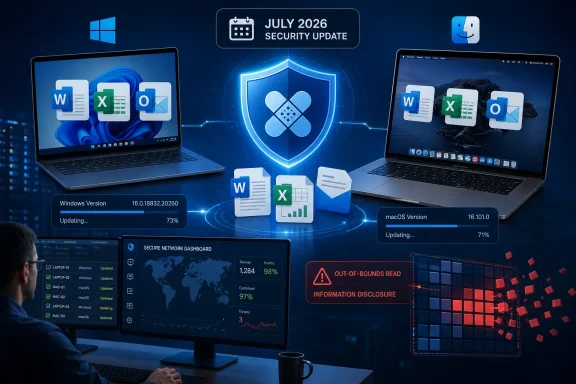 An Out-of-Bounds Read Sits Behind the Disclosure
CVE-2026-55139 is classified as CWE-125, an out-of-bounds read. This type of memory-safety error occurs when software reads beyond the boundary of a buffer or other allocated memory region.Microsoft’s description says the condition allows an unauthorized attacker to disclose information locally. The vulnerability is not presented as a route to change data, gain administrative rights, or directly execute arbitrary code; its scored impact is limited to confidentiality.
The CVSS profile is consistent with a local information leak. Its 5.5 score indicates low attack complexity and a potentially high confidentiality impact, but no corresponding integrity or availability impact. The local classification also means the flaw is not described as a network-reachable Office service that an unauthenticated internet attacker can hit directly.
The published material does not identify the exact data structures, document format, or Office parsing component involved. It also does not establish that the issue can reveal any chosen file on the computer. An out-of-bounds read generally exposes memory adjacent to the vulnerable operation, so the useful output can depend heavily on application state and how reliably an attacker can shape that memory.
That distinction matters. “Information disclosure” can cover anything from an inconsequential fragment to credentials, document contents, memory addresses, or other information that helps bypass a security defense. Microsoft has confirmed the bug and supplied a fix, but the public advisory does not claim that CVE-2026-55139 independently produces a complete compromise.
The Affected Office Footprint Reaches Windows and Mac
Microsoft’s CVE record identifies a broad set of supported Office products rather than a single application such as Word or Excel. Both 32-bit and 64-bit Windows deployments appear in the affected-product data where those architectures are available.The affected releases include:
- Microsoft 365 Apps for enterprise on 32-bit and 64-bit Windows systems.
- Microsoft Office 2016 before version 16.0.5561.1000.
- Microsoft Office 2019 on 32-bit and 64-bit Windows systems.
- Microsoft Office LTSC 2021 and Office LTSC 2024 for Windows.
- Microsoft 365 and Office 365 applications for Mac before version 16.111.26071215.
- Office LTSC for Mac 2021 and Office LTSC for Mac 2024 before version 16.111.26071215.
Mac administrators have a clearer minimum version to check: 16.111.26071215. A Mac running an earlier affected build should be updated through Microsoft AutoUpdate or the organization’s managed Office deployment process.
For Microsoft 365 Apps, administrators should avoid assuming that the presence of automatic updates means every endpoint has already received the fix. Update-channel policies, deferred deployments, disconnected devices, failed Click-to-Run operations, and users leaving applications open can all create version drift.
Inventory should therefore verify the installed build and update channel, not merely the product name. Microsoft Configuration Manager, Microsoft Intune, Microsoft 365 Apps admin center inventory, endpoint-management scripts, and vulnerability-management platforms can help identify installations that remain below the corrected release for their channel.
“Confirmed” Describes Evidence, Not Active Exploitation
The report-confidence language attached to CVE-2026-55139 can be easy to misread. Microsoft marks the vulnerability as confirmed, meaning the vendor accepts that the flaw exists and that the available technical evidence is sufficiently reliable.It does not mean attacks have been confirmed in the wild. Microsoft separately records the vulnerability as not publicly disclosed and not exploited at publication, while its exploitability assessment says exploitation is unlikely. Zero Day Initiative’s July 2026 update review and SANS Internet Storm Center’s Patch Tuesday tracking report the same no-disclosure, no-exploitation status.
The distinction between these fields is important for vulnerability prioritization:
- Report confidence answers whether the vulnerability and its technical basis are credible.
- Public disclosure indicates whether useful details were already available before or alongside the patch.
- Exploited status records whether Microsoft knows of real-world attacks.
- The exploitability assessment estimates the likelihood of working exploitation based on Microsoft’s analysis at release time.
That does not make the patch optional. It means administrators can place the vulnerability in the normal Office maintenance workflow rather than treating it like an emergency zero-day requiring immediate isolation of every Office endpoint.
July’s Office Update Is Bigger Than One Memory Leak
CVE-2026-55139 arrived as one entry in an unusually large July 2026 Patch Tuesday. BleepingComputer counted 570 unique Microsoft vulnerabilities released during the month, including 102 information-disclosure issues and dozens of Critical remote-code-execution flaws.Office itself received numerous fixes covering information disclosure and remote code execution. CVE-2026-55139 shares its 5.5 score and out-of-bounds-read classification with several other Office disclosures in the release, while other Office vulnerabilities carry higher scores and more direct code-execution consequences.
For enterprise deployment teams, that broader patch context argues against building an exception around this one CVE. Installing the appropriate July Office build closes CVE-2026-55139 while also addressing more serious defects covered by the same Office servicing release.
Testing remains appropriate where organizations depend on COM add-ins, document-management integrations, macros, accessibility extensions, or line-of-business applications that automate Office. A short validation cycle should focus on opening and saving representative documents, printing, add-in loading, Outlook integration, and any automated Word or Excel workflows.
Administrators should then confirm that Office applications have restarted and the intended build is active. Click-to-Run can download an update without completing the transition if applications remain open, leaving an endpoint technically staged but still running vulnerable binaries.
Patch Status Is the Useful Detection Signal
There is little public technical material from which defenders could construct a dependable exploit signature for CVE-2026-55139 alone. Microsoft has not published a malicious-file pattern, affected file format, crash signature, or observable process behavior specific to the flaw.The practical control is therefore version compliance. Security teams should query Office builds across Windows and macOS, compare them with Microsoft’s July 2026 release data for each servicing channel, and investigate devices that remain behind after the normal deployment window.
Existing defenses around untrusted Office content still reduce exposure to document-based attacks generally. Protected View, Microsoft Defender for Office 365 attachment scanning, Attack Surface Reduction rules, application control, and restrictions on files received from external sources remain useful layers, but Microsoft lists no CVE-specific workaround that replaces the security update.
CVE-2026-55139 is a confirmed but not known-exploited Office memory-disclosure bug. Its standalone risk is below that of July’s Office code-execution vulnerabilities, yet the affected-product range is broad enough that Windows and Mac administrators should use it as another concrete check that the July 14 Office rollout actually reached every supported installation.
References
- Primary source: MSRC
Published: 2026-07-14T07:00:00-07:00
Security Update Guide - Microsoft Security Response Center
 msrc.microsoft.com
- Official source: support.microsoft.com
Description of the security update for Office 2016: January 26, 2026 (KB5002713) | Microsoft Support
Description of the security update for Office 2016: January 26, 2026 (KB5002713)support.microsoft.com - Related coverage: www2.gov.bc.ca
- Related coverage: techradar.com
Worrying Microsoft Office security flaw patched - update now or risk hackers accessing your files | TechRadar
Microsoft forced to issue an emergency patchwww.techradar.com - Related coverage: korporaalmedia.nl
NCSC-2026-0237 [1.00] [M/H] Kwetsbaarheden verholpen in Microsoft Office - Korporaal Media
Microsoft heeft kwetsbaarheden verholpen in diverse Office producten, zoals Word, Excel, Powerpoint en SharePoint. Een kwaadwillende kan de kwetsbaarheden misbruiken om aanvallen uit te voeren die kunnen leiden tot categorieën schade, zoals benoemd in onderstaande tabel. Voor succesvol misbruik...korporaalmedia.nl - Related coverage: vuln.today
Information Disclosure - Attack Technique - vuln.today
Information disclosure occurs when an application unintentionally exposes sensitive data that aids attackers in reconnaissance or directly compromises security.vuln.today
