

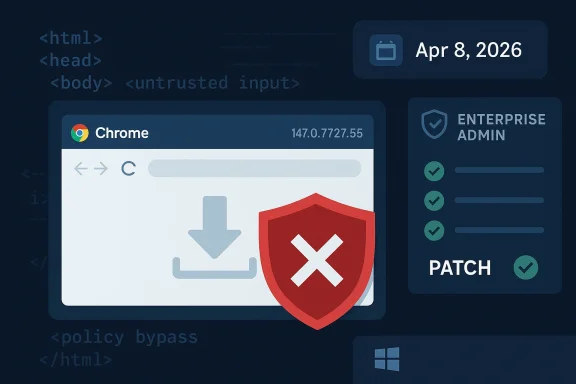
Chromium’s latest security disclosure is a reminder that browser flaws do not always arrive as dramatic remote-code-execution headlines. Sometimes the weakest link is validation, and sometimes the consequence is a silent policy bypass that can still matter a great deal in real-world enterprise environments. CVE-2026-5887 falls squarely into that category: Google says insufficient validation of untrusted input in Downloads in Chrome on Windows prior to 147.0.7727.55 could let a remote attacker bypass download restrictions through a crafted HTML page. Microsoft’s Security Update Guide has already reflected the CVE entry, which is exactly the sort of downstream tracking Windows administrators rely on when Chromium fixes flow into Edge and other Chromium-based deployments. security fixes like this one tend to look narrow on paper and broad in consequence in practice. The Chromium project’s own description labels the issue Medium severity, but that does not make it unimportant; it means the bug is more about trust boundaries, browser policy, and user workflow than about immediate memory corruption. In a world where downloads are one of the most common paths from the web into an endpoint, even a restriction bypass can become a useful foothold for phishing chains, payload staging, and policy evasion.
The timing is notable as well. The CVE was published in the NVD dataset on April 8, 2026, and the referenced Chrome stable channel update points to version 147.0.7727.55 as the corrective build. That puts this issue in the same general release window as Chrome 147’s wider desktop rollout, which means many users may have received the fix automatically, while managed environments still need to verify exactly which ring or channel they are on.
This kind of browsee intersection of consumer convenience and enterprise control. Home users usually think of download protection as a simple safe-browsing warning or a blocked file, while enterprise security teams treat it as an enforcement layer tied to data-loss prevention, application control, and reputation filtering. A bypass in that layer can therefore have outsized impact relative to the apparent severity label.
The broader lesson is that input validation bugs are not just server-side problems. In browsers, malformed HTML can become a weaponized instruction set for manipulating client-side state, including what the browser believes is safe to fetch, save, or present. That makes CVE-2026-5887 less about a single broken check and more about the integrity of the download pipeline itself.
Google’s description is straightforward: the flaw is insufficient validation of untrusted input in Downloads on Chrome for Windows, and it allowed a remote attacker to bypass download restrictions via a crafted HTML page. The CVE is mapped to CWE-20, Improper Input Validation, which is the classic category for bugs where an attacker-controlled value is accepted too readily and then trusted too far downstream.
That distinction matters because attackers rarely need the most catastrophic bug if a policy bypass gets them enough room to maneuver. A bypass may allow a malicious file to land on disk, evade a prompt, or avoid the browser’s usual friction long enough for social engineering to finish the job.
In practical terms, a downloaded payload does not have to be instantly executable to be dangerous. Many modern intrusion chains rely on the user opening a document, mounting an archive, launching a script, or simply moving a file into a trusted workflow after the browser has already been tricked into permitting it.
That is why these bugs often appear less severe than they are. The exploit itself may only bypass a restriction, but the downstream effect can still be credential theft, ransomware staging, or command-and-control placement. In other words, the browser bug is the first domino, not the final payload.
The issue is also interesting because it sits in the browser’s Downloads path rather than in a renderer crash or JavaScript engine flaw. That means defenders should not treat it as a traditional memory-corruption patch that only concerns exploit chains. It is also a policy and workflow patch, which makes it relevant to SOC analysts and endpoint teams.
Because of that, organizations should think of the issue as a delivery vulnerability. It gives attackers a browser-side way to move content toward the endpoint, which is often the most sensitive stage in the intrusion lifecycle.
In the consumer context, the best defense is timely patching and caution around unfamiliar pages or downloads. The fix is already available in Chrome 147.0.7727.55, so the main risk window is the period before the updated build is installed.
That is where Microsoft’s tracking becomes useful. Because Microsoft lists Chromium CVEs in its Security Update Guide for Edge and related downstream consumers, administrators can confirm whether the browser engine in their environment has ingested the upstream fix. The WindowsForum file data shows that this is a standard pattern for Chromium-origin issues: Microsoft documents them to help Edge customers see when downstream builds are no longer vulnerable.
For IT teams, that means this is not just a Chrome issue in the narrow sense. It is a browser-engine hygiene issue, and it should be handled with the same urgency as other Chromium security updates. In practice, that means validating channel status, testing managed rollout rings, and checking whether any policy exceptions or frozen versions are still in service.
Google’s Chrome release notes and related tracking entries have increasingly become the front line for this type of risk. The WindowsForum search results show that recent Chromium CVEs are being tracked in the same way across multiple bug classes, from use-after-free issues to UI spoofing and policy enforcement problems. That pattern underscores how broad the Chromium attack surface has become.
That is why browser patch management increasingly looks like endpoint patch management. Teams need inventories, channel awareness, and rollback plans, not just general advice to “update when you can.”
This matters because many enterprises are not running a single browser. They may have Chrome on some endpoints, Edge on others, and a mix of managed and unmanaged profiles across business units. A Chromium CVE therefore becomes a cross-browser event rather than a single-vendor event.
The WindowsForum data makes that pattern explicit in multiple contemporaneous articles: Microsoft documents Chromium-origin CVEs not because it authored them, but because Edge consumes the same upstream codebase and needs to tell customers when the fix has landed. That is the practical meaning of downstream security tracking.
That makes coordination essential. Google’s upstream work, Microsoft’s downstream guidance, and enterprise rollout policies all have to line up for the fix to provide real-world protection.
That is why CWE-20 is such a common root cause label. It covers the gap between what the developer expected and what the attacker can actually supply. In browser code, that gap is especially dangerous because the consequences are often visible to the user but not obviously malicious in the moment.
Security teams should also notice how many recent Chromium CVEs are not about a single “big exploit” but about boundary failures: policy enforcement, UI spoofing, download handling, side channels, and use-after-free bugs in different subsystems. Together, they show that browser defense in 2026 is really about preserving trust across dozens of small interfaces.
This is especially true when the exploit chain can end in malware delivery. In that scenario, the vulnerability itself does not need to be perfect; it only needs to help the attacker get past the browser’s guardrails once.
Where possible, organizations should combine browser patching with attachment controls, sandboxing, and user awareness. The goal is to make a policy bypass less useful even if an attacker finds one.
What makes CVE-2026-5887 notable is not that it is the largest flaw in the browser, but that it is the kind of flaw attackers can actually use. A download restriction bypass is subtle, practical, and easy to underestimate, which is exactly why it deserves prompt attention. For Windows users and IT teams alike, the safe move is simple: confirm the patch, verify the channel, and assume that the download pipeline matters as much as any flashy headline about the browser engine itself.
Source: NVD / Chromium Security Update Guide - Microsoft Security Response Center
The timing is notable as well. The CVE was published in the NVD dataset on April 8, 2026, and the referenced Chrome stable channel update points to version 147.0.7727.55 as the corrective build. That puts this issue in the same general release window as Chrome 147’s wider desktop rollout, which means many users may have received the fix automatically, while managed environments still need to verify exactly which ring or channel they are on.
This kind of browsee intersection of consumer convenience and enterprise control. Home users usually think of download protection as a simple safe-browsing warning or a blocked file, while enterprise security teams treat it as an enforcement layer tied to data-loss prevention, application control, and reputation filtering. A bypass in that layer can therefore have outsized impact relative to the apparent severity label.
The broader lesson is that input validation bugs are not just server-side problems. In browsers, malformed HTML can become a weaponized instruction set for manipulating client-side state, including what the browser believes is safe to fetch, save, or present. That makes CVE-2026-5887 less about a single broken check and more about the integrity of the download pipeline itself.
 What CVE-2026-5887 Actually Is
Google’s description is straightforward: the flaw is insufficient validation of untrusted input in Downloads on Chrome for Windows, and it allowed a remote attacker to bypass download restrictions via a crafted HTML page. The CVE is mapped to CWE-20, Improper Input Validation, which is the classic category for bugs where an attacker-controlled value is accepted too readily and then trusted too far downstream.Why the wording matters
The key phr download restrictions.”** That is different from saying the browser would execute arbitrary code or leak memory. Instead, it suggests a trust policy failure: the browser’s protections around what can be downloaded, how downloads are classified, or when warnings are shown did not hold under a specific crafted input path.That distinction matters because attackers rarely need the most catastrophic bug if a policy bypass gets them enough room to maneuver. A bypass may allow a malicious file to land on disk, evade a prompt, or avoid the browser’s usual friction long enough for social engineering to finish the job.
In practical terms, a downloaded payload does not have to be instantly executable to be dangerous. Many modern intrusion chains rely on the user opening a document, mounting an archive, launching a script, or simply moving a file into a trusted workflow after the browser has already been tricked into permitting it.
- Classification: Chromium/Chrome download-path validation issue
- CWE mapping: CWE-20 Improper Input Validation
- Attack surface: crafted HTML page
- Impact type: download restriction bypass
- Severity: Medium in Chromium’s model
How Attackers Could Use It
The most important thing to understand about a download restriction bypass is that it does not need to be flashy to be effective. If a crafted page can push the browser into treating a harmful file differently from what the user or administrator expects, the attacker has already won an important part of the battle. That may be enough to start a malware delivery chain, especially when paired with a lure that looks routine.A likely attack chain
A realistic abuse path would start with a phishing or malvertising page that embeds the crafted HTML. The page would be designed to manipulate the browser’s download behavior, possibly causing a file to be treated as less risky than it should be. Once the file reaches the endpoint, the remaining steps could be ordinary social engineering rather than advanced exploitation.That is why these bugs often appear less severe than they are. The exploit itself may only bypass a restriction, but the downstream effect can still be credential theft, ransomware staging, or command-and-control placement. In other words, the browser bug is the first domino, not the final payload.
The issue is also interesting because it sits in the browser’s Downloads path rather than in a renderer crash or JavaScript engine flaw. That means defenders should not treat it as a traditional memory-corruption patch that only concerns exploit chains. It is also a policy and workflow patch, which makes it relevant to SOC analysts and endpoint teams.
- Phishing pages can deliver the crafted HTML silently
- A bypass can reduce user suspicion during download
- Restricted files may land on disk or be handled differently
- Enterprise controls may be undermined if download policy is the enforcement layer
- The real damage often comes after the browser step
Why crafted HTML is enough
The use of HTML as the trigger is significant because it means the attacker may not need a complicated binary exploit. A page alone can control the environment, layout, timing, and user interaction sequence in ways that are sufficient to probe weak validation logic. That lowers the barrier for exploitation and broadens the set of threat actors who might try it.Because of that, organizations should think of the issue as a delivery vulnerability. It gives attackers a browser-side way to move content toward the endpoint, which is often the most sensitive stage in the intrusion lifecycle.
Why This Matters for Windows Users
Windows users are the natural focus here because the CVE is limited to Chrome on Windows prior to the fixed build. For home users, the risk is largely about accidentally accepting a malicious download that should have been blocked or flagged more aggressively. For enterprises, the concern extends to policy compliance, secure browsing posture, and the reliability of managed controls.Consumer impact
Consumers may not notice a vulnerability like this unless they interact with a malicious page. That is precisely why browser-layer bugs are dangerous: they rarely create obvious symptoms. If the browser appears to work normally, users assume the protective model is intact even when a narrow path has been broken.In the consumer context, the best defense is timely patching and caution around unfamiliar pages or downloads. The fix is already available in Chrome 147.0.7727.55, so the main risk window is the period before the updated build is installed.
Enterprise impact
Enterprises face a different problem. owser restrictions to backstop other controls such as web filtering, application allowlisting, and endpoint detection rules. A bypass in the browser can create a gap between policy intent and actual enforcement, which can be especially problematic when users operate with broad internet access.That is where Microsoft’s tracking becomes useful. Because Microsoft lists Chromium CVEs in its Security Update Guide for Edge and related downstream consumers, administrators can confirm whether the browser engine in their environment has ingested the upstream fix. The WindowsForum file data shows that this is a standard pattern for Chromium-origin issues: Microsoft documents them to help Edge customers see when downstream builds are no longer vulnerable.
For IT teams, that means this is not just a Chrome issue in the narrow sense. It is a browser-engine hygiene issue, and it should be handled with the same urgency as other Chromium security updates. In practice, that means validating channel status, testing managed rollout rings, and checking whether any policy exceptions or frozen versions are still in service.
The Chrome 147 Security Cycle
Chrome 147 is shaping up to be another reminder that modern browser release cycles are now security cycles as much as feature cycles. The stable update to 147.0.7727.55 is the relevant fix point for this CVE, and public release reporting places Chrome 147’s desktop rollout in early April 2026. That timing lines up with the NVD publication date and suggests the vulnerability was disclosed in the same general window that the fixed build reached users.Why release timing matters
When a browser issue is disclosed alongside a stable update, attackers immediatelyh boundary. That creates a familiar race condition: defenders are trying to deploy the fix while opportunists look for unpatched systems, and the browser’s auto-update cadence becomes part of the security architecture.Google’s Chrome release notes and related tracking entries have increasingly become the front line for this type of risk. The WindowsForum search results show that recent Chromium CVEs are being tracked in the same way across multiple bug classes, from use-after-free issues to UI spoofing and policy enforcement problems. That pattern underscores how broad the Chromium attack surface has become.
The update model is part of the defense
Chrome’s fast release cadence is one of its best security features, but it also creates operational complexity. The same speed that limits exposure can create version fragmentation inside enterprises, especially where update deferral, validation rings, or third-party application compatibility concerns slow deployment. A fix like this one is only useful if it reaches the users who need it.That is why browser patch management increasingly looks like endpoint patch management. Teams need inventories, channel awareness, and rollback plans, not just general advice to “update when you can.”
- Track the exact Chrome version in use
- Confirm whether users are on stable, extended stable, or managed channels
- Test compatibility for internal web apps before broad rollout
- Watch for policy exceptions that keep older builds alive
- Verify downstream browsers that inherit Chromium fixes
Microsoft’s Role in the Story
Microsoft is not the vendor that introduced this flaw, but it is one of the vendors that must explain its downstream consequences. That is why CVE-2026-5887 appears in Microsoft’s Security Update Guide: Edge rides on Chromium, and enterprise admins need a trusted place to see when upstream fixes have been incorporated into Microsoft’s own release stream. The file search results repeatedly show this same pattern across related Chromium CVEs in April 2026.Why Edge admins care
For organizations using Microsoft Edge, the important question is not just whether Google has patched Chrome. It is whether the version of Edge deployed in the environment has already absorbed that Chromium fix. Microsoft’s SUG is the canonical place for that answer in the Edge ecosystem, and that makes it operationally valuable even when the underlying bug is Google’s.This matters because many enterprises are not running a single browser. They may have Chrome on some endpoints, Edge on others, and a mix of managed and unmanaged profiles across business units. A Chromium CVE therefore becomes a cross-browser event rather than a single-vendor event.
The WindowsForum data makes that pattern explicit in multiple contemporaneous articles: Microsoft documents Chromium-origin CVEs not because it authored them, but because Edge consumes the same upstream codebase and needs to tell customers when the fix has landed. That is the practical meaning of downstream security tracking.
A familiar ecosystem problem
This is also a good example of how browser monoculture creates both strength and fragility. The shared engine means security fixes can propagate quickly, but it also means the same bug can affect a very large installed base across multiple vendors. The patch lands once, but the exposure surface is much wider than a single logo on a release note.That makes coordination essential. Google’s upstream work, Microsoft’s downstream guidance, and enterprise rollout policies all have to line up for the fix to provide real-world protection.
What This Says About Browser Security in 2026
CVE-2026-5887 is part of a larger pattern that has defined Chromium security for years: the hardest problems are often not the most dramatic ones. Browser teams are constantly balancing UI trust, policy enforcement, downloads, extension behavior, and content isolation, and attackers are constantly looking for the thin edges where those controls can be bent instead of broken.The broader vulnerability class
Download handling is a classic area for policy confusion. The browser has to decide what counts as trusted, what deserves warnings, and what should be blocked. Whenever that decision depends on data that originated from the web, there is an opportunity for a crafted input to confuse the parser, the UI, or the rules engine.That is why CWE-20 is such a common root cause label. It covers the gap between what the developer expected and what the attacker can actually supply. In browser code, that gap is especially dangerous because the consequences are often visible to the user but not obviously malicious in the moment.
Security teams should also notice how many recent Chromium CVEs are not about a single “big exploit” but about boundary failures: policy enforcement, UI spoofing, download handling, side channels, and use-after-free bugs in different subsystems. Together, they show that browser defense in 2026 is really about preserving trust across dozens of small interfaces.
Why medium severity can still deserve urgent action
A Medium label can lull organizations into delay, but that is often a mistake. Severity scores are only one dimension of risk; exploitation feasibility, delivery simplicity, and the availability of a working patch all matter too. A browser bypass that can be delivered by a crafted page and patched in a stable release should not sit unattended in a queue for long.This is especially true when the exploit chain can end in malware delivery. In that scenario, the vulnerability itself does not need to be perfect; it only needs to help the attacker get past the browser’s guardrails once.
- Medium severity does not mean low operational priority
- Policy bypasses can be highly effective in phishing chains
- Browser fixes usually roll into multiple downstream products
- Delay increases exposure to opportunistic attacks
- The patch window often matters more than the formal label
Practical Response for IT and Security Teams
The most useful thing administrators can do now is turn this CVE from a news item into an inventory question. What browser versions are actually deployed, which update channels are allowed, and which endpoints are lagging behind the fixed Chrome build? Those are the operational answers that determine whether the risk is theoretical or live.Verification checklist
- Confirm that Chrome on Windows is at 147.0.7727.55 or newer.
- Verify whether Edge or another Chromium-based browser has already ingested the same upstream fix.
- Check managed update policies that could be pinning older builds.
- Review download-related security controls for alerting and enforcement gaps.
- Watch for users on offline, deferred, or extended-stable tracks.
- Validate whether browser auto-update is functioning normally on remote endpoints.
Defensive posture improvements
Security teams should also treat this as a chance to harden the download workflow more broadly. Even after patching, the principles remain the same: reduce exposure to unsolicited downloads, reinforce reputation filtering, and ensure that endpoint protections inspect anything the browser is persuaded to write to disk. Browser updates are one layer, not the only layer.Where possible, organizations should combine browser patching with attachment controls, sandboxing, and user awareness. The goal is to make a policy bypass less useful even if an attacker finds one.
- Enforce update compliance with reporting, not trust
- Keep download inspection and sandboxing enabled
- Reassess browser allowlists and exceptions
- Limit local admin rights that magnify post-download risk
- Use layered controls rather than relying on browser warnings alone
Strengths and Opportunities
This incident also shows some real strengths in the current browser security ecosystem. The upstream/downstream release chain is not perfect, but it is fast, and the public disclosure model gives defenders a clear version boundary to work with. The opportunity for organizations is to use that clarity to build faster patch governance and better browser inventory discipline.- Clear fixed version: Chrome 147.0.7727.55 gives admins a concrete target.
- Rapid upstream disclosure: Google and NVD publication make the issue visible quickly.
- Downstream tracking: Microsoft’s SUG helps Edge customers understand inherited risk.
- Low exploit complexity: simpler bugs are often easier to detect in testing than RCE chains.
- Chance to improve controls: download filtering and endpoint inspection can be tightened.
- Strong auto-update model: most consumer systems can recover quickly once updates are applied.
- Enterprise visibility opportunity: patch verification can be folded into browser compliance reporting.
Risks and Concerns
The danger, however, is that organizations will underestimate the significance of a restriction bypass because it lacks the drama of a code-execution flaw. That would be a mistake, especially when the trigger is a crafted page and the target is the download pipeline. Browser policy is often the last line standing between the web and the desktop.- Phishing amplification: attackers can pair the bug with convincing lures.
- Policy erosion: a bypass may undermine browser or enterprise restrictions.
- Version drift: managed fleets may remain exposed longer than expected.
- Downstream lag: Edge and other Chromium-based browsers may patch on different schedules.
- User complacency: medium severity can delay remediation.
- Multi-step abuse: the bug may be small, but its consequences can be large in a chain.
- Detection gaps: download restriction bypasses may not generate obvious telemetry.
Looking Ahead
The next question is how quickly the fix becomes universal across the Chrome ecosystem and how quickly downstream vendors confirm ingestion. In 2026, browser security has become a race of synchronization as much as code quality: upstream patches, downstream packaging, enterprise rings, and user auto-update behavior all have to line up. The sooner administrators confirm those version numbers, the less room attackers have to exploit the gap.What to watch next
- Edge update status for Chromium ingestion of the fix
- Any proof-of-concept activity that attempts to exploit the downloads path
- Additional Chrome release notes for closely related policy or download fixes
- Enterprise telemetry showing older Chrome builds still in circulation
- Whether attackers chain this issue with phishing or social engineering campaigns
What makes CVE-2026-5887 notable is not that it is the largest flaw in the browser, but that it is the kind of flaw attackers can actually use. A download restriction bypass is subtle, practical, and easy to underestimate, which is exactly why it deserves prompt attention. For Windows users and IT teams alike, the safe move is simple: confirm the patch, verify the channel, and assume that the download pipeline matters as much as any flashy headline about the browser engine itself.
Source: NVD / Chromium Security Update Guide - Microsoft Security Response Center
