

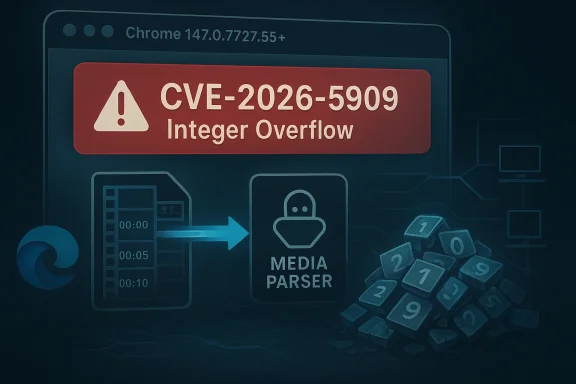
Google has published a Chromium fix for CVE-2026-5909, an integer overflow in Media that affects Chrome versions prior to 147.0.7727.55 and can be triggered by a crafted video file. The issue is listed as a remote attack scenario with potential heap corruption, and Microsoft’s Security Update Guide has now surfaced the advisory for Edge and enterprise patch tracking. Although Chromium classifies the issue as Low severity, the underlying memory-corruption pattern means defenders should still treat it as a practical patching priority, especially in environments where browsers routinely process untrusted media content. ser security advisories often look deceptively small on paper. A bug labeled “integer overflow” in a media parser can sound narrower than a renderer exploit or a sandbox escape, yet the real-world impact depends on where the arithmetic error lands and what memory object follows it. In Chromium’s case, the media stack is a high-value target because it sits on the path of everyday content, from streaming clips to automatically previewed files, and that makes even a low-severity headline worth attention.
CVE-2026-5909 follom pattern: a malformed input reaches a complex parser, a size or offset calculation wraps, and the program can mis-handle memory allocation or bounds checks. Google’s release notes tie the issue to a crafted video file and note the possibility of heap corruption in Chrome prior to 147.0.7727.55. That is the sort of bug that may not instantly translate into reliable code execution, but it still creates an opening for crashes, denial of service, and potentially more serious exploitation chains if other weaknesses are present.
The timing also matters. Chrome 147 is pg 2026 stable release cycle, and the Chrome Releases archive shows the 147 branch moving through early stable deployment in late March and early April before this CVE was publicly recorded in the CVE and NVD ecosystem on April 8. In other words, this is not an isolated one-off patch; it is part of a broader upstream hardening wave that has also produced multiple security fixes in the same branch.
For Microsoft customers, the key issue is not whether Edge authored the bug, but whether Edge has absorbed the Chromium fix. Microsoft’s Security Update Guide is now listing the CVE entry, which is how the company typically tracks upstream Chromium problems that matter to Edge users. That downstream visibility is important for security teams, because it turns a Google browser issue into a management item for Windows fleets, VDI impoints.
At a technical level, an integer overflow happens when a numerical calculation exceeds the maximum value the code expects and wraps around to a smaller number. In a media pipeline, that can distort buffer sizing, object offsets, or frame dimensions, leaving the program with a memory layout that no longer matches reality. If the code then copies or interprets data based on the wrong size, heap corruption becomes poia bugs are especially sensitive
Media parsers are exposed to highly variable inputs. Video files carry container metadata, codec-specific headers, timing tables, and nested structures that are difficult to validate perfectly without performance cost. That complexity makes media code a persistent source of memory-safety bugs, and Chromium has repeatedly had to patch similar issues across its audio, video, and codec stacks.
A crafted vseful delivery vehicle for attackers because it does not necessarily require the victim to click through a suspicious executable. Media can be embedded in web pages, previewed in browser tabs, or encountered in shared files and portals, which makes it a natural candidate for drive-by or socially engineered delivery. Even if exploitation remains difficult, the attack surface is broad enough that defenders cannot dismiss the issue simply because Chromium rated it low.
That speed is useful, but it also creates management complexity. Enterprises that pin browser versions, control update cadences, or rely on delayed rings can miss a critical patch window by days or weeks. For a media-related memory bug, that lag matters because browsers are constantly ingesting untrusted content from websites, portals, and collaboration platf147.0.7727.55** or later.
Microsoft’s pattern with Chromium CVEs is consistent: surface the vuns map it to Edge’s current build, and provide a record that can be folded into patch compliance workflows. We have seen that same model in other Chromium-related advisories Microsoft tracks, and it remains the practical way to align vendor-to-vendor patch intelligence. The value is less about novelty and more about operational clarity across the Windows ecosystem.
Enterprise defenders should also remember that browser risk is rarely isolated. A malformed media file might enter through email, SharePoint, Teams, a cloud file share, or a third-party SaaS portal opened in Edge. Once the browser is the rendering engine for all of those workflows, a single parser bug becomes a cross-application concern rathy issue.
There is also a strategic implication. Eachs a media or video flaw, it reinforces the browser industry’s dependence on rapid response rather than perfect prevention. Sandboxing and process isolation reduce blast radius, but they do not eliminate the need for constant patching, because the browser remains a massive parser surface with millions of lines of code and countless input permutations.
A few themes stand out across the current cycle:
The second step is communication. Users do not need a lecture on heap corruption, but they do need to understand that browser updates are security updates, not convenience retions normalize rapid browser patching, they reduce the odds that a low-profile flaw becomes a high-impact event later.
The final risk is process fatigue. Chrome and Edge both move quickly, and security teams can become numb to repeated browser patch notices. That fatigue is understandable, but it is also exactly what attackers count on; routine vulnerability streams become dangerous when defenders start treating them as background noise.
In the end, CVE-2026-5909 is not the kind of flaw that grabs attention with a flashy exploit chain or a dramatic public compromise. It is more mundane than that, and in modern security, mundane is often where the real risk lives. The best response is the least glamorous one: update promptly, verify versions, and keep browser patching on the same urgent footing as any other internet-facing security control.
Source: NVD / Chromium Security Update Guide - Microsoft Security Response Center
CVE-2026-5909 follom pattern: a malformed input reaches a complex parser, a size or offset calculation wraps, and the program can mis-handle memory allocation or bounds checks. Google’s release notes tie the issue to a crafted video file and note the possibility of heap corruption in Chrome prior to 147.0.7727.55. That is the sort of bug that may not instantly translate into reliable code execution, but it still creates an opening for crashes, denial of service, and potentially more serious exploitation chains if other weaknesses are present.
The timing also matters. Chrome 147 is pg 2026 stable release cycle, and the Chrome Releases archive shows the 147 branch moving through early stable deployment in late March and early April before this CVE was publicly recorded in the CVE and NVD ecosystem on April 8. In other words, this is not an isolated one-off patch; it is part of a broader upstream hardening wave that has also produced multiple security fixes in the same branch.
For Microsoft customers, the key issue is not whether Edge authored the bug, but whether Edge has absorbed the Chromium fix. Microsoft’s Security Update Guide is now listing the CVE entry, which is how the company typically tracks upstream Chromium problems that matter to Edge users. That downstream visibility is important for security teams, because it turns a Google browser issue into a management item for Windows fleets, VDI impoints.
 What the Vulnerability Actually Means
At a technical level, an integer overflow happens when a numerical calculation exceeds the maximum value the code expects and wraps around to a smaller number. In a media pipeline, that can distort buffer sizing, object offsets, or frame dimensions, leaving the program with a memory layout that no longer matches reality. If the code then copies or interprets data based on the wrong size, heap corruption becomes poia bugs are especially sensitiveMedia parsers are exposed to highly variable inputs. Video files carry container metadata, codec-specific headers, timing tables, and nested structures that are difficult to validate perfectly without performance cost. That complexity makes media code a persistent source of memory-safety bugs, and Chromium has repeatedly had to patch similar issues across its audio, video, and codec stacks.
A crafted vseful delivery vehicle for attackers because it does not necessarily require the victim to click through a suspicious executable. Media can be embedded in web pages, previewed in browser tabs, or encountered in shared files and portals, which makes it a natural candidate for drive-by or socially engineered delivery. Even if exploitation remains difficult, the attack surface is broad enough that defenders cannot dismiss the issue simply because Chromium rated it low.
- Integer overflow bugs can corrffsets.
- Media parsers handle untrusted data by design.
- Video files are common enough to be a practical lure.
- Heap corruption can lead to crashes or deeper compromise.
- Low severity in vendor terminology does not equal low operational risk.
Google’s Patch and Version Boundary
Google’s issue is Chrome 147.0.7727.55, and any Chrome installation earlier than that version should be considered affected. This is the critical operational boundary for both consumers and admins, because it provides a simple version check that can be automated across endpoints. If you can inventory browser versions, you can determine exposure quickly and close the gap without waiting for another advisory cycle.Why the exact version matters
Version-specific patching matters becaups rapid-fire security updates with multiple fixes bundled together. The browser team may stage some releases as early stable rollouts before pushing them broadly, which means a device can lag by only a few builds and still remain vulnerable. The Chrome Releases archive shows the 147 branch moving through early stable updates in late March and early April, illustrating how quickly a version baseline can change.That speed is useful, but it also creates management complexity. Enterprises that pin browser versions, control update cadences, or rely on delayed rings can miss a critical patch window by days or weeks. For a media-related memory bug, that lag matters because browsers are constantly ingesting untrusted content from websites, portals, and collaboration platf147.0.7727.55** or later.
- Verify both user-mode and managed browser channels.
- Check whether auto-update is paused or disabled.
- Treat embedded Chromium clients as potentially impacted.
- Confirm Edge’s Chromium build once Microsoft finishes ingestion.
Microsoft Edge and the Enterprise View
Microsoft’s inclusion of CVE-2026-5909 in the Security Update Guide is a reminder that Chromium issues become enterprise issues the moment they inherit into Edge. Microsoft does not need to re-create the bug to matter here; it needs to surface the upstream fix status so organizations know when their managed browser fleet has moved past the vulnerable code. That makes MSRC a critical downstream checkpoint for Windows defenders.Why downstream tracking matters
Edge is deows environments, and browser management in enterprises often assumes that browser updates are “just” application maintenance. In practice, Chromium-based browser updates can affect authentication portals, line-of-business web apps, kiosk systems, and even policy-controlled environments where the browser is the primary user interface. If a memory bug like this one sits in the media stack, any endpoint that previews video in a managed browser is part of the threat surface.Microsoft’s pattern with Chromium CVEs is consistent: surface the vuns map it to Edge’s current build, and provide a record that can be folded into patch compliance workflows. We have seen that same model in other Chromium-related advisories Microsoft tracks, and it remains the practical way to align vendor-to-vendor patch intelligence. The value is less about novelty and more about operational clarity across the Windows ecosystem.
Enterprise defenders should also remember that browser risk is rarely isolated. A malformed media file might enter through email, SharePoint, Teams, a cloud file share, or a third-party SaaS portal opened in Edge. Once the browser is the rendering engine for all of those workflows, a single parser bug becomes a cross-application concern rathy issue.
- Manage Chromium and Edge together, not separately.
- Include browser builds in patch compliance reports.
- Watch for endpoints with delayed or frozen update channels.
- Treat file-preview workflows as attack paths.
- Review kiosk and VDI images for stale browser binaries.
Consumer Impact: Small Click, Big Surface
For home users, the practical advice is straightforward: update Chrome immediately, and let auto-update finish if it has already begun. Most consumers are not going to inspect heap corruption mechanics, nor should they need to. What matters is that a crafted video file can be enough to trigger the flaw, which means ordinary browsing behavior is all that is required to encounter risk.The everyday attacks not need to seek out a malicious file manually for this to matter. A compromised site, a misleading download, or a file shared through messaging can introduce the payload, and browsers frequently encounter media in contexts that feel routine rather than dangerous. That is why media bugs remain so attractive to attackers: they blend into normal behavior and exploit user trust in common file types.
The most important consumer takeaway is thatt a synonym for “ignore it.” Google’s own label may suggest this bug is harder to operationalize than some other memory-safety issues, but that does not make it benign. If the browser is the front door to the internet, any parser flaw in the path to playback deserves immediate attention.- Update Chrome on desktop and mobile promptly.
- Restart the bro- Be wary of unsolicited video files.
- Prefer trusted download sources.
- Keep automatic updates enabled.
The Broader Chromium Pattern
CVE-2026-5909 is part of a larger recurring stor: media and graphics code continue to be fertile ground for memory errors. Chromium’s 2026 release cadence shows a steady stream of fixes across rendering, UI spoofing, policy enforcement, WebCodecs, PDF, and other high-exposure components. That pattern matters because it tells us where the engineering pressure points are still concentrated.Why these bugs keep appearing
Browser engines are huge, performance-sensitive, and aggressively optimized. They consume attacker-controlled content all day long, often in multiple formats, while also supporting backward compatibility and hardware acceleration. That combination is exactly where arithmetic mistakes and boundary failures tend to hide, especially in code that must be fast enough to decode rich media in real time.There is also a strategic implication. Eachs a media or video flaw, it reinforces the browser industry’s dependence on rapid response rather than perfect prevention. Sandboxing and process isolation reduce blast radius, but they do not eliminate the need for constant patching, because the browser remains a massive parser surface with millions of lines of code and countless input permutations.
A few themes stand out across the current cycle:
- Memory safety remains the core security challenge.
- Media formats are a frequent source of parser bugs.
- Low-severity labels can still hide exploitable paths.
- Patch velocity is now part of the defense model.
- Downstream vendors inherit urgency from upstream Chromium.
How Admins Should Triage It
The first step is to confirm the browser build on all managed endpoints. If Chrome is below 147.0.7727.55, exposure exists, and if Edge is still on an older Chromium base, the same operational concern applies once Microsoft’s downstream build has not yet ingested the fix. Triage should happen in the same workflow used for other high-frequency browser CVEs, not as a one-off security exception.A practical response sequence
The fastest way to handle a browser CVE is to narrow the gap between publication and deployment. pdate rings, validating restart behavior, and making sure policy settings are not suppressing remediation. It also means verifying that browser patching is not accidentally blocked by endpoint protection or software distribution rules.- Inventory Chrome and Edge versions across the fleet.
- Flag any build earlier than 147.0.7727.55.
- Push updates through normal managed channels browsers and confirm the new build.
- Audit systems that preview or ingest media from external sources.
The second step is communication. Users do not need a lecture on heap corruption, but they do need to understand that browser updates are security updates, not convenience retions normalize rapid browser patching, they reduce the odds that a low-profile flaw becomes a high-impact event later.
Strengths and Opportunities
This advisory also shows the strengths of the current Chromium response model. Google has a clear patch boundary, Microsoft is surfacing downstream tracking, ve enough version precision to act quickly. That combination gives defenders a workable path even when the bug itself is subtle and the vendor severity label is conservative.- Clear remediation target: Chrome 147.0.7727.55.
- Broad browser visibility through Microsoft’s update guide.
- Fast upstream-to-downstream communication across vendors.
- **Low-friction user remedia browser updates.
- Strong operational fit for automated patch compliance.
- Useful version gating for endpoint inventory tools.
- Security lesson reinforced: media code must be treated as hostile-input code.
Risks and Concerns
The main concern is that a low-severity label can lull organizations into delaying action. That would be a mistake here, because the bug involves memory corruption in a commonly exercised browser component and can be triggered by a crafted video file. In security operations, bugs that look small are often the ones most likely to linger in neglected update queues.- Delay risk if teams prioritize only “High” CVEs.
- Exposure drift on machines that miss auto-updates.
- Attack surface expansion through file-sharing and previews.
- Downstream lag if Edge builds trail Chromium.
- User behavior risk from opening unterprise fragmentation** across multiple update rings.
- Complacency risk when the advisory seems narrow.
The final risk is process fatigue. Chrome and Edge both move quickly, and security teams can become numb to repeated browser patch notices. That fatigue is understandable, but it is also exactly what attackers count on; routine vulnerability streams become dangerous when defenders start treating them as background noise.
Looking Ahead
The next question is not whether Chrome will continue to find media bugs; it will. The real question is how quickly the ecosystem can keep turning those findings into routine, low-friction updates before they become the basis for more serious exploitation. The current 147 branch suggests Google is contat pace, while Microsoft’s downstream tracking helps keep Edge aligned with that cadence.What to watch next
- Whether Chrome and Edge both reach the fixed baseline across all channels.
- Whether any public exploitation research appears after disclosure.
- Whether Google publishes more detail in follow-up release notes.
- Whether additional media- or codec-related flaws appear in adjacent components.
- Whether enterprise patch tools surface widespread lag in browser updates.
In the end, CVE-2026-5909 is not the kind of flaw that grabs attention with a flashy exploit chain or a dramatic public compromise. It is more mundane than that, and in modern security, mundane is often where the real risk lives. The best response is the least glamorous one: update promptly, verify versions, and keep browser patching on the same urgent footing as any other internet-facing security control.
Source: NVD / Chromium Security Update Guide - Microsoft Security Response Center
Last edited:
