

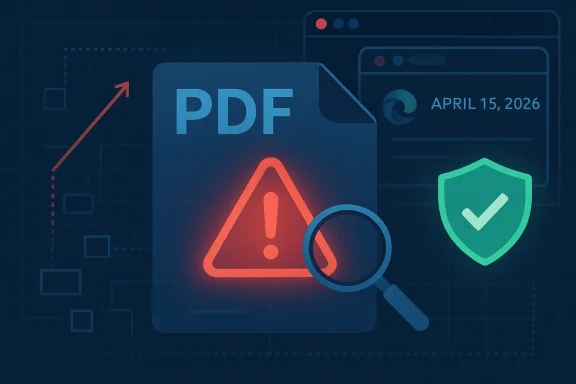
Google’s April 15, 2026 Chrome stable update quietly closed a High-severity memory-corruption flaw in PDFium, tracked as CVE-2026-6305, and the fix now matters well beyond browser hobbyists. The bug affects Chrome versions prior to 147.0.7727.101 and allows a remote attacker to execute arbitrary code inside the browser sandbox by luring a victim into opening a crafted PDF file. Because Microsoft’s Edge release notes confirm that Chromium security fixes flow downstream into Edge, this is not just a Chrome story; it is a cross-ecosystem patching event for anyone depending on Chromium-based browsers.
CVE-2026-6305 is the kind of browser vulnerability that security teams respect immediately and users often underestimate. On paper, it is “only” a heap buffer overflow in PDFium, but in practice that means attacker-controlled data can push execution into unintended memory regions and potentially hijack control flow. Google’s bulletin labels the issue High, and the security note says the flaw could be triggered through a crafted PDF file, which makes delivery easy and detection difficult.
The most important detail is the attack path. The exploit does not require the victim to install software, disable protections, or perform an unusual advanced step. Instead, the attacker needs only to get a user to open a malicious PDF in a vulnerable Chrome build. That is a familiar but still dangerous pattern because PDFs remain one of the most trusted file types in enterprise and consumer workflows alike.
There is also a meaningful containment story here. Google says the code execution occurs “inside a sandbox,” which is an important mitigating boundary, but not a reason to relax. Sandboxes raise the exploit cost, slow attackers down, and reduce post-exploitation reach, yet they do not eliminate risk. If an attacker can combine a renderer exploit with a separate sandbox escape or abuse of browser permissions, the initial foothold becomes much more valuable.
For Windows users, this matters because Microsoft Edge is a Chromium-based browser and typically incorporates upstream Chromium security updates on its own schedule. Microsoft’s Edge security release notes repeatedly state that Edge Stable updates include the latest Chromium fixes, which means a Chromium CVE like this one can affect Edge users until Microsoft ships the corresponding build. In other words, patching Chrome alone is not enough in environments where Edge is also in use. (learn.microsoft.com)
A second important detail is that Google’s bulletin warns that bug details and links may be restricted until most users have updated. That is standard practice, but it is also a signal that the vendor considers active exploitation or exploitability credible enough to slow public technical disclosure. That caution is not proof of in-the-wild abuse, but it does indicate that the issue was treated as sensitive. (chromereleases.googleblog.com)
The release note also places CVE-2026-6305 among a larger bundle of 31 security fixes. That context matters because it shows how browser patching works now: the platform is constantly absorbing a dense flow of memory-safety, logic, and sandbox issues. A single CVE may be the headline, but the defensive value of the update is broader than the one bug that caught attention.
The security pattern is old, but the stakes keep rising. As browsers have hardened JavaScript engines, GPU paths, and process isolation, attackers have increasingly looked for bugs in file parsers, media stacks, and document handlers. PDF parsing remains a rich target because it has to handle fonts, compressed streams, embedded objects, incremental updates, and edge-case structure that is notoriously difficult to validate perfectly. The complexity is the vulnerability surface.
In this case, the exploit vector is a crafted PDF file, which likely means the attacker can carefully influence parser behavior and memory layout. That is particularly concerning in document viewers because the user often has no clue that the file is malicious until after opening it. PDFs also travel naturally through email, collaboration platforms, ticketing systems, and HR or finance workflows.
The Chrome security severity rating of High is notable too. Google does not use that label lightly, and while it is not equivalent to a formal CVSS score, it usually reflects meaningful exploitability and impact. The public NVD record was still being enriched at the time of publication, so vendor advisories remain the best authoritative source for the immediate risk posture.
If an attacker achieves arbitrary code execution in a sandboxed renderer or utility process, they may still be able to steal session data, interact with rendered content, stage follow-on attacks, or combine the flaw with a separate browser escape. That is why browser vendors treat renderer bugs seriously even when the exploit does not immediately grant system-level control. Containment lowers blast radius, but it does not remove the blast.
This is also the sort of vulnerability where one click is enough to matter. The user may think they are simply previewing a file, but in reality they are feeding attacker-controlled input into a highly complex parser. Even if the sandbox holds, the attacker can still learn useful things about the target, such as browser versioning and process behavior.
A practical consumer lesson follows: do not delay browser restarts after security updates. Chromium-based browsers often download fixes silently but defer activation until the next restart, and that means a “patched” browser can remain functionally vulnerable for longer than the UI suggests. Installed is not always protected. (chromereleases.googleblog.com)
Enterprises also have patch orchestration complexity. Some users run Chrome, others use Edge, and still others may use managed virtual desktops or remote sessions that complicate update verification. Since Microsoft Edge incorporates Chromium security fixes on its own schedule, IT teams should confirm both browser families are current rather than assuming one patch wave covers all endpoints. (learn.microsoft.com)
Microsoft’s release notes show the pattern clearly across multiple March and April 2026 updates, repeatedly noting that Edge Stable channel releases “incorporate the latest Security Updates of the Chromium project.” That phrasing matters because it confirms the dependency chain rather than leaving it implied. The lesson is straightforward: Chromium patching and Edge patching are related but not identical operations. (learn.microsoft.com)
For Windows administrators, this means browser vulnerability management should be inventory-driven rather than brand-driven. A fleet can be “mostly Chrome” yet still have enough Edge usage to create exposure. In mixed-browser shops, patch compliance needs to be validated by engine lineage, not just by application icon. That distinction is easy to miss and expensive to ignore. (learn.microsoft.com)
If a workstation role regularly receives external documents, it deserves a faster patch cadence. That includes finance staff, recruiters, procurement teams, sales operations, and executives’ assistants. Those users are often targeted because their documents are frequent, expected, and time-sensitive, which makes malicious PDFs more likely to be opened quickly. The business value of urgency is exactly what attackers exploit.
From a market perspective, this also means browser differentiation is increasingly about response speed and operational maturity rather than whether a vendor can avoid every upstream issue. The fastest patch pipeline becomes a competitive advantage. Consumers may not notice, but security-conscious enterprises certainly do. Patch velocity is product value now. (chromereleases.googleblog.com)
It also explains why vendors are careful about how much technical detail they disclose before adoption reaches a safe threshold. The risk is not merely theoretical publication; it is publication before the majority of endpoints have moved beyond the vulnerable build. That is the window attackers watch most closely. (chromereleases.googleblog.com)
The less obvious impact is on trust. Users often assume a browser’s built-in PDF viewer is safer than opening the file in an external app because it feels integrated and controlled. When an upstream issue like this surfaces, it reminds the market that integration is not a guarantee of immunity. Security engineering must keep up with convenience, or convenience becomes the attack surface.
Fourth, prioritize the users most likely to encounter hostile documents. That is the workforce segment where a malicious PDF is not an edge case; it is a daily operational reality. Fifth, if a crash or suspicious document report appears, preserve artifacts quickly because memory-corruption bugs often disappear after the process exits. Fast response beats perfect hindsight.
For security operations centers, this also reinforces why browser telemetry and document-handling logs are so valuable. A PDF exploit may not immediately generate traditional perimeter alerts, so endpoint-based visibility is critical. If the exploit is caught early, it may appear only as a browser crash, a renderer anomaly, or an unusual process chain.
A second watch item is downstream patch cadence. Google’s fix is already public, but Microsoft’s Edge rollout timing remains the practical question for many Windows fleets. Because Microsoft explicitly ties Edge Stable security updates to Chromium’s security work, administrators should assume a follow-on patch is necessary and confirm it through their normal enterprise channels. (learn.microsoft.com)
A third item is user behavior. Attackers love periods when users are told a browser is updated but have not restarted yet. That small operational gap is where a lot of real-world risk hides, and it is often the easiest gap to close. The simplest control is often the one that is neglected the longest. (chromereleases.googleblog.com)
Source: NVD / Chromium Security Update Guide - Microsoft Security Response Center
 Overview
CVE-2026-6305 is the kind of browser vulnerability that security teams respect immediately and users often underestimate. On paper, it is “only” a heap buffer overflow in PDFium, but in practice that means attacker-controlled data can push execution into unintended memory regions and potentially hijack control flow. Google’s bulletin labels the issue High, and the security note says the flaw could be triggered through a crafted PDF file, which makes delivery easy and detection difficult.The most important detail is the attack path. The exploit does not require the victim to install software, disable protections, or perform an unusual advanced step. Instead, the attacker needs only to get a user to open a malicious PDF in a vulnerable Chrome build. That is a familiar but still dangerous pattern because PDFs remain one of the most trusted file types in enterprise and consumer workflows alike.
There is also a meaningful containment story here. Google says the code execution occurs “inside a sandbox,” which is an important mitigating boundary, but not a reason to relax. Sandboxes raise the exploit cost, slow attackers down, and reduce post-exploitation reach, yet they do not eliminate risk. If an attacker can combine a renderer exploit with a separate sandbox escape or abuse of browser permissions, the initial foothold becomes much more valuable.
For Windows users, this matters because Microsoft Edge is a Chromium-based browser and typically incorporates upstream Chromium security updates on its own schedule. Microsoft’s Edge security release notes repeatedly state that Edge Stable updates include the latest Chromium fixes, which means a Chromium CVE like this one can affect Edge users until Microsoft ships the corresponding build. In other words, patching Chrome alone is not enough in environments where Edge is also in use. (learn.microsoft.com)
What Google Disclosed
Google’s own stable-channel bulletin provides the core facts: Chrome Stable moved to 147.0.7727.101/102 for Windows and Mac and 147.0.7727.101 for Linux, rolling out over the following days and weeks. The bulletin explicitly lists CVE-2026-6305 as a Heap buffer overflow in PDFium and tags it as a High-severity issue. (chromereleases.googleblog.com)The release timing matters
The fix appeared in the April 15, 2026 desktop stable update, which means the vulnerable window on the stable channel was limited but real. That window is exactly where opportunistic attackers thrive: between disclosure, rollout, and full fleet compliance. Security advisories often look tidy on paper, but the real world includes offline devices, deferred update rings, and users who ignore restart prompts for days. (chromereleases.googleblog.com)A second important detail is that Google’s bulletin warns that bug details and links may be restricted until most users have updated. That is standard practice, but it is also a signal that the vendor considers active exploitation or exploitability credible enough to slow public technical disclosure. That caution is not proof of in-the-wild abuse, but it does indicate that the issue was treated as sensitive. (chromereleases.googleblog.com)
The release note also places CVE-2026-6305 among a larger bundle of 31 security fixes. That context matters because it shows how browser patching works now: the platform is constantly absorbing a dense flow of memory-safety, logic, and sandbox issues. A single CVE may be the headline, but the defensive value of the update is broader than the one bug that caught attention.
Why PDFium is a special target
PDFium is Chromium’s PDF rendering engine, and that makes it unusually attractive to attackers. Unlike obscure components, a PDF engine sits on a direct user path: open a document, render the content, and interpret complex untrusted input. That blend of ubiquity and parser complexity is exactly where memory-safety bugs cluster.The security pattern is old, but the stakes keep rising. As browsers have hardened JavaScript engines, GPU paths, and process isolation, attackers have increasingly looked for bugs in file parsers, media stacks, and document handlers. PDF parsing remains a rich target because it has to handle fonts, compressed streams, embedded objects, incremental updates, and edge-case structure that is notoriously difficult to validate perfectly. The complexity is the vulnerability surface.
- PDFium sits on a path many users trust implicitly.
- Crafted documents can reach the engine without obvious warning signs.
- Memory corruption bugs often chain well with other flaws.
- Sandboxing reduces impact but does not erase exploitability.
How the Vulnerability Works
The technical label heap buffer overflow tells us a lot even without exploit code. A heap overflow occurs when a program writes past the end of an allocated memory buffer, corrupting adjacent heap data. Depending on how the heap is shaped and what data gets overwritten, that can cause crashes, data corruption, or in the worst case, code execution.Why this class of bug still matters
The browser security industry has spent years reducing the obvious paths to compromise, but heap overflows remain relevant because they can be turned into reliable primitives by skilled researchers. Modern allocators, control-flow protections, and process sandboxing make exploitation harder, yet “harder” is not “impossible.” Attackers only need one successful chain, not universal reliability.In this case, the exploit vector is a crafted PDF file, which likely means the attacker can carefully influence parser behavior and memory layout. That is particularly concerning in document viewers because the user often has no clue that the file is malicious until after opening it. PDFs also travel naturally through email, collaboration platforms, ticketing systems, and HR or finance workflows.
The Chrome security severity rating of High is notable too. Google does not use that label lightly, and while it is not equivalent to a formal CVSS score, it usually reflects meaningful exploitability and impact. The public NVD record was still being enriched at the time of publication, so vendor advisories remain the best authoritative source for the immediate risk posture.
What “inside a sandbox” really means
The phrase inside a sandbox can sound reassuring, but it should be interpreted correctly. It means the attacker’s code execution is constrained by browser process isolation, not that the threat is trivial. Sandboxes are defense-in-depth, not a substitute for patching.If an attacker achieves arbitrary code execution in a sandboxed renderer or utility process, they may still be able to steal session data, interact with rendered content, stage follow-on attacks, or combine the flaw with a separate browser escape. That is why browser vendors treat renderer bugs seriously even when the exploit does not immediately grant system-level control. Containment lowers blast radius, but it does not remove the blast.
- Heap corruption can destabilize memory and open exploitation paths.
- Document parsers are frequent targets because they accept untrusted input.
- Sandbox boundaries help, but layered exploits remain feasible.
- User interaction is still required, which lowers automation but not risk.
Why This Matters for Chrome Users
For individual users, the most immediate action is simple: verify that Chrome has updated to 147.0.7727.101 or later. Google’s desktop stable channel bulletin says the fix is in that release train, and the update rolls out over days and weeks, which means some systems will receive it later than others even after the patch is published. (chromereleases.googleblog.com)Consumer threat model
Consumers are most exposed when they receive PDFs through email, messaging apps, or download sites they do not fully trust. A malicious PDF is a classic lure because it looks like a routine invoice, shipping notice, job application, or document preview. The browser’s built-in PDF handling can make the attack path feel safer than a third-party viewer, which is precisely why the issue deserves attention.This is also the sort of vulnerability where one click is enough to matter. The user may think they are simply previewing a file, but in reality they are feeding attacker-controlled input into a highly complex parser. Even if the sandbox holds, the attacker can still learn useful things about the target, such as browser versioning and process behavior.
A practical consumer lesson follows: do not delay browser restarts after security updates. Chromium-based browsers often download fixes silently but defer activation until the next restart, and that means a “patched” browser can remain functionally vulnerable for longer than the UI suggests. Installed is not always protected. (chromereleases.googleblog.com)
Enterprise threat model
Enterprises face a broader exposure surface because PDFs are routine in procurement, legal, HR, sales, and finance. That means a browser-based PDF flaw is not just a desktop problem; it is a business process problem. An attacker who compromises a single mail user or helpdesk workstation may find a path to internal phishing, credential capture, or lateral movement staging.Enterprises also have patch orchestration complexity. Some users run Chrome, others use Edge, and still others may use managed virtual desktops or remote sessions that complicate update verification. Since Microsoft Edge incorporates Chromium security fixes on its own schedule, IT teams should confirm both browser families are current rather than assuming one patch wave covers all endpoints. (learn.microsoft.com)
- Check Chrome version across managed endpoints.
- Verify Edge version separately in Chromium-heavy environments.
- Prioritize users who routinely handle untrusted PDFs.
- Treat deferred restarts as security debt, not convenience.
The Microsoft Edge Angle
Microsoft’s Edge security release notes are an important part of this story because Edge is effectively a downstream consumer of Chromium’s security work. Microsoft regularly states that Edge Stable releases incorporate the latest Chromium security updates, which means an upstream Chromium CVE may remain relevant on Edge until Microsoft ships its own updated build. (learn.microsoft.com)Why downstream timing matters
That downstream timing creates a familiar but frustrating enterprise reality. A vulnerability can be fixed in upstream Chromium on one date, appear in Edge later, and still remain exploitable on managed endpoints during the gap. That lag may be short, but in high-value environments even a short window can be enough for opportunistic exploitation or commodity malware campaigns. (learn.microsoft.com)Microsoft’s release notes show the pattern clearly across multiple March and April 2026 updates, repeatedly noting that Edge Stable channel releases “incorporate the latest Security Updates of the Chromium project.” That phrasing matters because it confirms the dependency chain rather than leaving it implied. The lesson is straightforward: Chromium patching and Edge patching are related but not identical operations. (learn.microsoft.com)
For Windows administrators, this means browser vulnerability management should be inventory-driven rather than brand-driven. A fleet can be “mostly Chrome” yet still have enough Edge usage to create exposure. In mixed-browser shops, patch compliance needs to be validated by engine lineage, not just by application icon. That distinction is easy to miss and expensive to ignore. (learn.microsoft.com)
Practical implications for IT
Security teams should treat PDF handling as a layered control problem. Browser patching is the first layer, but mail filtering, attachment sandboxing, application control, and user awareness all remain relevant. No single control fully neutralizes a file-format exploit chain that lands in a trusted browser process.If a workstation role regularly receives external documents, it deserves a faster patch cadence. That includes finance staff, recruiters, procurement teams, sales operations, and executives’ assistants. Those users are often targeted because their documents are frequent, expected, and time-sensitive, which makes malicious PDFs more likely to be opened quickly. The business value of urgency is exactly what attackers exploit.
- Validate both Chrome and Edge versions.
- Include browser restarts in patch compliance checks.
- Audit document-heavy roles for elevated exposure.
- Keep PDF and browser telemetry available to SOC teams.
Competitive and Market Implications
A vulnerability like CVE-2026-6305 is not only a security event; it is also a reminder of how concentrated the modern browser market has become. When Chromium catches a flaw, the impact radiates across Google Chrome, Microsoft Edge, and other Chromium-derived browsers. That shared codebase brings innovation and scale, but it also creates shared-risk concentration.Shared engine, shared blast radius
The upside of Chromium’s dominance is familiar: rapid feature delivery, common standards support, and a large security engineering ecosystem. The downside is that one engine bug can touch multiple consumer and enterprise products at once. That is why browser vendors invest heavily in hardening, fuzzing, and bug bounty programs, but even then the architecture remains vulnerable to a “single-source, multi-vendor” problem. (chromereleases.googleblog.com)From a market perspective, this also means browser differentiation is increasingly about response speed and operational maturity rather than whether a vendor can avoid every upstream issue. The fastest patch pipeline becomes a competitive advantage. Consumers may not notice, but security-conscious enterprises certainly do. Patch velocity is product value now. (chromereleases.googleblog.com)
It also explains why vendors are careful about how much technical detail they disclose before adoption reaches a safe threshold. The risk is not merely theoretical publication; it is publication before the majority of endpoints have moved beyond the vulnerable build. That is the window attackers watch most closely. (chromereleases.googleblog.com)
How rivals are affected
The obvious rival impact is on other Chromium-based browsers and embedded browser experiences. Any product shipping the same or similar PDFium code path inherits the same basic security imperative, even if release schedules differ. In practice, that can mean customers need to monitor more than one vendor dashboard to get a full picture.The less obvious impact is on trust. Users often assume a browser’s built-in PDF viewer is safer than opening the file in an external app because it feels integrated and controlled. When an upstream issue like this surfaces, it reminds the market that integration is not a guarantee of immunity. Security engineering must keep up with convenience, or convenience becomes the attack surface.
- Shared Chromium components spread risk across vendors.
- Faster patch release becomes a differentiator.
- Enterprises must track upstream and downstream advisories.
- Built-in viewers are convenient, not magically safe.
Incident Response and Exposure Management
Security teams should handle this CVE as a standard but urgent browser response: inventory, patch, restart, verify, and monitor. The vulnerability is serious enough that a “wait until next maintenance window” attitude is hard to justify for exposed users, especially those receiving external documents.A sensible response sequence
A good response sequence is short and disciplined. First, confirm whether Chrome is at or beyond 147.0.7727.101 and whether Edge has been updated to the corresponding Chromium security release. Second, force or strongly encourage browser restarts so the patched code is actually running. Third, watch for suspicious PDF activity or repeated crashes in browser telemetry, which can indicate probing. (chromereleases.googleblog.com)Fourth, prioritize the users most likely to encounter hostile documents. That is the workforce segment where a malicious PDF is not an edge case; it is a daily operational reality. Fifth, if a crash or suspicious document report appears, preserve artifacts quickly because memory-corruption bugs often disappear after the process exits. Fast response beats perfect hindsight.
For security operations centers, this also reinforces why browser telemetry and document-handling logs are so valuable. A PDF exploit may not immediately generate traditional perimeter alerts, so endpoint-based visibility is critical. If the exploit is caught early, it may appear only as a browser crash, a renderer anomaly, or an unusual process chain.
Where defenders should focus
- Update verification on both Chrome and Edge.
- Restart enforcement so patched code is active.
- High-risk user groups that exchange external documents.
- Endpoint telemetry for browser crashes and anomalies.
- Attachment filtering for hostile PDFs entering the environment.
- User reporting channels for suspicious documents and unexpected prompts.
Strengths and Opportunities
The encouraging part of this story is that Chromium’s security machinery did exactly what it is supposed to do: the bug was identified, classified, patched, and pushed through the stable channel quickly. That does not make the issue trivial, but it does show a mature response model that benefits both consumers and enterprise administrators. (chromereleases.googleblog.com)- Fast vendor remediation limited the vulnerable window.
- Sandboxed execution likely reduced the blast radius.
- Upstream disclosure discipline helped avoid premature technical spillover.
- Cross-vendor propagation means Edge users can also receive a fix once updated.
- Security bounty ecosystems continue to surface real-world bugs.
- Telemetry and enterprise management can accelerate fleet-wide cleanup.
- User awareness moments like this improve long-term patch habits.
Risks and Concerns
The concern, of course, is that memory-corruption bugs in document parsers remain highly attractive to attackers precisely because they are so reliable as delivery mechanisms. PDF files are normal, trusted, and common, which gives adversaries a social-engineering advantage before exploitation even begins.- Crafted PDFs are easy to distribute through normal business channels.
- Delayed restarts can leave patched browsers effectively vulnerable.
- Mixed browser environments complicate verification and compliance.
- Sandboxed code execution can still support chained attacks.
- User trust in built-in viewers may lower caution.
- Shared Chromium code increases ecosystem-wide impact.
- Crash-only visibility can make detection harder than prevention.
Looking Ahead
The next thing to watch is whether exploitation research begins to focus on PDFium and related document-handling paths more aggressively. If a public proof of concept emerges, the urgency for lagging endpoints will rise quickly. Even without a public exploit, the existence of a high-severity memory corruption bug is enough to justify immediate remediation in any environment that values document security.A second watch item is downstream patch cadence. Google’s fix is already public, but Microsoft’s Edge rollout timing remains the practical question for many Windows fleets. Because Microsoft explicitly ties Edge Stable security updates to Chromium’s security work, administrators should assume a follow-on patch is necessary and confirm it through their normal enterprise channels. (learn.microsoft.com)
A third item is user behavior. Attackers love periods when users are told a browser is updated but have not restarted yet. That small operational gap is where a lot of real-world risk hides, and it is often the easiest gap to close. The simplest control is often the one that is neglected the longest. (chromereleases.googleblog.com)
- Confirm Chrome is on 147.0.7727.101 or later.
- Verify Edge has received the corresponding Chromium security update.
- Restart browsers promptly after deployment.
- Watch for suspicious PDF delivery attempts.
- Prioritize document-heavy job roles for awareness and protection.
Source: NVD / Chromium Security Update Guide - Microsoft Security Response Center
Last edited:
