

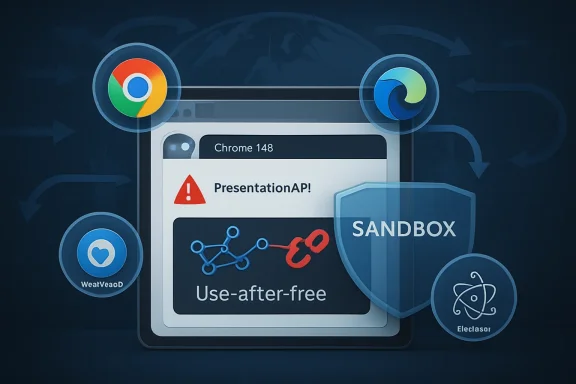
Google and downstream vendors disclosed CVE-2026-7926 on May 6, 2026, as a high-severity use-after-free flaw in Chrome’s PresentationAPI, fixed in Chrome 148.0.7778.96 for Linux and 148.0.7778.96/97 for Windows and macOS. The short version for administrators is brutally familiar: a crafted web page, a memory-safety bug, and a browser sandbox that contains but does not trivialize the blast radius. The longer version is more interesting because it shows how Chromium security has become less about any single browser and more about an update supply chain that now underpins Windows desktops, enterprise browsers, Electron apps, and Linux repositories alike. CVE-2026-7926 is not the loudest bug in the Chrome 148 batch, but it is exactly the kind of flaw that makes patch governance hard: serious enough to prioritize, narrow enough to be underestimated, and embedded in a component most users never knowingly touch.
Chrome 148 arrived as the stable desktop branch in early May with version 148.0.7778.96 for Linux and 148.0.7778.96/97 for Windows and macOS. Google described the release as containing numerous fixes and improvements, while follow-on reporting counted well over 100 security fixes in the broader Chrome 148 release train. That matters because CVE-2026-7926 should not be treated as a lonely advisory floating in the National Vulnerability Database; it is one entry in a large browser hardening push.
The bug itself is concise in the way browser CVEs often are. Chrome before 148.0.7778.96 contained a use-after-free vulnerability in PresentationAPI that allowed a remote attacker to execute arbitrary code inside a sandbox through a crafted HTML page. Chromium classified the severity as High, and CISA’s ADP scoring placed it at CVSS 3.1 8.8, with network attack vector, low attack complexity, no privileges required, and user interaction required.
That scoring tells the operational story better than the label does. This is not a wormable network service bug. It needs a user to visit, load, or otherwise interact with malicious content. But in browser security, “user interaction required” is not much comfort; the entire product exists to fetch and execute hostile-by-default content from the public internet.
The phrase “inside a sandbox” is also doing a lot of work. It means the described impact is code execution within Chrome’s renderer containment model rather than immediate full-system takeover. But renderer code execution is still a serious foothold, especially when paired with a second vulnerability that escapes the sandbox or abuses brokered privileges.
That complexity is precisely why it belongs in the security conversation. Browser vendors spent years turning the web from a document viewer into an application runtime. Every API that makes the web more capable also gives attackers another seam to probe: lifecycle transitions, callbacks, permissions prompts, object ownership, device discovery, navigation changes, and process isolation all have to agree about what exists, who owns it, and when it may be released.
A use-after-free bug is a failure in that choreography. Some object is freed, but later code still treats a dangling reference as valid. In a garbage-collected or heavily abstracted codebase, that sounds like something that should be impossible; in the real world of C++, bindings, renderer processes, and cross-thread browser plumbing, it remains one of the classic memory corruption classes.
The PresentationAPI angle does not mean every user must be actively casting a browser tab to be at risk. Advisories typically describe the vulnerable component, not the exact preconditions of every reachable code path. The important defensive assumption is simpler: if the vulnerable code can be driven by crafted HTML in a vulnerable Chrome build, the browser update is the fix.
A renderer exploit gives an attacker execution in a process that is supposed to be heavily constrained. It may still expose data available to that renderer, enable logic abuse within the browser session, or become the first step toward escaping into a more privileged process. The sandbox changes the shape of the attack; it does not make arbitrary code execution irrelevant.
Chrome’s security model is built on defense in depth: site isolation, process sandboxing, permission prompts, mitigations against memory corruption, and rapid update delivery. The system is impressive precisely because it assumes pieces will fail. When a use-after-free reaches the stable advisory page, defenders should assume the bug pierced at least one layer of expected correctness and rely on the patch, not on philosophical comfort.
For enterprise IT, this is where risk language can become misleading. “High” may sound less urgent than “Critical,” and “inside a sandbox” may sound less urgent than “remote code execution.” But a high-severity browser memory bug reachable by a web page belongs in the same operational category as many other urgently patched client-side flaws: update quickly, verify deployment, and do not wait for exploit drama.
This is one of the defining changes in Windows security over the last decade. A Chrome CVE is often also an Edge concern, a Brave concern, an Opera concern, a Vivaldi concern, and sometimes an embedded Chromium concern. The old mental model—“Chrome users should patch Chrome”—is too narrow for 2026.
For Windows administrators, the Chromium monoculture has a paradoxical effect. On one hand, shared code means shared bugs. On the other, shared code often means faster fixes, better research economics, and a clearer minimum-version line across vendors. The danger is not that Chromium is uniquely negligent; it is that Chromium is now so central that its patch cadence becomes everyone’s patch cadence.
Microsoft’s involvement also matters because Windows fleets frequently have multiple Chromium-based runtimes installed. A managed desktop may have Edge, Chrome, Teams components, WebView2 runtime, Electron applications, and vendor-specific browsers all present at once. Updating Chrome alone is necessary for Chrome, but it is not a complete inventory response to a Chromium-class issue.
If the question is whether a Chrome CPE is missing, the likely answer is no for the core Google Chrome product:
Where the discomfort is justified is around downstream Chromium consumers. A strict NVD CPE for Google Chrome does not automatically enumerate Microsoft Edge, Brave, Opera, Vivaldi, Chromium packages, Electron runtimes, or application-bundled Chromium forks. Those products may need their own vendor advisories, their own version checks, and their own CPEs if they ship affected code.
That distinction matters to vulnerability management teams because scanners tend to transform CPE logic into tickets. If your scanner flags Chrome, the remediation is straightforward: update Chrome to at least 148.0.7778.96 or the applicable newer build. If your estate includes Edge or another Chromium-based browser, you should not assume the Chrome CPE covers it for asset governance, even if the underlying vulnerability lineage is shared.
The better way to phrase the CPE concern is this: the Chrome CPE appears adequate for Google Chrome, but the ecosystem inventory may be incomplete if you rely on that one CPE to represent every Chromium-derived product in the environment. That is not an NVD oddity; it is the cost of building the modern desktop on shared browser engines.
That sounds simple until it meets the real world. Chrome’s auto-update machinery is good, but “will roll out over the coming days/weeks” is not the same thing as “has updated every endpoint you care about.” A laptop asleep in a drawer, a kiosk running a locked-down image, a VDI pool with stale gold images, or a user who never relaunches the browser can all sit below the fixed version long after the release announcement.
The operational check is old-fashioned: verify the installed version. On unmanaged desktops, that means opening Chrome’s About page and letting the updater complete. In managed environments, it means querying inventory, forcing relaunch windows where necessary, and checking policy-controlled update channels.
There is also a reporting nuance. Some advisories describe Chrome versions as pairs because Windows and macOS sometimes receive closely adjacent builds, while Linux receives a single listed build. Security teams should avoid overfitting to the cosmetic difference. The important policy is to require a fixed or newer version, not to freeze on one exact build string across all platforms.
The “UI:R” field is the hinge. Browser bugs often sit there because the victim must load malicious content. But web exploitation has spent three decades making that requirement cheap: malvertising, compromised legitimate sites, phishing links, watering-hole pages, traffic redirection, embedded frames, and messaging platforms all exist to put hostile content in front of users.
The “S:U” field is equally important. Scope unchanged suggests the impact stays within the security authority of the vulnerable component as modeled by CVSS. That aligns with the “inside a sandbox” description. It does not promise that no attacker can chain the flaw with another issue; it says this CVE’s scored impact does not itself cross a privilege boundary in the CVSS model.
The absence of an NVD score at the time described in the change history is not a reason to wait. NVD enrichment lag is common, especially when records arrive quickly from vendors and CISA ADP adds interim scoring. Administrators should use the vendor-fixed version and available ADP score rather than delaying remediation until every database field is perfectly populated.
Chromium has invested heavily in mitigations that make memory corruption harder to exploit. Partitioning allocators, pointer-hardening strategies, sandboxing, process isolation, fuzzing, and code review all raise the cost. But mitigations are not eradication. A browser is too large, too asynchronous, and too exposed to untrusted input for memory lifetime bugs to vanish overnight.
PresentationAPI is a particularly plausible place for lifecycle mistakes because presentation sessions are stateful. They can start, stop, reconnect, fail, navigate, change device availability, and interact with permissions and user gestures. Every state transition is an opportunity for one subsystem to believe an object is still alive after another subsystem has decided it is not.
This is why the industry’s shift toward Rust, safer subsets, and stronger lifetime tooling is not academic. Memory-safety work is not just about preventing spectacular zero-days; it is about reducing the background radiation of high-severity bugs that force emergency patch cycles across billions of installations. CVE-2026-7926 is a small entry in that large ledger.
For consumers, the advice remains straightforward: update and relaunch. Browser updates do not fully protect a running process until the old code is gone. A user who lets Chrome download an update but keeps a vulnerable session alive for days is not in the same position as a user who restarts into the fixed build.
For organizations, the harder problem is forcing that relaunch without destroying work. Chrome and Edge both expose enterprise policies for update management and relaunch notifications, but many environments still treat browsers as soft dependencies rather than tier-one software. That posture made sense when browsers were one application among many. It makes less sense when the browser is the daily operating environment for SaaS, identity, email, document editing, and administrative consoles.
Patch SLAs should reflect exposure, not vendor branding. A high-severity browser memory corruption bug reachable from web content should move faster than a routine application defect, even if the official label is not “Critical.” If your organization gives itself 30 days for browser updates, it is effectively betting that exploit development, phishing delivery, and user behavior will all be slower than your change calendar.
That does not mean every Electron app is automatically exploitable through PresentationAPI. Feature exposure, compile-time configuration, sandboxing choices, navigation restrictions, and application architecture matter. But from a vulnerability management perspective, “Chromium inside” should trigger investigation rather than complacency.
The same applies to Linux distributions. Ubuntu’s security tracker, for example, may show that the
This is why asset tools that only look for
But its ordinariness is the point. The modern browser security story is not a sequence of singular catastrophes; it is a treadmill of serious bugs remediated through rapid release engineering. The security achievement is that users receive fixes quickly. The security failure, when it happens, is that organizations mistake rapid availability for rapid deployment.
The PresentationAPI detail also reminds us that attack surface is not limited to headline features. Users know JavaScript, extensions, downloads, and password managers. They may not know presentation sessions, WebRTC internals, graphics pipelines, font parsing, media codecs, or remote desktop components. Attackers do not care whether a feature has mindshare; they care whether it has reachable code and exploitable state.
For Microsoft-centric readers, the lesson is even broader. Windows security now depends heavily on browser engine hygiene maintained outside Windows itself. That is not a criticism of Microsoft; Edge’s Chromium move reflected the gravitational pull of the web platform. But it means Patch Tuesday is no longer the metronome for client risk. Browser stable channel updates can be just as urgent, and they arrive on their own schedule.
Source: NVD / Chromium Security Update Guide - Microsoft Security Response Center
 Chrome 148 Is a Security Release Wearing a Version Number
Chrome 148 arrived as the stable desktop branch in early May with version 148.0.7778.96 for Linux and 148.0.7778.96/97 for Windows and macOS. Google described the release as containing numerous fixes and improvements, while follow-on reporting counted well over 100 security fixes in the broader Chrome 148 release train. That matters because CVE-2026-7926 should not be treated as a lonely advisory floating in the National Vulnerability Database; it is one entry in a large browser hardening push.The bug itself is concise in the way browser CVEs often are. Chrome before 148.0.7778.96 contained a use-after-free vulnerability in PresentationAPI that allowed a remote attacker to execute arbitrary code inside a sandbox through a crafted HTML page. Chromium classified the severity as High, and CISA’s ADP scoring placed it at CVSS 3.1 8.8, with network attack vector, low attack complexity, no privileges required, and user interaction required.
That scoring tells the operational story better than the label does. This is not a wormable network service bug. It needs a user to visit, load, or otherwise interact with malicious content. But in browser security, “user interaction required” is not much comfort; the entire product exists to fetch and execute hostile-by-default content from the public internet.
The phrase “inside a sandbox” is also doing a lot of work. It means the described impact is code execution within Chrome’s renderer containment model rather than immediate full-system takeover. But renderer code execution is still a serious foothold, especially when paired with a second vulnerability that escapes the sandbox or abuses brokered privileges.
PresentationAPI Is Obscure Until It Becomes an Attack Surface
PresentationAPI is not a feature most WindowsForum readers will discuss over coffee. It is a web platform interface designed to let web content present to another display or receiving context, such as casting a presentation to a connected screen. Like many modern browser APIs, it sits at the intersection of user experience, device integration, permission boundaries, and complex asynchronous state.That complexity is precisely why it belongs in the security conversation. Browser vendors spent years turning the web from a document viewer into an application runtime. Every API that makes the web more capable also gives attackers another seam to probe: lifecycle transitions, callbacks, permissions prompts, object ownership, device discovery, navigation changes, and process isolation all have to agree about what exists, who owns it, and when it may be released.
A use-after-free bug is a failure in that choreography. Some object is freed, but later code still treats a dangling reference as valid. In a garbage-collected or heavily abstracted codebase, that sounds like something that should be impossible; in the real world of C++, bindings, renderer processes, and cross-thread browser plumbing, it remains one of the classic memory corruption classes.
The PresentationAPI angle does not mean every user must be actively casting a browser tab to be at risk. Advisories typically describe the vulnerable component, not the exact preconditions of every reachable code path. The important defensive assumption is simpler: if the vulnerable code can be driven by crafted HTML in a vulnerable Chrome build, the browser update is the fix.
The Sandbox Is a Seatbelt, Not a Permission Slip
The most tempting mistake in reading CVE-2026-7926 is to stop at “inside a sandbox” and mentally downgrade the bug. That is not how modern browser exploitation works. Attackers do not usually expect one bug to deliver the whole kingdom; they assemble chains.A renderer exploit gives an attacker execution in a process that is supposed to be heavily constrained. It may still expose data available to that renderer, enable logic abuse within the browser session, or become the first step toward escaping into a more privileged process. The sandbox changes the shape of the attack; it does not make arbitrary code execution irrelevant.
Chrome’s security model is built on defense in depth: site isolation, process sandboxing, permission prompts, mitigations against memory corruption, and rapid update delivery. The system is impressive precisely because it assumes pieces will fail. When a use-after-free reaches the stable advisory page, defenders should assume the bug pierced at least one layer of expected correctness and rely on the patch, not on philosophical comfort.
For enterprise IT, this is where risk language can become misleading. “High” may sound less urgent than “Critical,” and “inside a sandbox” may sound less urgent than “remote code execution.” But a high-severity browser memory bug reachable by a web page belongs in the same operational category as many other urgently patched client-side flaws: update quickly, verify deployment, and do not wait for exploit drama.
Microsoft’s Role Is the Chromium Reality Check
The user-provided source points to Microsoft’s Security Update Guide entry for CVE-2026-7926. That is not an accident or a clerical echo. Microsoft Edge is built on Chromium, and Microsoft tracks relevant Chromium vulnerabilities through its own security response ecosystem because Edge inherits large portions of the same browser engine risk.This is one of the defining changes in Windows security over the last decade. A Chrome CVE is often also an Edge concern, a Brave concern, an Opera concern, a Vivaldi concern, and sometimes an embedded Chromium concern. The old mental model—“Chrome users should patch Chrome”—is too narrow for 2026.
For Windows administrators, the Chromium monoculture has a paradoxical effect. On one hand, shared code means shared bugs. On the other, shared code often means faster fixes, better research economics, and a clearer minimum-version line across vendors. The danger is not that Chromium is uniquely negligent; it is that Chromium is now so central that its patch cadence becomes everyone’s patch cadence.
Microsoft’s involvement also matters because Windows fleets frequently have multiple Chromium-based runtimes installed. A managed desktop may have Edge, Chrome, Teams components, WebView2 runtime, Electron applications, and vendor-specific browsers all present at once. Updating Chrome alone is necessary for Chrome, but it is not a complete inventory response to a Chromium-class issue.
The CPE Question Is Messier Than It Looks
The NVD change history described for CVE-2026-7926 shows a CPE configuration that effectively says Google Chrome before 148.0.7778.96 is vulnerable across Windows, Linux, and macOS. That is the sort of CPE entry scanners love because it gives them a product, a version range, and operating-system applicability. But it also highlights why CPEs can be both useful and frustrating.If the question is whether a Chrome CPE is missing, the likely answer is no for the core Google Chrome product:
cpe:2.3:a:google:chrome:*:*:*:*:*:*:*:* with versions up to but excluding 148.0.7778.96 captures the vulnerable application line. The operating-system CPEs in the configuration express platform applicability rather than separate vulnerable OS products. Windows, Linux, and macOS are not the cause of the flaw; they are the desktop platforms on which vulnerable Chrome builds run.Where the discomfort is justified is around downstream Chromium consumers. A strict NVD CPE for Google Chrome does not automatically enumerate Microsoft Edge, Brave, Opera, Vivaldi, Chromium packages, Electron runtimes, or application-bundled Chromium forks. Those products may need their own vendor advisories, their own version checks, and their own CPEs if they ship affected code.
That distinction matters to vulnerability management teams because scanners tend to transform CPE logic into tickets. If your scanner flags Chrome, the remediation is straightforward: update Chrome to at least 148.0.7778.96 or the applicable newer build. If your estate includes Edge or another Chromium-based browser, you should not assume the Chrome CPE covers it for asset governance, even if the underlying vulnerability lineage is shared.
The better way to phrase the CPE concern is this: the Chrome CPE appears adequate for Google Chrome, but the ecosystem inventory may be incomplete if you rely on that one CPE to represent every Chromium-derived product in the environment. That is not an NVD oddity; it is the cost of building the modern desktop on shared browser engines.
The Version Boundary Is the Only Line That Counts
For defenders, CVE-2026-7926 has one clean cutoff: Chrome before 148.0.7778.96 is affected, and Chrome at or above that branch build is the remediation target for the Google Chrome desktop line. Windows and macOS users may see 148.0.7778.96 or 148.0.7778.97 depending on channel and rollout mechanics. Linux users are anchored on 148.0.7778.96 in the stable desktop release.That sounds simple until it meets the real world. Chrome’s auto-update machinery is good, but “will roll out over the coming days/weeks” is not the same thing as “has updated every endpoint you care about.” A laptop asleep in a drawer, a kiosk running a locked-down image, a VDI pool with stale gold images, or a user who never relaunches the browser can all sit below the fixed version long after the release announcement.
The operational check is old-fashioned: verify the installed version. On unmanaged desktops, that means opening Chrome’s About page and letting the updater complete. In managed environments, it means querying inventory, forcing relaunch windows where necessary, and checking policy-controlled update channels.
There is also a reporting nuance. Some advisories describe Chrome versions as pairs because Windows and macOS sometimes receive closely adjacent builds, while Linux receives a single listed build. Security teams should avoid overfitting to the cosmetic difference. The important policy is to require a fixed or newer version, not to freeze on one exact build string across all platforms.
Exploitability Lives Between the CVSS Fields
CISA’s ADP vector for CVE-2026-7926 is the sort of thing security teams can read almost by muscle memory: AV:N, AC:L, PR:N, UI:R, S:U, C:H, I:H, A:H. In plain English, the attacker can be remote, the attack is not considered complex, no account privileges are needed, the victim must interact, the scope is unchanged, and confidentiality, integrity, and availability impacts are all high.The “UI:R” field is the hinge. Browser bugs often sit there because the victim must load malicious content. But web exploitation has spent three decades making that requirement cheap: malvertising, compromised legitimate sites, phishing links, watering-hole pages, traffic redirection, embedded frames, and messaging platforms all exist to put hostile content in front of users.
The “S:U” field is equally important. Scope unchanged suggests the impact stays within the security authority of the vulnerable component as modeled by CVSS. That aligns with the “inside a sandbox” description. It does not promise that no attacker can chain the flaw with another issue; it says this CVE’s scored impact does not itself cross a privilege boundary in the CVSS model.
The absence of an NVD score at the time described in the change history is not a reason to wait. NVD enrichment lag is common, especially when records arrive quickly from vendors and CISA ADP adds interim scoring. Administrators should use the vendor-fixed version and available ADP score rather than delaying remediation until every database field is perfectly populated.
Use-After-Free Bugs Keep Surviving the Memory-Safety Era
Every year the browser industry talks more seriously about memory safety, and every year use-after-free vulnerabilities keep appearing in high-value components. That is not hypocrisy. It is the lag between architectural ambition and the enormous C++ inheritance of modern browser engines.Chromium has invested heavily in mitigations that make memory corruption harder to exploit. Partitioning allocators, pointer-hardening strategies, sandboxing, process isolation, fuzzing, and code review all raise the cost. But mitigations are not eradication. A browser is too large, too asynchronous, and too exposed to untrusted input for memory lifetime bugs to vanish overnight.
PresentationAPI is a particularly plausible place for lifecycle mistakes because presentation sessions are stateful. They can start, stop, reconnect, fail, navigate, change device availability, and interact with permissions and user gestures. Every state transition is an opportunity for one subsystem to believe an object is still alive after another subsystem has decided it is not.
This is why the industry’s shift toward Rust, safer subsets, and stronger lifetime tooling is not academic. Memory-safety work is not just about preventing spectacular zero-days; it is about reducing the background radiation of high-severity bugs that force emergency patch cycles across billions of installations. CVE-2026-7926 is a small entry in that large ledger.
The Real Patch Window Is Shorter Than the Rollout Window
Google’s release language usually says updates roll out over days or weeks. That is sensible for global stability. It is less comforting when the advisory describes remote code execution through a crafted page.For consumers, the advice remains straightforward: update and relaunch. Browser updates do not fully protect a running process until the old code is gone. A user who lets Chrome download an update but keeps a vulnerable session alive for days is not in the same position as a user who restarts into the fixed build.
For organizations, the harder problem is forcing that relaunch without destroying work. Chrome and Edge both expose enterprise policies for update management and relaunch notifications, but many environments still treat browsers as soft dependencies rather than tier-one software. That posture made sense when browsers were one application among many. It makes less sense when the browser is the daily operating environment for SaaS, identity, email, document editing, and administrative consoles.
Patch SLAs should reflect exposure, not vendor branding. A high-severity browser memory corruption bug reachable from web content should move faster than a routine application defect, even if the official label is not “Critical.” If your organization gives itself 30 days for browser updates, it is effectively betting that exploit development, phishing delivery, and user behavior will all be slower than your change calendar.
Edge, WebView2, and Electron Complicate the Inventory Story
Windows shops should treat CVE-2026-7926 as a reminder to inventory Chromium surfaces, not merely Google Chrome installations. Microsoft Edge has its own update mechanism. WebView2 has its runtime lifecycle. Electron applications may bundle specific Chromium versions, and they do not necessarily inherit Chrome’s patch the moment Google posts a stable build.That does not mean every Electron app is automatically exploitable through PresentationAPI. Feature exposure, compile-time configuration, sandboxing choices, navigation restrictions, and application architecture matter. But from a vulnerability management perspective, “Chromium inside” should trigger investigation rather than complacency.
The same applies to Linux distributions. Ubuntu’s security tracker, for example, may show that the
chromium-browser package is not affected in supported releases because the package is effectively a snap installer rather than a traditional distro-maintained Chromium build. Debian may track its own Chromium source package and version. The user-visible browser may be the same family, but the packaging story differs sharply.This is why asset tools that only look for
chrome.exe are no longer enough. The web engine has escaped the browser window. It lives in help systems, chat apps, management consoles, embedded dashboards, launchers, and updaters. Security teams do not need panic; they need a map.The Signal in This CVE Is Bigger Than PresentationAPI
There is a tendency in vulnerability coverage to dramatize every CVE as the one that changes everything. CVE-2026-7926 is not that. It is a high-severity Chrome memory bug, patched in a normal stable release, with no public indication in the provided record that it was being exploited in the wild at disclosure time.But its ordinariness is the point. The modern browser security story is not a sequence of singular catastrophes; it is a treadmill of serious bugs remediated through rapid release engineering. The security achievement is that users receive fixes quickly. The security failure, when it happens, is that organizations mistake rapid availability for rapid deployment.
The PresentationAPI detail also reminds us that attack surface is not limited to headline features. Users know JavaScript, extensions, downloads, and password managers. They may not know presentation sessions, WebRTC internals, graphics pipelines, font parsing, media codecs, or remote desktop components. Attackers do not care whether a feature has mindshare; they care whether it has reachable code and exploitable state.
For Microsoft-centric readers, the lesson is even broader. Windows security now depends heavily on browser engine hygiene maintained outside Windows itself. That is not a criticism of Microsoft; Edge’s Chromium move reflected the gravitational pull of the web platform. But it means Patch Tuesday is no longer the metronome for client risk. Browser stable channel updates can be just as urgent, and they arrive on their own schedule.
The Chrome 148 Checklist Should Be Boring and Relentless
The useful response to CVE-2026-7926 is not fear, and it is not a forensic treasure hunt for an unpublished exploit. It is disciplined version control across the places Chromium actually runs. The advisory gives defenders enough to act: vulnerable versions, fixed versions, attack preconditions, weakness class, and affected platforms.- Chrome desktop installations should be updated to 148.0.7778.96 or later, with Windows and macOS systems accepting the 148.0.7778.96/97 stable builds as applicable.
- Browser relaunches should be enforced or strongly prompted because a downloaded update does not retire vulnerable running processes by magic.
- Vulnerability scanners should treat the Google Chrome CPE as valid for Chrome itself, while separate Chromium-based products still require their own inventory and vendor-version checks.
- Microsoft Edge, WebView2, Electron applications, and other Chromium consumers should be reviewed through their own update channels rather than assumed safe because Chrome has been patched.
- Security teams should prioritize this as a high-severity browser memory corruption issue reachable through crafted web content, even though the described code execution occurs inside the sandbox.
Source: NVD / Chromium Security Update Guide - Microsoft Security Response Center
