

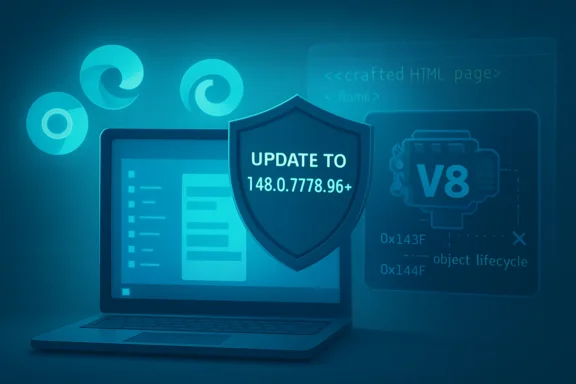
Google and Microsoft disclosed CVE-2026-7936 on May 6, 2026, describing a medium-severity object lifecycle flaw in Chromium’s V8 JavaScript engine that affects Google Chrome before version 148.0.7778.96 and can be triggered by a crafted HTML page. The bug is not the kind of banner-grabbing zero-day that sends incident rooms into full crisis mode. But it is exactly the kind of browser flaw that should make Windows administrators uncomfortable: remote, web-delivered, memory-related, and sitting inside the engine that processes the modern web’s executable substrate.
The immediate answer is simple: update Chrome, and update Chromium-based browsers that inherit the relevant V8 code once their vendors ship fixes. The deeper answer is less tidy. CVE-2026-7936 is a reminder that the browser is no longer an application on the endpoint; it is one of the endpoint’s most exposed runtime environments, and every “medium” V8 advisory deserves to be read through that lens.
CVE-2026-7936 is classified as an object lifecycle issue in V8, the JavaScript and WebAssembly engine used by Chromium. The reported consequence is an out-of-bounds memory read, reachable through a crafted HTML page, with user interaction required because the victim must load or be induced to load attacker-controlled web content.
That is why the CVSS 3.1 vector lands at 4.3: network attack vector, low attack complexity, no privileges required, user interaction required, unchanged scope, low confidentiality impact, and no stated integrity or availability impact. In vulnerability-management shorthand, that reads as “medium, patch in normal cadence.” In browser-security shorthand, it reads more like “do not ignore this just because it does not say RCE.”
The reason is V8’s position in the stack. JavaScript engines are among the most aggressively optimized pieces of software on a desktop system. They constantly speculate, inline, allocate, collect, deoptimize, and reshape code at runtime, all while handling untrusted input from the public internet. An object lifecycle bug in that context is not a dusty edge case; it is a crack in the machinery that decides when memory is valid, when objects still exist, and what type of thing a pointer is supposed to reference.
Out-of-bounds reads are often described as less dramatic than out-of-bounds writes or use-after-free bugs that directly enable code execution. That distinction matters, but it can also mislead. A read primitive can disclose memory contents, assist sandbox escapes, reveal pointers that defeat address-space layout randomization, or become one component in a longer exploit chain. Browser exploitation is rarely a single magic trick; it is a choreography of primitives.
That version specificity matters because the CVE language says “prior to 148.0.7778.96.” It does not say “all Chrome 148 builds.” It does not say “fixed sometime in May.” Asset inventory, vulnerability scanners, and endpoint-management dashboards need to key on the actual build, not just the major version.
This is where browser patching still trips up otherwise mature Windows shops. Chrome’s automatic update system is good, but “automatic” is not the same as “completed.” Users leave browsers open for days. Virtual desktop images lag behind. Golden images get rebuilt on old templates. Server-side renderers, test rigs, kiosk systems, and embedded Chromium runtimes frequently sit outside the ordinary endpoint-management rhythm.
For a home user, the remediation is mundane: open Chrome, go to the About page, let it update, and restart the browser. For an enterprise, the remediation is verification. The risk is not that Google failed to ship a patch; it is that some forgotten corner of the estate never consumed it.
That distinction is critical for WindowsForum readers because many Windows fleets are now browser-dual by default. Chrome may be installed for compatibility or user preference, Edge may be the managed enterprise default, WebView2 may be embedded in line-of-business apps, and Electron applications may bundle their own Chromium-derived runtime. The attack surface is not one browser icon on the taskbar. It is an ecosystem.
CPE data in NVD often tries to represent this world in a structured way, but the structure can be misleading if read too literally. The change history for CVE-2026-7936 shows Chrome CPEs with affected versions below 148.0.7778.96 and platform CPEs for Windows, Linux, and macOS. That does not mean the operating systems themselves contain the V8 bug. It means vulnerable Chrome builds run on those operating systems.
This is a classic CPE modeling problem. CPEs are useful for matching scanners to affected software, but they are not a perfect map of dependency reality. A Chromium bug can exist in Chrome, Edge, Brave, Opera, Vivaldi, Electron, CEF-based applications, headless automation images, and testing containers on different timelines depending on how each vendor consumes upstream fixes. If your scanner only thinks in terms of “Google Chrome on Windows,” it may miss the places where Chromium is present but not branded as Chrome.
That does not automatically mean every user who visits a malicious page is compromised. The CVSS vector still requires user interaction, and the stated impact is only a low confidentiality impact. But from a defender’s perspective, a crafted HTML trigger is broad, cheap, and easy to distribute. It can arrive through phishing, malvertising, compromised websites, poisoned search results, internal collaboration tools, or any system that renders attacker-controlled content.
The browser has become the universal document reader, application platform, identity front end, and internal SaaS gateway. That makes browser bugs unusually scalable. Attackers do not need to know whether the victim opens Word documents, runs macros, or installs random executables. They only need to get a user to a page.
There is also a psychological issue. Users and even IT teams tend to think of “browser update” as a consumer hygiene task, not a security-control boundary. But on a managed Windows endpoint, an unpatched browser is often a more plausible initial access path than an unpatched kernel component. The browser is exposed continuously; the kernel is usually reached after the first mistake has already happened.
The engine has to take dynamic JavaScript and make it perform like native code where possible. It creates assumptions about object shapes, property access, array bounds, prototypes, types, and execution hot paths. When those assumptions are invalidated, it has to unwind them safely. When the garbage collector moves or frees objects, every remaining reference has to remain coherent. When WebAssembly enters the picture, the performance and isolation expectations get even more demanding.
“Object lifecycle issue” is a compact phrase for failures in that universe. It suggests a mismatch between when an object is created, referenced, transitioned, optimized, collected, or destroyed. In C and C++ codebases, these are the fault lines where memory safety bugs live. In a JIT engine, those fault lines run through some of the most complex and performance-sensitive code in the browser.
That is why the industry’s long-term browser-security story increasingly points toward sandbox hardening, site isolation, memory-safe languages, exploit mitigations, and architectural containment. Patching individual CVEs remains necessary, but it is not sufficient. The bug class keeps returning because the underlying engineering bargain remains difficult.
There is a dangerous rhythm in enterprise patching where severity labels become a substitute for judgment. Critical means emergency. High means soon. Medium means later. Low means maybe never. That model works poorly for browsers because the endpoint exposure, exploit economics, and dependency sprawl differ from many server or local-only bugs.
A medium browser bug with remote delivery and no privileges required can be more operationally urgent than a higher-scored vulnerability behind multiple compensating controls. CVSS is a useful normalization tool, not a complete risk model. It does not know whether your CFO uses unmanaged Chrome profiles, whether your call-center desktops run persistent browser sessions, or whether your PDF rendering service still ships with an old Chromium binary.
The right question is not “is CVE-2026-7936 catastrophic?” It probably is not, based on what is publicly known. The right question is “how long do we want known browser memory bugs to remain reachable from the internet on our machines?” For most organizations, the honest answer should be measured in days, not quarters.
The CPE entry can tell you that Google Chrome versions before 148.0.7778.96 are affected across major desktop operating systems. It cannot reliably tell you every place where V8 exists in your environment. It will not enumerate every Electron app. It will not know whether a vendor’s embedded browser component has silently forked Chromium. It will not detect a containerized headless Chrome image unless your inventory reaches into containers and packages.
That is not a knock on NVD. It is a warning about how vulnerability data gets operationalized. Security teams often ingest CVEs into scanners, scanners map CVEs to CPEs or package versions, and dashboards declare victory when the known product names turn green. But Chromium’s reach does not fit neatly into that old product box.
A serious inventory effort needs to treat browser engines as dependencies, not just applications. If a system can render arbitrary web content, execute JavaScript, or automate Chromium headlessly against untrusted input, it belongs in the conversation. That includes developer workstations, CI systems, browser-testing farms, RPA bots, scraping infrastructure, report generators, and SaaS connectors that nobody thinks of as “browsers.”
The operational question is whether the relevant Microsoft components have received corresponding updates and whether managed devices are configured to take them promptly. Edge has its own update mechanism and enterprise policies. WebView2 Runtime also updates independently in most environments, though administrators can control distribution in managed scenarios. If your organization has locked down update channels too aggressively, “managed” can become a euphemism for “stale.”
There is also the application-vendor problem. Some Windows software embeds Chromium through frameworks that do not automatically track the system browser. Electron apps are the obvious example, but not the only one. A vendor may need to rebuild and ship its own update before the embedded runtime is protected. Until then, the application may carry a vulnerable browser engine even if Chrome and Edge are fully patched.
This is where procurement and security need to ask better questions. “Do you use Chromium?” is no longer enough. The better questions are how quickly the vendor ingests upstream Chromium security updates, how customers are notified, whether the runtime is bundled or system-provided, and whether version reporting is exposed to endpoint inventory. Browser-engine patch latency should be a vendor-risk metric.
The fix is the boring machinery of timely updates, restart enforcement, version visibility, and layered containment. Chrome needs to be at or beyond 148.0.7778.96. Edge and other Chromium-based browsers need to be checked against their vendor advisories and current builds. Systems that render untrusted web content outside the normal desktop browser path need special attention.
Restart enforcement deserves a special mention because it is where many browser patches go to die. Chrome may download an update, but the running browser process remains old until it restarts. In consumer settings, that produces the familiar “Relaunch” button. In enterprise settings, it produces a quiet gap between “available” and “effective.”
Security teams should be able to answer three simple questions within hours of a browser CVE like this one: which machines have the vulnerable version, which machines have downloaded but not activated the update, and which non-browser applications contain Chromium-derived runtimes. If those questions require a week of manual spreadsheet archaeology, the browser-patching program is not mature enough for the role browsers now play.
That does not mean CVE-2026-7936 should be inflated into something it is not. Publicly, it is a medium-severity confidentiality-impact bug, and there is no stated evidence here of active exploitation. But defenders should resist the habit of treating a CVE as a self-contained moral category. In exploitation, context is everything.
The browser context is particularly unforgiving. It sits on the boundary between the trusted user and the untrusted internet. It stores tokens, cookies, passwords, certificates, enterprise identities, cached documents, and access to internal applications. Even limited memory disclosure in that process can be more valuable than the same primitive in a less exposed program.
This is why browser vendors patch frequently and why IT teams should not complain too loudly about the cadence. The constant stream of updates is not evidence that browsers are uniquely broken. It is evidence that they are uniquely targeted, uniquely complex, and uniquely central to modern computing.
Public disclosure changes attacker economics. Once a CVE description, affected version range, component name, and patch version are public, researchers and criminals can begin diffing. They can compare code changes, infer the vulnerable path, and attempt to weaponize it. Google often restricts detailed bug tracker access until users are updated, but the patch itself still moves through an open-source ecosystem.
That is not a reason to panic. It is a reason to shrink the exposure window. The safest practical browser policy is rapid deployment with a short soak period for broad compatibility issues, followed by enforced relaunch. Most Chrome updates do not break enterprise web apps. When they do, the answer should be controlled exception handling, not a fleet-wide culture of delay.
The same logic applies to virtual desktops, classroom labs, shared kiosks, and industrial workstations that only occasionally touch the internet. If they can browse, they need browser lifecycle management. If they cannot browse, administrators should be able to prove that with controls rather than assumptions.
For Windows users, that has changed expectations. A monthly operating-system patch rhythm is no longer enough to describe endpoint security. The browser, the browser runtime, the GPU driver, the collaboration client, the password manager, and the identity agent all carry their own update clocks. The endpoint is now a federation of update systems.
Chrome’s cadence has trained users to expect silent improvement and trained administrators to expect noise. That tension is unavoidable. Silent updates reduce user friction, but administrators still need reporting. Enterprise controls reduce surprise, but they can also slow down fixes. The art is not choosing between automation and governance; it is making automation observable.
CVE-2026-7936 is a useful test case precisely because it is not a world-ending vulnerability. Mature programs should handle it cleanly. If a medium Chrome V8 bug causes confusion, long delays, or uncertainty about which systems are exposed, that is a signal that the next high-severity browser bug will be worse.
Source: NVD / Chromium Security Update Guide - Microsoft Security Response Center
The immediate answer is simple: update Chrome, and update Chromium-based browsers that inherit the relevant V8 code once their vendors ship fixes. The deeper answer is less tidy. CVE-2026-7936 is a reminder that the browser is no longer an application on the endpoint; it is one of the endpoint’s most exposed runtime environments, and every “medium” V8 advisory deserves to be read through that lens.
 A Medium Bug in the Most Dangerous Room of the Browser
CVE-2026-7936 is classified as an object lifecycle issue in V8, the JavaScript and WebAssembly engine used by Chromium. The reported consequence is an out-of-bounds memory read, reachable through a crafted HTML page, with user interaction required because the victim must load or be induced to load attacker-controlled web content.That is why the CVSS 3.1 vector lands at 4.3: network attack vector, low attack complexity, no privileges required, user interaction required, unchanged scope, low confidentiality impact, and no stated integrity or availability impact. In vulnerability-management shorthand, that reads as “medium, patch in normal cadence.” In browser-security shorthand, it reads more like “do not ignore this just because it does not say RCE.”
The reason is V8’s position in the stack. JavaScript engines are among the most aggressively optimized pieces of software on a desktop system. They constantly speculate, inline, allocate, collect, deoptimize, and reshape code at runtime, all while handling untrusted input from the public internet. An object lifecycle bug in that context is not a dusty edge case; it is a crack in the machinery that decides when memory is valid, when objects still exist, and what type of thing a pointer is supposed to reference.
Out-of-bounds reads are often described as less dramatic than out-of-bounds writes or use-after-free bugs that directly enable code execution. That distinction matters, but it can also mislead. A read primitive can disclose memory contents, assist sandbox escapes, reveal pointers that defeat address-space layout randomization, or become one component in a longer exploit chain. Browser exploitation is rarely a single magic trick; it is a choreography of primitives.
The Patch Number Matters More Than the Severity Word
The clean operational marker here is Chrome 148.0.7778.96. Google’s stable-channel update moved desktop Chrome to 148.0.7778.96 on Linux and 148.0.7778.96/97 on Windows and macOS, with the usual staged rollout over days or weeks. For Windows administrators, that version number is the line between “known vulnerable” and “patched for this issue” in Google Chrome.That version specificity matters because the CVE language says “prior to 148.0.7778.96.” It does not say “all Chrome 148 builds.” It does not say “fixed sometime in May.” Asset inventory, vulnerability scanners, and endpoint-management dashboards need to key on the actual build, not just the major version.
This is where browser patching still trips up otherwise mature Windows shops. Chrome’s automatic update system is good, but “automatic” is not the same as “completed.” Users leave browsers open for days. Virtual desktop images lag behind. Golden images get rebuilt on old templates. Server-side renderers, test rigs, kiosk systems, and embedded Chromium runtimes frequently sit outside the ordinary endpoint-management rhythm.
For a home user, the remediation is mundane: open Chrome, go to the About page, let it update, and restart the browser. For an enterprise, the remediation is verification. The risk is not that Google failed to ship a patch; it is that some forgotten corner of the estate never consumed it.
Microsoft’s Listing Is a Signal About Chromium’s Real Supply Chain
The user-facing source here is Microsoft’s Security Update Guide entry for CVE-2026-7936, and that is important in its own right. Microsoft Edge is Chromium-based, and Microsoft tracks relevant Chromium CVEs because the Chromium codebase is part of the Edge supply chain. A Chrome CVE is not always an Edge emergency on the same hour, but it is rarely just “Google’s problem.”That distinction is critical for WindowsForum readers because many Windows fleets are now browser-dual by default. Chrome may be installed for compatibility or user preference, Edge may be the managed enterprise default, WebView2 may be embedded in line-of-business apps, and Electron applications may bundle their own Chromium-derived runtime. The attack surface is not one browser icon on the taskbar. It is an ecosystem.
CPE data in NVD often tries to represent this world in a structured way, but the structure can be misleading if read too literally. The change history for CVE-2026-7936 shows Chrome CPEs with affected versions below 148.0.7778.96 and platform CPEs for Windows, Linux, and macOS. That does not mean the operating systems themselves contain the V8 bug. It means vulnerable Chrome builds run on those operating systems.
This is a classic CPE modeling problem. CPEs are useful for matching scanners to affected software, but they are not a perfect map of dependency reality. A Chromium bug can exist in Chrome, Edge, Brave, Opera, Vivaldi, Electron, CEF-based applications, headless automation images, and testing containers on different timelines depending on how each vendor consumes upstream fixes. If your scanner only thinks in terms of “Google Chrome on Windows,” it may miss the places where Chromium is present but not branded as Chrome.
“Crafted HTML Page” Is the Modern Drive-By Delivery Mechanism
The phrase “via a crafted HTML page” is so common in browser advisories that it can sound boilerplate. It should not. It means the vulnerable code path is exposed to ordinary web content, not a local-only utility, not a privileged admin console, and not a rare file parser that few users touch.That does not automatically mean every user who visits a malicious page is compromised. The CVSS vector still requires user interaction, and the stated impact is only a low confidentiality impact. But from a defender’s perspective, a crafted HTML trigger is broad, cheap, and easy to distribute. It can arrive through phishing, malvertising, compromised websites, poisoned search results, internal collaboration tools, or any system that renders attacker-controlled content.
The browser has become the universal document reader, application platform, identity front end, and internal SaaS gateway. That makes browser bugs unusually scalable. Attackers do not need to know whether the victim opens Word documents, runs macros, or installs random executables. They only need to get a user to a page.
There is also a psychological issue. Users and even IT teams tend to think of “browser update” as a consumer hygiene task, not a security-control boundary. But on a managed Windows endpoint, an unpatched browser is often a more plausible initial access path than an unpatched kernel component. The browser is exposed continuously; the kernel is usually reached after the first mistake has already happened.
V8 Bugs Keep Reappearing Because Performance and Safety Are in Tension
V8 is not uniquely careless. Quite the opposite: it is one of the most scrutinized runtimes in the world, maintained by engineers who live under constant attack pressure. The reason V8 advisories keep appearing is that a modern JavaScript engine is an extraordinarily hard thing to make fast and memory-safe at the same time.The engine has to take dynamic JavaScript and make it perform like native code where possible. It creates assumptions about object shapes, property access, array bounds, prototypes, types, and execution hot paths. When those assumptions are invalidated, it has to unwind them safely. When the garbage collector moves or frees objects, every remaining reference has to remain coherent. When WebAssembly enters the picture, the performance and isolation expectations get even more demanding.
“Object lifecycle issue” is a compact phrase for failures in that universe. It suggests a mismatch between when an object is created, referenced, transitioned, optimized, collected, or destroyed. In C and C++ codebases, these are the fault lines where memory safety bugs live. In a JIT engine, those fault lines run through some of the most complex and performance-sensitive code in the browser.
That is why the industry’s long-term browser-security story increasingly points toward sandbox hardening, site isolation, memory-safe languages, exploit mitigations, and architectural containment. Patching individual CVEs remains necessary, but it is not sufficient. The bug class keeps returning because the underlying engineering bargain remains difficult.
The Absence of a Zero-Day Label Is Not a Permission Slip
Nothing in the public description supplied for CVE-2026-7936 says it was exploited in the wild. That is meaningful. Vulnerabilities under active exploitation should jump the queue, especially in browsers. But the absence of known exploitation is not the same as the absence of exploitability, and it is not a good reason to defer a browser patch for weeks.There is a dangerous rhythm in enterprise patching where severity labels become a substitute for judgment. Critical means emergency. High means soon. Medium means later. Low means maybe never. That model works poorly for browsers because the endpoint exposure, exploit economics, and dependency sprawl differ from many server or local-only bugs.
A medium browser bug with remote delivery and no privileges required can be more operationally urgent than a higher-scored vulnerability behind multiple compensating controls. CVSS is a useful normalization tool, not a complete risk model. It does not know whether your CFO uses unmanaged Chrome profiles, whether your call-center desktops run persistent browser sessions, or whether your PDF rendering service still ships with an old Chromium binary.
The right question is not “is CVE-2026-7936 catastrophic?” It probably is not, based on what is publicly known. The right question is “how long do we want known browser memory bugs to remain reachable from the internet on our machines?” For most organizations, the honest answer should be measured in days, not quarters.
The CPE Trail Shows Why Inventory Still Fails the Browser Test
The NVD change history for CVE-2026-7936 is more interesting than it first appears. It shows the normal lifecycle of a modern CVE: received from Chrome, enriched by CISA-ADP with a CVSS vector and CWE mapping, then analyzed by NIST with CPE configuration data and vendor references. That pipeline is useful, but it also exposes the limits of depending on any single vulnerability feed.The CPE entry can tell you that Google Chrome versions before 148.0.7778.96 are affected across major desktop operating systems. It cannot reliably tell you every place where V8 exists in your environment. It will not enumerate every Electron app. It will not know whether a vendor’s embedded browser component has silently forked Chromium. It will not detect a containerized headless Chrome image unless your inventory reaches into containers and packages.
That is not a knock on NVD. It is a warning about how vulnerability data gets operationalized. Security teams often ingest CVEs into scanners, scanners map CVEs to CPEs or package versions, and dashboards declare victory when the known product names turn green. But Chromium’s reach does not fit neatly into that old product box.
A serious inventory effort needs to treat browser engines as dependencies, not just applications. If a system can render arbitrary web content, execute JavaScript, or automate Chromium headlessly against untrusted input, it belongs in the conversation. That includes developer workstations, CI systems, browser-testing farms, RPA bots, scraping infrastructure, report generators, and SaaS connectors that nobody thinks of as “browsers.”
Windows Administrators Should Watch Edge, WebView2, and the Long Tail
For Windows shops, Chrome is only the visible piece. Microsoft Edge consumes Chromium, and WebView2 gives Windows applications an evergreen Chromium-based web runtime. That has been a major improvement over the old days of embedded Internet Explorer controls, but it also means Chromium security updates can matter far beyond the user’s standalone browser.The operational question is whether the relevant Microsoft components have received corresponding updates and whether managed devices are configured to take them promptly. Edge has its own update mechanism and enterprise policies. WebView2 Runtime also updates independently in most environments, though administrators can control distribution in managed scenarios. If your organization has locked down update channels too aggressively, “managed” can become a euphemism for “stale.”
There is also the application-vendor problem. Some Windows software embeds Chromium through frameworks that do not automatically track the system browser. Electron apps are the obvious example, but not the only one. A vendor may need to rebuild and ship its own update before the embedded runtime is protected. Until then, the application may carry a vulnerable browser engine even if Chrome and Edge are fully patched.
This is where procurement and security need to ask better questions. “Do you use Chromium?” is no longer enough. The better questions are how quickly the vendor ingests upstream Chromium security updates, how customers are notified, whether the runtime is bundled or system-provided, and whether version reporting is exposed to endpoint inventory. Browser-engine patch latency should be a vendor-risk metric.
The Real Fix Is Boring, Which Is Why It Works
There is no glamorous mitigation for CVE-2026-7936. Disable JavaScript across the web and half the modern business stack breaks. Block all untrusted websites and your users will route around you. Rely solely on user training and eventually someone will click.The fix is the boring machinery of timely updates, restart enforcement, version visibility, and layered containment. Chrome needs to be at or beyond 148.0.7778.96. Edge and other Chromium-based browsers need to be checked against their vendor advisories and current builds. Systems that render untrusted web content outside the normal desktop browser path need special attention.
Restart enforcement deserves a special mention because it is where many browser patches go to die. Chrome may download an update, but the running browser process remains old until it restarts. In consumer settings, that produces the familiar “Relaunch” button. In enterprise settings, it produces a quiet gap between “available” and “effective.”
Security teams should be able to answer three simple questions within hours of a browser CVE like this one: which machines have the vulnerable version, which machines have downloaded but not activated the update, and which non-browser applications contain Chromium-derived runtimes. If those questions require a week of manual spreadsheet archaeology, the browser-patching program is not mature enough for the role browsers now play.
Exploit Chains Care Less About Labels Than Defenders Do
Attackers do not organize their work around the same neat boxes defenders use. A medium out-of-bounds read can be paired with another bug. An information disclosure can make a separate memory-corruption exploit reliable. A browser compromise can be chained to a sandbox escape, credential theft, session hijacking, or abuse of already-authenticated SaaS access.That does not mean CVE-2026-7936 should be inflated into something it is not. Publicly, it is a medium-severity confidentiality-impact bug, and there is no stated evidence here of active exploitation. But defenders should resist the habit of treating a CVE as a self-contained moral category. In exploitation, context is everything.
The browser context is particularly unforgiving. It sits on the boundary between the trusted user and the untrusted internet. It stores tokens, cookies, passwords, certificates, enterprise identities, cached documents, and access to internal applications. Even limited memory disclosure in that process can be more valuable than the same primitive in a less exposed program.
This is why browser vendors patch frequently and why IT teams should not complain too loudly about the cadence. The constant stream of updates is not evidence that browsers are uniquely broken. It is evidence that they are uniquely targeted, uniquely complex, and uniquely central to modern computing.
The Patch Window Is Where Policy Becomes Real
Every organization has a patch policy. The interesting part is whether the browser obeys it. A policy that says critical updates deploy within seven days and medium updates deploy within thirty may sound defensible on paper. For Chromium, that can leave too much time between public disclosure and broad remediation.Public disclosure changes attacker economics. Once a CVE description, affected version range, component name, and patch version are public, researchers and criminals can begin diffing. They can compare code changes, infer the vulnerable path, and attempt to weaponize it. Google often restricts detailed bug tracker access until users are updated, but the patch itself still moves through an open-source ecosystem.
That is not a reason to panic. It is a reason to shrink the exposure window. The safest practical browser policy is rapid deployment with a short soak period for broad compatibility issues, followed by enforced relaunch. Most Chrome updates do not break enterprise web apps. When they do, the answer should be controlled exception handling, not a fleet-wide culture of delay.
The same logic applies to virtual desktops, classroom labs, shared kiosks, and industrial workstations that only occasionally touch the internet. If they can browse, they need browser lifecycle management. If they cannot browse, administrators should be able to prove that with controls rather than assumptions.
Chrome’s Security Cadence Is Becoming the Baseline for Everyone Else
The Chrome 148 release is larger than CVE-2026-7936 alone, with reporting indicating well over a hundred security fixes and several critical issues in the same stable-channel update. That scale matters because it frames CVE-2026-7936 as one tile in a larger mosaic. Modern browser releases are not occasional feature drops with a few security notes attached; they are continuous security refreshes with features riding alongside them.For Windows users, that has changed expectations. A monthly operating-system patch rhythm is no longer enough to describe endpoint security. The browser, the browser runtime, the GPU driver, the collaboration client, the password manager, and the identity agent all carry their own update clocks. The endpoint is now a federation of update systems.
Chrome’s cadence has trained users to expect silent improvement and trained administrators to expect noise. That tension is unavoidable. Silent updates reduce user friction, but administrators still need reporting. Enterprise controls reduce surprise, but they can also slow down fixes. The art is not choosing between automation and governance; it is making automation observable.
CVE-2026-7936 is a useful test case precisely because it is not a world-ending vulnerability. Mature programs should handle it cleanly. If a medium Chrome V8 bug causes confusion, long delays, or uncertainty about which systems are exposed, that is a signal that the next high-severity browser bug will be worse.
The Version Number That Should Be in Every Admin’s Dashboard
The immediate lesson from CVE-2026-7936 is not that every medium CVE deserves an emergency bridge call. It is that browser-engine vulnerabilities deserve a faster, more dependency-aware workflow than many organizations still give them.- Chrome installations should be updated to 148.0.7778.96 or later, with Windows and macOS fleets also accounting for the 148.0.7778.97 build where applicable.
- Administrators should verify that browsers have restarted after updating, because a downloaded browser patch is not the same as a running patched browser.
- Microsoft Edge, WebView2, Electron applications, and other Chromium-based software should be treated as part of the same risk surface, not as unrelated products.
- Vulnerability teams should read CPE data as a matching aid rather than a complete inventory of every affected Chromium-derived runtime.
- The medium CVSS score should shape prioritization, but it should not justify leaving a remotely reachable browser memory bug unpatched for an extended period.
- Systems that process untrusted HTML outside the user’s normal browser, including automation and rendering services, should be hunted explicitly because they are easy to miss.
Source: NVD / Chromium Security Update Guide - Microsoft Security Response Center
