

Google and Microsoft disclosed CVE-2026-7950 on May 6 and May 7, 2026, respectively, as a medium-severity Chromium graphics flaw fixed in Chrome 148.0.7778.96 and covered for Microsoft Edge through its Chromium-based update channel. The bug is not the headline-grabbing sort of browser emergency that triggers zero-day sirens, but it lands in the part of the browser stack that should make Windows administrators pay attention. A graphics memory bug reachable through network-delivered content is exactly the kind of routine-sounding issue that becomes operationally important when browser patch latency stretches from hours into weeks.
The uncomfortable lesson of CVE-2026-7950 is that the browser is no longer “just another app” on Windows. It is the runtime for email, line-of-business dashboards, authentication prompts, document previews, collaboration suites, and the admin consoles used to manage the rest of the estate. When Chromium ships a graphics fix, Windows shops inherit the urgency whether their users prefer Chrome, Edge, or a webview embedded inside some other application.
CVE-2026-7950 is described as an out-of-bounds read and write in Chromium’s GFX component, affecting Google Chrome before version 148.0.7778.96. The available public description says a remote attacker could perform arbitrary read and write operations through malicious network traffic, with Chromium assigning the issue a medium security severity.
That phrasing is worth slowing down over. “Medium” is a scoring conclusion, not a promise that the bug is operationally boring. In the browser world, memory-safety defects become dangerous not because every one is trivially exploitable, but because attackers spend enormous effort chaining small primitives into useful compromises.
The CISA ADP CVSS vector tells the same story in compressed form: network reachable, low attack complexity, no privileges required, but user interaction required. In plain English, a victim generally has to load or interact with malicious content, but the attacker does not need an account on the target system. That is the default shape of web exploitation, not a meaningful comfort blanket.
The bug’s weakness mapping to both out-of-bounds read and out-of-bounds write is also notable. An out-of-bounds read can disclose memory that should remain inaccessible; an out-of-bounds write can corrupt memory outside the intended object. Either class can be serious, but the combination is the sort of primitive exploit developers like to see because information disclosure and memory corruption often reinforce each other.
Graphics bugs have an awkward place in security triage because they often sound less scary than flaws in JavaScript engines or sandboxing layers. Users understand “remote code execution” and “password theft.” They do not immediately understand why a rendering or graphics memory bug deserves the same patch discipline.
But the browser’s visual pipeline processes attacker-controlled data all day. Images, video frames, CSS effects, canvas operations, WebGL content, GPU buffers, font rendering, and composited layers all pass through code that must be both fast and safe. Historically, “fast” has had an annoying habit of winning design arguments until a researcher proves that a boundary check was not where everyone assumed it was.
That is why a medium-severity GFX memory bug should not be dismissed as a paper cut. It may require a victim to visit or receive crafted content. It may not be known to be exploited in the wild. It may also be one missed browser restart away from remaining exposed across an enterprise for days after the fix technically exists.
That wider context matters. CVE-2026-7950 is one tile in a much larger mosaic of browser hardening. Administrators looking only for “critical” labels risk missing the cumulative nature of browser exposure: an attacker does not care which CVE in a release got the best headline if some other patched bug offers a usable primitive.
Chrome’s security cadence has also trained users to ignore updates. The browser updates constantly, which is good engineering and poor theater. The more often a product patches, the more each individual patch feels routine, even when the patch closes a real exploit path.
This is the paradox of Chromium in 2026: the update machinery is mature enough that many users never notice it, but enterprise control planes are mature enough to accidentally slow it down. A consumer browser can patch itself silently; a managed fleet often waits for rings, maintenance windows, change boards, compatibility checks, and the most dangerous sentence in IT: “We’ll catch it in the next cycle.”
That is the right model, but it exposes a governance problem. Windows administrators often think of Patch Tuesday as the center of gravity for Microsoft security, yet Edge is tied to Chromium’s release train as much as to Microsoft’s monthly operating-system ritual. A Chrome security release in early May can become an Edge security action before the next Tuesday feels relevant.
MSRC lists Microsoft Edge as the affected product family and indicates customer action is required. The fixed build family is shown as 148.0.7778.xxx, which is deliberately broader than Google’s exact Chrome version because Edge uses its own packaging and build cadence atop Chromium. The practical instruction is not to hunt for Chrome’s exact build string inside Edge; it is to verify that Edge has moved into the patched 148.0.7778 line or later.
This distinction trips up asset teams. Vulnerability scanners may flag a Chromium CVE against Edge, while administrators search Chrome advisories and wonder why the version numbers do not align perfectly. The underlying issue is shared code, not identical branding.
CPEs describe products in a standardized vocabulary. They do not reliably capture every embedded Chromium runtime, every vendor-forked browser, every Electron app, every delayed enterprise channel, or every mobile and managed-platform nuance. If your asset inventory stops at “Chrome installed” and “Edge installed,” you may still miss applications carrying Chromium code inside their own update systems.
That does not mean every embedded Chromium instance is automatically affected by CVE-2026-7950. It means the CPE is a starting point, not a boundary fence. Security teams should treat the official Chrome and Edge advisories as authoritative for those browsers while using software inventory to identify where Chromium-based components may exist elsewhere.
This is where Windows environments become especially complicated. The browser is a product, Edge WebView2 is a runtime, Teams-like collaboration apps may bring browser engines into desktop workflows, and third-party vendors may package Chromium on their own schedules. The attack surface looks centralized until you try to patch it.
A browser vulnerability that requires user interaction is still remote in the way defenders care about. The attacker does not need to sit on the LAN. The attacker does not need a domain account. The attacker needs a delivery path to a human being whose browser is still exposed.
For WindowsForum readers, the distinction is familiar from years of Office macro and preview-pane debates. “The user has to do something” is not a strong mitigation when doing something is the user’s job. People open links because identity providers, ticketing systems, HR portals, cloud consoles, invoices, and vendor documentation all arrive as links.
The more interesting question is whether the flaw is being exploited in the wild. As of the public advisories around May 6 and May 7, CVE-2026-7950 was not described by Google or Microsoft as actively exploited. That lowers emergency temperature, but it should not convert patching into procrastination.
This is where modern browser management becomes annoyingly human. Chrome and Edge can download updates quietly, but users can keep sessions alive for days. VDI images can preserve stale browsers. Kiosk systems can run locked-down sessions indefinitely. Servers used as jump boxes may have browsers that no one considers part of endpoint management until a scanner complains.
Enterprises should measure browser update latency the way they measure endpoint detection coverage or disk encryption compliance. The median patch time is useful, but the tail is where incidents live. One unmanaged departmental workstation with an old browser can be more relevant than 10,000 laptops that updated overnight.
For admins, the fix is not glamorous. Enforce browser restart deadlines. Use Chrome and Edge enterprise policies. Monitor installed versions. Inventory WebView2 runtimes. Push updates through existing endpoint tooling where native browser update channels are blocked or unreliable. Most importantly, make the exception process visible, because “temporarily pinned” browser versions have a way of becoming permanent archaeological artifacts.
Some organizations still treat Edge updates like application upgrades that require extensive compatibility certification. That may be rational for a mission-critical legacy web app, but it is a dangerous default for the general fleet. In 2026, holding back a browser is closer to holding back an antivirus engine than postponing a feature update.
The tension is real. Browser changes can break line-of-business apps. Chromium’s release train can introduce regressions. Security teams that demand instant updates without understanding operational dependencies will be ignored the first time a warehouse scanner or clinical workstation stops working.
The answer is not blind acceleration; it is segmented acceleration. Test rings should be fast, representative, and small. Broad deployment should follow quickly unless telemetry shows a real problem. High-risk user groups — administrators, finance, executives, developers, and helpdesk staff — should not be left waiting behind the slowest compatibility corner of the business.
That reality should not be read as failure. It is the cost of maintaining a universal runtime for hostile content, legacy standards, hardware acceleration, and cross-platform behavior. The browser is one of the most aggressively tested pieces of consumer software on earth; it is also one of the most attacked.
For defenders, the takeaway is that patch volume is not an embarrassment. It is evidence of discovery and remediation. The more dangerous world would be one in which Chromium shipped fewer fixes because fewer people were looking.
Still, memory-safety debt has consequences. Out-of-bounds reads and writes are not exotic vulnerability classes. They are old, well-understood, and stubbornly persistent. Every one that reaches stable-channel release notes is a reminder that safer implementation languages, better isolation, and exploit mitigations are not abstract engineering projects; they are the long-term path to fewer emergency restarts.
That nuance matters because alarmism produces fatigue. Not every Chromium memory bug is a drive-by full-system compromise. Browser exploitation is usually a chain: trigger a renderer bug, shape memory, leak addresses, achieve code execution in a constrained process, then escape the sandbox or steal useful data from within the browser context.
But defenders should not overcorrect into complacency. Arbitrary read/write within a browser component can be a meaningful building block. If attackers can combine it with another flaw, a misconfiguration, or a weaker platform posture, the severity changes in practice even if the CVSS base score remains medium.
The browser’s defenses are layered precisely because individual bugs are expected. A medium graphics bug is less terrifying when the browser is current, the OS is hardened, exploit mitigations are enabled, extensions are controlled, and users are not running with unnecessary privileges. It is more concerning when the same bug sits on an old build with unmanaged extensions, stale GPU drivers, and no visibility.
Browsers are identity clients. They are privileged SaaS terminals. They are document renderers, password managers, remote admin consoles, and policy enforcement points. In many organizations, compromising the browser is a straighter path to business impact than compromising a random file server.
CVE-2026-7950 is therefore less about one GFX bug than about browser governance. Who owns browser patch SLAs? Who can force a restart? Who approves extension risk? Who monitors version drift? Who knows whether Edge WebView2 is current on machines where Edge itself appears compliant?
If those questions do not have clear owners, the organization is relying on vendor auto-update magic and user goodwill. That may work most of the time. Security programs are judged by the exceptions.
For administrators, the work is more systematic. Query managed endpoints for Chrome and Edge versions. Confirm update policies are not pinning vulnerable builds. Check that restart prompts are enforced rather than merely displayed. Watch for servers, VDI images, kiosks, and lab systems that fall outside ordinary user-device reporting.
Security teams should also resist the urge to treat the absence of an NVD score from NIST as absence of risk. At initial publication, NVD had not provided its own CVSS score, while CISA ADP supplied a medium CVSS 3.1 base score of 5.4. That discrepancy is normal in early vulnerability processing and should not delay remediation when vendor fixes are already available.
The patch path is uncomplicated because the vendors have done their part. The hard part is proving that the patched browser process is the one users are actually running.
Source: NVD / Chromium Security Update Guide - Microsoft Security Response Center
The uncomfortable lesson of CVE-2026-7950 is that the browser is no longer “just another app” on Windows. It is the runtime for email, line-of-business dashboards, authentication prompts, document previews, collaboration suites, and the admin consoles used to manage the rest of the estate. When Chromium ships a graphics fix, Windows shops inherit the urgency whether their users prefer Chrome, Edge, or a webview embedded inside some other application.
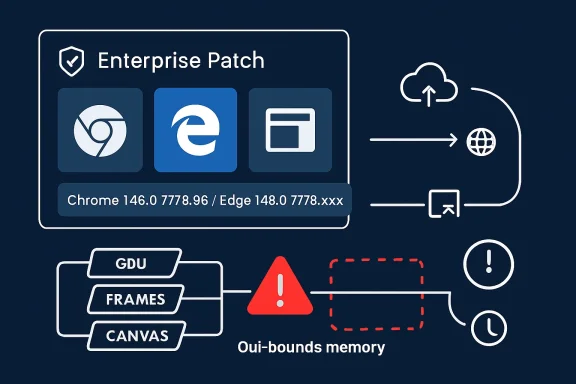 A Medium Bug in the Highest-Value Attack Surface
CVE-2026-7950 is described as an out-of-bounds read and write in Chromium’s GFX component, affecting Google Chrome before version 148.0.7778.96. The available public description says a remote attacker could perform arbitrary read and write operations through malicious network traffic, with Chromium assigning the issue a medium security severity.That phrasing is worth slowing down over. “Medium” is a scoring conclusion, not a promise that the bug is operationally boring. In the browser world, memory-safety defects become dangerous not because every one is trivially exploitable, but because attackers spend enormous effort chaining small primitives into useful compromises.
The CISA ADP CVSS vector tells the same story in compressed form: network reachable, low attack complexity, no privileges required, but user interaction required. In plain English, a victim generally has to load or interact with malicious content, but the attacker does not need an account on the target system. That is the default shape of web exploitation, not a meaningful comfort blanket.
The bug’s weakness mapping to both out-of-bounds read and out-of-bounds write is also notable. An out-of-bounds read can disclose memory that should remain inaccessible; an out-of-bounds write can corrupt memory outside the intended object. Either class can be serious, but the combination is the sort of primitive exploit developers like to see because information disclosure and memory corruption often reinforce each other.
The Graphics Stack Keeps Becoming the Browser’s Soft Underbelly
The GFX label points to Chromium’s graphics plumbing, a sprawling area that sits between web content, rendering engines, GPU acceleration, compositors, image decoding paths, and platform-specific display code. Modern browsers do not merely parse HTML and execute JavaScript; they translate an untrusted internet into pixels at speed, usually with help from hardware acceleration and platform graphics APIs. That performance bargain creates a large and complicated attack surface.Graphics bugs have an awkward place in security triage because they often sound less scary than flaws in JavaScript engines or sandboxing layers. Users understand “remote code execution” and “password theft.” They do not immediately understand why a rendering or graphics memory bug deserves the same patch discipline.
But the browser’s visual pipeline processes attacker-controlled data all day. Images, video frames, CSS effects, canvas operations, WebGL content, GPU buffers, font rendering, and composited layers all pass through code that must be both fast and safe. Historically, “fast” has had an annoying habit of winning design arguments until a researcher proves that a boundary check was not where everyone assumed it was.
That is why a medium-severity GFX memory bug should not be dismissed as a paper cut. It may require a victim to visit or receive crafted content. It may not be known to be exploited in the wild. It may also be one missed browser restart away from remaining exposed across an enterprise for days after the fix technically exists.
Chrome 148 Was a Security Release Wearing a Feature Release Jacket
Google promoted Chrome 148 to the stable channel for Windows, macOS, and Linux on May 5, 2026, with version 148.0.7778.96 for Linux and 148.0.7778.96 or 148.0.7778.97 for Windows and Mac. The release notes framed the build as containing fixes and improvements, with a rollout over days or weeks. Subsequent reporting counted more than 100 security fixes in the Chrome 148 line, including several higher-severity vulnerabilities elsewhere in the browser.That wider context matters. CVE-2026-7950 is one tile in a much larger mosaic of browser hardening. Administrators looking only for “critical” labels risk missing the cumulative nature of browser exposure: an attacker does not care which CVE in a release got the best headline if some other patched bug offers a usable primitive.
Chrome’s security cadence has also trained users to ignore updates. The browser updates constantly, which is good engineering and poor theater. The more often a product patches, the more each individual patch feels routine, even when the patch closes a real exploit path.
This is the paradox of Chromium in 2026: the update machinery is mature enough that many users never notice it, but enterprise control planes are mature enough to accidentally slow it down. A consumer browser can patch itself silently; a managed fleet often waits for rings, maintenance windows, change boards, compatibility checks, and the most dangerous sentence in IT: “We’ll catch it in the next cycle.”
Microsoft’s Edge Advisory Is a Supply-Chain Notice in Disguise
Microsoft’s MSRC entry for CVE-2026-7950 is terse because Microsoft did not assign the bug. Chrome did. Microsoft’s point is that Edge consumes Chromium, and the latest Chromium-based Edge build addresses the vulnerability.That is the right model, but it exposes a governance problem. Windows administrators often think of Patch Tuesday as the center of gravity for Microsoft security, yet Edge is tied to Chromium’s release train as much as to Microsoft’s monthly operating-system ritual. A Chrome security release in early May can become an Edge security action before the next Tuesday feels relevant.
MSRC lists Microsoft Edge as the affected product family and indicates customer action is required. The fixed build family is shown as 148.0.7778.xxx, which is deliberately broader than Google’s exact Chrome version because Edge uses its own packaging and build cadence atop Chromium. The practical instruction is not to hunt for Chrome’s exact build string inside Edge; it is to verify that Edge has moved into the patched 148.0.7778 line or later.
This distinction trips up asset teams. Vulnerability scanners may flag a Chromium CVE against Edge, while administrators search Chrome advisories and wonder why the version numbers do not align perfectly. The underlying issue is shared code, not identical branding.
The CPE Tells You What the Vulnerability Database Can and Cannot Know
The NVD change history added a CPE configuration that treats Google Chrome versions before 148.0.7778.96 as vulnerable across Windows, Linux, and macOS. That is useful for scanners and inventory systems, but it is also a reminder that vulnerability databases lag the messy reality of software deployment.CPEs describe products in a standardized vocabulary. They do not reliably capture every embedded Chromium runtime, every vendor-forked browser, every Electron app, every delayed enterprise channel, or every mobile and managed-platform nuance. If your asset inventory stops at “Chrome installed” and “Edge installed,” you may still miss applications carrying Chromium code inside their own update systems.
That does not mean every embedded Chromium instance is automatically affected by CVE-2026-7950. It means the CPE is a starting point, not a boundary fence. Security teams should treat the official Chrome and Edge advisories as authoritative for those browsers while using software inventory to identify where Chromium-based components may exist elsewhere.
This is where Windows environments become especially complicated. The browser is a product, Edge WebView2 is a runtime, Teams-like collaboration apps may bring browser engines into desktop workflows, and third-party vendors may package Chromium on their own schedules. The attack surface looks centralized until you try to patch it.
“User Interaction Required” Is Not a Reassuring Phrase on the Web
The CVSS vector includes user interaction, which often causes risk owners to relax. That instinct is understandable and usually wrong. On the web, user interaction can mean visiting a page, opening a link, rendering content, or being routed through a compromised ad, forum post, helpdesk portal, or phishing lure.A browser vulnerability that requires user interaction is still remote in the way defenders care about. The attacker does not need to sit on the LAN. The attacker does not need a domain account. The attacker needs a delivery path to a human being whose browser is still exposed.
For WindowsForum readers, the distinction is familiar from years of Office macro and preview-pane debates. “The user has to do something” is not a strong mitigation when doing something is the user’s job. People open links because identity providers, ticketing systems, HR portals, cloud consoles, invoices, and vendor documentation all arrive as links.
The more interesting question is whether the flaw is being exploited in the wild. As of the public advisories around May 6 and May 7, CVE-2026-7950 was not described by Google or Microsoft as actively exploited. That lowers emergency temperature, but it should not convert patching into procrastination.
Browser Patch Latency Is Now an Enterprise Metric
The operational measure that matters most is not when Google published the fix. It is when the last exposed browser in your environment actually restarted into a fixed build. Auto-update downloads are not the same as active protection if the browser process never exits.This is where modern browser management becomes annoyingly human. Chrome and Edge can download updates quietly, but users can keep sessions alive for days. VDI images can preserve stale browsers. Kiosk systems can run locked-down sessions indefinitely. Servers used as jump boxes may have browsers that no one considers part of endpoint management until a scanner complains.
Enterprises should measure browser update latency the way they measure endpoint detection coverage or disk encryption compliance. The median patch time is useful, but the tail is where incidents live. One unmanaged departmental workstation with an old browser can be more relevant than 10,000 laptops that updated overnight.
For admins, the fix is not glamorous. Enforce browser restart deadlines. Use Chrome and Edge enterprise policies. Monitor installed versions. Inventory WebView2 runtimes. Push updates through existing endpoint tooling where native browser update channels are blocked or unreliable. Most importantly, make the exception process visible, because “temporarily pinned” browser versions have a way of becoming permanent archaeological artifacts.
Edge Makes Windows Safer Only If It Is Allowed to Move
Microsoft Edge’s Chromium base is often a security advantage for Windows shops. It gives Microsoft a modern browser engine, fast upstream patch intake, enterprise policy integration, SmartScreen, and tight Windows management hooks. But that advantage depends on allowing Edge to update at something close to browser speed.Some organizations still treat Edge updates like application upgrades that require extensive compatibility certification. That may be rational for a mission-critical legacy web app, but it is a dangerous default for the general fleet. In 2026, holding back a browser is closer to holding back an antivirus engine than postponing a feature update.
The tension is real. Browser changes can break line-of-business apps. Chromium’s release train can introduce regressions. Security teams that demand instant updates without understanding operational dependencies will be ignored the first time a warehouse scanner or clinical workstation stops working.
The answer is not blind acceleration; it is segmented acceleration. Test rings should be fast, representative, and small. Broad deployment should follow quickly unless telemetry shows a real problem. High-risk user groups — administrators, finance, executives, developers, and helpdesk staff — should not be left waiting behind the slowest compatibility corner of the business.
The Medium Label Masks a Larger Memory-Safety Bill
CVE-2026-7950 belongs to a long line of memory-safety bugs in browsers and their dependencies. Chromium has invested heavily in sandboxing, site isolation, fuzzing, MiraclePtr-style mitigations, Rust adoption in selected areas, hardened allocators, and process separation. Yet the web platform’s sheer scale ensures a steady flow of memory defects.That reality should not be read as failure. It is the cost of maintaining a universal runtime for hostile content, legacy standards, hardware acceleration, and cross-platform behavior. The browser is one of the most aggressively tested pieces of consumer software on earth; it is also one of the most attacked.
For defenders, the takeaway is that patch volume is not an embarrassment. It is evidence of discovery and remediation. The more dangerous world would be one in which Chromium shipped fewer fixes because fewer people were looking.
Still, memory-safety debt has consequences. Out-of-bounds reads and writes are not exotic vulnerability classes. They are old, well-understood, and stubbornly persistent. Every one that reaches stable-channel release notes is a reminder that safer implementation languages, better isolation, and exploit mitigations are not abstract engineering projects; they are the long-term path to fewer emergency restarts.
Arbitrary Read and Write Does Not Mean Instant Compromise, But It Is Not Nothing
The phrase “arbitrary read/write” deserves careful handling. In vulnerability descriptions, it can sound like a fully weaponized exploit primitive, but public CVE summaries are often compressed and imprecise. A bug may allow an attacker to read or write outside intended bounds under certain conditions without automatically bypassing sandboxing, ASLR, control-flow protections, renderer isolation, or other modern defenses.That nuance matters because alarmism produces fatigue. Not every Chromium memory bug is a drive-by full-system compromise. Browser exploitation is usually a chain: trigger a renderer bug, shape memory, leak addresses, achieve code execution in a constrained process, then escape the sandbox or steal useful data from within the browser context.
But defenders should not overcorrect into complacency. Arbitrary read/write within a browser component can be a meaningful building block. If attackers can combine it with another flaw, a misconfiguration, or a weaker platform posture, the severity changes in practice even if the CVSS base score remains medium.
The browser’s defenses are layered precisely because individual bugs are expected. A medium graphics bug is less terrifying when the browser is current, the OS is hardened, exploit mitigations are enabled, extensions are controlled, and users are not running with unnecessary privileges. It is more concerning when the same bug sits on an old build with unmanaged extensions, stale GPU drivers, and no visibility.
Windows Admins Should Patch the Browser Like Infrastructure
The old mental model put browsers in the productivity bucket. Users chose one, IT tolerated two, and patching lived somewhere between helpdesk hygiene and desktop engineering. That model is obsolete.Browsers are identity clients. They are privileged SaaS terminals. They are document renderers, password managers, remote admin consoles, and policy enforcement points. In many organizations, compromising the browser is a straighter path to business impact than compromising a random file server.
CVE-2026-7950 is therefore less about one GFX bug than about browser governance. Who owns browser patch SLAs? Who can force a restart? Who approves extension risk? Who monitors version drift? Who knows whether Edge WebView2 is current on machines where Edge itself appears compliant?
If those questions do not have clear owners, the organization is relying on vendor auto-update magic and user goodwill. That may work most of the time. Security programs are judged by the exceptions.
The Patch Is Simple; Proving It Landed Is the Work
For individual users, the practical advice is straightforward: update Chrome or Edge and restart the browser. Chrome users should be on 148.0.7778.96 or later on Linux, and the 148.0.7778.96 or 148.0.7778.97 line or later on Windows and macOS. Edge users should verify that the browser is on the patched 148.0.7778.xxx family or later through the About Microsoft Edge page.For administrators, the work is more systematic. Query managed endpoints for Chrome and Edge versions. Confirm update policies are not pinning vulnerable builds. Check that restart prompts are enforced rather than merely displayed. Watch for servers, VDI images, kiosks, and lab systems that fall outside ordinary user-device reporting.
Security teams should also resist the urge to treat the absence of an NVD score from NIST as absence of risk. At initial publication, NVD had not provided its own CVSS score, while CISA ADP supplied a medium CVSS 3.1 base score of 5.4. That discrepancy is normal in early vulnerability processing and should not delay remediation when vendor fixes are already available.
The patch path is uncomplicated because the vendors have done their part. The hard part is proving that the patched browser process is the one users are actually running.
The Real Risk Is the Slowest Browser in the Room
CVE-2026-7950 should be handled as a routine-but-real browser security update: not a panic, not a shrug, and definitely not a ticket to be parked until the next monthly desktop bundle. The concrete actions are narrow, but they point to a broader discipline Windows environments increasingly need.- Chrome installations should be updated to 148.0.7778.96 or later, with Windows and macOS systems also covered by the 148.0.7778.97 build line where applicable.
- Microsoft Edge should be updated into the patched 148.0.7778.xxx family or later, rather than compared mechanically against Chrome’s exact version string.
- The vulnerability is rated medium publicly, but its out-of-bounds read and write nature makes patch latency more important than the label suggests.
- User interaction is required, but ordinary web browsing, malicious links, and compromised content are enough to make that requirement operationally weak.
- Enterprises should verify browser restarts and active versions, not merely confirm that updates were downloaded.
- Asset teams should remember that CPE coverage for Chrome and Edge does not automatically account for every Chromium-based runtime in the environment.
Source: NVD / Chromium Security Update Guide - Microsoft Security Response Center
