

Google and Microsoft’s security pipelines treated CVE-2026-7952 as a medium-severity Chromium extension-policy flaw on May 6, 2026, affecting Chrome before 148.0.7778.96 and downstream Chromium-based browsers where the vulnerable code was still present. The bug is not the sort of browser vulnerability that usually earns banner headlines. It is more interesting than that: a reminder that modern browser security increasingly fails not at the dramatic moment of memory corruption, but at the quieter boundary where policy, extensions, and renderer isolation are supposed to agree on who is allowed to do what.
The short version is simple. If you run Chrome, Edge, or another Chromium-derived browser, you want the build that contains the Chrome 148 security fixes or the vendor’s corresponding downstream update. The longer version is that CVE-2026-7952 sits in the uncomfortable middle ground between “not remotely exploitable by itself” and “very useful once an attacker has already pried open the renderer.” That is exactly the kind of bug enterprise defenders tend to underestimate until it becomes part of a chain.
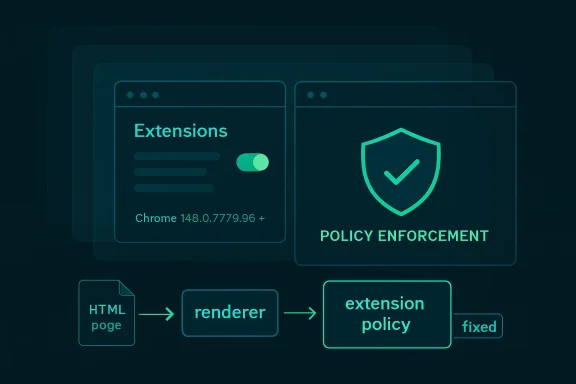
CVE-2026-7952 is described as “insufficient policy enforcement in Extensions,” and that wording matters. This was not presented as a clean one-click remote code execution vulnerability. The attacker first needed to compromise the renderer process, then use a crafted HTML page to bypass discretionary access control.
That makes the vulnerability sound conditional, and it is. But conditional browser bugs are not harmless browser bugs. Chrome’s architecture is built around the assumption that web content is hostile, renderer processes may be exposed to dangerous input, and stronger boundaries must limit the damage when something goes wrong.
In that model, a post-renderer bypass is a second-stage opportunity. It may not open the front door, but it can help an attacker move through the hallway after another vulnerability has picked the lock. The CVSS 3.1 vector assigned by CISA’s ADP program reflects that shape: network reachable, high attack complexity, no privileges required, user interaction required, with low confidentiality and integrity impact and no availability impact.
That scoring lands at 4.2, squarely in medium territory. For home users, that usually translates to “make sure automatic updates are actually happening.” For enterprise IT, it means something more pointed: do not let the word medium become a synonym for “later.”
That is why “policy enforcement” in the extensions subsystem is such a loaded phrase. Chrome and Edge both rely heavily on permission models, extension manifests, enterprise controls, site access rules, and internal checks that decide which component gets to perform which action. If those checks are incomplete or inconsistently applied, the browser’s security story becomes less about whether a feature exists and more about whether every route to that feature honors the same rulebook.
The CVE’s reference to discretionary access control is also telling. Discretionary controls are about access being granted or denied according to policy decisions associated with objects, users, or processes. In a browser, that can become messy quickly, because the browser is simultaneously mediating web-origin boundaries, extension privileges, user gestures, sandbox restrictions, and enterprise policies.
A crafted HTML page should not be able to turn those layers against one another. CVE-2026-7952 says that, before the fix, there was at least one path where a renderer compromise could be paired with web content to bypass a control that should have held.
That instinct is understandable. It is also increasingly out of date.
Modern exploitation is modular. Attackers do not need every vulnerability in a chain to be spectacular. They need one bug that gets code running or escapes a logical constraint, another that loosens a sandbox or policy boundary, another that exposes data or grants persistence, and a delivery path that looks ordinary enough to survive user behavior. In that chain, a medium bug can be the hinge.
CVE-2026-7952 required prior renderer compromise, according to the available description. That constraint reduces its standalone danger but increases its relevance to chained attacks. Renderer bugs are a recurring class in browser security, and attackers have repeatedly shown that the difference between a crash, a renderer exploit, and a meaningful compromise often comes down to whether they can cross the next boundary.
This is why defenders should read the phrase “who had compromised the renderer process” not as reassurance, but as scope. The vulnerability was about what happens after a failure the browser security model already spends enormous effort trying to contain.
That slow-roll model is normal for Chrome, and it is one reason the browser has become a security infrastructure product rather than just an application. Google has to ship to a massive install base without breaking the web, enterprise apps, managed environments, kiosk fleets, embedded workflows, and extension ecosystems. Rapid patching is necessary; uncontrolled patching can be expensive.
Chrome 148 also reportedly addressed far more than this single CVE, including over 100 security fixes and several critical vulnerabilities in other components. CVE-2026-7952 therefore belongs to a larger release story: not a lone emergency patch, but one item in a heavy security train.
That distinction matters for WindowsForum readers because Chromium updates do not stay neatly inside Chrome. Microsoft Edge, Brave, Vivaldi, Opera, Electron-based apps, embedded web views, and Linux distro packages all live somewhere downstream of Chromium’s upstream repair work. The vendor that publishes the CVE record may be Google, but the exposure map is broader than the Chrome icon on the taskbar.
That does not mean this was a Microsoft-originated flaw. The CVE source is Chrome, and the affected component is Chromium’s extensions area. Microsoft’s role is to surface the vulnerability for its ecosystem and help administrators understand whether Microsoft products, chiefly Edge, require action.
This is one of the less glamorous consequences of Chromium’s dominance. A bug in upstream Chromium becomes a coordination exercise across multiple vendors, update channels, package maintainers, scanners, and policy tools. A Windows admin may see the issue in MSRC, a Linux admin may see it in a distro tracker, and a vulnerability manager may see it in NVD. They are all looking at the same underlying defect through different operational windows.
The NVD change history is useful here because it shows the enrichment process in motion: the CVE was received from Chrome, CISA ADP added a CVSS vector and CWE mapping, and NIST later added CPE configuration data for Chrome across Windows, Linux, and macOS. That is not glamorous, but it is how a terse vendor advisory becomes machine-readable risk data.
This is why “Are we missing a CPE?” appears so often around browser CVEs. The answer is often: perhaps, depending on how broadly one wants to model downstream exposure. A scanner may flag Chrome. It may separately flag Edge when Microsoft publishes affected product data. It may not understand every Chromium-based niche browser, enterprise wrapper, webview container, or portable build living on a developer’s machine.
That gap is not necessarily a failure of NVD. It is a limitation of mapping open-source component vulnerabilities onto product identities. Chromium is not a single product. It is a codebase, a dependency, a browser engine family, and a supply chain.
For asset owners, the lesson is straightforward. Do not stop at the CPE if your environment contains non-Google Chromium browsers or applications that embed Chromium. Check the vendor’s advisory stream, version number, and update status. The fixed upstream Chrome version is the anchor, not the entire map.
That is why a policy-enforcement bypass after renderer compromise is meaningful. The browser’s defensive promise is not “a renderer will never be compromised.” It is closer to “if a renderer is compromised, the attacker remains trapped behind additional boundaries.” CVE-2026-7952 describes a case where one of those boundaries did not enforce policy sufficiently.
Extensions complicate this promise because they often bridge worlds. They can interact with web pages and privileged browser APIs. They can be limited by manifests, prompts, enterprise controls, and runtime checks. They can also be written by third parties with varying degrees of quality and maintenance.
The worst-case fear is not merely that a malicious page talks to an extension. It is that a compromised renderer finds a path through extension-related policy logic that gives it access it should not have. The public description does not give enough detail to say exactly which access control path was affected, and bug details may remain restricted until users update. But the architectural pattern is clear enough to warrant attention.
They are not a substitute for this patch.
A vulnerability in policy enforcement is precisely the kind of issue that can undermine assumptions about policy behaving consistently. Enterprise controls may reduce the number of risky extensions and the attack surface available to a compromised renderer, but they cannot guarantee safety if the underlying enforcement code is flawed. The fix has to land in the browser.
That said, extension hygiene still matters enormously. A managed Chrome or Edge fleet with a small, justified extension set is better positioned than a fleet where every user has accumulated years of abandoned productivity tools, shopping plugins, PDF helpers, and meeting add-ons. Attackers prefer complexity. Extension sprawl gives it to them.
The best enterprise response is therefore twofold: patch the browser quickly, then use the event as an excuse to review extension inventory. The second step should not delay the first.
This distinction matters in environments where Chrome and Edge coexist. Many organizations standardize on Edge but still have Chrome installed for compatibility, developer testing, or user preference. Others block Chrome but allow embedded Chromium through applications that package their own runtime. A vulnerability report that only triggers a Chrome remediation ticket may miss half the local exposure.
The same is true for virtual desktop pools, golden images, kiosk machines, and offline or semi-managed endpoints. Browser auto-update works well on ordinary connected desktops. It is less reliable where images are frozen, updates are deferred, services are disabled, or outbound traffic is tightly controlled.
The minimum defensible action is to verify installed versions, not assume the browser updated because it usually does. In a Windows estate, that means querying Chrome and Edge versions through management tooling, checking update service health, and making sure restart behavior does not strand patched binaries behind still-running old processes.
On Linux, the exposure story depends heavily on packaging. Google’s own Chrome builds, distro-provided Chromium packages, Snap-based Chromium, Flatpak packages, and manually installed builds can all follow different update rhythms. Ubuntu’s tracker, for example, treated its chromium-browser package as not affected in supported releases because of how Chromium is delivered there, but that does not automatically describe every Linux machine running Google Chrome or a third-party Chromium build.
On macOS, Chrome’s auto-update machinery usually does the job, but enterprise management can still delay or control updates. Mac fleets also tend to carry a mix of browsers for testing, design workflows, and user preference. A Chrome CVE that looks like a Windows patching issue from the MSRC side is still a Mac and Linux inventory issue in the real world.
Cross-platform browser bugs are a good test of whether an organization’s vulnerability process is product-centered or asset-centered. Product-centered teams patch the one app named in the ticket. Asset-centered teams ask where the vulnerable code actually exists.
The downside is ambiguity. Without public technical detail, defenders cannot easily build precise detections, evaluate exploitability in their own extension posture, or distinguish theoretical impact from practical risk. They are left with version-based remediation and architectural inference.
That is not ideal, but it is workable. Browser vulnerabilities are among the cleanest cases for version-based action because the browser itself is the primary exposure surface. If the installed version is older than the fixed build, remediate. If it is fixed, move on to verification and monitoring.
Waiting for exploit code, proof-of-concept writeups, or scanner certainty reverses the logic of browser security. By the time public detail is abundant, the advantage has shifted toward attackers.
A crafted HTML page does not require exotic delivery. It can arrive through phishing, malvertising, compromised legitimate sites, poisoned search results, messaging apps, documentation portals, developer forums, or internal tools with user-generated content. User interaction is listed in the CVSS vector, but the interaction may be as mundane as opening a page.
For CVE-2026-7952, the crafted page alone was not enough; the attacker also needed renderer compromise. Still, web delivery makes this kind of flaw chainable. Attackers can host multiple exploit stages on the same page or sequence them through redirects and scripts. The user experiences “a website,” while the exploit chain sees a launch platform.
This is also why browser hardening remains such a high-return security investment. Site isolation, sandboxing, exploit mitigations, extension controls, safe browsing, and rapid updates all exist because the browser is where untrusted code meets privileged user context all day long.
That matters operationally because the right remediation is not “fix CVE-2026-7952.” The right remediation is “bring Chromium-based browsers to the fixed release line.” Once that happens, the individual CVE disappears along with its neighbors. If it does not happen, arguing about one medium CVE wastes time while more severe bugs may remain present.
Security dashboards encourage single-CVE thinking because they turn each identifier into a ticket, score, SLA, and exception. Browser patching should be more mechanical than that. The browser is updated as a product, not as a collection of hand-selected CVEs.
The question for IT leaders is not whether CVE-2026-7952 deserves an emergency bridge call. It probably does not, absent evidence of active exploitation in a given environment. The question is whether your update process can absorb a heavy Chromium security release within days rather than weeks. If it cannot, this medium bug is another warning flare.
That is update drag, and it is one of the most common reasons fixed browser bugs remain exploitable. The patch exists, the advisory exists, the scanner knows, and yet the vulnerable binary continues to run. In browser security, existence of a fix is not the same as deployment of a fix, and deployment of a fix is not always the same as process restart.
Windows environments are particularly prone to the last problem. Chrome and Edge can update in the background, but the running browser session may still need a restart to complete the transition. Users who live in dozens of tabs for weeks can quietly defeat patch timelines without realizing it.
The same is true of managed environments that prioritize uptime or user convenience over browser restarts. A browser is not a server, but it is an internet-facing application from the user’s side of the firewall. Treating it as low-friction desktop furniture is how medium browser vulnerabilities age into avoidable incidents.
Source: NVD / Chromium Security Update Guide - Microsoft Security Response Center
The short version is simple. If you run Chrome, Edge, or another Chromium-derived browser, you want the build that contains the Chrome 148 security fixes or the vendor’s corresponding downstream update. The longer version is that CVE-2026-7952 sits in the uncomfortable middle ground between “not remotely exploitable by itself” and “very useful once an attacker has already pried open the renderer.” That is exactly the kind of bug enterprise defenders tend to underestimate until it becomes part of a chain.
 The Browser Bug That Starts After the First Compromise
CVE-2026-7952 is described as “insufficient policy enforcement in Extensions,” and that wording matters. This was not presented as a clean one-click remote code execution vulnerability. The attacker first needed to compromise the renderer process, then use a crafted HTML page to bypass discretionary access control.That makes the vulnerability sound conditional, and it is. But conditional browser bugs are not harmless browser bugs. Chrome’s architecture is built around the assumption that web content is hostile, renderer processes may be exposed to dangerous input, and stronger boundaries must limit the damage when something goes wrong.
In that model, a post-renderer bypass is a second-stage opportunity. It may not open the front door, but it can help an attacker move through the hallway after another vulnerability has picked the lock. The CVSS 3.1 vector assigned by CISA’s ADP program reflects that shape: network reachable, high attack complexity, no privileges required, user interaction required, with low confidentiality and integrity impact and no availability impact.
That scoring lands at 4.2, squarely in medium territory. For home users, that usually translates to “make sure automatic updates are actually happening.” For enterprise IT, it means something more pointed: do not let the word medium become a synonym for “later.”
Extensions Remain Chromium’s Most Awkward Power Feature
Browser extensions are the bargain users keep making with risk. They turn the browser from a document viewer into a workbench, password vault, coupon hunter, grammar checker, remote admin console, screenshot tool, and corporate workflow engine. They also sit close to sensitive surfaces: tabs, page content, identity flows, cookies, local storage, clipboard behavior, and enterprise-managed policy.That is why “policy enforcement” in the extensions subsystem is such a loaded phrase. Chrome and Edge both rely heavily on permission models, extension manifests, enterprise controls, site access rules, and internal checks that decide which component gets to perform which action. If those checks are incomplete or inconsistently applied, the browser’s security story becomes less about whether a feature exists and more about whether every route to that feature honors the same rulebook.
The CVE’s reference to discretionary access control is also telling. Discretionary controls are about access being granted or denied according to policy decisions associated with objects, users, or processes. In a browser, that can become messy quickly, because the browser is simultaneously mediating web-origin boundaries, extension privileges, user gestures, sandbox restrictions, and enterprise policies.
A crafted HTML page should not be able to turn those layers against one another. CVE-2026-7952 says that, before the fix, there was at least one path where a renderer compromise could be paired with web content to bypass a control that should have held.
Medium Severity Does Not Mean Medium Urgency
Security teams have learned, painfully, that browser severity labels are not operational priorities by themselves. A critical memory corruption bug under active exploitation obviously demands immediate action. A medium policy bug with no public exploit and no standalone code execution often gets pushed into the next maintenance window.That instinct is understandable. It is also increasingly out of date.
Modern exploitation is modular. Attackers do not need every vulnerability in a chain to be spectacular. They need one bug that gets code running or escapes a logical constraint, another that loosens a sandbox or policy boundary, another that exposes data or grants persistence, and a delivery path that looks ordinary enough to survive user behavior. In that chain, a medium bug can be the hinge.
CVE-2026-7952 required prior renderer compromise, according to the available description. That constraint reduces its standalone danger but increases its relevance to chained attacks. Renderer bugs are a recurring class in browser security, and attackers have repeatedly shown that the difference between a crash, a renderer exploit, and a meaningful compromise often comes down to whether they can cross the next boundary.
This is why defenders should read the phrase “who had compromised the renderer process” not as reassurance, but as scope. The vulnerability was about what happens after a failure the browser security model already spends enormous effort trying to contain.
Chrome 148 Was a Security Release Wearing a Feature Release’s Jacket
The fix arrived in the broader Chrome 148 stable-channel update, with versions 148.0.7778.96 for Linux and 148.0.7778.96/97 for Windows and macOS. Google’s stable rollout language was familiar: the update would arrive over the coming days or weeks, with fixes and improvements included and security details published as users received the patch.That slow-roll model is normal for Chrome, and it is one reason the browser has become a security infrastructure product rather than just an application. Google has to ship to a massive install base without breaking the web, enterprise apps, managed environments, kiosk fleets, embedded workflows, and extension ecosystems. Rapid patching is necessary; uncontrolled patching can be expensive.
Chrome 148 also reportedly addressed far more than this single CVE, including over 100 security fixes and several critical vulnerabilities in other components. CVE-2026-7952 therefore belongs to a larger release story: not a lone emergency patch, but one item in a heavy security train.
That distinction matters for WindowsForum readers because Chromium updates do not stay neatly inside Chrome. Microsoft Edge, Brave, Vivaldi, Opera, Electron-based apps, embedded web views, and Linux distro packages all live somewhere downstream of Chromium’s upstream repair work. The vendor that publishes the CVE record may be Google, but the exposure map is broader than the Chrome icon on the taskbar.
Microsoft’s Listing Is a Downstream Warning, Not a Separate Mystery
The user-facing clue here is the Microsoft Security Response Center entry for CVE-2026-7952. Microsoft tracks Chromium vulnerabilities because Edge is Chromium-based, and because enterprise security teams often consume vulnerability intelligence through Microsoft’s Security Update Guide rather than Google’s release blog.That does not mean this was a Microsoft-originated flaw. The CVE source is Chrome, and the affected component is Chromium’s extensions area. Microsoft’s role is to surface the vulnerability for its ecosystem and help administrators understand whether Microsoft products, chiefly Edge, require action.
This is one of the less glamorous consequences of Chromium’s dominance. A bug in upstream Chromium becomes a coordination exercise across multiple vendors, update channels, package maintainers, scanners, and policy tools. A Windows admin may see the issue in MSRC, a Linux admin may see it in a distro tracker, and a vulnerability manager may see it in NVD. They are all looking at the same underlying defect through different operational windows.
The NVD change history is useful here because it shows the enrichment process in motion: the CVE was received from Chrome, CISA ADP added a CVSS vector and CWE mapping, and NIST later added CPE configuration data for Chrome across Windows, Linux, and macOS. That is not glamorous, but it is how a terse vendor advisory becomes machine-readable risk data.
The CPE Line Tells Scanners Where to Look, Not Where the Risk Ends
The NVD CPE configuration points to Google Chrome versions before 148.0.7778.96 across Windows, Linux, and macOS. That is the right kind of structured data for vulnerability scanners, but CPEs are always a simplification. They describe known vulnerable software configurations; they do not perfectly describe the living ecosystem of Chromium code reuse.This is why “Are we missing a CPE?” appears so often around browser CVEs. The answer is often: perhaps, depending on how broadly one wants to model downstream exposure. A scanner may flag Chrome. It may separately flag Edge when Microsoft publishes affected product data. It may not understand every Chromium-based niche browser, enterprise wrapper, webview container, or portable build living on a developer’s machine.
That gap is not necessarily a failure of NVD. It is a limitation of mapping open-source component vulnerabilities onto product identities. Chromium is not a single product. It is a codebase, a dependency, a browser engine family, and a supply chain.
For asset owners, the lesson is straightforward. Do not stop at the CPE if your environment contains non-Google Chromium browsers or applications that embed Chromium. Check the vendor’s advisory stream, version number, and update status. The fixed upstream Chrome version is the anchor, not the entire map.
The Renderer Is Supposed to Be Disposable; Policy Is Not
Chrome’s security architecture assumes that renderers are risky places. They process web content, run JavaScript, parse complex formats, handle layout, and sit directly in the path of hostile input. Sandboxing tries to make a renderer compromise less catastrophic by limiting what that process can touch.That is why a policy-enforcement bypass after renderer compromise is meaningful. The browser’s defensive promise is not “a renderer will never be compromised.” It is closer to “if a renderer is compromised, the attacker remains trapped behind additional boundaries.” CVE-2026-7952 describes a case where one of those boundaries did not enforce policy sufficiently.
Extensions complicate this promise because they often bridge worlds. They can interact with web pages and privileged browser APIs. They can be limited by manifests, prompts, enterprise controls, and runtime checks. They can also be written by third parties with varying degrees of quality and maintenance.
The worst-case fear is not merely that a malicious page talks to an extension. It is that a compromised renderer finds a path through extension-related policy logic that gives it access it should not have. The public description does not give enough detail to say exactly which access control path was affected, and bug details may remain restricted until users update. But the architectural pattern is clear enough to warrant attention.
Enterprise Policy Can Reduce Exposure, But It Cannot Patch the Browser
Many organizations treat extension governance as a browser-hardening success story. They block consumer extensions, force-install approved ones, restrict site access, use ExtensionInstallAllowlist and ExtensionInstallBlocklist policies, and audit extension permissions. Those controls remain valuable.They are not a substitute for this patch.
A vulnerability in policy enforcement is precisely the kind of issue that can undermine assumptions about policy behaving consistently. Enterprise controls may reduce the number of risky extensions and the attack surface available to a compromised renderer, but they cannot guarantee safety if the underlying enforcement code is flawed. The fix has to land in the browser.
That said, extension hygiene still matters enormously. A managed Chrome or Edge fleet with a small, justified extension set is better positioned than a fleet where every user has accumulated years of abandoned productivity tools, shopping plugins, PDF helpers, and meeting add-ons. Attackers prefer complexity. Extension sprawl gives it to them.
The best enterprise response is therefore twofold: patch the browser quickly, then use the event as an excuse to review extension inventory. The second step should not delay the first.
Windows Admins Should Watch Edge’s Channel, Not Just Chrome’s Blog
For Windows shops, the practical question is less “Is Chrome fixed?” than “Which Chromium-based browsers and runtimes are installed, and have they each taken the fix?” Edge normally tracks Chromium security work closely, but its version numbers and release notes are Microsoft’s responsibility. Chrome’s fixed version is the upstream signal; Edge’s stable version and Microsoft’s Security Update Guide entry are the operational signal for Microsoft-managed fleets.This distinction matters in environments where Chrome and Edge coexist. Many organizations standardize on Edge but still have Chrome installed for compatibility, developer testing, or user preference. Others block Chrome but allow embedded Chromium through applications that package their own runtime. A vulnerability report that only triggers a Chrome remediation ticket may miss half the local exposure.
The same is true for virtual desktop pools, golden images, kiosk machines, and offline or semi-managed endpoints. Browser auto-update works well on ordinary connected desktops. It is less reliable where images are frozen, updates are deferred, services are disabled, or outbound traffic is tightly controlled.
The minimum defensible action is to verify installed versions, not assume the browser updated because it usually does. In a Windows estate, that means querying Chrome and Edge versions through management tooling, checking update service health, and making sure restart behavior does not strand patched binaries behind still-running old processes.
Linux and macOS Are in the Blast Radius Too
The NVD configuration explicitly includes Chrome on Windows, Linux, and macOS before 148.0.7778.96. That cross-platform footprint is unsurprising because Chromium’s extension enforcement logic is not a Windows-only concern. The browser’s higher-level security model travels across operating systems, even where the sandbox implementation differs.On Linux, the exposure story depends heavily on packaging. Google’s own Chrome builds, distro-provided Chromium packages, Snap-based Chromium, Flatpak packages, and manually installed builds can all follow different update rhythms. Ubuntu’s tracker, for example, treated its chromium-browser package as not affected in supported releases because of how Chromium is delivered there, but that does not automatically describe every Linux machine running Google Chrome or a third-party Chromium build.
On macOS, Chrome’s auto-update machinery usually does the job, but enterprise management can still delay or control updates. Mac fleets also tend to carry a mix of browsers for testing, design workflows, and user preference. A Chrome CVE that looks like a Windows patching issue from the MSRC side is still a Mac and Linux inventory issue in the real world.
Cross-platform browser bugs are a good test of whether an organization’s vulnerability process is product-centered or asset-centered. Product-centered teams patch the one app named in the ticket. Asset-centered teams ask where the vulnerable code actually exists.
The Absence of Public Exploit Detail Is a Feature, Not a Comfort Blanket
The Chromium issue link associated with CVE-2026-7952 requires permission, which is common for browser vulnerabilities soon after disclosure. Vendors often restrict bug details until a majority of users have received the fix. That frustrates researchers and defenders who want technical specifics, but it also reduces copycat exploitation while patch adoption catches up.The downside is ambiguity. Without public technical detail, defenders cannot easily build precise detections, evaluate exploitability in their own extension posture, or distinguish theoretical impact from practical risk. They are left with version-based remediation and architectural inference.
That is not ideal, but it is workable. Browser vulnerabilities are among the cleanest cases for version-based action because the browser itself is the primary exposure surface. If the installed version is older than the fixed build, remediate. If it is fixed, move on to verification and monitoring.
Waiting for exploit code, proof-of-concept writeups, or scanner certainty reverses the logic of browser security. By the time public detail is abundant, the advantage has shifted toward attackers.
Why a Crafted HTML Page Still Matters in 2026
It is tempting to treat “crafted HTML page” as boilerplate. Nearly every browser vulnerability description seems to involve a malicious page, a crafted document, or a user visiting attacker-controlled content. But that ordinary phrasing is exactly what keeps browser bugs dangerous.A crafted HTML page does not require exotic delivery. It can arrive through phishing, malvertising, compromised legitimate sites, poisoned search results, messaging apps, documentation portals, developer forums, or internal tools with user-generated content. User interaction is listed in the CVSS vector, but the interaction may be as mundane as opening a page.
For CVE-2026-7952, the crafted page alone was not enough; the attacker also needed renderer compromise. Still, web delivery makes this kind of flaw chainable. Attackers can host multiple exploit stages on the same page or sequence them through redirects and scripts. The user experiences “a website,” while the exploit chain sees a launch platform.
This is also why browser hardening remains such a high-return security investment. Site isolation, sandboxing, exploit mitigations, extension controls, safe browsing, and rapid updates all exist because the browser is where untrusted code meets privileged user context all day long.
Vulnerability Managers Should Resist the Single-CVE Trap
CVE-2026-7952 is easy to isolate because the description is crisp and the score is modest. But administrators should treat it as part of the Chrome 148 security bundle, not as a standalone curiosity. The release contained many other fixes, including issues with higher severity ratings in other components.That matters operationally because the right remediation is not “fix CVE-2026-7952.” The right remediation is “bring Chromium-based browsers to the fixed release line.” Once that happens, the individual CVE disappears along with its neighbors. If it does not happen, arguing about one medium CVE wastes time while more severe bugs may remain present.
Security dashboards encourage single-CVE thinking because they turn each identifier into a ticket, score, SLA, and exception. Browser patching should be more mechanical than that. The browser is updated as a product, not as a collection of hand-selected CVEs.
The question for IT leaders is not whether CVE-2026-7952 deserves an emergency bridge call. It probably does not, absent evidence of active exploitation in a given environment. The question is whether your update process can absorb a heavy Chromium security release within days rather than weeks. If it cannot, this medium bug is another warning flare.
The Real Risk Is Update Drag
Chrome’s stable release process says updates roll out over days or weeks. That is reasonable at global scale, but enterprise attackers do not need global scale. They need the subset of machines that did not update: the shared workstation that never closes Chrome, the VDI image that refreshes monthly, the lab box with disabled services, the executive laptop that postpones restarts, the developer machine running multiple browsers, the kiosk outside normal management.That is update drag, and it is one of the most common reasons fixed browser bugs remain exploitable. The patch exists, the advisory exists, the scanner knows, and yet the vulnerable binary continues to run. In browser security, existence of a fix is not the same as deployment of a fix, and deployment of a fix is not always the same as process restart.
Windows environments are particularly prone to the last problem. Chrome and Edge can update in the background, but the running browser session may still need a restart to complete the transition. Users who live in dozens of tabs for weeks can quietly defeat patch timelines without realizing it.
The same is true of managed environments that prioritize uptime or user convenience over browser restarts. A browser is not a server, but it is an internet-facing application from the user’s side of the firewall. Treating it as low-friction desktop furniture is how medium browser vulnerabilities age into avoidable incidents.
The Chrome 148 Lesson Is Smaller Than a Zero-Day and Bigger Than One CVE
CVE-2026-7952 should not be inflated into a catastrophe, but it should be used as a clean test of browser security discipline. The concrete work is narrow; the lesson is broader.- Organizations should verify that Chrome is at 148.0.7778.96 or later on Linux and at the corresponding 148.0.7778.96/97 release line or later on Windows and macOS.
- Microsoft Edge administrators should track Microsoft’s corresponding Chromium-based Edge update rather than assuming Chrome’s version number directly describes Edge’s installed state.
- Vulnerability teams should treat this as part of the larger Chrome 148 security update, not as an isolated medium-severity ticket to be debated in a vacuum.
- Extension allowlisting, blocklisting, and permission review remain valuable, but they do not replace the need to patch a flaw in the browser’s own policy enforcement.
- Asset inventories should include secondary Chromium browsers, developer tools, packaged runtimes, kiosk images, and virtual desktop templates that may not follow ordinary auto-update behavior.
- Browser restarts should be enforced or strongly nudged after patch deployment, because a downloaded update that is not yet running is only a promise.
Source: NVD / Chromium Security Update Guide - Microsoft Security Response Center
