
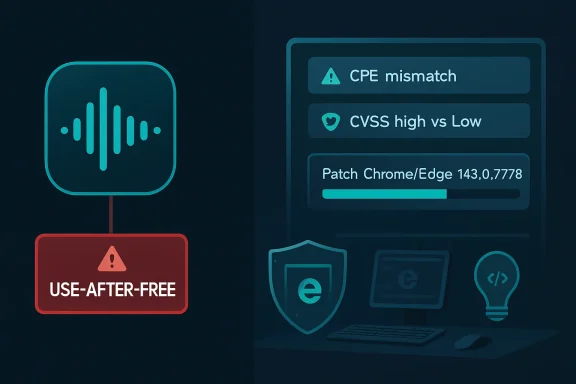
Google and Microsoft disclosed CVE-2026-8002 on May 6 and May 7, 2026, describing a use-after-free flaw in Chrome’s Audio component on macOS before version 148.0.7778.96 that could let a remote attacker execute code inside Chrome’s sandbox through a crafted HTML page. The oddity is not that Chrome had another memory-safety bug; that is practically the background radiation of modern browser security. The oddity is that the advisory trail makes a low-severity Chromium bug look, at first glance, like a broader cross-platform emergency. For Windows admins, the right response is neither panic nor indifference: patch Edge and Chrome, but read the metadata with a lawyer’s patience and an engineer’s skepticism.
CVE-2026-8002 is a classic browser vulnerability in form, if not in presentation. The bug is a use-after-free condition in Chrome’s Audio component, a category of memory error that occurs when software keeps using an object after the memory behind it has been released. In browser terms, that can become dangerous because web content is attacker-controlled and browser internals are vast, performance-sensitive, and historically unforgiving.
The description attached to the CVE is unusually narrow: Google Chrome on Mac prior to 148.0.7778.96, exploitation through a crafted HTML page, and arbitrary code execution inside a sandbox. Chromium’s own severity is listed as Low, which is not the same thing as “harmless,” but it does say something about exploitability, impact, or practical attack value as judged by the Chromium security team.
Then the scoring machinery adds noise. CISA’s ADP enrichment attaches a CVSS 3.1 base score of 8.8, High, using a network attack vector, low attack complexity, no privileges required, user interaction required, unchanged scope, and high impact to confidentiality, integrity, and availability. NVD, meanwhile, had not yet supplied its own CVSS assessment when the entry was modified on May 7.
That gap matters because vulnerability consumers often treat CVSS as the headline and vendor severity as the footnote. Here, that is backwards. The vendor statement tells you the affected product, platform, version boundary, exploit precondition, and sandbox context; the CVSS vector gives you a generic risk shape that may overstate how this specific Chrome bug should be prioritized in a real fleet.
That is where the advisory becomes messy. The natural-language description says “Google Chrome on Mac.” The Chrome release post says the stable desktop update shipped as 148.0.7778.96 for Linux and 148.0.7778.96/97 for Windows and Mac. NVD’s CPE configuration, at least as shown in the change history, includes Chrome before 148.0.7778.96 and then an OR set of Windows, Linux kernel, and macOS as operating-system context.
For a vulnerability manager, that creates two very different readings. One reading says the CPE logic is broad because Chrome is a cross-platform application and the release train is cross-platform, even if this particular CVE’s exploitability statement is Mac-specific. The other reading says the CPE expression is overinclusive and may cause scanners to flag Windows and Linux Chrome installations for a vulnerability whose public description only names macOS.
This is not academic. Enterprises do not patch from prose; they patch from inventory joins, scanner plugins, update compliance dashboards, and exception workflows. If the CPE says Windows and Linux while the description says Mac, someone in a SOC or desktop engineering team has to decide whether to treat non-Mac findings as true positives, false positives, or “patch anyway because the browser update contains 126 other fixes.”
This is a recurring consequence of Microsoft’s 2020s browser strategy. Edge is no longer a separate engine island; it is a Chromium downstream with Microsoft integration, enterprise policy, identity hooks, and Windows distribution plumbing. When Chromium ships a security fix, Microsoft has to tell its customers whether Edge has absorbed it.
The MSRC page says the latest Microsoft Edge build is no longer vulnerable and marks customer action as required. It also lists the fixed build family as 148.0.7778.xxx, which is less precise than admins would like but consistent with the way Edge can ship downstream builds that map to a Chromium major and patch family rather than copying Google Chrome’s exact public version string.
This is the point WindowsForum readers should not miss: the fact that a Chromium CVE appears in MSRC is not proof that Windows itself is exposed. It is proof that the browser supply chain now runs through Microsoft’s security bulletin system. For defenders, that is mostly a good thing, because Edge updates are visible in the same places as the rest of Microsoft’s security workflow. For risk communication, it is a recurring source of confusion.
Attackers usually need a chain. A renderer or component bug gets code running in a constrained process; a second bug escapes the sandbox or abuses another privileged path; a third step establishes persistence or steals the target data the campaign actually wants. That is why a sandboxed code execution bug can be classified as Low by Chromium while still receiving a scary CVSS score from an external enrichment process.
For everyday users, this distinction can sound like hair-splitting. If a malicious page can run code, why not call it critical? Because security severity is supposed to describe not only the type of code execution but also the constraints around it, the reliability of exploitation, the privileges gained, and the likelihood that it meaningfully advances an attack.
For enterprise IT, the practical conclusion is straightforward. You do not need to treat CVE-2026-8002 as though it is a live, known-exploited zero-day unless new evidence appears. You also do not need a special meeting to justify deploying the Chrome 148 and Edge 148 updates. Browser patching is a baseline control precisely because low- and medium-severity bugs become more interesting when chained with something worse.
That context changes the patching calculus. If an organization asks whether to rush a Mac-only Low Chromium Audio bug, the answer may be “not by itself.” If the organization asks whether to complete deployment of Chrome 148 and the corresponding Edge 148 line, the answer is yes, because the release is a broad browser hardening update, not a one-CVE event.
Browser releases are also cumulative in operational reality. Users are not choosing between fixing CVE-2026-8002 and staying exposed only to CVE-2026-8002. They are choosing between staying on an older browser with a long list of known issues and moving to a build in which Google and Microsoft have closed a large batch of defects.
This is why vulnerability programs that obsess over one CVE at a time often lose the plot. Browser security is less like patching a single server daemon and more like keeping a constantly attacked runtime within the moving security envelope its vendor expects. The version boundary matters more than the rhetorical drama attached to any one advisory.
Audio stacks are full of platform-specific behavior. Browsers abstract media capture, playback, device enumeration, permissions, sandbox boundaries, and operating-system APIs, but the abstraction is not magic. A memory-safety error can exist in cross-platform Chromium code yet become exploitable only under certain platform conditions, or it can sit in a platform-specific implementation behind a shared feature.
The CPE configuration, by contrast, is a machine-readable approximation. CPE was designed to identify products and platforms, not to express every nuance of exploitability. When the prose and the CPE disagree in apparent scope, defenders should not pretend the machine field is automatically more accurate.
A sensible reading is this: the public vulnerability description establishes macOS as the known affected Chrome platform for CVE-2026-8002, while the broader Chrome and Edge update should still be applied across platforms because the release itself fixes many vulnerabilities. That keeps the risk model honest without turning a metadata mismatch into an excuse to delay patching.
The right way to handle it is to separate the scanner finding from the security finding. If a Windows Chrome installation before 148.0.7778.96 is flagged for CVE-2026-8002, the narrow security question is whether that specific host is vulnerable to this specific Mac-described Audio flaw. The operational question is whether that host is running an outdated Chrome build from a release that fixed a large number of security issues.
Those are different questions with the same remediation: update the browser. Where the distinction matters is in reporting. A compliance dashboard that says “Windows devices are exposed to a Mac-only Chrome Audio bug” will invite pushback, and rightly so. A dashboard that says “Windows devices are below the Chrome 148 security baseline” will get less argument because it reflects the actual remediation boundary.
This is one of the reasons mature vulnerability programs use version compliance alongside CVE compliance. CVE compliance is useful for auditability and prioritization. Version compliance is often more accurate for products like browsers, where update trains carry many fixes and vendors intentionally withhold bug detail until most users are patched.
The mechanics are familiar. Software frees an object, another part of the program still holds a reference to it, and attacker-controlled behavior may influence what occupies that memory later. With enough control, the stale reference becomes a primitive for corrupting program state, reading data, or steering execution.
Modern browsers have spent years making this harder. Sandboxing, site isolation, memory allocators, control-flow protections, pointer hardening, fuzzing, and safer language work all raise the cost of exploitation. But “harder” does not mean “gone,” and Chromium’s steady stream of use-after-free CVEs is evidence of both the problem’s persistence and the industry’s improved ability to find and patch it.
The Audio component is also not some obscure corner no one touches. Web audio, media playback, conferencing, accessibility, device routing, and real-time communication all sit close to the boundary between web content and native platform behavior. That is exactly the kind of surface area where a crafted HTML page can become more than a static document.
Edge updates can arrive through Microsoft’s own update mechanisms, enterprise channels, and browser management policies, but the underlying security race is still tied to Chromium. When Google ships a stable fix, Microsoft needs to integrate, validate, and distribute it. The lag is usually small, but it is still part of the operational model.
This has made browser management more centralized and more complicated at the same time. Centralized, because Edge is manageable through Microsoft tooling that Windows admins already use. Complicated, because the same vulnerability may appear in Google advisories, NVD, CISA enrichment, MSRC, scanner plugins, and third-party security news with slightly different wording, severity, and affected-build logic.
The practical recommendation is not exotic. Check Edge’s About page or enterprise inventory for the current build, confirm that devices have moved into the 148.0.7778.xxx fixed line or later, and do the same for Chrome where it is installed. If your environment allows multiple Chromium-based browsers, treat them as separate products with separate update channels, not as one abstract “Chromium” checkbox.
CVSS, by design, compresses complex technical conditions into a standardized vector. That is useful when comparing thousands of vulnerabilities across products. It is less useful when the missing detail is exactly what makes a browser bug severe or not severe: sandbox boundary, process privilege, platform-specific reachability, exploit reliability, and whether a second vulnerability is required for meaningful compromise.
Vendor severity has its own limitations. Chrome’s Low may reflect internal judgment that outsiders cannot fully verify because bug details are restricted until users update. That restriction is defensible; publishing exploit detail too early can hurt users. But it also means defenders must act under partial information.
The best answer is to hold both views in tension. Treat the CVSS score as a reason not to ignore the issue, and treat Chromium’s severity plus the sandbox wording as a reason not to overstate it. In an era when every browser release contains dozens of security fixes, precision is not pedantry. It is how teams avoid alert fatigue while still moving fast enough.
That does not mean the system is useless. It means the system is a set of signals, and signals require interpretation. The organizations that do this well do not wait for every field to reconcile before acting on a browser update. They patch quickly, annotate exceptions intelligently, and clean up reporting after the remediation path is clear.
For home users and small offices, the advice is even simpler. Open Chrome or Edge, go to the About page, and let the browser update. Relaunch when prompted. If you are already on a fixed 148 build or later, the CVE should not change your day.
For larger Windows environments, this is a good moment to audit how browser updates are enforced. If users can defer browser restarts indefinitely, then automatic update is only half a control. A patched browser that has not relaunched is often still an unpatched browser in practice.
The prose says Mac. The CPE logic appears broader. The vendor says Low. The external CVSS enrichment says High. Microsoft lists Edge because Edge inherits Chromium. A scanner may turn all of that into a red ticket on a Windows workstation.
This is the modern security operations tax: not just patching the flaw, but interpreting the ecosystem that describes the flaw. The answer is not to distrust NVD, CISA, Google, Microsoft, or scanner vendors. The answer is to understand what each system is optimized to do and where its output becomes lossy.
In this case, the lossy part is scope. The fixed-version boundary is clear enough. The exact platform exposure is less clear in the machine-readable data than in the written description. The remediation remains obvious, but the reporting should be careful.
Source: NVD / Chromium Security Update Guide - Microsoft Security Response Center
 A Low-Severity Chrome Bug Walks Into a High-Severity Database
CVE-2026-8002 is a classic browser vulnerability in form, if not in presentation. The bug is a use-after-free condition in Chrome’s Audio component, a category of memory error that occurs when software keeps using an object after the memory behind it has been released. In browser terms, that can become dangerous because web content is attacker-controlled and browser internals are vast, performance-sensitive, and historically unforgiving.The description attached to the CVE is unusually narrow: Google Chrome on Mac prior to 148.0.7778.96, exploitation through a crafted HTML page, and arbitrary code execution inside a sandbox. Chromium’s own severity is listed as Low, which is not the same thing as “harmless,” but it does say something about exploitability, impact, or practical attack value as judged by the Chromium security team.
Then the scoring machinery adds noise. CISA’s ADP enrichment attaches a CVSS 3.1 base score of 8.8, High, using a network attack vector, low attack complexity, no privileges required, user interaction required, unchanged scope, and high impact to confidentiality, integrity, and availability. NVD, meanwhile, had not yet supplied its own CVSS assessment when the entry was modified on May 7.
That gap matters because vulnerability consumers often treat CVSS as the headline and vendor severity as the footnote. Here, that is backwards. The vendor statement tells you the affected product, platform, version boundary, exploit precondition, and sandbox context; the CVSS vector gives you a generic risk shape that may overstate how this specific Chrome bug should be prioritized in a real fleet.
The CPE Trail Makes the Advisory Look Bigger Than the Bug
The user-facing question practically asks itself: are we missing a CPE here? The short answer is that the CPE configuration looks confusing, but not necessarily because the vulnerable platform statement is missing from the CVE description. It appears to be a product-and-operating-system matching expression: Google Chrome versions before 148.0.7778.96 combined with operating systems including Windows, Linux, and macOS.That is where the advisory becomes messy. The natural-language description says “Google Chrome on Mac.” The Chrome release post says the stable desktop update shipped as 148.0.7778.96 for Linux and 148.0.7778.96/97 for Windows and Mac. NVD’s CPE configuration, at least as shown in the change history, includes Chrome before 148.0.7778.96 and then an OR set of Windows, Linux kernel, and macOS as operating-system context.
For a vulnerability manager, that creates two very different readings. One reading says the CPE logic is broad because Chrome is a cross-platform application and the release train is cross-platform, even if this particular CVE’s exploitability statement is Mac-specific. The other reading says the CPE expression is overinclusive and may cause scanners to flag Windows and Linux Chrome installations for a vulnerability whose public description only names macOS.
This is not academic. Enterprises do not patch from prose; they patch from inventory joins, scanner plugins, update compliance dashboards, and exception workflows. If the CPE says Windows and Linux while the description says Mac, someone in a SOC or desktop engineering team has to decide whether to treat non-Mac findings as true positives, false positives, or “patch anyway because the browser update contains 126 other fixes.”
Microsoft’s Appearance Is About Edge, Not a Windows Flaw
The MSRC page is easy to misread because it sits in Microsoft’s Security Update Guide, carries Microsoft’s familiar advisory layout, and lists Microsoft Edge (Chromium-based) as the affected product. That does not make CVE-2026-8002 a Windows vulnerability. Microsoft is documenting the issue because Edge ingests Chromium, and the fixed Edge build line is how Microsoft customers receive the relevant Chromium fix.This is a recurring consequence of Microsoft’s 2020s browser strategy. Edge is no longer a separate engine island; it is a Chromium downstream with Microsoft integration, enterprise policy, identity hooks, and Windows distribution plumbing. When Chromium ships a security fix, Microsoft has to tell its customers whether Edge has absorbed it.
The MSRC page says the latest Microsoft Edge build is no longer vulnerable and marks customer action as required. It also lists the fixed build family as 148.0.7778.xxx, which is less precise than admins would like but consistent with the way Edge can ship downstream builds that map to a Chromium major and patch family rather than copying Google Chrome’s exact public version string.
This is the point WindowsForum readers should not miss: the fact that a Chromium CVE appears in MSRC is not proof that Windows itself is exposed. It is proof that the browser supply chain now runs through Microsoft’s security bulletin system. For defenders, that is mostly a good thing, because Edge updates are visible in the same places as the rest of Microsoft’s security workflow. For risk communication, it is a recurring source of confusion.
The Sandbox Changes the Blast Radius, Not the Obligation to Patch
The phrase “execute arbitrary code inside a sandbox” is doing a lot of work. In the Chrome security model, the renderer sandbox is supposed to contain damage from malicious web content. Code execution inside that sandbox is bad, but it is not the same as immediate full user compromise, kernel execution, or persistent device takeover.Attackers usually need a chain. A renderer or component bug gets code running in a constrained process; a second bug escapes the sandbox or abuses another privileged path; a third step establishes persistence or steals the target data the campaign actually wants. That is why a sandboxed code execution bug can be classified as Low by Chromium while still receiving a scary CVSS score from an external enrichment process.
For everyday users, this distinction can sound like hair-splitting. If a malicious page can run code, why not call it critical? Because security severity is supposed to describe not only the type of code execution but also the constraints around it, the reliability of exploitation, the privileges gained, and the likelihood that it meaningfully advances an attack.
For enterprise IT, the practical conclusion is straightforward. You do not need to treat CVE-2026-8002 as though it is a live, known-exploited zero-day unless new evidence appears. You also do not need a special meeting to justify deploying the Chrome 148 and Edge 148 updates. Browser patching is a baseline control precisely because low- and medium-severity bugs become more interesting when chained with something worse.
Chrome 148 Was the Real Security Event
CVE-2026-8002 is only one entry in a much larger Chrome 148 security release. Google’s stable desktop update for May 2026 moved Chrome to 148.0.7778.96 on Linux and 148.0.7778.96/97 on Windows and macOS. Reporting on the release counted more than 100 security fixes, including critical vulnerabilities elsewhere in the browser stack.That context changes the patching calculus. If an organization asks whether to rush a Mac-only Low Chromium Audio bug, the answer may be “not by itself.” If the organization asks whether to complete deployment of Chrome 148 and the corresponding Edge 148 line, the answer is yes, because the release is a broad browser hardening update, not a one-CVE event.
Browser releases are also cumulative in operational reality. Users are not choosing between fixing CVE-2026-8002 and staying exposed only to CVE-2026-8002. They are choosing between staying on an older browser with a long list of known issues and moving to a build in which Google and Microsoft have closed a large batch of defects.
This is why vulnerability programs that obsess over one CVE at a time often lose the plot. Browser security is less like patching a single server daemon and more like keeping a constantly attacked runtime within the moving security envelope its vendor expects. The version boundary matters more than the rhetorical drama attached to any one advisory.
The Mac-Specific Wording Deserves Respect
Still, the Mac reference should not be waved away. Public CVE descriptions are usually brief, and when they name a platform explicitly, that detail normally reflects something known about the vulnerable code path, exploitability, affected builds, or tested impact. “Google Chrome on Mac” is not the same as “Google Chrome on desktop.”Audio stacks are full of platform-specific behavior. Browsers abstract media capture, playback, device enumeration, permissions, sandbox boundaries, and operating-system APIs, but the abstraction is not magic. A memory-safety error can exist in cross-platform Chromium code yet become exploitable only under certain platform conditions, or it can sit in a platform-specific implementation behind a shared feature.
The CPE configuration, by contrast, is a machine-readable approximation. CPE was designed to identify products and platforms, not to express every nuance of exploitability. When the prose and the CPE disagree in apparent scope, defenders should not pretend the machine field is automatically more accurate.
A sensible reading is this: the public vulnerability description establishes macOS as the known affected Chrome platform for CVE-2026-8002, while the broader Chrome and Edge update should still be applied across platforms because the release itself fixes many vulnerabilities. That keeps the risk model honest without turning a metadata mismatch into an excuse to delay patching.
The Scanner Finding Is Not the Security Finding
Most WindowsForum readers have seen this movie before. A scanner flags a CVE, the CVE text says something narrower than the scanner result, the security team opens a ticket, and desktop engineering spends more time debating the finding than deploying the update. CVE-2026-8002 is almost designed to trigger that workflow.The right way to handle it is to separate the scanner finding from the security finding. If a Windows Chrome installation before 148.0.7778.96 is flagged for CVE-2026-8002, the narrow security question is whether that specific host is vulnerable to this specific Mac-described Audio flaw. The operational question is whether that host is running an outdated Chrome build from a release that fixed a large number of security issues.
Those are different questions with the same remediation: update the browser. Where the distinction matters is in reporting. A compliance dashboard that says “Windows devices are exposed to a Mac-only Chrome Audio bug” will invite pushback, and rightly so. A dashboard that says “Windows devices are below the Chrome 148 security baseline” will get less argument because it reflects the actual remediation boundary.
This is one of the reasons mature vulnerability programs use version compliance alongside CVE compliance. CVE compliance is useful for auditability and prioritization. Version compliance is often more accurate for products like browsers, where update trains carry many fixes and vendors intentionally withhold bug detail until most users are patched.
The Use-After-Free Label Still Matters
It is tempting to dismiss CVE-2026-8002 because Chromium labeled it Low. That would be a mistake. Use-after-free bugs remain one of the persistent structural weaknesses of large C and C++ codebases, and browsers are among the most attractive places to exploit them.The mechanics are familiar. Software frees an object, another part of the program still holds a reference to it, and attacker-controlled behavior may influence what occupies that memory later. With enough control, the stale reference becomes a primitive for corrupting program state, reading data, or steering execution.
Modern browsers have spent years making this harder. Sandboxing, site isolation, memory allocators, control-flow protections, pointer hardening, fuzzing, and safer language work all raise the cost of exploitation. But “harder” does not mean “gone,” and Chromium’s steady stream of use-after-free CVEs is evidence of both the problem’s persistence and the industry’s improved ability to find and patch it.
The Audio component is also not some obscure corner no one touches. Web audio, media playback, conferencing, accessibility, device routing, and real-time communication all sit close to the boundary between web content and native platform behavior. That is exactly the kind of surface area where a crafted HTML page can become more than a static document.
Edge Turns Chromium Bugs Into Microsoft Fleet Work
For Microsoft shops, the most important line in the MSRC page is not the CVE title. It is the statement that Microsoft Edge consumes Chromium and that the latest Edge version addresses the vulnerability. That is the modern browser dependency chain in one sentence.Edge updates can arrive through Microsoft’s own update mechanisms, enterprise channels, and browser management policies, but the underlying security race is still tied to Chromium. When Google ships a stable fix, Microsoft needs to integrate, validate, and distribute it. The lag is usually small, but it is still part of the operational model.
This has made browser management more centralized and more complicated at the same time. Centralized, because Edge is manageable through Microsoft tooling that Windows admins already use. Complicated, because the same vulnerability may appear in Google advisories, NVD, CISA enrichment, MSRC, scanner plugins, and third-party security news with slightly different wording, severity, and affected-build logic.
The practical recommendation is not exotic. Check Edge’s About page or enterprise inventory for the current build, confirm that devices have moved into the 148.0.7778.xxx fixed line or later, and do the same for Chrome where it is installed. If your environment allows multiple Chromium-based browsers, treat them as separate products with separate update channels, not as one abstract “Chromium” checkbox.
The Severity Argument Is Really About Trust
The tension between Chromium’s Low and CISA-ADP’s High is not just a scoring quirk. It is a trust problem. Security teams need external scoring because vendors have incentives to minimize drama, but vendors also have the deepest technical context and the most precise exploitability data.CVSS, by design, compresses complex technical conditions into a standardized vector. That is useful when comparing thousands of vulnerabilities across products. It is less useful when the missing detail is exactly what makes a browser bug severe or not severe: sandbox boundary, process privilege, platform-specific reachability, exploit reliability, and whether a second vulnerability is required for meaningful compromise.
Vendor severity has its own limitations. Chrome’s Low may reflect internal judgment that outsiders cannot fully verify because bug details are restricted until users update. That restriction is defensible; publishing exploit detail too early can hurt users. But it also means defenders must act under partial information.
The best answer is to hold both views in tension. Treat the CVSS score as a reason not to ignore the issue, and treat Chromium’s severity plus the sandbox wording as a reason not to overstate it. In an era when every browser release contains dozens of security fixes, precision is not pedantry. It is how teams avoid alert fatigue while still moving fast enough.
Patch Management Should Not Depend on Perfect Metadata
CVE-2026-8002 exposes an uncomfortable truth about vulnerability management: the metadata will never be perfect enough to carry the whole process. CPEs can be too broad. CVSS can be too generic. Vendor descriptions can be too terse. Scanner plugins can lag, overmatch, or collapse multiple release fixes into one noisy finding.That does not mean the system is useless. It means the system is a set of signals, and signals require interpretation. The organizations that do this well do not wait for every field to reconcile before acting on a browser update. They patch quickly, annotate exceptions intelligently, and clean up reporting after the remediation path is clear.
For home users and small offices, the advice is even simpler. Open Chrome or Edge, go to the About page, and let the browser update. Relaunch when prompted. If you are already on a fixed 148 build or later, the CVE should not change your day.
For larger Windows environments, this is a good moment to audit how browser updates are enforced. If users can defer browser restarts indefinitely, then automatic update is only half a control. A patched browser that has not relaunched is often still an unpatched browser in practice.
The Audio Bug’s Real Lesson Is in the Metadata
CVE-2026-8002 is not likely to be remembered as the defining browser vulnerability of 2026. It is too narrow, too low in Chromium’s own severity scale, and too buried inside a larger Chrome 148 release. But it is a useful case study in how modern vulnerability data can exaggerate and underexplain at the same time.The prose says Mac. The CPE logic appears broader. The vendor says Low. The external CVSS enrichment says High. Microsoft lists Edge because Edge inherits Chromium. A scanner may turn all of that into a red ticket on a Windows workstation.
This is the modern security operations tax: not just patching the flaw, but interpreting the ecosystem that describes the flaw. The answer is not to distrust NVD, CISA, Google, Microsoft, or scanner vendors. The answer is to understand what each system is optimized to do and where its output becomes lossy.
In this case, the lossy part is scope. The fixed-version boundary is clear enough. The exact platform exposure is less clear in the machine-readable data than in the written description. The remediation remains obvious, but the reporting should be careful.
Chrome 148 Is the Baseline, Not CVE-2026-8002 Alone
For WindowsForum readers managing real machines instead of advisory spreadsheets, the action item is less dramatic than the CVE score suggests and more urgent than the Low severity implies. The browser should be moved to the fixed Chrome or Edge 148 line, and the finding should be documented with the platform nuance intact.- Google’s public CVE description identifies CVE-2026-8002 as a use-after-free issue in Chrome’s Audio component on macOS before 148.0.7778.96.
- Microsoft lists the CVE because Chromium-based Edge consumes Chromium, and Microsoft’s fixed Edge line is shown as 148.0.7778.xxx.
- The NVD CPE configuration appears broader than the Mac-specific description, so non-Mac scanner hits should be treated as update-compliance findings unless better vendor detail proves platform exposure.
- Chromium’s Low severity and CISA-ADP’s 8.8 High CVSS score are not mutually impossible, but they describe the bug through different lenses.
- The safest operational move is to complete Chrome and Edge 148 deployment across desktop fleets, then tune vulnerability reporting to avoid overstating a Mac-described issue on Windows and Linux.
Source: NVD / Chromium Security Update Guide - Microsoft Security Response Center
