

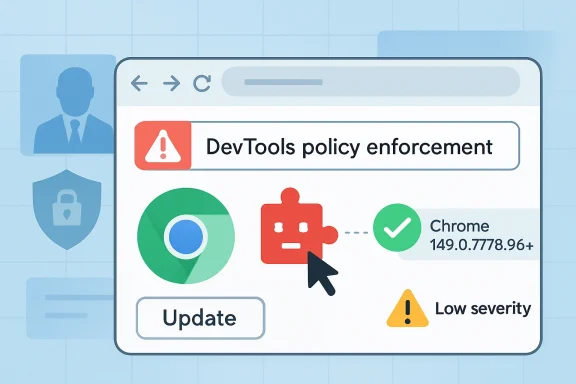
The immediate patch story is straightforward. Chrome 148.0.7778.96 for Linux and 148.0.7778.96/97 for Windows and macOS contains the fix, alongside a much larger May 2026 Stable Channel security release. Microsoft’s Security Update Guide tracks the CVE because Chromium vulnerabilities can flow into Microsoft Edge, and because enterprise defenders increasingly consume browser risk through MSRC, NVD, CISA enrichment, endpoint management dashboards, and scanner plugins rather than through Google’s release blog alone.
The more interesting story is what this bug says about browser security in 2026. The web browser is no longer merely a renderer with a password manager bolted on. It is a policy engine, an identity broker, a development platform, a remote-work shell, a plug-in marketplace, and in many organizations the most privileged application users touch all day.
A Low-Severity Chrome Bug Exposes a High-Value Trust Boundary
CVE-2026-8006 lands in a familiar gray zone: not remotely exploitable in the old drive-by sense, not obviously catastrophic, and not the kind of memory corruption bug that sends exploit brokers shopping. The published description requires the attacker to convince a user to install a malicious Chrome extension. That requirement matters, because it moves the bug from “website compromises browser” to “installed browser add-on abuses browser trust.”
That distinction is real, but it is not comforting. In enterprise environments, extensions are often approved once and then allowed to persist for months or years. They become invisible infrastructure: password vault helpers, conferencing tools, grammar checkers, screen capture utilities, AI summarizers, SSO helpers, coupon blockers, developer assistants, and internal productivity glue. The extension, once installed, gets a seat inside the browser’s trust boundary.
The vulnerability’s affected component, DevTools, also matters. DevTools is not just a developer convenience panel; it is a privileged diagnostic and instrumentation surface. It can inspect, alter, and reason about web pages in ways normal content cannot. A policy enforcement mistake there does not have to produce full code execution to matter. If it allows browser UI to be misrepresented, it can distort the user’s understanding of what is happening.
That is why the assigned weakness, UI misrepresentation of critical information, is more than a taxonomy footnote. Security UI is a contract. The browser tells the user what origin they are on, what permissions are being requested, what extension is active, what connection is protected, and what surface is trustworthy. Spoofing attacks work by breaking that contract while leaving the user convinced that it still holds.
The Patch Is Routine; the Dependency Chain Is Not
Google’s May 5 Stable Channel update for desktop is the vendor anchor for this fix. Chrome before 148.0.7778.96 is the vulnerable line cited in the CVE, with Windows and macOS builds also carrying 148.0.7778.97. NVD published the CVE on May 6 and modified its record on May 7, adding the CPE configuration and recording CISA-ADP’s CVSS 3.1 score of 5.4, Medium.
That scoring split is typical of Chromium vulnerability handling. Chromium’s internal severity says Low, while CISA-ADP’s CVSS vector lands at Medium because the bug is network-reachable in scoring terms, requires low attack complexity, needs user interaction, and has limited confidentiality and availability impacts. Neither label is “wrong.” They answer different operational questions.
For Chrome users, the answer is simple: update. For Windows administrators, the question immediately widens. Is Edge patched? Are other Chromium browsers patched? Are VDI images frozen on older builds? Are development workstations running unmanaged channels? Are security scanners identifying Chrome’s version correctly when the host is Windows but the vulnerable component is an application? Is the organization treating the browser as software inventory or merely as a user preference?
The CVE’s CPE configuration also hints at the awkwardness of platform attribution. NVD’s affected configuration ties Chrome to Windows, Linux kernel, and macOS operating systems as platforms. That does not mean Windows itself is vulnerable in the same way an OS kernel component is vulnerable. It means the vulnerable Chrome application exists on those platforms. In scanner output, that nuance can disappear quickly.
This is one reason MSRC entries for Chromium bugs are useful to Windows shops even when the flaw originates outside Microsoft. The modern Windows endpoint is full of components whose security posture is determined upstream: Chromium, WebView2, Electron apps, browser runtimes, open-source libraries, and cloud-connected agents. The patch graph has become less Microsoft-versus-Google and more “whose downstream product has consumed which upstream fix by which date.”
DevTools Has Become Too Powerful to Treat as Developer Wallpaper
The word DevTools still sounds harmless to many non-developers. It evokes a docked panel, a console prompt, a network waterfall, and a CSS inspector. But in Chromium, developer tooling touches deep browser capabilities, and extensions can interact with debugging interfaces in powerful ways when granted the right permissions.
This is not a new class of concern. Security researchers have repeatedly pointed out that the Chrome debugging surface is extraordinarily capable. The Chrome DevTools Protocol can inspect pages, watch network traffic, manipulate tabs, and automate browser behavior. Legitimate tooling depends on that power. So do malicious extensions when users or policies give them an opening.
CVE-2026-8006 is not described as a DevTools Protocol takeover. The public description is narrower: insufficient policy enforcement in DevTools allowed UI spoofing through a crafted extension. But narrow bugs often matter because they show where assumptions failed. Somewhere, Chrome intended one policy boundary to hold and a crafted extension found daylight around it.
For defenders, the lesson is not “ban DevTools.” That is unrealistic in software, IT, security, data, and operations teams. The lesson is to stop pretending DevTools is an isolated developer toy. On managed endpoints, DevTools availability, extension debugging permissions, and browser policy enforcement belong in the same conversation as PowerShell execution policy, macro controls, and local admin rights.
The browser is now an administrative shell for the web. Treating its instrumentation surfaces casually is the same category error that enterprises made with Office macros in the 2000s and PowerShell in the 2010s. The feature is useful, the abuse is predictable, and the governance usually arrives after attackers have already worked out the economics.
Extension Risk Is No Longer a Consumer Problem
The attack precondition for CVE-2026-8006 is user installation of a malicious extension. That makes it tempting to file the bug under user education: do not install suspicious add-ons, avoid fake productivity tools, trust the Chrome Web Store, and move on. That framing is too small for 2026.
Extensions are supply-chain software. They have authors, update channels, permissions, dependencies, monetization pressures, and abandonment risk. They can be sold, compromised, republished, cloned, or subtly repurposed. A benign extension at approval time can become a hostile extension after an acquisition or credential theft event. A popular extension can become infrastructure for abuse without ever asking the user to click through a classic malware installer.
The enterprise version of this problem is worse because browser extensions sit at the intersection of identity and data. They see SaaS applications, intranet portals, CRM dashboards, cloud consoles, ticketing systems, email, code repositories, privileged admin panels, and AI chat sessions. A malicious extension does not need kernel privileges if the user’s browser session already has the keys to the kingdom.
UI spoofing is particularly dangerous in that environment. A spoofed panel or misleading browser surface can nudge a user into trusting a fake login, ignoring a permission boundary, approving a prompt, or copying secrets into the wrong context. The impact is often psychological rather than purely technical, which makes it harder to model and easier to dismiss.
This is where the Low severity label can mislead. Low does not mean irrelevant. It means the isolated vulnerability, under the scoring system and known conditions, has constrained direct impact. Combined with extension trust, SaaS sprawl, session cookies, and distracted users, even “low” browser UI bugs can become part of a broader intrusion chain.
Chrome 148’s Bigger Patch Load Changes the Context
CVE-2026-8006 did not ship alone. Chrome 148’s desktop Stable Channel update fixed more than one hundred security issues, including critical vulnerabilities reported elsewhere in the release cycle. That matters because administrators rarely patch one CVE at a time in browsers. They patch a build, and the build is a bundle of risks.
The headline flaws in a large Chrome update are usually memory safety issues: use-after-free, integer overflow, type confusion, out-of-bounds access. Those get the attention because they are closer to remote code execution and sandbox escape narratives. CVE-2026-8006 sits in the quieter pile, where policy enforcement, UI correctness, extension behavior, and security boundary semantics live.
That quieter pile deserves more respect. Browser exploitation has become layered. Attackers do not always need the clean, cinematic chain from malicious page to arbitrary code execution to system compromise. They can combine OAuth abuse, malicious extensions, social engineering, browser sync, session theft, deceptive UI, and cloud app permissions into attack paths that look less like classic exploitation and more like hostile product design.
Chrome’s rapid release cadence is built for this reality. The browser ships often because the attack surface is enormous and the codebase is constantly moving. But enterprise patching rhythms remain stubbornly slower, especially where browser versions are tied to compatibility testing, regulated workflows, kiosk deployments, or golden images.
That gap is now a business risk. The browser is the front door for most enterprise work, but too many organizations still patch it with the urgency of a desktop accessory. A Chrome or Edge update delayed by two weeks may feel harmless until the vulnerability in question is being chained with a credential phishing campaign or a malicious extension already living in the environment.
Microsoft’s Role Is Smaller Than Windows Users Want, and Larger Than They Think
Because the user-provided source points to MSRC, WindowsForum readers will naturally ask where Microsoft fits. The answer is both mundane and important. CVE-2026-8006 is a Chromium vulnerability, not a Windows kernel vulnerability. Microsoft tracks it because Edge is Chromium-based and because Microsoft’s security ecosystem is where many Windows administrators consume vulnerability intelligence.
That duality can be frustrating. Administrators want a single vendor answer: install this Windows update and the risk is gone. Chromium breaks that mental model. Browser security updates may arrive through Chrome’s updater, Edge’s updater, enterprise deployment tools, Intune, Configuration Manager, third-party patch systems, Linux package repositories, or macOS management profiles. The OS may be fully patched while the browser remains behind.
Edge adds another layer. Microsoft usually absorbs Chromium security fixes into Edge releases, but Edge is not simply Chrome with a blue icon. It has Microsoft account integration, enterprise policy integration, Defender and SmartScreen hooks, sidebar features, WebView2 dependencies, and its own release channels. A Chromium CVE may be relevant to Edge, but the exact exposure and patch timing depend on Microsoft’s build.
For Windows administrators, this means CVE handling must be product-aware rather than brand-aware. “Chromium” is the family. “Chrome” is one product. “Edge” is another. Electron apps may embed Chromium-derived runtimes. WebView2 may matter for line-of-business applications. The browser security perimeter sprawls beyond the one icon pinned to the taskbar.
The correct operational posture is not panic; it is inventory. Know which Chromium-based components are present, who updates them, which channels are deployed, what policies constrain extensions, and which systems are allowed to lag. Without that map, every Chromium CVE becomes an argument between vulnerability management, desktop engineering, application owners, and help desk staff.
UI Spoofing Is the Attack Class Users Are Least Equipped to Defend Against
Security training often assumes users can recognize danger if given enough clues. Look at the URL. Check the padlock. Beware unexpected prompts. Do not install unknown extensions. Verify the sender. Slow down. The entire model depends on trustworthy indicators.
UI spoofing attacks invert that model. They target the indicators themselves, or the context around them. If a malicious extension can make a browser surface look like something it is not, the user is no longer failing to read the sign; the sign has been altered.
This is why UI bugs in browsers deserve a different kind of analysis from memory corruption bugs. A memory bug attacks the machine. A spoofing bug attacks the conversation between machine and user. It can make a false permission request look legitimate, a fake security panel look native, or a hostile workflow look like a trusted browser feature.
The industry has often treated spoofing as a lesser class because it lacks the drama of arbitrary code execution. That hierarchy made more sense when endpoints were the prize and browsers were windows into websites. It makes less sense when the browser session itself contains access to cloud consoles, passwordless identity flows, privileged SaaS roles, and persistent authentication tokens.
The irony is that browser vendors have spent two decades training users to trust browser chrome. The address bar, permission bubble, extension menu, certificate warning, download shelf, and DevTools panel are supposed to be the stable frame around the chaos of the web. CVE-2026-8006 is a small reminder that the frame is software too.
The Enterprise Fix Begins Before the Patch Window
Patching Chrome to 148.0.7778.96 or later is the necessary first move. But if the only response to CVE-2026-8006 is “update Chrome,” the organization has learned almost nothing. The vulnerability’s prerequisite points directly at extension governance, and extension governance is still weak in many otherwise mature Windows environments.
A serious program starts with allowlisting. Users should not be able to install arbitrary extensions on managed endpoints merely because the extension store permits it. That does not mean blocking every add-on. It means treating extensions as software that requires review, ownership, business justification, permission assessment, and periodic revalidation.
The second move is permission minimization. An extension that needs access to every site should face more scrutiny than one limited to a specific SaaS domain. Extensions that can read and change page content, access browsing history, interact with downloads, or communicate with native applications deserve special attention. The browser’s permission model is only useful if administrators actually use it as a policy tool.
The third move is telemetry. Security teams should know which extensions are installed, on which devices, under which user profiles, and when they change. Extension drift is a real phenomenon. A clean baseline in January does not guarantee a clean fleet in May, especially in organizations that allow multiple browser profiles or unmanaged personal accounts.
Finally, organizations need a response plan for extension compromise. That means being able to block an extension quickly, remove it from endpoints, revoke tokens if necessary, review affected browser sessions, and communicate clearly to users. Waiting until a high-profile malicious extension event to discover that no one owns the extension inventory is negligent.
Vulnerability Scoring Still Struggles With Human Trust
CVSS is useful, but CVE-2026-8006 shows its limits. The CISA-ADP vector records user interaction, low attack complexity, no privileges required, unchanged scope, limited confidentiality impact, no integrity impact, and limited availability impact. That yields a Medium score. Chromium’s own severity is Low. Both are reasonable as far as they go.
But neither captures the full social mechanics of extension-enabled spoofing. The score does not know whether the affected user is a domain admin opening Entra admin center, a developer logged into production cloud infrastructure, a finance employee approving invoices, or a help desk technician resetting MFA. It does not know whether the spoofed UI is a nuisance or a decisive step in a larger campaign.
This is not a failure of CVSS so much as a reminder of what scoring systems are. They compress uncertainty into a number. That number helps triage thousands of issues, but it cannot replace contextual judgment. A Low Chromium bug on unmanaged consumer laptops may be background noise. The same bug on developer workstations with broad SaaS access may deserve faster action.
The practical response is to score twice. First, accept the published severity as a baseline. Then apply environmental risk: browser population, extension policy maturity, privilege concentration, update latency, exposed user groups, and whether the vulnerable component intersects with sensitive workflows.
That second score is where mature organizations separate themselves. They do not merely ask, “How bad is the CVE?” They ask, “How bad is this CVE in our environment, with our users, our controls, our patch speed, and our browser habits?”
Windows Shops Need to Stop Treating Browsers as Someone Else’s Patch Problem
The Windows endpoint management world has historically been excellent at OS patching and uneven at browser governance. That made sense when Internet Explorer was welded to Windows and when third-party browsers were optional. It makes far less sense today, when Edge is Chromium-based, Chrome remains common in enterprises, and line-of-business apps often depend on WebView2 or embedded browser runtimes.
For Windows administrators, CVE-2026-8006 is a nudge toward a more modern browser program. Patch cadence should be measured in days, not quarters. Extension policy should be centralized. Browser versions should be visible in asset inventory. Security baselines should cover Chrome and Edge, not merely Windows Defender and local group policy. Developers should not be exempt simply because they complain loudly when tools break.
The biggest cultural shift is ownership. Browser security often falls between teams. Desktop engineering owns deployment. Security owns vulnerability scanning. Identity owns SSO. Developers own DevTools usage. Procurement owns SaaS approvals. Users own extensions until something goes wrong, at which point everyone discovers that nobody owned extensions at all.
That split is dangerous because the browser is where those domains converge. A malicious extension can touch identity, SaaS data, local files, developer tooling, and user decisions in one workflow. A policy enforcement bug in DevTools is not just a Chrome team problem. It is a browser governance problem for every organization that lets the browser become the operating environment for work.
Microsoft’s own ecosystem reinforces the need for discipline. Edge management policies, Intune controls, Defender signals, SmartScreen protections, and update channels can all help. But they do not help automatically. They have to be configured, monitored, and tied to a process that treats browser configuration as security infrastructure.
The Real Lesson From CVE-2026-8006 Fits in the Change Window
CVE-2026-8006 is not a reason to sound the breach alarm. It is a reason to use an ordinary browser patch as leverage for a better browser security posture. The right response is concrete, boring, and overdue.
- Organizations should update Chrome to 148.0.7778.96 or later, and verify whether Edge and other Chromium-based browsers in the fleet have received corresponding security updates.
- Administrators should review extension allowlists and remove anything that lacks a clear owner, business purpose, and acceptable permission footprint.
- Security teams should treat DevTools and debugging-related browser capabilities as privileged surfaces on managed endpoints, especially for high-risk user groups.
- Vulnerability managers should interpret the Medium CVSS score and Chromium Low severity through their own environment rather than letting either label dictate urgency automatically.
- Windows shops should inventory Chromium-based software beyond Chrome and Edge, including embedded runtimes and applications that may carry browser engine exposure.
The uncomfortable truth is that browser security has become less about one spectacular bug and more about accumulated trust. Every extension, every persistent session, every update delay, every unmanaged profile, and every permissive policy adds weight. CVE-2026-8006 is a small crack in DevTools policy enforcement, but it points at a larger architectural fact: the browser is now where users, identity, cloud work, and security decisions meet.
That is why this modest Chromium spoofing flaw deserves attention beyond its severity label. Chrome 148 closes the immediate hole, and downstream Chromium browsers will do what downstream browsers do: absorb, package, and ship the fix on their own schedules. But the organizations that come out ahead will be the ones that use this patch cycle to tighten extension governance, shorten browser update latency, and treat browser UI trust as part of the enterprise security boundary rather than a decorative strip at the top of the window.
References
- Security Update Guide - Microsoft Security Response Center NVD / Chromium