
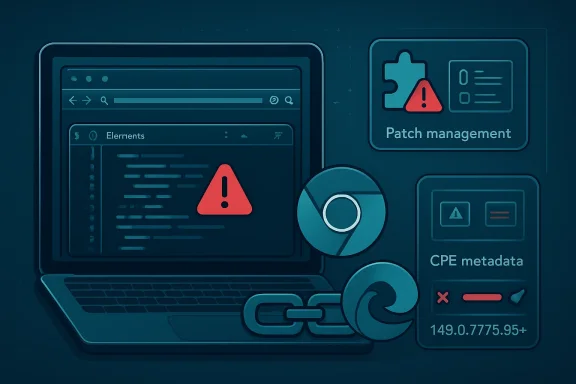
 A Low-Severity Chrome Bug Still Has a Long Enterprise Shadow
CVE-2026-8008 is a UI-spoofing vulnerability in Chrome’s DevTools implementation, fixed in Google Chrome before version 148.0.7778.96. The attack requires a user to install a malicious extension, which is why Chromium classifies the issue as low severity and why CISA’s ADP enrichment lands at a medium CVSS 3.1 score rather than anything more alarming.
That distinction matters, but it should not be confused with irrelevance. Browser extension attacks sit in the messy middle of endpoint security: they are not clean remote-code-execution bugs, but they are also not hypothetical academic curiosities. They exploit the place where users, browser trust signals, developer tools, identity sessions, and enterprise web apps all overlap.
The vulnerability’s weakness classification, CWE-451, is especially telling. “User Interface Misrepresentation of Critical Information” is the formal taxonomy, but the plain-English version is simpler: the browser can be made to show something in a misleading way at the exact moment the user is expected to make a trust decision.
That is why DevTools is an uncomfortable component to see in the description. DevTools is supposed to be the instrument panel for developers and power users, not a stage prop for an extension. When that boundary blurs, the issue may be “low” in a scoring rubric but still meaningful in environments where developers work inside privileged cloud consoles, production dashboards, and internal admin portals all day.
The CPE Looks Right, but the Ecosystem Is Messier Than the Field Suggests
The NVD change history shows a configuration that ties the vulnerable application CPE to Google Chrome versions up to, but excluding, 148.0.7778.96. It also expresses the affected operating-system context as Windows, Linux kernel, and macOS. That is the standard shape for a cross-platform desktop browser vulnerability: the vulnerable product is the application, and the operating systems define where that application runs.
So if the narrow question is whether the Chrome CPE is absent, the answer is no. The expected application identifier is present. The affected version boundary is also clear: Chrome before 148.0.7778.96 is the vulnerable range, and 148.0.7778.96 or later is the fixed line for Linux, while Windows and macOS received 148.0.7778.96/97 in the same stable update family.
The confusion comes from Microsoft’s presence in the disclosure chain. MSRC listing CVE-2026-8008 does not necessarily mean the NVD entry should include a Microsoft Edge CPE inside the Google Chrome configuration. Edge is Chromium-based, but it is a distinct product with its own update channel, versioning, enterprise policies, and vendor advisory process.
That difference matters to scanners and patch dashboards. A vulnerability-management tool that only maps the Google Chrome CPE should flag Chrome installations, not automatically infer every Chromium-derived browser. Conversely, a Microsoft advisory can legitimately tell Edge administrators to care about the Chromium flaw without changing the CPE identity of the original Chrome entry.
In other words, there are two truths that look contradictory only if one treats CPE as a universal vulnerability map. The Chrome CPE is the right anchor for Google’s product, while Microsoft’s advisory is the right signal for Edge customers who need to track Chromium-origin fixes through Microsoft’s release machinery.
The Extension Requirement Lowers the Score but Raises the Operational Question
The exploit condition is not trivial. An attacker must convince a user to install a malicious extension, then use a crafted Chrome Extension to perform UI spoofing. That is a meaningful barrier, and it explains the restrained severity.
But extension installation is not some exotic prerequisite in the real world. Extensions are how users add password managers, meeting tools, translation helpers, ad blockers, note clippers, coupon finders, developer utilities, screen recorders, AI assistants, and internal enterprise add-ons. The browser has become the workstation’s most important application platform, and extensions are its plug-in economy.
That economy has a supply-chain problem. A benign extension can be sold, abandoned, updated, impersonated, over-permissioned, or repackaged. Users often judge extensions by star ratings and branding, while administrators often inherit years of accumulated browser add-ons that predate current policy.
This is why “user interaction required” should not lull IT teams into complacency. User interaction is the normal operating condition of phishing, OAuth consent abuse, browser-extension malware, and fake update scams. Requiring a click does not make an attack unrealistic; it simply moves the contest from memory safety to persuasion.
The CVSS vector says privileges are not required, attack complexity is low, and user interaction is required. That is a familiar profile for browser-adjacent social engineering: not devastating on its own, but dangerous when paired with a convincing lure and a valuable session already open in the browser.
DevTools Is Not Just for Developers Anymore
There was a time when DevTools bugs could be waved away as niche because ordinary users rarely opened the panel. That argument has weakened. Modern web troubleshooting, SaaS support, extension debugging, front-end development, and even some scam playbooks all touch DevTools or DevTools-like surfaces.
For WindowsForum readers, the developer angle is particularly important. Many administrators and developers run Chrome or Edge while authenticated into Azure, Microsoft 365, GitHub, CI/CD dashboards, cloud consoles, secrets managers, ticketing systems, and internal observability tools. A UI-spoofing primitive does not need to steal a kernel token to create risk; it can mislead the person holding the session.
The attack described for CVE-2026-8008 is still bounded. It is not a sandbox escape, not a browser process takeover, and not an unauthenticated drive-by compromise. But UI spoofing is a trust attack, and trust attacks age well because they compose with everything else.
A malicious extension that can make a critical browser or developer-tool surface look like something else may only need to redirect a user’s next decision. That decision could be granting an additional permission, trusting a misleading origin, copying a token into the wrong place, or ignoring a warning that appears to come from a trusted context.
Security teams often build patch prioritization around the blast radius of direct exploitation. CVE-2026-8008 is a reminder that browser UX is itself part of the security boundary. If the browser cannot reliably communicate what is happening, every downstream permission and authentication ceremony becomes weaker.
Chrome 148 Was Bigger Than This One CVE
CVE-2026-8008 landed inside a much larger Chrome 148 security release. Google’s stable-channel update for desktop promoted Chrome 148.0.7778.96 for Linux and 148.0.7778.96/97 for Windows and macOS, with more than 100 security fixes in the release. Reporting on the update counted 127 patched vulnerabilities, including critical issues elsewhere in the browser stack.
That context changes the patching calculus. If CVE-2026-8008 were the only item in the release, some organizations might reasonably defer based on internal testing windows. But Chrome 148 is not a one-bug update. It is a browser security rollup with a large enough fix count that the aggregate risk is more important than any single low-severity entry.
This is one of the recurring problems with vulnerability management by headline. Administrators see a low-severity DevTools bug and assume the update is low urgency. Attackers see the full diff, the bug-class mix, and the population of systems that will take days or weeks to update.
Browser updates do not behave like old quarterly desktop application patches. Chrome and Edge are evergreen infrastructure. Their security model assumes rapid movement, and the web assumes most users will be dragged forward quickly. Enterprises that stretch browser patch cycles too far are not being conservative; they are opting out of the platform’s intended defense rhythm.
The presence of critical flaws in the same Chrome 148 family makes this even clearer. CVE-2026-8008 may be the issue that brought a Microsoft advisory page to your attention, but the operational answer is not to surgically debate that one CVE. The answer is to get the browser family onto the fixed train.
Edge Administrators Should Read This as a Chromium Signal, Not a Chrome-Only Curiosity
Microsoft’s MSRC entry for CVE-2026-8008 is not noise. Edge is Chromium-based, and Microsoft routinely tracks Chromium-origin vulnerabilities that affect its browser. For Windows shops, that means Chrome’s security release is often an early warning for Edge work, not just a Google-specific event.
The nuance is timing and mapping. Microsoft Edge does not always share Chrome’s exact version number, even when it incorporates the relevant Chromium security fix. Administrators should verify the Edge stable, extended stable, and enterprise channel versions through Microsoft’s release notes rather than assume Chrome’s version boundary directly applies.
That is where vulnerability tools can either help or hurt. A mature scanner should distinguish Google Chrome from Microsoft Edge while still understanding that both may be affected by the same underlying Chromium CVE. A weak scanner may either over-report Edge as Chrome or under-report Edge because it only keys off the Google CPE.
For defenders, the practical approach is boring but effective. Track the vendor advisory for each installed browser, validate the installed version, and confirm that the fixed release has actually landed on endpoints. Do not rely on the presence or absence of one CPE string to answer the broader exposure question.
This is especially true in mixed-browser environments. Many Windows fleets have Edge by default, Chrome by user preference, WebView2 embedded in applications, and sometimes Brave, Vivaldi, or other Chromium-derived browsers in pockets of the organization. The CVE may begin in Chrome’s disclosure stream, but the dependency chain is wider than a single executable.
The Browser Extension Policy Is the Real Control Surface
Patching closes CVE-2026-8008, but the prerequisite tells administrators where to look next. If the attack requires a malicious extension, then extension governance is not a side policy; it is the control surface that determines whether this class of issue can be weaponized at scale.
The most mature organizations already treat browser extensions like software inventory. They approve known extensions, block unknown ones, audit permissions, and monitor changes. The less mature ones discover extensions only after an incident, usually when an endpoint investigation reveals a browser profile full of abandoned utilities and “productivity” add-ons.
Chrome and Edge both give enterprises policy controls for extension installation. Those controls are not glamorous, but they are among the highest-return browser security settings available. An allowlist for business-critical extensions, a block on consumer-grade mystery add-ons, and review of high-risk permissions can reduce entire families of attacks before a CVE number exists.
The uncomfortable tradeoff is user convenience. Developers want tools. Sales teams want meeting helpers. Support staff want screenshot and annotation utilities. Security teams that simply ban everything will create workarounds, while teams that approve everything will eventually approve a problem.
The answer is a governed middle. Permit the extensions the business actually needs, document the owner for each one, review permission changes, and remove abandoned add-ons. In 2026, an unmanaged browser extension is not a personalization setting. It is third-party code running inside the most sensitive application on the endpoint.
Scanners Will Argue About Strings While Attackers Argue With Users
The CPE question is understandable because many patch programs are built around CPE matching. If the identifier is wrong, dashboards are wrong. If dashboards are wrong, executives get false comfort or false alarms. The plumbing matters.
But CPE is a representation of reality, not reality itself. A correct CPE can still miss derivative products. An absent CPE can still describe a real risk. A vendor advisory can be more actionable than a database record. A scanner can be technically accurate and operationally incomplete.
CVE-2026-8008 sits exactly in that gap. The NVD entry has the expected Chrome CPE and version boundary. MSRC has a vulnerability page because Microsoft customers need to understand the Chromium exposure path. Neither fact eliminates the need to check actual endpoint browser versions.
There is also a timing problem. NVD enrichment, CISA ADP scoring, vendor release notes, scanner plugins, and enterprise patch catalogs rarely update at the same instant. A CVE can be published before all metadata is complete, and administrators looking during that window may see partial scoring, missing CVSS from NIST, newly added CWE data, or changing CPE records.
That does not mean the system is broken. It means vulnerability intelligence is a pipeline, not a tablet from the mountain. For fast-moving browsers, the vendor release note and installed version often matter more in the first 24 to 72 hours than the fully settled database metadata.
The Patch Decision Should Be Easy, Even If the Taxonomy Is Not
For individual users, the guidance is simple: update Chrome, relaunch the browser, and remove extensions you do not recognize or no longer use. For administrators, the work is only slightly more complicated: verify Chrome and Edge versions across the fleet, confirm update policies are functioning, and review extension controls.
The browser relaunch remains the classic failure point. Chrome may download an update automatically, but the protection is not complete until the browser restarts into the fixed build. In managed environments, long-running sessions and users who never close their browsers can stretch exposure well past the date the patch was technically available.
The same goes for Edge. Windows administrators sometimes assume Edge is “handled by Windows Update,” but Edge has its own update mechanism and enterprise controls. That distinction matters when trying to prove remediation against a Chromium CVE.
Security teams should also treat this as a chance to test their reporting. Can they answer how many endpoints run Chrome below 148.0.7778.96? Can they answer which Edge versions include the relevant Chromium fix? Can they identify machines with unmanaged extensions? If not, CVE-2026-8008 is a low-cost prompt to fix the visibility gap before a higher-severity browser bug forces the issue.
The Signal Inside This Small Chrome Bug
CVE-2026-8008 is not the browser vulnerability that should ruin anyone’s week. It is not being described as exploited in the wild, it requires malicious-extension installation, and Chromium’s own severity label is low. The point is not panic.
The point is that low-severity browser bugs increasingly illuminate high-value attack surfaces. DevTools, extensions, AI browser panels, identity prompts, permission dialogs, and cloud admin sessions are all converging inside the same application window. The browser is no longer just a renderer of web pages; it is the user interface for work.
That convergence makes UI integrity more important than it used to be. If an attacker can manipulate what the user believes the browser is saying, the attacker does not always need to defeat cryptography, sandboxing, or endpoint detection. They can defeat attention.
This is why the “missing CPE” instinct is both useful and insufficient. Yes, check the metadata. Yes, verify the product mapping. But do not let the database exercise become a substitute for patching the browser and governing extensions.
Where This Leaves Windows Shops After Chrome 148
The concrete response to CVE-2026-8008 is refreshingly unromantic. Patch the browser, validate the version, and use the moment to tighten extension policy. The longer-term lesson is that Chromium security now lands in Windows environments through multiple channels at once: Google Chrome, Microsoft Edge, embedded web components, and the habits of users who install browser add-ons faster than IT can classify them.
- Chrome installations should be updated to 148.0.7778.96 or later, with Windows and macOS fleets also accounting for the 148.0.7778.97 build in the same release family.
- Edge administrators should track Microsoft’s Edge security release notes rather than assume Chrome’s exact version number maps one-to-one onto Microsoft’s browser.
- The NVD Chrome CPE entry appears to cover the expected Google Chrome application and the affected desktop operating-system contexts.
- Vulnerability tools should be checked for both false negatives and false positives across Chromium-based browsers, especially in mixed Chrome and Edge environments.
- Extension allowlisting, permission review, and removal of abandoned add-ons reduce the practical exploitability of this class of bug more than CVSS debates do.
CVE-2026-8008 will probably disappear quickly into the churn of browser patch history, and that is exactly why it is useful. It is a small reminder of a large architectural fact: the enterprise desktop is now mediated by a browser, the browser is mediated by extensions, and the security boundary is increasingly drawn in pixels as much as in process isolation. The organizations that treat this as just another low-severity Chrome entry will patch and move on; the ones that learn from it will use the next few days to make sure their browsers, their extension policies, and their vulnerability data all describe the same reality.
