
Cyber resilience is an organization’s ability to prepare for, withstand, respond to, and recover from cyber incidents while keeping essential work moving, and Microsoft is now framing it as a core business-continuity discipline for Windows-based organizations in 2026. That shift matters because the modern workplace no longer has a clean line between “IT outage” and “business outage.” A ransomware event, stolen credential, lost laptop, or misconfigured endpoint can become an operational problem before anyone has finished classifying it as a security problem. The real argument is no longer whether companies should defend themselves, but whether they can keep functioning when defense inevitably proves imperfect.
For years, security programs were judged by what they could stop. Firewalls blocked traffic, antivirus quarantined files, patching reduced exposure, and identity controls narrowed the path into corporate systems. That model is still necessary, but it is no longer sufficient, because the business now lives inside the systems being defended.
Cyber resilience starts with an uncomfortable premise: something will fail. A user will click. A laptop will disappear. A cloud service will degrade. A policy will not apply cleanly to every device. A supplier will bring risk into an environment that looked tidy on paper.
That premise changes the conversation. Instead of asking only whether an organization can prevent intrusion, resilience asks whether it can contain disruption, preserve essential services, recover data, restore trust, and keep employees productive while the mess is being handled.
This is why the term has become popular with vendors, insurers, boards, and regulators. It translates cyber risk into language the rest of the business understands. Downtime, recovery cost, lost productivity, reputational damage, and customer confidence are not security abstractions. They are operating conditions.
The better way to understand the relationship is that cyber security reduces the probability of disruption, while cyber resilience reduces the blast radius when disruption happens anyway. Security tries to stop the phishing email, block the malicious download, harden the device, protect the identity, and encrypt the data. Resilience assumes some combination of those controls may fail and asks how quickly the organization can adapt.
That distinction is especially important for small and midsize businesses, which often do not have the luxury of separate teams for security operations, endpoint management, identity governance, business continuity, and disaster recovery. In those environments, a single weak point can produce a surprisingly broad failure. One compromised account can expose shared files, one unmanaged PC can become an entry point, and one missing recovery key can turn encryption from safeguard into operational headache.
Microsoft’s framing of cyber resilience for business leans heavily into this practical reality. The company’s Windows business messaging ties resilience to endpoint visibility, identity protection, policy consistency, encryption, and simplified management. That is not an accident. For most organizations, the endpoint is where security theory meets human behavior.
Endpoint visibility is therefore one of the least glamorous but most consequential parts of resilience. An organization cannot respond coherently if it does not know which devices exist, who uses them, what state they are in, and whether policies have actually applied. Asset inventory is not paperwork; it is the map responders need when the building is already on fire.
This is where Windows 11 Pro and adjacent Microsoft tooling enter the sales pitch. Features such as BitLocker, Microsoft Defender SmartScreen, Windows Hello for Business, TPM-backed protections, and policy management through Microsoft’s ecosystem are presented as ways to reduce exposure and improve consistency. The claim is not that any one feature makes a business resilient. The claim is that resilience depends on reducing the number of unmanaged exceptions.
That claim is broadly right, even if it deserves skepticism when wrapped in product marketing. Resilience is not purchased by upgrading an operating system, but older devices, inconsistent configuration, unsupported software, and weak identity practices really do make recovery harder. The fewer unknowns IT has to chase during an incident, the more likely the business can keep moving.
That is why identity protection sits at the center of the cyber-resilience argument. Windows Hello for Business is Microsoft’s answer inside the Windows ecosystem, replacing traditional password use with biometric or PIN-based sign-in tied to the device. The practical value is not merely convenience. It is that access becomes harder to steal remotely because the authentication flow is bound to hardware and policy.
Microsoft Defender SmartScreen plays a different role by trying to interrupt the user at moments of risk, such as suspicious websites, downloads, or phishing attempts. It is part of the same resilience story: reduce the chance that a single user mistake becomes a company-wide event. The user still matters, but the user should not be the only control.
This is where mature organizations distinguish between security awareness and operational design. Training people not to click bad links is useful. Designing systems so one bad click does not bring the business down is resilience.
But encryption also depends on recovery discipline. If recovery keys are unavailable, identity systems are broken, or device records are incomplete, a protective control can become a recovery obstacle. The technology is not the whole story; the process around the technology determines whether it strengthens or weakens resilience.
That point applies far beyond BitLocker. Backups that are never tested are hopes, not controls. Policies that exist in documentation but not on devices are theater. Incident-response plans that assume everyone will have access to email during an identity compromise are fiction.
Cyber resilience rewards boring operational competence. The organizations that recover fastest are not always the ones with the flashiest dashboards. They are the ones that know what they own, know what matters most, have rehearsed failure, and can make decisions under pressure.
Unsupported software is especially dangerous because it combines exposure with operational fragility. If a critical workflow depends on an old application or out-of-support operating system, IT may be unable to patch aggressively without breaking the business. That creates a trap in which the thing most in need of modernization is also the thing the organization is afraid to touch.
Unmanaged devices create a similar problem. Hybrid work expanded the perimeter, but many organizations still behave as if every endpoint is under the same roof, on the same network, and subject to the same controls. When an incident happens, that fiction becomes expensive.
Manual processes are the silent killer. A company may have strong intentions but weak execution because too many tasks require human coordination across disconnected tools. Resilience improves when routine enforcement becomes consistent, visible, and repeatable.
The operational principle is solid: integrated controls can reduce complexity, and reduced complexity can improve resilience. If identity, endpoint state, encryption, browser protection, and policy enforcement are visible through a coherent management model, IT has a better chance of responding quickly. Fragmentation is not merely inconvenient; it slows decisions when time matters.
The product claim is narrower. Windows 11 Pro includes important security capabilities, but resilience also depends on configuration, licensing, monitoring, backup architecture, administrative discipline, and organizational readiness. A poorly managed Windows 11 fleet is not magically resilient. A well-managed mixed environment may be more resilient than a nominally modern one with no tested recovery plan.
This is the tension every vendor-led resilience story carries. The platform matters, but the platform is not the program.
Useful resilience metrics look closer to operational survivability. How quickly can the organization identify affected devices? How long does it take to disable compromised credentials? How many endpoints are unmanaged or out of compliance? How recently were backups tested? Which business processes can continue if core systems are unavailable?
These measurements are uncomfortable because they expose dependency. They force IT and business leaders to agree on what must be restored first, what can wait, and what level of disruption is tolerable. That is precisely why they matter.
Resilience is not proven in a dashboard. It is proven in recovery time, decision speed, and the organization’s ability to keep serving customers while technical teams work the incident.
This is one reason Microsoft keeps tying Windows 11 to modern security baselines. TPM 2.0, virtualization-based security, secure boot, biometric sign-in, and encryption are easier to standardize when the device fleet is not a museum of exceptions. The business case is not just “newer is safer.” It is that newer, managed, supported systems give IT fewer unknowns during an incident.
Still, migration is not resilience by itself. Windows 10’s end-of-support pressure has pushed many organizations toward Windows 11, but a rushed upgrade without asset cleanup, policy review, application testing, and recovery planning can simply move old problems onto a new platform. Modernization should reduce fragility, not repaint it.
The more serious organizations will treat resilience as a design constraint rather than a post-incident aspiration. They will ask how every device, app, identity, and policy behaves when something goes wrong.
That means resilience work often begins with inventory, identity, policy, encryption, backups, and rehearsals. None of that is glamorous. All of it matters.
The useful takeaway from Microsoft’s framing is that cyber resilience has moved from the disaster-recovery binder into everyday endpoint and identity operations. It is not something to be invoked after the breach. It is built, or neglected, every time a device is enrolled, a user is granted access, a policy is applied, or a recovery process is left untested.
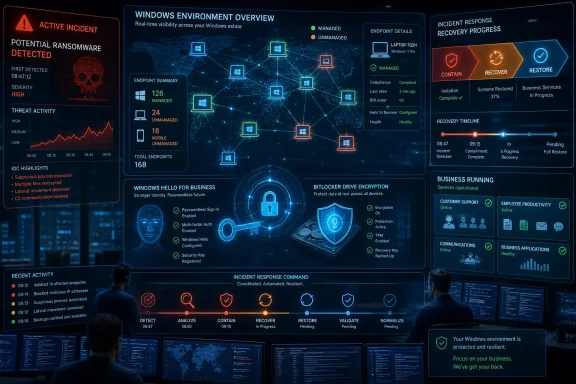 Cyber Resilience Moves Security Out of the Server Room
For years, security programs were judged by what they could stop. Firewalls blocked traffic, antivirus quarantined files, patching reduced exposure, and identity controls narrowed the path into corporate systems. That model is still necessary, but it is no longer sufficient, because the business now lives inside the systems being defended.Cyber resilience starts with an uncomfortable premise: something will fail. A user will click. A laptop will disappear. A cloud service will degrade. A policy will not apply cleanly to every device. A supplier will bring risk into an environment that looked tidy on paper.
That premise changes the conversation. Instead of asking only whether an organization can prevent intrusion, resilience asks whether it can contain disruption, preserve essential services, recover data, restore trust, and keep employees productive while the mess is being handled.
This is why the term has become popular with vendors, insurers, boards, and regulators. It translates cyber risk into language the rest of the business understands. Downtime, recovery cost, lost productivity, reputational damage, and customer confidence are not security abstractions. They are operating conditions.
Prevention Still Matters, but It No Longer Gets the Final Word
There is a temptation to treat cyber resilience as a fashionable replacement for cyber security. That is wrong. Resilience without security is just crisis management with better branding.The better way to understand the relationship is that cyber security reduces the probability of disruption, while cyber resilience reduces the blast radius when disruption happens anyway. Security tries to stop the phishing email, block the malicious download, harden the device, protect the identity, and encrypt the data. Resilience assumes some combination of those controls may fail and asks how quickly the organization can adapt.
That distinction is especially important for small and midsize businesses, which often do not have the luxury of separate teams for security operations, endpoint management, identity governance, business continuity, and disaster recovery. In those environments, a single weak point can produce a surprisingly broad failure. One compromised account can expose shared files, one unmanaged PC can become an entry point, and one missing recovery key can turn encryption from safeguard into operational headache.
Microsoft’s framing of cyber resilience for business leans heavily into this practical reality. The company’s Windows business messaging ties resilience to endpoint visibility, identity protection, policy consistency, encryption, and simplified management. That is not an accident. For most organizations, the endpoint is where security theory meets human behavior.
The Endpoint Is Where Resilience Becomes Real
The modern PC is no longer just a productivity device. It is an identity terminal, a data cache, a collaboration hub, a browser for cloud apps, and often the first place where a security incident becomes visible. If IT cannot see it, manage it, update it, or trust it, resilience becomes aspirational.Endpoint visibility is therefore one of the least glamorous but most consequential parts of resilience. An organization cannot respond coherently if it does not know which devices exist, who uses them, what state they are in, and whether policies have actually applied. Asset inventory is not paperwork; it is the map responders need when the building is already on fire.
This is where Windows 11 Pro and adjacent Microsoft tooling enter the sales pitch. Features such as BitLocker, Microsoft Defender SmartScreen, Windows Hello for Business, TPM-backed protections, and policy management through Microsoft’s ecosystem are presented as ways to reduce exposure and improve consistency. The claim is not that any one feature makes a business resilient. The claim is that resilience depends on reducing the number of unmanaged exceptions.
That claim is broadly right, even if it deserves skepticism when wrapped in product marketing. Resilience is not purchased by upgrading an operating system, but older devices, inconsistent configuration, unsupported software, and weak identity practices really do make recovery harder. The fewer unknowns IT has to chase during an incident, the more likely the business can keep moving.
Identity Is the New Disaster-Recovery Problem
Credential theft has become one of the fastest ways to turn a security incident into an operational crisis. Passwords are portable, phishable, reusable, and often overprivileged. Once an attacker has a valid identity, the intrusion can look like work.That is why identity protection sits at the center of the cyber-resilience argument. Windows Hello for Business is Microsoft’s answer inside the Windows ecosystem, replacing traditional password use with biometric or PIN-based sign-in tied to the device. The practical value is not merely convenience. It is that access becomes harder to steal remotely because the authentication flow is bound to hardware and policy.
Microsoft Defender SmartScreen plays a different role by trying to interrupt the user at moments of risk, such as suspicious websites, downloads, or phishing attempts. It is part of the same resilience story: reduce the chance that a single user mistake becomes a company-wide event. The user still matters, but the user should not be the only control.
This is where mature organizations distinguish between security awareness and operational design. Training people not to click bad links is useful. Designing systems so one bad click does not bring the business down is resilience.
Encryption Protects Data, but Recovery Discipline Protects the Business
BitLocker is a good example of the double edge that runs through cyber resilience. Disk encryption can protect data if a device is lost, stolen, or removed from company control. That is a security win and, in regulated environments, often a compliance necessity.But encryption also depends on recovery discipline. If recovery keys are unavailable, identity systems are broken, or device records are incomplete, a protective control can become a recovery obstacle. The technology is not the whole story; the process around the technology determines whether it strengthens or weakens resilience.
That point applies far beyond BitLocker. Backups that are never tested are hopes, not controls. Policies that exist in documentation but not on devices are theater. Incident-response plans that assume everyone will have access to email during an identity compromise are fiction.
Cyber resilience rewards boring operational competence. The organizations that recover fastest are not always the ones with the flashiest dashboards. They are the ones that know what they own, know what matters most, have rehearsed failure, and can make decisions under pressure.
The Weakest Links Are Often Ordinary
The most damaging resilience gaps are not always exotic zero-days or nation-state techniques. They are frequently ordinary conditions that accumulate over time: unsupported software, unmanaged endpoints, stale accounts, inconsistent policy enforcement, unclear ownership, and manual processes that collapse under urgency.Unsupported software is especially dangerous because it combines exposure with operational fragility. If a critical workflow depends on an old application or out-of-support operating system, IT may be unable to patch aggressively without breaking the business. That creates a trap in which the thing most in need of modernization is also the thing the organization is afraid to touch.
Unmanaged devices create a similar problem. Hybrid work expanded the perimeter, but many organizations still behave as if every endpoint is under the same roof, on the same network, and subject to the same controls. When an incident happens, that fiction becomes expensive.
Manual processes are the silent killer. A company may have strong intentions but weak execution because too many tasks require human coordination across disconnected tools. Resilience improves when routine enforcement becomes consistent, visible, and repeatable.
Microsoft’s Pitch Is Sensible, but It Is Still a Pitch
Microsoft’s cyber-resilience messaging is not neutral. The company has every reason to connect resilience to Windows 11 Pro, modern hardware, built-in security features, and integrated management. That does not make the argument false, but it does mean readers should separate the product claim from the operational principle.The operational principle is solid: integrated controls can reduce complexity, and reduced complexity can improve resilience. If identity, endpoint state, encryption, browser protection, and policy enforcement are visible through a coherent management model, IT has a better chance of responding quickly. Fragmentation is not merely inconvenient; it slows decisions when time matters.
The product claim is narrower. Windows 11 Pro includes important security capabilities, but resilience also depends on configuration, licensing, monitoring, backup architecture, administrative discipline, and organizational readiness. A poorly managed Windows 11 fleet is not magically resilient. A well-managed mixed environment may be more resilient than a nominally modern one with no tested recovery plan.
This is the tension every vendor-led resilience story carries. The platform matters, but the platform is not the program.
Measuring Resilience Means Measuring Stress, Not Just Threats
Many organizations still measure security by counting alerts, blocked malware, phishing simulations, and patch compliance. Those numbers can be useful, but they do not fully answer the resilience question. A business can block thousands of threats and still be unprepared for the one that gets through.Useful resilience metrics look closer to operational survivability. How quickly can the organization identify affected devices? How long does it take to disable compromised credentials? How many endpoints are unmanaged or out of compliance? How recently were backups tested? Which business processes can continue if core systems are unavailable?
These measurements are uncomfortable because they expose dependency. They force IT and business leaders to agree on what must be restored first, what can wait, and what level of disruption is tolerable. That is precisely why they matter.
Resilience is not proven in a dashboard. It is proven in recovery time, decision speed, and the organization’s ability to keep serving customers while technical teams work the incident.
Windows Shops Should Treat Resilience as a Design Constraint
For Windows-heavy organizations, cyber resilience should influence purchasing, deployment, and lifecycle decisions. Device choice matters. Operating-system support matters. Hardware security capability matters. Management consistency matters. The cheapest PC may become expensive if it cannot support the controls the business needs.This is one reason Microsoft keeps tying Windows 11 to modern security baselines. TPM 2.0, virtualization-based security, secure boot, biometric sign-in, and encryption are easier to standardize when the device fleet is not a museum of exceptions. The business case is not just “newer is safer.” It is that newer, managed, supported systems give IT fewer unknowns during an incident.
Still, migration is not resilience by itself. Windows 10’s end-of-support pressure has pushed many organizations toward Windows 11, but a rushed upgrade without asset cleanup, policy review, application testing, and recovery planning can simply move old problems onto a new platform. Modernization should reduce fragility, not repaint it.
The more serious organizations will treat resilience as a design constraint rather than a post-incident aspiration. They will ask how every device, app, identity, and policy behaves when something goes wrong.
The Practical Lesson Hidden in the Marketing
Cyber resilience sounds strategic, but its execution is often mundane. The organizations that improve fastest tend to make their environments easier to understand and harder to drift out of policy. They do not rely on heroics as a normal operating model.That means resilience work often begins with inventory, identity, policy, encryption, backups, and rehearsals. None of that is glamorous. All of it matters.
The useful takeaway from Microsoft’s framing is that cyber resilience has moved from the disaster-recovery binder into everyday endpoint and identity operations. It is not something to be invoked after the breach. It is built, or neglected, every time a device is enrolled, a user is granted access, a policy is applied, or a recovery process is left untested.
The Resilient Windows Business Is the One With Fewer Surprises
The most concrete lesson for WindowsForum readers is that resilience is less about a single feature than about reducing surprise. A business that knows its devices, protects identities, applies policies consistently, encrypts data responsibly, and tests recovery is in a better position than one that merely hopes its defenses hold.- Cyber resilience is a business-continuity discipline, not a rebranded synonym for cyber security.
- Strong prevention remains essential, but organizations also need containment, recovery, and continuity plans for incidents that bypass defenses.
- Endpoint visibility is foundational because IT cannot protect, isolate, or restore devices it does not know exist.
- Identity protection matters because stolen credentials can turn an attacker into an apparently legitimate user.
- Built-in Windows security features can support resilience, but only when they are configured, managed, monitored, and backed by tested recovery processes.
- The real measure of resilience is how well the organization keeps operating under pressure, not how polished its security architecture looks on a normal day.
References
- Primary source: Microsoft
Published: 2026-06-26T11:12:10.308148
What Is Cyber Resilience, and Why Is It Important? | Microsoft
Learn why cyber resilience matters, how cyber security and resilience work together, and how to measure cyber resilience with practical steps for modern businesses.www.microsoft.com
- Official source: learn.microsoft.com
Windows Hello for Business overview | Microsoft Learn
Learn how Windows Hello for Business replaces passwords with strong two-factor authentication on Windows devices.learn.microsoft.com - Official source: support.microsoft.com
BitLocker overview | Microsoft Support
Learn about BitLocker Drive Encryption and Device Encryption in Windows.support.microsoft.com - Related coverage: techradar.com
5 security features in Windows 11 Pro to keep you protected against even the smartest cyberattacks | TechRadar
Cyberattacks are on the rise – here's how Windows 11 Pro can helpwww.techradar.com - Official source: cdn-dynmedia-1.microsoft.com
- Official source: news.microsoft.com
So sicher ist Windows 11 | News Center Microsoft
Im April haben wir neue Sicherheitsfunktionen für Windows 11 angekündigt, diese Funktionen sind nun verfügbar.news.microsoft.com
- Official source: enablement.microsoft.com
Windows 11 – Microsoft Adoption
Windows 11 is designed for secure and flexible work, incorporating advanced manageability, security, and productivity features that meet the rapidly evolving needs of organization.enablement.microsoft.com
