

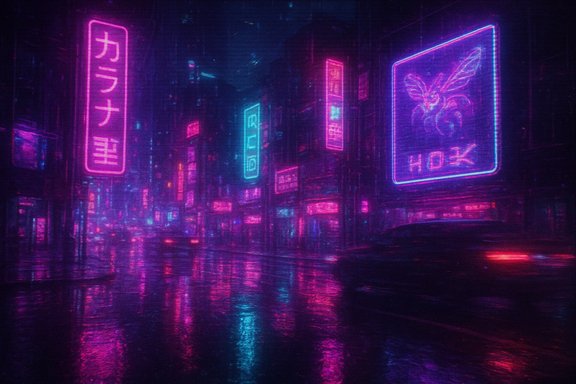
Cyberpunk 2077’s neon-soaked streets are getting an analog makeover: a fan-made VHS-style ReShade preset has captured attention for its convincing chroma bleed, ghosting trails and phosphor-like glow, and for those who don’t want to wait for the preset’s release there’s a free, easy way to reproduce much of the effect with ShaderGlass overlays on Windows PCs.
Key facts you can verify right now:
The tools are also maturing: ReShade remains the go-to for deep, frame-aware effects, while overlay tools like ShaderGlass are democratizing retro aesthetics for anyone who wants to experiment without committing to a mod stack. Both have their place in a healthy modding ecosystem, and both deserve careful use—especially when performance and multiplayer integrity matter.
The VHS/CRT revival is more than a nostalgic fad; it’s an accessible artistic experiment made possible by community tooling and shared knowledge. Whether you wait for Tulired’s promised ReShade preset or you reproduce the effect now with ShaderGlass, the important takeaway is this: the modern PC’s openness still allows players to reinterpret visuals at will—but with that power comes responsibility to test carefully, respect software policies, and prioritize user comfort when sharing presets with a wider audience.
Source: Windows Central https://www.windowscentral.com/gaming/pc-gaming/cyberpunk-2077-vhs-filter/
 Background
Why analog filters keep popping up
Nostalgia-driven aesthetics—CRT curvature, scanlines, and VHS tape artifacts—have long been a persistent subculture in both emulation and modern gaming circles. They’re a creative counterpoint to hyperreal graphics: an intentional rollback that emphasizes mood, softness and the sensory memory of older displays. The Windows and modding communities have repeatedly shown a fondness for retro re-skins and UI throwbacks; this latest wave, centered on shader overlays and post-processing presets, is a continuation of that trend.Two approaches: ReShade presets vs. overlay shaders
There are two practical ways players are recreating analog looks today:- ReShade presets: injected post-processing that runs inside the game process and can access the rendered frame (and sometimes depth) to produce layered effects such as chromatic aberration, grain, halation and motion ghosting. ReShade is mature, widely supported, and highly flexible—but it requires installing into the game and, in rare cases, can conflict with anti-cheat systems or game updates.
- Shader overlays (ShaderGlass-style): a transparent overlay window that applies GLSL/Slang shader passes on top of whatever is visible behind it (games, videos, browser). This is less invasive, works as a desktop overlay, and can be moved or toggled without modifying the game files. ShaderGlass is actively developed and now ships with community shader libraries that include convincing CRT/VHS-style shaders.
What we know about the Tulired VHS preset (and what we don’t)
A user going by u/Tulired posted footage of an uncanny VHS-style ReShade preset layered over Cyberpunk 2077. The preset intentionally avoids the cartoonish extremes many smartphone VHS filters use, instead emphasizing subtler analog artifacts: chroma smudging, phosphor trails, and the limited color bandwidth typical of analog videotape. The author says the preset is a work-in-progress and planned a public release after the holidays; that release timing is self-reported and remains to be confirmed. Why this matters- Artistic fidelity: The preset’s creator focused on realism rather than novelty, which is unusual for viral retro filters and part of what made the clips resonate with viewers.
- Technical approach: It’s implemented as a ReShade preset layered on top of a neutral realism mod (DreamPunk in the example footage), demonstrating how mod stacks can be combined to produce cinematic, analogized visuals.
- Release uncertainty: Tulired’s post and follow-up comments indicate a forthcoming public build but give no firm release date; that claim should be treated as a developer’s intention rather than a scheduled release.
ReShade: powerful, flexible—and occasionally fragile
ReShade is the standard tool for in-process post-processing on PC games. It provides:- A custom shader language (ReShade FX) and a broad ecosystem of community shaders and presets.
- Deep effects such as depth-driven ambient occlusion, film grain, color grading, and multi-pass blur/ghosting.
- Compatibility across Direct3D (9–12), OpenGL and Vulkan titles.
- Precision: ReShade can access both color and depth buffers, enabling effects that track objects in 3D space.
- Shareability: Presets (.ini and shader files) are easy to exchange and reproduce.
- Community creativity: Many presets—like the one from Tulired—combine vanilla ReShade effects with custom passes and LUTs for a polished result.
- Anti-cheat sensitivity: Because ReShade uses DLL injection, some anti-cheat ecosystems may flag or block it in multiplayer or competitive titles, and certain ReShade builds with add-ons have caused community anxiety in the past. Use ReShade only in single-player contexts or where the game and its anti-cheat policy explicitly permit it.
- Game updates: Patches can break ReShade or presets (and some games change how rendering buffers are exposed), which may require reinstalling or updating presets. Community threads frequently mention post-patch issues that temporarily disable ReShade.
ShaderGlass: the overlay alternative for immediate nostalgia
ShaderGlass is an overlay-based app that applies Slang/GL shader passes to a transparent, resizable window you can place atop any app or game. It’s less invasive than ReShade and is designed for desktop use, stream capture and retro overlays.Key facts you can verify right now:
- ShaderGlass is actively maintained; its stable v1.2.x releases (including v1.2.3) added device-capture input, improved cursor capture and shader library updates. The project’s GitHub and distribution pages list v1.2.3 as a recent stable build.
- Platform and requirements: ShaderGlass targets Windows 10 (2004+) and Windows 11 and requires a DirectX 11-capable GPU—there is no native Linux/Steam Deck build. That means it works on Windows-based handhelds (ROG Ally, Legion Go, etc. but not natively on Steam Deck without Windows installed.
- Non-invasive: Because it’s an overlay, it doesn’t inject into the game process—no files are added to the game directory and the original binaries remain unmodified.
- Click-through control: ShaderGlass can be configured to allow mouse clicks to pass through the overlay so you can operate the game or UI beneath it without moving the overlay out of the way. This makes it practical for short trials and live-capture.
- Community shader library: ShaderGlass ships or supports importing community shaders (CRT and VHS style), including presets that mimic newpixie-crt and advanced CRT pipelines originating in the RetroArch/libretro shader ecosystem.
- Fidelity vs. integration: An overlay cannot access internal depth information, so some depth-aware effects that ReShade can emulate (object-specific bloom or depth-aware DOF) are harder or impossible to reproduce exactly.
- Performance: High-cost shader passes still consume GPU cycles, and applying multiple passes over a high-resolution display can affect frame rates—especially on handhelds or lower-power GPUs—so experimentation with fewer passes and lower capture rates is prudent.
How to try the ShaderGlass approach (quick practical guide)
- Download the latest ShaderGlass stable release from its GitHub releases page or Itch/Steam. Current stable series is v1.2.x; the v1.2.3 build is available in the releases.
- Launch ShaderGlass, then drag-resize the transparent ShaderGlass window to sit over your game. The overlay works on top of full-screen borderless windows and most windowed modes.
- Enable click-through so you can interact with the game without moving the overlay. ShaderGlass supports hiding the mouse cursor and passing mouse/keyboard input to the underlying window.
- Pick a shader or preset: Shader → Choose from Library → Community Favorites; try newpixie-crt or crt-guest-advanced-ntsc for CRT feel, or community vhs shaders for tape-style noise. Many RetroArch/libretro shader presets are adapted into ShaderGlass packs.
- Suggested starting parameters (as used in recent tests):
- Pixel Size: x2 (improves text legibility while preserving blocky look)
- Framerate slice: 1/2 (creates chroma-smudged ghosting trails)
- Single-pass VHS grain/noise (avoid stacking multiple heavy passes)
- Record or stream carefully: Overlay-based shaders can be captured by OBS using Game Capture or Window Capture modes; check that the capture picks up the overlay and not just the game window. ShaderGlass notes and community threads describe OBS capture techniques if you need it for clips.
Performance, usability and accessibility notes
- Playability: Analog shaders are inherently lossy by design; they reduce clarity on purpose. Running them at 60 FPS or higher (before applying the overlay) helps maintain responsiveness and keeps ghosting readable rather than nauseating. If your GPU is already taxed, prefer single-pass or “fast” shader variants.
- Readability: Games with heavy UI text (menus, inventories, subtitles) will often suffer from readability issues with aggressive CRT/VHS shaders. Use pixel-size upscaling (x2) or selectively disable the shader for HUD-heavy play sessions.
- Handheld devices: Windows-based handheld PCs can run ShaderGlass, but small screens make precise menu operation awkward and shader artifacts more distracting. There is no native ShaderGlass build for Steam Deck’s Linux image; the Deck would need Windows installed to run ShaderGlass directly.
Legal and community considerations
- Mod stacking and IP: Combining ReShade presets with other mods (DreamPunk, lighting mods, texture mods) is standard practice among single-player communities, but distribution should respect modder licenses and the game’s EULA where applicable. Tulired’s approach of releasing a ReShade preset for single-player use is typical and low-risk, but users should be careful not to distribute bundled commercial assets without permission.
- Anti-cheat and multiplayer: Avoid injecting ReShade into multiplayer titles unless the game explicitly permits it. Some anti-cheat systems block ReShade or may flag installs that use unsigned add-ons. Using an overlay (ShaderGlass) is a safer approach in public/multiplayer environments because it doesn’t alter the game binary, but always double-check the game’s policies.
Strengths and weaknesses of the current trend
Notable strengths
- Creative expression: The willingness of creators to pursue subtle, historically accurate analog aesthetics shows a mature, experimental modding culture that values craft. Tulired’s ReShade work is an example of that craftsmanship.
- Accessibility: Overlay tools like ShaderGlass lower the bar for experimentation—no game install tinkering is required, and anyone with a Windows 10/11 machine and a DX11 GPU can try it.
- Preservation and reinterpretation: These filters invite players to reconsider how the past looked and felt, and in doing so they often produce compelling new ways to experience modern games.
Potential risks and limitations
- Motion sickness and eye strain: Aggressive analog simulations (blur, jitter, scanline modulation) can cause discomfort for extended sessions; creators and users should be mindful and provide conservative presets for accessibility.
- Compatibility and stability: ReShade can break after game patches, and badly built presets can crash games or create heavy GPU loads. Overlay shaders are safer but still have performance costs.
- Misinformation about releases: Creators may promise releases “after the holidays” or similar informal timelines—treat such claims as intentions and not contractual release dates until a public URL or repository confirms availability. Tulired’s note about a planned post-holiday release is a typical example and currently remains an author claim rather than a published release.
Recommendations for Windows users and tinkerers
- Start with overlays if you’re curious: If you’re only testing the look, use ShaderGlass to avoid modifying game files. It’s quick, reversible, and safe for single-player and streaming.
- Keep backups and use sandboxes for ReShade: If you decide to install ReShade presets, back up your game folder and use a secondary install or a mod manager that can revert changes quickly. Avoid multi-player titles.
- Favor “performance” or light shader stacks on handhelds: Handheld PCs have thermal and power constraints—use reduced-pass presets and lower internal render resolutions if needed.
- Respect creators’ distribution terms: When sharing presets or shader configurations, package only your config and small custom files, and link to any required third-party assets separately rather than bundling them.
The bigger picture: nostalgia as a design choice
What’s interesting about the Tulired example and the ShaderGlass alternative is less that old looks are trendy and more that we’re seeing intentional nostalgia—designers and modders are applying historical knowledge of display tech to modern rendering pipelines. That’s not mere affectation; it’s a form of visual storytelling that changes how we interpret color, motion and mood in game worlds.The tools are also maturing: ReShade remains the go-to for deep, frame-aware effects, while overlay tools like ShaderGlass are democratizing retro aesthetics for anyone who wants to experiment without committing to a mod stack. Both have their place in a healthy modding ecosystem, and both deserve careful use—especially when performance and multiplayer integrity matter.
The VHS/CRT revival is more than a nostalgic fad; it’s an accessible artistic experiment made possible by community tooling and shared knowledge. Whether you wait for Tulired’s promised ReShade preset or you reproduce the effect now with ShaderGlass, the important takeaway is this: the modern PC’s openness still allows players to reinterpret visuals at will—but with that power comes responsibility to test carefully, respect software policies, and prioritize user comfort when sharing presets with a wider audience.
Source: Windows Central https://www.windowscentral.com/gaming/pc-gaming/cyberpunk-2077-vhs-filter/


