

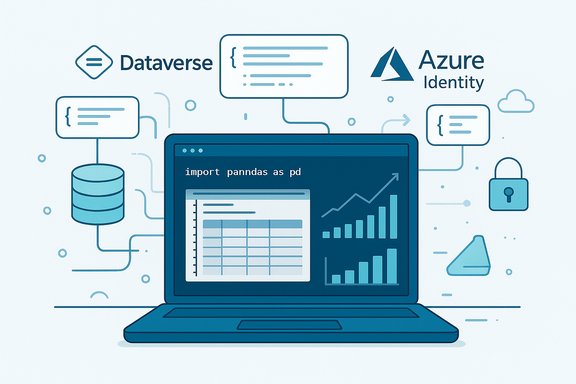
Microsoft has released a public preview of the Dataverse SDK for Python, a first-party, open-source client that brings Dataverse business data directly into Python workflows—enabling data scientists, automation engineers, and developers to build analytics, agentic workflows, and production automations against enterprise data without leaving the Python ecosystem.
The Dataverse SDK for Python is a new Microsoft-supported library (published to PyPI and maintained in an open GitHub repository) that provides a pythonic wrapper around the Dataverse Web API. It is explicitly offered as a preview release to accelerate adoption and feedback from the community, and it is designed to integrate with the Python tools data professionals already use—pandas, Jupyter notebooks, CI/CD in VS Code, and popular Azure authentication flows.
This launch is part of a broader push to make Dataverse the canonical, governed data plane for agentic AI, Copilot-integrated experiences, and Power Platform extensibility. The SDK aims to remove the friction of language and platform boundaries by letting teams use Python for everything from ad-hoc analysis to orchestrated automation while keeping Dataverse’s policy, security, and compliance posture intact.
Community adoption will shape which features graduate from preview. Examples that will accelerate maturity include:
For data scientists, automation engineers, and platform teams, the SDK unlocks a new path: bring Dataverse data to Python, iterate fast in notebooks, then responsibly move proven automations toward production with proper identity, auditing, and governance in place. The next few months of community feedback and upstream improvements will determine how fast this preview becomes a core component of enterprise data and agentic workflows.
Source: Microsoft Introducing the Dataverse SDK for Python - Microsoft Power Platform Blog
 Background / Overview
The Dataverse SDK for Python is a new Microsoft-supported library (published to PyPI and maintained in an open GitHub repository) that provides a pythonic wrapper around the Dataverse Web API. It is explicitly offered as a preview release to accelerate adoption and feedback from the community, and it is designed to integrate with the Python tools data professionals already use—pandas, Jupyter notebooks, CI/CD in VS Code, and popular Azure authentication flows.This launch is part of a broader push to make Dataverse the canonical, governed data plane for agentic AI, Copilot-integrated experiences, and Power Platform extensibility. The SDK aims to remove the friction of language and platform boundaries by letting teams use Python for everything from ad-hoc analysis to orchestrated automation while keeping Dataverse’s policy, security, and compliance posture intact.
What the Dataverse SDK for Python is (and what it isn’t)
What it is
- A first-party Python client for Microsoft Dataverse that exposes CRUD (Create, Read, Update, Delete) operations, metadata APIs, bulk operations, SQL-style read-only queries, and file uploads using a consistent Python API surface.
- Open-source and published to PyPI, enabling easy installation via pip and community contributions through a public repository.
- Integrated with Azure Identity flows: it accepts TokenCredential implementations (Interactive Browser, Azure CLI, Client Secret/Certificate, etc. so it works cleanly with existing Azure AD app registrations and authentication models.
- Designed to be Python-native, with return payloads that map to JSON and are easily convertible into pandas DataFrames and notebook visualizations.
What it is not (yet)
- A finished, production-stable SDK — it is explicitly a preview with some limitations and breaking-change risk.
- A full replacement for every Dataverse capability exposed in the .NET SDK at this time (some features like certain relationship operations, advanced OData batching, or full SQL syntax may be limited or absent in preview).
- A magic layer that removes the need for proper identity, governance, permissioning, and secure deployment practices when operating on enterprise data.
Key features at launch
The preview release focuses on the most commonly requested capabilities to enable analytics, automation, and agentic workflows:- CRUD and bulk operations
- Single-record and multi-record create/update/delete semantics.
- Bulk operations that use Dataverse’s native batch/bulk mechanisms for performance.
- Read-only SQL queries
- Support for Dataverse’s read-only SQL query endpoint (good for migrations, exports, and analytics).
- Table metadata operations
- Create, update, list, and delete table definitions and columns (with limitations around relationships and lookups in preview).
- File uploads
- Upload files into Dataverse file columns with automatic chunking for larger payloads.
- Azure Identity authentication
- Built-in support for common TokenCredential implementations to authenticate securely against Dataverse.
- Pandas and notebook friendliness
- JSON-friendly return values and helper patterns for quick conversion into DataFrames and notebook visualizations.
- Enterprise-grade security
- Uses Dataverse’s security model and Azure AD for authentication and authorization, so row-level security and environment governance persist.
Technical verification — what was confirmed and how
Practical technical details have been validated against the public validation materials available at release time:- The package is published to PyPI under the name PowerPlatform‑Dataverse‑Client and is installable via pip.
- Supported Python versions for the preview include Python 3.10, 3.11, 3.12, and 3.13.
- The preview package versions were published in mid‑ to late‑November and are flagged as preview / pre-release builds.
- Authentication is implemented via Azure Identity TokenCredential objects; examples demonstrate using InteractiveBrowserCredential, AzureCliCredential, and production-grade credentials like ClientSecretCredential and ClientCertificateCredential.
- The SDK exposes a primary entry point class (typically called DataverseClient) and idiomatic methods for create, get, update, delete, query_sql, upload_file, create_table, and related operations.
- Known functional limitations in the preview include limited SQL syntax support (no JOINs), limited support for complex web API batch operations, and minimal built-in retry/backoff behavior for transient Dataverse errors.
Quick start: install, authenticate, and run
The SDK is designed for a frictionless start in a Python developer’s environment. A typical setup flow looks like this:- Create or activate a Python 3.10+ environment.
- Install the preview package:
- pip install PowerPlatform-Dataverse-Client
- Authenticate using an Azure Identity credential and connect to your Dataverse environment:
- Minimal example:
- from azure.identity import InteractiveBrowserCredential
- from PowerPlatform.Dataverse.client import DataverseClient
- credential = InteractiveBrowserCredential
- client = DataverseClient(base_url="https://<yourorg>.crm.dynamics.com", credential=credential)
- Run simple CRUD or query operations:
- contact_id = client.create("contact", {"firstname": "Jane", "lastname": "Doe"})[0]
- contact = client.get("contact", contact_id, select=["firstname", "lastname"])
Integration scenarios: where Python + Dataverse adds value
The SDK opens several practical and high-value use cases:- Data science and model prototyping: Pull Dataverse records into pandas DataFrames for EDA, feature engineering, and training small-scale ML models in notebooks.
- Ad-hoc analytics and reporting: Analysts can script exports, perform complex aggregations, and push results into BI tools or back into Dataverse.
- Agentic workflows and automation: Autonomous agents and scheduled Python processes can query, evaluate, and update Dataverse-backed records as part of automated business processes.
- File and document automation: Script bulk uploads, downloads, and metadata updates for file columns (subject to size and storage policies).
- CI/CD and developer tooling: Integrate Dataverse table/schema changes into repository-driven workflows, or use Python-based tooling for environment provisioning and metadata management.
Deep dive: how the SDK handles common technical needs
Authentication and identity
- The SDK accepts any Azure Identity TokenCredential, making it straightforward to use both interactive developer flows (InteractiveBrowserCredential) and unattended production flows (ClientSecretCredential or ClientCertificateCredential).
- This design encourages proper Azure AD app registration and role/permission scoping before granting programmatic access to production Dataverse data.
Pagination, bulk, and performance
- The SDK offers paging iterators for large result sets and automatically supports bulk create/update/delete using Dataverse native operations.
- Best practices include specifying field selection (select) to reduce payloads, reusing client instances across operations, and using bulk-list payloads for throughput.
SQL read-only queries
- The SDK supports read-only SQL queries against Dataverse’s SQL endpoint. This is useful for straightforward read exports but has limited SQL syntax support (no complex JOIN semantics in preview).
- Use SQL queries when you need a concise, tabular read for analytics and you’re aware of the read-only nature.
Metadata and table operations
- You can create and modify tables programmatically, including adding columns and assigning to solutions.
- Custom columns require the publisher/customization prefix (for example, new_YourColumn), and some column types and relationship constructs are not yet fully supported in preview.
File handling
- File uploads support chunking but are subject to Dataverse file-size limits (preview documentation notes default file limits apply and chunking is applied for larger files).
- Always validate file storage quotas and retention policies before bulk uploads.
Limitations, caveats, and preview warnings
The preview is functional and useful for exploration and prototyping, but there are important constraints to consider before moving anything into production:- Preview status: Breaking changes in the public preview are possible. Production use is not recommended until the SDK is marked generally available and versioned for stability.
- Partial API coverage: Some Web API capabilities aren’t supported in preview—examples include general-purpose OData batching, advanced association/upsert operations, and some relationship creation APIs.
- SQL limitations: SQL support is read-only and supports a constrained syntax—no SQL JOINs and limited WHERE/TOP/ORDER BY features in preview.
- Retry and resiliency: The built-in retry policy is minimal (focused on network errors). Clients should implement backoff and transient-failure logic for production-grade reliability.
- File size and chunk boundaries: File uploads are subject to Dataverse file-size caps. For very large files, validate chunking behavior against your environment quotas.
- Naming and casing quirks: Filters, expands, and navigation properties are sensitive to exact logical names and casing—mistakes lead to confusing errors.
- Governance and data exfiltration risk: Python gives powerful programmatic access. Without strict identity, entitlement, and network controls, sensitive business data could be exposed.
Security, governance, and compliance considerations
Although the SDK leverages Dataverse’s built-in security and Azure AD, adopting it in an enterprise environment requires disciplined controls:- Identity and permissioning:
- Use least-privilege Azure AD app registrations.
- Prefer managed identities and certificate-based credentials for unattended services.
- Logging and observability:
- Ensure Dataverse auditing and environment logs are enabled to capture automated agent and script activity.
- Integrate client-side telemetry and centralized logging for Python-based agents (use correlation IDs where possible).
- Secrets management:
- Never embed client secrets in source. Use Azure Key Vault or a secure secrets pipeline for CI/CD integrations.
- Data residency and retention:
- File uploads and large exports need explicit checks against Dataverse storage policies and organizational retention rules.
- Code reviews and governance:
- Treat Python scripts that operate on Dataverse like any production code—code review, testing, and automated policy checks are essential.
Recommended best practices for adopting the SDK
- Treat the preview as a rapid prototyping platform:
- Build analytics, automation proofs-of-concept in isolated test environments.
- Flag any feature gaps and feed issues or PRs back to the open-source repo.
- Use Azure AD correctly:
- Register applications with narrowly scoped permissions.
- Use certificate-based credentials or managed identities where supported.
- Harden reliability:
- Implement resilient retry/backoff patterns around network and transient Dataverse errors.
- Reuse client instances for connection pooling and performance.
- Keep schema changes intentional:
- Use solution packaging and source control to track metadata changes.
- Avoid ad-hoc schema changes from notebooks or exploratory scripts that run in shared environments.
- Monitor and audit:
- Enable Dataverse auditing and connect operational logs to SIEM tools.
- Track agent/script activity and data access patterns to detect anomalies.
Practical code examples (pythonic snippets)
These short snippets illustrate common patterns. Replace placeholders with your environment values.- Authentication + client:
- from azure.identity import InteractiveBrowserCredential
- from PowerPlatform.Dataverse.client import DataverseClient
- credential = InteractiveBrowserCredential
- client = DataverseClient(base_url="https://<org>.crm.dynamics.com", credential=credential)
- Create a record and read it back:
- account_id = client.create("account", {"name": "Contoso Ltd"})[0]
- account = client.get("account", account_id, select=["name", "telephone1"])
- Query top 10 accounts via SQL:
- results = client.query_sql("SELECT TOP 10 accountid, name FROM account WHERE statecode = 0")
- for r in results:
- print(r["name"])
- Convert to a pandas DataFrame (noting return types are JSON-like):
- import pandas as pd
- page = next(client.get("account", select=["accountid", "name"], top=100)
- df = pd.DataFrame(page)
Operationalizing Dataverse Python workflows: CI/CD and deployment
When moving beyond notebooks, operational considerations include:- Packaging and dependency pinning:
- Pin the SDK preview version if you must reproduce a test environment; be prepared to update when GA arrives.
- Secrets and identity in pipelines:
- Use secure service principals and Key Vault integrations for pipeline credentials.
- Automated testing:
- Build integration tests against isolated Dataverse test tenants or sandbox environments to validate behavior before promotion.
- Observability:
- Instrument Python agents with structured logs and error handling. Surface Dataverse response codes and diagnostics for triage.
Community, contribution, and ecosystem
The SDK is intentionally open-source to encourage community contributions, sample sharing, and rapid improvement. Early adopters are encouraged to report bugs, submit feature requests, and contribute examples that showcase integration patterns with pandas, Jupyter, AutoML, or agentic frameworks.Community adoption will shape which features graduate from preview. Examples that will accelerate maturity include:
- Better built-in retry/backoff policies and observability hooks.
- Support for advanced OData batch capabilities and relationship management.
- Clear patterns for safe agentic workflows that combine Dataverse data access with model-driven actions.
Risks and recommended mitigations
- Risk: Data exfiltration through ad-hoc scripts.
- Mitigation: Restrict developer access to sandbox environments, require code review for any scripts that run on production credentials.
- Risk: Premature production adoption while APIs are in preview.
- Mitigation: Use the SDK only in non-production environments until APIs reach GA and semantic versioning is stable.
- Risk: Operational instability due to limited retry policies.
- Mitigation: Implement robust client-side retry/backoff and circuit-breaker patterns until SDK-level resiliency is improved.
- Risk: Misconfiguration of permissions or over-permissive app registrations.
- Mitigation: Apply least-privilege principles and use Azure governance policies and conditional access where applicable.
- Risk: Hidden storage or quota costs from large file operations.
- Mitigation: Monitor storage usage and enforce limits in automation; validate file size handling against environment quotas.
Final analysis: strengths, weaknesses, and what to watch
The Dataverse SDK for Python is an important strategic move that lowers the barrier for data professionals to work directly with governed business data. Its key strengths are:- Native Python integration—a big win for data scientists and analysts who prefer pandas, notebooks, and Python tooling.
- Enterprise-ready authentication—using Azure Identity simplifies integration with existing enterprise identity architectures.
- Open-source model—encourages transparency, community feedback, and faster iteration.
- Functional gaps remain compared with mature Dataverse SDKs (.NET), notably around complex relationship management, some batch operations, and SQL expressiveness.
- Preview-grade resilience—retry logic and production-grade robustness are areas that need improvement before heavy automation is recommended.
- Governance and security discipline must be enforced; a Python client makes it easier to automate data operations, but also raises data access and exfiltration risks if not controlled.
- Migration of preview features to a GA, versioned release with a clear upgrade path.
- Expanded support for relationships, joins, and comprehensive OData batching.
- Built-in observability, long-running job support, and tighter integrations with agent frameworks and Copilot Studio.
Conclusion
The Dataverse SDK for Python is a pragmatic, strategic addition to the Power Platform and Dataverse ecosystem. It finally gives Python-first teams a supported, first-party way to interact with governed business data—bringing analytics, agentic workflows, and automation into familiar developer toolchains. The preview is immediately useful for prototyping, analytics, and learning, but enterprises should be cautious about production adoption until the SDK matures, resiliency improves, and missing capabilities are filled in.For data scientists, automation engineers, and platform teams, the SDK unlocks a new path: bring Dataverse data to Python, iterate fast in notebooks, then responsibly move proven automations toward production with proper identity, auditing, and governance in place. The next few months of community feedback and upstream improvements will determine how fast this preview becomes a core component of enterprise data and agentic workflows.
Source: Microsoft Introducing the Dataverse SDK for Python - Microsoft Power Platform Blog
