

Paul Thurrott has quietly launched De-Enshittify Windows 11 on Leanpub and released a Leanpub launch video introducing the book’s thesis: Windows 11 is increasingly shaped by defaults, telemetry, and bundled behaviors that benefit the platform owner more than the user, and practical countermeasures exist to reclaim control. (thurrott.com) This is not an academic treatise or a policy paper — it’s a hands‑on field guide built around realistic, actionable steps: clean‑install tactics, targeted configuration changes, and vetted community tools that let you remove or neutralize the parts of Windows 11 that frustrate productivity, privacy, and reliability. (thurrott.com)
Paul Thurrott is a long‑time Windows writer and commentator whose work sits at the intersection of consumer advocacy and practical systems work. He’s made a career of close, pragmatic scrutiny of Microsoft’s products, and De‑Enshittify Windows 11 continues that approach: it collects short, focused chapters that surface both why certain Windows 11 behaviors exist and how everyday users and IT pros can address them without becoming system integrators. (thurrott.com)
The book is currently being published on Leanpub in an “publish early” fashion: the edition available now is sold at a minimum price point (Thurrott lists $4.99 and up), ships in PDF and EPUB today, and will be updated as the author finishes additional chapters; a Kindle edition is planned after the book is complete. Thurrott also indicates Thurrott Premium members will receive a free copy when the final version is published, while noting that some details are still being finalized. (thurrott.com)
Why this matters now: Windows 11’s recent direction — heavy integration with cloud services, the introduction of Copilot‑centric AI surfaces, more aggressive defaults in OOBE (out‑of‑box experience), and a steady stream of what users call “opinionated” behaviors — has amplified the need for a short, practical guide that distills the highest‑value tweaks. Thurrott’s chapters are deliberately compact (the current draft is under 100 pages; the final version is expected to be under 150), designed for readers who want immediate gains without a months‑long learning curve. (thurrott.com)
For tools and countermeasures, the book cross‑references community projects and their upstream sources. For example, Win11Debloat’s GitHub repository and wiki document precisely what the script does, including automation hooks and rollback guidance — an important complement to any short book that references the project. Independent GitHub and third‑party guides corroborate Win11Debloat’s capabilities and the kinds of changes it performs.
Where Paul makes specific operational claims (e.g., which switches reduce telemetry), readers should verify against authoritative Microsoft documentation and test in their environment. Thurrott’s chapters are a practical, high‑value starting point, but they are not a replacement for enterprise change control or vendor documentation.
That said, readers must respect the limits of community scripts and accept the ongoing maintenance burden they bring. Use the book as a field manual: read, verify, test in a safe environment, and then apply methodically. If you do that, De‑Enshittify Windows 11 is a very good investment of time and a useful addition to any power user’s toolkit. (thurrott.com)
Source: Thurrott.com Leanpub Book Launch: De-Enshittify Windows 11 by Paul Thurrott
 Background / Overview
Paul Thurrott is a long‑time Windows writer and commentator whose work sits at the intersection of consumer advocacy and practical systems work. He’s made a career of close, pragmatic scrutiny of Microsoft’s products, and De‑Enshittify Windows 11 continues that approach: it collects short, focused chapters that surface both why certain Windows 11 behaviors exist and how everyday users and IT pros can address them without becoming system integrators. (thurrott.com)The book is currently being published on Leanpub in an “publish early” fashion: the edition available now is sold at a minimum price point (Thurrott lists $4.99 and up), ships in PDF and EPUB today, and will be updated as the author finishes additional chapters; a Kindle edition is planned after the book is complete. Thurrott also indicates Thurrott Premium members will receive a free copy when the final version is published, while noting that some details are still being finalized. (thurrott.com)
Why this matters now: Windows 11’s recent direction — heavy integration with cloud services, the introduction of Copilot‑centric AI surfaces, more aggressive defaults in OOBE (out‑of‑box experience), and a steady stream of what users call “opinionated” behaviors — has amplified the need for a short, practical guide that distills the highest‑value tweaks. Thurrott’s chapters are deliberately compact (the current draft is under 100 pages; the final version is expected to be under 150), designed for readers who want immediate gains without a months‑long learning curve. (thurrott.com)
What the book covers — chapter by chapter in practical terms
Thurrott’s public previews and the Leanpub listing make the scope clear: this is a tactical manual, not a manifesto. Key chapter themes are:- The Enshittification of Windows — a short diagnosis of the platform‑level trends that push Windows toward more intrusive defaults and monetizable surfaces. (thurrott.com)
- Start Fresh with a New Install — how to perform an install that avoids unnecessary Microsoft nudges, minimizes forced cloud entanglement during OOBE, and yields a lean baseline. (thurrott.com)
- De‑Enshittify an Existing Install — recovery and repair strategies for machines already configured, emphasizing low‑risk, reversible changes. (thurrott.com)
- Make Windows 11 Respect Your Privacy — concrete settings, Group Policy and registry paths to reduce telemetry and advertising identifiers, and the limits of what those switches actually accomplish. (thurrott.com)
- De‑Enshittify Microsoft Copilot and AI — how to identify AI surfaces, disable or limit them where possible, and understand the trade‑offs between functionality and privacy/exposure. (thurrott.com)
- De‑Enshittify Microsoft Edge — practical steps to blunt Edge’s default behaviors (new tab nudges, web search interception, prelaunching) whether you plan to use Edge or not.
- OneDrive and In‑box Apps — removing or limiting OneDrive’s automatic takeover, and neutralizing boxed apps that get in the way. (thurrott.com)
Practical takeaways: what readers will actually learn
If you’re the sort of user who wants immediate improvement without breaking things, here are the main deliverables Thurrott promises and previews:- A tested, step‑by‑step plan for performing a clean install that avoids forced Microsoft sign‑ins and promotional defaults during OOBE. (thurrott.com)
- A compact set of high‑value tweaks for an existing Windows 11 install: remove pinned promotional apps, minimize web search integration in Start, and reduce background telemetry activity. (thurrott.com)
- Clear guidance on which community tools to use and why some are better suited for casual users versus power maintainers. Thurrott frequently references community projects like Win11Debloat as useful, but he also warns about aggressiveness and recommends conservative use for less advanced users.
- An understanding of the persistent limitations — switches and Group Policy settings are helpful, but they don’t guarantee complete isolation from cloud or telemetry surfaces. The book explains the gap between perceived opt‑outs and actual data flows. (thurrott.com)
Tools and projects the book highlights (and how to treat them)
Thurrott’s excerpts and related commentary have singled out a handful of community tools and approaches that will be familiar to power users. It’s crucial to treat these tools as tactical instruments — useful when applied conservatively, dangerous if used blindly.- Win11Debloat (Raphire et al.) — an actively maintained PowerShell script with a large GitHub presence. It can remove inbox apps, disable many telemetry surfaces, and automate other useful reparative tasks. The project includes a GUI front end and supported automation modes, and it documents rollback options. Independent GitHub activity and community guides confirm the script’s popularity and evolving feature set. Use with caution: aggressive removals can break OEM integrations, update paths, or third‑party apps that expect in‑box components.
- Tiny11 / Tiny11 Builder — community packaging approaches that create slimmed Windows 11 images. These are useful for unsupported hardware or lightweight VMs, but legally and support‑wise they exist in a grey area; they also carry compatibility and update‑service risks. Thurrott points to Tiny11 as a strategic option when used intentionally during new installs, but he emphasizes that it’s not the right solution for every user.
- Edge replacements and New Tab overrides — extensions and small tools (and manual settings) can prevent Edge from hijacking new‑tab workflows. Thurrott advocates conservative, privacy‑first replacements rather than heavy‑handed hacks.
- Winslop / RevertSV and similar mods — community projects that restore Windows 10‑like UX behaviors or otherwise roll back intrusive UI changes. These projects are useful for aesthetic and workflow restoration but come with maintainability and compatibility tradeoffs, particularly when future updates reintroduce newer components.
Strengths of Thurrott’s approach
- Pragmatic focus on reversibility. Thurrott does not advocate for “nuke and pave” extremes; instead, he emphasizes reversible steps and explains rollback paths. That makes the book usable by power users and cautious administrators alike. (thurrott.com)
- Concise, consumable chapters. The lean format — short chapters and clear checklists — lowers the barrier to action. This is important: users are far more likely to apply a 3–5 step checklist than a 400‑page treatise. The current draft’s sub‑100‑page form is intentionally tactical. (thurrott.com)
- Community‑aware recommendations. Rather than reinventing the wheel, Thurrott curates community projects (Win11Debloat, Tiny11, etc.) and explains their roles and risks. That curation saves readers time and offers context for when to use what.
- Clear audience targeting. The book is written for people who want their Windows PC to behave: home power users, small‑business admins, and technicians who need to get machines into a sane, manageable state quickly. It does not pretend to be a compliance manual for enterprises with strict change windows.
Risks, gaps, and where caution is required
- Tool maintenance and update fragility. Community scripts like Win11Debloat depend on current OS internals; Microsoft can and does change component names, service behavior, and bundling mechanics. That means a script that works today may need updates after feature releases or servicing changes. Thurrott acknowledges this reality and frames the book as a living document on Leanpub; readers must keep both tools and knowledge current. (thurrott.com)
- Stability and compatibility hazards. Aggressive removal of “in‑box” apps or services can break OEM drivers, update scaffolding, or applications that rely on specific Windows components. Even well‑documented scripts sometimes require careful exclusions. The book stresses conservative defaults for non‑technical users; but power users should still test.
- Security trade‑offs. Disabling telemetry and background services can reduce data exfiltration risk, but it may also blind Microsoft’s cloud‑driven protections or delay important compatibility telemetry that informs fixes. Enterprise environments should weigh these trade‑offs against patch‑management and support obligations.
- Potential for user error. The more you remove, the more you must understand recovery. Thurrott’s guidance to create restore points and use VMs for experimentation is sound, but novices can still find themselves in a broken state. The book gives instructions, but responsibility for careful execution rests with readers. (thurrott.com)
- Legal and support implications. Using altered images, unsupported installers, or third‑party tools can impact warranty or support eligibility. For enterprise environments, these tactics should be validated with IT policies and, where applicable, vendor contracts.
How Thurrott validates and documents claims
Paul’s Leanpub approach — publish early, publish often — is designed to let readers see chapters as they land and get practical examples. The Thurrott.com book previews give readers visibility into the methods he’ll recommend, and they include both the steps and explicit warnings where necessary. Those preview chapters and the launch post are the primary public record of the book’s claims and structure. (thurrott.com)For tools and countermeasures, the book cross‑references community projects and their upstream sources. For example, Win11Debloat’s GitHub repository and wiki document precisely what the script does, including automation hooks and rollback guidance — an important complement to any short book that references the project. Independent GitHub and third‑party guides corroborate Win11Debloat’s capabilities and the kinds of changes it performs.
Where Paul makes specific operational claims (e.g., which switches reduce telemetry), readers should verify against authoritative Microsoft documentation and test in their environment. Thurrott’s chapters are a practical, high‑value starting point, but they are not a replacement for enterprise change control or vendor documentation.
Recommended approach for readers who want to act on this book
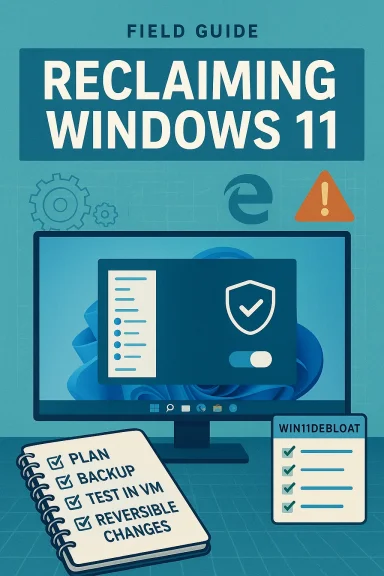
If you intend to follow the book’s guidance, use this 3‑phase approach:- Plan and protect.
- Make a full disk image or a reliable system image backup before making system‑level changes.
- Use a secondary machine or a VM for initial testing.
- If you manage multiple systems, establish a test group and roll changes gradually.
- Apply conservative, high‑value changes first.
- Start with non‑destructive settings in Settings and Group Policy: privacy toggles, default browser/New Tab behavior, and OOBE choices during a fresh install. These typically have the best benefit‑to‑risk ratio. (thurrott.com)
- Advance carefully with community tools.
- If you use automation scripts (Win11Debloat or similar), run them interactively first and only with documented options. Create a restore point and, where offered, export the tool’s "saved settings" so you can reapply or revert later. Confirm the tool’s GitHub repo and issue tracker for recent changes and breakage reports before running.
- Create a full backup image before any mass removal.
- Read the tool’s README and recently‑closed issues.
- Run on a VM or secondary machine first.
- Keep a log of changes you make and how to reverse them.
- Revisit your choices after major Windows feature updates.
Community reaction and why that matters
The Windows enthusiast community — forums, subreddits, and smaller specialty sites — has been actively discussing Thurrott’s chapters and the broader problem set. Community threads track tool updates, compatibility reports, and alternative approaches; they function as real‑time vetting and add important operational context beyond a single author’s testing. For example, our community forums already contain short guides and reactions to Thurrott’s De‑Enshittify chapters, as well as user‑reported success and failure stories for various scripts and image builders. This crowd knowledge is valuable but uneven: use it to supplement, not replace, your own testing.Final analysis: who should read this book and why
De‑Enshittify Windows 11 is best for readers who want a pragmatic, time‑efficient path to a more predictable, private, and responsive Windows PC. It is not an academic indictment of Microsoft nor a simple “how to break Windows” handbook. Instead, it’s a compact, practice‑oriented manual aimed at reclaiming the desktop for the user through documented, reversible steps.- Ideal readers:
- Home power users who want a lean, maintainable Windows setup.
- Small IT teams or MSP technicians who need a repeatable checklist for client machines.
- Enthusiasts who want a curated starting point for safe debloating and privacy hardening.
- Not ideal:
- Large enterprises with strict support contracts and centralized update management (this book is tactical, not a change‑management framework).
- Absolute novices who are uncomfortable making system backups and reading technical documentation.
Closing verdict
De‑Enshittify Windows 11 fills a practical gap: it translates a set of widespread frustrations into a compact set of validated, reversible actions. Paul Thurrott’s long experience covering Windows makes him an effective curator of the community tools and tactics that matter. The book’s real value lies in practical clarity — clear steps, conservative defaults, and explicit warnings about risks and rollback.That said, readers must respect the limits of community scripts and accept the ongoing maintenance burden they bring. Use the book as a field manual: read, verify, test in a safe environment, and then apply methodically. If you do that, De‑Enshittify Windows 11 is a very good investment of time and a useful addition to any power user’s toolkit. (thurrott.com)
Source: Thurrott.com Leanpub Book Launch: De-Enshittify Windows 11 by Paul Thurrott
