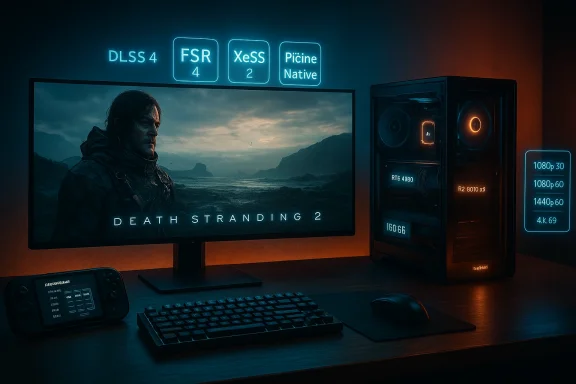
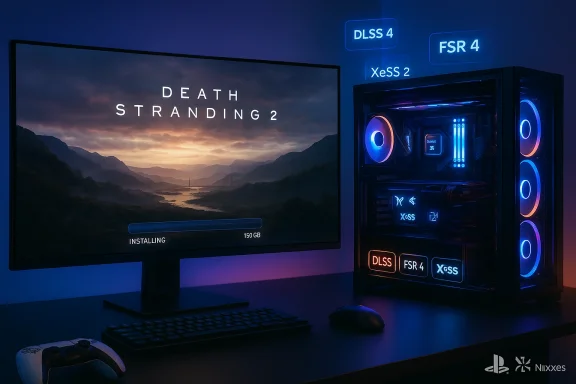
Death Stranding 2’s PC arrival is no longer a rumor: the port from Kojima Productions and Nixxes lands with a surprisingly accessible set of system targets, an ambitious feature stack that includes NVIDIA DLSS 4, AMD FSR 4 and Intel XeSS 2 for both upscaling and frame generation, and a hefty 150 GB SSD install — all details confirmed in an official PlayStation Blog post and echoed across PC outlets. (blog.playstation.com) An earlier ESRB sighting and the Steam storefront signaled that a PC edition was imminent, but the PlayStation Blog now provides the clearest, develos and recommended hardware tiers to guide buyers and builders.
Death Stranding 2: On the Beach launched as a PlayStation 5 exclusive and has since been prepared for PC by Nixxes, the studio best known for high-quality ports. The PC release date is confirmed as March 19, 2026, and the port includes options aimed specifically at PC audiences: unlocked framerates, ultrawide support up to 32:9 for gameplay, a Portable preset for handheld PCs, and a full complement of modern upscalers and frame-generation technologies. (blog.playstation.com)
Why this matters: Death Stranding sequels are renowned for dense, photoreal landscapes and detailed character rendering that strain hardware, and a PC port gives players access to higher refresh rates, larger monitors, and more fine-grained graphics controls. The presence of multiple vendor upscalers and frame-generation options signals Kojima Productions’ intent to scale quality across a broad spectrum of PC hardware — from modest GTX/entry‑Radeon cards to flagship RTX and Radeon 9000‑class GPUs. (blog.playstation.com)
Why that is important:
Cross-check: independent coverage from outlets such as GamingBolt and TechSpot reiterated the presence of multiple upscalers and frame generation support at launch, and flagged that some outlets and community leaks have varied in detail (more on conflicting reports below).
At the same time, some niche and regional outlets circulated variants of the claim. A recent GameGPU piece suggested the presence of Intel XeSS 3 and detailed Multi-Frame Generation (MFG) modes up to "4X" or "6X" in certain combinations, and claimed exclusivity tiers for MFG that reserve the highest multipliers for flagship RTX 50 series cards — claims that differ from the official post. Those reports illustrate how early leaks and store pages can be misread or sensationalized; where they conflict with developer statements, treat them as unverified until confirmed.
TechSpot’s early reporting noted that while the PC port will support upscaling and frame generation, it wasn’t always clear from all reporting whether the most advanced vendor-specific features (e.g., DLSS 4.5, XeSS 3, exclusive MFG modes) would be present on every GPU tier. That caution is sensible: ports sometimes include later patches that add vendor‑specific premium modes. For now, the PlayStation Blog’s list (DLSS 4, FSR 4, XeSS 2) is the most reliable reference.
Memory: 16 GB baseline is reasonable, but players who run many background apps or want to stream while playing should still consider 32 GB for headroom. The PlayStation Blog sets a 16 GB baseline across presets, indicating the port’s memory efficiency targets. (blog.playstation.com)
That said, readers should be pragmatic: early third‑party reports and leakers sometimes overstate vendor exclusivity or advanced feature tiers, and some claims (e.g., XeSS 3 or MFG 4X availability across all cards) conflict with the official release notes — flagging them as provisional is the responsible stance. Monitor driver and patch notes after March 19, 2026, for the practical, real-world performance and any vendor-specific premium modes.
If you’re upgrading or buying a PC to play Death Stranding 2 at launch, prioritize a modern GPU with good support for your preferred upscaler, a fast SSD with 150 GB free, and at least 16 GB of RAM. With the balanced presets and the range of upscalers available at launch, the game should be accessible to a wide swath of PC players — provided you follow the launch‑day driver updates and watch for post‑launch patches that refine the game’s more advanced options. (blog.playstation.com)
Source: Wccftech Death Stranding 2: On the Beach Gets Accessible PC Requirements; NVIDIA DLSS 4, AMD FSR 4 and Intel XeSS 2 Confirmed
Source: Insider Gaming Death Stranding 2 PC Specifications Revealed
 Background / Overview
Death Stranding 2: On the Beach launched as a PlayStation 5 exclusive and has since been prepared for PC by Nixxes, the studio best known for high-quality ports. The PC release date is confirmed as March 19, 2026, and the port includes options aimed specifically at PC audiences: unlocked framerates, ultrawide support up to 32:9 for gameplay, a Portable preset for handheld PCs, and a full complement of modern upscalers and frame-generation technologies. (blog.playstation.com)Why this matters: Death Stranding sequels are renowned for dense, photoreal landscapes and detailed character rendering that strain hardware, and a PC port gives players access to higher refresh rates, larger monitors, and more fine-grained graphics controls. The presence of multiple vendor upscalers and frame-generation options signals Kojima Productions’ intent to scale quality across a broad spectrum of PC hardware — from modest GTX/entry‑Radeon cards to flagship RTX and Radeon 9000‑class GPUs. (blog.playstation.com)
What the official specs say
The PlayStation Blog published the porting team’s recommended hardware tiers and performance targets, which are presented as presets (Minimum / Medium / High / Very High) mapped to typical performance targets and resolutions:- Average performance goals: 1080p @ 30 FPS for Minimum, 1080p @ 60 FPS for Medium, 1440p @ 60 FPS for High, and 4K @ 60 FPS for Very High.
- GPUs tied to those presets:
- Minimum: NVIDIA GeForce GTX 1660 or AMD Radeon RX 5500 XT (8GB).
- Medium: NVIDIA GeForce RTX 3060 12GB or AMD Radeon RX 6600.
- High: NVIDIA GeForce RTX 3070 or AMD Radeon RX 6800.
- Very High: NVIDIA GeForce RTX 4080 or AMD Radeon RX 9070 XT.
- CPUs: ranges from Intel Core i3-10100 / AMD Ryzen 3 3100 up to Intel Core i7-11700 / AMD Ryzen 7 5700X for the higher presets.
- RAM: 16 GB across all tiers.
- Storage: 150 GB on SSD required for all presets. (blog.playstation.com)
Upscaling, frame generation, and “Pico”
One of the most consequential technical points is the simultaneous support for three vendor ecosystems: NVIDIA DLSS 4, AMD FSR 4, and Intel XeSS 2. The PlayStation Blog explicitly lists all three and states that both upscaling and frame generation options are available across these technologies. (blog.playstation.com)Why that is important:
- Upscaling (reconstruction of a higher-resolution image from a smaller render) lets you trade some rendering work for much higher frame rates with less native-resolution workload.
- Frame generation (often called Multi-Frame Generation or MFG) synthesizes intermediate frames to multiply your perceived frame rate, which can yield smoother motion even if GPU-bound rendering stays constant.
- Having multiple vendor paths means the game is not locked to a single hardware company’s tools — the PC playerbase benefits whether they own NVIDIA, AMD, or Intel GPUs. (blog.playstation.com)
Cross-check: independent coverage from outlets such as GamingBolt and TechSpot reiterated the presence of multiple upscalers and frame generation support at launch, and flagged that some outlets and community leaks have varied in detail (more on conflicting reports below).
Upscalers explained (brief primer)
- NVIDIA DLSS 4: the latest iteration from NVIDIA, integrating more advanced temporal models and improved frame-generation options in the DLSS family. DLSS 4 includes expanded frame-reconstruction and ray reconstruction features on supporting hardware.
- AMD FSR 4: AMD’s newest FidelityFX Super Resolution family member. FSR aims to be widely compatible, but some of its most advanced modes have hardware or vendor constraints in specific titles (see the cautionary notes below).
- Intel XeSS 2: Intel’s upscaling technology; the version used here (XeSS 2) supports both reconstruction-based upscaling and frame generation on compatible hardware and has a DP4a fallback for non‑Intel cards.
Cross-referencing: who says what, and where the noise appears
The PlayStation Blog is the primary source for the port specs and upscalers — it lists hardware presets, storage, and the triple‑upscaler support directly from Nixxes. (blog.playstation.com) Gaming outlets such as GamingBolt republished the official spec highlights and emphasized the 150 GB requirement and the same upscaler list, confirming the PlayStation Blog’s statements and adding practical context for PC players.At the same time, some niche and regional outlets circulated variants of the claim. A recent GameGPU piece suggested the presence of Intel XeSS 3 and detailed Multi-Frame Generation (MFG) modes up to "4X" or "6X" in certain combinations, and claimed exclusivity tiers for MFG that reserve the highest multipliers for flagship RTX 50 series cards — claims that differ from the official post. Those reports illustrate how early leaks and store pages can be misread or sensationalized; where they conflict with developer statements, treat them as unverified until confirmed.
TechSpot’s early reporting noted that while the PC port will support upscaling and frame generation, it wasn’t always clear from all reporting whether the most advanced vendor-specific features (e.g., DLSS 4.5, XeSS 3, exclusive MFG modes) would be present on every GPU tier. That caution is sensible: ports sometimes include later patches that add vendor‑specific premium modes. For now, the PlayStation Blog’s list (DLSS 4, FSR 4, XeSS 2) is the most reliable reference.
Performance expectations and hardware advice
Given the published presets, here’s what PC players should expect and how to prepare:- Minimum gamers (GTX 1660 / RX 5500 XT): Playable at 1080p with Low settings and reliance on upscalers to boost frame rates. Expect to use dynamic resolution or a low-quality upscaler preset to maintain 30 FPS.
- Midrange gamers (RTX 3060 / RX 6600): Comfortable 1080p/60 and reasonable 1440p performance if you enable quality upscaling modes and/or frame generation.
- High-end systems (RTX 3070 / RX 6800): Aim for 1440p @ 60 with High settings without aggressive frame generation; enabling DLSS/FSR/XeSS should allow higher fidelity or higher refresh rates.
- Ultra rigs (RTX 4080 / RX 9070 XT): 4K @ 60 with Very High preset and options for further smoothing via frame generation for higher effective refresh rates — but expect ray-traced elements to push GPU load significantly if enabled. (blog.playstation.com)
Memory: 16 GB baseline is reasonable, but players who run many background apps or want to stream while playing should still consider 32 GB for headroom. The PlayStation Blog sets a 16 GB baseline across presets, indicating the port’s memory efficiency targets. (blog.playstation.com)
Notable features beyond raw specs
- Ultrawide support: Cutscenes are specifically optimized for 21:9, and gameplay can scale to 32:9, giving ultrawide monitor owners a genuinely wider field of view without forced pillarboxing. This is a rare fidelity nod that differentiates PC releases. (blog.playstation.com)
- Portable preset: A tuned preset for handheld PCs is included, which is a growing standard for big PC ports but still notable — it shows the team’s attention to Steam Deck, Asus ROG Ally, and similar devices. (blog.playstation.com)
- DualSense and controller support: Full DualSense integration is present, although as with other PC games, some advanced haptics features may still require wired connections or specific drivers; the PlayStation Blog and storefront copy call out DualSense support but note compatibility caveats. (blog.playstation.com)
Risks, caveats and things to watch
- Conflicting early reports: Some outlets and social posts have claimed more advanced versions of upscalers (e.g., XeSS 3, DLSS 4.5, MFG 4X) or vendor exclusivity on the highest frame‑generation multipliers. Until developers publish patch notes or driver vendors confirm feature support on precise GPU series, treat those claims as provisional. The PlayStation Blog’s explicit list (DLSS 4, FSR 4, XeSS 2) should remain the baseline. (blog.playstation.com)
- Feature fragmentation: Even when a game supports multiple upscalers, the quality and extent of features (e.g., which MFG multipliers, whether ray reconstruction is available) often vary by GPU family and driver implementation. Expect the best frame generation fidelity on the latest cards with vendor-specific silicon (e.g., NVIDIA RTX 50 series for DLSS multi-frame modes), and fallbacks for older hardware. Independent testing after launch will reveal the practical differences.
- Driver maturity and early patches: Day‑one drivers and engine patches rarely deliver final polishing for complex features like frame generation + ray tracing + proprietary upscalers combined. Patience for driver updates (from NVIDIA/AMD/Intel) and post‑launch game patches will be necessary for the smoothest experience. Tech outlets typically see performance gains and new options in the weeks after a major PC port as vendors and developers iterate.
- Community modding and third‑party upscalers: Tools like OptiScaler and community DLL tricks can make experimental upscalers available across titles, but they can destabilize or conflict with native implementations; use them cautiously. Recent community posts show players already experimenting to enable FSR 4 via mod tools in titles that ship with DLSS/XeSS. These workarounds can be useful, but they’re unofficial and not supported by developers.
Practical recommendations for PC players and builders
- If you plan to play at 4K or with ray tracing enabled, aim for at least an RTX 3070/4070-class or an equivalent AMD RX 6800/RX 7000-class card; the official Very High target lists an RTX 4080 or Radeon RX 9070 XT. (blog.playstation.com)
- For 1440p gameplay with headroom for frame generation, an RTX 3060 / RX 6600 or better is the sweet spot when paired with DLSS/FSR/XeSS. (blog.playstation.com)
- Install on a fast SSD with at least 150 GB of free space. NVMe is preferred to minimize streaming stalls. (blog.playstation.com)
- Keep GPU drivers up to date at launch — and monitor driver release notes for dedicated game optimizations and DLSS/FSR/XeSS improvements in the first weeks post-launch.
- If you own an ultrawide monitor, expect strong native support for both gameplay (32:9) and cutscenes (21:9), an uncommon but welcome feature in big‑budget ports. (blog.playstation.com)
The porting pedigree: Nixxes and expectations
Nixxes has established a strong track record for technically solid PC ports with scalable options; their involvement is a quality signal for Death Stranding 2’s PC release. The PlayStation Blog post comes from a communication manager at Nixxes and outlines practical presets and cross‑vendor support, which suggests the port was engineered for wide hardware compatibility rather than being a minimal conversion. That matters because proper PC optimization (threading, memory management, asset streaming) frequently determines whether a port is merely playable or genuinely excellent. (blog.playstation.com)Conclusion — why this port matters for PC gamers
Death Stranding 2’s PC specification release is notable for two reasons: it offers a clear, realistic hardware roadmap for players while committing to broad cross‑vendor feature support that includes the latest upscalers and frame generation tools. The presence of DLSS 4, FSR 4, XeSS 2, an engine-native Pico option, ultrawide support, and a Portable preset demonstrates a mature approach to PC development that accommodates everything from handheld rigs to high‑end 4K systems. (blog.playstation.com)That said, readers should be pragmatic: early third‑party reports and leakers sometimes overstate vendor exclusivity or advanced feature tiers, and some claims (e.g., XeSS 3 or MFG 4X availability across all cards) conflict with the official release notes — flagging them as provisional is the responsible stance. Monitor driver and patch notes after March 19, 2026, for the practical, real-world performance and any vendor-specific premium modes.
If you’re upgrading or buying a PC to play Death Stranding 2 at launch, prioritize a modern GPU with good support for your preferred upscaler, a fast SSD with 150 GB free, and at least 16 GB of RAM. With the balanced presets and the range of upscalers available at launch, the game should be accessible to a wide swath of PC players — provided you follow the launch‑day driver updates and watch for post‑launch patches that refine the game’s more advanced options. (blog.playstation.com)
Source: Wccftech Death Stranding 2: On the Beach Gets Accessible PC Requirements; NVIDIA DLSS 4, AMD FSR 4 and Intel XeSS 2 Confirmed
Source: Insider Gaming Death Stranding 2 PC Specifications Revealed