

Linux evangelists and the “just use Linux” crowd have a habit of boiling complex trade‑offs into neat absolutes — and the recent roundup of “5 Windows myths Linux users love to lecture you about” captures that tone well while also raising legitimate points worth discussing. The piece enumerates five common charges — that Windows is hopelessly insecure, unbearably bloated, unsuited to professionals, always slower than Linux, and destined to vanish — and treats each as a provocation rather than an impartial truth. That framing is useful: many of the myths contain kernels of historical truth, but they also collapse decades of nuance into slogans. The goal here is to verify the article’s central claims, cross‑check the technical assertions with independent sources, and offer clear, practical guidance for power users, IT pros, and everyday Windows users who regularly encounter the “switch to Linux” sermon. debate between Windows and Linux is both technical and cultural. Windows continues to dominate the global desktop market by a wide margin, but Linux has made measurable gains in pockets important to enthusiasts: developer workstations, gaming devices like the Steam Deck, and users repurposing older machines after Windows 10’s lifecycle changes. StatCounter’s desktop figures show Windows holding a dominant share in the desktop market while Linux remains a single‑digit percentage globally; in the United States Linux has climbed into the low‑single digits in recent reports and shows even stronger growth on gaming platforms. These market numbers confirm that Linux is growing, but not (yet) replacing Windows on the mass market. Technically, Windows has changed a lot in the last five years. Microsoft has pushed hardware‑assisted defenses, virtualization backed isolations, and developer tools that reduce the historical advantages Linux held in command‑line workflows. At the same time, Linux’s desktop story has improved considerably: Proton/Wine advances for gaming, distributions designed for former Windows users, and projects such as the open‑sourcing of Windows Subsystem for Linux (WSL) have blurred old lines. These developments transform many of the old talking points into nuanced trade‑offs rather than one‑sided moral judgments.
Microsoft has layered modern protections into Windows — notably Virtualization‑Based Security (VBS) and Hypervisor‑Protected Code Integrity (HVCI), frequently surfaced as memory integrity in user settings. These features move critical security checks into an isolated environment, mitigating classes of kernel‑level exploits and making certain escalation paths far harder to execute. Microsoft documents the hardware and driver requirements for memory integrity and explains when it is auto‑enabled on modern Windows 11 hardware.
At the same time, Linux is not immune. Vulnerabilities and wormable exploits affect Linux servers and distributions — the difference is in exposure, attack economics, and the attacker’s incentive to target a platform. For desktop end users, Windows’ market share creates a larger attack surface for commodity malware; for servers and cloud workloads, Linux remains the dominant target simply because it powers a huge portion of infrastructure. Evidence from vulnerability trackers and vendor bulletins reinforces that no OS is inherently “bulletproof”; defensive architecture, patch cadence, and operational controls matter more than slogans.
Linux distributions can be shipped minimal, but a practical desktop typically ends up filled with the user’s chosen productivity software, drivers, media stacks, and possibly game compatibility layers — the size and resource footprint often converge with a customized Windows setup. The difference is philosophical: many Linux distros default to miniaims for a broadly functional out‑of‑box experience.
Where the argument overreaches is in declaring Windows “dead” or “hopeless” across the board. Windows has invested in hardware‑rooted defenses, improved developer tooling, and continues to be the first platform for many commercial apps and games. Market realities — adoption curves, vendor ecosystems, and enterprise inertia — create friction that slows an instant flip. The evidence supports a future of coexistence and specialization rather than a binary winner‑takes‑all outcome.
Source: MSN https://www.msn.com/en-us/news/tech...-users-love-to-lecture-you-about/ar-AA1U5jAO]
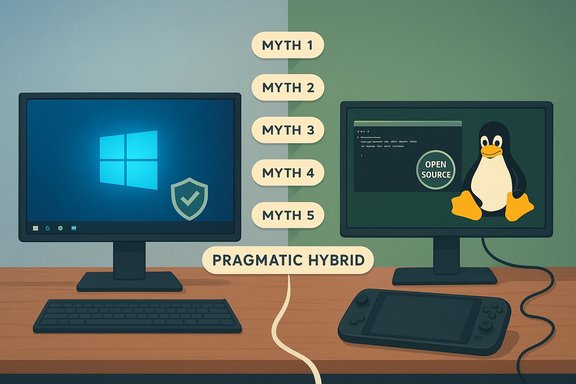 Myth 1 — “Windows has zero security; it’s malware‑infested and hopeless”
The claim and the reality
The blunt claim — “Windows is fundamentally insecure; use Linux” — stems from history. Windows’ historical dominance made it the most attractive target for commodity malware, and legacy design choices once widened attack surfaces. That history still matters: attackers target the largest, most lucrative platforms. But the absolute claim that Windows is today “hopeless” is inaccurate.Microsoft has layered modern protections into Windows — notably Virtualization‑Based Security (VBS) and Hypervisor‑Protected Code Integrity (HVCI), frequently surfaced as memory integrity in user settings. These features move critical security checks into an isolated environment, mitigating classes of kernel‑level exploits and making certain escalation paths far harder to execute. Microsoft documents the hardware and driver requirements for memory integrity and explains when it is auto‑enabled on modern Windows 11 hardware.
Cross‑verification and limits
Independent testing and reporting confirm the protective effect of VBS/HVCI for classes of kernel attacks, but also show that these features depend on compatible drivers and capable hardware. Devices with incompatible drivers may block auto‑enablement or suffer performance trade‑offs if poorly supported drivers try to run under these constraints. That means security gains are often tied to platform age and vendor support rather than a simple OS switch.At the same time, Linux is not immune. Vulnerabilities and wormable exploits affect Linux servers and distributions — the difference is in exposure, attack economics, and the attacker’s incentive to target a platform. For desktop end users, Windows’ market share creates a larger attack surface for commodity malware; for servers and cloud workloads, Linux remains the dominant target simply because it powers a huge portion of infrastructure. Evidence from vulnerability trackers and vendor bulletins reinforces that no OS is inherently “bulletproof”; defensive architecture, patch cadence, and operational controls matter more than slogans.
Practical takeaways
- Enable memory integrity / HVCI on supported hardware and keep drivers up to date. This is a material defense against kernel‑level attacks.
- Retain layered controls: endpoint detection, least privilege, automated patching, and user hygiene. Security is operational more than philosophical.
- If your top priority is an attack surface reduction for a specialized workload, consider a hardened Linux build — but plan for operational differences (package management, patching processes, and vendor support).
Myth 2 — “Windows is just unnecessary bloatware from top to bottom”
The claim and the reality
“Bloatware” is a fair gripe when describing preinstalled OEM apps, promotional entries, and background services that many users never need. Windows does ship with a rich default feature set, and Microsoft’s “complete by default” approach can annoy privacy‑conscious users and slow older hardware. However, calling the entire OS “unnecessary bloat” ignores functional trade‑offs: manyst to support plug‑and‑play hardware, multimedia codecs, accessibility, and backward compatibility.Linux distributions can be shipped minimal, but a practical desktop typically ends up filled with the user’s chosen productivity software, drivers, media stacks, and possibly game compatibility layers — the size and resource footprint often converge with a customized Windows setup. The difference is philosophical: many Linux distros default to miniaims for a broadly functional out‑of‑box experience.
How to quantify and act
- Use built‑in tools (Settings, Task Manager, Group Policy) to identify and disable unnecessary services. On Pro/Enterprise Windows editions, Group Policy provides controlled ways to remove or restrict built‑in apps.
- For older hardware, look for lightweight Windows builds or clean‑install images that strip OEM cruft. Community debloat tools exist, but they carry risk — prefer manual uninstalls or vetted scripts.
Strengths and risks
Windows’ “complete” default reduces friction for mainstream users and ensures broad driver compatibility. The risk is in perception and control: if you need absolute minimalism or removal of telemetry, Linux gives greater default transparency; if you prefer turnkey compatibility, Windows still wins.Myth 3 — “Power users and developers can’t use Windows for serious work”
The claim and the reality
This was a stronger claim a decade ago when Linux offered a superior native command‑line environment. Today, however, Windows has invested in developer tooling: PowerShell, OpenSSH, Windows Subsystem for Linux (WSL), and deep integrations for editors and containers. WSL’s evolution — including GUI app support and the project’s move to open source — explicitly addresses the need to run Linux tooling on a Windows desktop without dual‑booting. Microsoft publicly open‑sourced WSL and hosts the repository, enabling community contributions and transparency.Real‑world evidence
Developers commonly use VS Code, Docker Desktop (WSL2 backend), and native Linux toolchains via WSL for daily workflows on Windows. Remote development and container orchestration still often run on Linux servers, but for desktop development the gap has narrowed substantially. The key limitations that remain are low‑level kernel work, distribution testing parity, and some server admin tasks that are naturally easier on a native Linux host.Recommendation
- Adopt WSL for Linux‑first tooling on Windows and leverage winget for package management where appropriate. WSL provides the best of both worlds for many development workflows.
Myth 4 — “Windows can’t match Linux performance — Linux is always faster”
The claim and the reality
“There is always a speed advantage to Linux” is a sweeping generalization. Benchmark and workload studies consistently show that performance depends on the task and the software stack. For CPU‑bound server workloads, embedded systems, and light‑weight I/O tasks, Linux often has an edge due to tunable kernels and lower idle service overhead. For GPU‑accelerated gaming and many creative applications, Windows frequently outperforms or simply offers better out‑of‑the‑box GPU driver support because vendors optimize drivers for Windows first. Steam survey and hardware‑oriented reporting show Windows still dominates gaming, while Proton and Vulkan translation layers are rapidly improving compatibility on Linux.Cross‑checks
- Gaming: Valve’s Steam hardware survey repeatedly reports Windows as the dominant gaming platform, though Linux usage on Steam has recorded multi‑year highs as Proton and SteamOS improve. Linux gaming is viable for many titles but still challenged by anti‑cheat ecosystems and some vendor‑specific GPU features.
- Benchmarks: Microbenchmarks sometimes favor Linux for raw CPU/IO figures, while end‑to‑end workflows (editing, rendering with vendor GPUs) often show parity or Windows advantages due to proprietary optimizations.
Practical guidance
- Profile the actual workload you care about — synthetic benchmarks are a starting point, not the final word.
- For gamers: consult ProtonDB and the Steam community; for Adobe/industry tools, verify vendor support and GPU acceleration.
- For servers or lightweight devices: Linux often gives better performance‑per‑watt and longer life for older hardware.
Myth 5 — “Linux is the future of desktop; Windows is dying”
The claim and the reality
This is the most aspirational claim from Linux advocates: a wholesale desktop migration away from Windows. Recent trends show growth for Linux in specific segments — Steam OS and gaming devices, developer workstations, and users repurposing older hardware after Windows lifecycle events have all contributed to measurable increases. Notable Linux distributions aimed at Windows defectors have seen surges in downloads. But market data shows Windows remaining the dominant desktop OS globally and in most regions. The growth is real and meaningful in certain niches, but not yet a mainstream replacement.Why the market won’t flip overnight
- Ecosystem inertia: Enterprises and software vendors maintain large Windows‑based footprints; proprietary business applications and vendor lock‑in slow wholesale migration.
- Driver and vendor support: Hardware vendors still prioritize Windows drivers and certifications; specialized peripherals and vertical apps often lack Linux counterparts.
- User effort: Migration requires time, testing, and support; for many organizations and consumers, hybrid approaches (dual‑boot, VMs, or dedicated Linux devices) offer a better risk/reward balance.
Real adoption vectors
- Windows 10 end‑of‑life and Windows 11 hardware requirements have pushed some users to evaluate Linux as a cost‑effectider machines. Linux gains here are real, but they represent a mix of opportunistic migrations rather than a coordinated mass exodus.
Strengths, risks, and a pragmatic middle way
The MakeUseOf piece — and the broader “switch to Linux” conversation — accomplishes two useful things. First, it highlights real Windows pain points: telemetry friction, OEM cruft, and historical security problems. Second, it caricatures both platforms when it translates practical trade‑offs into absolutes. The most constructive path is a pragmatic middle ground.- Strengths of Windows:
- Broad hardware and software compatibility, especially for games and creative suites.
- Rich out‑of‑box functionality that reduces friction for mainstream users.
- Growing developer investments such as WSL and tooling integration.
- Strengths of Linux:
- Opennesgranular control over telemetry and system configuration.
- Lightweight distros that extend hardware life and excel in server/embedded workloads.
- Rapid gains in gaming via Proton/Wine and Valve’s SteamOS ecosystem.
- Risks and trade‑offs:
- Linux fragmentation and distribution differences complicate vendor support.
- Windows’ platform dominance makes it a frequent malware target, but modern mitigations close many gaps when properly enabled.
Practical checklist for readese Linux” lecture
- If you’re on Windows and want better privacy or lower footprint:
- Turn on memory integrity / HVCI where hardware supports it.
- Use Group Policy or Settings to remove or disable OEM apps; prefer manual cleanups or vetted scripts over brittle, one‑click “debloaters.”
- If you’re a developer wanting Linux tooling:
- Install WSL and migrate command‑line workflows there — it is open source and supported by a Microsoft repo for community contribution.
- If you’re considering switching for gaming:
- Check ProtonDB and Steam’s compatibility reports; consult the Steam Hardwam trends. Test via a live USB, VM, or a secondary machine before wiping your primary system.
- If you’re running a small server or home lab:
- Consider whether Windows’ forced update behavior or background services pose risk to uptime; Linux minimal server builds can be easier to control for always‑on workloads. But remember that Windows Server remains a supported enterprise option with different trade‑offs.
What the “just switch” crowd gets right — and where they overreach
Linux advocates are correct to hold up openness, modularity, and user control as so right that older hardware can often be brought back to life with a lightweight Linux distro, and that some categories of workloads perform better on Linux.Where the argument overreaches is in declaring Windows “dead” or “hopeless” across the board. Windows has invested in hardware‑rooted defenses, improved developer tooling, and continues to be the first platform for many commercial apps and games. Market realities — adoption curves, vendor ecosystems, and enterprise inertia — create friction that slows an instant flip. The evidence supports a future of coexistence and specialization rather than a binary winner‑takes‑all outcome.
Conclusion
The “5 Windows myths Linux users love to lecture you about” is a useful conversation starter: it reminds Windows users of real weaknesses and prompts Linux proponents to ground their evangelism in practical constraints. A balanced view recognizes that both families of operating systems bring strengths and trade‑offs. For most users the best path is hybrid and evidence‑driven: harden Windows where it serves you best, adopt Linux where its advantages are decisive, and use virtualization or WSL to mix toolchains safely. The choice between Windows and Linux should be driven by workloads, vendor support, and risk tolerance — not by slogans.Source: MSN https://www.msn.com/en-us/news/tech...-users-love-to-lecture-you-about/ar-AA1U5jAO]
