

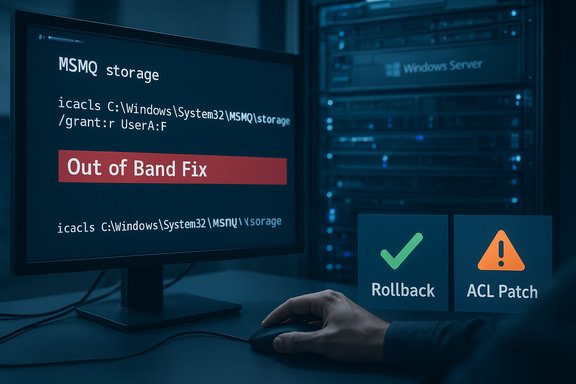
Microsoft acknowledged and — in some server channels — already shipped out-of-band patches that address a disruptive December 2025 regression which broke Microsoft Message Queuing (MSMQ) for many enterprise deployments, and administrators now face a short-term choice between applying vendor-sanctioned mitigations or rolling back recent December updates while waiting for fully tested fixes.
Background / Overview
Microsoft shipped its December 2025 cumulative update wave on December 9, 2025. Within days operators began reporting a consistent and confusing failure pattern: MSMQ queues became inactive, IIS-hosted sites returned “Insufficient resources to perform operation” errors when those sites attempted to enqueue messages, and applications that previously wrote to MSMQ started failing with file-creation errors referencing C:\Windows\System32\MSMQ\storage*.mq. Diagnostic logs frequently included misleading “insufficient disk space or memory” messages even when resources were plentiful. These operational symptoms were quickly correlated with a change to the MSMQ security model that altered NTFS permissions on the MSMQ storage folder, effectively denying write access to service identities that historically had been able to persist message files. Shortly after community triage surfaced the issue, Microsoft added a Known Issue note to affected SKU KB articles and began distributing out-of-band updates for several older server SKUs that explicitly list the MSMQ regression as fixed in those packages. At the same time Microsoft advised enterprise administrators to contact Microsoft Support for Business to obtain a validated mitigation, rather than publishing a one-size-fits-all permission script.What broke — symptoms and practical fingerprints
The problem shows up in a tightly repeatable set of runtime symptoms:- MSMQ queues shown as inactive and refusing messages.
- Applications calling MSMQ APIs throwing System.Messaging exceptions (logged as “Insufficient resources to perform operation”).
- Event log entries or application traces showing errors such as: “The message file 'C:\Windows\System32\msmq\storage*.mq' cannot be created.”
- Diagnostic logs reporting “There is insufficient disk space or memory” despite ample disk and RAM — a classic indicator that a filesystem access denial has been translated into a generic resource error.
The technical root cause (concise)
- The December 2025 LCUs included a security hardening for MSMQ that modified the NTFS security descriptor and inheritance behavior for C:\Windows\System32\MSMQ\storage.
- After the change, identities that write messages (IIS application pool identities, LocalService/NetworkService, or scoped service accounts) often no longer had explicit write access to the storage folder.
- When MSMQ attempts to create or append its on-disk .mq files and the call is denied at the filesystem level, MSMQ surfaces a low-level resource error to the calling code; that is why logs look like resource exhaustion even though the underlying cause is an access denied.
Which updates are implicated — confirmed packages and the “KB number” confusion
- The December 9, 2025 cumulative updates (the main LCU wave) are the origin point for the regression; for some Windows 10 ESU / 22H2 environments that LCU is tracked as KB5071546 (or SKU-specific equivalents for Server SKUs).
- Microsoft published out-of-band updates that explicitly state they fix the MSMQ known issue for particular server SKUs. For example, KB5074974 (out-of-band, Dec 18, 2025) documents that the MSMQ known issue is fixed for Windows Server 2016 / Windows 10 version 1607 SKUs. KB5074978 is another out-of-band package that lists the same MSMQ fix for a different SKU. These KB pages are the authoritative confirmation that Microsoft has released remedial packages for some builds.
- Note: some third‑party reports (and a few community posts) have referenced KB5074975 or KB5074976 as fixes. Careful verification against Microsoft’s SKU pages shows KB5074976 could not be validated at the time of investigation and appears in some reports as a likely mis‑reference or typo. Administrators should rely on the SKU-specific Microsoft KB pages and the Microsoft Update Catalog for authoritative package names for their environment rather than a single third‑party list.
Microsoft’s public stance and the recommended enterprise pathway
Microsoft’s immediate public guidance included:- Acknowledge the regression and add a Known Issue note to the affected December KB pages describing the MSMQ symptoms and that the issue is under investigation.
- Provide an operational mitigation/workaround via Microsoft Support for Business rather than publish an unvetted global ACL script. Microsoft signaled that the workaround is distributed directly to support customers so that it can be validated per environment (clustered MSMQ, custom service identities, app pool names, and inheritance settings all vary widely).
Immediate options for administrators — tradeoffs and a pragmatic runbook
Administrators confronted with failed MSMQ workloads have two practical, field-tested options; neither is risk-free. Below is a compact runbook derived from vendor guidance and community triage notes. Test every step in staging before you touch production.- Confirm you are affected
- Enumerate MSMQ presence: Get‑WindowsOptionalFeature -Online | Where‑Object { $_.FeatureName -like "MSMQ*" } (client) or Get‑WindowsFeature MSMQ (server).
- Verify installed December packages: Settings > Update history, DISM /Online /Get-Packages, or wusa /query.
- Look for System.Messaging exceptions and storage file creation errors in Application and System event logs.
- Reproduce and capture ACL differences (lab)
- On a test VM with and without the December LCU, capture the storage folder ACEs:
- PowerShell: (Get-Acl 'C:\Windows\System32\MSMQ\storage').Sddl
- Compare the SDDL or Get-Acl output to find missing ACEs or changed inheritance flags.
- On a test VM with and without the December LCU, capture the storage folder ACEs:
- Mitigation Option A — rollback the December LCU (preferred for urgent outages)
- If downtime is critical and the environment allows, uninstall the December cumulative update following Microsoft’s uninstall guidance for the specific package name, then reboot and validate MSMQ writes resume.
- Caveat: rollback reopens the security vulnerabilities fixed by the December updates — document compensating controls (network segmentation, IDS/IPS signatures, extra monitoring).
- Mitigation Option B — apply a minimally scoped NTFS ACL fix (if rollback not feasible)
- Identify the exact service principal or identity requiring write access (IIS APPPOOL\<name>, NETWORK SERVICE, or a custom service account).
- Apply the least-privilege ACL entry explicitly for that identity (example community pattern):
- icacls "C:\Windows\System32\MSMQ\storage" /grant "IIS APPPOOL\MyAppPool
 OI)(CI)(M)"
- icacls "C:\Windows\System32\MSMQ\storage" /grant "IIS APPPOOL\MyAppPool
- Restart MSMQ and dependent services, validate writes, and then:
- Enable file-system audit for the storage folder.
- Monitor for unexpected writes and maintain a documented reversion plan.
- Caveat: granting modify rights under System32 increases local attack surface and must be short-lived and tightly controlled. Microsoft prefers customers obtain a validated mitigation through support before making broad ACL changes.
- Open a Microsoft Support for Business case if you need the sanctioned mitigation
- Microsoft has indicated the workaround is distributed through support so it can be validated to the specific environment. Opening a support request is the safest path for large, complex estates.
- Post-mitigation controls
- Record all temporary ACL changes in change-management systems.
- Revert ACL exceptions once Microsoft releases a vendor-approved fix or verified OOB package for your SKU.
- Plan to modernize critical message pipelines away from legacy MSMQ where feasible to reduce future breakage risk.
- Triage and confirm affected hosts.
- Decide rollback versus ACL mitigation based on risk tolerance.
- If rollback chosen: remove the LCU, reboot, validate, then block reinstallation via WSUS/GPO until safe.
- If ACL chosen: apply minimal grant, audit, monitor, and open a vendor support case.
- Revert temporary changes when Microsoft publishes a tested fix.
The out-of-band updates: what Microsoft has already released
Microsoft’s SKU-specific out-of-band KB pages list the MSMQ issue as fixed for several older branches via packages released December 18, 2025 (for example KB5074974 and KB5074978 for respective SKUs). These pages explicitly say “Fixed: After installing the Windows updates released on December 9, 2025, users experienced issues with Message Queuing (MSMQ) ... This issue might lead to message queues becoming inactive ...” and then note that the update addresses the issue. Administrators should consult the KB page for their exact OS build and then obtain the package from the Microsoft Update Catalog or via WSUS/ConfigMgr as appropriate. Caveat: not every third-party article listed the same KB number set; some reported KB5074975 or KB5074976. Microsoft’s official KB listings for affected SKUs are the authoritative source; treat unmatched KB numbers in third‑party reports as possibly erroneous and verify against Microsoft’s support pages before taking action.Critical analysis — why this happened, what Microsoft got right, and where the rollout fell short
Strengths- The December updates closed tangible security weaknesses in a legacy surface area (MSMQ) — hardening older, privileged features is a legitimate security objective.
- Microsoft responded by adding Known Issue notes and producing SKU-specific out-of-band fixes for older branches, which demonstrates triage and remediation actions were taken once the regression was identified.
- A change to a low-level file ACL for a system folder that many enterprise services implicitly relied on produced immediate availability issues in production systems.
- The initial absence of a vendor-published, prescriptive mitigation or compatibility shim forced administrators into two imperfect choices: either rollback and re-expose to security risk, or grant additional NTFS permissions under System32 and accept an increased local attack surface.
- Microsoft’s decision to distribute the validated mitigation via support channels (rather than publish a one-size-fits-all script) is understandable given variability, but it slows time-to-recovery for organizations without fast, high-priority vendor support contracts.
- When patching low-level OS primitives, vendors must balance security hardening with compatibility controls. Enterprises should treat legacy components like MSMQ as high-risk assets and include them in compatibility gating for updates, maintain a runbook for triage, and prioritize modernization where practical.
Longer-term recommendations for IT teams
- Inventory and classify all hosts that run MSMQ and map business-critical workloads that rely on it.
- Add MSMQ-dependent workloads to a patch-validation ring and test cumulative updates in a staging environment that mirrors production before broad deployment.
- Implement compensating network controls (segmentation, limiting access to MSMQ endpoints, extra logging) where rollback is used to temporarily reduce risk.
- Start a migration program to modern messaging platforms for greenfield projects; for legacy systems, plan a phased decoupling that reduces dependency on in-OS persistence semantics.
What remains uncertain and what to watch
- Microsoft’s KB pages and Release Health are the canonical monitoring points for updates: watch for KB revisions that broaden the fix to additional SKUs or publish a clear mitigation script.
- Any references to KB5074975 or KB5074976 in third‑party coverage should be validated against Microsoft’s SKU-specific KB pages. Some community trackers have flagged those numbers as unverified or typographical errors; always reconcile the KB number with your OS build and the Microsoft Update Catalog before taking action.
- If you rely on MSMQ in high-throughput clustered installations, engage Microsoft Support for Business to request the validated mitigation so the impact can be assessed in your cluster topology. Microsoft has explicitly advised support engagement for the workaround distribution.
Conclusion
The December 2025 MSMQ regression is a textbook illustration of the tension between necessary security hardening and operational compatibility. Microsoft has acknowledged the issue, flagged it in affected KBs, and published SKU-specific out-of-band fixes that explicitly list the MSMQ problem as resolved for certain older branches. Where quick recovery is required, administrators have two immediate, imperfect choices: rollback the December LCU (restoring availability at the cost of reintroducing the now‑patched vulnerabilities) or apply narrowly scoped NTFS ACL changes (restoring functionality while increasing local attack surface and requiring additional auditing). The safest operational path for complex estates is to open a Microsoft Support for Business case to receive the vendor‑validated mitigation, validate any temporary changes in controlled staging, and revert exceptions once an official fix has been applied. Monitor the Microsoft KB pages for your exact SKUs and builds and proceed with the remediation route that matches your organization’s risk tolerance and compliance obligations.Source: Windows Report Windows 10 Out-of-Band Updates, KB5074976, KB5074975 & KB5074974 Fix MSMQ Issues
