

Microsoft has confirmed that its December 9, 2025 Patch Tuesday cumulative updates introduced a regression that breaks Microsoft Message Queuing (MSMQ) in many enterprise environments, leaving queues inactive, IIS-hosted applications throwing “Insufficient resources to perform operation” errors, and operators weighing difficult trade‑offs between availability and security.
Microsoft released the December 9, 2025 cumulative updates (LCUs) for multiple Windows SKUs — notably KB5071546 for Windows 10 ESU/22H2 builds and companion packages such as KB5071544 and KB5071543 for older server branches. Within days, administrators reported consistent failures in MSMQ-backed applications and clustered MSMQ environments under load. Microsoft updated the official KB pages and release-health notices to list Message Queuing (MSMQ) as a known issue while investigation continues. MSMQ remains a common piece of on-premises middleware in many enterprises: it provides durable, on‑disk persistence for asynchronous messaging and still underpins order-processing, integration middleware, legacy IIS web apps, and other line‑of‑business systems. The regression therefore has potential to affect critical business flows where MSMQ is used. These operational impacts have been widely reported in community and trade reporting and summarized in vendor‑facing triage notes.
Enterprise teams should act deliberately: inventory MSMQ hosts, triage affected machines using the runbook above, and choose mitigations aligned with business criticality and threat posture. Enable auditing for any temporary ACL exceptions and treat them as emergency, time‑boxed measures. Finally, watch Microsoft’s KB and release‑health channels for the vendor’s definitive fix and revert any emergency mitigations promptly once a corrected update is available.
Source: Windows Report Microsoft Urges IT Admins to Reach Out as December Windows Updates Break MSMQ
 Background
Microsoft released the December 9, 2025 cumulative updates (LCUs) for multiple Windows SKUs — notably KB5071546 for Windows 10 ESU/22H2 builds and companion packages such as KB5071544 and KB5071543 for older server branches. Within days, administrators reported consistent failures in MSMQ-backed applications and clustered MSMQ environments under load. Microsoft updated the official KB pages and release-health notices to list Message Queuing (MSMQ) as a known issue while investigation continues. MSMQ remains a common piece of on-premises middleware in many enterprises: it provides durable, on‑disk persistence for asynchronous messaging and still underpins order-processing, integration middleware, legacy IIS web apps, and other line‑of‑business systems. The regression therefore has potential to affect critical business flows where MSMQ is used. These operational impacts have been widely reported in community and trade reporting and summarized in vendor‑facing triage notes. What Microsoft says — official confirmation and scope
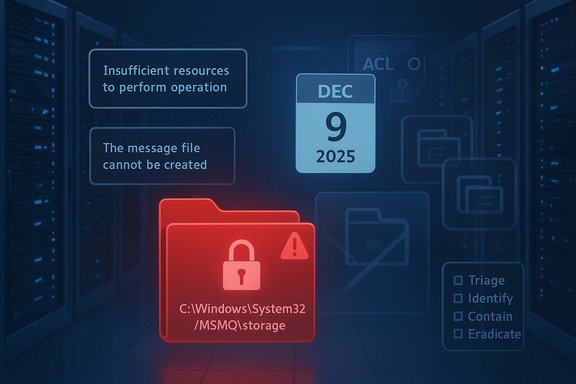
Microsoft’s KB entries for the December packages were updated to include a known‑issue note describing a cluster of symptoms tied to an MSMQ change. The vendor explicitly attributes the problem to changes made to the MSMQ security model and to NTFS permissions on the MSMQ storage folder (C:\Windows\System32\MSMQ\storage), and confirms that affected SKUs include Windows 10 22H2 (ESU builds), Windows Server 2019, and Windows Server 2016. The KBs list the symptoms as:- MSMQ queues becoming inactive
- IIS sites failing with “Insufficient resources to perform operation” errors
- Applications unable to write to queues
- Errors like “The message file 'C:\Windows\System32\msmq\storage*.mq' cannot be created”
- Misleading logs reporting “There is insufficient disk space or memory” despite available resources
Technical root cause — what changed and why it matters
At a technical level the December updates introduced a change in the MSMQ security model that modifies the NTFS discretionary access control list (DACL) on the MSMQ storage folder. The practical effect is that service identities which previously could write .mq storage files implicitly (for example IIS app‑pool identities, LocalService, NetworkService, or designated service accounts) now require explicit write permissions on C:\Windows\System32\MSMQ\storage. When a non‑privileged identity tries to create or append MSMQ storage files and is denied, the MSMQ stack surfaces opaque, low‑level errors that appear as resource exhaustion (hence the misleading “insufficient disk space/memory/ resources” messages). Why this is consequential:- MSMQ persists messages as files; if the process identity cannot create or append those files the queue will not accept messages.
- The error model inside MSMQ translates access failures into generic resource exceptions, which lengthens triage and leads teams to chase disk or memory issues instead of ACLs.
- Clustered MSMQ under load is particularly vulnerable: simultaneous node failures can leave the cluster in inconsistent states and complicate failovers.
Who is affected
Microsoft lists affected platforms in the KBs and release-health pages; community reports and independent trackers corroborate these platform mappings. The primary impact is observed on:- Windows 10, version 22H2 (ESU builds) — KB5071546.
- Windows Server 2019 — KB5071544 (and variants).
- Windows Server 2016 — KB5071543 (and variants).
How the failure presents in the wild — symptoms and diagnostics
Administrators encountering the issue consistently report the following observable signs:- MSMQ queues appear inactive and refuse to accept new messages.
- IIS-hosted services or .NET apps that enqueue messages throw System.Messaging.MessageQueueException errors logged as “Insufficient resources to perform operation”.
- Event logs or application logs show lines like: “The message file 'C:\Windows\System32\msmq\storage*.mq' cannot be created”.
- Diagnostic messages in logs claim “There is insufficient disk space or memory” even when disk and memory are plentiful.
- Restarting MSMQ, reinstalling the feature, or rebooting does not help while the problematic update is present.
- Confirm the machine has the December LCU installed: check Windows Update history, wusa /query, or DISM /Online /Get-Packages.
- Inspect ACLs on C:\Windows\System32\MSMQ and the storage subfolder (Get-Acl in PowerShell or File Explorer > Security).
- Review Application and System event logs for MessageQueue exceptions and file-creation failures.
- Identify the identity used by the process that writes to MSMQ (IIS app-pool identity, LocalService, NetworkService, or a service account) and test queue writes under that identity.
- For clusters, validate failover behavior and check whether multiple nodes show identical ACL symptoms.
Immediate mitigation options — trade‑offs and runbook
Organizations must choose among three pragmatic options while awaiting a vendor fix: rollback the update, apply a narrowly scoped ACL workaround, or move MSMQ storage off the system path. Each option has operational and security trade‑offs.Option 1 — Roll back the December LCU (quickest full recovery, reduces attack-surface but loses security fixes)
Procedure (high level):- Identify the installed package using DISM: DISM /Online /Get-Packages.
- Remove the LCU package following Microsoft’s guidance (example: DISM /Online /Remove-Package /PackageName
 ackage_for_KB5071546~31bf....
 - Reboot and validate MSMQ and application behavior.
- Document the rollback in change control and risk registers.
- Restores pre‑patch behavior and eliminates the immediate regression.
- Reintroduces the security fixes removed by the LCU (including fixes mapped to the CVE patched by the December updates).
- Some LCUs are bundled with SSUs; rollback complexity increases when SSUs and LCUs are combined. Follow KB removal guidance closely.
Option 2 — Apply a narrowly scoped NTFS ACL workaround (fastest operational fix, increases local attack surface)
Procedure (example):- Identify the exact identity that requires write access (e.g., IIS application pool identity or specific service account).
- In a test host, grant the minimum necessary permissions (Modify/Write) on C:\Windows\System32\MSMQ\storage to that identity, avoiding overly broad groups like Everyone.
- Use icacls or PowerShell to apply the ACL and validate: icacls "C:\Windows\System32\MSMQ\storage" /grant "DOMAIN\serviceacct
 OI)(CI)(M)"
 - Restart MSMQ and dependent services (e.g., Net.MsmqActivator) and validate queue operations.
- Enable file-system auditing for the folder and log all changes while the workaround is in place. Plan to revert the ACL once Microsoft publishes a fix.
- Restores application functionality without uninstalling security updates.
- Loosens protections on a System32 subfolder and therefore increases local attack surface.
- Must be treated as a temporary, tightly controlled exception with strict auditing and expiration.
Option 3 — Move MSMQ storage to a non‑system path (more invasive, safer ACL posture)
This approach requires reconfiguration and thorough testing: relocating storage can avoid altering System32 ACLs but introduces operational risk of misconfiguration, backup/DR issues, and possible data loss if not executed carefully. Recommended for teams prepared to do controlled migration with backups and validation.Step‑by‑step emergency runbook (prioritized)
- Inventory: Identify all servers running MSMQ and classify by business impact. Use PowerShell: Get‑WindowsOptionalFeature -Online | Where‑Object Name -like "MSMQ".
- Contain: Pause further rollouts of the December LCUs to additional rings until testing is complete.
- Triage: On affected hosts, confirm the presence of KB5071546/5071544/5071543 and collect event logs showing MSMQ/System.Messaging errors.
- Decide mitigation per host: (a) rollback if acceptable and you can accept temporary unpatched exposure, or (b) apply a minimal ACL for the specific service identity and enable auditing.
- Test: Validate the chosen mitigation in a staging ring or a single nonproduction host before broad application.
- Document: Record ACL syntax, accounts changed, SDDL snapshots, and schedule a revert plan tied to vendor fixes.
- Monitor: Watch Microsoft KBs and release-health pages for an official fix or workaround. Subscribe to vendor notification channels.
Security and operational analysis — strengths, weaknesses, risks
Strengths:- The December updates address a real security concern in MSMQ (patches mapped to CVE entries), which is necessary to reduce elevation-of-privilege or similar local exploitation risks.
- Microsoft acknowledged the regression publicly and updated KB pages and release-health entries, which provides a clear vendor escalation path for enterprise teams.
- The change in NTFS ACL semantics for a system folder had immediate backward‑compatibility consequences for legitimate, long‑running middleware patterns.
- MSMQ’s internal error reporting obscures access-denied failures as generic resource errors, delaying correct diagnosis.
- Community workarounds that grant write access to a System32 folder restore functionality but increase the attack surface; they must be narrowly scoped, logged, and time‑boxed.
- Rolling back is the safest ACL posture but accepts increased vulnerability exposure.
- Applying ACL workarounds preserves service continuity but is a deliberate security deviation that requires compensating controls (auditing, network isolation, time-limited exceptions).
- Not all environments can tolerate rollback or ACL change; decisions must be driven by SLA criticality and threat model.
Communication and governance — what to tell stakeholders
- Be explicit with application owners and security teams about the trade‑offs: “Rollback restores availability but re‑introduces December security fixes; ACL changes restore availability while temporarily broadening local permissions.”
- Document every mitigation change in change control, including SDDL or icacls output and a clear revert date tied to vendor remediation.
- For externally facing services, prepare customer-facing messaging for potential outages if mitigation requires reboots or rolling updates.
- Engage Microsoft Support for Business for tailored guidance; Microsoft is advising enterprise teams to contact support because workarounds and rollbacks vary by environment.
Longer‑term lessons and recommendations
- Inventory and modernization: Maintain an up‑to‑date inventory of systems using MSMQ and prioritize migration planning to managed or modern messaging platforms (Azure Service Bus, RabbitMQ, Kafka) for new work. This reduces future exposure to OS-level servicing changes.
- Test ring discipline: Expand compatibility testing to include MSMQ-dependent workloads. Use a staged deployment model (test → pilot → production) for cumulative updates.
- Runbook readiness: Maintain tested rollback procedures for critical LCUs and document ACL change runbooks and auditing baselines for emergency exceptions.
- Improve diagnostics: Where possible, enhance logging and file‑access auditing for the MSMQ storage folder so that access‑denied conditions are surfaced early in triage.
- Governance: Require risk‑owner signoff for any rollback or ACL workaround and record compensating controls and timelines for reversion.
Cross‑validation and verification
The core claims in this feature — the KB numbers (KB5071546, KB5071544, KB5071543), the affected SKUs, the NTFS ACL/storage folder root cause, and the listed symptoms — are corroborated across Microsoft’s official KB pages and release‑health status entries, Microsoft Q&A threads, and independent reporting from trade outlets such as BleepingComputer and Techzine. These multiple independent attestations validate the vendor’s known‑issue statement and the practical triage steps administrators have used. Caveats and unverifiable items:- Reports of sector‑specific outages (for example, financial, healthcare) are anecdotal in community threads and are not quantified or enumerated by Microsoft in the KBs; treat such impacts as reported incidents rather than vendor‑verified scope.
- Microsoft’s public engineering rationale (whether the ACL change was intentional as a hardening or a packaging/regression error) had not been published in full technical detail at the time of the vendor KB updates; that specific engineering intent remains an open question to be clarified in a formal post‑mortem.
Practical checklist for administrators (quick reference)
- Confirm affected hosts and patch status (wusa /query, DISM /Online /Get-Packages).
- If experiencing production outages, prioritize rollback for critically impacted services where security posture can be temporarily tolerated; otherwise, apply a narrowly scoped ACL to the MSMQ storage folder for the exact service identity and enable auditing.
- Document SDDL/icacls output and schedule reversion once Microsoft issues a vendor‑sanctioned fix.
- Engage Microsoft Support for Business for guidance tailored to complex, clustered, or multi‑tenant environments.
- Monitor the KB pages and Windows release‑health updates for an official hotfix or workaround before re‑applying the December LCUs broadly.
Conclusion
The December 2025 cumulative updates fixed an important set of security issues but inadvertently tightened NTFS permissions used by Microsoft Message Queuing, producing an operational regression that prevents legitimate service identities from writing MSMQ storage files. Organizations that still run MSMQ in production face a tough, immediate choice between rolling back security updates or applying temporary, auditable exceptions to filesystem ACLs. Both paths carry measurable risk: rollback reopens patched vulnerabilities, while ACL relaxations increase local attack surface.Enterprise teams should act deliberately: inventory MSMQ hosts, triage affected machines using the runbook above, and choose mitigations aligned with business criticality and threat posture. Enable auditing for any temporary ACL exceptions and treat them as emergency, time‑boxed measures. Finally, watch Microsoft’s KB and release‑health channels for the vendor’s definitive fix and revert any emergency mitigations promptly once a corrected update is available.
Source: Windows Report Microsoft Urges IT Admins to Reach Out as December Windows Updates Break MSMQ
