

Microsoft’s December cumulative update for Windows 10 (KB5071546) introduced a permissions change that breaks Microsoft Message Queuing (MSMQ) on multiple SKUs, leaving queues inactive and IIS‑hosted applications unable to write messages; Microsoft has acknowledged the issue and listed MSMQ as a known issue on the KB, while administrators and community responders have published two immediate, pragmatic mitigation paths — rollback the LCU or apply a narrowly scoped NTFS ACL workaround — each carrying important operational and security trade‑offs.
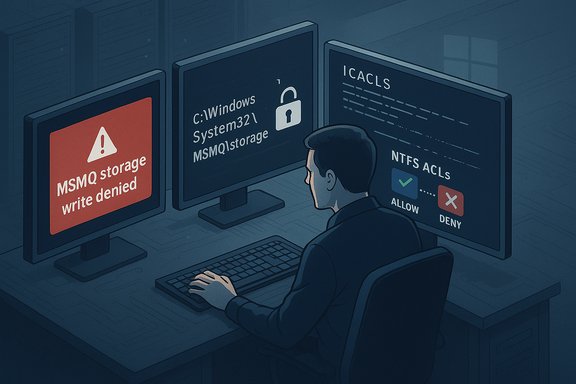
Microsoft Message Queuing (MSMQ) is a legacy but widely used Windows subsystem that provides durable on‑disk message persistence for asynchronous application messaging. MSMQ persists messages as files under the system path (notably C:\Windows\System32\MSMQ\storage), which makes correct operation dependent on precise NTFS permissions and the ability for service identities (IIS application pool identities, LocalService/NetworkService, or named service accounts) to create and append .mq files on disk. When the filesystem denies those writes, the MSMQ stack fails in ways that are often misreported as resource shortages rather than permission errors.
MSMQ still underpins critical workflows in many enterprises — order processing, payment queues, integration brokers, and legacy IIS web apps — so any regression that prevents message persistence can escalate rapidly into application outages and customer‑facing errors. That real‑world impact is why the December servicing wave has required urgent field triage.
The alteration appears to be part of a security hardening effort mapped to an MSMQ elevation‑of‑privilege CVE (CVE‑2025‑62455), which Microsoft and vulnerability trackers list in the same December advisory set. That explains the intent: the LCU contained fixes to reduce unauthorized local elevation paths in MSMQ, but the packaging/permissions change had an unintended compatibility impact on legitimate, non‑administrative MSMQ users.
Recommended pattern:
High level steps:
Microsoft’s KB entry and the corroborating community runbooks give administrators clear, pragmatic actions today: triage affected hosts, choose the mitigation that best matches your organization’s risk tolerance (rollback vs. temporary ACL), and prepare to revert the temporary fix when Microsoft issues the corrected update. The incident is a timely reminder that security hardening must be balanced with compatibility testing for legacy subsystems — and that runbooks for rollback and emergency permission changes must be part of every modern patch‑management program.
Source: Пепелац Ньюс https://pepelac.news/en/posts/id16389-windows-10-update-kb5071546-breaks-msmq-fix-workaround/
 Background
Microsoft Message Queuing (MSMQ) is a legacy but widely used Windows subsystem that provides durable on‑disk message persistence for asynchronous application messaging. MSMQ persists messages as files under the system path (notably C:\Windows\System32\MSMQ\storage), which makes correct operation dependent on precise NTFS permissions and the ability for service identities (IIS application pool identities, LocalService/NetworkService, or named service accounts) to create and append .mq files on disk. When the filesystem denies those writes, the MSMQ stack fails in ways that are often misreported as resource shortages rather than permission errors.MSMQ still underpins critical workflows in many enterprises — order processing, payment queues, integration brokers, and legacy IIS web apps — so any regression that prevents message persistence can escalate rapidly into application outages and customer‑facing errors. That real‑world impact is why the December servicing wave has required urgent field triage.
What Microsoft confirmed (short version)
Microsoft updated the KB for the December 9, 2025 cumulative updates to add a known‑issue entry for Message Queuing (MSMQ). The vendor’s advisory explicitly states that the December LCU modifies the MSMQ security model and NTFS permissions on the C:\Windows\System32\MSMQ\storage folder, and that non‑administrator MSMQ users now require explicit write access to that folder. Symptom patterns the KB lists include inactive queues, IIS failures with “Insufficient resources to perform operation,” and event log entries like “The message file 'C:\Windows\System32\msmq\storage*.mq' cannot be created.” Microsoft’s public support and Q&A threads echo the KB: the update alters the folder’s DACL, introducing inheritance flags that cause previously functional non‑admin service identities to lose effective write privileges. Microsoft has said it is investigating.How the regression shows up (symptoms and diagnostics)
In the field, the problem is highly reproducible and follows a consistent pattern:- MSMQ queues become inactive and refuse to accept new messages.
- IIS‑hosted applications or .NET producers throw System.Messaging exceptions such as System.Messaging.MessageQueueException: Insufficient resources to perform operation. Logs sometimes also show misleading “There is insufficient disk space or memory” warnings despite healthy resources.
- Event log entries report failures to create .mq files in the storage folder: “The message file 'C:\Windows\System32\msmq\storage*.mq' cannot be created.”
- Restarting MSMQ, reinstalling the feature, or rebooting the host does not fix the problem while the problematic update remains installed. Many administrators found that uninstalling the December LCU restores functionality.
- Confirm MSMQ is installed: Get‑WindowsOptionalFeature -Online | Where‑Object { $_.FeatureName -like "MSMQ*" } or Get‑WindowsFeature MSMQ on servers.
- Check installed updates: Settings → Update history, wusa /query, or DISM /Online /Get‑Packages. Look specifically for KB5071546 (Windows 10 ESU), KB5071544 (Server 2019), KB5071543 (Server 2016).
- Inspect ACLs on C:\Windows\System32\MSMQ and the storage folder: Get‑Acl -Path 'C:\Windows\System32\MSMQ\storage' | Format‑List and compare to a known good host; look for added Auto‑Inherited (AI) flags or missing explicit Write/Modify for the service identities that need to write. Microsoft Q&A posts show SDDL diffs that reveal automatic inheritance flags added by the update.
Root cause — what changed and why it matters
The update modifies MSMQ’s security model by altering the NTFS discretionary access control list (DACL) on the MSMQ storage folder. Specifically, the update introduces inheritance/auto‑inheritance behavior or changes the security descriptor so that identities that previously relied on implicit or inherited write access no longer have effective write rights against C:\Windows\System32\MSMQ\storage. Attempts by MSMQ to create or append files at the filesystem layer are denied; MSMQ surfaces these denials as resource allocation failures rather than permission failures, which makes the problem harder to diagnose quickly.The alteration appears to be part of a security hardening effort mapped to an MSMQ elevation‑of‑privilege CVE (CVE‑2025‑62455), which Microsoft and vulnerability trackers list in the same December advisory set. That explains the intent: the LCU contained fixes to reduce unauthorized local elevation paths in MSMQ, but the packaging/permissions change had an unintended compatibility impact on legitimate, non‑administrative MSMQ users.
Immediate mitigation options — trade‑offs, steps, and commands
Administrators have used three practical workarounds while Microsoft prepares a corrected package: (A) uninstall the problematic LCU (rollback), (B) apply a narrowly scoped NTFS ACL change to restore write access for the exact identities that require it, or (C) move MSMQ storage to a non‑system volume. Each option has different risk profiles; choose based on security posture, compliance requirements, and business impact.Option A — Roll back the LCU (preferred for tight security posture)
Rollback restores the previous ACL model and avoids loosening System32 permissions, but it also removes the security fixes contained in the LCU. Do not treat rollback as a permanent solution — it’s a stopgap while you await a corrected update.- Identify the installed package name: DISM /Online /Get‑Packages and note the LCU package identity for KB5071546 (or the matching package on Server SKUs).
- Remove the LCU using DISM (example):
DISM /Online /Remove‑Package /PackageName ackage_for_KB5071546~31bf3856ad364e35~amd64~~19045.6691.1
Important: If the update was installed as a combined SSU+LCU bundle, wusa /uninstall will not remove the SSU; use DISM as shown above and follow the KB’s “If you want to remove the LCU” guidance. - Reboot and validate MSMQ writes and dependent IIS application behavior.
- Document the rollback in your change control and run a risk assessment for running unpatched. Plan to reapply the corrected update once Microsoft publishes it.
Option B — Apply a narrowly scoped NTFS ACL workaround (fastest operational fix, higher security risk)
This option restores functionality quickly by granting minimal write access to the MSMQ storage folder for only the service identities that legitimately need it (e.g., a specific IIS application pool identity or a named service account). It avoids uninstalling the entire cumulative update but temporarily increases the attack surface because it loosens protections on a System32 subfolder.Recommended pattern:
- First, identify the exact identity that needs write access (IIS app pool identity, NetworkService, LocalService, or explicit service account). Do not grant rights to broad groups like Everyone or Administrators.
- Example icacls command (replace identity with your account):
icacls "C:\Windows\System32\MSMQ\storage" /grant "IIS APPPOOL\MyAppPool OI)(CI)(M)" /T
 - Or grant NetworkService (if appropriate):
icacls "C:\Windows\System32\MSMQ\storage" /grant "NT AUTHORITY\NETWORK SERVICEOI)(CI)(M)" /T - A PowerShell alternative (create a scoped Modify rule):
$acl = Get‑Acl "C:\Windows\System32\MSMQ\storage"
$rule = New‑Object System.Security.AccessControl.FileSystemAccessRule("DOMAIN\svc_mymq","Modify","ContainerInherit,ObjectInherit","None","Allow")
$acl.AddAccessRule($rule)
Set‑Acl "C:\Windows\System32\MSMQ\storage" $acl - Restart MSMQ and dependent services (e.g., Net.MsmqActivator, IIS app pools) and validate message flow.
- Enable file‑system auditing for the folder to detect unexpected writes:
auditpol /set /subcategory:"File System" /success:enable /failure:enable and add a SACL entry to the folder for the granted identity. - Limit the change to the exact folder and avoid recursive grants that touch unrelated system files. Document the change centrally and schedule an automatic reversion to the prior ACL once Microsoft issues a fix.
Option C — Move MSMQ storage to a non‑system volume (invasive, safer ACL posture)
Moving MSMQ storage off System32 lets you keep strict System32 ACLs while having full control over the storage permissions, but the operation is invasive and carries risk of message loss if not performed carefully.High level steps:
- Take MSMQ offline (stop the MSMQ service).
- Back up MSMQ storage and LQS configuration.
- Copy storage files to the new location; update MSMQ storage path configuration via the Message Queuing MMC (Storage tab) or registry keys used by MSMQ.
- Restart MSMQ and validate behavior.
Clustered MSMQ, high‑availability, and enterprise considerations
Clustered MSMQ setups are particularly sensitive: when multiple nodes simultaneously lose write access, cluster resources can fail to come online or failover cleanly, producing distributed state inconsistencies. Any mitigation must be applied and tested cluster‑wide with failover validation. If rollback is chosen for cluster nodes, follow the same DISM remove‑package steps and coordinate reboots and failover tests. If applying ACL workarounds, apply them uniformly across the cluster and run failover drills before resuming normal operations.Security analysis: was the change justified?
The December updates included a fix for an MSMQ elevation‑of‑privilege vulnerability tracked as CVE‑2025‑62455; vulnerability databases (Rapid7, NVD, and others) and Microsoft’s own update guide map this CVE to the December LCUs that included MSMQ changes. The CVE describes an improper input validation weakness in MSMQ that could allow a local attacker to elevate privileges — a legitimate security concern in modern threat models, particularly on multi‑tenant or shared systems. From an engineering standpoint, the intent to harden MSMQ against privilege‑escalation is defensible. However, the packaging and compatibility regression — specifically, pragmatic assumptions about which service identities should be able to write to storage — created significant operational fallout. The incident underscores the perennial tension between least‑privilege hardening and backward compatibility for established middleware. The vendor should aim to deliver a corrective update that closes the CVE while preserving intended operational access for legitimate MSMQ users.Cross‑validation of the facts
- Microsoft’s KBs for KB5071546 (Windows 10), KB5071544 (Server 2019), and KB5071543 (Server 2016) include the MSMQ known‑issue entry and the storage‑folder permission change.
- Independent security outlets (BleepingComputer, Techzine, security‑focused sites) reported the service impact and mapped the problem to the same December update family. These third‑party reports corroborate the severity and the operational pattern administrators found in the field.
- Community triage threads and enterprise runbooks document the same two practicable mitigations (rollback or ACL change) and provide reproducible diagnostic steps and example commands used by administrators worldwide.
Recommended runbook for administrators (prioritized)
- Triage & Inventory
- Immediately enumerate hosts with MSMQ enabled (Get‑WindowsOptionalFeature/Get‑WindowsFeature).
- Identify which hosts have KB5071546/5071544/5071543 installed (Settings → Update history, wusa /query, DISM /Online /Get‑Packages).
- Detect impact
- Search Application and System logs for System.Messaging exceptions and file‑creation failures. Use Get‑WinEvent to export relevant events.
- Decide mitigation per host (based on business impact, compliance, and security posture)
- For high‑impact production hosts where fast restoration is essential and rollback is acceptable: plan a tested rollback using DISM and schedule downtime.
- For environments that cannot run unpatched because of compliance or exposure risk: apply a tightly scoped ACL workaround on affected hosts, add file auditing, and schedule reversion once Microsoft issues a fix.
- Test before mass roll‑out
- Validate the chosen mitigation on a staging host. Reproduce the failure, apply the mitigation, and confirm that message enqueue/dequeue operations succeed under load.
- Document, monitor, and revert
- Log the exact SDDL/ACL change, store before/after snapshots of Get‑Acl output, and set a forced reversion date tied to Microsoft’s corrected package. Monitor for suspicious writes while ACLs are permissive.
- Subscribe to vendor channels
- Monitor Microsoft update and release‑health channels for an official fix and guidance, then test and redeploy the corrected package promptly.
Practical example: quick commands and safety notes
- Check MSMQ feature presence (PowerShell):
Get‑WindowsOptionalFeature -Online | Where‑Object { $_.FeatureName -like "MSMQ*" } - List installed packages to find the LCU identity (DISM):
DISM /Online /Get‑Packages - Remove the LCU (example):
DISM /Online /Remove‑Package /PackageNameackage_for_KB5071546~31bf3856ad364e35~amd64~~19045.6691.1
Reboot and validate. - Apply minimal ACL (example icacls):
icacls "C:\Windows\System32\MSMQ\storage" /grant "NT AUTHORITY\NETWORK SERVICEOI)(CI)(M)" /T
Restart MSMQ and dependent services. Enable file auditing while change is active. - Audit SACL change (example):
auditpol /set /subcategory:"File System" /success:enable /failure:enable
Final analysis — strengths, risks, and the right time horizon
Strengths- The update addressed a real security weakness in MSMQ (CVE‑2025‑62455), which reduces the attack surface for local privilege escalation. Applying security fixes promptly is core to a resilient posture.
- Microsoft publicly acknowledged the regression and documented the MSMQ known issue in the KBs, which gives administrators an official reference for triage and decision‑making.
- The change created an operational compatibility regression for a widely used middleware, demonstrating how low‑level security hardening can unintentionally break practical application patterns.
- Community workarounds (ACL relaxation) restore functionality but increase local attack surface and should be strictly temporary and auditable. Rollback avoids ACL changes but reintroduces the security fixes the organization may need. Both approaches are a trade‑off between availability and security.
- The packaging model (combined SSU+LCU) complicates safe rollback for some environments, so operations teams must be familiar with DISM workflows and have tested rollback procedures.
- For short‑term, mission‑critical restores: plan a targeted, staged rollback on affected high‑impact hosts if you can accept the temporary security exposure and have tested rollback procedures. Document the action and plan to reapply the corrected update quickly.
- For security‑centric environments where removing the LCU is unacceptable: apply a tightly scoped ACL, add extensive file auditing and detection, and keep the workaround under active management until Microsoft publishes a corrective update.
- Long term: treat MSMQ as critical infrastructure for patch testing. Maintain a staging ring that includes MSMQ‑dependent apps, run compatibility tests for servicing changes that touch low‑level security, and plan to modernize or retire legacy middleware as budget allows.
Microsoft’s KB entry and the corroborating community runbooks give administrators clear, pragmatic actions today: triage affected hosts, choose the mitigation that best matches your organization’s risk tolerance (rollback vs. temporary ACL), and prepare to revert the temporary fix when Microsoft issues the corrected update. The incident is a timely reminder that security hardening must be balanced with compatibility testing for legacy subsystems — and that runbooks for rollback and emergency permission changes must be part of every modern patch‑management program.
Source: Пепелац Ньюс https://pepelac.news/en/posts/id16389-windows-10-update-kb5071546-breaks-msmq-fix-workaround/
