

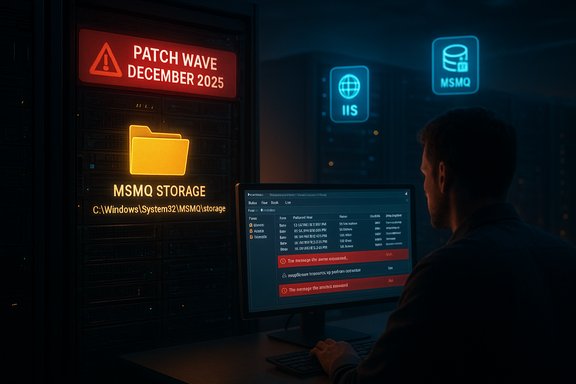
Microsoft’s December Patch Tuesday has produced a painful and immediate headache for enterprises that still rely on Microsoft Message Queuing (MSMQ): multiple cumulative updates released on December 9–11, 2025 changed MSMQ’s filesystem security semantics and, in many environments, prevented non‑privileged processes (IIS application pools, LocalService/NetworkService identities and similar) from writing to MSMQ storage. The result is inactive queues, “Insufficient resources” errors from applications and IIS sites, and stalled business workflows. The regression has been widely reported by administrators and mapped to the December KB rollups that include fixes for CVE‑2025‑62455, while vendor channels and community forums continue to sort out the right balance between rapid remediation and preserving hardening goals.
MSMQ is an optional Windows component but still a critical piece of middleware in many enterprise estates. It provides durable, asynchronous message delivery that underpins integration layers, legacy line‑of‑business systems, and some IIS‑hosted applications. Changes to how MSMQ persists messages or to access control for its storage folder can therefore cascade quickly into application outages.
The December 2025 cumulative updates (LCUs) for a range of Windows SKUs — including KB5071546 (Windows 10 22H2), KB5071544 (Server 2019-era bundles), and KB5071543 (Server 2016-era bundles) — were released with security fixes mapped to CVE‑2025‑62455 (an MSMQ elevation‑of‑privilege class entry) and other important patches. Administrators started reporting broken MSMQ behavior within hours to days of those updates being applied. What makes the incident particularly tricky is that the visible error messages — “Insufficient resources to perform operation,” or messages claiming disk space or memory problems — are misleading. Under the surface the failure is permission‑related: MSMQ operations that create or append storage files fail because the identity that previously could write to the MSMQ storage folder no longer has that write access. Community triage and vendor Q&A threads show the security descriptor for C:\Windows\System32\MSMQ (and subfolders such as storage) was altered by the December rollups, which broke the historical behavior many apps relied on.
Key notes and steps:
Practical steps (example checklist):
Actionable priorities for Windows administrators:
Conclusion
The December 2025 MSMQ regression demonstrates how a small change in access semantics can cascade into broad operational impact. Until Microsoft issues a formal remediation or detailed mitigation guidance, organizations must choose between rollback and narrowly scoped ACL workarounds, each with clear trade‑offs. Inventory and quick triage will be the immediate priorities for IT teams, and longer‑term, this incident argues for more exhaustive compatibility testing around low‑level security adjustments and a renewed focus on retiring legacy middleware where feasible.
Source: Techzine Global Windows patch causes multiple Message Queuing errors
 Background / Overview
MSMQ is an optional Windows component but still a critical piece of middleware in many enterprise estates. It provides durable, asynchronous message delivery that underpins integration layers, legacy line‑of‑business systems, and some IIS‑hosted applications. Changes to how MSMQ persists messages or to access control for its storage folder can therefore cascade quickly into application outages.The December 2025 cumulative updates (LCUs) for a range of Windows SKUs — including KB5071546 (Windows 10 22H2), KB5071544 (Server 2019-era bundles), and KB5071543 (Server 2016-era bundles) — were released with security fixes mapped to CVE‑2025‑62455 (an MSMQ elevation‑of‑privilege class entry) and other important patches. Administrators started reporting broken MSMQ behavior within hours to days of those updates being applied. What makes the incident particularly tricky is that the visible error messages — “Insufficient resources to perform operation,” or messages claiming disk space or memory problems — are misleading. Under the surface the failure is permission‑related: MSMQ operations that create or append storage files fail because the identity that previously could write to the MSMQ storage folder no longer has that write access. Community triage and vendor Q&A threads show the security descriptor for C:\Windows\System32\MSMQ (and subfolders such as storage) was altered by the December rollups, which broke the historical behavior many apps relied on.
What changed — technical root cause
The filesystem ACL change
The core regression stems from a change in the MSMQ security model applied by the December cumulative updates. Administrators who inspected the on‑disk security descriptor found that the NTFS DACL on the MSMQ folder was modified so that identities which previously could create the .mq storage files are now denied the required write access. In short:- The patch modified the NTFS security descriptor for the MSMQ folder (C:\Windows\System32\MSMQ and/or C:\Windows\System32\MSMQ\storage).
- Non‑privileged service identities (IIS_IUSRS, LocalService, NetworkService, specific app‑pool identities) that previously wrote messages can no longer create storage files.
- MSMQ code paths report resource allocation failures (insufficient memory/disk or “insufficient resources”), which masks the true access‑denied cause.
Why the errors look like resource exhaustion
Because MSMQ persists messages on disk and allocates files dynamically, a failed file create or append can bubble up as a low‑level resource error inside the MSMQ stack, which is why admins often chase disk quotas or memory metrics first. The misleading symptoms extend triage time and increase the risk of inappropriate remediation steps (like forcing apps to run as LocalSystem).Symptoms and real‑world impact
Administrators and helpdesk teams have reported a consistent set of operational symptoms after applying the December updates:- Queues appear inactive and stop accepting messages; producers report failures when writing to queues.
- IIS‑hosted services and .NET apps throw System.Messaging.MessageQueueException: Insufficient resources to perform operation.
- Event logs show MSMQ storage file creation failures (unable to create the *.mq files under the MSMQ storage folder).
- Clustered MSMQ nodes under load can fail simultaneously, compounding recovery.
Platforms and updates implicated
Community analysis and vulnerability trackers map the regression to several December 2025 cumulative packages:- KB5071546 — Windows 10 (22H2 family) cumulative update.
- KB5071544 — Windows Server 2019 / matching branch cumulative update.
- KB5071543 — Windows Server 2016 / legacy branch cumulative update.
Vendor response and inconsistent messaging
Microsoft’s official cumulative KB pages (the individual KB articles for the December rollups) initially did not list this MSMQ behavior as a known issue; their KB pages for the December updates show the usual “We are currently not aware of any issues with this update” boilerplate at the time of publication. However, a Microsoft Q&A thread and multiple Microsoft community channels show Microsoft acknowledged they are receiving reports and a Microsoft moderator confirmed the matter would be investigated. That mismatch between the public KB text and vendor‑side support channels has increased confusion and delayed a single, authoritative mitigation recommendation. Administrators should treat the situation as active and watch for an updated KB or hotfix. Note: Because vendor KBs and community reports diverged initially, some third‑party trackers (Rapid7 and similar) mapped the CVE and KBs immediately; that mapping provides useful cross‑validation but is not a substitute for a Microsoft‑issued workaround or hotfix. Administrators should monitor Microsoft release channels for an official remediation.Practical mitigations — trade‑offs and step‑by‑step runbook
There are two practical mitigation strategies that organizations have used in the field. Each carries clear trade‑offs.Option 1 — Roll back the problematic LCU (preferred from a security posture)
Uninstall the specific December LCU from affected hosts and reboot. This generally restores the previous ACL model and returns MSMQ to normal behavior.Key notes and steps:
- Identify the installed package name with DISM:
- DISM /Online /Get-Packages
- Remove the LCU package:
- DISM /Online /Remove-Package /PackageName:<name-of-lcu-package>
- Reboot and validate MSMQ behavior (test writes, check Application/System event logs).
- If the update was delivered as a combined SSU+LCU package, wusa.exe /uninstall will not remove the SSU; Microsoft documents specific removal steps and warns that servicing stack changes can complicate rollback. Read the KB’s “If you want to remove the LCU” section carefully before attempting removal. Rolling back removes the regression but also removes the security fixes contained in the LCU, which may not be acceptable for high‑risk exposure.
Option 2 — Apply a narrowly scoped NTFS ACL workaround (fastest operational fix, higher security risk)
Grant minimal write/modify permissions on C:\Windows\System32\MSMQ\storage (or the specific MSMQ storage folder) to the exact identities that need to write (IIS app pool identity, the service account for the application, LocalService/NetworkService if applicable). This restores queue writes without changing the process identity to Administrator.Practical steps (example checklist):
- Identify the exact identity that needs write access:
- For IIS: check the application pool identity (e.g., ApplicationPoolIdentity or a named service account).
- For services: note the Windows service Log On As identity.
- Apply a least‑privilege ACL limited to the specific folder (avoid giving write access to the whole System32 tree).
- Example PowerShell pattern (adapt and test before use):
- $acl = Get‑Acl "C:\Windows\System32\MSMQ\storage"
- $rule = New‑Object System.Security.AccessControl.FileSystemAccessRule("DOMAIN\svc_mymq","Modify","ContainerInherit,ObjectInherit","None","Allow")
- $acl.AddAccessRule($rule)
- Set‑Acl "C:\Windows\System32\MSMQ\storage" $acl
- Restart the MSMQ service and any dependent services (e.g., Net.MsmqActivator, IIS app pools) and validate message sends succeed.
- Granting write access under System32 increases attack surface. Only grant the minimal account and operations required, enable auditing on that folder while the workaround is active, and plan to revert the rule as soon as Microsoft issues an official fix. Document the change and include it in incident logs. Community reports show this approach restores operations in many cases, but it is explicitly a temporary mitigation, not a best practice.
Detection and triage checklist
A compact triage runbook an administrator can follow:- Confirm MSMQ presence:
- GUI: Control Panel → Programs and Features → Turn Windows features on or off → look for Microsoft Message Queuing.
- PowerShell: Get‑WindowsOptionalFeature -Online | Where‑Object { $_.FeatureName -like "MSMQ*" }.
- Server: Get‑WindowsFeature MSMQ.
- Reproduce and capture error events:
- Look for System.Messaging exceptions in Application/System event logs.
- Search event text for “message file cannot be created” or similar MSMQ storage failure messages.
- Use Get‑WinEvent or PowerShell to export recent MSMQ‑related events for analysis.
- Validate queue status:
- Computer Management → Services and Applications → Message Queuing → check queue state (active/inactive).
- If you suspect ACL change:
- Compare the security descriptor (Get‑ACL) on C:\Windows\System32\MSMQ and the storage folder against a known good host or baseline.
- Decision point:
- If production outages are critical and rollback is permitted per change control, remove the LCU as described in Microsoft guidance.
Security trade‑offs and recommended guardrails
This incident is a classic example of the tension between hardening and backwards compatibility:- The December patches were intended to close an MSMQ elevation‑of‑privilege class issue (CVE‑2025‑62455), which is a legitimate security objective. Vulnerability trackers confirm Microsoft shipped fixes for that CVE across affected SKUs. Applying security fixes promptly is crucial.
- However, a change in NTFS ACL semantics for a system folder without a compatibility shim or documented guidance breaks outlying but legitimate application behavior. The result is operational downtime for many customers.
- Limiting ACL grants to the single service account or app‑pool identity that needs access.
- Applying the ACL only to the specific MSMQ storage folder, not the parent System32 folder.
- Enabling file‑system auditing on the storage folder and forwarding audit logs to your SIEM.
- Scheduling a rapid follow‑up change to remove the ACL once Microsoft publishes an official fix.
Historical context — why MSMQ still matters and past vulnerabilities
MSMQ has been targeted repeatedly by security researchers and attackers. A high‑severity Remote Code Execution vulnerability, CVE‑2023‑21554, was disclosed in April 2023 and sparked emergency patching because an unauthenticated attacker could send a malicious MSMQ packet to achieve remote code execution on an MSMQ server. That event underscored the real risk the protocol presents when exposed and the reason many organizations keep MSMQ patched or disabled when unused. The April 2023 advisory and follow‑ups serve as context: hardening MSMQ is valid from a security standpoint, but hardening that breaks legitimate tenant workloads without mitigation guidance causes operational risk.Recommendations — what to do now (priority checklist)
- Inventory: Identify all hosts with MSMQ installed (use PowerShell / DISM / Server Manager). Prioritize those supporting production workloads.
- Test ring: If you have a test/staging ring, reproduce the issue there with the December updates to validate impact and mitigation steps.
- Short‑term mitigation: Prefer rollback of the December LCU in heavily impacted systems if change control and exposure tolerances allow. If rollback is impractical, apply a narrow ACL workaround as described and monitor closely.
- Monitoring and audit: Enable file and MSMQ operational auditing and set up alerts for MSMQ errors, queue activity dropouts, and unusual writes to the MSMQ folder.
- Reconcile security: Track CVE‑2025‑62455 and the associated Microsoft KB guidance; plan to re‑apply the security update once Microsoft publishes a fix or a sanctioned workaround.
- Long term: Where feasible, plan migration paths away from legacy MSMQ to modern queuing platforms (Azure Service Bus, RabbitMQ, Kafka) for new development; for legacy apps, include MSMQ compatibility in patch testing cycles.
Critical analysis: vendor engineering trade‑offs and operational lessons
This regression is an instructive case in large‑scale OS engineering:- Strengths: Microsoft’s December rollups address multiple security issues across a broad attack surface; closing privilege‑elevation and RCE vectors in MSMQ is an important hardening step given historical high‑severity bugs (for example, CVE‑2023‑21554). The company’s security posture and vulnerability upstreaming are necessary.
- Weaknesses: Changing a filesystem permission model for an on‑disk system folder that many legacy services implicitly relied on — and doing so without an immediate documented mitigation or compatibility shim — produced a real‑world operational impact. The apparent lag between community reports and an updated, clear vendor KB entry increased confusion.
- Risk: Community workarounds that grant write access under System32 are functional but increase the attack surface. Administrators who accept those mitigations must do so knowingly and add compensating controls (auditing, minimal scope, rapid reversion plan).
What we still don’t know — flagged uncertainties
- Microsoft’s KB pages for the December rollups (as of initial publication) did not list MSMQ as a known KB‑level issue, while Microsoft Q&A and community channels show the vendor is aware of reports. This inconsistency should be treated as a temporary documentation gap and monitored. Administrators should not rely solely on the KB page until Microsoft publishes an explicit known‑issue note or hotfix.
- The full engineering justification for the specific ACL change (design rationale or compatibility testing outcomes) has not been publicly detailed; that leaves questions about whether the ACL modification was intentional or accidental. Treat public statements accordingly and expect a formal update from Microsoft.
Final verdict and operational takeaway
The December 2025 cumulative updates fixed legitimate MSMQ security issues but also introduced a compatibility regression by changing the MSMQ storage folder’s NTFS permissions. Administrators face a difficult choice: preserve the security posture by staying patched and apply a temporary (and riskier) ACL workaround, or roll back the LCU and restore operational continuity while reaccepting the pre‑patch security exposure.Actionable priorities for Windows administrators:
- Treat MSMQ hosts as high‑risk assets: inventory, isolate network exposure (block port 1801 where appropriate), and monitor closely.
- Prefer rollback when possible for critical outages; otherwise apply a narrowly scoped ACL workaround and protect it with auditing and a rapid expiration/reversion plan.
- Watch Microsoft’s release channels for an authoritative KB amendment or an out‑of‑band hotfix; delay broad LCU rollout to additional rings until patch compatibility is validated in staging.
Conclusion
The December 2025 MSMQ regression demonstrates how a small change in access semantics can cascade into broad operational impact. Until Microsoft issues a formal remediation or detailed mitigation guidance, organizations must choose between rollback and narrowly scoped ACL workarounds, each with clear trade‑offs. Inventory and quick triage will be the immediate priorities for IT teams, and longer‑term, this incident argues for more exhaustive compatibility testing around low‑level security adjustments and a renewed focus on retiring legacy middleware where feasible.
Source: Techzine Global Windows patch causes multiple Message Queuing errors

 OI)(CI)(M)" /T (replace identity with the precise account in your environment).