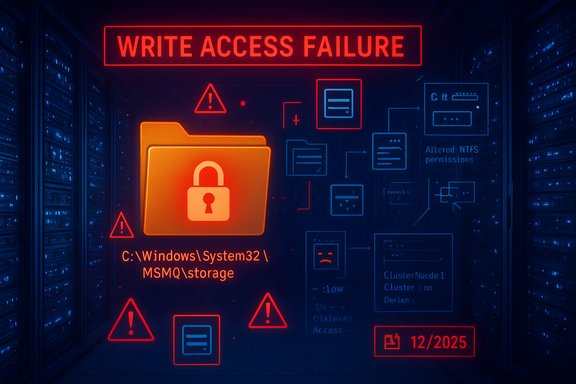
Microsoft has confirmed a serious regression in its December 2025 Extended Security Update (ESU) rollups for Windows 10 and several server builds: the cumulative patches that include KB5071546 (and companion KBs for older server SKUs) modify the Message Queuing (MSMQ) security model and NTFS permissions, producing write-access failures to the MSMQ storage folder that leave queues inactive, IIS-hosted apps failing with misleading “insufficient resources” errors, and business-critical message flows stalled. The patch was released on December 9, 2025 and Microsoft appended a Known Issue notice to the KB pages on December 12, 2025; the company says the problem is under investigation and has not provided a firm timeframe for a corrective release. This article explains what changed, who’s at risk, practical mitigations, and the security and operational trade-offs administrators must weigh while awaiting an official fix.
Microsoft’s Extended Security Updates program keeps Windows 10 ESU builds receiving security rollups beyond mainstream support. The December 2025 cumulative updates — shipped as KB5071546 for Windows 10 21H2/22H2 ESU branches (and as KB5071543 / KB5071544 for older server channels) — include a security hardening for Microsoft Message Queuing (MSMQ) mapped to CVE‑2025‑62455. Within days of the rollouts, enterprise administrators began reporting failures in MSMQ-backed applications and IIS sites. Microsoft’s official update notes now list a Message Queuing (MSMQ) known issue, describing symptoms and tying the root cause to changes in the NTFS ACLs on C:\Windows\System32\MSMQ\storage that require write access by MSMQ users where previously such access was implicitly available.
Key technical points:
Recommended workflow:
High level steps (perform in maintenance window):
Notable strengths
While Microsoft has acknowledged the problem and is investigating, there is no published fix ETA as of the update to the KBs on December 12, 2025. Administrators should follow a conservative, test‑first approach: validate mitigations in lab environments, restrict ACL changes to the smallest set of accounts required, document everything, and be ready to reapply the cumulative update once Microsoft issues a corrected LCU. The incident is a timely reminder that long‑lived middleware like MSMQ requires explicit attention during modern patching cycles — and that compatibility testing should remain an essential part of enterprise change control.
Source: BetaNews Microsoft warns of problems with Windows 10 extended updates
 Background
Microsoft’s Extended Security Updates program keeps Windows 10 ESU builds receiving security rollups beyond mainstream support. The December 2025 cumulative updates — shipped as KB5071546 for Windows 10 21H2/22H2 ESU branches (and as KB5071543 / KB5071544 for older server channels) — include a security hardening for Microsoft Message Queuing (MSMQ) mapped to CVE‑2025‑62455. Within days of the rollouts, enterprise administrators began reporting failures in MSMQ-backed applications and IIS sites. Microsoft’s official update notes now list a Message Queuing (MSMQ) known issue, describing symptoms and tying the root cause to changes in the NTFS ACLs on C:\Windows\System32\MSMQ\storage that require write access by MSMQ users where previously such access was implicitly available.What is MSMQ and why it matters
MSMQ (Microsoft Message Queuing) is a long-standing Windows component that provides durable, asynchronous messaging for local and distributed applications. It underpins messaging patterns in legacy line‑of‑business applications, integration middleware, and certain IIS-hosted web apps. For many enterprises, MSMQ is not a peripheral feature — it is part of transactional pipelines (order processing, telemetry ingestion, archival queues). When MSMQ storage operations fail, the impact is immediate and often severe: queued messages are not accepted, delivery stalls, application threads time out, and downstream systems are starved of data.What Microsoft changed — the technical root cause
Microsoft’s December updates introduced changes to the MSMQ security model and the NTFS permissions applied to the MSMQ storage folder (C:\Windows\System32\MSMQ\storage). The practical effect is that non‑administrative service identities that previously could write to MSMQ storage no longer have the necessary write access. When those identities (for example, IIS application pool identities, LocalService, NetworkService, or specific service accounts) attempt to create or append the .mq files that MSMQ uses for persistent storage, the file‑creation fails. Because MSMQ surfaces these failures as low‑level resource errors, the system logs and application errors often claim “insufficient disk space or memory” or “insufficient resources to perform operation,” which is misleading and slows initial triage.Key technical points:
- The update alters the NTFS security descriptor on the MSMQ folders, including the storage subfolder. Administrators inspecting the folder SDDL observed differences after patching that remove or break previously effective inheritance/ACE entries for low‑privilege identities.
- The MSMQ APIs that create storage files return error codes that are interpreted internally as resource exhaustion rather than explicit access denied, which is why the symptom set points to disk/memory shortages instead of ACLs.
- Clustered MSMQ environments under load can be impacted during failover or heavy I/O because the storage‑file creation steps fail across nodes, risking resource‑state inconsistencies.
- Microsoft lists the problem as a known issue in the December cumulative updates and indicates investigation is ongoing, with no ETA for a fix.
Who is affected
The regression predominantly affects environments that:- Run Windows 10 ESU builds that received KB5071546 (Windows 10 22H2 and 21H2 ESU builds), or server systems updated with the parallel KBs that include the same MSMQ hardening.
- Host applications that write to local MSMQ queues, especially IIS-hosted apps that rely on the IIS app‑pool identity (IIS_IUSRS) or built‑in service accounts (LocalService, NetworkService) to perform queue writes.
- Use clustered MSMQ resources or have MSMQ under load — clustered resources can fail offline or refuse to come online if the storage path is not writable by the expected identities.
- Rely on middleware or integration software built around MSMQ (legacy message brokers, ERP integrations, archival or print queues).
Symptoms and diagnostic checklist
If you suspect your environment is impacted, look for these observable signs:- IIS sites return errors (500 series) with application logs or HTTP logs containing “Insufficient resources to perform operation.”
- Applications that normally write to local MSMQ queues fail to enqueue messages; message queues are reported as inactive.
- Event Viewer or application logs show misleading messages about disk space or memory even when those resources are plentiful.
- Errors during MSMQ startup or file creation such as: “The message file 'C:\Windows\System32\msmq\storage*.mq' cannot be created.”
- Clustered MSMQ resources fail to come online or fail over cleanly under load.
- Confirm the machine installed the December 2025 cumulative update (KB5071546 or the relevant KB for your SKU) — check Windows Update history or the OS build number.
- Inspect the ACLs on C:\Windows\System32\MSMQ and C:\Windows\System32\MSMQ\storage using Get‑Acl (PowerShell) or the Security tab in File Explorer.
- Review the MSMQ service status and the System/Application event logs for the indicated error messages.
- Identify the identity expected to perform MSMQ writes (IIS app pool identity, LocalService/NetworkService, or a service account).
- Isolate affected IIS app pools or services and test queue write operations under a controlled user context.
Mitigation options: trade-offs, step-by-step actions, and cautions
Administrators have three practical options while waiting for a vendor patch: rollback the update, apply a narrowly scoped ACL/workaround to restore write access, or move MSMQ storage off the system folder. Each option has benefits and risks.Option A — Roll back the cumulative update (fastest full recovery, removes security fixes)
Rollback restores previous ACLs and eliminates the regression, but it also removes the security fixes included in the LCU.- Identify the KB to remove (e.g., KB5071546).
- On affected machines, uninstall the update through Settings > Update & Security > Windows Update > View update history > Uninstall updates, or use wusa:
- wusa /uninstall /kb:5071546
- Reboot and validate MSMQ and application behavior.
- Document the rollback and plan a risk assessment for running unpatched software until a safe replacement or fix is available.
- Uninstalling an LCU removes multiple security patches; this increases exposure and may not be acceptable in high‑risk environments.
- Rollbacks should be performed during maintenance windows and after backups.
Option B — Apply a targeted NTFS ACL workaround (fastest operational fix, increases local attack surface)
Grant the minimal Write/Modify permissions only to the identities that need to write to the MSMQ storage folder. This restores queue writes without reverting all security fixes — but because it relaxes a system folder’s permissions, it increases the attack surface if not scoped properly.Recommended workflow:
- Identify the exact identity that needs access:
- For IIS: confirm the Application Pool identity (ApplicationPoolIdentity, a custom service account, or NetworkService).
- For services: note the Windows service “Log On As” account.
- Test in a lab or single non‑production machine.
- Example PowerShell checks:
- Get existing ACL: Get‑Acl -Path 'C:\Windows\System32\MSMQ\storage' | Format‑List
- Verify process identity: runas /user:<identity> whoami (in a controlled test) or use Process Monitor.
- Apply a narrowly scoped grant (example with icacls; test carefully before rolling out broadly):
- icacls "C:\Windows\System32\MSMQ\storage" /grant "IIS_IUSRS
 OI)(CI)(M)"
 - Restart MSMQ: net stop msmq && net start msmq
- Validate queue creation and application behavior under load.
- Grant only the exact privileges required (Modify vs Full control).
- Use inheritance flags carefully; avoid granting broadly to “Everyone.”
- Log the change, apply via configuration management, and set a cadence to revert the ACL once Microsoft issues a fix.
- Communicate to security and compliance teams because modifying System32 ACLs may violate hardening baselines.
Option C — Move MSMQ storage to a non-system volume (structural fix, operationally invasive)
Relocating MSMQ storage to another volume lets an administrator control NTFS permissions on a non-system path and avoid relaxing System32 ACLs. This is the most invasive option and requires downtime.High level steps (perform in maintenance window):
- Stop the MSMQ service on all nodes: net stop msmq
- Copy the existing storage files to a safe location on the target volume (ensure backups).
- Reconfigure MSMQ to use the new storage path (via MMC or registry—proceed only after reading MSMQ configuration documentation).
- Start MSMQ and validate operation and message integrity.
- Test failover and cluster behavior if applicable.
- Mistakes during relocation can cause message loss. Take full backups.
- Clustered MSMQ requires coordinated changes across nodes.
- This is operationally heavy; use only when ACL adjustments are unacceptable.
Recommended immediate plan for administrators
Given the security trade-offs and operational realities, a pragmatic triage plan typically looks like this:- Identify affected systems and prioritize by business impact (production transactional systems first).
- If the business impact is severe and immediate, perform a controlled rollback of the cumulative update on impacted hosts while opening a risk exception for the temporarily reduced security posture.
- If rollback is unacceptable due to security exposure, implement a narrowly scoped ACL workaround on targeted systems and validate under load.
- For clustered systems, perform cluster‑wide mitigation tests in a maintenance window before applying changes in production.
- Record all changes centrally, notify security/compliance teams, and maintain a timeline for reverting temporary ACL relaxations once Microsoft issues a corrective patch.
- Keep a close watch on Microsoft’s update notes for the KB and official guidance; apply the corrective patch only after validation in a QA environment.
Testing and validation checklist
Before and after applying any mitigation, validate the following:- MSMQ service starts cleanly and stays online (check Services and System event log).
- Application endpoints that write to MSMQ can enqueue and dequeue messages under simulated load.
- IIS sites do not return resource errors once the ACL or rollback is applied.
- Cluster failovers succeed and MSMQ resources come online on passive nodes.
- No unintended permission escalation or overly permissive NTFS entries were introduced.
Security and operational analysis — strengths and risks
This incident highlights a recurring tension in modern Windows servicing: security hardening vs. backward compatibility for long-lived middleware.Notable strengths
- Microsoft’s inclusion of the MSMQ hardening addresses a genuine elevation‑of‑privilege class vulnerability (the KBs map to a CVE entry). Hardening legacy subsystems that accept or modify persistent on‑disk data is a valid security priority.
- The rapid acknowledgement and addition of a Known Issue to the KB pages allows administrators to triage — Microsoft publicly documented the symptoms and root cause quickly.
- The ACL change has high operational impact for organizations still dependent on MSMQ. The masking of access‑denied as resource errors increases time to detection and remediation.
- The mitigation-space is hazardous: uninstalling the LCU removes multiple security fixes, while relaxing System32 ACLs undermines system hardening and expands attack surface.
- The absence of a patch ETA leaves administrators in a difficult position balancing security and availability — not an ideal place for production operations teams.
- Rolling back the update removes security remediation for the CVE; this may be unacceptable in environments facing high threat levels.
- Granting write access to non‑admin accounts on a System32 subfolder increases the window for local exploitation if an attacker can impersonate or escalate to those accounts.
- Moving MSMQ storage to a non‑system path is safer from an ACL perspective but requires careful operational controls to avoid data loss and to meet backup/DR policies.
Communication and governance: what to tell stakeholders
- Inform operations, application owners, and security teams immediately if you identify impacted systems. Be explicit about the trade‑offs: rollback reduces security posture; ACL workarounds increase attack surface.
- Document the mitigation window, the exact ACL changes made (including SDDL or icacls output), and the plan to revert to baseline once Microsoft issues a corrective update.
- For externally facing services, prepare communications for downtime or degraded service if the mitigation requires reboots or rolling updates.
Final assessment and outlook
The December 2025 ESU rollups addressed a real MSMQ security concern but introduced a consequential operational regression by changing ACLs on C:\Windows\System32\MSMQ\storage. The immediate priorities for administrators are rapid triage, measured mitigations, and strict controls around any temporary ACL relaxations. Organizations still running MSMQ in production will need to weigh the risks of uninstalling the cumulative update against the security exposure of loosening permissions on system folders.While Microsoft has acknowledged the problem and is investigating, there is no published fix ETA as of the update to the KBs on December 12, 2025. Administrators should follow a conservative, test‑first approach: validate mitigations in lab environments, restrict ACL changes to the smallest set of accounts required, document everything, and be ready to reapply the cumulative update once Microsoft issues a corrected LCU. The incident is a timely reminder that long‑lived middleware like MSMQ requires explicit attention during modern patching cycles — and that compatibility testing should remain an essential part of enterprise change control.
Quick reference: practical commands and checks (test in lab first)
- Check update history and installed KBs:
- Settings > Update & Security > View update history
- OR: wmic qfe list | findstr 5071546
- Inspect ACL on MSMQ storage:
- PowerShell: Get‑Acl -Path 'C:\Windows\System32\MSMQ\storage' | Format‑List
- Example (test-only) ACL grant to IIS_IUSRS:
- icacls "C:\Windows\System32\MSMQ\storage" /grant "IIS_IUSRSOI)(CI)(M)"
- Restart MSMQ: net stop msmq && net start msmq
- Uninstall KB (use with caution, schedule maintenance window):
- wusa /uninstall /kb:5071546
- Validate MSMQ service:
- sc query msmq
- Event Viewer: Windows Logs → System / Application for MSMQ entries
Source: BetaNews Microsoft warns of problems with Windows 10 extended updates