

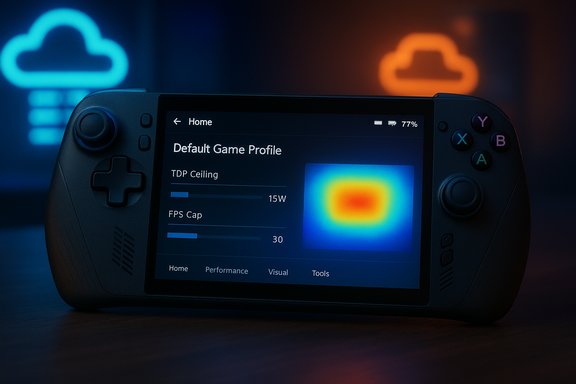
Microsoft and ASUS have quietly rolled out a practical — and potentially game-changing — energy management layer for the ROG Xbox Ally handheld: Default Game Profiles, a set of hand‑crafted per‑title performance presets that automatically balance frame rate (FPS) and power draw to extend battery life without forcing players into guesswork.
The ROG Xbox Ally family (ROG Xbox Ally and ROG Xbox Ally X) launched into an already crowded handheld-PC market with a familiar trade‑off: desktop‑class hardware that shines while plugged into mains but struggles to keep high frame rates when untethered. ASUS’s Armoury Crate SE has long provided per‑game profile controls that let users change TDP, FPS limits, RSR/RSR‑like upscaling, and other GPU/CPU parameters manually. Microsoft’s new Default Game Profiles layer aims to automate that tuning for a catalog of popular titles, applying recommended Thermal Design Power (TDP) budgets and frame‑rate ceilings when the device is running on battery. This initiative is a joint effort: Xbox teams ran the benchmarking and target‑setting for many games, the profiles are distributed via Microsoft’s services (Gaming Runtime Service / GRTS), and ASUS’s Armoury Crate SE is responsible for applying the profile locally on the Ally devices. That pipeline means the profiles can be updated server‑side and rolled out to devices without requiring a full firmware flash.
Microsoft claims meaningful gains: for Hollow Knight: Silksong, they report nearly an extra hour of battery life versus "Performance" mode while still running 120 FPS under the Default Game Profile. That kind of concrete example helps illustrate the trade space the profiles are operating in.
However, several caveats temper enthusiasm:
In the near term, the industry would benefit from clearer public documentation (a searchable, maintained list of supported titles and their target FPS/TDP) and an explicit privacy/telemetry statement describing what data Microsoft collects to tune and validate profiles. Those steps would reduce uncertainty and build the trust necessary for cloud‑driven performance tuning to become a staple of handheld PC ecosystems.
Default Game Profiles are a welcome, pragmatic step toward making handheld Windows gaming less fiddly and more predictable — provided Microsoft, ASUS, and their partners maintain transparency, fast iterations, and a commitment to letting users take the wheel when they want to.
Source: PCWorld ROG Xbox Ally's tuned performance profiles will extend battery life
 Background
The ROG Xbox Ally family (ROG Xbox Ally and ROG Xbox Ally X) launched into an already crowded handheld-PC market with a familiar trade‑off: desktop‑class hardware that shines while plugged into mains but struggles to keep high frame rates when untethered. ASUS’s Armoury Crate SE has long provided per‑game profile controls that let users change TDP, FPS limits, RSR/RSR‑like upscaling, and other GPU/CPU parameters manually. Microsoft’s new Default Game Profiles layer aims to automate that tuning for a catalog of popular titles, applying recommended Thermal Design Power (TDP) budgets and frame‑rate ceilings when the device is running on battery. This initiative is a joint effort: Xbox teams ran the benchmarking and target‑setting for many games, the profiles are distributed via Microsoft’s services (Gaming Runtime Service / GRTS), and ASUS’s Armoury Crate SE is responsible for applying the profile locally on the Ally devices. That pipeline means the profiles can be updated server‑side and rolled out to devices without requiring a full firmware flash. What Default Game Profiles actually do
The mechanics, in plain language
- Each Default Game Profile contains at least two actionable limits: a TDP (power) ceiling and a target FPS (a cap or target framerate).
- Profiles are applied only when the handheld is on battery power and when the supported game is the foreground application.
- If a supported game is running below its target FPS, the profile can allow the system to raise available power/TDP to bring performance toward the target.
- If a game is running far above its target, the profile will cap the FPS and reduce TDP to spare battery life while keeping gameplay smooth.
- Profiles are distributed from Microsoft and applied by Armoury Crate SE; users retain the ability to toggle the feature globally or per game via the Armoury Crate Command Center/Game Bar widget.
Why that matters for handheld gaming
Handheld battery life is a function of component power draw, thermal headroom, and how efficiently a game uses the GPU/CPU. By setting a per‑title sweet spot — a frame‑rate target that balances perceived smoothness against energy cost — Microsoft and ASUS can extend unplugged playtime while preserving the feel of the game the developer intended.Microsoft claims meaningful gains: for Hollow Knight: Silksong, they report nearly an extra hour of battery life versus "Performance" mode while still running 120 FPS under the Default Game Profile. That kind of concrete example helps illustrate the trade space the profiles are operating in.
Rollout, supported games, and how to enable it
What’s available now
At launch (preview), Microsoft and ASUS have said the feature will apply to a catalog of popular games. Public announcements list a sample set of titles including major first‑party franchises and popular third‑party games: Call of Duty (Black Ops 6/7 and Warzone), DOOM Eternal and DOOM: The Dark Ages, Forza Horizon 5, Gears 5 / Gears of War: Reloaded / Gears Tactics, Halo: The Master Chief Collection, Indiana Jones and the Great Circle, Minecraft, Sea of Thieves, Tony Hawk’s Pro Skater 3+4, and others. There is a numerical inconsistency in public materials: some communications cite 40 supported games at launch, while Microsoft’s developer post has referenced “nearly 70” titles in the first wave. That discrepancy has not been explained publicly and suggests either a staged rollout (40 visible, 70 tested/queued) or differences between marketed launch lists and internal test coverage. Treat the headline numbers as approximate until Microsoft publishes a consolidated list.How to turn the feature on (step‑by‑step)
- Be sure you’ve installed the latest updates for Armoury Crate SE, the Xbox PC app, and Windows 11 on your Ally device.
- Launch the Armoury Crate Command Center Game Bar widget while the device is unlocked.
- Scroll to the Game Profiles entry; the Default Game Profiles setting appears there with a toggle.
- Toggle ON to enable Default Game Profiles globally; individual games that have a profile will show that it is active when you launch the title.
- If needed, open a game’s entry in Armoury Crate SE to view or override profile settings on a per‑game basis.
Measured and claimed benefits — what to believe
Microsoft’s messaging centers on two measurable benefits:- More time unplugged: by capping unnecessary headroom in titles that easily exceed the target FPS, battery life improves.
- More consistent framerates: by increasing power when a title is struggling, the system can raise performance to meet the hand‑set target threshold.
Cross‑verification and caution
- Multiple announcements confirm the basic mechanism: Xbox Wire and Microsoft’s developer post both describe TDP and FPS limits being managed per game and distributed to devices. That consistency between the consumer‑facing announcement and developer documentation strengthens the core claim.
- Independent reporting (The Verge, PCWorld, tech outlets) repeats Microsoft’s Hollow Knight example and describes a 40‑game launch catalog, but the developer blog’s “nearly 70” figure is at odds with the 40‑game number. That gap is unresolved in public materials. Use caution when quoting exact counts.
Why this matters to developers and platform engineers
For game developers
- Default Game Profiles provide a baseline system behavior that developers can rely on for the Ally form factor. Microsoft’s testing establishes a known power/performance envelope for many titles, which is useful for QA and optimization on handheld hardware.
- However, the existence of a platform‑applied profile may mask in‑game performance issues if devs assume the system will always “fix” framerate fluctuations. Developers should still optimize per usual and use the profiles as an additional safety net, not a replacement for performance work.
For system and firmware engineers
- Delivering the profiles via a server (GRTS) and applying them client‑side allows rapid iteration, but it also introduces an operational dependency: devices must be able to contact Microsoft services to receive updates. Offline or air‑gapped systems will be limited to whatever profiles were last cached.
- The approach reduces the number of user support tickets about “what TDP should I use,” which simplifies troubleshooting and improves out‑of‑box experience on a complex Windows handheld ecosystem.
Strengths: what the Default Game Profiles get right
- Pragmatic UX focus: Default Game Profiles solve a real pain point — fiddly, technical power tuning — for ordinary players who want a consistent experience without manual tuning.
- Per‑title intelligence: Rather than a single global profile, per‑game settings allow tailoring to the performance profile of each title, which is more effective than one‑size‑fits‑all strategies.
- Server‑side updates: Rolling out profiles via Microsoft’s services enables fast updates and the ability to iterate as games patch, which is important for live‑service titles that change frequently.
- User control remains: Armoury Crate SE and the Game Bar allow toggles and overrides; users are not forced into blind automation.
- Developer collaboration: Microsoft frames this as a cooperative effort with devs and platform partners (ASUS, AMD, Windows), which can produce better results than unilateral vendor tuning.
Risks, limitations, and unknowns
1) Rollout transparency and numbers
Public materials show different counts for initial coverage (40 vs ~70). That raises minor but important questions: which titles are included, and when will additional games be added? Gamers may assume their favorite title is covered when it is not. Microsoft should publish a definitive, updateable list.2) Edge cases where automation can hurt
- For competitive players or speedrunners, an automated per‑title FPS cap or power change could be undesirable. Although toggles exist, the default behavior might surprise those who prefer manual control.
- Some games rely on unlocked FPS for physics or timing; an external FPS cap can introduce subtle gameplay changes if it’s not implemented carefully.
3) Telemetry, privacy, and remote control
Profiles are distributed via Microsoft’s service and applied by Armoury Crate. That introduces:- A dependency on cloud services to fetch updates.
- Questions about what telemetry is collected (performance metrics, installed game lists, usage patterns) to generate and validate profiles. Microsoft’s materials discuss testing but are sparse on telemetry specifics; privacy‑minded users should review related privacy and diagnostics settings.
4) Thermal and battery variability
Battery health, ambient temperature, and individual device variation mean per‑title targets will not be uniformly achievable. A profile that adds an hour to one Ally in cool conditions may add far less on a warmer unit or a device with an aged battery.5) Fragmentation across ecosystems
Armoury Crate SE, the Xbox PC app, and Windows 11 are all required to use the new profiles. Users who prefer alternative launchers, custom roms, or who run older versions of Windows may not get the benefit. Expect staggered availability and patching quirks; community reports show Armoury Crate updates can sometimes introduce regressions that require reinstalling or manual fixes.Practical advice for Ally owners and enthusiasts
- Keep Armoury Crate SE, the Xbox PC app, and Windows updated. Profiles are only delivered and applied when the ecosystem is up to date.
- Validate profile behavior per‑game: enable the Default Game Profile and play for a short session, then toggle off to compare battery life and feel. Rely on direct observation rather than press examples.
- Use manual overrides for competitive or timing‑sensitive games. Armoury Crate still allows per‑game edits and manual TDP/FPS selection.
- Monitor thermals and battery wear. If a profile increases TDP to chase a target FPS, be mindful of temperatures and long‑term battery health.
- Be prepared for staggered rollouts. Community forums show that software updates for Armoury Crate are occasionally phased or buggy; checking the Armoury Crate version and plugin changelogs can clarify what reached your device.
How this stacks up against competitors
Valve’s Steam Deck verification and performance guidance have long included per‑title recommended settings and verified compatibility tiers. Microsoft’s Default Game Profiles are conceptually similar — a curated, per‑title configuration designed to give the best experience on handheld silicon — but delivered in the Windows+Armoury Crate ecosystem rather than a dedicated OS like SteamOS. The result is comparable in intent; differences will come down to execution, update cadence, and how tightly the profiles integrate with system drivers and OEM tools. Key differences:- Steam Deck’s ecosystem is vertically integrated around Valve’s hardware and SteamOS, which simplifies consistency.
- The ROG Xbox Ally approach must coordinate among Microsoft, ASUS, AMD, and Windows; that collaboration enables wider Windows compatibility but introduces more moving parts.
The developer and platform perspective: a double‑edged sword
Default Game Profiles are both a useful baseline and a potential crutch.- From a platform perspective, providing stable, tested per‑title profiles improves the out‑of‑box experience and reduces support costs. It also helps Microsoft present the Ally as a handheld‑friendly platform with curated behavior — a meaningful differentiator for mainstream buyers.
- From a development perspective, the profiles can make it easier to achieve a baseline handheld experience without exhaustive individual title tuning, but they do not replace the need for in‑game optimizations (render pipeline efficiency, level‑of‑detail settings, GPU culling, etc..
The road ahead: Auto SR, highlight reels, and the Full Screen Experience
Microsoft’s communications also signal an expansion of AI and platform features for handhelds. Early next year, the company plans to introduce Automatic Super Resolution (Auto SR) — a system‑level upscaling that increases frame rates using spatial upscaling techniques — and a highlight reel feature for capture and sharing. The Xbox Full Screen Experience, which minimizes background tasks and focuses resources on gameplay, has already been expanded to handhelds and is referenced as part of this broader handheld optimization strategy. These changes pair naturally with Default Game Profiles: as the platform increases framerate through upscaling, profiles can refocus power budgets to maximize battery life while ensuring a playable framerate target.Final analysis and verdict
Default Game Profiles for the ROG Xbox Ally mark a pragmatic evolution in handheld‑PC usability. By automating per‑title power and FPS tuning, Microsoft and ASUS reduce a technical barrier for mainstream players while giving power users the ability to override settings. The concept is solid: set a practical framerate target, then spend battery where it materially improves the experience and throttle where it does not.However, several caveats temper enthusiasm:
- Public communications contain inconsistent figures (40 vs ~70 titles), and the lack of a single, authoritative, updateable list of supported games creates confusion.
- Automated power adjustments can surprise certain user groups (competitive/racing/speedrunning communities, or titles where uncapped FPS drives game logic).
- Dependence on cloud delivery and Armoury Crate’s stability means the feature is only as reliable as the update path; community reports remind us that Armoury Crate updates can sometimes bungle settings and require fixes.
In the near term, the industry would benefit from clearer public documentation (a searchable, maintained list of supported titles and their target FPS/TDP) and an explicit privacy/telemetry statement describing what data Microsoft collects to tune and validate profiles. Those steps would reduce uncertainty and build the trust necessary for cloud‑driven performance tuning to become a staple of handheld PC ecosystems.
Default Game Profiles are a welcome, pragmatic step toward making handheld Windows gaming less fiddly and more predictable — provided Microsoft, ASUS, and their partners maintain transparency, fast iterations, and a commitment to letting users take the wheel when they want to.
Source: PCWorld ROG Xbox Ally's tuned performance profiles will extend battery life
