

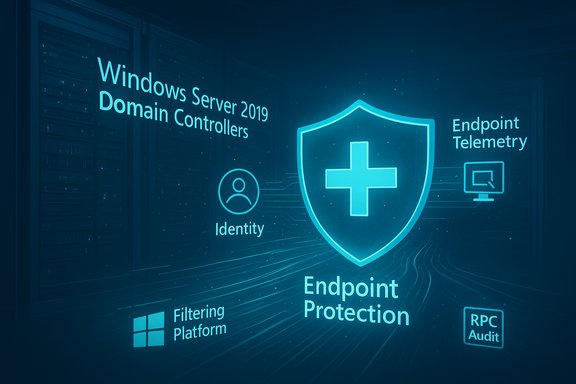
Microsoft’s latest Defender for Identity sensor v3.x unifies endpoint and identity protection, dramatically simplifying deployment on modern domain controllers while adding deeper visibility via Windows Filtering Platform (WFP)–based RPC auditing—but it also arrives with limited feature parity and operational trade‑offs that every security team must weigh before switching to the new unified sensor model.
The Defender for Identity sensor is the on‑premises component that collects authentication activity, protocol traffic and behavioral signals from domain controllers and other identity infrastructure, then correlates that data with threat intelligence to detect identity‑based attacks such as lateral movement, credential theft and reconnaissance. The sensor has existed in a “classic” form (v2.x) as a standalone component that required separate installation, packet capture components (NPCAP), and several runtime prerequisites. The v3.x sensor represents a strategic change: it is distributed and managed through the Defender for Endpoint stack and, on eligible servers, is integrated directly into Windows Server 2019 and later via the OS and Defender platform. Microsoft frames v3.x as a “unified” identity-and-endpoint sensor that reduces deployment friction and centralizes management in the Defender portal. For organizations that have already onboarded domain controllers to Microsoft Defender for Endpoint, activation of identity protections can be done from the portal with a few clicks, and admins may opt for automatic activation across eligible servers. That consolidation is the core operational promise: fewer manual installation steps, fewer moving parts to maintain, and faster time‑to‑protection.
However, the release is not a universal one‑size‑fits‑all solution today. Because v3.x has limited feature parity at rollout, requires Defender for Endpoint onboarding, and introduces operational considerations (notably RPC audit performance and platform coupling), a cautious, staged migration is the most prudent course:
Source: Petri IT Knowledgebase Microsoft Defender for Identity Sensor v3.x Boosts Security and Detection
 Background / Overview
The Defender for Identity sensor is the on‑premises component that collects authentication activity, protocol traffic and behavioral signals from domain controllers and other identity infrastructure, then correlates that data with threat intelligence to detect identity‑based attacks such as lateral movement, credential theft and reconnaissance. The sensor has existed in a “classic” form (v2.x) as a standalone component that required separate installation, packet capture components (NPCAP), and several runtime prerequisites. The v3.x sensor represents a strategic change: it is distributed and managed through the Defender for Endpoint stack and, on eligible servers, is integrated directly into Windows Server 2019 and later via the OS and Defender platform. Microsoft frames v3.x as a “unified” identity-and-endpoint sensor that reduces deployment friction and centralizes management in the Defender portal. For organizations that have already onboarded domain controllers to Microsoft Defender for Endpoint, activation of identity protections can be done from the portal with a few clicks, and admins may opt for automatic activation across eligible servers. That consolidation is the core operational promise: fewer manual installation steps, fewer moving parts to maintain, and faster time‑to‑protection. What’s new in v3.x (feature summary)
Built into modern Windows Server and a single activation path
- Pre‑installed/OS integration: On domain controllers running Windows Server 2019 (with the required cumulative update) and later, the v3.x sensor is supplied as part of the Defender/OS stack and does not require the separate Win32 sensor package used by v2.x. This removes manual distribution of sensor installers to new DCs.
- One‑click activation via Defender portal: Once a DC is onboarded to Defender for Endpoint, admins can enable Defender for Identity capabilities from the portal’s Activation page; activation can be done manually per server or automatically for all eligible devices. The first activation may take longer (~up to an hour) to be fully visible in the portal; subsequent activations appear faster.
Deeper network and RPC visibility: WFP + RPC audit tags
- Windows Filtering Platform (WFP) usage: The v3.x sensor can leverage WFP to inspect relevant network traffic and context without relying on older packet capture stacks. WFP provides a kernel‑level filtering facility that the sensor uses to gain improved visibility into RPC and other traffic patterns relevant to identity detections.
- Unified Sensor RPC Audit tag: Microsoft introduced an opt‑in configuration tag (Unified Sensor RPC Audit) that enables Remote Procedure Call (RPC) monitoring via WFP for domain controllers running the unified sensor. This unlocks advanced identity detections that rely on RPC telemetry. The tag is applied through asset management rules and is not enabled by default. Rollout of this post‑deployment option began in late September 2025 as a preview step.
Reduced prerequisites and packaging friction
- No separate NPCAP or explicit .NET sensor install: The new activation path eliminates the manual .NET dependency/end‑user install tasks and NPCAP configuration that were typical of the classic sensor deployment, reducing misconfiguration risk and simplifying audits. Instead, Defender for Endpoint and the OS supply the necessary surface for activation.
Deployment requirements and prerequisites
Before enabling v3.x on production domain controllers, confirm the following environment constraints and controls:- Operating system: Domain controllers must be running Windows Server 2019 or later with the specified cumulative update for the unified sensor to be eligible. Older servers (Windows Server 2016 and earlier) should continue to use the classic v2.x sensor.
- Microsoft Defender for Endpoint onboarding: A domain controller must be onboarded to Defender for Endpoint (Servers) before v3.x identity capabilities can be activated; the v3.x sensor depends on the endpoint stack for deployment and telemetry.
- Antivirus mode: The Defender for Identity v3.x sensor requires Microsoft Defender Antivirus to be running in either active or passive mode on the DC as part of the Defender for Endpoint dependency.
- Licensing: Deploying the unified sensor requires qualifying Microsoft 365/Microsoft Defender licensing. Supported SKUs include Enterprise Mobility + Security E5 (EMS E5/A5), Microsoft 365 E5 (E5/A5/G5), Microsoft 365 E5/A5/G5/F5 Security, Microsoft 365 F5 Security + Compliance, or a standalone Defender for Identity license. F5 license deployments have additional prerequisites (for example, pairing with Microsoft 365 F1/F3 or Office 365 F3 and EMS E3). Licenses are available via Microsoft 365 portal or Cloud Solution Partners.
- Feature limitations (preview parity): As of v3.x rollout, Microsoft notes that the unified sensor is in preview/early availability and lacks feature parity with the classic sensor in some areas—examples include VPN/ExpressRoute support, some health alerts, posture recommendations, and advanced hunting data currently being incomplete. Administrators must weigh the trade‑offs of simplified deployment versus missing capabilities.
How activation works (operational flow)
- Ensure the domain controller is onboarded to Defender for Endpoint and meets OS and update requirements.
- From the Microsoft Defender portal, navigate to System > Settings > Identities > Activation; eligible servers are presented in the Activation page inventory.
- Choose manual activation for selected domain controllers or enable automatic activation to apply v3.x to all eligible devices.
- After activation completes, verify the sensor health on the Sensors page; the first activation can take up to an hour for the sensor to register as Running, while later activations are typically faster.
What administrators gain: detection and management benefits
- Faster onboarding and reduced human error: With deployment handled by Defender for Endpoint, teams no longer need to manage Win32 installers, NPCAP installs, or separate sensor services for modern DCs—this reduces configuration drift and speeds up time‑to‑coverage.
- Unified telemetry for triage: Identity telemetry is surfaced alongside endpoint signals in the Defender portal, enabling analysts to correlate identity events with device behavior more easily, speeding up investigation and reducing alert fatigue.
- Advanced RPC‑based detections (opt‑in): When organizations elect to apply the Unified Sensor RPC Audit tag, v3.x can enable WFP‑based RPC monitoring that powers detections reliant on RPC call patterns—this can expose attacks that use RPC for lateral movement or abuse of RPC‑based services. The RPC Audit tag is opt‑in and controllable through asset rules, preserving administrative choice.
- Automation potential: Automatic activation across eligible DCs enables near‑zero touch protection for environments that meet the prerequisites, a meaningful operational advantage for large estates.
Important limitations and risks (what to watch for)
Feature parity and detection gaps
v3.x is explicitly not feature‑complete compared to the classic sensor at initial rollout. Specific capabilities such as VPN integration, ExpressRoute visibility and some advanced hunting artifacts are either limited or not yet available. For organizations reliant on those features—especially hybrid networking scenarios or specialized telemetry pipelines—moving to v3.x immediately may remove key detection signals.Performance and operational impact on domain controllers
Enabling WFP‑based RPC auditing increases the volume of kernel‑level processing on domain controllers. Microsoft’s message center announcement and advisory materials indicate the RPC Audit tag is opt‑in and recommend administrative review before wide application; third‑party summaries also warn that RPC monitoring can produce additional load and, without testing, could cause unexpected performance impacts on heavily loaded DCs. Plan capacity testing and monitoring when enabling WFP/RPC monitoring.Centralization of control and platform dependence
Because the unified sensor lifecycle ties to Defender for Endpoint, any availability or misconfiguration in the endpoint stack can affect identity telemetry. There have been community reports of v3.x activation showing as offline or disconnected in some rollouts after platform updates; while many of these incidents were transient or resolved by Defender updates, they illustrate the operational coupling introduced by unifying the sensor. Implement robust monitoring and rollback procedures.Data scope and privacy implications
The unified sensor shifts some identity telemetry into the Defender control plane. Although Microsoft documents licensing and tenant‑based RBAC requirements, organizations with strict data residency or compliance rules should review the telemetry flow, data retention and retention policies to ensure they align with regulatory obligations. Microsoft’s docs require an Entra (Azure AD) tenant and specific RBAC privileges for Defender for Identity setup.Independent perspectives and early adopter notes
- Microsoft’s technical blog and product docs underline the administrative benefits of consolidation and the WFP/RPC audit path for better identity detection—this is the vendor narrative and technical basis.
- Industry watchers and government cyber guidance (e.g., agency practical guides) highlight that the new unified sensor model is helpful for modern estates but warn that it does not yet replace the classic sensor in feature parity; they recommend a measured migration strategy. Such independent advisories recommend retaining classic sensors for legacy or specialized infrastructure until v3.x supports the missing capabilities.
- Community feedback from administrators shows both enthusiasm for lower deployment overhead and occasional operational hiccups (sensors transitioning to offline states after platform updates). These accounts emphasize the need for pilots and thorough rollback plans rather than immediate global flips in production.
Recommended migration and operational checklist
- Inventory and segmentation: Map all domain controllers and AD role servers (AD FS, AD CS, Entra Connect) and classify by OS version and business criticality. Keep servers running Windows Server 2016/2012R2 on the classic sensor until v3.x supports them or until a later migration window.
- Validate Defender for Endpoint posture: Ensure every DC targeted for v3.x is onboarded to Defender for Endpoint, with Microsoft Defender Antivirus running in the required mode. Confirm Windows Server cumulative updates are applied.
- Pilot with monitoring: Start with a small pilot group of non‑production or low‑risk DCs to activate v3.x and, optionally, the Unified Sensor RPC Audit tag. Monitor CPU, memory, and network telemetry during normal business hours and peak loads.
- Test detection fidelity: Validate that the detections your SOC relies on are present in the portal. Compare alerts, advanced hunting output, and forensic artifacts between the classic sensor and v3.x pilot hosts to identify gaps before broader rollout.
- Staged rollout and gating: Expand activation in stages, gating on successful pilot outcomes. Use automatic activation only after a controlled validation phase. Maintain the classic sensor on critical systems if feature parity for specific detectors is required.
- Operational runbook and rollback: Document how to revert a DC to the classic sensor (or how to disable the unified sensor) and run tabletop exercises for common problems: sensor offline state, performance degradation after enabling RPC auditing, or telemetry gaps. Community reports underline the need for clear rollback steps.
Practical troubleshooting pointers
- Sensor health and visibility: Use the Defender portal’s Sensors page after activation to confirm a sensor is Running; expect the first activation to take longer (up to an hour) to populate. If a sensor stays offline, verify endpoint onboarding, Defender Antimalware service state and cumulative update compliance.
- Logs and diagnostics: Because v3.x maps into Defender for Endpoint’s management plane, many traditional log locations differ from the classic sensor model. Consult Defender for Identity documentation and Defender for Endpoint diagnostic guides to locate relevant event traces and diagnostic packages. Community threads indicate some difficulty in obtaining equivalent “sensor logs” for the unified activation path—plan for that when troubleshooting.
- RPC audit tag issues: Treat the Unified Sensor RPC Audit tag as opt‑in for advanced detections; if RPC monitoring yields unexpected load or noise, disable the tag for that asset group and reassess rule criteria. Microsoft’s rollout guidance indicates this is a configurable, reversible step.
Governance, compliance and licensing considerations
- Tenant and RBAC: Creating and managing the Defender for Identity workspace requires a Microsoft Entra ID tenant and specific RBAC roles (Security Administrator or equivalent Unified RBAC permissions for system and security settings). Carefully control who can activate sensors and apply RPC audit tags.
- Licensing alignment: Confirm SKU eligibility across your estate before enabling v3.x. The licensing list is specific—using F5 SKUs requires additional pairing with other offerings—and licensing mismatch can block activation or create compliance headaches. Procurement should validate license scope for all DCs planned for activation.
- Data residency and privacy: Because identity telemetry is surfaced in Microsoft’s Defender control plane, align deployments with legal and compliance teams to ensure telemetry flow and retention meet regulatory obligations. Changes in how local admin collection works and other telemetry deprecations (for example, remote SAM‑R collection changes) are already in motion and should be tracked.
Critical analysis: strengths, practical value, and areas of concern
Strengths
- Operational efficiency: The reduction in installation steps and centralized activation materially lowers the operational burden of protecting a fleet of DCs and accelerates organizational coverage.
- Improved detection surface: WFP‑based monitoring and opt‑in RPC auditing provide visibility into attack patterns that previously required more complex capture setups, enabling higher‑fidelity identity detections when properly configured.
Practical value
- Large estates benefit most: Organizations with many domain controllers will see the greatest ROI from simplified provisioning and automatic activation. For security teams, the integrated telemetry improves the speed of investigations and incident response.
Areas of concern and risk
- Feature gaps: v3.x is not a drop‑in replacement for every environment yet. Where classic sensor features are required (VPN visibility, ExpressRoute, certain advanced hunting datasets), the v3.x model may reduce detection coverage or investigative artifacts.
- Performance impact: WFP and RPC monitoring increase kernel‑level processing. Without adequate testing, enabling RPC auditing at scale may affect DC performance; the opt‑in design mitigates but does not remove the risk.
- Operational coupling: Tying identity sensor lifecycle to Defender for Endpoint centralizes control—and risk. Platform issues, updates or on‑boarding misconfigurations can disrupt identity telemetry; teams must add appropriate monitoring and rollback plans. Community experiences highlight real‑world instances where sensors went offline after platform changes.
Final verdict and practical recommendation
Microsoft Defender for Identity sensor v3.x is a meaningful step toward a consolidated, easier‑to‑manage identity security posture for organizations running modern Windows Server domain controllers. The unified sensor’s integration into Windows Server, one‑click activation and the ability to enable WFP‑based RPC auditing give security teams powerful new detection capabilities and dramatically lower the barrier to enabling identity protections.However, the release is not a universal one‑size‑fits‑all solution today. Because v3.x has limited feature parity at rollout, requires Defender for Endpoint onboarding, and introduces operational considerations (notably RPC audit performance and platform coupling), a cautious, staged migration is the most prudent course:
- Pilot v3.x on a controlled set of domain controllers.
- Validate detection coverage against the classic sensor for workloads you care about.
- Use the Unified Sensor RPC Audit tag only after capacity testing.
- Maintain runbooks and rollback plans for sensor offline or performance incidents.
- Engage legal/compliance and licensing teams before mass activation.
Quick checklist for immediate action
- Ensure all candidate DCs are running Windows Server 2019+ and are fully patched.
- Confirm Defender for Endpoint onboarding and Microsoft Defender Antivirus state.
- Verify licensing eligibility across your tenant and procurement pipeline.
- Run a small pilot, enable RPC auditing only in test and monitor resource usage.
- Document rollback and monitoring steps before broader activation.
Source: Petri IT Knowledgebase Microsoft Defender for Identity Sensor v3.x Boosts Security and Detection
