

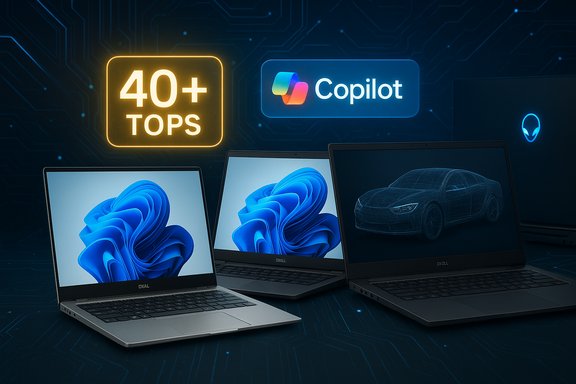
Dell’s 2025 laptop lineup is both familiar and brand-new: the familiar family of Inspiron, XPS, Latitude and Precision has been reorganized, while the company’s best models — from the mainstream Dell 14 Plus to the high-end Precision/Pro Max workstations and Alienware gaming rigs — remain the same machines at heart, recomposed and repositioned for an era that prizes on‑device AI and clearer buying tiers.
Background / Overview
Dell announced a sweeping renaming of its PC portfolio in early 2025, consolidating its previous brands into three main families: Dell (consumer/mainstream), Dell Pro (business/fleet), and Dell Pro Max (workstation/performance). The move aims to reduce confusion for buyers, but it also forces customers and IT pros to relearn familiar lines under new names. At the same time, the market’s priorities have shifted. Microsoft’s Copilot+ push and the rise of on‑device AI mean that NPUs (neural processing units) able to deliver 40+ TOPS have become a formal platform threshold for many advanced Windows AI features. That technical bar is now an explicit buying factor in laptop spec sheets, not an optional marketing phrase. The attached roundup and model-by-model breakdown below synthesizes PCMag UK’s 2025 “best Dell laptops” coverage with independent lab results and recent vendor statements. It highlights which models stand out, verifies key performance and battery claims against independent tests, and flags the real-world tradeoffs you’ll pay for style, raw power, or Copilot+ readiness.Why the 2025 Dell lineup matters
- Simplified naming, not new engineering. Dell’s rebrand refactors product names to make choice simpler, but the underlying engineering pedigrees (Inspiron → Dell, XPS → Dell Premium, Latitude → Dell Pro, Precision → Dell Pro Max) persist. That means buyers familiar with previous Dell models can map old expectations to the new names — if they check SKU details.
- AI is now a hardware requirement for certain features. Microsoft’s Copilot+ features require NPUs capable of roughly 40+ TOPS; vendors have responded by offering Copilot+‑qualified SKUs across Intel Core Ultra, AMD Ryzen AI, and Snapdragon‑based platforms. If on‑device AI matters to you, verifying the NPU and the certified Copilot+ flag is now as important as picking CPU cores or GPU VRAM.
- SKU fragmentation remains the buyer’s enemy. The same nominal model can ship with vastly different CPUs, NPUs, panels, and batteries. Dropping the old brand names reduces label complexity, but it also makes it easier to misread a model page if you don’t watch the full SKU string.
The headline picks — what PCMag highlighted and why it matters
Dell 14 Plus (DB14250) — Best for most buyers / midrange value and performance
PCMag positions the Dell 14 Plus as the best all‑around Dell for general buyers: a metal, nearly‑ultraportable chassis, comfortable keyboard, full port set including Thunderbolt 4, and Copilot+ capable SKUs on some configurations. Battery claims in the roundup (an extended mixed‑use runtime in the “all‑day” range) are aspirational for certain SKUs.Independent reviews show variance in real-world runtimes: TechRadar’s Dell 14 Plus testing produced a ~13‑hour web‑surfing battery number for the tested configuration, notably less than the most optimistic vendor or roundup figures — an important reminder that battery life depends heavily on panel choice, NPU/CPU configuration, and display refresh rate. If you want the long runtime claim to hold, check the exact panel and CPU/NPU configuration before buying. Key takeaways for buyers:
- Great midrange value when priced right; frequently drops on sale.
- Good balance of build quality, ports, and battery life in efficient SKUs.
- Confirm Copilot+ and NPU details if local AI features are a requirement.
Dell Precision 5690 (now Dell Pro Max 16 Premium equivalent) — Best for demanding pro workstations
PCMag’s roundup elevates the Precision 5690 (now conceptually folded into Dell Pro Max naming) as Dell’s flagship mobile workstation: Intel Core Ultra 9 options, Nvidia RTX Ada‑generation professional GPUs, and a configuration matrix aimed at CGI, engineering, and enterprise R&D workloads. The review praised its sustained compute ability and long battery life reported in lab tests.Independent battery measurements vary but are strong for a workstation: RTINGS measured the Precision 5690 with a 100 Wh battery at about 16.2 hours of web browsing and 13.8 hours of video playback with an integrated‑graphics configuration, which aligns with workstation class expectations (and is consistent with “MacBook Pro‑like” multitasking endurance for the tested SKU). Other reviewers reported lower numbers under heavier GPU loads. This emphasizes an important point: workstation battery metrics swing huge depending on GPU usage and OLED vs IPS panel choices. Why this matters:
- The Precision is a genuine ISV‑class mobile workstation — choose it if certification and multi‑hour offline creative compute matter.
- Expect premium pricing and a heavier chassis; battery longevity is very good for some SKUs but drops fast under sustained GPU/CPU load.
Alienware Area‑51 and Alienware 16X Aurora — gaming and content‑creation extremes
For gamers and high‑end content creators, PCMag highlights two Alienware families:- Alienware 16 Area‑51 — a desktop‑replacement, weighty, visually striking design (metal build, RGB, optional Cherry MX keyboard), paired with premium Intel Core Ultra 9 and GeForce RTX 5080/5090‑class GPUs in some SKUs. The Area‑51 is heavy and power‑hungry but a potent desktop replacement.
- Alienware 16X Aurora — PCMag’s pick for mainstream Dell gamers: a balance of price and performance with enthusiast‑grade displays and graphics, often seen with the best value configurations and attractive discount cadence.
- Battery life on high‑power gaming laptops is predictably poor; these are typically used plugged in. The Aurora line replaces Dell’s previous G‑Series as the mainstream gaming option.
Inspiron / Dell family entries: Inspiron 15 (3535) and Inspiron 16 2‑in‑1 7640
PCMag’s roundup still champions Inspiron‑class machines for budget and mainstream buyers:- Inspiron 15 (3535) — best budget Dell pick for students and everyday users; compromises (8 GB RAM in base SKUs, modest CPU) are expected but justified by aggressive pricing.
- Inspiron 16 2‑in‑1 7640 — a large convertible that appeals to creators and media consumers who want a true tablet experience with pen support and a large 16‑inch touch panel. It trades portability for a big, lovely screen and pen input.
- Budget Inspiron SKUs can vary dramatically by region and retailer; always check exact RAM and storage numbers rather than trusting family-level descriptions.
What the rebrand really changes — a practical read
Dell’s new naming structure reduces brand count but introduces tiered naming that mirrors rivals. The functional mapping is straightforward:- Dell = former Inspiron (consumer mainstream) and some XPS elements for lower tiers.
- Dell Premium = the former XPS premium UX and build approach (14 and 16‑inch premium ultraportables).
- Dell Pro = former Latitude business systems (fleet, manageability).
- Dell Pro Max = former Precision (workstations) and the highest performance tiers.
- Simpler top‑level choice for consumers and IT procurement.
- Easier mapping of performance expectations (Base / Plus / Premium sub‑tiers).
- Brand equity loss: XPS and Latitude were instantly recognizable; the rebrand forces a learning period.
- SKU-level confusion persists: simplified family names don’t prevent model pages with many divergent configurations — qualification still requires reading the spec sheet, not just the model name.
Technical verification and where to be cautious
Copilot+ and the 40+ TOPS NPU floor
Microsoft’s Copilot+ documentation explicitly sets an NPU performance guideline: some flagship Copilot+ desktop and laptop features expect NPUs that can deliver 40+ TOPS. That’s a quantifiable hardware threshold and an unmistakable filter for buyers who want full offline/on‑device AI features. If your target use cases rely on local Recall, Cocreate, or accelerated camera effects, insist on a Copilot+ designation or verify the NPU TOPS metric in the spec sheet.Battery and performance claims — check independent labs
Vendor battery claims and real‑world testing often diverge. For example:- PCMag’s roundup mentions extended battery life for some models — a fair editorial call for efficient SKUs — but independent testing shows variance. TechRadar reported ~13 hours for the Dell 14 Plus in a real‑world web battery test, not the 20‑hour figure that a vendor‑style highlight might suggest. RTINGS shows the Precision 5690 at about 16.2 hours for web browsing in a test configuration. These differences are significant and hinge on specific panel, CPU, and GPU choices. Buyers should pick the SKU and then consult independent lab results for that SKU if battery life is mission‑critical.
Workstation vs consumer GPUs matter for apps and drivers
Dell’s Pro Max/Precision mobile workstations ship workstation‑class GPUs (Nvidia RTX A/Pro series or similar) and ISV certification for apps like Autodesk, Dassault, Siemens, and Adobe. Those certifications matter for professionals who need validated stability and specific OpenGL/driver behavior. If you’re a creative pro who sometimes games but needs certified app behavior, choose Pro Max/Precision‑class SKUs.A short OEM‑checked buying checklist (practical)
- Confirm the exact SKU string — don’t shop by family name alone (e.g., Dell 14 Plus DB14250 vs another 14 model).
- If local AI (Copilot+) matters: verify the NPU spec and Copilot+ designation (40+ TOPS guidance).
- Check the panel choice (FHD/IPS vs 1600p OLED/Mini‑LED), which materially impacts battery and color fidelity.
- For workstation use, insist on ISV certification and a workstation GPU (Pro/RTX A) rather than consumer GeForce chips.
- Compare independent battery tests for the SKU you intend to buy (RTINGS, TechRadar, and PCMag reviews are good cross‑checks).
Strengths and risk analysis — what Dell does well, and where buyers should watch out
Strengths
- Cohesive product architecture for varied buyers. Whether you want an affordable Inspiron‑class device or a carry‑around Premium Ultrabook, Dell now surfaces a clearer performance band at the outset of the shopping experience.
- Serious mobile workstation muscle. Dell’s Precision/Pro Max line remains a top pick when ISV certification and tight driver support matter for CAD, CGI, and simulation workloads. The Precision 5690 (and its Pro Max successors) are examples of true mobile workstation capability.
- Gaming options with range. Alienware covers the spectrum from the desktop‑replacement Area‑51 models to the more mainstream Aurora laptops, giving gamers tradeoffs between raw performance and portability.
Risks
- SKU complexity and Copilot+ marketing. Copilot+ is a real technical differentiation, but it creates another axis of SKU fragmentation: two machines with the same model name can have different AI hardware. Buyers must verify NPU metrics and Copilot+ certification rather than assuming family‑level compatibility.
- Battery claims vs real world. Vendor or editorial “all‑day” claims are heavily influenced by configuration. In practice, OLED panels, discrete GPUs, and high‑refresh‑rate displays reduce battery life sharply. Independent tests often provide the best reality check.
- Price inflation at the top end. Premium materials, chassis, and workstation GPUs command high prices. For many buyers, a high‑value Dell Plus SKU can deliver far more practical utility than an expensive premium model unless specialized features or certifications are needed.
Recommended Dell pickers by buyer profile
- Everyday users and students: Dell 14 Plus (but pick an efficient panel and 16 GB RAM if possible). Watch Black Friday / seasonal sales for best value.
- Business fleets / IT procurement: Dell Pro family for manageability and warranty options; Pay attention to Pro Plus/Premium choices for Copilot+ and on‑device AI where required.
- Content creators who need portability: Dell Premium 14 or 16 (XPS lineage) with high‑resolution OLED or Mini‑LED panels but verify thermal behavior and battery tradeoffs.
- GPU‑intensive professionals (3D, simulation): Dell Pro Max / Precision line; choose ISV certification and professional GPUs.
- Mainstream gamers: Alienware 16X Aurora for the best balance of price and performance; Area‑51 if you want a desktop replacement and don’t mind weight or battery life.
Final verdict — practical, not promotional
Dell’s 2025 refresh irons out naming clutter but does not change the essential engineering tradeoffs buyers must make: portability vs performance, battery vs panel fidelity, and consumer GPU vs workstation GPU. The most useful takeaway from PCMag’s 2025 best‑of roundup is not a single “one‑true‑model” but the clear mapping of Dell’s reorganized families to real user needs — and a reminder that spec‑level verification matters more than ever.Two concrete truths to act on:
- If on‑device AI is a priority, insist on Copilot+ certification and an explicit NPU spec (40+ TOPS). Don’t assume it because the brand says “Premium.”
- If battery life matters more than peak render speed, pick an efficient CPU/NPU + IPS panel SKU and verify independent lab numbers for that SKU rather than trusting family-level marketing.
Dell still builds solid, diverse laptops that can serve everyone from schoolchildren to CGI specialists. The 2025 lineup and the PCMag‑style vetting both point to an important purchasing habit for modern buyers: read the SKU, cross‑check independent tests, and match the NPU/CPU/GPU balance to the tasks you actually do — not the tasks the marketing copy imagines.
Source: PCMag UK The Best Dell Laptops for 2025
